Mario 3D Land Super (3DS) - Jeu NINTENDO - Notice d'utilisation et mode d'emploi gratuit
Retrouvez gratuitement la notice de l'appareil Mario 3D Land Super (3DS) NINTENDO au format PDF.


| Type de produit | Jeu vidéo sur cartouche |
| Plateforme | Nintendo 3DS |
| Genre | Plateforme, action-aventure |
| Nombre de joueurs | 1 joueur |
| Classification PEGI | PEGI 3 |
| Développeur | Nintendo EAD Tokyo |
| Éditeur | Nintendo |
| Date de sortie | Novembre 2011 |
| Langues disponibles | Français, anglais, allemand, espagnol, italien |
| Format | Cartouche Nintendo 3DS |
| Contenu de la boîte | Cartouche de jeu, manuel d'instructions |
| Dimensions de la cartouche | Environ 3,4 x 2,1 x 0,3 cm |
| Poids de la cartouche | Environ 3 g |
| Alimentation | Aucune (alimenté par la console) |
| Fonctions principales | Jeu en 3D stéréoscopique, niveaux et mondes, power-ups (Super Champignon, Feu Fleur, etc.), mode Aide |
| Entretien et nettoyage | Nettoyer la cartouche avec un chiffon doux et sec. Éviter l'humidité. |
| Sécurité | Ne pas insérer la cartouche dans d'autres appareils. Tenir hors de portée des enfants. |
| Pièces détachées et réparabilité | Non applicable. Le jeu est une cartouche scellée. |
| Informations générales | Compatible avec Nintendo 3DS et 2DS. |
FOIRE AUX QUESTIONS - Mario 3D Land Super (3DS) NINTENDO
Questions des utilisateurs sur Mario 3D Land Super (3DS) NINTENDO
0 question sur cet appareil. Repondez a celles que vous connaissez ou posez la votre.
Poser une nouvelle question sur cet appareil
Téléchargez la notice de votre Jeu au format PDF gratuitement ! Retrouvez votre notice Mario 3D Land Super (3DS) - NINTENDO et reprennez votre appareil électronique en main. Sur cette page sont publiés tous les documents nécessaires à l'utilisation de votre appareil Mario 3D Land Super (3DS) de la marque NINTENDO.
MODE D'EMPLOI Mario 3D Land Super (3DS) NINTENDO
Thank you for choosing the SUPER MARIO 3D LAND™ game for the Nintendo 3DS™ system.
Please read this manual carefully before using the software. Please also read your Nintendo 3DS Operations Manual for more details and tips to help you enjoy your playing experience.
Health and Safety Information
IMPORTANT
Before using this software, read all content within the Health and Safety Information application on the HOME Menu.
To access this application, tap the icon on the HOME Menu, then tap Open and read the contents of each section carefully. When you are finished, press ⏱HOME to return to the HOME Menu.
You should also thoroughly read the Nintendo 3DS Operations Manual, including the Health and Safety Information section, before using Nintendo 3DS™ software.
Protecting Your Privacy
This software allows you to share information, such as your Mii™ and Mii name, with other users through StreetPass.
Your Nintendo 3DS system and this software are not designed for use with any unauthorized device or unlicensed accessory. Such use may be illegal, voids any warranty, and is a breach of your obligations under the User Agreement. Further, such use may lead to injury to yourself or others and may cause performance issues and/or damage to your Nintendo 3DS system and related services. Nintendo (as well as any Nintendo licensee or distributor) is not responsible for any damage or loss caused by the use of such device or unlicensed accessory. Except as authorized, copying of any Nintendo software is illegal and is strictly prohibited by domestic and international intellectual property laws. "Back-up" or "archival" copies are not authorized.
Nintendo respects the intellectual property of others, and we ask Nintendo 3DS software Content Providers to do the same. In accordance with the Digital Millennium Copyright Act in the US, the Electronic Commerce Directive in the EU, and other applicable law, we have adopted a policy of removing, in appropriate circumstances and at our sole discretion, any Nintendo 3DS software that appears to infringe anyone else's intellectual property. If you believe your intellectual property rights are being infringed, please visit www.nintendo.com/ippolicy to view the full policy and understand your rights.
© 2011 Nintendo.
Trademarks are property of their respective owners. Nintendo 3DS is a trademark of Nintendo.
CTR-P-AREE-USZ-1
2 Introduction
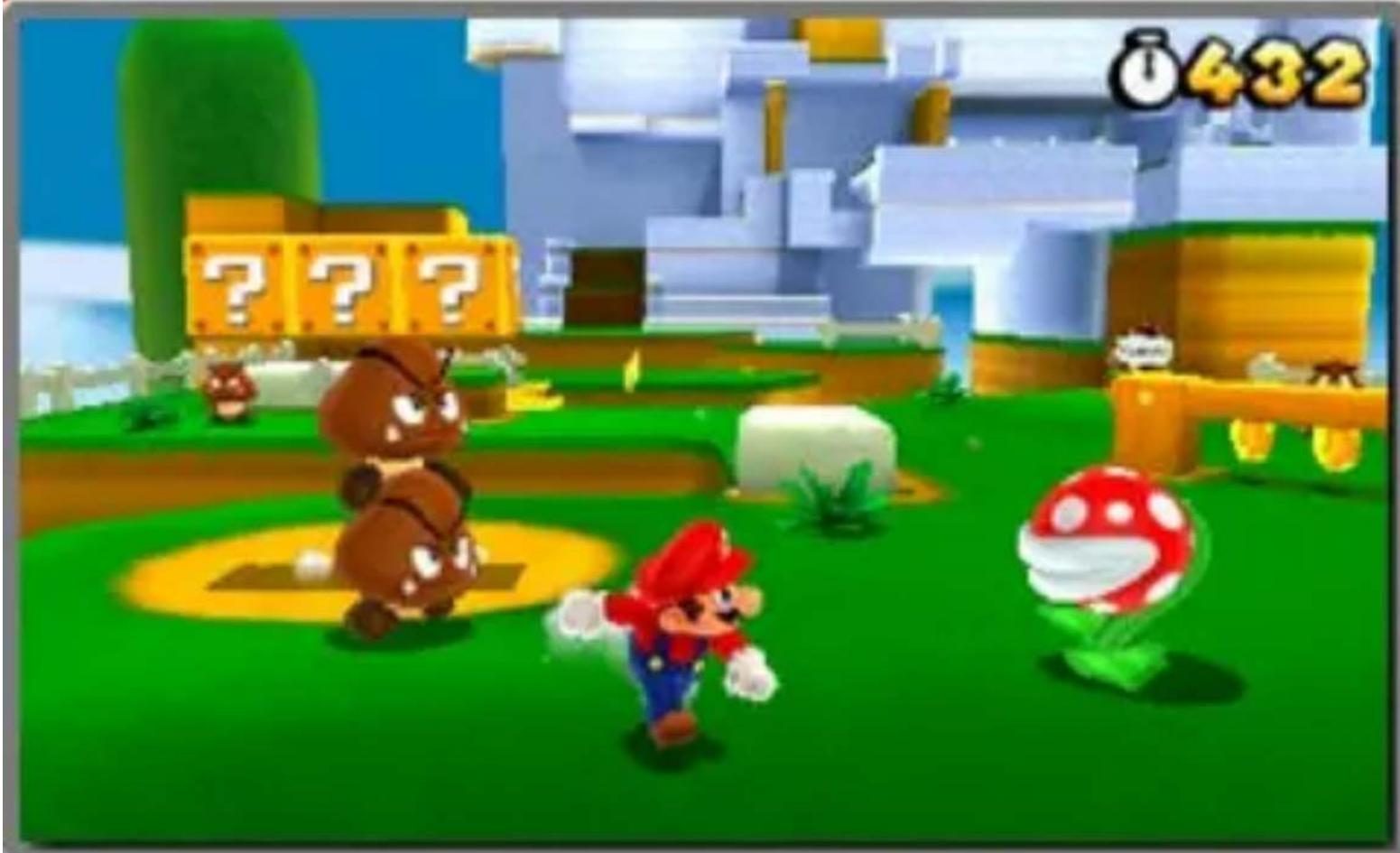
Super Mario 3D Land is an action game where you control the main character, Mario™. Run, jump, and stomp your way through challenging courses. Turn into Tanooki Mario with a Super Leaf, and race for the Goal Pole!
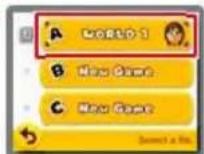
Start the game, then go to the file-selection screen from the title screen.
When starting the game for the first time, you will be asked to configure the StreetPass™ feature (page 11) before the title screen appears.
Starting a New Game
Select a file that says New Game.

Continuing from a Previous Game
Saved files will have Mii™ characters on them. Select the saved file you want to continue playing.
Viewing File Information
Tap the 📄 icon to the left of a file to view and edit information about the file.

① Copy
Copy a file.
② Mii info
Tap to change the Mii displayed on the file.
Note: The Mii you select here will be used for StreetPass (page 11).
③ Erase
Delete a file.
Erased data cannot be recovered, so please be careful.
Erasing All Save Data
To erase all save data, wait until after the software starts up and the Nintendo 3DS logo has disappeared then simultaneously press and hold Ⓐ+☒+☒+☒ until the title screen appears.
Erased data cannot be recovered, so please be careful.
Your progress, which includes courses cleared, coins collected, and lives remaining, will be automatically saved whenever you clear a course and return to the course-selection screen.
Note: The game will not be saved while you are playing a course.
Note: You can save from the pause menu by pressing START on the course-selection screen.

Data can be lost due to user action, such as repeatedly powering off and on the system or removing the Game Card or SD Card while saving. Data loss may also be caused by poor connectivity, due to dirt or dust in the system's ports. Please be aware that in these cases data cannot be restored.
Move Mario to the course you want to play. Press Ⓐ or Ⓞ to enter the course.
Viewing the Course-Selection Screen

① Current world and course
② Star Medal info
This is the number of Star Medals you have obtained on the current course. There are three Star Medals hidden in each course.
③ Remaining lives
④ Star Medal total
⑤ Golden Flag
This appears at the top of the Goal Pole when you grab it to clear a course.
⑥ World button tab
Tap a world you've visited before to return to it.
⑦ Course buttons
You can move directly to a course by tapping it.
: Mario's location
: Courses not cleared
: Cleared courses
: Courses cleared with all three Star Medals obtained
●: Courses you can't enter
Courses You Can't Enter...
Collect the required number of Star Medals to enter previously inaccessible cou

⑧ Mystery Boxes
Defeat the enemies inside within the time limit to receive items.

Note: You can receive Mystery Boxes via StreetPass (page 11).
9 Toad House
You can receive presents or view the album here.

Note: You can save images in the album to the SD Card.
Note: You can receive gifts from other Mii characters (page 11).
Note: All Toad Houses will be restocked when you get a game over.
Pause Menu
Press START on the course-selection screen to display the pause menu, where you can save and return to the title screen.

① Number of coins collected
② Current world and course
③ Item storage
④ Remaining time
⑤ Star Medal info
⑥ Remaining lives
⑦ Camera control panels
Tap to look around the area.
Note: You can also do this by pressing ☐.
Item Storage
Extra power-up items will appear in your item storage. You can store only one item at a time.

Tap the stored item to use it.
Note: If you already have an item and grab a new power-up item, the item will be replaced.
Note: If you already have an item like a Super Leaf or Fire Flower and grab a Super Mushroom, it will turn into coins instead.
Switching 3D Views
Press + when playing a course to change how the 3D visuals appear.

natural_image
Game scene with a character on a wooden platform under a blue sky with clouds (no readable text or symbols)
Press ✪ to enter normal view. This is the default view.

Press ✝ to enter the extended-depth view. This view may make it easier to feel the depth of the 3D visuals.
Control Mario and head for the Goal Pole at the end of the course.

natural_image
Game scene with colorful blocks and a tower, no visible text or symbolsCheckpoint Flag
If Mario touches a Checkpoint Flag during a course, you can try again from that point if you lose a life.

Note: If Mario touches the Checkpoint Flag as Small Mario, he'll transform into his normal size.
Clearing a Course
Grab on to the Goal Pole to clear the course. The remaining time will be converted into coins, and you will return to the course-selection screen.

natural_image
Game icon showing a goal pole with a flag, ball, and surrounding stars (no text or symbols)Note: Grab the very top of the Goal Pole to earn an extra life and have a Golden Flag displayed on the course-selection screen.
Losing Lives and Game Over
During a course, you will lose a life if any of the following things happen:
- You receive damage as Small Mario,
- time runs out,
• or you fall into a pit.
If you lose a life when you have no remaining lives left, you will get a game over. You can try again from the last point at which the game was saved, starting over with four lives.
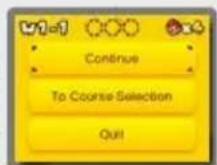
Pause Menu
Press START
during a course to display the pause menu, where you can quit the game or return to the co screen.

Basic Controls
Move
▶
Dash
▶ ⊙ + Ⓨ (or Ⓧ) You will jump higher while dashing.
Jump
▶ (or Ⓐ)
Crouch
▶ L (or R) You can move around while crouching.
Moves
Ground Pound
In midair: L (or R)
Roll
▶ L (or R) + Ⓨ (or Ⓕ)
Long Jump
▶ While moving: ☐ (or ☑) + ☒ (or Ⓐ)
Rolling Long Jump
During a roll: L (or R) + B (or A)
Crouch-Jump
▶ Hold L (or R) + B (or A)
Side Somersault
▶ While dashing: Ⓐ (reverse direction) + Ⓑ (or Ⓐ)
While dashing, quickly change to the opposite direction with Ⓐ and jump to perform a side somersault.
Wall Jump
▶ When sliding down a wall: ③ (or ④)
Other Controls
Enter Pipe
On top of pipe: L (or R)
Kick
▶ Run into shells, etc.
Swim
▶ When underwater: Ⓑ (or Ⓐ)
Propeller Box
▶ Ⓑ (or Ⓐ)
Hold the button down to go higher.

Binoculars/Cannon
Change direction by moving the system or using Ⓗ.
Zoom in/out with
the binoculars with L/R, and fire the cannon with Ⓗ (or A).

When playing this game, you may have to move the system around. Make sure you have enough room before playing, and hold the system firmly with both hands while playing. Do not move the system with excessive force, as this could cause injuries, damage to the product, or damage to nearby objects.
Resetting the Game
Press ☐, ☑, and START simultaneously to return to the title screen.
Sleep Mode
Closing your system during game play will make the system enter Sleep Mode. When your system is in Sleep Mode, the battery consumption is kept to a minimum. When the system is opened, it will wake up from Sleep Mode.

flowchart
graph TD
    A["Super Mush-room"] --> B["Mario"]
    C["Super Leaf"] --> B
    D["Tanooki Mario"] --> B
    B --> E["Damage"]
    E --> A
    E --> C
    E --> D
Mario can change into forms with special abilities when he grabs certain items.
Fire Mario
Grab a 🎨 Fire Flower to turn into Fire Mario. Press Ⓨ (or Ⓕ) to throw fireballs.

natural_image
Cartoon character in red outfit and white hat running with a glowing orange flame against a dark blue background (no text or symbols)Tanooki Mario
Grab a 🎨 Super Leaf to turn into Tanooki Mario. Press Ⓨ (or Ⓕ) to do a tail attack, and hold Ⓑ (or Ⓙ)

natural_image
Cartoon character with orange hair sitting on a green surface, no visible text or symbolswhen in midair to float down gently.
Super Star

Makes Mario invincible for a short time.
1-Up Mushroom

Increases your remaining lives by one.
Coin

You'll get an extra life if you collect 100 of these.
Star Medal

There are three on each course. You'll find them in Mystery Boxes too!
+ Clock
Increases the amount of time remaining.
Assist Blocks
If you keep losing lives at the same point, an Assist Block will appear. Hit it to receive a special item.
Invincibility Leaf


Turns you into Tanooki Mario with unlimited invincibility.
P-Wing


Allows you to travel instantly to somewhere near the Goal Pole.
StreetPass Features
If you activate the StreetPass feature for use with this game, you can do the following with other players if you take the system out with you.
Exchange Mystery Boxes
If you pass by other Super Mario 3D Land players, you will each send the other the last

Mystery Box (page 5) you played.
Note: Mystery Boxes received via StreetPass will contain Star Medals.
Note: You can only exchange the kinds of Mystery Boxes found on the course-selection screen.
Note: When you have several save files, only data from the save file you last played will be shared.
Get Items
If you activate StreetPass for use with this game and meet a Mii

character in the
wireless-play mode of another game, you will sometimes get a gift at a Toad House (page 5).
Note: You will get better gifts the more times you meet the same Mii.
Note: You must have the Invitations option in the built-in StreetPass™ Mii

Plaza™ application set to ON to use this feature. For more details, please refer to the section about StreetPass Mii Plaza in your Operations Manual.
Activating StreetPass
If StreetPass is not activated, ● will appear on the title screen.
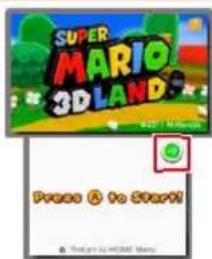
Tap 🔒 and follow the on-screen instructions to activate StreetPass.
Deactivating StreetPass
To deactivate StreetPass, open the System Settings, select Data Management, and then select StreetPass Management. Tap the icon for this software title, and then select Deactivate StreetPass.
You can disable StreetPass functionality via Parental Controls. For more information, refer to the Nintendo 3DS Operations Manual.
12 Support Information
Nintendo Customer Service SUPPORT.NINTENDO.COM
USA/Canada: 1-800-255-3700
Latin America/Caribbean: (001) 425-558-7078
1 Important Information
Getting Started
2 Introduction
3 Starting the Game
4 Saving Your Game
How to Play
5 Selecting a Course
6 Viewing the Course Screen
7 Playing Through Courses
8 Controlling Mario
9 Mario's Power-Ups
10 Items
Communications
11 StreetPass
Troubleshooting
12 Support Information
- IMPORTANT
- Protecting Your Privacy
- Introduction
- Starting a New Game
- Continuing from a Previous Game
- Viewing File Information
- ① Copy
- ② Mii info
- ③ Erase
- Erasing All Save Data
- ① Current world and course
- ② Star Medal info
- ③ Remaining lives
- ④ Star Medal total
- ⑤ Golden Flag
- ⑥ World button tab
- ⑦ Course buttons
- Courses You Can't Enter...
- ⑧ Mystery Boxes
- Toad House
- Pause Menu
- Item Storage
- Switching 3D Views
- Checkpoint Flag
- Clearing a Course
- Losing Lives and Game Over
- Basic Controls
- Move
- Dash
- Jump
- Crouch
- Moves
- Ground Pound
- Roll
- Long Jump
- Rolling Long Jump
- Crouch-Jump
- Side Somersault
- Wall Jump
- Other Controls
- Enter Pipe
- Kick
- Swim
- Propeller Box
- Binoculars/Cannon
- Resetting the Game
- Sleep Mode
- Fire Mario
- Tanooki Mario
- Super Star
- 1-Up Mushroom
- Coin
- Star Medal
- + Clock
- Assist Blocks
- Invincibility Leaf
- P-Wing
- StreetPass Features
- Exchange Mystery Boxes
- Get Items
- Activating StreetPass
- Deactivating StreetPass
- Support Information
- Getting Started
- How to Play
- Communications
- Troubleshooting
Marque : NINTENDO
Modèle : Mario 3D Land Super (3DS)
Catégorie : Jeu