ELRO ES34 - Caméra de surveillance

ES34 - Caméra de surveillance ELRO - Notice d'utilisation et mode d'emploi gratuit

Retrouvez gratuitement la notice de l'appareil ES34 ELRO au format PDF.

📄 2 pages Français FR Télécharger 💬 Question IA 10 questions ⚙️ Specs
Notice ELRO ES34 - page 1
Choisissez votre langue et indiquez votre email : nous vous enverrons une version traduite specifiquement.
Type de produit Caméra de surveillance
Marque ELRO
Modèle ES34
Dimensions (L × l × h) 10 × 8 × 8 cm
Poids 320 g
Alimentation Adaptateur secteur 12 V DC
Consommation électrique 5 W
Résolution vidéo 720p (HD)
Vision nocturne Oui, jusqu'à 10 mètres
Angle de vue 90°
Détection de mouvement Oui, avec notification push
Stockage Carte microSD (jusqu'à 32 Go) ou cloud
Connectivité Wi-Fi 2,4 GHz
Audio bidirectionnel Oui
Compatibilité iOS et Android (application ELRO Smart)
Température de fonctionnement -10 °C à 50 °C
Indice de protection IP65 (extérieur)
Entretien et nettoyage Essuyer avec un chiffon doux et sec. Ne pas utiliser de produits chimiques.
Sécurité Montage mural avec vis fournies. Fixation solide requise.
Pièces détachées et réparabilité Contacter le service client ELRO pour les pièces détachées. Réparation non recommandée par l'utilisateur.
Informations générales Caméra de surveillance intérieure/extérieure, compatible avec assistants vocaux (Alexa, Google Assistant).

FOIRE AUX QUESTIONS - ES34 ELRO

Comment installer la caméra ELRO ES34 ?
Fixez la caméra au mur à l'aide des vis fournies ou placez-la sur une surface plane. Branchez l'adaptateur secteur et suivez les instructions dans l'application ELRO Smart pour la connecter à votre réseau Wi-Fi.
Comment connecter la caméra à mon réseau Wi-Fi ?
Téléchargez l'application ELRO Smart, créez un compte et appuyez sur 'Ajouter un appareil'. Suivez les invites pour connecter la caméra à votre réseau Wi-Fi 2,4 GHz.
La caméra dispose-t-elle de la vision nocturne ?
Oui, la ES34 est équipée de LEDs infrarouges permettant une vision nocturne jusqu'à 10 mètres.
Quelle application utiliser pour la caméra ELRO ES34 ?
Utilisez l'application ELRO Smart disponible gratuitement sur iOS et Android.
Quelle est la résolution de la caméra ?
La caméra enregistre en 720p (HD), offrant une image claire et détaillée.
Comment enregistrer les vidéos ?
Insérez une carte microSD (jusqu'à 32 Go) dans l'emplacement prévu ou souscrivez à un abonnement cloud via l'application. La détection de mouvement déclenche l'enregistrement.
La caméra détecte-t-elle les mouvements ?
Oui, la détection de mouvement est intégrée. Vous recevrez une notification push sur votre smartphone en cas de mouvement détecté.
Est-elle compatible avec Alexa ou Google Assistant ?
Oui, la ES34 est compatible avec Amazon Alexa et Google Assistant pour le contrôle vocal et l'affichage sur des écrans compatibles.
Comment réinitialiser la caméra ?
Maintenez enfoncé le bouton RESET situé sur la caméra pendant 5 secondes jusqu'à entendre un bip. La caméra redémarrera et sera prête à être configurée à nouveau.
Comment nettoyer la caméra ?
Utilisez un chiffon doux et sec pour nettoyer la lentille et le boîtier. N'utilisez pas de nettoyants agressifs ou abrasifs.

Questions des utilisateurs sur ES34 ELRO

0 question sur cet appareil. Repondez a celles que vous connaissez ou posez la votre.

Poser une nouvelle question sur cet appareil

L'email reste privé : il sert seulement à vous prévenir si quelqu'un répond à votre question.

Aucune question pour l'instant. Soyez le premier à en poser une.

Téléchargez la notice de votre Caméra de surveillance au format PDF gratuitement ! Retrouvez votre notice ES34 - ELRO et reprennez votre appareil électronique en main. Sur cette page sont publiés tous les documents nécessaires à l'utilisation de votre appareil ES34 de la marque ELRO.

MODE D'EMPLOI ES34 ELRO

ELRO ES34 - 1

www.elro.eu www.elro.eu

SECURITY LIGHT

SERIES

ELRO ES34 - SERIES - 1
1

ELRO ES34 - SERIES - 2
2

ELRO ES34 - SERIES - 3
4

ELRO ES34 - SERIES - 4
8

ELRO ES34 - SERIES - 5

12
ELRO ES34 - SERIES - 6
14

ELRO ES34 - SERIES - 7
15

ELRO ES34 - SERIES - 8
17

ELRO ES34 - SERIES - 9
20

ELRO ES34 - SERIES - 10
21

ELRO ES34 - SERIES - 11
25

ELRO ES34 - SERIES - 12
26

ELRO ES34 - SERIES - 13
29

ELRO ES34 - SERIES - 14
35

ELRO ES34 - SERIES - 15

WWW.ELRO.EU Roos Electronics by, Postbus 117, 5126 ZJ Gilze, Holland WWW.ELRO-NL.COM - WWW.ELRO-BE.COM Roos Electronics GmbH Armsberg-Germany WWW.ROOSELECTRONICS.DE EDEN, Vallouris, France WWW.EDEN.FR C H Byron Corporation, Bromsgrove, U.K. WWW.CHBYRON.COM

ELRO ES34 - SERIES - 17

ELRO ES34 - SERIES - 18

ELRO ES34 - SERIES - 19

ELRO ES34 - SERIES - 20

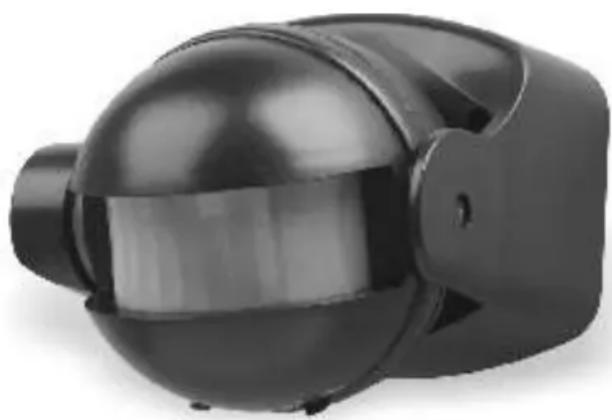
natural_image Black plastic mechanical component with a spherical top and rectangular body (no visible text or symbols)

Attachment Attachment for
ELRO ES34 - SERIES - 21
SAFETY
INSTRUCTIONS!

ES34Z
ELRO ES34 - SERIES - 22

natural_image Exterior view of a modern office building (no signage)

ES34

ELRO ES34 - SERIES - 23

natural_image 3D rendered mechanical component with a spherical housing and internal slots (no text or symbols visible)

ES34A

ELRO ES34 - SERIES - 24

www.elro.eu www.elro.eu

SECURITY LIGHT

SERIES

ELRO ES34 - SERIES - 1

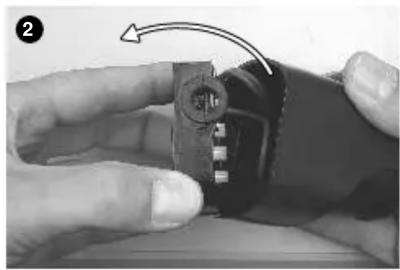
natural_image Close-up of hands holding a mechanical component with a curved arrow indicating a step (no text or symbols visible)
ELRO ES34 - SERIES - 2

natural_image Close-up of hands holding a small electronic component with a circular connector (no visible text or symbols)

ELRO ES34 - SERIES - 3

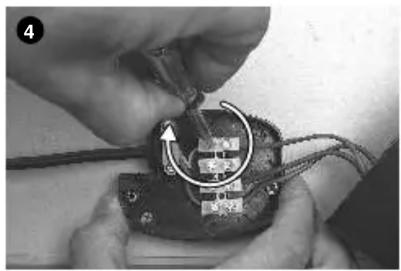
natural_image Close-up of hands using a screwdriver to adjust or install electronic components (no visible text or symbols)
ELRO ES34 - SERIES - 4

natural_image Close-up of hands assembling a mechanical component with a tool, no visible text or symbols

ELRO ES34 - SERIES - 5

natural_image Close-up of hands using pliers to cut a dark electronic component (no visible text or symbols)

ELRO ES34 - SERIES - 6

natural_image Close-up of hands holding a mechanical component with a circular arrow indicating rotation (no text or symbols visible)

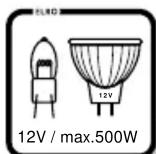
L N H05RN-F / 3 X 1mm² H05RN-F / 3 X 1mm² 4a 220-240V ~ 50/60Hz. BULB ENERGY SAVING 220V HALOGEN 12V HALOGEN Max. 1000W Max. 500W Max. 1000W Max. 500W

Diagram illustrating three stages of a biological or mechanical process with directional arrows and X symbols indicating movement or transformation.

ELRO ES34 - SERIES - 9

natural_image Mechanical component with an upward arrow and a V symbol, no readable text or labels

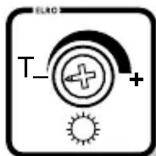
Test detector: 1- TIME → 2- LUX → 3- 60 seconds

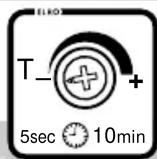
Use detector TIME LUX 10min 5sec TIME LUX 14 15 Attachment Attachment for ...SI ...for SAFETY INSTRUCTIONSI

Sommaire Cliquez un titre pour y accéder
Assistant notice
Powered by Anthropic
En attente de votre message
Informations produit

Marque : ELRO

Modèle : ES34

Catégorie : Caméra de surveillance