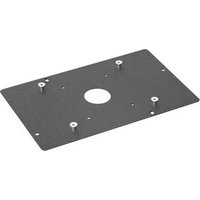
SLM7000 - Accessoire de projecteur Chief - Notice d'utilisation et mode d'emploi gratuit
Retrouvez gratuitement la notice de l'appareil SLM7000 Chief au format PDF.


| Type de produit | Support de projecteur |
| Marque | Chief |
| Modèle | SLM7000 |
| Catégorie | Accessoire de projecteur |
| Matériau | Acier et aluminium |
| Dimensions (L x l x h) | Environ 40 x 20 x 10 cm |
| Poids net | Environ 2,5 kg |
| Capacité de charge maximale | Jusqu'à 45 kg (selon modèle) |
| Type de montage | Plafond ou mural |
| Réglages possibles | Inclinaison, rotation, nivellement |
| Distance de l'écran (ajustable) | Oui, via colonne télescopique (si applicable) |
| Compatibilité | La plupart des projecteurs avec trous de montage standard |
| Gestion des câbles | Intégrée |
| Couleur | Noir |
| Certifications | UL, TÜV (selon région) |
| Garantie | 10 ans (Chief) |
| Entretien et nettoyage | Nettoyer avec un chiffon doux et sec. Ne pas utiliser de produits abrasifs. |
| Sécurité | Vérifier régulièrement la fixation et la charge. Respecter la capacité maximale. |
| Pièces détachées et réparabilité | Pièces disponibles sur demande. Réparation possible par un installateur agréé. |
FOIRE AUX QUESTIONS - SLM7000 Chief
Questions des utilisateurs sur SLM7000 Chief
0 question sur cet appareil. Repondez a celles que vous connaissez ou posez la votre.
Poser une nouvelle question sur cet appareil
Téléchargez la notice de votre Accessoire de projecteur au format PDF gratuitement ! Retrouvez votre notice SLM7000 - Chief et reprennez votre appareil électronique en main. Sur cette page sont publiés tous les documents nécessaires à l'utilisation de votre appareil SLM7000 de la marque Chief.
MODE D'EMPLOI SLM7000 Chief
INSTALLATION INSTRUCTIONS
SLB-7000 HANGER BRACKET
FOR EIKI LC7000, SANYO PLC5500, PROXIMA DP5600 AND BOXLIGHT 3600
Prior to assembly, unpack carton and verify contents.
For security installation, use security hardware package inside the ALL-POINTS™
Security Kit. Follow the instructions below for attaching the bracket to the projector using either standard hardware or security hardware.
If you are missing any of the following components, please contact Customer Service at 1-800-582-6480
(1) SLB-7000 Plate (2)
M5 x 16mm Pan head screw
(2) 10-24 Nylock Nuts (2)
M5 Flatwashers
(2) #10 Flatwashers (6) Thumb Nuts
(4) Felt Squares (1) U-Form Rod
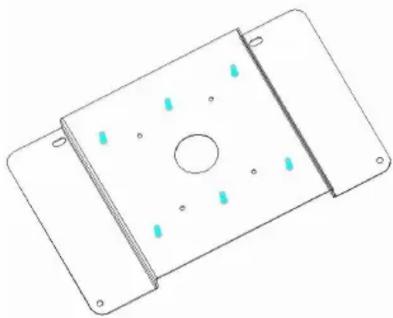
INSTALLATION INSTRUCTIONS
- Turn projector upside down.
- Place the SLB-7000 Plate onto the projector bottom so the (2) thru holes line up with the threaded inserts in the bottom of the projector. Using the M5 bolts and M5 washers, attach plate to the projector at these two places.
- Attach the U-Form rod around the projector and up through the two holes in the SLB-7000 plate, secure firmly using the #10 flatwashers and 10-24 nylock nuts. NOTE: This U-Form rod MUST be attached for mount to properly support projector. Felt squares are provided to protect projector shell, if desired. They can be attached to the projector or wrapped around the U-Form rod.
- See RPA and/or Smart-Lift™ Instruction
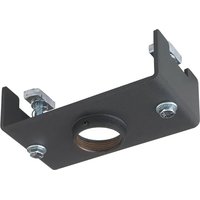
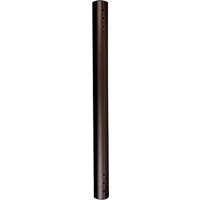
Marque : Chief
Modèle : SLM7000
Catégorie : Accessoire de projecteur