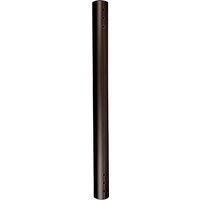
CPA048 - Accessoire de projecteur Chief - Notice d'utilisation et mode d'emploi gratuit
Retrouvez gratuitement la notice de l'appareil CPA048 Chief au format PDF.


| Type de produit | Support de projecteur |
| Marque | Chief |
| Modèle | CPA048 |
| Catégorie | Accessoire de projecteur |
| Dimensions (L x l x h) | 35,6 x 25,4 x 10,2 cm |
| Poids net | 1,8 kg |
| Alimentation | Aucune (support passif) |
| Charge maximale supportée | 22,7 kg |
| Matériau principal | Acier et aluminium |
| Couleur | Noir |
| Fonctions principales | Montage mural ou plafond, inclinaison, rotation et nivellement |
| Compatibilité | Projecteurs jusqu'à 22,7 kg avec fixation VESA standard |
| Réglages | Inclinaison ±15°, rotation ±5°, niveau par vis |
| Fixation fournie | Vis et chevilles pour béton et bois |
| Entretien et nettoyage | Nettoyer avec un chiffon doux et sec. Ne pas utiliser de produits abrasifs |
| Sécurité | Ne pas dépasser la charge maximale. Vérifier régulièrement la fixation |
| Pièces détachées et réparabilité | Pièces disponibles sur demande. Réparation par professionnel recommandée |
| Garantie | 2 ans |
FOIRE AUX QUESTIONS - CPA048 Chief
Questions des utilisateurs sur CPA048 Chief
0 question sur cet appareil. Repondez a celles que vous connaissez ou posez la votre.
Poser une nouvelle question sur cet appareil
Téléchargez la notice de votre Accessoire de projecteur au format PDF gratuitement ! Retrouvez votre notice CPA048 - Chief et reprennez votre appareil électronique en main. Sur cette page sont publiés tous les documents nécessaires à l'utilisation de votre appareil CPA048 de la marque Chief.
MODE D'EMPLOI CPA048 Chief
INSTALLATION INSTRUCTIONS

Extension Columns
DISCLAIMER
Milestone AV Technologies and its affiliated corporations and subsidiaries (collectively "Milestone"), intend to make this manual accurate and complete. However, Milestone makes no claim that the information contained herein covers all details, conditions or variations, nor does it provide for every possible contingency in connection with the installation or use of this product. The information contained in this document is subject to change without notice or obligation of any kind. Milestone makes no representation of warranty, expressed or implied, regarding the information contained herein. Milestone assumes no responsibility for accuracy, completeness or sufficiency of the information contained in this document.
Chief® is a registered trademark of Milestone AV Technologies. All rights reserved.
DEFINITIONS
MOUNTING SYSTEM: A MOUNTING SYSTEM is the primary Chief product to which an accessory and/or component is attached.
ACCESSORY: AN ACCESSORY is the secondary Chief product which is attached to a primary Chief product, and may have a component attached or setting on it.
COMPONENT: A COMPONENT is an audiovisual item designed to be attached or resting on an accessory or mounting system such as a video camera, CPU, screen, display, projector, etc.

WARNING: A WARNING alerts you to the possibility of serious injury or death if you do not follow the instructions.

CAUTION: A CAUTION alerts you to the possibility of damage or destruction of equipment if you do not follow the corresponding instructions.

IMPORTANT SAFETY INSTRUCTIONS

WARNING: Failure to read, thoroughly understand, and follow all instructions can result in serious personal injury, damage to equipment, or voiding of factory warranty! It is the installer's responsibility to make sure all accessories are properly assembled and installed using the instructions provided.

WARNING: Failure to provide adequate structural strength for this accessory can result in serious personal injury or damage to equipment! It is the installer's responsibility to make sure the structure to which this accessory is attached can support five times the combined weight of all equipment. Reinforce the structure as required before installing the accessory.

WARNING: Exceeding the weight capacity can result in serious personal injury or damage to equipment! It is the installer's responsibility to make sure the combined weight of all components and mounting systems attached to the CPA Extension Columns does not exceed 500 lbs (226.8 kg).
- The weight capacity of the CPA Extension Columns may be LIMITED to the lowest weight capacity of any other component, accessory or mounting system used with this accessory.

WARNING: Use this accessory only for its intended use as described in these instructions. Do not use attachments not recommended by the manufacturer.

WARNING: Never operate this accessory if it is damaged. Return the accessory to a service center for examination and repair.

WARNING: Do not use this product outdoors.
NOTE: CPA Extension Columns are intended to be used with the following UL Listed products:
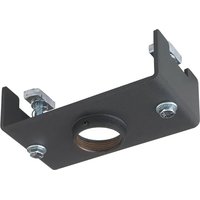
- CPA Ceiling Plates;
• CPA Adapters; CPA265 - Ceiling Mount Models XCM1U, LCM1U, MCM1U, RLC1, RMC1;
- Ceiling Mounted Video Wall Models LCM2X2U, LCM3X2U, LCM3X3U;
- Ceiling Mounted Menu Board Models LCM2X1U, LCM2X1UP, LCM3X1U, LCM3X1UP, LCM5X1U, LCB2X1U, LCB2X1UP, LCM1UP (not included);
- Truss Ceiling Adapter Accessory Model CPA380.
--SAVE THESE INSTRUCTIONS--
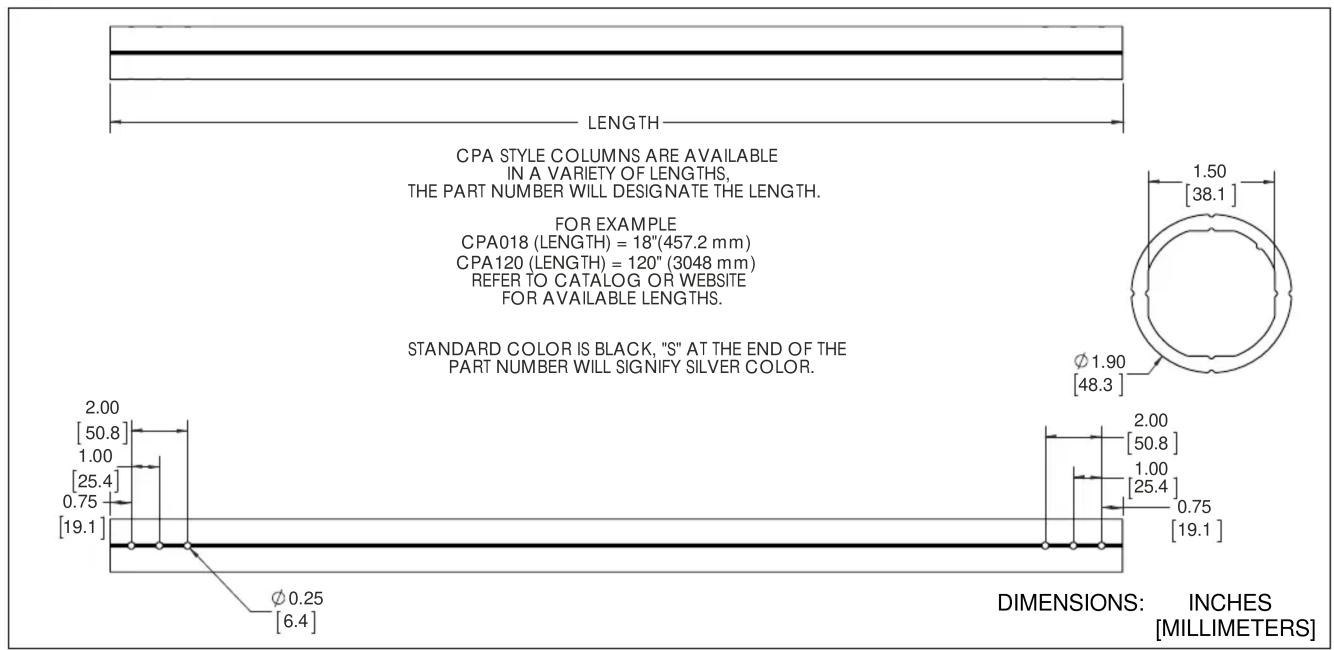
DIMENSIONS
TOOLS REQUIRED FOR INSTALLATION

PARTS
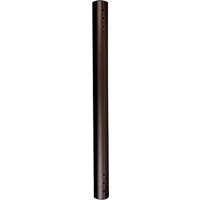
![A (1) [Extension column] (CPA-024 shown as example)](/content/2026/06/1309373/images/3e9e397e2233ef3cac8a1e7e370d300de7990d07e68ddc1ae204d19f03fe3d49.jpg)
INSTALLATION
IMPORTANT ! : The following procedure assumes that the UL Listed CPA ceiling plate (not included) has been properly installed following instructions provided with ceiling plate.
- OPTIONAL: Route cables through extension column (A).
-
Install UL Listed CPA Series Extension column into UL Listed CPA ceiling plate (not included) following instructions included with ceiling plate.
NOTE: Installation of hex head self-tapping screws (included with Listed Chief accessories and mounts) will be easier when screws are carefully aligned with holes in extension column, and a drill and nut driver is used. If a drill will NOT be used, a small amount of pressure will be needed to get the self-tapping screws started. -
Secure extension column following instructions included with ceiling plate.

WARNING: Exceeding the weight capacity can result in serious personal injury or damage to equipment! It is the installer's responsibility to make sure the combined weight of all components and mounting systems attached to the CPA Extension Columns does not exceed 500 lbs (226.8 kg).
- The weight capacity of the CPA Extension Columns may be LIMITED to the lowest weight capacity of any other component, accessory or mounting system used with this accessory.
- Install and secure mount (not included) to lower end of extension column (A) following instructions included with mount.
CPA Series Columns
Installation Instructions
Marque : Chief
Modèle : CPA048
Catégorie : Accessoire de projecteur