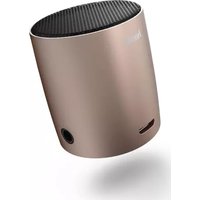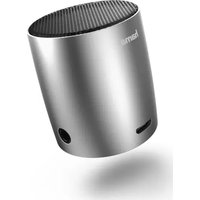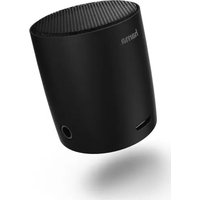
HAMA Sonic Mobil 183 - Station d'accueil

Sonic Mobil 183 - Station d'accueil HAMA - Notice d'utilisation et mode d'emploi gratuit

Retrouvez gratuitement la notice de l'appareil Sonic Mobil 183 HAMA au format PDF.

📄 18 pages Français FR Télécharger 💬 Question IA 10 questions ⚙️ Specs
Notice HAMA Sonic Mobil 183 - page 1
Choisissez votre langue et indiquez votre email : nous vous enverrons une version traduite specifiquement.
Marque Hama
Modèle Sonic Mobil 183
Type de produit Station d'accueil pour smartphones et tablettes
Dimensions (L x l x H) Environ 12 x 10 x 6 cm
Poids Environ 200 g
Alimentation Adaptateur secteur 5V/2A (fourni)
Puissance nominale 10 W
Fonctions principales Charge simultanée, connectivité Bluetooth, haut-parleur intégré, support réglable
Connectivité Bluetooth 4.2, port USB de charge, entrée auxiliaire 3,5 mm
Compatibilité Smartphones et tablettes jusqu'à 10 pouces
Entretien et nettoyage Essuyer avec un chiffon doux légèrement humide. Ne pas utiliser de produits abrasifs.
Sécurité Ne pas exposer à l'eau ou à une chaleur excessive. Débrancher en cas d'orage.
Pièces détachées et réparabilité Pièces de rechange disponibles sur demande auprès du service après-vente Hama. Réparation possible par un technicien agréé.
Informations générales Conçu pour une utilisation en intérieur uniquement. Température de fonctionnement : 0°C à 40°C.

FOIRE AUX QUESTIONS - Sonic Mobil 183 HAMA

Comment connecter mon smartphone à la station d'accueil Sonic Mobil 183 ?
Activez le Bluetooth de votre smartphone et sélectionnez 'Sonic Mobil 183' dans la liste des appareils disponibles. Si la connexion échoue, vérifiez que la station est allumée et en mode appairage (voyant clignotant).
Puis-je charger mon appareil tout en écoutant de la musique ?
Oui, la station d'accueil permet de charger votre appareil via le port USB tout en diffusant de l'audio en Bluetooth ou via l'entrée auxiliaire.
Que faire si le son est déformé ou de mauvaise qualité ?
Vérifiez que le volume de votre appareil et de la station n'est pas au maximum. Éloignez les sources d'interférences. Assurez-vous que la connexion Bluetooth est stable dans un rayon de 10 mètres.
Comment nettoyer la station d'accueil ?
Utilisez un chiffon doux légèrement humide pour essuyer la surface. N'utilisez jamais de produits chimiques ou de nettoyants abrasifs. Évitez toute pénétration de liquide dans les ouvertures.
La station d'accueil ne s'allume pas. Que faire ?
Vérifiez que l'adaptateur secteur est correctement branché sur la station et sur une prise électrique fonctionnelle. Essayez un autre câble d'alimentation si possible. Si le problème persiste, contactez le support Hama.
Quelle est la distance maximale de fonctionnement du Bluetooth ?
La portée Bluetooth est d'environ 10 mètres en espace libre. Les obstacles (murs, meubles) peuvent réduire cette distance.
Puis-je utiliser la station d'accueil avec un appareil non compatible Bluetooth ?
Oui, vous pouvez utiliser l'entrée auxiliaire 3,5 mm (câble non fourni) pour connecter tout appareil disposant d'une sortie audio filaire.
Comment réinitialiser la station d'accueil ?
Pour réinitialiser, maintenez enfoncé le bouton d'alimentation pendant 5 secondes jusqu'à ce que le voyant clignote rapidement. Relâchez, puis rallumez l'appareil normalement.
La station se décharge rapidement. Est-ce normal ?
La station d'accueil ne possède pas de batterie interne. Elle fonctionne uniquement branchée sur secteur. Une décharge perçue peut provenir de l'appareil connecté. Assurez-vous d'utiliser l'adaptateur fourni.
Où puis-je trouver des pièces de rechange pour le Sonic Mobil 183 ?
Contactez le service après-vente de Hama par téléphone ou via leur site web. Indiquez le numéro de modèle (183) pour obtenir les pièces adaptées (support, câble, adaptateur).

Questions des utilisateurs sur Sonic Mobil 183 HAMA

0 question sur cet appareil. Repondez a celles que vous connaissez ou posez la votre.

Poser une nouvelle question sur cet appareil

L'email reste privé : il sert seulement à vous prévenir si quelqu'un répond à votre question.

Aucune question pour l'instant. Soyez le premier à en poser une.

Téléchargez la notice de votre Station d'accueil au format PDF gratuitement ! Retrouvez votre notice Sonic Mobil 183 - HAMA et reprennez votre appareil électronique en main. Sur cette page sont publiés tous les documents nécessaires à l'utilisation de votre appareil Sonic Mobil 183 de la marque HAMA.

MODE D'EMPLOI Sonic Mobil 183 HAMA

hama®

THE SMART SOLUTION

graph LR A["Device"] --> B["CD/DVD Interface"] B --> C["Laptop"]

graph TD A["Device"] --> B["Interface"] B --> C["Laptop"] B --> D["Device"]

① ② ③ VOLUME

i

-

Image containing a placeholder icon with an equals sign and a horizontal line, likely from a user interface or system status.

Image containing a placeholder icon with an equals sign and a horizontal line, likely from a user interface.

Image containing a placeholder icon, a horizontal line with the word '==', and a small symbol resembling an information icon above it.

Image containing a placeholder icon with an equals sign and a horizontal line, likely from a user interface or document.

Image containing a placeholder icon, a horizontal line with the word '==', and a vertical line with an equals sign, likely from a user interface.

Image containing a placeholder icon with an equals sign and a horizontal line, likely from a user interface or system status.

Image containing a placeholder icon, a horizontal line with the word '==', and a vertical line with an equals sign, likely from a user interface or system status.

Image containing a placeholder icon, a horizontal line, and a text box with equals sign below it.

Image containing a placeholder icon with an equals sign and a horizontal line, likely from a user interface or system status.

Image containing a placeholder icon with an 'i' symbol and a horizontal line, likely from a user interface or document.

Image containing a placeholder icon with an equals sign and a horizontal line, likely from a user interface or system status.

Image containing a placeholder icon with a minus sign and a horizontal line, likely from a user interface or document.

Image containing a placeholder icon, a horizontal line with the word '==', and a small symbol resembling an information icon above it.

Image containing a placeholder icon with an equals sign and a horizontal line, likely from a user interface or document.

Image containing a placeholder icon with an equals sign and a horizontal line, likely from a user interface or system status.

Image containing a placeholder icon with an 'i' symbol and a horizontal line, likely from a user interface or document.

HAMA Sonic Mobil 183 - hama® - 20

HAMA Sonic Mobil 183 - hama® - 21

HAMA Sonic Mobil 183 - hama® - 22

HAMA Sonic Mobil 183 - hama® - 23

HAMA Sonic Mobil 183 - hama® - 24

HAMA Sonic Mobil 183 - hama® - 25

HAMA Sonic Mobil 183 - hama® - 26

HAMA Sonic Mobil 183 - hama® - 27

Diagram showing five types of waste sorting and recycling symbols with crossed-out bins and a trash bin icon

HAMA Sonic Mobil 183 - hama® - 29

HAMA Sonic Mobil 183 - hama® - 30

HAMA Sonic Mobil 183 - hama® - 31

HAMA Sonic Mobil 183 - hama® - 32

CE
CE
CE
CE
CE
CE
CE
CE

CE
CE
CE
CE
CE
CE
CE
CE
CE

hama®
Sommaire Cliquez un titre pour y accéder
Assistant notice
Powered by Anthropic
En attente de votre message
Informations produit

Marque : HAMA

Modèle : Sonic Mobil 183

Catégorie : Station d'accueil