
BT100 - Récepteur Bluetooth CAMBRIDGE - Notice d'utilisation et mode d'emploi gratuit
Retrouvez gratuitement la notice de l'appareil BT100 CAMBRIDGE au format PDF.


| Type de produit | Récepteur Bluetooth |
| Marque | Cambridge |
| Modèle | BT100 |
| Version Bluetooth | 5.0 |
| Portée maximale | 10 mètres (sans obstacle) |
| Profils audio supportés | A2DP, AVRCP, aptX, SBC |
| Connectique | Sortie audio Jack 3.5 mm, USB-C (alimentation) |
| Alimentation | 5V USB (câble inclus) |
| Dimensions (L x l x H) | 6 x 6 x 2 cm |
| Poids | 30 g |
| Couleur | Noir |
| Fonctions principales | Streaming audio sans fil, contrôle de lecture (piste, volume), compatibilité avec tous les haut-parleurs filaires |
| Entretien et nettoyage | Essuyer avec un chiffon sec et doux. Ne pas utiliser de produits abrasifs. |
| Sécurité | Ne pas exposer à l'eau ou à l'humidité. Utiliser uniquement l'adaptateur secteur recommandé. |
| Pièces détachées et réparabilité | Pièces non disponibles séparément. Appareil non réparable par l'utilisateur. |
| Informations générales | Conçu pour une utilisation domestique. Température de fonctionnement : 0°C à 40°C. |
FOIRE AUX QUESTIONS - BT100 CAMBRIDGE
Questions des utilisateurs sur BT100 CAMBRIDGE
0 question sur cet appareil. Repondez a celles que vous connaissez ou posez la votre.
Poser une nouvelle question sur cet appareil
Téléchargez la notice de votre Récepteur Bluetooth au format PDF gratuitement ! Retrouvez votre notice BT100 - CAMBRIDGE et reprennez votre appareil électronique en main. Sur cette page sont publiés tous les documents nécessaires à l'utilisation de votre appareil BT100 de la marque CAMBRIDGE.
MODE D'EMPLOI BT100 CAMBRIDGE
BT100 and Blutooth Audio streaming
The BT100 is compatible with the following Cambridge Audio products:
- DacMagic Plus
- Sonata NP30
- Stream Magic 6
Selecting the BT100 as an input on the compatible Cambridge Audio product, allows that product to receive wireless Bluetooth audio from most phones/tablets and laptops.
When connected to your Cambridge Audio product, the BT100 allows it to receive BluetoothAudio (known as Bluetooth Advanced Audio Distribution Profile or A2DP). Contact your dealer for details.
The BT100 supports Bluetooth A2DP using either the original SBC encoded form or the latest higher quality apt-X encoded form (if the sending device supports it).
SBC and apt-X refer to the encoding used over the wireless Bluetooth interface only and not the format your music may be in, which can be any type that your phone/ laptop or other playing device supports.
Your playing device plays your files then re-encodes the playback before streaming it to the BT100 in one of these two formats.
Many phones and laptops now feature Bluetooth with A2DP. SBC should be supported by all such devices (it is the madatory format for A2DP).
apt-X is optional, so check if your sending device supports it, if you wish to achieve the highest quality audio transfer.
Note: The BT100 declares that it can handle both SBC and apt-X to the sending device which will then use whichever version it supports.
What is apt-X?
apt-X is a high quality CODEC (CODer/DECoder) i.e. a way of compressing audio data so it can be sent over a link such as Bluetooth then decompressed on the other side (if both devices support it).
If your Bluetooth audio source does not support apt-X, the BT100 will fall back to using the standard SBC CODEC that is supported by all Bluetooth audio devices.
BT100 controls and connections

A. Pairing button/Status LED
Button performs pairing and related functionality. Integrated LED indicates BT100 status.
B. USB plug
Streams high quality USB audio into your compatible Cambridge Audio product's USB socket.
C. Extension Cable
Allows the BT100 to be positioned for accessibility or optimal wireless reception.
Pairing
To begin streaming high quality music from your chosen media source it will first need to be paired with the BT100.
A. Insert BT100 into the USB port on your compatible Cambridge Audio product.
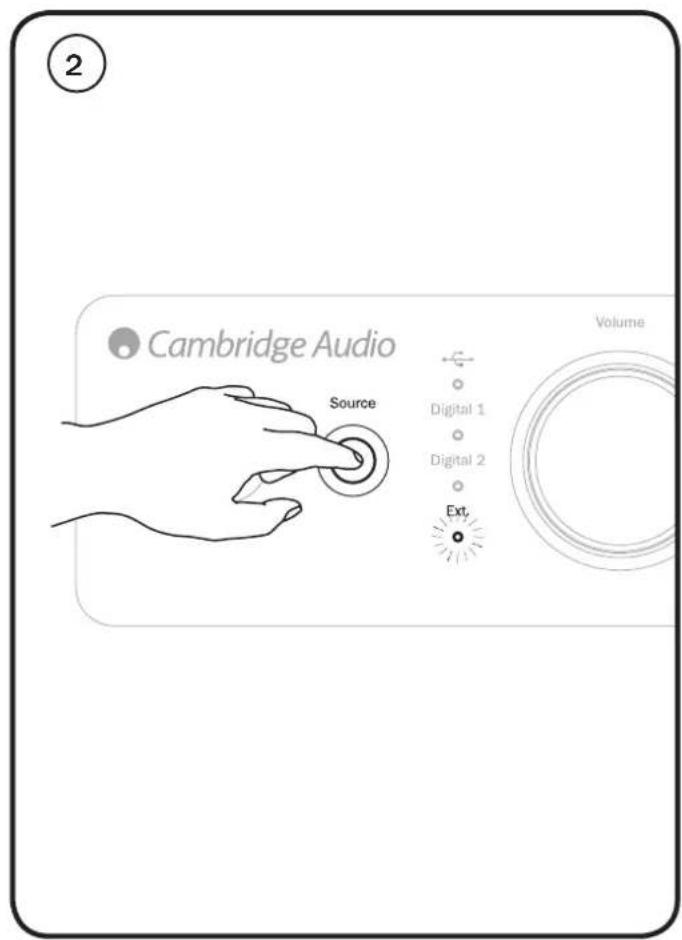
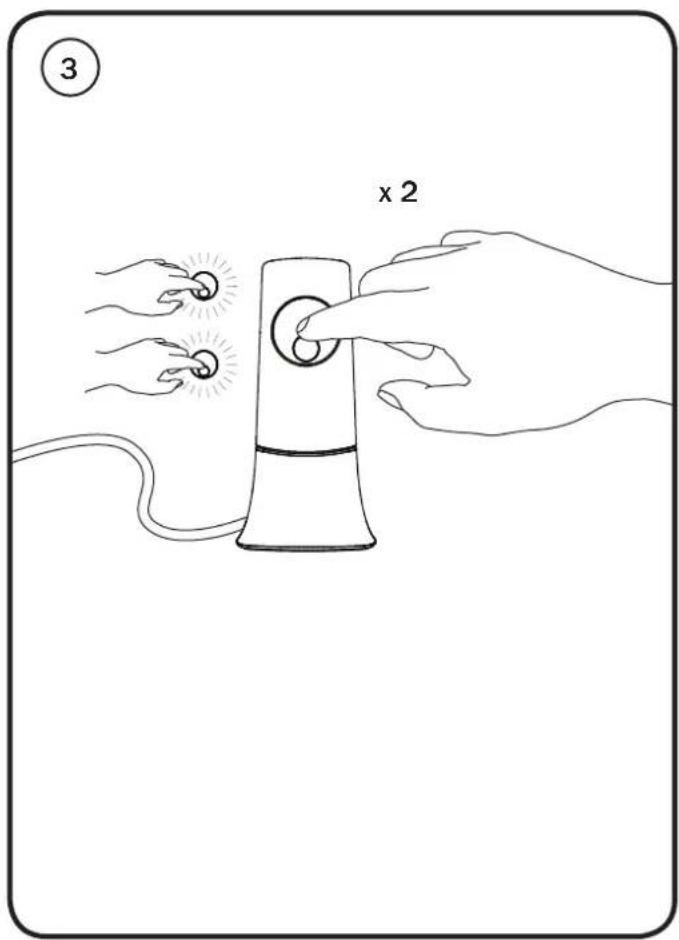
B. Wait a moment for the BT100 to be detected. Then double click the button to enter pairing mode, the BT100 indicates it is in the pairing state by flashing rapidly.
C. Put your Bluetooth compliant audio source into pairing mode. Please consult your manufacturer's user manual on how to do this.
Pairing your BT100 and source establishes an authorised audio link that can then be used again in the future without having to go through this stage again.
After pairing you can just select the BT100 and play at any time as long as your Bluetooth A2DP compatible source (phone/laptop etc.) is within approx. 10m of the BT100.
Normally on your source you will need to select Bluetooth Pairing and then the BT100 should appear as 'Cambridge Audio BT100' in a list of locally found Bluetooth devices.
Select that item in the list to finish pairing.
D. On successful pairing, the BT100s LED goes off for a second or two, then triple flashes quickly. The LED then goes off and only lights up in the future when you are playing audio via Bluetooth.
E. To play back via a paired Bluetooth device, simply select the BT100 on that device and start playing. The BT100 LED lights up constantly when streaming SBC or on and flicks off every 2 seconds when streaming apt-X.
Notes:
- You can pair to more than one source up to a maximum of 8 sources at any time. Pairing to a 9th device will cause the first one to be forgotten and so on. However as you would expect the BT100 can only play back from one of these sources at a time.
- When you have finished playback many sources keep the Bluetooth link active for a time unless you actively tell them to stop by deselecting playback via the BT100 (do not unpair as this is not necessary).
This can prevent another source to be able to access the BT100.
To immediately use another source, simply deselect the BT100 for playback on your first source device before starting up on a second.
Some devices stream empty data all the time even when paused or stopped. These devices will cause the BT100s LED to be on even if playback is currently stopped or paused.

flowchart
graph TD
    A["Portable Cambridge Audio products"] --> B["External Device"]
    B --> C["Ground/Lift Switch"]
    C --> D["USB Audio In"]
    D --> E["Digital Input 2"]
    E --> F["5/P DIF Co-axial"]
    E --> G["Topology Optical"]
    E --> H["USB Audio In"]
    A --> I["OR"]
    I --> J["Mobile Device"]
    J --> K["Output"]

Marque : CAMBRIDGE
Modèle : BT100
Catégorie : Récepteur Bluetooth