
MC9090-G - Lecteur de code-barres ZEBRA - Notice d'utilisation et mode d'emploi gratuit
Retrouvez gratuitement la notice de l'appareil MC9090-G ZEBRA au format PDF.


| Type de produit | Lecteur de code-barres portable |
| Marque | Zebra |
| Modèle | MC9090-G |
| Dimensions (approx.) | 200 mm x 80 mm x 40 mm |
| Poids (approx.) | 400 g |
| Alimentation | Batterie Li-ion rechargeable 3,7 V, 4800 mAh |
| Autonomie typique | Jusqu'à 10 heures en utilisation continue |
| Écran | Écran tactile couleur 320x320 pixels |
| Communication | Bluetooth, Wi-Fi, USB |
| Fonctions principales | Lecture de codes-barres 1D et 2D, acquisition d'images, RFID |
| Système d'exploitation | Windows Embedded Handheld 6.5 |
| Processeur | Marvell PXA 320 (624 MHz) |
| Mémoire | 256 Mo RAM / 1 Go Flash |
| Capteurs | Appareil photo 3 mégapixels |
| Résistance aux chutes | 1,5 m (5 pi) |
| Indice de protection | IP54 |
| Entretien et nettoyage | Nettoyer avec un chiffon doux et sec. Ne pas utiliser de liquides agressifs. |
| Sécurité | Éteindre l'appareil avant tout nettoyage. Ne pas exposer à l'eau. |
| Pièces détachées et réparabilité | Batterie, câble USB, station d'accueil disponibles séparément. |
| Informations générales | Notice d'utilisation gratuite au format PDF disponible sur notice-facile.com. |
FOIRE AUX QUESTIONS - MC9090-G ZEBRA
Questions des utilisateurs sur MC9090-G ZEBRA
0 question sur cet appareil. Repondez a celles que vous connaissez ou posez la votre.
Poser une nouvelle question sur cet appareil
Téléchargez la notice de votre Lecteur de code-barres au format PDF gratuitement ! Retrouvez votre notice MC9090-G - ZEBRA et reprennez votre appareil électronique en main. Sur cette page sont publiés tous les documents nécessaires à l'utilisation de votre appareil MC9090-G de la marque ZEBRA.
MODE D'EMPLOI MC9090-G ZEBRA
http://www.symbol.com/mc9000
See User Guide for more information

SNAP-ON ACCESSORY INSTALLATION


Cable Adapter Module

Magnetic Stripe Reader
CHARGING INSTRUCTIONS

= LED Indicator Location
Slow Flash = Normal Charge
Solid Amber = Full Charge
Fast Flash = Charging Error
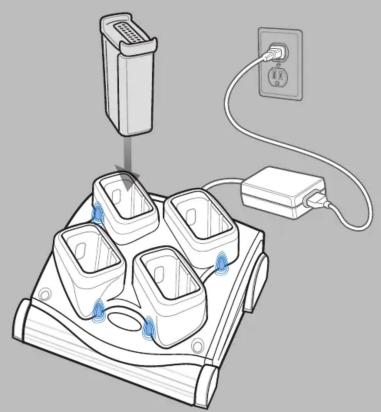
Four Slot Spare Battery Charger

Single Slot Serial/USB Cradle
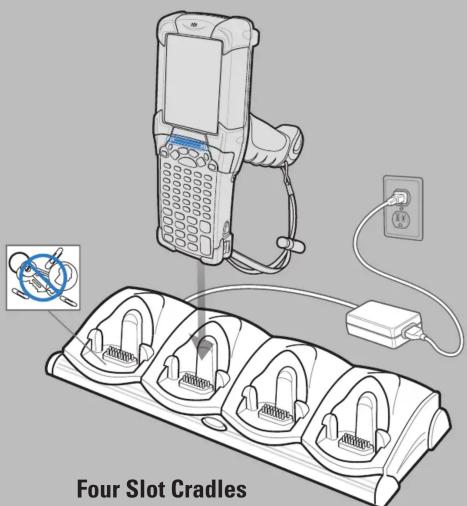
Charge-Only Cradle and Ethernet Cradle
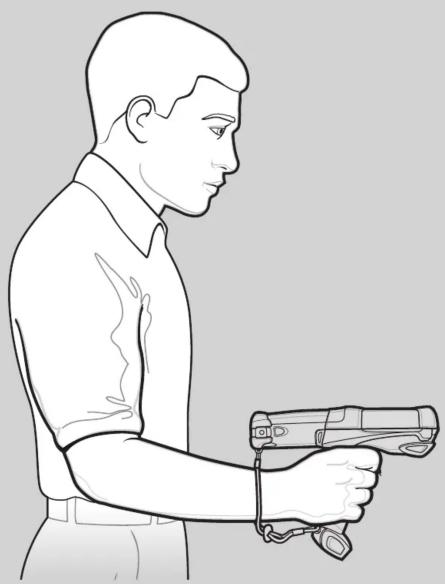
OPTIMUM IMAGING AND SCANNING POSITIONS
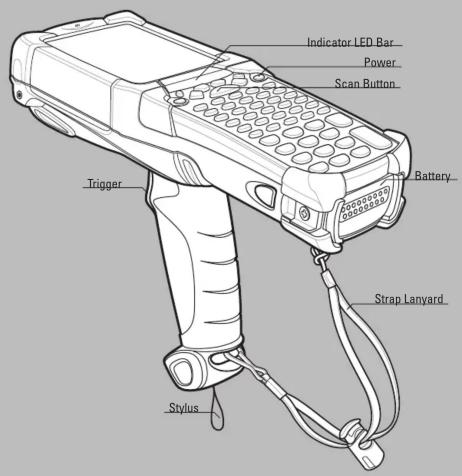


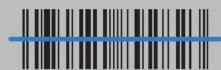
012345
CORRECT




012345
WRONG
Scanning/Imaging

OPTIMUM UPRIGHT BODY POSTURE
AVOID EXTREME WRIST ANGLES


AVOID EXTREME
WRIST ANGLES
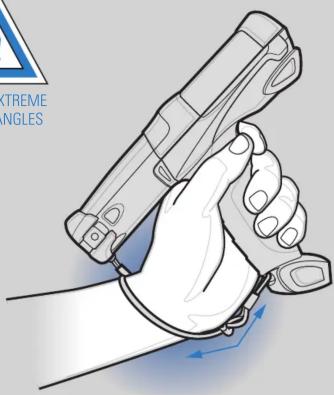
ALTERNATE LEFT AND RIGHT HANDS
TAKING BREAKS AND TASK ROTATION RECOMMENDED
OPTIMUM BODY POSTURE
Low Scanning
Alternate left and right knees
POST IN WORK AREA

MOTOROLA
One Motorola Plaza Holtsville, New York 11742-1300, USA
MOTOROLA and the Stylized M Logo and Symbol and the Symbol logo are registered in the U.S. Patent and Trademark Office. All other product or service names are the property of their respective owners. © Motorola, Inc. 2007

72-72217-02 Rev. A - October 2007

AVOID BENDING
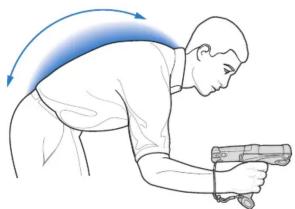
Alternate left and right hands

AVOID REACHING
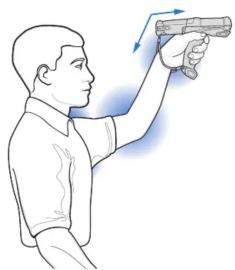
http://www.symbol.com/mc9000
High Scanning
Use a ladder
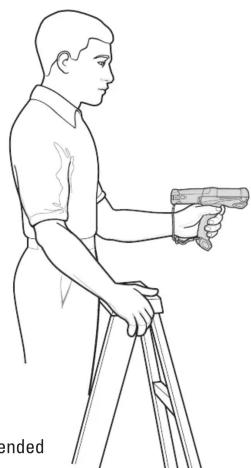
Taking breaks and
task rotation recommended
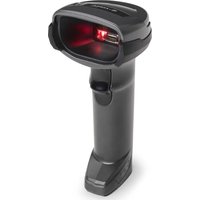
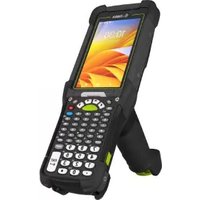
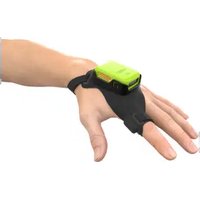
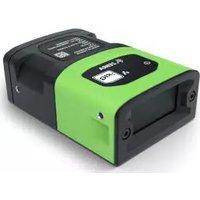
Marque : ZEBRA
Modèle : MC9090-G
Catégorie : Lecteur de code-barres