
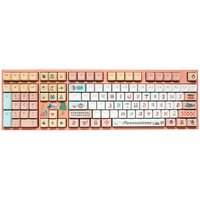
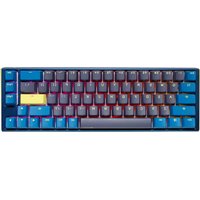
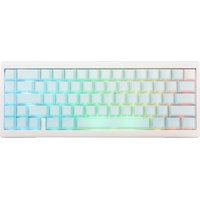
Shine 3 DK9008S3 - Clavier Ducky - Notice d'utilisation et mode d'emploi gratuit
Retrouvez gratuitement la notice de l'appareil Shine 3 DK9008S3 Ducky au format PDF.


| Type de produit | Clavier mécanique pour PC |
| Modèle | Shine 3 DK9008S3 |
| Marque | Ducky |
| Dimensions (L x l x H) | Environ 440 x 150 x 40 mm |
| Poids | Environ 1,2 kg |
| Alimentation | USB (câble amovible avec gaine) |
| Consommation électrique | 5V, 100 mA (hors rétroéclairage) |
| Type de switch | Mécanique Cherry MX (rouge, bleu, marron selon variante) |
| Rétroéclairage | LED par touche (rouge, bleu ou RGB selon version) |
| Modes de rétroéclairage | Vague, réactif, respiration, personnalisable |
| Nombre de touches | 108 (pleine taille + 4 touches multimédia) |
| Fonctions multimédia | Volume, lecture/pause, suivant/précédent |
| Anti-ghosting | N-key rollover (USB) ou 6-key rollover |
| Reprogrammation des touches | Oui, via logiciel dédié (Ducky Macro) |
| Matériau | Plastique ABS, touches en PBT double injection |
| Longueur du câble | 1,8 mètres |
| OS compatibles | Windows, macOS, Linux |
| Entretien et nettoyage | Dépoussiérer régulièrement, nettoyer avec un chiffon microfibre légèrement humide |
| Sécurité | Utiliser dans un environnement sec, éviter les liquides |
| Pièces détachées | Switchs, keycaps, câble USB disponibles en ligne |
| Réparabilité | Clavier démontable, switchs soudés (remplacement possible avec fer à souder) |
| Garantie | 2 ans (selon revendeur) |
FOIRE AUX QUESTIONS - Shine 3 DK9008S3 Ducky
Questions des utilisateurs sur Shine 3 DK9008S3 Ducky
0 question sur cet appareil. Repondez a celles que vous connaissez ou posez la votre.
Poser une nouvelle question sur cet appareil
Téléchargez la notice de votre Clavier au format PDF gratuitement ! Retrouvez votre notice Shine 3 DK9008S3 - Ducky et reprennez votre appareil électronique en main. Sur cette page sont publiés tous les documents nécessaires à l'utilisation de votre appareil Shine 3 DK9008S3 de la marque Ducky.
MODE D'EMPLOI Shine 3 DK9008S3 Ducky
Shine 3 User Manual
Shine 3 DK9008 - Dimension 442(L) x 140(W) x 41.5(H) mm / Weight 1.4kg
Shine 3 DK9087 - Dimension = 360(L) x 140(W) x 41.5(H) mm / Weight : 1.2kg
Interface USB / Polling Rate : 1000Hz / Made in Taiwan
▶ USB Repeat Acceleration
| F1 | Repeat Delay 1x (Default) | Adjust USB Repeat Delay Time |
| F2 | Repeat Delay 2x | |
| F3 | Repeat Delay 4x | |
| F4 | Repeat Delay 8x | |
| F5 | Auto Repeat 1x ( Default ) | Adjust USB Repeat Rate |
| F6 | Auto Repeat 2x | |
| F7 | Auto Repeat 4x | |
| F8 | Auto Repeat 8x | |
| F9 | F1~F8 Acceleration Mode Display | LED show status of Acceleration Mode or integrate with lighting mode |
* When acceleration mode is set to Fn+F1 and Fn+F5 (default mode). Shine 3's output is
determined by system settings
* USB Repeat Acceleration may work differently in different applications. Please use a
suitable setting accordingly.
▶ LED Lighting mode cycle
| First Time: 100% LEDs Illuminated | * Able to adjust LED Brightness |
| Second Time: Breathing Mode | * Able to adjust LED Brightness |
| Third Time: Wave Marquee Mode | * Unable to adjust LED Brightness |
| Fourth Time: Snake Marquee Mode | * Unable to adjust LED Brightness |
| Fifth Time: Reactive Mode (Fade Effect) | * Able to adjust LED Brightness |
| Sixth Time: Ripple Mode | * Able to adjust LED Brightness |
| Seventh Time: Aurora Mode | * Unable to adjust LED Brightness |
| Eightth Time: ALL LED OFF |
▶100% LEDs illuminated
▶LED Breathing Mode
| FN+ | 1↓→← | increase LED brightnessDecrease LED brightnessNo FunctionNo Function | FN+ | 1↓→← | increase LED brightnessDecrease LED brightnessincrease Breathing Mode speedDecrease Breathing Mode speed |
▶LED Snake Marquee Mode
| FN + | ↑↓←→ | = | No Function |
| No Function | |||
| Increase Snake Marquee Mode speed | |||
| Decrease Snake Marquee Mode speed |
▶Reactive Mode (Fade Effect)
| FN + | ↑↓→← | = | Increase the brightness of unpressed keysDecrease the brightness of unpressed keysIncrease the brightness of pressed keysDecrease the brightness of pressed keys |
* When the brightness of pressed and unpressed keys are equal, there will be no change in brightness levels when keys are pressed.
▶Ripple Mode
| FN + | Increase LED brightnessDecrease LED brightness | FN + | No Function | ||
| No Function | |||||
| Increase Ripple Mode speedDecrease Ripple Mode speed | Increase Wave Marquee mode speedDecrease Wave Marquee mode speed |
▶ Aurora Mode
| FN + | ↑↓→← | * | No Function |
| No Function | |||
| Increase Aurora Mode speed | |||
| Decrease Aurora Mode speed |
▶LED Customisation Mode
(User Customizable Backlight with 2 Configurable Profiles)
| Name | Function | Shortcuts |
| CM1 | Using Customisation Mode 1 LED Settings | FN + F8 |
| CM2 | Using Customisation Mode 2 LED Settings | FN + F9 |
| REC1 | Recording Customisation Mode 1 LED Settings | FN + Print Screen |
| REC2 | Recording Customisation Mode 2 LED Settings | FN + Pause |
▶ Setting mode:
REC1→Press the key(s)→REC1 (Or Print Screen)→Exit LED Customisation Mode 1
REC2→Press the key(s)→REC2 (Or Pause)→Exit LED Customisation Mode 2
Scree
- Print Screen Key will not be recorded in Customisation Mode 1
Pause Key will not be recorded in Customisation Mode 2.
If no changes are made within 30 seconds in recording mode, the recording session will be terminated
in CM1 and CM2 mode, user also able to adjust LED Brightness
▶RGB LED Lighting (Spacebar)
| Spacebar | On / Off |
| ESC | ESC RGB Reset |
| Insert | Increase brightness (Red) |
| Home | Increase brightness (Green) |
| PgUp | Increase brightness (Blue) |
| 0 | RGB Demo Mode |
| A1+1~8 | Store RGB setting to memory |
| 1~8 | Recall RGB setting from memory. |
* Shine 3 DK9008 Can use num_0 - 0
▶FN Basic Multimedia Functions
| FN + | Delete | Mute | |
| End | = | Volume Down | |
| PgDn | Volume Up |
▶ Reset to factory defaults
| Left Windows Key + Right Windows Key = | Press and hold for 3 seconds to reset to factory defaults |
* LED backlighting will blink three times after the keyboard has been reset.
▶DIP Switch Functions
| ON | OFF | Default Setting | |
| DIP 1 | Left Ctrl & CapsLock(exchange position) | Retains position | OFF |
| DIP 2 | Alt and Windows Key(exchange position) | Retains position | OFF |
| DIP 3 | Windows Key Lock | Windows Key On | OFF |
| DIP 4 | DEMO Mode | Standard Mode | OFF |
* In demo mode, the keyboard can be powered by any USB source to show off the lighting mode effects (Caps, SoftLk, NumLk will not light up). Demo mode does not send out keycodes, therefore please check the DIP switch setting before connecting to a computer.
* Please do not expose the keyboard to liquids or high temperature.
Shine 3 使用手册
442(L) x 140(W) x 41.5(H) mm / Weight : 1.4kg
Shine 3 DK9087 - Dimension : 360(L) x 140(W) x 41.5(H) mm / Weight : 1.2kg
Interface: USB / Polling Rate: 1000Hz / Made in Taiwan
▶ USB 输出字元加速功能
| F1 | 首字延遲 1倍(預設) | 調整USB Repeat Delay Time |
| F2 | 首字延遲 2倍 | |
| F3 | 首字延遲 4倍 | |
| F4 | 首字延遲 8倍 | |
| F5 | 字元重複頻率 1倍(預設) | 調整USB Repeat Rate |
| F6 | 字元重複頻率2倍 | |
| F7 | 字元重複頻率4倍 | |
| F8 | 字元重複頻率8倍 | |
| F9 | F1-F8加速顯示原點 | 切换加速模式顯示方式 |
※在FN+F1與FN+F5模式搭配時,Shine 3的開號輸出模式屬於原始設定值,會隨系統值而更動。
※USB輸出字元加速模式在不同遊戲模式的設計方式下,可能會有不同表現結果。請依使用習慣自行調整。
▶ LED 燈光複合功能表
| FN+F10= | 第一次:100%LED亮起 | ※可以調整LED亮度 |
| 第二次:全鍵盤LED呼吸燈(漸明薄暗) | ※可以調整LED亮度 | |
| 第三次:全鍵盤波浪跑馬燈 | ※無法調整LED亮度 |
| FN+F10= | 第四次:LED蛇形跑亮橙 | ※無法調整LED亮度 |
| 第五次:車點亮模式(漸層) | ※可以調整LED亮度 | |
| 第六次:游着模式 | ※可以調整LED亮度 | |
| 第七次:粗光模式 | ※無法調整LED亮度 | |
| 第八次:國男全部LED |
▶100% LED亮起
| FN + | ↑↓→← | = | 增加LED燈亮 |
| 降低LED燈亮 | |||
| 無功能 | |||
| 無功能 |
▶全鍵盤LED呼吸燈(漸明漸暗)
| FN + | ↑ | = | 增加LED亮度 |
| ↓ | 降低LED亮度 | ||
| → | 增加呼吸橙速度 | ||
| ← | 降低呼吸橙速度 |
▶ 全雙盤波浪跑馬燈
| FN + | ↑ | 無功能 |
| ↓ | 無功能 | |
| → | 增加波浪跑馬燈速度 | |
| ← | 降低波浪跑馬燈速度 |
▶ LED 蛇形跑馬燈
| FN + | ↑↓→← | = | 無功能 |
| 無功能 | |||
| 增加蛇形跑馬燈速度 | |||
| 降低蛇形跑馬燈速度 |
▶單點亮模式(漸層)
| FN+ | ↑↓→← | = | 增加未壓下按鍵亮度降低未壓下按鍵亮度增加壓下按鍵亮度降低壓下按鍵亮度 |
※當末壓下與壓下按鍵亮度相同時,無法顯示出差異性效果。
▶連鎖模式
| FN+ | ↑ | 增加LED亮度 |
| ↓ | 降低LED亮度 | |
| → | = 增加滤波模式速度 | |
| ← | 降低滤波模式速度 |
▶ 極光模式
| ↑↓→← | = | 無功能 |
| 無功能 | ||
| 增加極光模式速度 | ||
| 降低極光模式速度 |
▶LED 自定義功能表
| 名稱 | 功能 | 快捷键 |
| CM1 | 顯示第一組自定義的LED發光區域 | FN + F11 |
| CM2 | 顯示第二組自定義的LED發光區域 | FN + F12 |
| REC1 | 設定第一組自定義的LED發光區域 | FN + Print Screen |
| REC2 | 設定第二組自定義的LED發光區域 | FN + Pause |
設定方式
REC1→按下按鍵調整發光區域→REC1(或Print Screen)→完成CM1發光區域設定,
REC2→按下按键调整发光区域→REC2(或Pause)→完成CM2发光区域设定。
附注:
· 錄製REC1時 · 無法指定Print Screen發光
· 转製REC2時,無法指定Pause發光
·在錦製模式下,如超過30秒年任何動作,則自動離開錦製模式
CM1模式及CM2模式,智能调整亮度。
▶ 多媒體鍵
| FN + | Delete | = | 静音 |
| End | 减少音量 | ||
| PgDn | 增加音量 |
▶3色RGB LED燈光調整(空白鍵)
| FN + | 空白键 | = | 菜政/舞闭 |
| ESC | R、G、B数值器零 | ||
| Insert | 增加R(红色)燈光 | ||
| Home | 增加G(绿色)燈光 | ||
| PgUp | 增加B(蓝色)燈光 | ||
| 0 | 循环多橙色展示 | ||
| Alt+1~9 | 储存3色LED橙颜色 | ||
| 1~9 | 显示3色LED橙颜色 |
※ Shine 3 DK9008可以搭配数字宽隔0\~9使用
▶回復出廳設定
| 左Windows組 + 右Windows組 = 按住3秒即回復出廠設定 |
| ※回復出廠全號盤會先閥3下表示 |
▶指撥開關功能說明
| ON | OFF | 出張預設值 | |
| 開第1 | 左Ctrl鍵與CapsLock 交换位置 | 維持不變 | OFF |
| 開第2 | Window鍵與Alt鍵交换位置 | 維持不变 | OFF |
| 開第3 | 開閉Windows鍵功能 | 開閉Windows鍵功能 | OFF |
| 開第4 | DEMO狀態 | 標準鍵盤模式 | OFF |
※ 在DEMO狀態時,只要USB有提供電力來源(如行動電源、USB充電席),可以在不接上電腦的情形下展示燈光效果(Casv、SeLk、NumLk不會亮)。但此狀態無法送出電腦机號,因此當接上電腦時無法正常操作,請注意指撥開幕的狀態。
※ 静避免健康或高值环境中接触

Marque : Ducky
Modèle : Shine 3 DK9008S3
Catégorie : Clavier