DVB-T Receiver - Récepteur TV TAKEMS - Notice d'utilisation et mode d'emploi gratuit
Retrouvez gratuitement la notice de l'appareil DVB-T Receiver TAKEMS au format PDF.


| Type de produit | Récepteur TV numérique terrestre (DVB-T) |
| Marque | takeMS |
| Modèle | DVB-T Receiver |
| Dimensions | Environ 120 x 80 x 30 mm |
| Poids | Environ 200 g |
| Alimentation | Adaptateur secteur 5V DC |
| Consommation électrique | Environ 5 W |
| Sorties vidéo | HDMI, Composite (RCA) |
| Sortie audio | HDMI, stéréo RCA |
| Résolution maximale | 1080p Full HD |
| Recherche des chaînes | Automatique et manuelle |
| Télécommande | Incluse avec piles |
| Entrée USB | Pour mise à jour du logiciel |
| Fonctions principales | Réception TNT, guide électronique des programmes (EPG), contrôle parental, liste de favoris |
| Installation | Branchement antenne et alimentation, recherche automatique des chaînes |
| Entretien et nettoyage | Nettoyer avec un chiffon doux et sec. Ne pas utiliser de liquide ni d'abrasif. |
| Précautions de sécurité | Ne pas ouvrir l'appareil, éviter l'humidité et les températures extrêmes. |
| Pièces détachées | Télécommande et adaptateur secteur disponibles séparément |
| Réparabilité | Réparation par un professionnel agréé recommandée |
| Garantie | 2 ans |
| Contenu de la boîte | Récepteur, télécommande, adaptateur secteur, câble AV (RCA), mode d'emploi |
FOIRE AUX QUESTIONS - DVB-T Receiver TAKEMS
Questions des utilisateurs sur DVB-T Receiver TAKEMS
0 question sur cet appareil. Repondez a celles que vous connaissez ou posez la votre.
Poser une nouvelle question sur cet appareil
Téléchargez la notice de votre Récepteur TV au format PDF gratuitement ! Retrouvez votre notice DVB-T Receiver - TAKEMS et reprennez votre appareil électronique en main. Sur cette page sont publiés tous les documents nécessaires à l'utilisation de votre appareil DVB-T Receiver de la marque TAKEMS.
MODE D'EMPLOI DVB-T Receiver TAKEMS
Quick Setup for Windows XP SP2 system:
Connect the antenna with the TV dongle. Insert the CD into the CD-Rom drive of your computer. The Auto run feature starts the installation of USB 2.0 DVB-T TV Dongle.
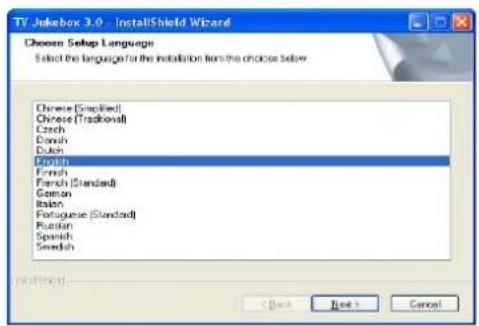
- Insert the CD and it will auto start to install (if the picture below did not show up automatically, click the right button on the CD drive, then select "AutoPlay" to launch it).
- Choice the language and click Next
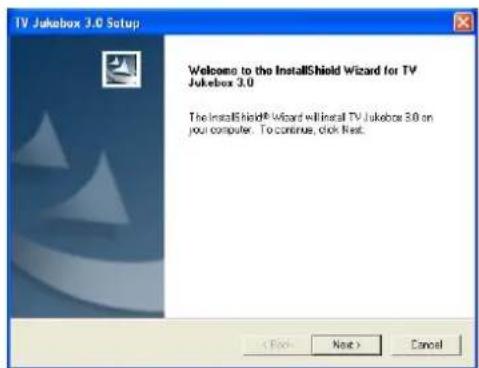
3 . C I i c k
N e x t
- Input the User Name, Company Name and Serial Number.
- Click Next
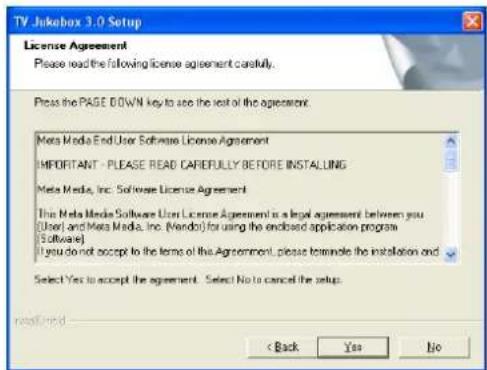
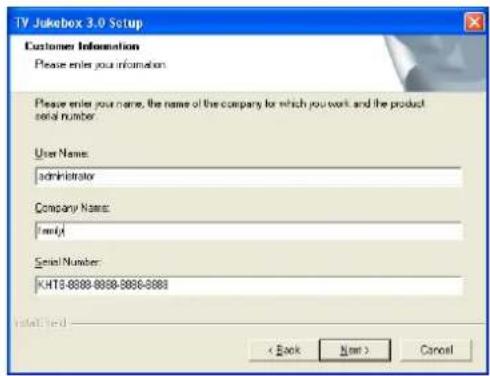
- Click Next
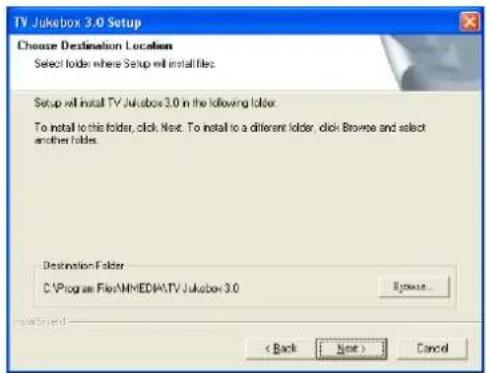
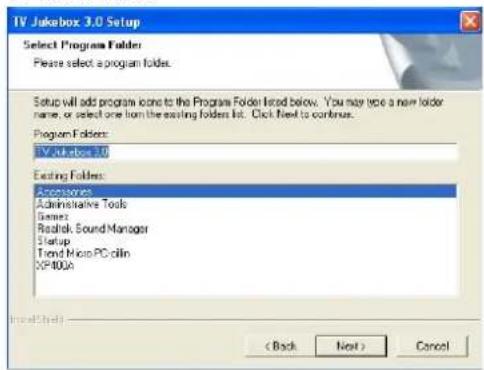
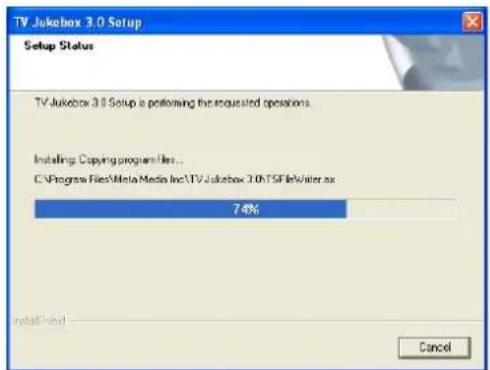
- Click Finish 9. To continue the installation, Please
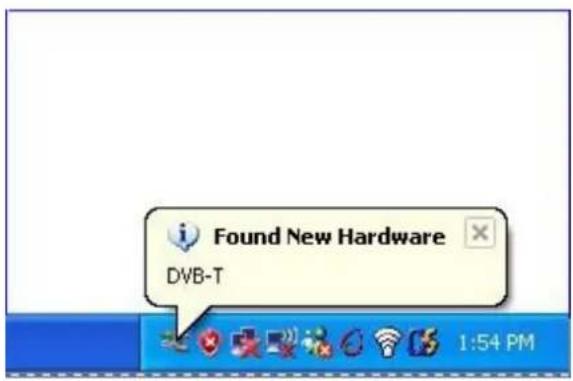
connect your DVB-T to the USB port.
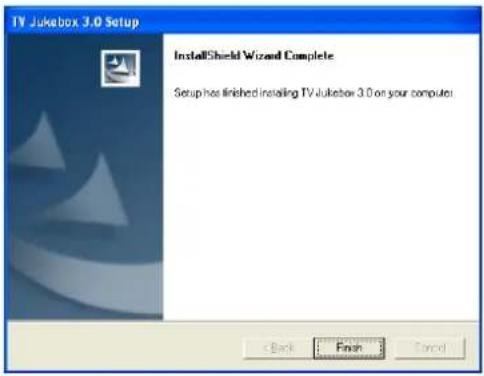
-
System found New Hardware, the device driver will be installed a
-
Double click the TV Jukebox icon on the natically. desktop

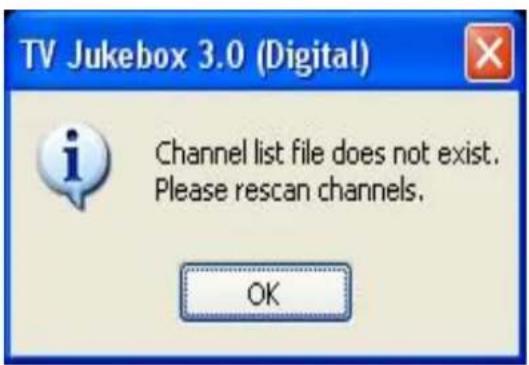
- Click OK
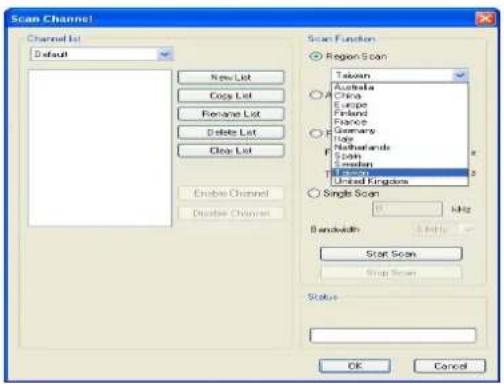
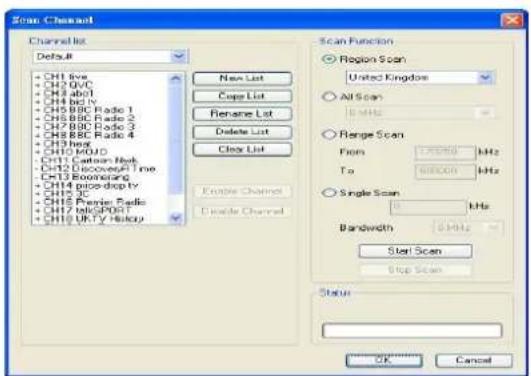
- Select Region → Click Start Scan → Click OK.
14. All Functions of Buttons on Control Panel
| Icon | Function |  | Aufnahmefenster öffnen/schließen capture window |
| [VX27]Vorhergehende SeiteClose program |  | ||
 Folgende SeiteMute Folgende SeiteMute |  | ||
 Löschen Löschen | Next audio stream |  | |
 | Open help file |  | Zahlenblock öffnen/schließen |
 | Switch to mini GUI |  | Zifferntasten |
| [WABH] | Minimize the control panel |  | Lautstärkeregelung |
 | Record | ||
 | Stop recording, playing, time-shift | ||
 | Play back video or photo | ||
 | Pause | ||
 | Time-shift | ||
 | Fast forward | ||
 | Rewind | ||
 | Slider bar | ||
| [KGBX] | Open/Close EPG window | ||
 | Open schedule recording window | ||
 | TV channel auto scan | ||
 | Enter settings dialog box | ||
 | Photo snapshot | ||
| [ADBY] | Open channel list | ||
 | Next channel | ||
 | Previous channel | ||
 | Return to the last channel | ||
- REMOTE CONTROL KEYS FUNCTION
 | Return to last channel |  | Volume Up |
 | Open/Close Teletext Window |  | Volume Down |
 | EPG Window Mute |  | |
 | Close Program Timeshift |  | |
 | Switch to Full Screen Personal Video |  | Recording |
 | Dual Sound Track |  | Play |
 | Snapshot Stop |  | |
 | Open/Close Subtitle |  | Pause |
 | Previous Channel |  | Number Keys |
 | Next Channel |
Remarks: For 2-digits channel exceeds 10, for instance 23, please press "2" followed by "3".
Disposing of the Product Your device should not be placed in municipal waste. Please check local regulations for disposal of electronic products.
Marque : TAKEMS
Modèle : DVB-T Receiver
Catégorie : Récepteur TV