
BDP3000X - Lecteur Blu-ray PHILIPS - Notice d'utilisation et mode d'emploi gratuit
Retrouvez gratuitement la notice de l'appareil BDP3000X PHILIPS au format PDF.


| Type de produit | Lecteur Blu-ray |
| Marque | Philips |
| Modèle | BDP3000X |
| Dimensions (L x l x h) | 43 cm x 26 cm x 5 cm |
| Poids | 2,5 kg |
| Alimentation | 100-240 V CA, 50/60 Hz |
| Consommation électrique | 25 W (veille <0,5 W) |
| Formats de disque supportés | BD-ROM, BD-R/RE, DVD-Video, DVD±R/±RW, CD (CD-DA, CD-R/RW) |
| Formats vidéo | MPEG-2, MPEG-4, H.264, VC-1 |
| Formats audio | Dolby Digital, DTS, PCM, MP3, WMA |
| Sorties vidéo | HDMI, Vidéo composite (CVBS), YPbPr (composante) |
| Sorties audio | HDMI, Audio numérique optique, Audio analogique stéréo (RCA) |
| Résolution de sortie | Jusqu'à 1080p (Full HD) |
| Fonctions principales | Lecture Blu-ray, upscaling DVD à 1080p, lecture CD audio, accès BD-Live (Ethernet) |
| Connectivité réseau | Ethernet RJ-45 (10/100 Mbps) |
| Entretien et nettoyage | Nettoyer avec un chiffon doux et sec. Ne pas utiliser de liquides ou d'abrasifs. |
| Sécurité | Ne pas exposer à l'humidité, ne pas bloquer les ouvertures de ventilation, utiliser sur une surface stable. |
| Pièces détachées | Télécommande (incluse), câble HDMI (non inclus), pile bouton pour télécommande |
| Réparabilité | Appareil non réparable par l'utilisateur. Contacter un service agréé Philips. |
| Année de sortie | 2009 |
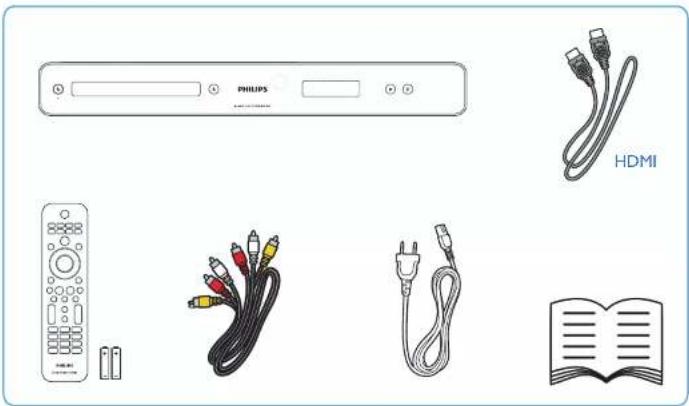
| Accessoires inclus | Guide de démarrage rapide, télécommande, piles, câble d'alimentation |
FOIRE AUX QUESTIONS - BDP3000X PHILIPS
Questions des utilisateurs sur BDP3000X PHILIPS
0 question sur cet appareil. Repondez a celles que vous connaissez ou posez la votre.
Poser une nouvelle question sur cet appareil
Téléchargez la notice de votre Lecteur Blu-ray au format PDF gratuitement ! Retrouvez votre notice BDP3000X - PHILIPS et reprennez votre appareil électronique en main. Sur cette page sont publiés tous les documents nécessaires à l'utilisation de votre appareil BDP3000X de la marque PHILIPS.
MODE D'EMPLOI BDP3000X PHILIPS



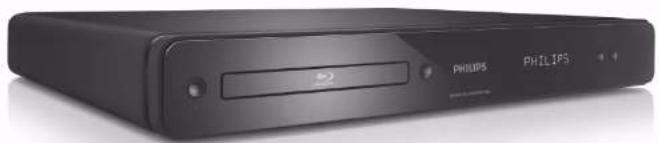
www.philips.com/welcome BDP3000X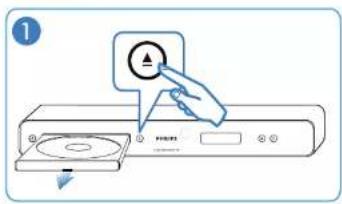
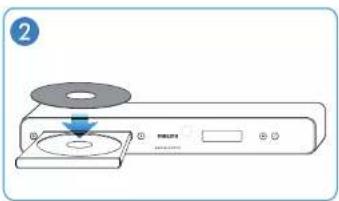
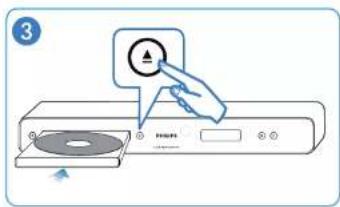


© 2009 Koninklijke Philips Electronics N.V.
Tous droits réservés
BDP3000X_78_QSG_V1.0_935
PHILIPS


1![graph TD A["HDMI"] --> B["Power Line"] B --> C["HDTV"] C --> D["Device 1"] C --> E["Device 2"] C --> F["Device 3"] C --> G["Device 4"] C --> H["Device 5"] C --> I["Device 6"] style A fill:#f9f,stroke:#333 style B fill:#ccf,stroke:#333 style C fill:#cfc,stroke:#333 style D fill:#fcc,stroke:#333 style…](/content/2026/06/1244512/images/40d77a0b270bc57daa25602a7f90096d81f1d331741799a36828364a6a898e55.jpg)
2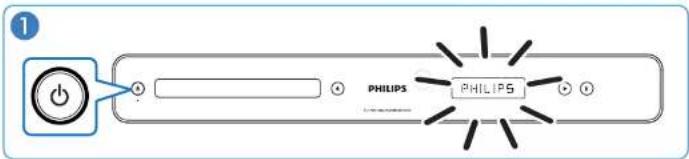
![graph TD A["Y Ps PR & AV OUTPUT L/R"] --> B["Switch"] B --> C["Audio Input"] C --> D["TV"] D --> E["Monitor"] C --> F["Control Unit"] F --> G["Output Module 1"] F --> H["Output Module 2"] F --> I["Output Module 3"] style A fill:#f9f,stroke:#333 style B fill:#ccf,stroke:#333 style C fill:#cfc,stroke:…](/content/2026/06/1244512/images/160348f3971664019bdf0c92cde33b15c65000635b8887cdc8f89bcd46faeb78.jpg)
![graph LR A["Computer monitor"] -->|Control knob with 'TV' icon| B["Remote control"] B --> C["Monitor screen"] C -->|Display screen with 'AV' icon| D["Smart TV display"]](/content/2026/06/1244512/images/a73b6673515cb82ed17730cc16cbf431e3bd017a290f7ee94e8f1f3a92bbb284.jpg)
![graph TD A["VIDEO & AV OUTPUT L/R"] --> B["Power Line"] B --> C["Audio In"] C --> D["TV"] B --> E["Other Components"] E --> F["Video In"] F --> G["TV"]](/content/2026/06/1244512/images/dd571c5ce75cd45cbca3a993300f39ad4389741d9ba968ae650618af2e35d7b7.jpg)
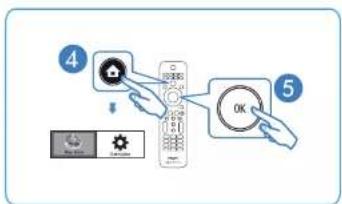
![graph TD A["Philips Remote"] --> B["Network Device"] B --> C["Control Panel"] C --> D["Display"] C --> E["Interface"] D --> F["Clock Icon"] E --> G["Display Icon"] F --> H["Control Panel"] G --> I["Display Panel"] H --> J["Control Panel"] I --> K["Display Panel"] J --> L["Control Panel"] K --> M["Co…](/content/2026/06/1244512/images/f2346f877670305d73e973ec68beab5f5b481d5dc2418110a41aec910de312f5.jpg)
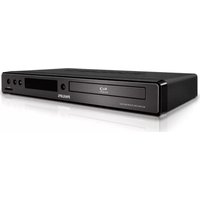

Marque : PHILIPS
Modèle : BDP3000X
Catégorie : Lecteur Blu-ray