85 Mbps Homeplug - Carte réseau / adaptateur SITECOM - Notice d'utilisation et mode d'emploi gratuit
Retrouvez gratuitement la notice de l'appareil 85 Mbps Homeplug SITECOM au format PDF.


Questions des utilisateurs sur 85 Mbps Homeplug SITECOM
0 question sur cet appareil. Repondez a celles que vous connaissez ou posez la votre.
Poser une nouvelle question sur cet appareil
Téléchargez la notice de votre Carte réseau / adaptateur au format PDF gratuitement ! Retrouvez votre notice 85 Mbps Homeplug - SITECOM et reprennez votre appareil électronique en main. Sur cette page sont publiés tous les documents nécessaires à l'utilisation de votre appareil 85 Mbps Homeplug de la marque SITECOM.
MODE D'EMPLOI 85 Mbps Homeplug SITECOM
Security Manual for the Homeplug 85mbps adapters
- Download the security utility on www.sitecom.com
- Install the security utility by following the steps on your screen.
- Open the security utility and connect the Homeplug-adapter to your computer.
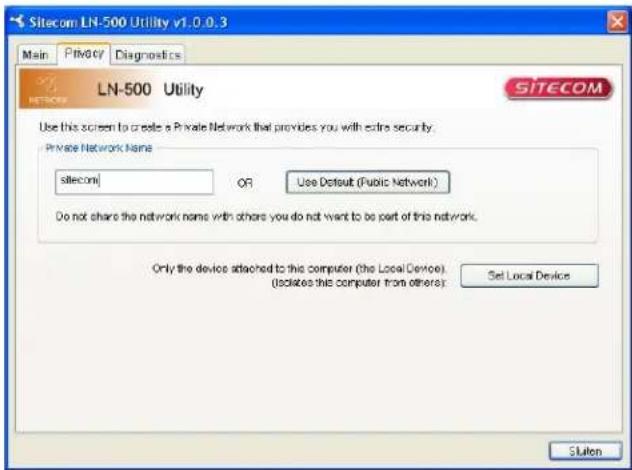
- Select the security TAB and fill in your private network-name and click "Set Local Device"
text_image
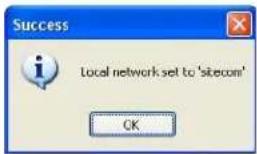
Sitecom LN-500 Utility v1.0.0.3 Main Privacy Diagnostics LN-500 Utility SITECOM Use this screen to create a Private Network that provides you with extra security. Private Network Name site.com OR Use Default (Public Network) Do not share the network name with others you do not want to be part of this network. Only the device attached to this computer (the Local Device). (isolates this computer from others): Set Local Device Sluten- You will see a message that the network-name has been set:
text_image
Success Local network set to 'sitecom' OK- Now connect the other Homeplug-adapter to the same computer and repeat step 1-4
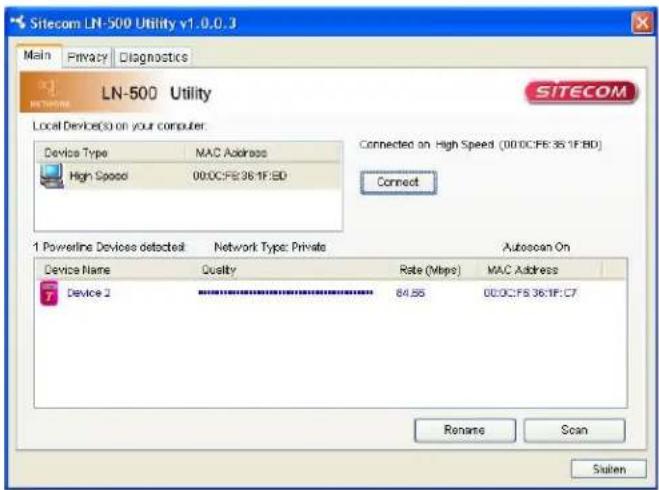
- If you filled in the same private-network name the device will show up in the Main TAB:
text_image
Sitecom LN-500 Utility v1.0.0.3 Main Privacy Diagnostics LN-500 Utility Local Devices(s) on your computer. Device Type MAC Address High Speed 00:0C:FE:36:1F:BD Connected on High Speed (00:0C:FE:36:1F:BD) Connect 1 Powerline Devices detected Network Type: Private Autoscan On Device Name Quality Rate (Mbps) MAC Address Device 2 84.55 00:0C:FE 36:1F:C7 Rename Scan SustenThat's it, both devices are now secured by a private network-name!