EFW 8225 - Support écran plat Vogel's - Notice d'utilisation et mode d'emploi gratuit
Retrouvez gratuitement la notice de l'appareil EFW 8225 Vogel's au format PDF.


Questions des utilisateurs sur EFW 8225 Vogel's
0 question sur cet appareil. Repondez a celles que vous connaissez ou posez la votre.
Poser une nouvelle question sur cet appareil
Téléchargez la notice de votre Support écran plat au format PDF gratuitement ! Retrouvez votre notice EFW 8225 - Vogel's et reprennez votre appareil électronique en main. Sur cette page sont publiés tous les documents nécessaires à l'utilisation de votre appareil EFW 8225 de la marque Vogel's.
MODE D'EMPLOI EFW 8225 Vogel's
text_image
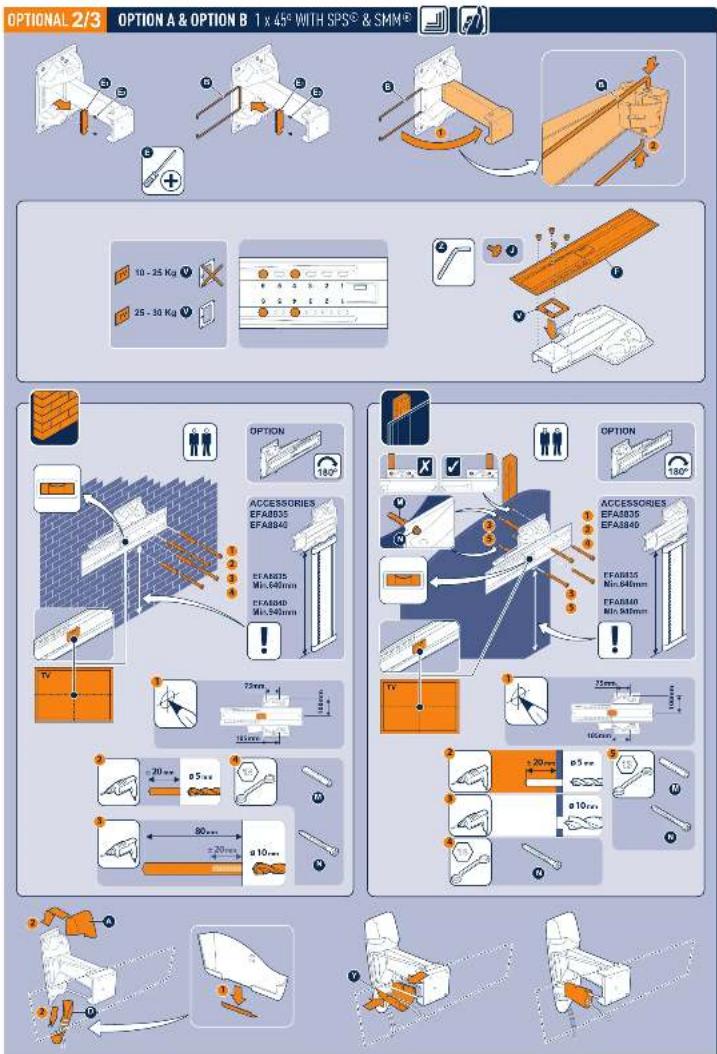
OPTIONAL 2/3 OPTION A & OPTION B 1 x 45° WITH SPS® & SMM® 10 - 25 Kg 25 - 30 Kg OPTION 180° ACCESSORIES EFA8835 EFA8840 EFA8835 Mn:640mm EFA8840 Mn:540mm OPTION 180° ACCESSORIES EFA8835 EFA8840 EFA8835 Mn:640mm EFA8840 Mn:540mm 75mm 100mm 20mm a 5 mm a 10 mm 80mm a 20mm a 5 mm a 10 mm2018年HPACU-3月15日 13:27日
text_image
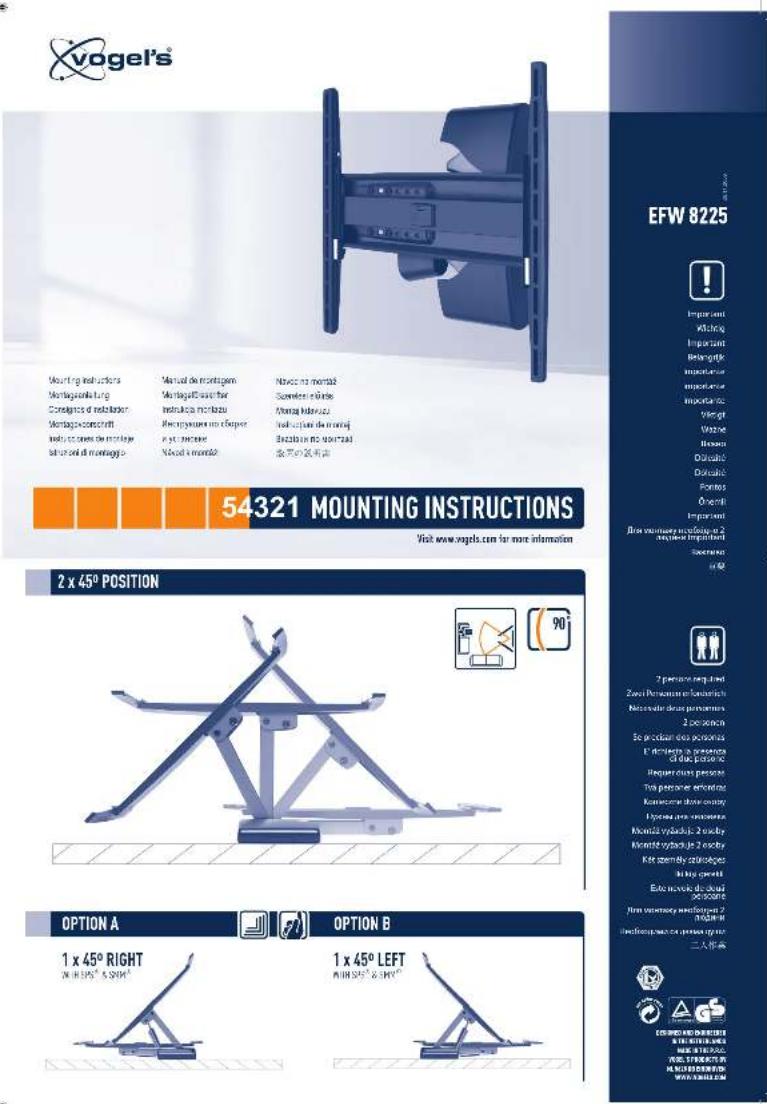
vogel's Mounting instructions Montageverkung Conlages of installation Montageverkung indels, cases de montage stand and at montage Manual de montagem Montage/Passer for instrumenta mechanical Bareymature in o'impere in y' mechanical Novez is mounted Novos is mounted Svenieter e-labie Mening hintered Inklusive de moutaj Bustalt in the moutaj 含声波滤光器 54321 MOUNTING INSTRUCTIONS Visit www.vogel.com for more information 2 x 45° POSITION 90° OPTION A 1 x 45° RIGHT IN H 375° & 380° OPTION B 1 x 45° LEFT IN H 375° & 380° OPTION A 1 x 45° RIGHT IN H 375° & 380° OPTION B 1 x 45° LEFT IN H 375° & 380°PARTS INCLUDED
text_image
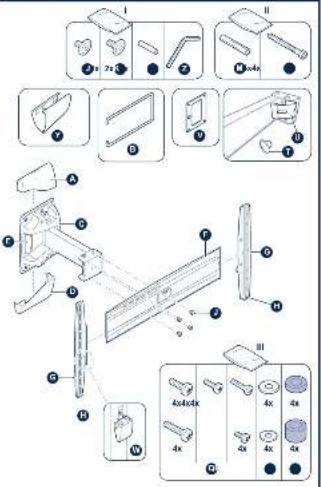
Technical diagram showing exploded view of a mechanical assembly with labeled parts and component numbers1 1.1
text_image
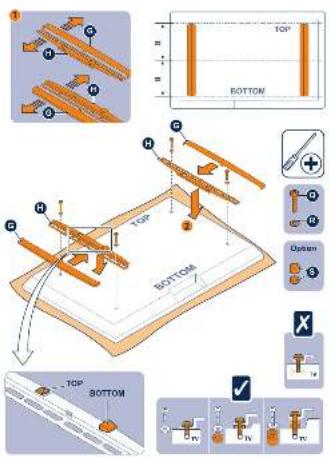
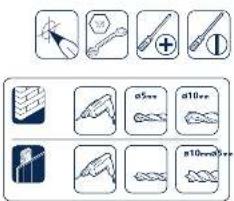
TOP BOTTOM TOP BOTTOM TCP BottomTOOLS REQUIRED NOT INCLUDED
text_image
Diagram showing various tool icons and labels including screwdriver, compass, plus, and various tools with corresponding icons.2 2.1
FOR OPTION A & OPTION B
[1 x 45° WITH SPS ^① & SMM ^② ]
GO TO DRAWING OPTIONAL 2/3
text_image
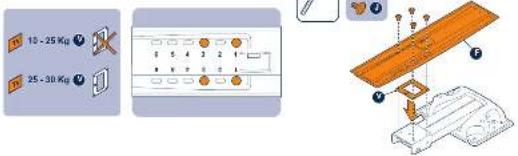
10 - 25 Kg 25 - 30 Kg3
text_image
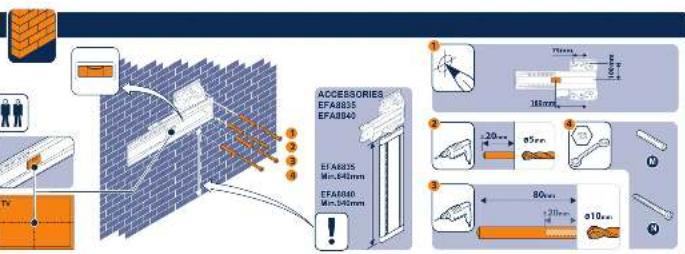
ACCESSORIES EFA8835 EFA8840 EFA8825 Min.640mm EFA8840 Min.545mm 1 2 3 4 5 6 7 8 9 10 11 12 13 14 15 16 17 18 19 20 21 22 23 24 25 26 27 28 29 30 31 32 33 34 35 36 37 38 39 40 41 42 43 44 45 46 47 48 49 50 51 52 53 54 55 56 57 58 59 60 61 62 63 64 65 66 67 68 69 70 71 72 73 74 75 76 77 78 79 80
flowchart
graph TD
    A["User"] --> B["Control Panel"]
    B --> C{Accessories}
    C -->|1| D["EFA835 EF-A500"]
    C -->|2| E["EFA836 EF-A500"]
    C -->|3| F["EFA840 EF-A500"]
    C -->|4| G["Warning Icon"]
    D --> H["Display Panel"]
    E --> I["Display Panel"]
    F --> J["Display Panel"]
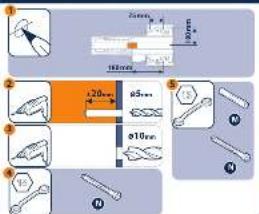
text_image
1 2 3 4 5 6 7 8 9 10 11 12 13 14 15 16 17 18 19 20 21 22 23 24 25 26 27 28 29 30 31 32 33 34 35 36 37 38 39 40 41 42 43 44 45 46 47 48 49 50 51 52 53 54 55 56 57 58 59 60 61 62 63 64 65 66 67 68 69 70 71 72 73 74 75 76 77 78 79 80 81 82 83 84 85 86 87 88 89 90 91 92 93 94 95 96 97 98 99 1004 4.1
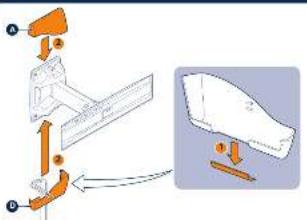
text_image
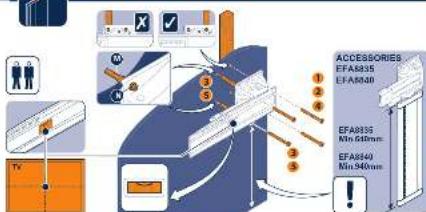
Diagram illustrating a surveillance camera setup with labeled components and an inset showing a folded blade assembly.5 5.1
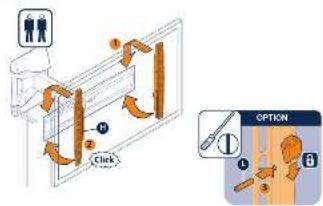
flowchart
graph TD
    A["Person"] --> B["Step 1: Click"]
    B --> C["Step 2: Click"]
    C --> D["Step 3: Click"]
    D --> E["Option ①"]
    E --> F["Option ②"]
    F --> G["Option ③"]
REMOVE TV FROM WALL MOUNT
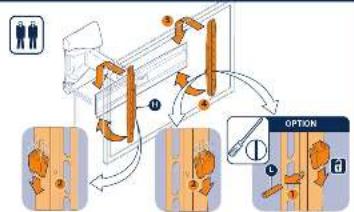
flowchart
graph TD
    A["Person icon"] --> B["Process Step 1"]
    B --> C["Mechanical Component 1"]
    C --> D["Tool Selection"]
    D --> E["Option ①"]
    E --> F["Final Product Icon"]