
Flipout - Smartphone MOTOROLA - Notice d'utilisation et mode d'emploi gratuit
Retrouvez gratuitement la notice de l'appareil Flipout MOTOROLA au format PDF.


| Type de produit | Smartphone |
| Marque | Motorola |
| Modèle | Flipout |
| Dimensions (approx.) | 67 x 67 x 17 mm |
| Poids (approx.) | 120 g |
| Écran | 2,8 pouces, 240 x 320 pixels |
| Système d'exploitation | Android 2.1 (Eclair) |
| Processeur | 700 MHz |
| Mémoire interne | 150 Mo |
| Batterie | Lithium-ion 1170 mAh, amovible |
| Appareil photo | 3 mégapixels |
| Connectivité | Bluetooth 2.1, Wi-Fi 802.11 b/g, GPS |
| Clavier | QWERTY coulissant |
| Fonctions principales | Appels, SMS, MMS, Email, Navigation Web, Réseaux sociaux, Lecteur multimédia, Radio FM |
| Alimentation | Batterie lithium-ion 1170 mAh, charge via micro-USB |
| Entretien et nettoyage | Essuyer avec un chiffon doux et sec. Ne pas utiliser de produits abrasifs. |
| Sécurité | Verrouillage par code PIN, verrouillage d'écran. Ne pas exposer à l'eau ou à l'humidité. |
| Pièces détachées et réparabilité | Batterie amovible, carte SIM, carte mémoire. Pour réparation, contacter un centre agréé. |
| Informations générales | Notice d'utilisation disponible en ligne. Assistance technique Motorola. |
FOIRE AUX QUESTIONS - Flipout MOTOROLA
Questions des utilisateurs sur Flipout MOTOROLA
0 question sur cet appareil. Repondez a celles que vous connaissez ou posez la votre.
Poser une nouvelle question sur cet appareil
Téléchargez la notice de votre Smartphone au format PDF gratuitement ! Retrouvez votre notice Flipout - MOTOROLA et reprennez votre appareil électronique en main. Sur cette page sont publiés tous les documents nécessaires à l'utilisation de votre appareil Flipout de la marque MOTOROLA.
MODE D'EMPLOI Flipout MOTOROLA

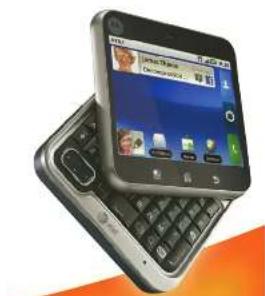
MOTOROLA FLIPOUT avec MSCI OBLUR 4
Démarrage rapide

at&t
Bienvenue chez AT&T
Veuillez utiliser ce guide de démarrage rapide pour obtenir un aperçu des principales fonctionnalités et services disponibles avec votre MOTOROLA FLIPOUT avec MOTOROLAR. Vous pouvez également utiliser notre tutoriel web interactif, disponible sur
att.com/Tutoriels
pour obtenir les informations les plus complètes et à jour pour configurer et utiliser votre nouveau smartphone et tous les services disponibles. Les tutoriels en ligne comprennent des instructions étape par étape et des captures d'écran pour faciliter votre apprentissage, ainsi qu'une fonction de recherche facile.
Votre téléphone
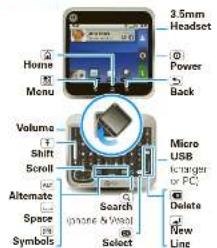
Astuce : Votre téléphone peut automatiquement passer en mode vibreur lorsque vous le placez face vers le bas. Pour modifier cela, touchez Menu [1] > Paramètres > Son et affichage > Profil intelligent : Face vers le bas pour vibrer.
Remarque : Votre appareil peut sembler un peu différent.
Configuration de l'appareil
1. Retirez le capot
SIM
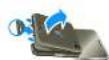
- Batteries

- CAPOT


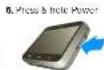
Attention : avant d'assembler, de fusionner ou d'utiliser votre téléphone pour la première fois, veuillez lire les informations de sécurité, réglementaires et légales fournies avec votre téléphone.
Lorsque vous allumez votre téléphone pour la première fois, vous devez créer ou vous connecter à votre
compte MOTOBLUR. MOTOBLUR synchronise
vos contacts, publications, flux, messages, e-mails et photos depuis vos autres comptes. L'inscription est sécurisée et ne devrait prendre que quelques minutes.
- Appuyez longuement sur le bouton d'alimentation sur le côté de votre
téléphone pour l'allumer.
- Sélectionnez un
| Log In orregulate:Enter yourname, yourcurrent emailaddress(where | My MOTOBLUR Account LoginUser ID :YY valid email address |
| Password Hint |
compte MOTOROLA
CRÉER UN COMPTE OU SE CONNECTER *Mot de passe du compte MOTOBLUR
- Pour ajouter un compte à MOTOBLUR, touchez le
type de compte, puis saisissez pour l'e-mail et le paiement.
- Lorsque vous avez terminé, touchez Terminer l'ajout de
comptes.
Astuce : Pour voir les comptes que vous avez ajoutés, touchez Menu [16] - Paramètres - Comptes
Vous pouvez vous connecter à votre compte NOTCULUR depuis un
ordinateur pour importer des contacts, réinitialiser votre mot de passe, configurer une requête sur votre téléphone.
www.motorola.com/memotobler
Sonneries et paramètres
Vous pouvez personnaliser les paramètres de son et d'affichage.
• Pour définir votre sonnerie et vos notifications,
allez dans Paramètres × Son et affichage
Dans Ma musique, touchez et maintenez le nom de la chanson, puis
touchez Utiliser comme sonnerie.
- Pour passer en mode écran, si vous
avez le verrouillage d'écran activé, vous pouvez faire glisser l'interrupteur de silence sur l'écran
de déverrouillage.
Vous pouvez aussi essayer ici
Paramètres - Son et affichage Double toucher pour silence ou Smart
Double toucher pour allumer 3. Profil intelligent : Face vers le bas pour vibrer.
• Pour voir les différents types de messages
touchez Messagerie > Menu > Paramètres de messagerie > SMS/MMS
Paramètres de messagerie ou Messagerie sociale
• Pour régler la luminosité de l'écran, un fond d'écran
et plus, touchez Menu > Paramètres Son et affichage
Son et affichage
Plus d'informations
Sur votre téléphone—Touchez 📄 > Centre d'aide.
Sur le web—Vous pouvez également obtenir de l'aide en ligne
- des tutoriels interactifs sont disponibles sur
alt.com/Tutoriels Sélectionnez le fabricant Motorola et le modèle FUPOUT dans les menus déroulants
• Pour obtenir de l'aide avec MOTOR Blue, rendez-vous sur
www.motorola.com/cyanobolun
• Pour obtenir des informations d'assistance détaillées, y compris les
manuels d'utilisation et les articles de la base de connaissances, consultez
all.com/DeviceSupport
• Pour des informations sur votre compte sans fil,
votre forfait ou vos résultats, rendez-vous sur sit cam/Wireless Sur n'importe quel téléphone, appelez le service client AT&T
au 1-800-331-0500 ou composez le 511 depuis n'importe quel téléphone AT&T /nohi-
pour obtenir de l'aide concernant votre service ou votre appareil.
Trouver des accessoires
Vous pouvez trouver des accessoires pour votre téléphone sur
alt.com/WirelessAccessories ou en visitant votre magasin AT&T local.
Écran d'accueil
L'écran d'accueil vous donne toutes vos dernières
informations en un seul endroit. C'est ce que vous voyez lorsque vous
Widgets d'état du téléphone Touchez pour ouvrir. Touchez et maintenez pour déplacer, redimensionner ou supprimer. © www.thew Ouvrez le menu d'applications (五) 2017年 E=0.15 * 注: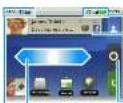
- Faites glisser la barre vers le bas pour voir les notifications
sur votre écran d'accueil :
- Pour ouvrir quelque chose, touchez-le. Touchez et maintenez pour
Revenir à l'écran d'accueil.
• Pour modifier les options du widget (si disponible), ouvrez le
Calendrier et les widgets de coordonnées
- Pour redimensionner un widget Motorola,
touchez et maintenez
la situation, puis là
- Pour ajouter quelque chose à l'écran,
touchez et maintenez un espace vide
ajouter des raccourcis, des widgets ou des dossiers, ou changer les fonds d'écran.
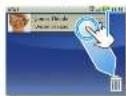
• Pour déplacer ou supprimer un élément, touchez-le et maintenez-le
jusqu'à ce que vous sentiez une vibration, puis faites-le glisser vers un autre
endroit, un autre panneau, ou vers la corbeille.
Appels
Vous devez ouvrir votre téléphone pour passer un appel, sauf si
Pour le trouver : Téléphone
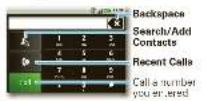
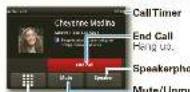
Composez le numéro
pendant un appel
Astuce : Vous pouvez toucher l'icône d'accueil 📄 pour revenir à l'écran d'appel actif. Pour le rouvrir, touchez l'icône d'appel. Lorsque vous avez un nouveau message vocal, une icône 📋 apparaît en haut de votre écran. Pour écouter le message vocal, faites glisser la notification vers le bas et touchez l'icône.
Contacts
Pour le trouver : Contacts
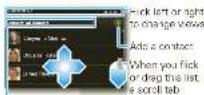
Touchez pour choisir ce qui apparaît. Faites glisser
le groupe à afficher pour sélectionner le
Dans votre liste de contacts :
• Pour modifier un contact, ouvrez-le et touchez Menu [8].
Modifier.
• Pour envoyer rapidement un e-mail, appuyez et plus, touchez
a. Dans la recherche, mais aucun changement
contact : touchez un numéro
touchez et maintenez le numéro, puis
choisissez Ajouter aux contacts.
Réseaux sociaux
Vous pouvez également associer vos comptes Facebook, MySpace, Twitter ou
autres à votre téléphone à tout moment. Si vous
êtes déjà connecté, vous pouvez accéder au site Web dans Paramètres.
Pour le trouver : Menu [60] > Paramètres > Comptes > Ajouter un
compte
Connectez-vous à votre compte avec le nom d'utilisateur ou l'e-mail et le mot de passe que vous avez définis sur ce compte (les mêmes que sur votre ordinateur).
Lorsque vous vous connectez à des comptes de réseaux sociaux,
vous verrez vos amis et contacts dans votre liste de contacts, et vos statuts et mises à jour peuvent
apparaître dans les widgets Statut social et Événements.
Les messages Twitter et MySpace apparaîtront toujours
comme "lus" sur votre téléphone, mais votre téléphone vous notifie lorsque vous scannez un nouveau message.
Exchange gère vos messages en temps réel.
Après avoir ajouté un compte de réseau social, vous pouvez
voir et répondre aux mises à jour de vos amis avec un fil d'actualité sur votre écran d'accueil.
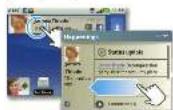
E-mails et SMS
Pour le trouver : Messagerie > Boîte de réception universelle
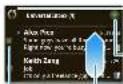
Touchez pour vérifier les messages maintenant.
Créer un message
- Sélectionnez plusieurs messages pour les déplacer, imprimer et appuyer
sur votre accueil :
• Pour créer un e-mail, un appel ou un autre message, appuyez sur • Choisissez le type de message, puis saisissez le destinataire et le message dans les SMS et
e-mails à chaque destinataire. (a) s'applique
- Pour transférer, enregistrer uniquement, ou utiliser d'autres options, ouvrez le message, puis touchez-le et maintenez-le enfoncé.

Veuillez ne pas envoyer de SMS en conduisant.
Pour ajouter des comptes de messagerie, touchez Menu [RE] > Paramètres > Comptes > Ajouter un compte.
Le courrier électronique est destiné à la plupart des comptes personnels et autres qui ne sont pas ou un Microsoft® Lechance Senior.
Pour vous connecter à votre compte, utilisez le nom d'utilisateur ou l'adresse e-mail et le mot de passe que vous avez définis pour ce compte. C'est la même chose que sur votre ordinateur. Pour les détails du compte, contactez le fournisseur de compte. Lorsque vous vous connectez à votre compte, vous pouvez voir
Corporate Sync est destiné aux e-mails ou aux cartes sur un serveur Microsoft Exchange. Saisissez vos informations d'utilisateur et de serveur fournies par votre département informatique. Remarque : cela nécessite un forfait de données d'entreprise. Certains comptes professionnels peuvent exiger que vous utilisiez un verrouillage par mot de passe sur votre téléphone pour recevoir
Pour modifier vos paramètres, touchez □ Messagerie □ Menu □ sur l'écran tactile :
- Gérer les comptes pour modifier votre nom d'utilisateur ou votre mot de passe ou les paramètres du serveur pour la messagerie.
+ Modifier la boîte de réception universelle pour choisir quels comptes affichent les messages dans la boîte de réception universelle.
- Paramètres de messagerie pour définir les notifications pour chaque type de compte (ainsi que d'autres préférences pour l'e-mail).
Saisie vocale et recherche
Si vous ouvrez un nouveau message ou une autre zone de texte lorsque votre téléphone est fermé, vous pouvez toucher l'icône vocale sur le clavier à l'écran pour dicter du texte ou des noms.
Pour utiliser la numérotation vocale, touchez Téléphone > Menu > Numérotation vocale. Ensuite, prononcez un numéro de téléphone ou un nom de vos contacts.
Pour utiliser la recherche vocale Google™, touchez l'icône vocale sur un widget de recherche ou ouvrez votre téléphone pour appuyer sur la touche de recherche [icône] pour le mot-clé. Recherche de texte : saisissez, puis touchez Recherche vocale : touchez, puis prononcez
Votre téléphone recherche dans vos applications, contacts et le Web. Pour modifier les paramètres de recherche, touchez Menu > Paramètres > Recherche.

Recherche de texte puis touchez
Voice Search Touch, bag spack
Photos & Videos
Find it: Camera
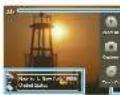
Photos Remaining depends on photo resolution and memory card
GPS is ar
see Resolution (touch to change) ◆ tag location or custom tags
To open your camera's Settings, touch More. 📄 Photos are stored on your memory card.
Find it: Camcorder
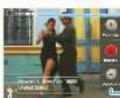
Minutes Remaining depends on video resolution and memory card
Resolution (touch to change) Tag (location or custom tags)
Before you record a video to send in a message from Peru. 📄 > Settings > Video Resolution > Small
Music Player & Radio
Find It: Music > My Music then choose a
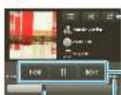
Playlists, Shuffle, and Repeat
Music Controls
Durée totale de la chanson
Astuce : lorsqu'une chanson est en cours de lecture, vous pouvez l'ajouter à une liste de lecture en touchant Menu > Ajouter à la liste de lecture.
Où le trouver : AT&T Radio
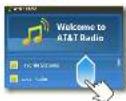
Faites glisser ou effleurez pour faire défiler les stations locales, les stations par genre, les émissions de discussion, etc.
AT&T Radio vous permet d'emporter 400 stations partout avec vous. Profitez du meilleur de la musique, du Pop et R&B au Rock, Pop, Latin et plus encore, ainsi que du meilleur de la radio parlée.
Remarque : AT&T Radio nécessite un abonnement et un forfait de données.
Applications et mises à jour
Où le trouver : Market
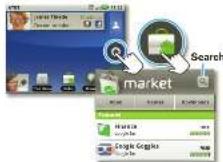
Market
• Pour trouver une application, touchez la barre de recherche ou l'icône Recherche. Pour télécharger, touchez l'application.
- Pour réinstaller des applications téléchargées ou accéder à vos achats sur un nouvel appareil, touchez Téléchargements.
- Pour supprimer ou désinstaller des applications sur votre téléphone, touchez
Menu > Paramètres > Applications > Gérer les applications. Touchez une application dans la liste, puis touchez Désinstaller pour celles que vous avez téléchargées. Effacer le cache ou d'autres options.
Meru > Paramètres > Applications > Gérer les applications. Touchez une application dans la liste, puis touchez Désinstaller pour celles que vous avez téléchargées. Effacer le cache ou d'autres options.
Meru > Paramètres > Applications > Gérer les applications. Touchez une application dans la liste, puis touchez Désinstaller pour celles que vous avez téléchargées. Effacer le cache ou d'autres options.
Web
Find it: Browser
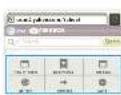
Press Menu
to span the
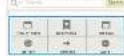
To go to a search page, just open your phone and type the URL address.
Zoom To zoom in or out, slide two fingers apart or together
AT&T Features & Services
Note: To use AT&T services, you need to turn off Wi-Fi® power
• AT&T Maps & Navigator: Check maps and get directions precisely and conveniently. AT&T Navigation requires a separate subscription.
• Instant Messaging (IM): Send IMs to your buddy list using your favorite service.
• Mobile Video: Watch news, sports, weather, and entertainment video clips.
- MobiTV—Transform your phone into a wireless TV. MobiTV requires a subscription and data plan, and is not available in all areas. Programs are subject to change.
- Mobile Banking—Check your account balance, transfer funds between eligible accounts, view and pay bills. To find out if your bank supports Mobile Banking, visit att.com/mobilebanking, or contact your financial institution.
For information on setting up or using these services, visit att.com/Tutorials. To add these services, contact your local AT&T store or call 1-800-331-0500.
Bluetooth * & Wi-Fi **
Connexions
Pour connecter un casque ou kit Bluetooth, touchez le menu [REDACTED] > Paramètres > Sans fil et réseaux > Paramètres Bluetooth.
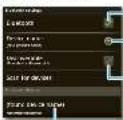
Activer et rechercher
Clair comme de l'eau de roche
du téléphone
Nom Bluetooth
- 1er janvier 2017
LE. Eilefloxacin
votre choix
3.06 p15476
Connecter
Remarque : l'utilisation d'un appareil mobile pendant la conduite peut présenter un risque et/ou être illégale. Respectez toujours les lois et les consignes de sécurité.
Pour vous connecter à un réseau Wi-Fi afin d'accéder à Internet rapidement et de télécharger des données, touchez Web (82) > Paramètres > Sans fil et réseaux > Paramètres Wi-Fi.
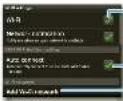
Activer et démarrer
Utilisez AT&T W-1
Points d'accès
ne-ecar
Consultez www.attwif.com pour les conditions générales.
Astuce : Le mode Avion désactive le Bluetooth, le Wi-Fi et les connexions réseau, par exemple en avion. Maintenez enfoncée la touche Marche/Arrêt pour activer le mode Avion.
Carte mémoire et USB
Votre téléphone est livré avec une
carte mémoire déjà installée. Vous en aurez besoin pour certaines fonctions, comme l'appareil photo.
Pour gérer la carte mémoire
Fichiers, touchez > Gestionnaire de fichiers > Carte mémoire. Touchez un fichier ou un dossier pour l'ouvrir, touchez et maintenez un fichier pour
Supprimer ou Partager
Vous pouvez envoyer vos photos, vidéos, musiques et autres fichiers depuis votre ordinateur vers la
carte mémoire de votre téléphone
- Connectez le câble micro-USB Motorola
Utilisez le câble de données fourni avec votre téléphone : connectez le port micro USB à un
port USB de votre ordinateur.
- Votre téléphone devrait afficher
Dans le menu Paramètres - USB
D'une main, touchez pour choisir une connexion de carte mémoire. Vous devriez pouvoir accéder à la carte mémoire depuis votre ordinateur.


Icônes et autonomie de la batterie
En haut de l'écran, les icônes à gauche vous informent des nouveaux messages ou événements (faites glisser la barre vers le bas pour plus de détails). Les icônes à droite indiquent l'état de votre téléphone.
| 1 | Bluetooth® active | L4 | network (full signal) |
| 2 | GPS active | L5 | network (waiting) |
| 3 | Wi-Fi active | G | GPS (last data) |
| 4 | downbinding | E | FICOF (later data) |
| 5 | write | SG | SG (latest detail) |
| 6 | start | → | light mode |
| 7 | mouse cell | ☐ | battery (screening) |
| 8 | spectrum here active | ☐ | battery full counter |
| 9 | warm set | ○ | Google® sync or low |
Pour optimiser votre batterie, touchez Menu > Paramètres > Gestionnaire de batterie > Profil de batterie, puis choisissez :
- Mode Performance pour un transfert de données constant et une utilisation de la batterie.
• Mode Économie d'énergie lorsque votre batterie est faible.
• Mode Intelligent si vous souhaitez définir des options de batterie comme limiter vos données et la météo
pendant les heures de pointe.
Sachez que les éléments suivants peuvent réduire l'autonomie de la batterie entre les charges :
- enregistrer ou diffuser des vidéos, réduire la luminosité,
- les widgets qui affichent des informations sur votre écran d'accueil, comme les actualités ou la météo.
Remarque : si vous ne réglez pas votre procédure conformément aux valeurs choisies, si vous avez besoin de
Le produit est racheté sur un marché.
produit
peut ne pas être disponible dans toutes les régions, ajoutez-le aux conditions générales et
Tous les produits, lubrifiants et autres spécifications de produits, ainsi que
la taille de chaîne peut être définie dans le guide, sont moins ouverts que le meilleur.
prévention. Salaria reese, il pourrait être fait dans le
en orientation de bruit ou de confusion pratique ou logique.
sont des marques déposées ou des marques de commerce de Materials Indemnark Institutions 17, 2010 458, New amal Property, Sanca conidad de
Pounds every 45 1 oil and captes the best oil caples.
sont la propriété du propriétaire et utilisés par Networks Security, ou sous
Google, Twitter, Fund, Grid, et le logo Google et l'Amérique latine
Couple in Feslonk's couple at the end of a 1980s.
Les dispositions suivantes des États-Unis doivent être soumises aux marques de commerce de Microsoft Corporation aux États-Unis et dans d'autres pays. Tous les autres produits ou lignes de service sont éligibles pour leurs propriétaires respectifs.
© Jolo Fintler, 2017, 18: 43-1956
Cannell, 2013; 25e rue de New York, 2013; 17e rue de New York, 2013;
en dehors de la même
Nasad Sumber 691027M-4.


- DÉMARRAGE RAPIDE
- BIENVENUE CHEZ AT&T
- ATT.COM/TUTORIELS
- VOTRE TÉLÉPHONE
- CONFIGURATION DE L'APPAREIL
- SONNERIES ET PARAMÈTRES
- PLUS D'INFORMATIONS
- TROUVER DES ACCESSOIRES
- ÉCRAN D'ACCUEIL
- APPELS
- CONTACTS
- RÉSEAUX SOCIAUX
- E-MAILS ET SMS
- POUR LE TROUVER : MESSAGERIE > BOÎTE DE RÉCEPTION UNIVERSELLE
- SAISIE VOCALE ET RECHERCHE
- PHOTOS & VIDEOS
- FIND IT: CAMERA
- FIND IT: CAMCORDER
- MUSIC PLAYER & RADIO
- FIND IT: MUSIC > MY MUSIC THEN CHOOSE A
- OÙ LE TROUVER : AT&T RADIO
- APPLICATIONS ET MISES À JOUR
- OÙ LE TROUVER : MARKET
- MARKET
- WEB
- FIND IT: BROWSER
- AT&T FEATURES & SERVICES
- BLUETOOTH * & WI-FI
- CONNEXIONS
- CARTE MÉMOIRE ET USB
- ICÔNES ET AUTONOMIE DE LA BATTERIE
Marque : MOTOROLA
Modèle : Flipout
Catégorie : Smartphone