
ONE IQ ROUTES - GPS portable TOMTOM - Notice d'utilisation et mode d'emploi gratuit
Retrouvez gratuitement la notice de l'appareil ONE IQ ROUTES TOMTOM au format PDF.

| Type de produit | GPS portable |
| Marque | TomTom |
| Modèle | One IQ Routes |
| Dimensions (L x H x P) | 11 x 8 x 2 cm |
| Poids | 180 g |
| Taille de l'écran | 4,3 pouces (10,9 cm) |
| Type d'écran | LCD tactile couleur |
| Batterie | Lithium-ion rechargeable, autonomie 2 heures |
| Alimentation | Allume-cigare 12V, câble USB |
| Mémoire interne | 2 Go (cartes préchargées) |
| Fonctions principales | Navigation GPS, IQ Routes (itinéraires intelligents), points d'intérêt, guidage vocal |
| Mise à jour cartographique | Via TomTom Home (gratuit pendant 3 mois) |
| Connectivité | USB mini-B |
| Support de montage | Ventouse pour pare-brise |
| Entretien et nettoyage | Nettoyer l'écran avec un chiffon doux et sec. Éviter les produits abrasifs. |
| Sécurité | Ne pas exposer à une chaleur excessive. Utiliser le chargeur fourni. |
| Pièces détachées et réparabilité | Batterie non remplaçable par l'utilisateur. Réparation en centre agréé. |
| Contenu de la boîte | GPS, support ventouse, chargeur allume-cigare, câble USB, notice |
| Langues du guidage | Français, anglais, allemand, espagnol, italien, néerlandais |
FOIRE AUX QUESTIONS - ONE IQ ROUTES TOMTOM
Questions des utilisateurs sur ONE IQ ROUTES TOMTOM
0 question sur cet appareil. Repondez a celles que vous connaissez ou posez la votre.
Poser une nouvelle question sur cet appareil
Téléchargez la notice de votre GPS portable au format PDF gratuitement ! Retrouvez votre notice ONE IQ ROUTES - TOMTOM et reprennez votre appareil électronique en main. Sur cette page sont publiés tous les documents nécessaires à l'utilisation de votre appareil ONE IQ ROUTES de la marque TOMTOM.
MODE D'EMPLOI ONE IQ ROUTES TOMTOM
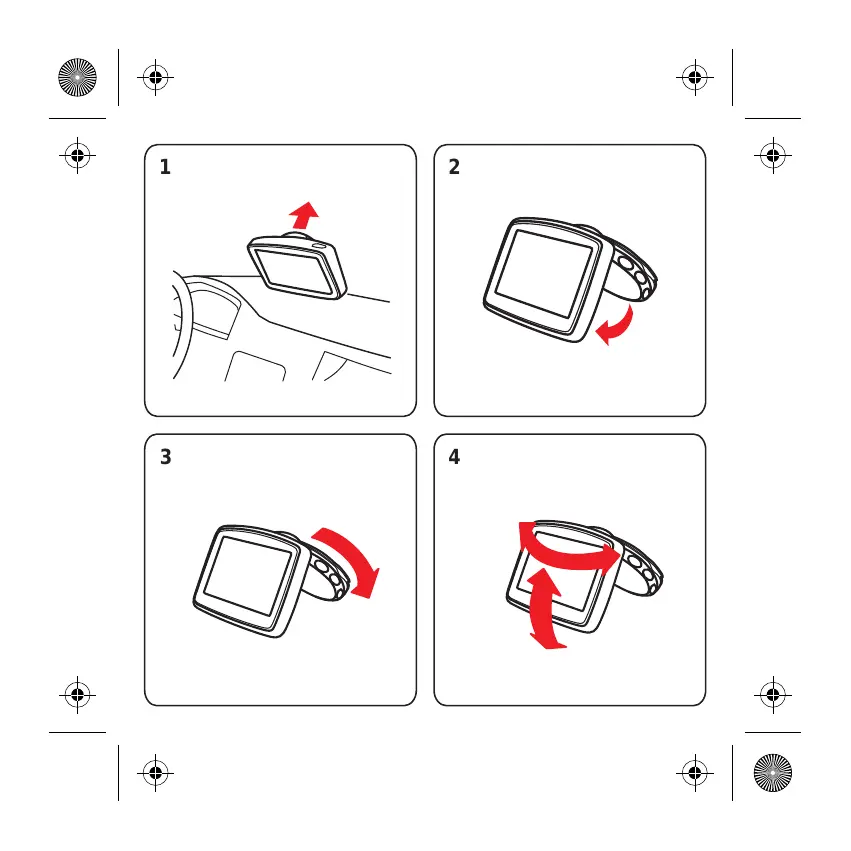
1
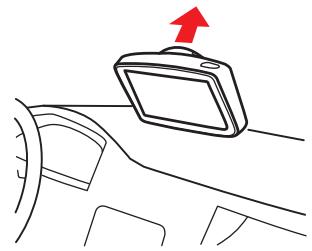
natural_image
Line drawing of a car interior with a red arrow pointing to the top panel (no text or symbols)2
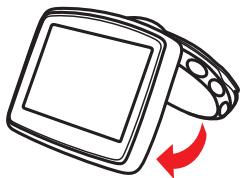
natural_image
Illustration of a computer monitor with a red curved arrow indicating rotation (no text or symbols)3
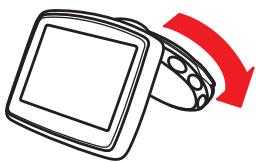
natural_image
Illustration of a computer mouse with a red curved arrow indicating rotation (no text or symbols)4
natural_image
Illustration of a computer monitor with a red upward arrow indicating rotation (no text or symbols)
natural_image
Simple line drawing of a medical or laboratory device with a curved cable and connector (no text or symbols)5
natural_image
Simple line drawing of a monitor connected to a cable with a red arrow indicating upward motion (no text or symbols)6
natural_image
Line drawing of a car interior showing steering wheel, dashboard, and steering wheel (no text or symbols)
natural_image
Simple line drawing of a medical or laboratory device with a curved cable and connector (no text or symbols)+
natural_image
Simple line drawing of a curved mechanical or electrical component with no text or symbols5
natural_image
Line drawing of a monitor connected to a cable with connectors (no text or symbols)6

natural_image
Diagram of a car interior showing steering wheel, dashboard, and steering wheel (no text or labels)7
8
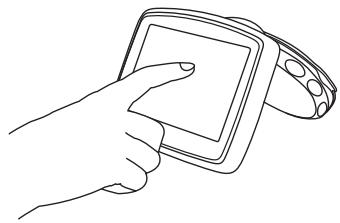
natural_image
Line drawing of a hand holding a smartphone with a circular device (no text or symbols)1
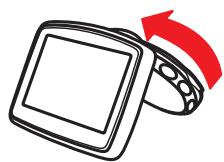
natural_image
Illustration of a computer mouse with a red curved arrow indicating rotation (no text or symbols)2
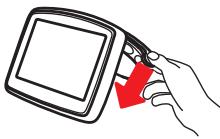
natural_image
Hand holding a tablet device with a red arrow pointing to the screen (no text or symbols visible)3
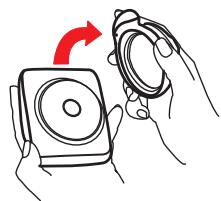
natural_image
Illustration of hands holding a speaker and a magnifying glass (no text or symbols)1
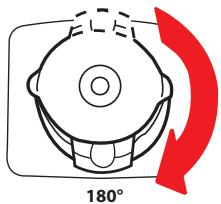
2

natural_image
Simple line drawing of a helmet with a red arrow pointing upward (no text or symbols)3
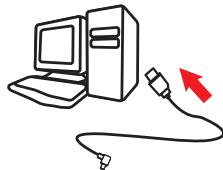
natural_image
Illustration of a desktop computer connected to a cable with a red arrow indicating connection (no text or symbols)4
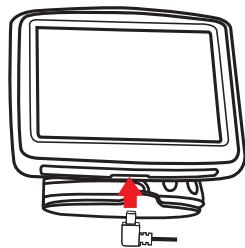
natural_image
Line drawing of a computer monitor with a USB cable inserted, no text or symbols present5
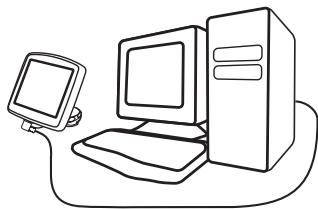
natural_image
Line drawing of a desktop computer setup with monitor, tower, and keyboard (no text or symbols)Marque : TOMTOM
Modèle : ONE IQ ROUTES
Catégorie : GPS portable