Notice Facile
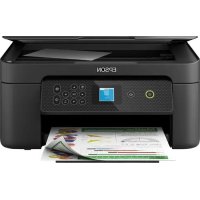
X860DE - Imprimante EPSON - Notice d'utilisation et mode d'emploi gratuit
Retrouvez gratuitement la notice de l'appareil X860DE EPSON au format PDF.


| Type d'appareil | Imprimante laser monochrome |
| Technologie d'impression | Laser |
| Vitesse d'impression | Jusqu'à 40 pages par minute |
| Résolution d'impression | 1200 x 1200 dpi |
| Capacité papier | Jusqu'à 850 feuilles |
| Formats papier pris en charge | A4, Lettre, Legal, Enveloppes |
| Connectivité | USB, Ethernet |
| Impression recto verso | Automatique |
| Dimensions (L x P x H) | Environ 420 x 420 x 380 mm |
| Poids | Environ 15 kg |
| Capacité mémoire | 256 Mo |
| Langages d'impression | PCL 6, PostScript 3 |
| Consommation électrique | Environ 500 W en impression |
| Garantie | 1 an |
| Utilisation recommandée | Petit à moyen bureau |
FOIRE AUX QUESTIONS - X860DE EPSON
Comment configurer l'imprimante EPSON X860DE pour la première fois ?
Pour configurer l'imprimante, branchez-la à une source d'alimentation, allumez-la, puis suivez les instructions à l'écran pour sélectionner la langue, configurer le réseau et installer les cartouches d'encre.
Que faire si l'imprimante ne s'allume pas ?
Vérifiez que l'imprimante est correctement branchée à une prise électrique fonctionnelle. Essayez de changer de prise ou de câble d'alimentation si nécessaire.
Comment résoudre les problèmes d'impression floue ou de mauvaise qualité ?
Assurez-vous que les cartouches d'encre sont pleines et correctement installées. Exécutez un nettoyage des têtes d'impression via le menu de l'imprimante ou le logiciel de l'ordinateur.
Que faire si l'imprimante ne reconnaît pas le papier ?
Vérifiez que le papier est correctement chargé dans le bac et qu'il n'est pas froissé ou trop épais. Assurez-vous également que le type de papier sélectionné dans les paramètres correspond au papier utilisé.
Comment mettre à jour le firmware de l'imprimante ?
Visitez le site web d'Epson, recherchez le modèle X860DE et téléchargez la dernière version du firmware. Suivez les instructions fournies pour effectuer la mise à jour.
L'imprimante est-elle compatible avec mon système d'exploitation ?
Vérifiez la section des spécifications sur le site d'Epson pour confirmer la compatibilité avec votre système d'exploitation. La plupart des systèmes Windows et macOS récents sont pris en charge.
Comment résoudre les erreurs de connexion réseau ?
Vérifiez que l'imprimante est connectée au même réseau Wi-Fi que votre ordinateur. Redémarrez l'imprimante et le routeur si nécessaire, et assurez-vous que les paramètres réseau de l'imprimante sont corrects.
Comment remplacer les cartouches d'encre ?
Ouvrez le compartiment des cartouches d'encre, retirez les cartouches vides en appuyant sur le levier de déverrouillage, puis insérez les nouvelles cartouches en vous assurant qu'elles s'enclenchent correctement.
Pourquoi l'imprimante fait-elle du bruit lors de l'impression ?
Un certain niveau de bruit est normal lors de l'impression. Cependant, si le bruit est excessif ou inhabituel, vérifiez qu'aucun objet ne bloque les mécanismes internes et assurez-vous que l'imprimante est sur une surface stable.
Comment réinitialiser l'imprimante aux paramètres d'usine ?
Accédez au menu des paramètres de l'imprimante, recherchez l'option de réinitialisation aux paramètres d'usine et suivez les instructions à l'écran. Cela supprimera toutes les configurations personnalisées.
Téléchargez la notice de votre Imprimante au format PDF gratuitement ! Retrouvez votre notice X860DE - EPSON et reprennez votre appareil électronique en main. Sur cette page sont publiés tous les documents nécessaires à l'utilisation de votre appareil X860DE de la marque EPSON.