
DM-D110 - Afficheur de point de vente EPSON - Notice d'utilisation et mode d'emploi gratuit
Retrouvez gratuitement la notice de l'appareil DM-D110 EPSON au format PDF.


| Type de produit | Afficheur de point de vente |
| Marque | EPSON |
| Modèle | DM-D110 |
| Méthode d'affichage | Afficheur fluorescent à vide (VFD), vert |
| Nombre de caractères | 40 (20 colonnes x 2 lignes) |
| Luminosité | 690 cd/m² |
| Taille / Pas des caractères | 3,5 x 5,0 mm / 5,2 mm |
| Interface | RS-232 série |
| Débit en bauds | 2 400 à 115 200 bps |
| Alimentation | 11,4 - 48 VDC |
| Consommation électrique | Max. 5 W |
| Couleurs de boîtier disponibles | ECW (EPSON Cool White) et EDG (EPSON Dark Gray) |
| Normes EMC | VCCI classe A, FCC classe A, Marquage CE |
| Normes de sécurité | UL / CSA / TÜV (EN60950) |
| Fonctions principales | Transfert de données haute vitesse, mémoire flash intégrée, angle de vision large, rotation libre, commandes ESC/POS, compatibilité OLE POS, fonction pass-through |
| Entretien et nettoyage | Nettoyer avec un chiffon doux et sec. Ne pas utiliser de liquides abrasifs ou de solvants. Débrancher avant nettoyage. |
| Sécurité | Conforme aux normes UL, CSA, TÜV. Utiliser uniquement l'alimentation recommandée. |
| Pièces détachées et réparabilité | Pour toute réparation, contacter un technicien agréé EPSON. Les pièces détachées ne sont pas décrites dans ce manuel. |
| Informations générales | Conçu pour une utilisation en point de vente. Supporte une large gamme de tensions d'alimentation (12V à 48V). Se connecte directement aux terminaux hôtes et aux imprimantes EPSON série TM. |
FOIRE AUX QUESTIONS - DM-D110 EPSON
Questions des utilisateurs sur DM-D110 EPSON
0 question sur cet appareil. Repondez a celles que vous connaissez ou posez la votre.
Poser une nouvelle question sur cet appareil
Téléchargez la notice de votre Afficheur de point de vente au format PDF gratuitement ! Retrouvez votre notice DM-D110 - EPSON et reprennez votre appareil électronique en main. Sur cette page sont publiés tous les documents nécessaires à l'utilisation de votre appareil DM-D110 de la marque EPSON.
MODE D'EMPLOI DM-D110 EPSON
Série DM-D110/D210
Afficheur client
EPSON®
■ Transfert de données à haute vitesse ■ Affichage clair et facile à lire ■ Table de caractères étendue ■ Mémoire flash intégrée ■ Connexion facile
Série DM-D, qualité et adaptabilité



Clair et facile à lire
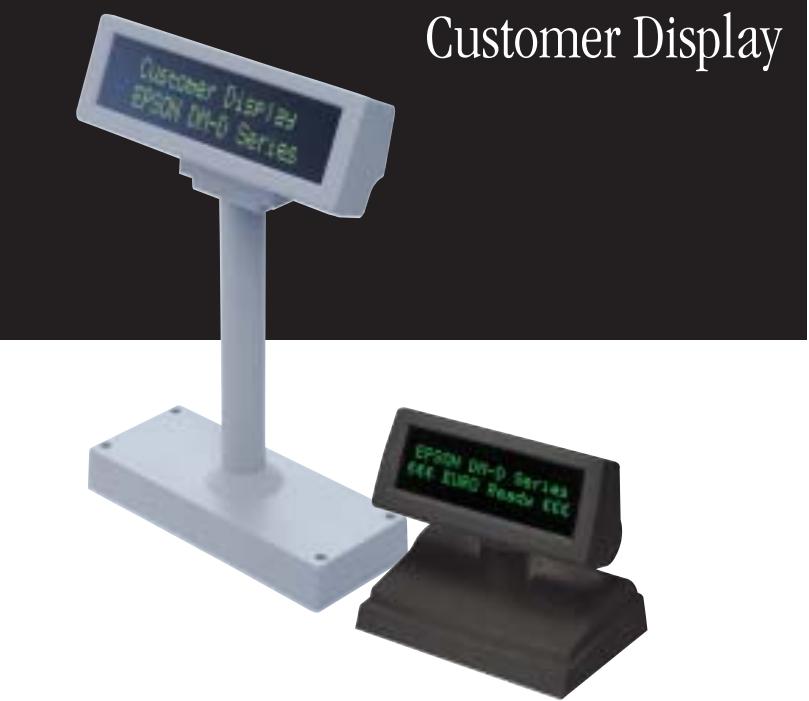
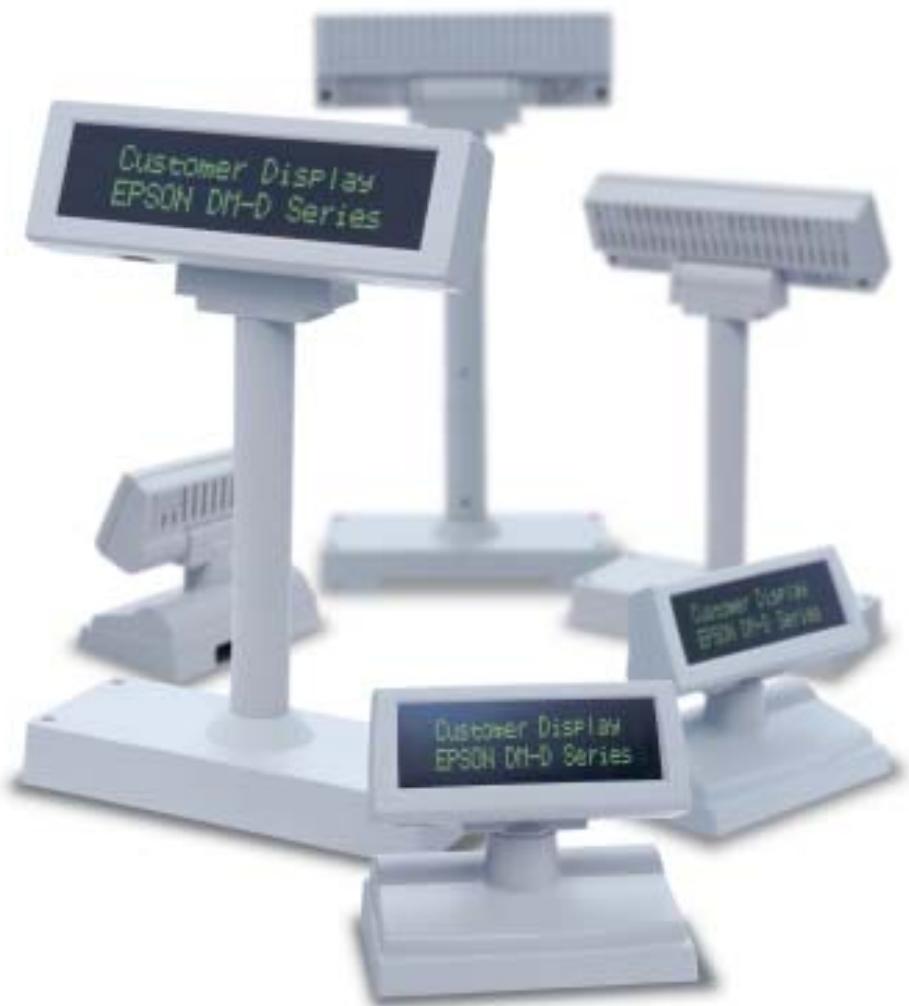
Clair et facile à lire, le grand écran et le format 2 lignes x 20 colonnes fournissent aux clients les informations en un coup d'œil. De plus, le panneau d'affichage offre un large angle de vision, et la tête peut être librement inclinée et pivotée à n'importe quel angle.
Table de caractères étendue
La table de codes de caractères étendue (12 pages au total), qui comprend l'euro, le latin 2, le cyrillique, l'ANSI et la page vierge, vous permet de construire des systèmes selon les spécifications exactes de l'utilisateur.
Transfert de données à haute vitesse
Le transfert de données avec un hôte est réalisé à une vitesse super rapide de 115 200 bps, la plus rapide de sa catégorie. Les données sont affichées en temps réel, améliorant encore l'efficacité du traitement.
Mémoire flash intégrée
La mémoire flash est intégrée, offrant la flexibilité de réécrire les données de police.
Connexion facile
Les afficheurs client de la série DM-D prennent en charge une large gamme d'alimentations, de 12 V à 48 V. Par exemple, ils peuvent être connectés au port COM série à 12 V, à une PS-180 à 24 V, ou à une TM-U220 à 30 V. De plus, comme ils peuvent être connectés directement à n'importe quel terminal hôte disponible, vous avez la flexibilité de construire de nombreux types de systèmes différents.
SUPPORTS EN OPTION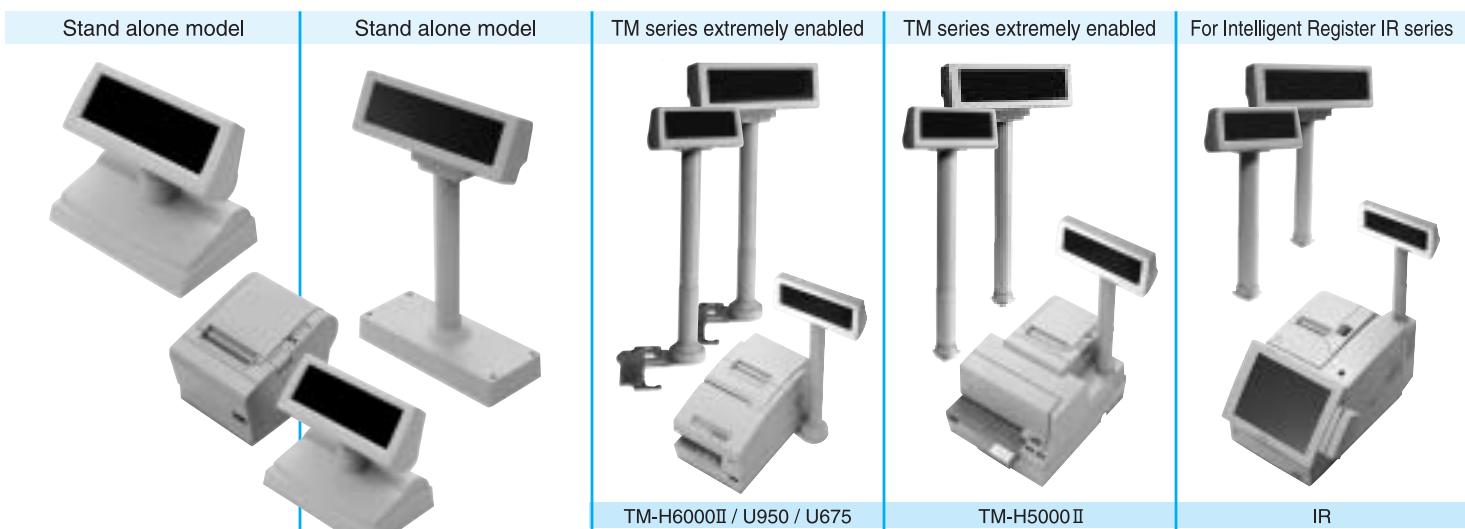
Système de commandes propriétaire ESC/POS®
EPSON a pris l'initiative d'introduire ESC/POS, un système de commandes propriétaire pour imprimantes POS, comprenant des commandes brevetées et permettant la construction de systèmes POS polyvalents avec une grande évolutivité. Compatible avec tous les types d'imprimantes et d'afficheurs POS EPSON, ce système de contrôle propriétaire offre également la flexibilité de réaliser facilement des mises à niveau futures. Sa popularité est mondiale.
OLE POS
Prenant les devants au niveau mondial, EPSON propose un pilote OCX pour le développement d'applications dans les environnements Windows®.
ESC/POS est une marque déposée de SEIKO EPSON CORPORATION. EPSON est membre du comité OPOS.
Windows est une marque déposée de Microsoft Corporation.
Conforme aux spécifications OLE POS.
APPARENCE / SPÉCIFICATIONS
| Item | DM-D110 | DM-D210 |
| Overall dimensions (mm) | 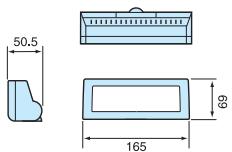 | ——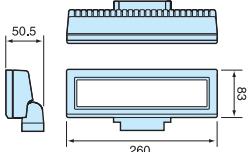 --- --- |
| Display method/color | Vacuum fluorescent display / Green (505 mm) | |
| Number of characters | 40 (20 columns x 2 lines) | |
| Brightness | 690 cd / m2 | 700 cd / m2 |
| Buffer size | 80 bytes | |
| Character font | 5 x 7 dot matrix, cursor | 5 x 7 dot matrix, comma, decimal point, annunciator |
| Character type | Alphanumeric: 95, International characters: 37Graphic characters: 128 x 12 pages | |
| Character size / Pitch | 3.5 x 5.0 mm / 5.2 mm | 6.5 x 11.3 mm / 9.9 mm |
| Download characters | 95 Characters | |
| Interface | EIA / TIA, RS-232 / Serial | |
| Connection | Pass Through type / Direct connection | |
| Baud rate | 2,400~115,200 bps | |
| Reliability MTBF | 20,000 hours | |
| Power / Current consumption | 11.4 - 48 VDC / Max. 5W | 11.4 - 48 VDC / Max. 10W |
| Case color | ECW (EPSON Cool White), EDG (EPSON Dark Gray) | |
| EMC standards | VCCI class A, FCC class A, CE marking | |
| Safety standards | UL / CSA / TÜV (EN60950) | |
Fonction de passage (Pass-Through)
Grâce à une fonction de passage, le DM-D110/D210 peut contrôler l'imprimante.
Connexion directe
Facile à connecter avec les équipements POS de la série TM d'EPSON et à connecter directement à votre terminal hôte existant (port série avec alimentation 12 V requise).
Cette publication utilise du papier recyclé à 35 %.
Les spécifications sont sujettes à modification sans préavis.
![graph TD A["INTELLIGENT TERMINAL"] -->|I/Fcable| B["PS-180"] B --> C["Power line"] C --> D["TM Printer"] D -->|I/Fcable| B B --> E["Cash Drawers"] E --> F["D.K.D"] style A fill:#f9f,stroke:#333 style B fill:#ccf,stroke:#333 style C fill:#cfc,stroke:#333 style D fill:#fcc,stroke:#333 style E fill:#cf…](/content/2019/11/103753/images/27ad8539755d8a6091c90ff5076f4044d838ad8858daaa2b9f0fe86760a9a611.jpg)
OPTIONS
ALIMENTATION PS-180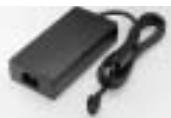
ENTRÉE : 100\~240 V CA SORTIE : 24 V CC, 2,0 A Fiche : prise d'alimentation 3P Normes de sécurité : UL, CSA, TÜV
UNITÉ PÔLE DP-105
254 (H) x diam. 35 mm pour la série DM-D110
Marque : EPSON
Modèle : DM-D110
Catégorie : Afficheur de point de vente