VIMTY-05 - Ukategorisert CRUX - Gratis bruksanvisning og manual
Finn enhetens veiledning gratis VIMTY-05 CRUX i PDF-format.


Brukerspørsmål om VIMTY-05 CRUX
0 spørsmål om dette apparatet. Svar på dem du kjenner, eller still ditt eget.
Still et nytt spørsmål om dette apparatet
Last ned instruksjonene for din Ukategorisert i PDF-format gratis! Finn veiledningen din VIMTY-05 - CRUX og ta den elektroniske enheten tilbake i hendene. På denne siden er alle dokumenter som er nødvendige for bruken av enheten din publisert. VIMTY-05 av merket CRUX.
BRUKSANVISNING VIMTY-05 CRUX
PRODUCT FEATURES:
- Retains functionality of Factory-installed Navigation System for passenger access at anytime
- Plug and Play Installation
NOTES:
- Compatible with Entune® radios (radio has "APPS" button).
- Not compatible with radio model numbers E7026, E7033 and NSCD-W12U-B.
PARTS INCLUDED:
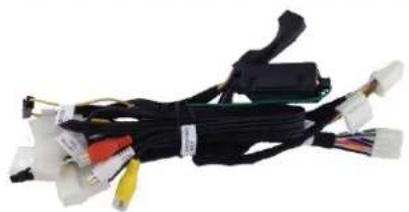
natural_image
Coiled black cable with various connectors and colored wires, no visible text or symbolsINSTALLATION DIAGRAM:
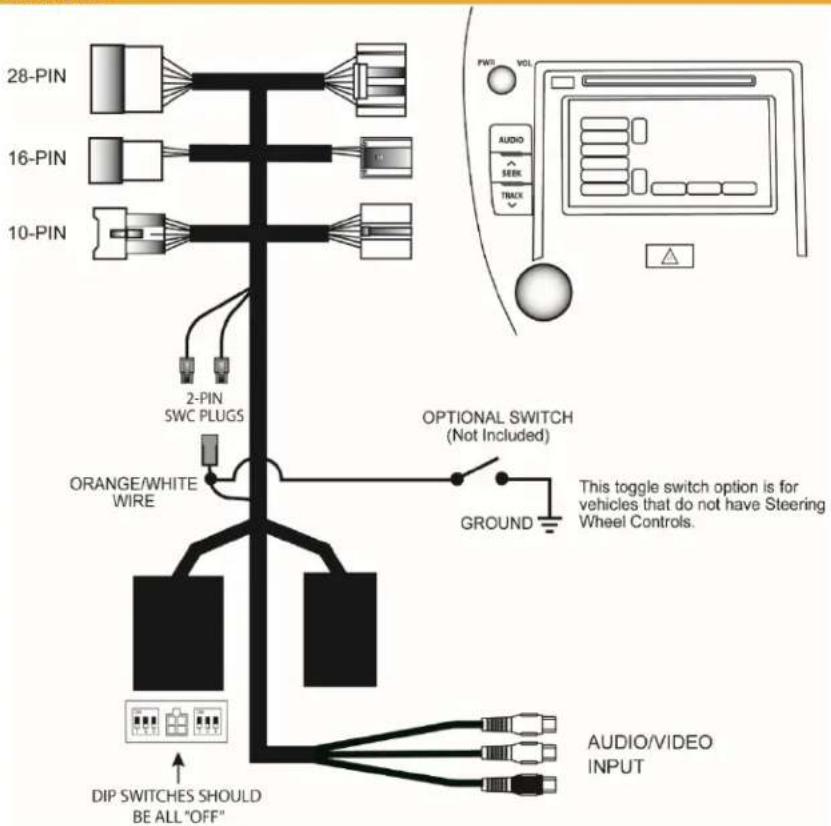
NOTE: The 16-Pin connector is not available on some newer vehicles. You can leave it disconnected if your vehicle does not have a 16-Pin connector.
INSTALLATION:
- Remove the factory radio from the dashboard.
Note: DO NOT disconnect the airbag connector.
-
Remove the factory connectors from behind the factory radio.
-
Mate the T-Harness connections to the factory connectors. (Make sure all connectors are properly seated into the interface and into the radio.) (JBL Radios see page 3)
-
Connect the Orange/White wire to your corresponding SWC type. (9-Button or 5-Button)
-
Connect the audio or video source to the female RCAs on the VIMTY-05 T-Harness.
-
Switch to the new AV input by using the SWC or the radio. (See page 3)
-
Test the interface and re-install the radio into the dash.
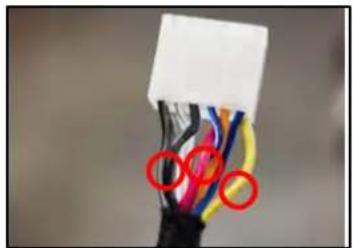
10-PIN JBL RADIOS
If your vehicle is not equipped with a 10-Pin connector found on JBL systems, you will need to cut these three wires from the VIMTY-05 T-Harness and connect as follows:
$$ \text { RED } = 1 2 \mathrm{VACC} $$
$$ \text { YELLOW } = 1 2 \mathrm{V} \text { Constant } $$
$$ \text { BLACK } = \text { Ground } $$
natural_image
Close-up of a black cable with multicolored wires and a white connector (no text or symbols visible)ACTIVATING AND DEACTIVATING THE VIM FEATURE
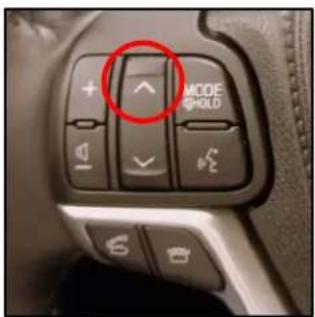
5-Button: Press and hold the SEEK UP button for 5 seconds
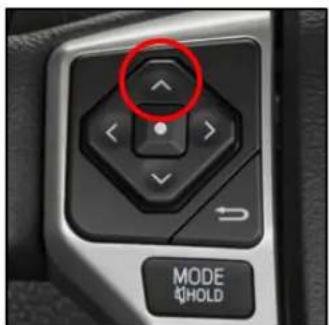
5-Button: Press and hold the SEEK UP button for 5 seconds
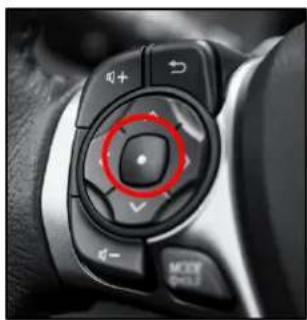
natural_image
Close-up of a car dashboard control knob with red circular annotation highlighting the center (no text or symbols visible)9-Button: Press and hold the CENTER button for 5 seconds
RADIO COMPATIBILITY:
Toyota Entune®
TOYOTA
| 2012 - 2015 | 4Runner | 2014 - 2015 | iQ |
| 2012 - 2015 | Avalon | 2014 - 2015 | tC |
| 2012 - 2016 | Camry | 2014 - 2015 | xD |
| 2014 - 2016 | Corolla | ||
| 2012 - 2014 | FJ Cruiser | ||
| 2012 - 2017 | Highlander | ||
| 2012 - 2015 | Land Cruiser | ||
| 2012 - 2013 | Matrix | ||
| 2013 - 2016 | Prius | ||
| 2012 - 2015 | RAV4 | ||
| 2012 - 2016 | Sequoia | ||
| 2012 - 2017 | Sienna | ||
| 2012 - 2018 | Tacoma | ||
| 2012 - 2016 | Tundra | ||
| 2012 - 2015 | Venza | ||
| 2012 - 2015 | Yaris |
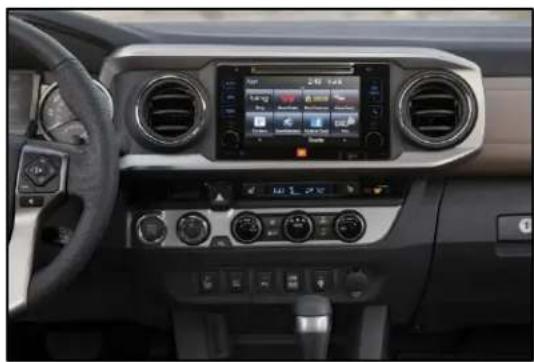
natural_image
Interior view of a car dashboard with digital displays and steering wheel (no visible text or symbols)2018 Tacoma Radio
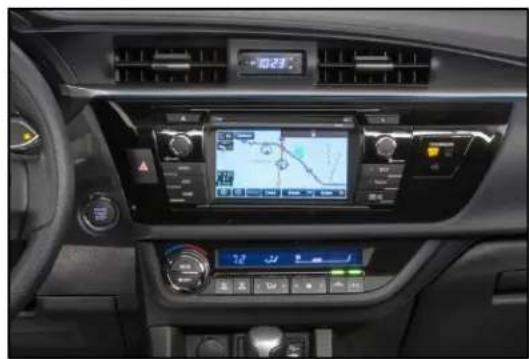
natural_image
Interior view of a car dashboard with digital navigation and steering wheel (no visible text or symbols)2016 Corolla Radio
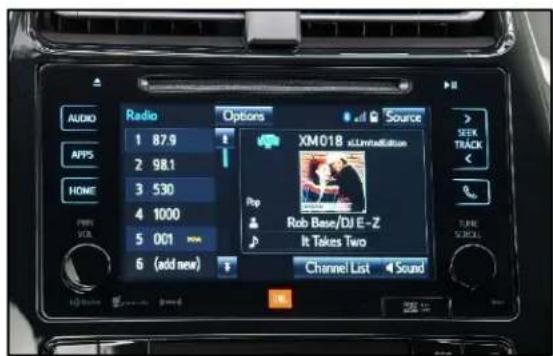
2016 Prius Radio
natural_image
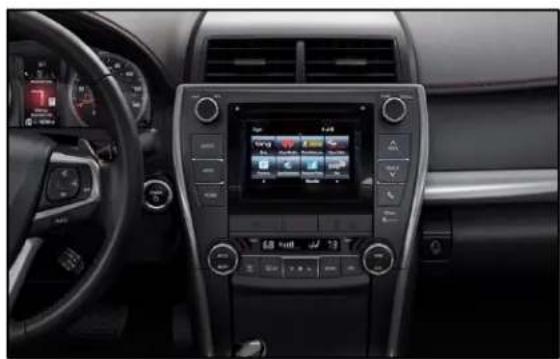
Interior view of a car dashboard with digital navigation screens and steering wheel (no visible text or symbols)2015 Camry Radio
natural_image
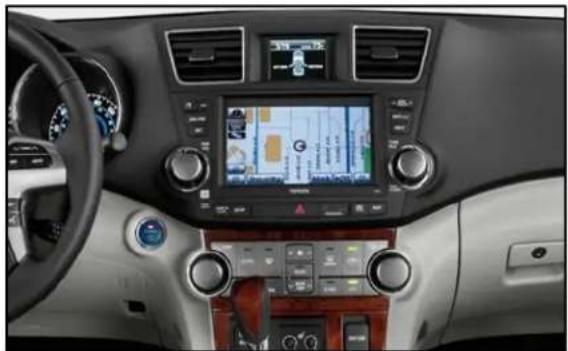
Interior view of a car dashboard with digital navigation screen and steering wheel (no visible text or symbols)2012 Highlander Radio with 6.1" Screen
natural_image
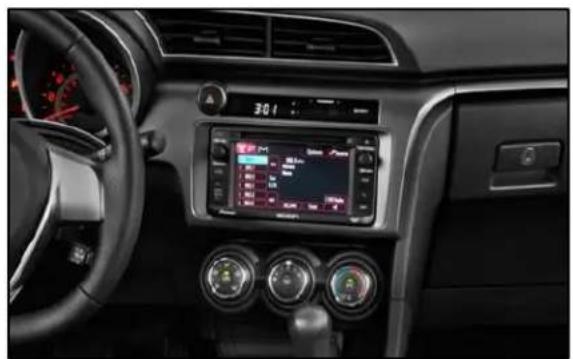
Interior view of a car dashboard with digital display and steering wheel (no visible text or symbols)2014 Scion tC Radio
NOT COMPATIBLE RADIOS:
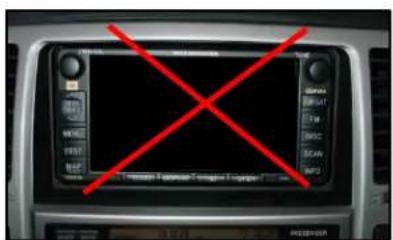
E7026
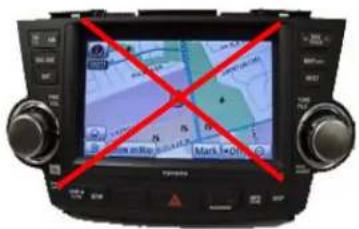
E7033
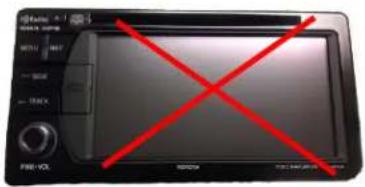
NSCD-W12U-B