16GBSD3PK-01 - Minnekort Centon - Gratis bruksanvisning og manual
Finn enhetens veiledning gratis 16GBSD3PK-01 Centon i PDF-format.


Brukerspørsmål om 16GBSD3PK-01 Centon
0 spørsmål om dette apparatet. Svar på dem du kjenner, eller still ditt eget.
Still et nytt spørsmål om dette apparatet
Last ned instruksjonene for din Minnekort i PDF-format gratis! Finn veiledningen din 16GBSD3PK-01 - Centon og ta den elektroniske enheten tilbake i hendene. På denne siden er alle dokumenter som er nødvendige for bruken av enheten din publisert. 16GBSD3PK-01 av merket Centon.
BRUKSANVISNING 16GBSD3PK-01 Centon
General Tips:
- Never remove the card when the device is accessing the card (Although not always required, we recommend turning your device off prior to insertion or removal of the card)
• Never force the card into any device or adapter - Avoid extreme heat, cold or humidity
- Keep card away from direct sunlight, electrostatic sources and magnetic fields
• Do not bend, drop, impact or attempt to open the card
Flash with your Digital Camera:
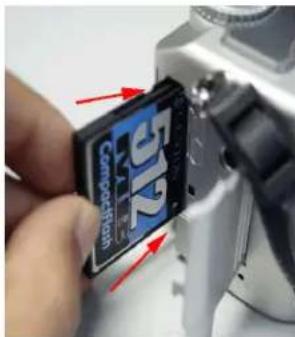
TURN CAMERA OFF Locate the flash media slot on your camera (refer to camera manual for location).
Note: Some cameras may require the use of a PC Card (PCMCIA) adapter.
INSERT THE CARD noting the direction of the arrow. Push the card all the way into the slot.
Remember: Do not force the card, it will only fit one way. When you insert a brand new card, you may notice the camera performing a "format memory" on the card. See your camera's owner's manual for specific format procedures.
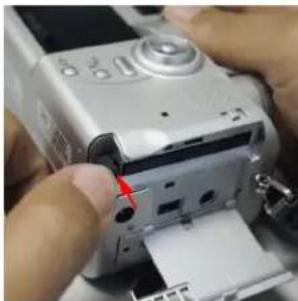
natural_image
Close-up of hands operating a silver digital camera with a red indicator light (no visible text or symbols)TO REMOVE THE CARD, turn your camera off and press the eject button. If your camera does not have an eject button, firmly grip the card and gently pull it straight out of the slot.
Remember: If your owner's manual indicates that you may remove the Flash Memory without turning off the power, do not remove the card during a camera operation such as recording or erasing. Please refer to owner's manual for proper procedure.
Flash Memory with your other electronic devices:
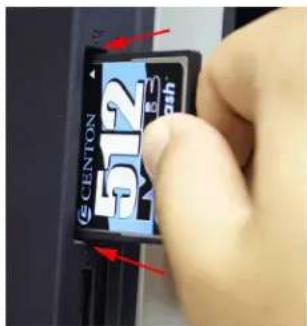
TURN THE DEVICE OFF Locate the Flash Memory compartment on the device (refer to owner's manual for location). Note: Some devices may require the use of a PC Card (PCMCIA) adapter.
INSERT THE CARD noting the direction of the arrow. Push the card all the way into the slot.
Remember: Do not force the card, it will only fit one way.
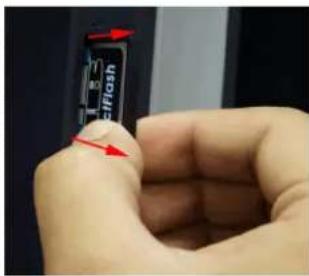
TO REMOVE THE CARD, turn your device off and press the eject button. If your device does not have an eject button, firmly grip the card and gently pull it straight out of the slot. Remember: If your owner's manual indicates that you may remove the Flash Memory without turning off the power, do not remove the card during a device operation.
If using with a flash card adapter on your computer, be sure to safely remove the storage volume.
Windows: Click the 'Safely Remove' icon from the system tray and click the drive letter to remove.

Mac: Drag the icon from the desktop to the trash to eject the device.
Linux: Unmount the volume