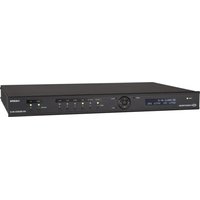
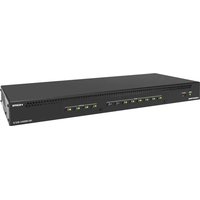
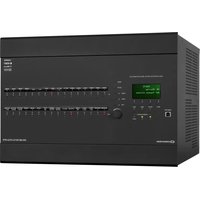
HZ2-SWEX-A - Switch Crestron - Free user manual and instructions
Find the device manual for free HZ2-SWEX-A Crestron in PDF.


Pick your language and provide your email: we'll send you a specifically translated version.
| Product Type | HDMI Switch |
| Brand | Crestron |
| Model | HZ2-SWEX-A |
| Number of Inputs | 2 |
| Number of Outputs | 1 |
| Video Support | 4K @ 60 Hz, 4:4:4, HDR10, Dolby Vision |
| Audio Support | Dolby TrueHD, DTS-HD Master Audio, PCM 7.1 |
| HDCP Version | 2.3 |
| Control Methods | RS-232, IR, Ethernet (TCP/IP) |
| EDID Management | Automatic and manual |
| Signal Reclocking | Yes |
| Input Power | 12 V DC, 15 W |
| Dimensions (W x H x D) | 8.6 x 1.7 x 6.0 in (218 x 43 x 152 mm) |
| Weight | 2.2 lbs (1.0 kg) |
| Rack Mountable | Yes (optional rack ears) |
| Cooling | Fanless, silent |
| Operating Temperature | 32°F to 104°F (0°C to 40°C) |
| Warranty | 3 years |
| Included Accessories | Power supply, mounting brackets, IR remote |
| Cleaning Instructions | Wipe with dry soft cloth; do not use liquids or solvents |
| Safety Warnings | Use only provided power supply; keep away from moisture and heat |
| Repairability | No user-serviceable parts; contact authorized Crestron service |
Frequently Asked Questions - HZ2-SWEX-A Crestron
How do I connect the HZ2-SWEX-A to my sources and display?
Connect your HDMI sources to the two inputs, and the output to your display using high-speed HDMI cables. Ensure HDCP-compatible devices for 4K content.
Can the HZ2-SWEX-A be controlled via Ethernet?
Yes, it supports Crestron Ethernet control. Use a standard CAT5e/6 cable to connect to your network, then configure via Crestron Toolbox or third-party systems.
What are the LED indicators on the front panel?
The front panel has power (green) and input selection LEDs (1/2) that light up to show active source.
How do I switch between inputs?
Use the front panel button, IR remote, RS-232 commands, or Crestron control system. The switch supports auto-sensing for last connected source.
Does the HZ2-SWEX-A support HDR and Dolby Vision?
Yes, it supports HDR10, Dolby Vision, and HLG at 4K resolutions up to 60 Hz with 4:4:4 chroma subsampling.
Can I mount the switch in a rack?
Yes, optional rack ears (sold separately) allow mounting in a standard 19-inch rack. It occupies 1U of space.
What is the power consumption?
The switch consumes up to 15 W from the included 12 V DC power supply.
How do I update the firmware?
Firmware updates are performed via the Ethernet port using Crestron Toolbox. Visit crestron.com for the latest firmware files.
What should I do if there is no video output?
Check that all HDMI cables are securely connected, power is on, input source is active, and HDCP handshake is successful. Try power cycling the switch and devices.
Is the switch compatible with older HDMI 1.4 devices?
Yes, it is backward compatible with HDMI 1.4 devices, but 4K features will be limited to 30 Hz or lower resolutions.
User questions about HZ2-SWEX-A Crestron
0 question about this device. Answer the ones you know or ask your own.
Ask a new question about this device
No questions yet. Be the first to ask one.
Download the instructions for your Switch in PDF format for free! Find your manual HZ2-SWEX-A - Crestron and take your electronic device back in hand. On this page are published all the documents necessary for the use of your device. HZ2-SWEX-A by Crestron.