
Q-RM9012 - Microphone TOA - Free user manual and instructions
Find the device manual for free Q-RM9012 TOA in PDF.


| Product Type | Microphone |
| Brand | TOA |
| Model | Q-RM9012 |
| Polar Pattern | Cardioid |
| Frequency Response | 50 Hz – 15 kHz |
| Impedance | 600 Ω |
| Sensitivity | -73 dB (±3 dB) |
| Connector | XLR-3-31 |
| Length | 180 mm |
| Diameter | 50 mm |
| Weight | 300 g |
| Finish | Matte black |
| Application | Public address, speech, vocals |
| Accessories Included | Stand adapter, pouch |
| Cleaning Instructions | Wipe with soft dry cloth |
Frequently Asked Questions - Q-RM9012 TOA
User questions about Q-RM9012 TOA
0 question about this device. Answer the ones you know or ask your own.
Ask a new question about this device
Download the instructions for your Microphone in PDF format for free! Find your manual Q-RM9012 - TOA and take your electronic device back in hand. On this page are published all the documents necessary for the use of your device. Q-RM9012 by TOA.
USER MANUAL Q-RM9012 TOA
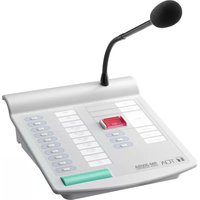
Q-RM9012 is a remote microphone used in conjunction with 9000M2 series digital matrix mixer or other paging equipment like NX-100(S), N-8000AF(MI) etc. Output is upto 12 contact closures together with balanced audio signal in order to initiate/terminate the paging.
This unit requires DC 24V power supply (AC Adaptor, AD-246 or equivalent).
2. NOMENCLATURE AND FUNCTIONS
![[Top] ① ② ⑧ ⑦ ③ ④ ⑤ ② ⑥ ⑨ ⑩ TOA NETS NETS](/content/2026/05/997749/images/cd97e466d82e17b86302e94abe3a92ee46036891ee510cc477ab106dfbe91964.jpg)
-
Gooseneck microphone A unidirectional microphone.
-
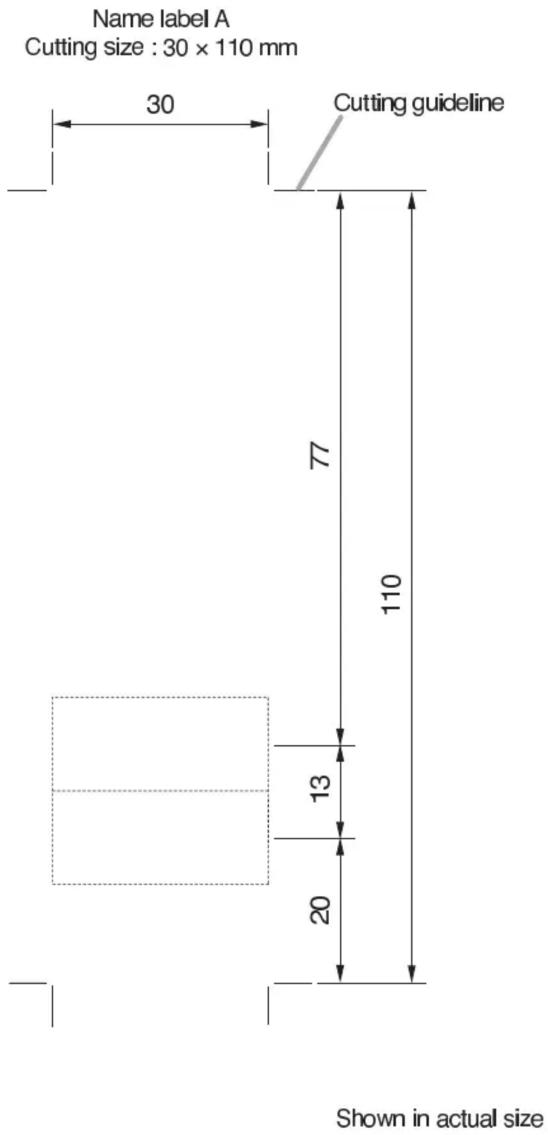
Name labels Insert the label (not thicker than 0.2 mm) indicating the name of each zone. (See the back)
-
Power indicator (POWER) Lights green when the power is supplied to the unit from AC Adaptor. (AD-246 or equivalent)
-
All call indicator (ALL CALL) Lights green all zones are selected.
-
All call key Press this switch to select all 12 zones.
-
Cancel key Press this key to disable all zone selections.
[Rear]

-
Zone selector key (ZONE 1-10 & 11-12) Selects the desired zones.
-
Zone indicator (ZONE 1-10 & 11-12) Lights green when the corresponding zone is selected.
-
In-use indicator Lights green when the Q-RM9012 is in use. (outputs)
-
Talk key (TALK) It is a press-to-talk key. Announcements and contact closure outputs can be made from this unit while the key is pressed, and are terminated when released.
-
DC power input jack (DC POWER IN) A jack with non-polarity. Connect the 24-V DC power. (AC adapter, AD-246 or equivalent)
-
Audio and contact connectors Two female RJ45 connectors. Connect with audio input and contact closure input terminals using the cable of Category 5 straight type. (CAT5)
-
Microphone volume control (MIC) Adjusts the volume of the unit's gooseneck microphone.
-
NAME LABEL TEMPLATES



Brand : TOA
Model : Q-RM9012
Category : Microphone