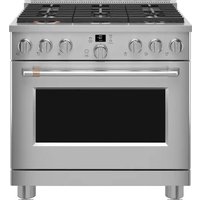
CGS700M2NS5 - Cooker Café - Free user manual and instructions
Find the device manual for free CGS700M2NS5 Café in PDF.


Pick your language and provide your email: we'll send you a specifically translated version.
| Product Type | Freestanding Gas Range |
| Brand | Café |
| Model | CGS700M2NS5 |
| Color | Stainless Steel |
| Fuel Type | Natural Gas / Propane |
| Number of Burners | 5 |
| Oven Capacity | 5.0 cu ft |
| Oven Type | Convection |
| Self-Cleaning | Yes |
| Broiler | Yes |
| Control Type | Electronic with Digital Display |
| Ignition Type | Electronic |
| Dimensions (W x D x H) | 30" x 27" x 47" |
| Weight | 150 lbs |
| Power Requirements | 120V, 60Hz, 15A |
| Control Knobs | Plastic/Rubber |
| Grates Material | Cast Iron |
| Oven Racks | 2 |
| Safety Features | Auto Shut-off, Child Lock |
| Warranty | 1 Year Limited |
| Certifications | UL, CSA |
Frequently Asked Questions - CGS700M2NS5 Café
How do I install the Café CGS700M2NS5 gas range?
Ensure proper gas line connection and electrical outlet (120V). Level the range using adjustable feet. For detailed steps, refer to the installation manual included with the range.
How do I clean the burners?
Remove burner caps and heads. Soak in warm soapy water, scrub gently with a non-abrasive sponge. Dry completely before reassembling. Do not use harsh chemicals.
What should I do if the oven does not heat?
Check that the gas supply is on and the oven is plugged in. Verify the oven thermostat setting. If the igniter does not glow, it may need replacement.
I smell gas. What should I do?
Immediately turn off the gas at the source, do not light any flames, and ventilate the area. Contact your gas company or a qualified service technician.
How do I use the self-cleaning cycle?
Remove oven racks and wipe out loose debris. Select the self-cleaning mode, lock the door, and set the duration (typically 2-4 hours). After cooling, wipe away ash.
Can I use propane gas?
Yes, the range can be converted to propane. Use the included conversion kit or order one from Café. Adjustment of burners and regulator is required.
How do I activate the child lock?
Press and hold the Lock button for 3 seconds until the indicator lights up. Repeat to unlock. This disables the control panel.
What are the oven rack positions?
The oven has 6 positions. The lowest is for broiling, middle for baking, and upper for broiling. Refer to the user manual for recommended placements.
How do I replace a faulty control knob?
Pull the knob straight off the stem. Insert the new knob by aligning the flat side and pressing firmly. Replacement knobs can be ordered from Café parts.
What is the warranty coverage?
The range comes with a 1-year limited warranty covering parts and labor. For extended warranty or specific terms, check the warranty card or contact Café support.
User questions about CGS700M2NS5 Café
0 question about this device. Answer the ones you know or ask your own.
Ask a new question about this device
No questions yet. Be the first to ask one.
Download the instructions for your Cooker in PDF format for free! Find your manual CGS700M2NS5 - Café and take your electronic device back in hand. On this page are published all the documents necessary for the use of your device. CGS700M2NS5 by Café.