
Hermes E5 - Keyboard and mouse Gamdias - Free user manual and instructions
Find the device manual for free Hermes E5 Gamdias in PDF.


| Product Type | Keyboard and Mouse Combo |
| Brand | Gamdias |
| Model | Hermes E5 |
| Keyboard Layout | Full-size (104 keys) with numeric keypad |
| Keyboard Switch Type | Membrane |
| Keyboard Backlight | RGB per-key illumination |
| Keyboard Dimensions (Approx.) | 445 x 130 x 35 mm |
| Keyboard Weight (Approx.) | 650 g |
| Mouse Sensor Type | Optical |
| Mouse Resolution (DPI) | Up to 3200 DPI (adjustable) |
| Mouse Buttons | 6 programmable buttons |
| Mouse Dimensions (Approx.) | 125 x 70 x 40 mm |
| Mouse Weight (Approx.) | 120 g |
| Connection Type | Wired USB |
| Cable Length | 1.5 m |
| Power Supply | USB bus-powered |
| Compatible Operating Systems | Windows 7/8/10/11, macOS |
| Main Functions | Typing, cursor control, multimedia keys, RGB lighting effects |
| Maintenance & Cleaning | Use a soft, dry cloth; avoid liquids; disconnect before cleaning |
| Safety Instructions | Keep away from water and extreme temperatures; do not disassemble |
| Spare Parts & Repairability | Non-user-serviceable; contact Gamdias support for repairs |
| Package Contents | Keyboard, Mouse, Quick Start Guide |
| Warranty | 1 year limited warranty |
Frequently Asked Questions - Hermes E5 Gamdias
User questions about Hermes E5 Gamdias
0 question about this device. Answer the ones you know or ask your own.
Ask a new question about this device
Download the instructions for your Keyboard and mouse in PDF format for free! Find your manual Hermes E5 - Gamdias and take your electronic device back in hand. On this page are published all the documents necessary for the use of your device. Hermes E5 by Gamdias.
USER MANUAL Hermes E5 Gamdias
natural_image
Abstract geometric pattern with interlocking triangles (no text or symbols)![Esc F1 F2 F3 F4 F5 F6 F7 F8 F9 F10 F11 F12 FrtSc crLk hause ~ 1! 2 @ 3 # 4 $ 5 % 6 A 7 & B 9 ( D ) ~ - = + Tab Q W E R T Y U I O P [ ( ] Caps A S D F G H J K L .. " \ I Shift Z X C V B N M < -> /? Shift Ctrl Alt Alt Fn Ctrl 0 del HERMES | E5](/content/2026/05/997491/images/c92216dac3990a3484656e937472879b0752f71e179c13859e3add10dd47f81f.jpg)

HERMESIE5
2-IN-1 Gaming Combo
《English》
Thank you for purchasing the GAMDIAS™ HERMES E5 2-in-1 COMBO. The GAMDIAS HERMES E5 gaming keyboard has a comfortable design and spill resistant structure. The GAMDIAS™ optical gaming mouse employs premium micro-processor complemented by 3,600 DPI precision-perfect optical sensors.
System Requirements
- Windows ® XP/ Vista / 7 / 8 / 10 / 11
- PC with USB ports
Package Contents
• GAMDIAS™ HERMES E5 Mechanical Gaming Keyboard
• GAMDIAS™ GAMDIAS Gaming Mouse
Introduction to HERMES E5 Key Combination
Fn + F1\~F12

Win Lock

Backlight On/off

Light Speed Decrease

Light Speed Increase

Light Brightness Decrease
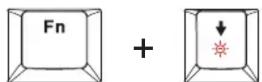
Light Brightness Increase

Light Mode

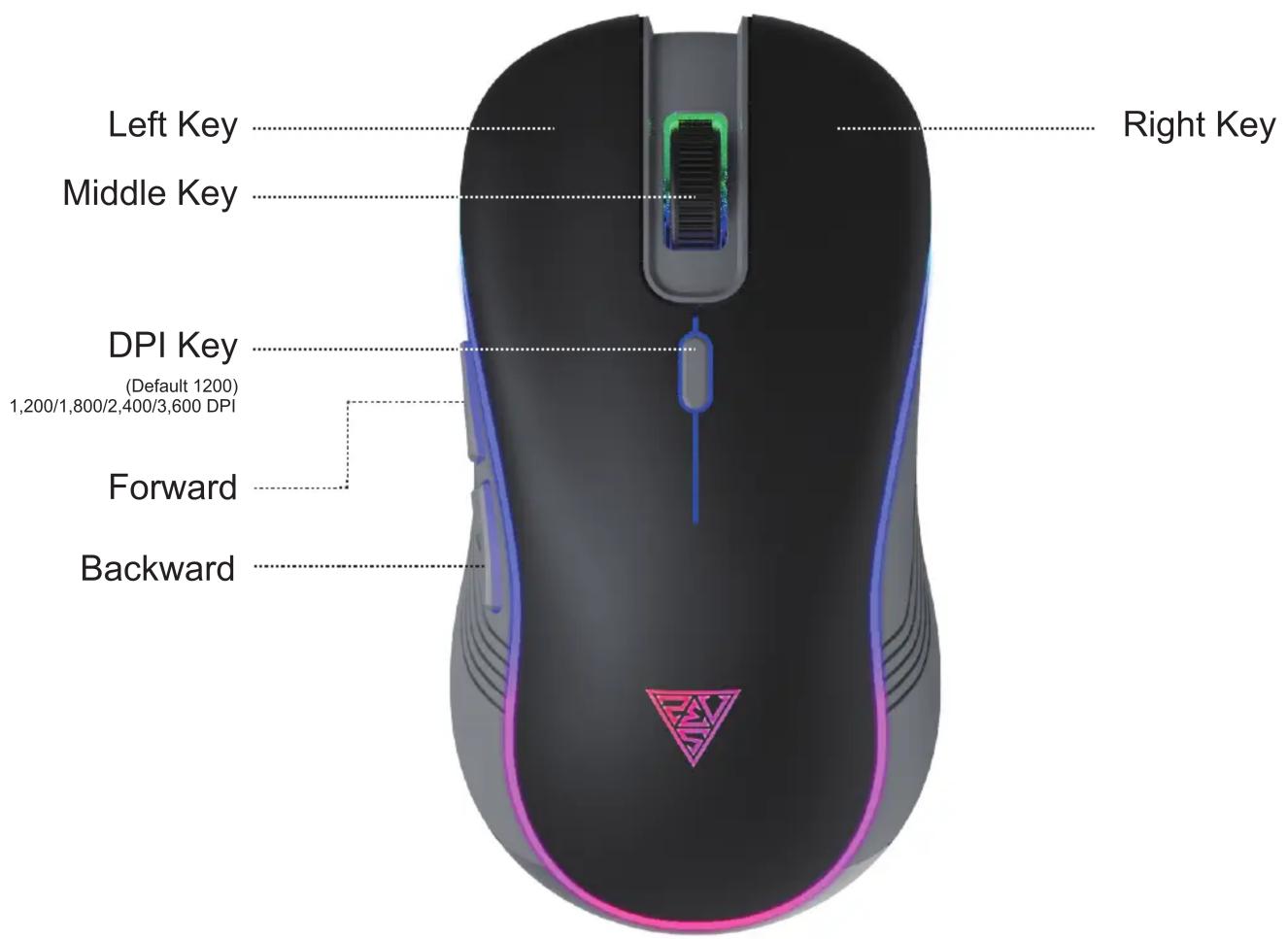
Gaming Mouse Default Settings

natural_image
Abstract geometric logo design with interlocking black and gold shapes forming a triangular pattern (no text or symbols)GAMDIAS
GAMING ART IN MOTION

Brand : Gamdias
Model : Hermes E5
Category : Keyboard and mouse