
MCBC3SI - Refrigerator Magic Cool - Free user manual and instructions
Find the device manual for free MCBC3SI Magic Cool in PDF.


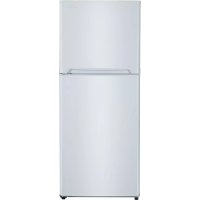
| Product Type | Refrigerator |
| Model | MCBC3SI |
| Brand | Magic Cool |
| Total Gross Capacity | Approximately 90 liters |
| Dimensions (H x W x D) | 850 x 550 x 550 mm |
| Net Weight | 25 kg |
| Power Supply | 220-240 V ~ 50 Hz |
| Energy Consumption | Approximately 0.5 kWh/24h |
| Energy Class | E |
| Climate Class | N-ST |
| Noise Level | ≤ 40 dB(A) |
| Refrigerant | R600a |
| Thermostat Control | Mechanical dial (7 positions) |
| Interior Lighting | LED |
| Adjustable Shelves | Yes, tempered glass |
| Crisper Drawer | Yes, for fruits and vegetables |
| Door Storage | Bottle rack and dairy compartment |
| Reversible Door | Yes, user-reversible |
| Defrosting | Manual (defrost drain included) |
| Maintenance | Clean interior with mild soap; defrost regularly; vacuum condenser coils |
| Safety | Child lock not available; ensure stable placement; do not store flammable substances |
| Spare Parts | Shelves, door bins, thermostat, door gasket available from service centers |
| Reparability | Index: 7.5/10; common parts easy to replace |
| General Information | Compact fridge for household use; suitable for small kitchens or offices |
Frequently Asked Questions - MCBC3SI Magic Cool
User questions about MCBC3SI Magic Cool
0 question about this device. Answer the ones you know or ask your own.
Ask a new question about this device
Download the instructions for your Refrigerator in PDF format for free! Find your manual MCBC3SI - Magic Cool and take your electronic device back in hand. On this page are published all the documents necessary for the use of your device. MCBC3SI by Magic Cool.
USER MANUAL MCBC3SI Magic Cool
natural_image
Line drawing of a modern stainless steel refrigerator with front panel and side door (no text or symbols)CAUTION:
BEFORE USE, PLEASE READ AND FOLLOW ALL SAFETY RULES AND OPERATING INSTRUCTIONS.
Avanti has a policy of continuous improvement on its products and reserves the right to change materials and specifications without notice.
Avanti Products LLC
P.O. Box 520604 - Miami, Florida 33152
www.avantiproducts.com
Table of Contents
| Appliance Safety | 3 |
| Important Safeguides | 4 |
| Help Us Help You | 5 |
| Parts and Features | 6 |
| Important Safety Instructions | 7 |
| Installation Instructions | 7 |
| Before Using Your Appliance | 7 |
| Installation of Your Appliance | 7 |
| Electrical Connection | 8 |
| Operating Your Appliance | 9 |
| Temperature Control | 9 |
| Door Lock | 9 |
| Care and Maintenance | 9 |
| Cleaning Your Appliance | 9 |
| Moving Your Appliance | 10 |
| Troubleshooting Guide | 10 |
| Service for Your Appliance | 11 |
| Wiring Diagram | 11 |
| Your Avanti Products Warranty | 12 |
| Instrucciones en Español | 13-14 |
| Registration Information and Registration Card | 15 |
APPLIANCE SAFETY
Your safety and the safety of others are very important.
We have provided many important safety messages in this manual for your appliance. Always read and obey all safety messages.

This is the Safety Alert Symbol. This symbol alerts you to potential hazards that can kill or injure you and others. All safety messages will follow the Safety Alert Symbol and either the words" DANGER", "WARNING" or "CAUTION".
! DANGER !
Danger means that failure to heed this safety statement may result in severe personal injury or death.
WARNING
Warning means that failure to heed this safety statement may result in extensive product damage, serious personal injury, or death.
CAUTION
Caution means that failure to heed this safety statement may result in minor or moderate personal injury, property or equipment damage.
All safety messages will alert you to know what the potential hazard is, tell you how to reduce the chance of injury, and let you know what can happen if the instructions are not followed.
REFRIGERANT GAS WARNINGS
DANGER - Risk of fire or explosion. Flammable refrigerant used. DO NOT use mechanical devices to defrost refrigerator. DO NOT puncture refrigerant tubing.
To be repaired only by trained service personnel. DO NOT puncture refrigerant tubing.
CAUTION - Risk of fire or explosion. Flammable refrigerant used.
Consult repair manual / owner's guide before attempting to service this product. All safety precautions must be followed.
CAUTION - Risk of fire or explosion. Dispose of property in accordance with federal or local regulations. Flammable refrigerant used.
CAUTION - Risk of fire or explosion due to puncture of refrigerant tubing; Follow handling instructions carefully. Flammable refrigerant used.
IMPORTANT SAFEGUIDES
Before the Appliance is used, it must be properly positioned and installed as described in this manual, so read the manual carefully. To reduce the risk of fire, electrical shock or injury when using the Appliance, follow basic precautions, including the following:

DANGER

- Plug into a grounded 3-prong outlet, do not remove grounding prong, do not use an adapter, and do not use an extension cord.
- It is recommended that a separate circuit, serving only your Appliance be provided. Use receptacles that cannot be turned off by a switch or pull chain.
- Never clean Appliance parts with flammable fluids. These fumes can create a fire hazard or explosion. And do not store or use gasoline or other flammable vapors and liquids in the vicinity of this or any other appliance. The fumes can create a fire hazard or explosion.
- Before proceeding with cleaning and maintenance operations, make sure the power line of the unit is disconnected.
- Do not connect or disconnect the electric plug when your hands are wet.
- Unplug the Appliance or disconnect power before cleaning or servicing. Failure to do so can result in electrical shock or death.
- Do not attempt to repair or replace any part of your Appliance unless it is specifically recommended in this manual. All other servicing should be referred to a qualified technician.

WARNING

FOLLOW WARNING CALL OUTS BELOW ONLY WHEN APPLICABLE TO YOUR MODEL
- Use two or more people to move and install Appliance. Failure to do so can result in back or other injury.
- To ensure proper ventilation for your Appliance, the front of the unit must be completely unobstructed. Choose a well-ventilated area with temperatures above 60^ F ( 16^ C) and below 90^ F ( 32^ C). This unit must be installed in an area protected from the elements, such as wind, rain, water spray or drips.
• The Appliance should not be located next to ovens, grills or other sources of high heat. - The Appliance must be installed with all electrical, water and drain connections in accordance with state and local codes. A standard electrical supply (115 V AC only, 60 Hz), properly grounded in accordance with the National Electrical Code and local codes and ordinances is required.
- Do not kink or pinch the power supply cord of Appliance.
• The fuse (or circuit breaker) size should be 15 amperes. - It is important for the Appliance to be leveled in order to work properly. You may need to make several adjustments to level it.
- All installation must be in accordance with local plumbing code requirements.
• Make certain that the pipes are not pinched or kinked or damaged during installation. - Check for leaks after connection.
- Never allow children to operate, play with or crawl inside the Appliance.
- Although the unit has been tested at the factory, due to long-term transit and storage, the first batch of cubes must be discarded.
- Do not use solvent-based cleaning agents or abrasives on the interior. These cleaners may damage or discolor the interior.
- Do not use this apparatus for other than its intended purpose.
HELP US HELP YOU...
Read this guide carefully.
It is intended to help you operate and maintain your new appliance properly.
Keep it handy to answer your questions. If you don't understand something or your need more help, please call:
Avanti Customer Service 800-220-5570
Keep proof of original purchase date (such as your sales slip) with this guide to establish the warranty period.
CAUTION:
THIS APPLIANCE IS NOT DESIGNED FOR THE STORAGE OF MEDICINE OR OTHER MEDICAL PRODUCTS.
Write down the model and serial numbers.
You'll find them on a plate located on the inside left wall the appliance.
Please write these numbers here:
Date of Purchase
Model Number
Serial Number
Use these numbers in any correspondence or service calls concerning your appliance.
If you received a damaged appliance, immediately contact the dealer (or builder) that sold you the appliance.
Save time and money. Before you call for service, check the Troubleshooting Guide. It lists causes of minor operating problems that you can correct yourself.
IF YOU NEED SERVICE
We're proud of our service and want you to be pleased. If for some reason you are not happy with the service you receive, here are some steps to follow for further help.
FIRST, contact the people who serviced your appliance. Explain why you are not pleased. In most cases, this will solve the problem.
NEXT, if you are still not pleased, write all the details, including your telephone number, and send to:
Customer Service
Avanti Products LLC
10880 NW 30 Street
Miami, FL 33172
PARTS & FEATURES

| 1 | Large Beverage Shelf (Total 2) | 5 | Control Panel (Exterior Door) |
| 2 | Small Beverage Shelf (Total 1) | 6 | Glass Door with Stainless Steel Frame |
| 3 | Leveling Leg | 7 | Door Handle (Exterior Door) |
| 4 | Top Hinge with Cover | 8 | Security Lock (Exterior Door) |
Important Safety Instructions
| WARNING | To reduce the risk of fire, electrical shock, or injury when using your Appliance, follow these basic precautions: |
| Read all instructions before using the Appliance.DANGER or WARNING:Risk of child entrapment.Before you throw away your old Appliance or freezer:Take off the doors. Leave the shelves in place so that children may not easily climb inside.Never allow children to operate, play with, or crawl inside the Appliance.Never clean Appliance parts with flammable fluids. The fumes can create a fire hazard or explosion.Do not store or use gasoline or any other flammable vapors and liquids in the vicinity of this or any other Appliance. The fumes can create a fire hazard or explosion.-Save these instructions- | |
INSTALLATION INSTRUCTIONS
Before Using Your Appliance
- Remove the exterior and interior packing.
- Check to be sure you have all of the following parts:
• 2 Large Beverage Shelves
• 1 Small Beverage Shelf
• 1 Set – Security Keys - Instruction manual
- Clean the interior surface with lukewarm water using a soft cloth.
- Before connecting the Appliance to the power source, let it stand upright for approximately 2 hours. This will reduce the possibility of a malfunction in the cooling system from handling during transportation.
Installation of Your Appliance
• This appliance is designed to be free standing only, and should not be recessed or built-in.
- Place your Appliance on a floor that is strong enough to support the Appliance when it is fully loaded. To level your Appliance, adjust the front legs at the bottom of the Appliance.
- Allow 5 inches of space between the back and sides of the Appliance, which allows the proper air circulation to cool the compressor.
- Locate the Appliance away from direct sunlight and sources of heat (stove, heater, radiator, etc.). Direct sunlight may affect the acrylic coating and heat sources may increase electrical consumption. Extreme cold ambient temperatures may also cause the Appliance not to perform properly.
- Avoid locating the Appliance in moist areas.
- Plug the Appliance into an exclusive, properly installed-grounded wall outlet. Do not under any circumstances cut or remove the third (ground) prong from the power cord. Any questions concerning power and/or grounding should be directed toward a certified electrician or an authorized Avanti Products service center.
- After plugging the appliance into a wall outlet, allow the unit to cool down for 2-3 hours before placing food in the chiller or Appliance compartment.
ELECTRICAL CONNECTION
Warning
Improper use of the grounded plug can result in the risk of electrical shock. If the power cord is damaged, have it replaced by an authorized Avanti Products service center.
This appliance should be properly grounded for your safety. The power cord of this appliance is equipped with a three-prong plug which mates with standard three prong wall outlets to minimize the possibility of electrical shock.
Do not under any circumstances cut or remove the third ground prong from the power cord supplied. For personal safety, this appliance must be properly grounded.
This appliance requires a standard 115/120 Volt AC \~/60Hz electrical ground outlet with three-prong. Have the wall outlet and circuit checked by a qualified electrician to make sure the outlet is properly grounded. When a standard 2-prong wall outlet is encountered, it is your responsibility and obligation to have it replaced with a properly grounded 3-prong wall outlet.
The cord should be secured behind the appliance and not left exposed or dangling to prevent accidental injury.
The appliance should always be plugged into its own individual electrical outlet which has a voltage rating that matches the rating label on the appliance. This provides the best performance and also prevent overloading house wiring circuits that could cause a fire hazard from overheated. Never unplug the appliance by pulling the power cord. Always grip the plug firmly and pull straight out from the receptacle. Repair or replace immediately all power cords that have become frayed or otherwise damaged. Do not use a cord that shows cracks or abrasion damage along its length or at either end. When moving the appliance, be careful not to damage the power cord.
EXTENSION CORD
Because of potential safety hazards under certain conditions, it is strongly recommended that you do not use an extension cord with this appliance. However, if you must use an extension cord it is absolutely necessary that it be a UL/CUL-Listed, 3-wire grounding type appliance extension cord having a grounding type plug and outlet and that the electrical rating of the cord be 115 volts and at least 10 amperes.
SURGE PROTECTOR
Most electrical appliances use a series of electric control boards to operate. These boards are very susceptible to power surges and could be damaged or destroyed.
If the appliance is going to be used in an area or if your city / country is prone to power surges / outages; it is suggested that you use a power surge protector for all electrical devices / appliances you use. The surge protector that you select must have a surge block high enough to protect the appliance it is connected to. If you have any questions regarding the type and size of surge protector needed contact a licensed electrician in your area.
Damages due to power surges are not considered a manufacturer covered defect and will void your product warranty.
OPERATING YOUR APPLIANCE
CONTROL PANEL



You can select temperature display setting from Fahrenheit to Celsius degree by pushing the button. (Fahrenheit or Celsius indicator will appear in green color) The degrees will appear in blue color in the temperature display window.
CONTROL PANEL LOCK
- Your unit is equipped with an automatic Control panel lock function. This function will prevent any unwanted changes to your temperature or power settings.
- The lock function will activate automatically 12 seconds after the last time a button is pushed on the control panel.
- To unlock the control panel lock press and hold the (UP) △ and the (DOWN) ▽ buttons simultaneously for 3 seconds the control panel will beep and blink once indicating that the control panel is active and the settings can be changed.
SETTING THE TEMPERATURE CONTROL
You can set the temperature by pushing the Ⓓ or ▽ buttons on the control panel. The temperature that you desire to set will increase 1°F or 1°C if you push the Ⓓ button once, on the contrary the temperature will decrease 1°F or 1°C if you push the ▽ button once.
Interior Light
You can turn the interior light ON or OFF by pushing the button marked with the "Light" symbol. The light will be turned off automatically if it remains ON for 10 minutes. You have to push the button marked with the "Light" symbol. again and the light will turn back on.
DOOR LOCK
Your unit is provided with a lock and key combination. The keys are located inside the plastic bag that contains the User's Guide. Insert the key into the lock and turn it counterclockwise to unlock the door. To lock the door do the reverse operation making sure metal pin is engaged completely. Remove the key and place it in a secure place for safekeeping.
CARE AND MAINTENANCE
Cleaning Your Appliance
• Unplug the Appliance, and remove the contents, shelves, and trays.
- Wash the inside surfaces with a warm water and baking soda solution. The solution should be about 2 tablespoons of baking soda to a quart of water.
- Wash the shelves and trays with a mild detergent solution.
• The outside of the Appliance should be cleaned with mild detergent and warm water.
Vacation Time
- Short vacations: Leave the Appliance operating during vacations of less than three weeks.
- Long vacations: If the appliance will not be used for several months, remove all contents and unplug the power cord. Clean and dry the interior thoroughly. To prevent odor and mold growth, leave the door open slightly: blocking it open if necessary.
Moving Your Appliance
- Remove all the contents.
- Turn the leveling screws up to the base to avoid damage.
- Tape the door shut.
- Be sure the Appliance stays secure in the upright position during transportation. Also protect the outside of Appliance with a blanket, or similar item.
PROBLEMS WITH YOUR APPLIANCE?
You can solve many common Appliance problems easily, saving you the cost of a possible service call. Try the suggestions below to see if you can solve the problem before calling the servicer.
TROUBLESHOOTING GUIDE
| PROBLEM | POSSIBLE CAUSE |
| Appliance does not operate. | Not plugged in.The circuit breaker tripped or a blown fuse. |
| Turns on and off frequently. | The room temperature is hotter than normal.A large amount of contents has been added to the Appliance.The door is opened too often.The door is not closed completely.The temperature control is not set correctly.The door gasket does not seal properly.The Appliance does not have the correct clearances. |
| Vibrations. | Check to assure that the Appliance is level. |
| The Appliance seems to make too much noise. | The rattling noise may come from the flow of the refrigerant, which is normal.As each cycle ends, you may hear gurgling sounds caused by the flow of refrigerant in your Appliance.Contraction and expansion of the inside walls may cause popping and crackling noises.The Appliance is not level. |
| The door will not close properly. | The Appliance is not level.The door was reversed and not properly installed.The gasket is dirty.The shelves, bins, or baskets are out of position. |
SERVICE FOR YOUR APPLIANCE
We are proud of our customer service organization and the network of professional service technicians that provide service on your Avanti Appliances. With the purchase of your Avanti Appliance, you can have the confidence that if you ever need additional information or assistance, the Avanti Products Customer Service Team will be here for you. Just call us toll-free.
AVANTI PRODUCTS CUSTOMER SERVICES
| Product Information800-323-5029 | Whatever your questions are about our products, help is available. |
| Part Orders800-220-5570 | You may order parts and accessories that will be delivered directly to your home by personal check, money order, Master Card, or Visa. |
| In-Home Repair Service800-220-5570 | An Avanti Products authorized service center will provide expert repair service, scheduled at a time that is convenient for you. Our trained servicers know your Appliance inside and out. |
WIRING DIAGRAM

| YOUR AVANTI PRODUCTSWARRANTY | Staple your sales receipt here. Proof of original purchase date is needed to obtain service under warranty. |
| WHAT IS COVERED – LIMITED ONE-YEAR WARRANTYAvanti Products warrants that the product is free from defects in materials and/or workmanship for a period of twelve (12) months from the date of purchase by the original owner. The foregoing timeline begins to run upon the date of purchase, and shall not be stalled, tolled, extended, or suspended for any reason whatsoever unless described in detail in the warranty document. For one year from the date of purchase by the original owner, Avanti products will, at its option, repair or replace any part of the product which proves to be defective in material or workmanship under normal use. Avanti Products will provide you with a reasonably similar product that is either new or factory refurbished. During this period Avanti Products will provide all parts and labor necessary to correct such defects free of charge, so long as the product has been installed and operated in accordance with the written instructions in this manual. In rental or commercial use, the warranty period is 90 days. All Avanti appliances of 4.2 cubic feet capacity or less must be brought/sent to the appliance service center for repair. | |
| LIMITED SECOND THROUGH FIFTH YEAR WARRANTYFor the second through the fifth year from the date of original purchase, Avanti Products will provide a replacement compressor free of charge due to a failure. You are responsible for the service labor and freight charges. In rental or commercial use, the limited compressor warranty is one year and nine months. Costs involved to move the product to the service center and back to the user's home, as maybe required, are the user's responsibility. | |
| WARRANTY EXCLUSIONS / WHAT IS NOT COVERED:The warranty coverage described herein excludes all defects or damage that are not the direct fault of Avanti Products, including without limitation, one or more of the following: | |
| A failure to comply with any applicable state, local, city, or county electrical, plumbing and/or building codes, regulations, or laws, including failure to install the product in strict conformity with local fire and building codes and regulations.Any external, elemental and/or environmental forces and factors, including without limitation, rain, wind, sand, floods, fires, mud slides, freezing temperatures, excessive moisture or extended exposure to humidity, lightning, power surges, structural failures surrounding the appliance, and acts of God. | |
| Content losses of food or other content due to spoilage.Incidental or consequential damagesParts and labor costs for the following will not be considered as warranty:Inner door panels, door shelves, door rails, and/or door supports.Light bulbs and/or plastic housing.Plastic cabinet liners.Punctured evaporator that voids the warranty on the complete sealed system. | Shipping and handling costs associated with the replacement of the unit.Repairs performed by unauthorized servicers.Service calls that are related to external problems, such as abuse, misuse, inadequate electrical power, accidents, fire, floods, or any other acts of God.Failure of the product if it is used for other than it intended purpose.The warranty does not apply outside the Continental USA.Surcharges including but not limited to, any after hour, weekend, or holiday service calls, tolls, ferry trip charges, or mileage expense for service calls to remote areas. |
| In no event shall Avanti Products have any liability or responsibility whatsoever for damage to surrounding property, including cabinetry, floors, ceilings, and other structures and/or objects around the product. Also excluded from this warranty are scratches, nicks, minor dents, and other cosmetic damages on external surfaces and exposed parts; Products on which the serial numbers have been altered, defaced or removed; service visits for customer education, or visits where there is nothing wrong with the product; correction of installation problems (you are solely responsible for any structure and setting for the product, including all electrical, plumbing and/or other connecting facilities, for proper foundation/flooring, and for any alterations including without limitation cabinetry, walls, floors, shelving etc., as well as the resetting of breakers or fuses. | |
| OUT OF WARRANTY PRODUCTAvanti Products is under no obligation, at law or otherwise, to provide you with any concessions, including repairs, pro-rates, or product replacement, once this warranty has expired.WARRANTY - REFRIGERATION - COMPRESSOR | |
INSTRUCCIONES EN ESPANOL
> INSTALACION
Thank you for purchasing this fine Avanti product. Please fill out this form and return it to the following address within 100 days from the date of purchase and receive these important benefits:
Avanti Products, LLC.
P.O.Box 520604 - Miami, Florida 33152
Protect your product:
We will keep the model number and date of purchase of your new Avanti product on file to help you refer to this information in the event of an insurance claim such as fire or theft.
➢ Promote better products:
We value your input. Your responses will help us develop products designed to best meet your future needs.
(detach here)
Avanti Registration Card
| Name | Model # | Serial # | ||
| Address | Date Purchased | Store / Dealer Name | ||
| City | State | Zip | E-mail Address | |
| Area Code | Phone Number | Occupation | ||
| Did You Purchase An Additional Warranty | As your Primary Residence, Do You: | |||
| ☐ Extended☐ None | ☐ Own ☐ Rent | |||
| Reason for Choosing This Avanti Product: Please indicate the most important factors That influenced your decision to purchase this product: | Your Age: | |||
| ☐ under 18 ☐ 18-25 ☐ 26-30☐ 31-35 ☐ 36-50 ☐ over 50Marital Status:☐ Married ☐ Single | ||||
| ☐ Price☐ Product Features☐ Avanti Reputation☐ Product Quality☐ Salesperson Recommendation☐ Other: ____☐ Friend / Relative Recommendation☐ Warranty☐ Other: ____ | Is This Product Used In The:☐ Home ☐ Business | |||
| How Did You Learn About This Product:☐ Advertising☐ In-Store Demo☐ Personal Demo | ||||
| Comments: | ||||
| BCA306SS-IS – 1.0 – 01142014 R600a | PRINTED IN CHINA | |||

- APPLIANCE SAFETY
- ! DANGER !
- WARNING
- CAUTION
- REFRIGERANT GAS WARNINGS
- IMPORTANT SAFEGUIDES
- DANGER
- HELP US HELP YOU...
- Read this guide carefully.
- Avanti Customer Service 800-220-5570
- CAUTION:
- Write down the model and serial numbers.
- IF YOU NEED SERVICE
- Important Safety Instructions
- INSTALLATION INSTRUCTIONS
- Before Using Your Appliance
- Installation of Your Appliance
- ELECTRICAL CONNECTION
- EXTENSION CORD
- SURGE PROTECTOR
- OPERATING YOUR APPLIANCE
- CONTROL PANEL
- CONTROL PANEL LOCK
- SETTING THE TEMPERATURE CONTROL
- Interior Light
- DOOR LOCK
- CARE AND MAINTENANCE
- Cleaning Your Appliance
- Vacation Time
- Moving Your Appliance
- PROBLEMS WITH YOUR APPLIANCE?
- SERVICE FOR YOUR APPLIANCE
- INSTRUCCIONES EN ESPANOL
- > INSTALACION
- Protect your product:
- ➢ Promote better products:
Brand : Magic Cool
Model : MCBC3SI
Category : Refrigerator