TT-5522Z - Interactive screen Newline - Free user manual and instructions
Find the device manual for free TT-5522Z Newline in PDF.


| Product Type | Interactive Touch Display |
| Screen Size | 55 inches (diagonal) |
| Resolution | 3840 x 2160 (4K UHD) |
| Brightness | 350 cd/m² |
| Touch Technology | Infrared (IR) touch, 20-point multi-touch |
| Operating System | Android 11.0 |
| Processor | Quad-core ARM Cortex-A55 |
| RAM | 4 GB |
| Storage | 32 GB |
| Dimensions (W x H x D) | 1260 x 750 x 80 mm |
| Weight | 28 kg |
| Power Input | AC 100-240V, 50/60Hz |
| Power Consumption | 150 W typical |
| Connectivity | HDMI 2.0 (x2), USB 2.0 (x2), USB 3.0 (x1), RJ45, RS232, Audio Out |
| Wireless | Wi-Fi 802.11ac, Bluetooth 5.0 |
| Mounting | VESA 600 x 400 mm |
| Speaker Output | 2 x 10 W built-in speakers |
| Operating Temperature | 0°C to 40°C |
| Storage Temperature | -20°C to 60°C |
| Accessories Included | Power cord, HDMI cable, USB cable, remote control, user manual |
| Warranty | 3 years limited |
Frequently Asked Questions - TT-5522Z Newline
User questions about TT-5522Z Newline
0 question about this device. Answer the ones you know or ask your own.
Ask a new question about this device
Download the instructions for your Interactive screen in PDF format for free! Find your manual TT-5522Z - Newline and take your electronic device back in hand. On this page are published all the documents necessary for the use of your device. TT-5522Z by Newline.
USER MANUAL TT-5522Z Newline
natural_image
Business meeting scene with participants on a large screen and two attendees seated at a table (no visible text or symbols)ALL-IN-ONE COLLABORATION SOLUTION

natural_image
Business meeting scene with participants seated at a table facing a large video wall displaying multiple people in a meeting room (no visible text or symbols)
natural_image
Man reading documents outdoors with green foliage in background (no visible text or symbols)THE NEXT GENERATION OF COLLABORATION IS HERE
Redefine collaboration with the Newline Z Series, an ultra-high-definition display that provides an immersive audio-visual experience for classrooms or conference rooms. No matter where you sit, the 4K display provides a crystal-clear image and a 178° viewing angle.
Start meetings and classes faster with the plug and play design of the Z Series. Plug in your laptop through the USB Type-C cable and start presenting, all while the Z Series keeps your laptop charged. Keep your panel and data secure with the embedded Android 11 OS that also provides customization options like unique user profiles. A built-in Wi-Fi 6 module offers greater connectivity and compatibility for securely connecting multiple devices. The Z Series comes equipped with a Proximity Sensor and will sleep/reawaken automatically based on human presence in the room.
The UC ready Z series display comes with an onboard computer (OPS) integrated into the display, no extra devices needed, a flexible 4K wide angle camera, and a built-in 8 mic array for the perfect all in one collaboration solution. Don't need an OPS or camera? Choose the non-UC Z Series and save.
HIGH PERFORMANCE
TOUCH + UC
ENVIRONMENT
√ PLUG & PLAY USB TYPE-C WITH POWER
POWERFUL ANDROID 11
√ BUILT-IN MIC ARRAY
√ MODULAR 4K CAMERA (OPTIONAL ADD-ON)
√ CAPACITIVE TOUCH (P-CAP)
EVERYTHING YOU NEED FOR YOUR NEXT MEETING

natural_image
Interior view of a modern building with large windows and black metal framing (no text or symbols visible)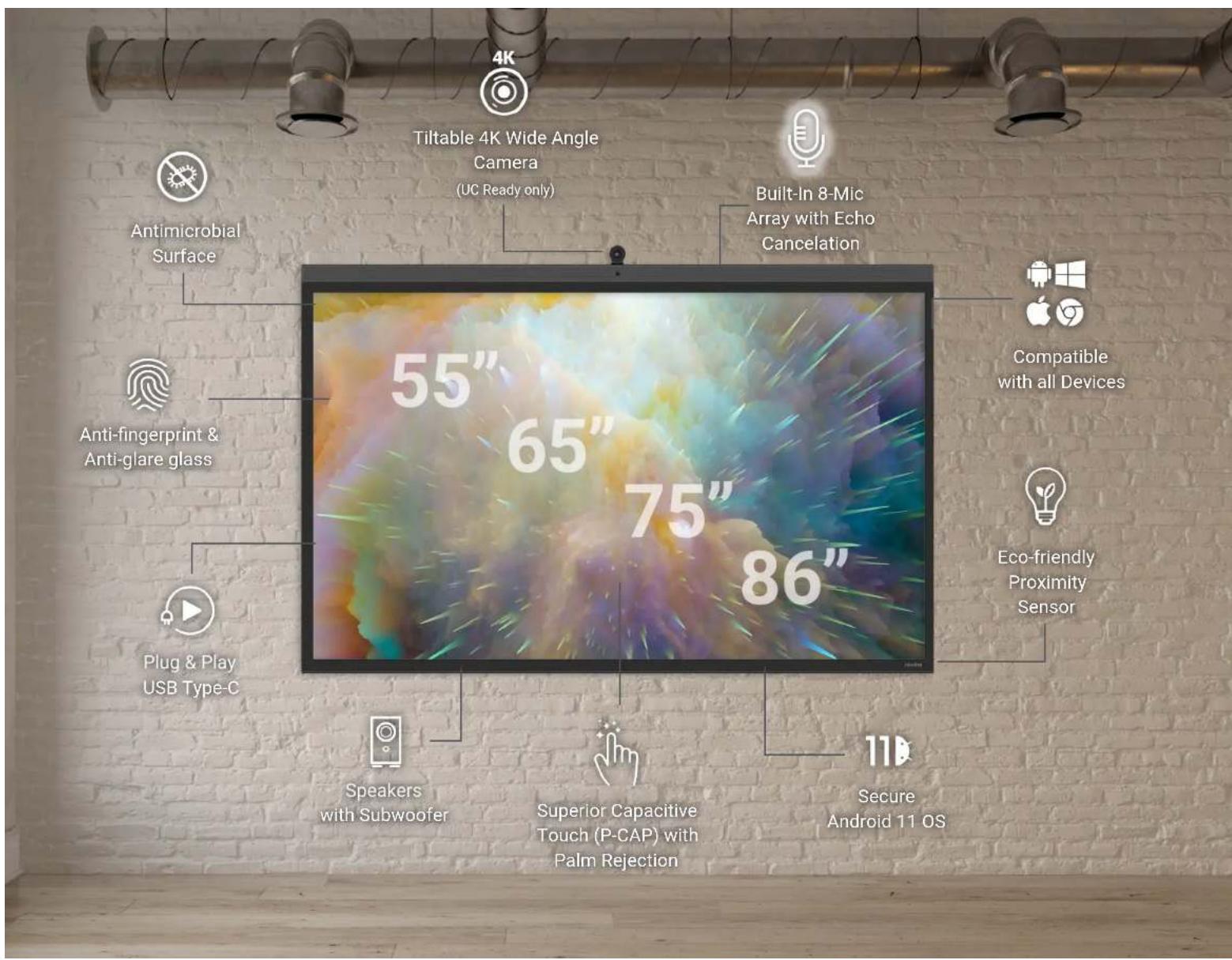
ENHANCED AUDIO-VISUAL EXPERIENCE
The integrated 8-microphone array with automatic gain control and echo canceling technology ensures a crisp clear voice transmission from anywhere in the room. Embedded powerful 2.1 channel speaker system, including 2 × 20W and 1 × 15W subwoofer, make for crystal clear audio quality. Optically bonded 4K display gives you an ultra-wide 178° viewing angle. No matter where you sit, the image is robust and clear.
4K Modular Camera
The UC Ready Z Series comes with a flexible 4K modular, wide-angle camera with a 120° FOV can be tilted upward and downward within 15° to the angle that works for classrooms and meeting rooms.
Eco-Friendly Proximity Sensor
Equipped with a Proximity Sensor, the display will sleep/reawaken automatically based on human presence in the room.

Tiltable 4K Wide Angle Camera (UC Ready Only)

120irc Field of View

Eco-friendly Proximity Sensor

4K Display Ultra-wide 178°

Built-In 8-Mic Array with Echo Cancelation

2.1 True Sound Speakers with Subwoofer

natural_image
Two people sitting at a table viewed from behind, with no visible text or symbols.
natural_image
Business meeting scene with participants seated at a conference table facing a large screen displaying a virtual meeting (no visible text or symbols)

natural_image
Back view of a person with curly hair wearing a dark jacket (no text or symbols visible)
natural_image
Back view of a black electronic device showing ports and labels (no readable text or symbols beyond labels)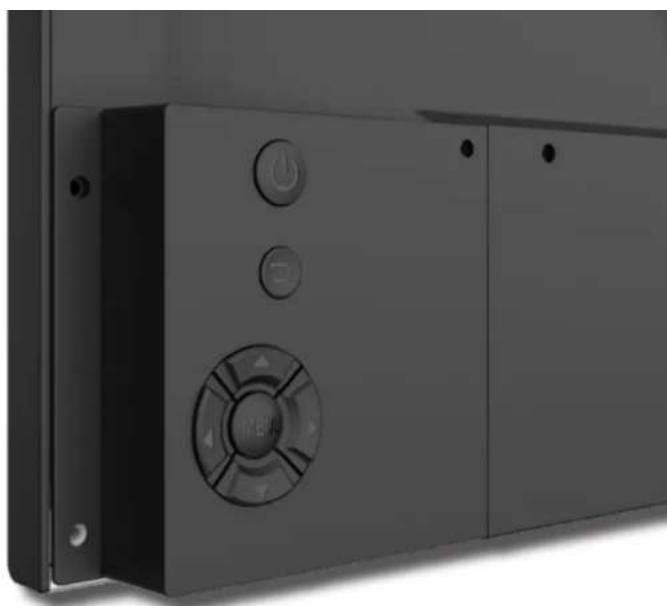
natural_image
Close-up of a black industrial electrical cabinet with control buttons and a circular vent (no visible text or symbols)PLUG & PLAY USB-C
Step into your space and bypass the setup frustration. The mental checklist to grab the right cables, troubleshoot connectivity and hope everything else interacts well can be overwhelming. With Plug & Play USB-C, the entire setup process is streamlined to one cable and instant access to audio, video, data, and more. And it doesn't stop there! Never worry about the battery life of your devices, because USB-C also transfers 65 watts of power too.


Video Audio 65 W Power Data
Faster performance must come from somewhere. Welcome to Android 11! With a more secure on-board operating system, you can connect to familiar services like Google Drive and OneDrive with confidence. Users have the option to disable the embedded OS without the need to perform a firmware update while still having access to the embedded annotation tools.


Android 11 8G Ram Disabled Embedded
OS for Security
ENHANCED NETWORK CONNECTIVITY
Modular & Securable Wi-Fi module with Wi-Fi 6 and Bluetooth Compatibility
A built-in Wi-Fi 6 module, with a frequency range of 2.4/5 GHz, offers greater capacity, security, efficiency and performance, and enables an enhanced connection for better teaching and conferencing experience. Enhanced Ethernet connections now support Gigabit speeds.


Built-in Wi-Fi Connectivity Security

natural_image
Side profile of a person wearing a red and dark plaid shirt, viewed from the side (no text or symbols visible)


natural_image
Man wearing glasses and a dark shirt sitting at a desk with documents, in an office setting with large windows (no visible text or symbols)UPDATED USER INTERFACE
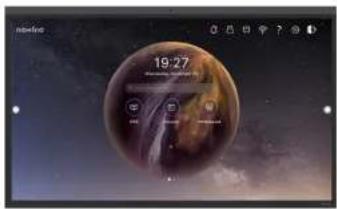
The Z Series introduces a new and more elegant User Interface. Choose from several new themes with updated icons to customize your Z Series panel. The home screen has been revamped and streamlined. The floating toolbars on the left and right side can be expanded, collapsed, and moved for convenience.

natural_image
Digital illustration of a planet with a moon in the sky, showing no text or symbols on the planet itself.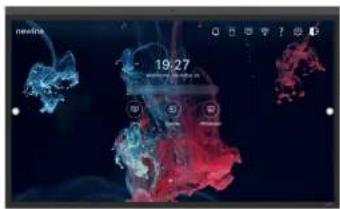
USER PROFILES
New to the Z Series, user profiles help eliminate the hassle of device and user switching. Setup a profile just for teacher access and all their apps. Create a profile for a team that exclusively uses certain tools. Customize the settings and theme for each user. The possibilities are infinite!

Personalized Profiles

Customizable Themes

Ease of Use
Save time and effort with a feature that understands your writing gestures. The Z Series supports Object Recognition that can differentiate between fingers, pens and palms to react as a marker, thin pen or eraser. The display also utilizes Capacitive touch, which supports Palm Rejection Technology, and can differentiate between a stylus or a fingertip and a palm or a wrist, effectively “rejecting” unwanted contact. All of this to make for a smoother and more natural writing experience.

P-CAP 40 Points (Windows)

Object
Recognition

Palm Rejection
IMPRESSIVE WHITEBOARD
Access everything you need to take notes, annotate during lessons or meetings, and more! With an impressive set of new tools, you won't need another whiteboarding application to get right to work. Complete everything in one app including importing and exporting the images, videos, and documents you need. In addition, all Z Series displays also have a unique glass coating that kills and minimizes germs that come in contact with the screen, so you can confidently share the touch display with other users.

Multi-touch Experience

Interactive Whiteboard

Antimicrobial Coating

natural_image
Interior view of a room with a person sitting at a desk, no visible text or symbols
newline
CORPORATE OFFICE
950 W Bethany Drive Suite 330
Allen, TX 75013
TEL: 888-233-0868
sales@newline-interactive.com
newline-interactive.com



- ALL-IN-ONE COLLABORATION SOLUTION
- THE NEXT GENERATION OF COLLABORATION IS HERE
- HIGH PERFORMANCE
- TOUCH + UC
- ENVIRONMENT
- ENHANCED AUDIO-VISUAL EXPERIENCE
- 4K Modular Camera
- Eco-Friendly Proximity Sensor
- PLUG & PLAY USB-C
- ENHANCED NETWORK CONNECTIVITY
- Modular & Securable Wi-Fi module with Wi-Fi 6 and Bluetooth Compatibility
- UPDATED USER INTERFACE
- USER PROFILES
- IMPRESSIVE WHITEBOARD
- newline
Brand : Newline
Model : TT-5522Z
Category : Interactive screen