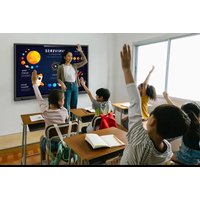
TT-5524QPRO - Interactive screen Newline - Free user manual and instructions
Find the device manual for free TT-5524QPRO Newline in PDF.


Pick your language and provide your email: we'll send you a specifically translated version.
| Product Type | Interactive Flat Panel Display |
| Brand | Newline |
| Model | TT-5524QPRO |
| Screen Size | 55 inches |
| Resolution | 3840 x 2160 (4K UHD) |
| Aspect Ratio | 16:9 |
| Touch Technology | Infrared (IR) Touch |
| Touch Points | Up to 20 simultaneous touches |
| Brightness | 350 cd/m² |
| Contrast Ratio | 4000:1 |
| Viewing Angle | 178° horizontal / 178° vertical |
| Dimensions (W x H x D) | 1240 x 720 x 80 mm (approx.) |
| Weight | 30 kg (approx.) |
| Power Supply | AC 100-240V, 50/60Hz |
| Power Consumption | 250 W (typical) |
| Connectivity Inputs | HDMI x2, USB x2, VGA, Audio 3.5mm |
| Operating System | Android (version may vary) |
| Main Functions | Interactive whiteboard, annotation, screen sharing, wireless presentation |
| Cleaning Instructions | Use a soft, dry, lint-free cloth. Do not use abrasive cleaners or liquids. |
| Safety Features | Overheat protection, anti-glare screen, safety lock slot |
| Spare Parts & Repairability | Contact authorized service center for repairs. No user-serviceable parts. |
Frequently Asked Questions - TT-5524QPRO Newline
How do I turn on the Newline TT-5524QPRO?
Press the power button located on the bottom right bezel of the display. The indicator light will turn blue when powered on.
How can I connect my laptop to the display?
Use an HDMI cable to connect your laptop to one of the HDMI input ports. For touch functionality, also connect a USB cable from the laptop to the USB touch port on the display.
Does the display support wireless screen sharing?
Yes, the TT-5524QPRO supports wireless screen sharing via Miracast, AirPlay, and Newline's own app. Ensure both the display and your device are on the same network.
How do I calibrate the touch screen?
Go to Settings > Touch > Calibrate. Follow the on-screen instructions to touch the crosshair points. Calibration ensures accurate touch response.
What is the recommended cleaning method?
Use a soft, dry microfiber cloth to gently wipe the screen. For stubborn smudges, slightly dampen the cloth with water (do not spray directly). Avoid alcohol or ammonia-based cleaners.
Can I mount the display on a wall?
Yes, the display is VESA-compatible (400x400 mm). Use a suitable wall mount rated for at least 30 kg. Ensure the wall can support the weight.
How do I update the firmware?
Download the latest firmware from Newline's support website onto a USB drive. Insert it into the display, go to Settings > About > System Update, and select the file.
The touch is not working properly. What should I do?
First, check the USB connection between your computer and the display. Restart both devices. If the issue persists, try recalibrating the touch or updating drivers.
What is the warranty period?
Newline typically offers a 3-year warranty on the TT-5524QPRO. Contact your dealer or Newline support for specific warranty terms.
How do I factory reset the display?
Go to Settings > Backup & Reset > Factory Data Reset. This will erase all user data and restore the display to original settings.
User questions about TT-5524QPRO Newline
0 question about this device. Answer the ones you know or ask your own.
Ask a new question about this device
No questions yet. Be the first to ask one.
Download the instructions for your Interactive screen in PDF format for free! Find your manual TT-5524QPRO - Newline and take your electronic device back in hand. On this page are published all the documents necessary for the use of your device. TT-5524QPRO by Newline.
USER MANUAL TT-5524QPRO Newline


Manual assistant
Powered by Anthropic
Waiting for your message
Product information
Brand : Newline
Model : TT-5524QPRO
Category : Interactive screen