
VC-H910 - VCR SHARP - Free user manual and instructions
Find the device manual for free VC-H910 SHARP in PDF.
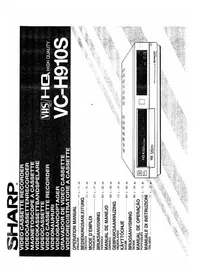


| Type | VHS VCR (Video Cassette Recorder) |
| Model | VC-H910 |
| Brand | Sharp |
| Video Recording Format | VHS (NTSC/PAL depending on region) |
| Video Playback | Yes (VHS tapes) |
| Audio | Monaural/stereo (Hi-Fi model depends) |
| Recording Modes | SP (Standard Play), LP (Long Play), EP (Extended Play) |
| Timer Recording | Yes (up to 8 events/1 month typical) |
| Auto Tracking | Yes (automatic picture adjustment) |
| Outputs | RF (antenna), Composite AV (RCA), S-Video (if equipped) |
| Inputs | Composite AV (RCA), RF input |
| Dimensions (W x H x D) | Approx. 430 x 90 x 260 mm |
| Weight | Approx. 4.0 kg |
| Power Supply | AC 220-240V, 50 Hz |
| Power Consumption | Approx. 20 W |
| Remote Control | Yes (infrared) |
| Video Head Cleaning | Clean video heads using cleaning cassette (recommended every 500 hours of use) |
| Safety Features | Auto power-off, child lock |
| Repairability | Spare parts such as belts, heads, capacitors may be available online; suitable for DIY repair with care. |
| General Info | This manual includes instructions for operation, installation, and troubleshooting. Keep for future reference. |
Frequently Asked Questions - VC-H910 SHARP
User questions about VC-H910 SHARP
0 question about this device. Answer the ones you know or ask your own.
Ask a new question about this device
Download the instructions for your VCR in PDF format for free! Find your manual VC-H910 - SHARP and take your electronic device back in hand. On this page are published all the documents necessary for the use of your device. VC-H910 by SHARP.
USER MANUAL VC-H910 SHARP

Back
6
The following table is a single data point:

AUTO DISPLAY FUNCTION
The Ground Truth image displays a single, solid horizontal line. According to Rule 2 (UNDERSCORE & LINE RULES), if the GT contains lines used for stylistic emphasis or as background elements (like ruled paper), the OCR result must ignore them. The line in the GT is clearly a stylistic/background line, not a placeholder for text. Therefore, the OCR should not have output any underscores. Outputting `____` constitutes an error under Rule 2, as it hallucinates placeholder symbols where none are semantically intended. Hence, the OCR result is inconsistent with the Ground Truth.

ANTI-FOG
NOTES:


Press the PROG button, "03" is displayed and "DATE", "DAILY" and "WEEKLY" start blinking.
g
L
Press the PROG button. "PM" starts blinking. For the hour, use the keys (0-9) or the ① to ㉟ keys. (If the hour is a single digit (1-9), a zero (0) must be entered first).
6
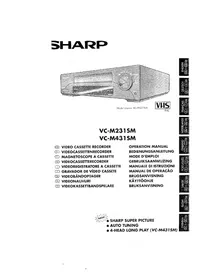
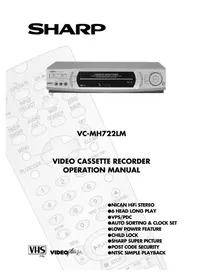
Brand : SHARP
Model : VC-H910
Category : VCR