
VC-A56SM - VCR SHARP - Free user manual and instructions
Find the device manual for free VC-A56SM SHARP in PDF.



| Product Type | Video Cassette Recorder (VCR) |
| Brand | Sharp |
| Model | VC-A56SM |
| Video System | PAL / SECAM |
| Recording Format | VHS |
| Number of Heads | 4 video heads |
| Playback Speed | SP (Standard Play), LP (Long Play), EP (Extended Play) |
| Recording Speed | SP, LP |
| Audio System | Monaural audio |
| Power Supply | 220-240V AC, 50/60Hz |
| Power Consumption | Approx. 18 W |
| Video Input | 1 x RCA (composite), SCART |
| Video Output | 1 x RCA (composite), SCART |
| RF Modulator | UHF channels 21-69 |
| Timer Recording | Programmable up to 8 events / 1 month |
| On-Screen Display | Multilingual OSD for settings and timer |
| Remote Control | Infrared remote control included |
| Dimensions (W x H x D) | 430 x 95 x 330 mm |
| Weight | 4.8 kg |
| Head Cleaning | Manual cleaning recommended after every 1000 hours |
| Safety Features | Auto power-off, anti-tape jam mechanism |
| Spare Parts & Repairability | Common VHS parts, user-serviceable belts and heads |
| General Information | Appliance designed for video playback and recording |
Frequently Asked Questions - VC-A56SM SHARP
User questions about VC-A56SM SHARP
0 question about this device. Answer the ones you know or ask your own.
Ask a new question about this device
Download the instructions for your VCR in PDF format for free! Find your manual VC-A56SM - SHARP and take your electronic device back in hand. On this page are published all the documents necessary for the use of your device. VC-A56SM by SHARP.
USER MANUAL VC-A56SM SHARP
Adult in manuscript print its regulatory process with EN 55014.02.1987.
Este aparello responde as especificacoes da EN 55014, 02.1987.
This apparatus complies with the requirements of EN 55014, 02.1987.
KENMERKEN
TOEBEHOREN


ALGEMENE INFORMATIE
NEDERLANDS
• BELANGRIJKE VEILIGHEIDS- EN VOORZORGSMAATREGELEN ... 2
• VOORNAAMSTE ONDERDELEN VAN UW VIDEORECORDER......
• MULTIFUNKTIE DISPLAY
- AESTANDSREDIENING
- AFSTANDSBEDIENING ......
- GERBUIK VAN DE AFSTANDSBEDIENING VOOR DE TV
GEDHOUR VAN DE AFO
(allson VC AF68M)
(alleen VC-AS INSTALLATIE
INSTALLATIE
• AANSLUITINGEN....8 • INSTELLEN VAN HET VIDEOKANAAL....8 • INSTELLEN VAN DE KLOK....9 • INSTELLEN VAN DE KANALEN....12
BASISBEDIENING
• WEERGEVEN 14
• OPNEMEN VAN FEN TV-PROGRAMMA 16
TIMER-GESTUURDE OPNAME
• TIMER VOOR SNEL-PROGRAMMERING....17
• OPNEMEN MET DE TIMER 18
SPECIALE FUNKTIES
• NULPUNT-TELLERGEHEUGENFUNKTIE 22
• DIGITAAL EFAGMENTZOEKSYSTEEM (DPSS)...... 22
• HERHALING VAN EEN WILLEKEURIGERAGMENT 23
• KINDERSLOT (C-LOCK) 23
• AANSLUITEN VAN EEN DEKODEERDER 24
NUTTIGE WENKEN
(1) AD = BD = 1
• TECHNISCHE GEGEVENS 24
• VERHELPEN VAN STOBINGEN 25
[Non-Text]
N 1

ALGEMENE INFORMATIE
BELANGRIJKE VEILIGHEIDS- EN VOORZORGSMAATREGELEN
Let op
LEES DE GEBRUIKSAANWIJZING AANDACHTIG DOOR ALVORENS DE VIDEORECORDER IN GEBRUIK TE NEMEN. BEWAAR DE GEBRUIKSAANWIJZING VOOR HET GEVAL U IN DE TOEKOMST VERDERE INFORMATIE WENST BETREFFENDE DE BEDIENING VAN DE VIDEORECORDER.
Inserting the Batteries


The image contains no discernible text or characters.
![graph TD A["Smart"] --> B["Nair 21 pens Euro"] B --> C["AGN transsoluting (ANTENNA IN)"] C --> D["Decoders: AGN transsoluting"] D --> E["Near antenna"] E --> F["AGN transsoluting"] style A fill:#f9f,stroke:#333 style B fill:#ccf,stroke:#333 style C fill:#cfc,stroke:#333 style D fill:#fcc,stroke:#333…](/content/2026/07/1557848/images/378ad8da01c2b4c4633fffe16f9bf5a531c80059a54b8e44ef155efa9aa16166.jpg)
- PAL reward on Zwan-wt sigma
6-8-1993
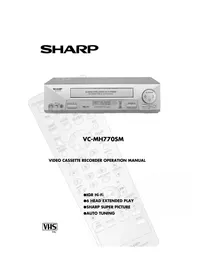
Brand : SHARP
Model : VC-A56SM
Category : VCR