
VC-M261 - VCR SHARP - Free user manual and instructions
Find the device manual for free VC-M261 SHARP in PDF.
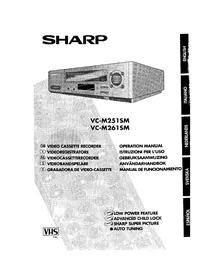


| Product Type | VHS VCR |
| Brand | Sharp |
| Model | VC-M261 |
| Video Recording Format | VHS |
| Playback Formats | VHS, S-VHS (compatible) |
| Video Head System | 4-head |
| Recording Modes | SP, LP, EP |
| Timer Recording | 1-year programmable |
| Inputs | RF antenna, Composite (RCA), S-Video |
| Outputs | RF modulator, Composite (RCA), S-Video, Audio L/R |
| Remote Control | Infrared with full function |
| Dimensions (W x D x H) | 430 x 280 x 90 mm |
| Weight | 4.2 kg |
| Power Consumption | 25 W (operation), 4 W (standby) |
| AC Input | 120 V / 60 Hz (adjustable to 220-240 V) |
| Auto Head Cleaning | Automatic cleaning system |
| Special Functions | Hi-Fi stereo audio, auto tracking, index search |
| Safety Features | Auto power off, child lock |
| Maintenance | Clean heads with cleaning cassette or manual swab |
| Spare Parts / Repairability | Belts, idler tires, pinch rollers, heads; user-replaceable drive belt accessible |
Frequently Asked Questions - VC-M261 SHARP
User questions about VC-M261 SHARP
0 question about this device. Answer the ones you know or ask your own.
Ask a new question about this device
Download the instructions for your VCR in PDF format for free! Find your manual VC-M261 - SHARP and take your electronic device back in hand. On this page are published all the documents necessary for the use of your device. VC-M261 by SHARP.
USER MANUAL VC-M261 SHARP
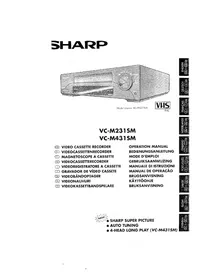
VC-M251SM VC-M261SM
GB VIDEO CASSETTE RECORDER ① VIDEOREGISTRATORE NL VIDEOCASSETTERECORDER S VIDEOBANDSPELARE E GRABADORA DE VIDEO-CASSETTE
OPERATION MANUAL
ISTRUZIONI PER L'USO
GEBRUIKSAANWIJZING
ANVÄNDARHANDBOK
Thank you for buying this SHARP VCR.
SHARP has established a worldwide reputation for unsurpassed quality and precision manufacturing techniques since it was founded in 1915. Your choice of VCR uses the very latest electronic circuitry and engineering advancements to give the best possible performance. Given proper care it will provide years of entertainment for the whole family. Please read this operation manual carefully before attempting to operate the VCR.
Copyright
● Audio-visual material may consist of copyrighted works which must not be recorded without the authority of the owner of the copyright. Please refer to the relevant laws in your country. - No part of this publication may be reproduced, stored or transmitted in any form without prior permission from SHARP ELECTRONICS (EUROPE) GmbH.

Dear Customer
VCR front panel/remote control equivalent functions.
If you prefer, or if remote control batteries fail, you will need to use the VCR front panel controls. The only differences in function are shown below:
| FUNCTION OSD | OPERATION WITH REMOTE CONTROL | OPERATION WITH VCR FRONT PANEL |
| Moving UP/DOWN menu Moving LEFT/RIGHT menu | [▲/▼] buttons [◀/▶] buttons | CHANNEL[▲/▼]buttons. REW/FF buttons |
NL VCR REMOTE CONTROL
COAXIAL CABLE

THE BACK OF THE TELEVISION
2


4.

Brand : SHARP
Model : VC-M261
Category : VCR