
AC-8020 - Headphones Cyber Acoustics - Free user manual and instructions
Find the device manual for free AC-8020 Cyber Acoustics in PDF.


| Product Type | Wired Over-Ear Headphones with Microphone |
| Brand | Cyber Acoustics |
| Model | AC-8020 |
| Connectivity | 3.5mm audio jack (TRRS for mic) |
| Driver Size | 40 mm |
| Frequency Response | 20 Hz - 20 kHz |
| Impedance | 32 ohms |
| Sensitivity | 100 dB ± 3 dB |
| Cable Length | 6 ft (1.8 m) |
| Weight | 0.35 lbs (160 g) |
| Color | Black |
| Adjustable Headband | Yes |
| Ear Cushions | Padded leatherette |
| Microphone | Built-in unidirectional boom mic |
| Volume Control | In-line remote |
| Compatibility | PC, Mac, Chromebook, tablets with 3.5mm jack |
| Care Instructions | Wipe with a soft dry cloth; avoid liquids |
| Safety | Do not listen at high volumes for extended periods |
| Replacement Parts | Ear pads available; cable non-removable |
| Repairability | Limited; no user-serviceable parts inside |
| Warranty | 1 year limited |
Frequently Asked Questions - AC-8020 Cyber Acoustics
User questions about AC-8020 Cyber Acoustics
0 question about this device. Answer the ones you know or ask your own.
Ask a new question about this device
Download the instructions for your Headphones in PDF format for free! Find your manual AC-8020 - Cyber Acoustics and take your electronic device back in hand. On this page are published all the documents necessary for the use of your device. AC-8020 by Cyber Acoustics.
USER MANUAL AC-8020 Cyber Acoustics
Cyber Acoustics
USB Stereo Headset with Microphone
• VoIP / Internet phone and voice chat
• Voice recording
• Audio play back (MP3, Audio CD, DVD, etc.)
• Multiple player gaming
- Speech recognition
APPLICATIONS :
This Cyber Acoustics USB headset works with USB compliant computers. The following is a list of operating systems and hardware requirements:
• Windows Vista, 7, 8 (or newer), Mac OS X (10.4.11 or higher) without additional driver
- Pentium II 350 MHz / Power PC 604 or equivalent
- At least 64 MB RAM (Win98SE) or 128MB RAM (WinME, Win2000, and WinXP)
- USB port
CONFIGURATION MINIMALE :
- Compliant with USB2.0/1.1 full speed operation
• 48K/44.1K sampling rate for both playback and recording - Embedded high performance 16 Bit audio DAC with Earphone buffer
- Embedded 16 Bit ADC input with Microphone boost
- Connects directly to USB port
FONCTIONNALITÉS


INSTALLATION FOR Windows Vista, 7, 8 (or newer), Mac OS X (10.4.11 or higher) INSTALLATION SOUS Windows Vista, 7, 8 (ou plus récent), Mac OS X (10.4.11 ou ultérieure) INSTALACIÓN PARA Windows Vista, 7, 8 (o más reciente), Mac OS X (10.4.11 o superior)
PC INSTALLATION:
Simply install like any other USB device. Plug the headset into your PC's USB port at anytime. Depending on your system the device may automatically be recognized or it may launch the "ADD NEW HARDWARE WIZARD". In this case just follow the instructions on the screen to down load the drivers.
INSTALLATION PC :
The best way to test if the installation is successful is to record an audio file:
- Go to START-ALL PROGRAMS-ACCESSORIES-ENTERTAINMENT-SOUND RECORDER
- Click on the RECORD icon and record a short voice file. Click the STOP icon. Click the PLAY icon to playback the voice recording. If you hear this, then the installation was successful.
VÉRIFICATION DE L'INSTALLATION DU CASQUE :
VOLUME ADJUSTMENTS :
Adjust the recording/playback volume using the volume slider in your computer's multimedia audio settings.
- Go to START-CONTROL PANEL-SOUND & AUDIO DEVICES. Click on the Audio tab and confirm that USB Audio device is selected as the preferred device for sound playback and sound recording.
- Click on the Volume Tab and make sure the Mute option is not selected. Adjust volume by dragging the slider as necessary. Slide up to turn the volume up or slide down to turn the volume down.
RÉGLAGE DU VOLUME
• Make sure your headset is plugged in properly to a USB port.
- Check that your volume and playback settings are turned up to a reasonable level and make sure they are not muted. Refer to our "VOLUME ADJUSTMENTS" section of this owners manual.
- Some older computers that do not have proper USB conventions can "lock up" when you plug in this USB device. In this case, you should contact your computer's manufacturer for assistance.
- If the headset is powered on but you are not getting any input or output, check in "multimedia properties". Under START, SETTINGS, CONTROL PANEL, MULTIMEDIA, check if your recording preferred device is "USB audio device" and the box "Use only preferred devices" is checked.
DÉPISTAGE DES PANNES
This device complies with Part 15 of the FCC Rules. Operation is subject to the following two conditions: (1) This device may not cause harmful interference, and (2) this device must accept any interference received, including interference that may cause undesired operation.
The manufacturer is not responsible for any radio or TV interference caused by unauthorized modifications to this equipment. Such modifications could void the User's authority to operate the equipment.
Canada ICES-003
This Class B digital apparatus complies with Canadian ICES-003.
Remarque :
Cyber Acoustics warrants to the purchaser that this product shall be free from defects in materials or workmanship for a period of one year from original purchase date. Proof of purchase is required. Please retain your receipt. This warranty registration card should also be filled out completely and immediately returned to Cyber Acoustics. During the warranty period, if this product is found to be defective under normal use and service, Cyber Acoustics shall at its option repair or replace it with new or reconditioned product.
This warranty does not cover defects resulting from accidents, abuse, misuse, or unauthorized service. This warranty gives you specific rights. You may have other legal rights which vary from state to state.
To obtain warranty services, return the product with shipping prepaid to Cyber Acoustics. Cyber Acoustics reserves the right to replace any discontinued product with one of equal value.
Note: For technical support and questions, please contact:
Tel: 360-823-4100 / Fax: 360-883-4888 / E-mail: tech.support@cyberacoustics.com
You can now register your Cyber Acoustics product on line through our web site in lieu of filling out and mailing this card: www.cyberacoustics.com
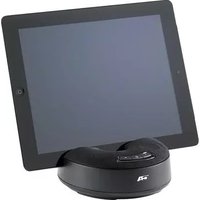
Brand : Cyber Acoustics
Model : AC-8020
Category : Headphones