
SST-FS212B - Disk array SILVERSTONE - Free user manual and instructions
Find the device manual for free SST-FS212B SILVERSTONE in PDF.


| Product Type | External 2.5" Dual-Bay Disk Array |
| Model | SST-FS212B |
| Brand | SilverStone |
| Drive Support | 2x 2.5" SATA HDD/SSD (up to 9.5mm height) |
| Interface | USB 3.0 (USB 2.0 compatible) |
| RAID Modes | JBOD, RAID 0, RAID 1 |
| Dimensions (W x H x D) | 145 x 80 x 25 mm |
| Weight | 0.2 kg |
| Power Supply | Bus powered via USB (5V, 1A max) |
| Hot-Swap | Yes, tool-free drive trays |
| LED Indicators | Power/Activity per drive; RAID mode status |
| Material | Aluminum body with ventilation |
| Operating System | Windows, macOS, Linux (USB Mass Storage) |
| Care Instructions | Wipe with a soft, dry cloth. Avoid liquids. |
| Safety | Do not disassemble. Use only provided USB cable. |
| Spare Parts & Repairability | No user-serviceable parts. Contact support for defects. |
| Package Contents | FS212B enclosure, USB 3.0 cable, user manual |
Frequently Asked Questions - SST-FS212B SILVERSTONE
User questions about SST-FS212B SILVERSTONE
0 question about this device. Answer the ones you know or ask your own.
Ask a new question about this device
Download the instructions for your Disk array in PDF format for free! Find your manual SST-FS212B - SILVERSTONE and take your electronic device back in hand. On this page are published all the documents necessary for the use of your device. SST-FS212B by SILVERSTONE.
USER MANUAL SST-FS212B SILVERSTONE
Front Panel Storage FS204 / FS208 / FS212
natural_image
Pure electrical circuit lines without any symbols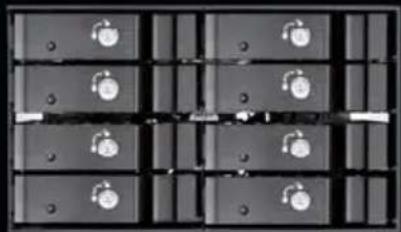
natural_image
Grid of rectangular blocks with circular symbols, no visible text or labels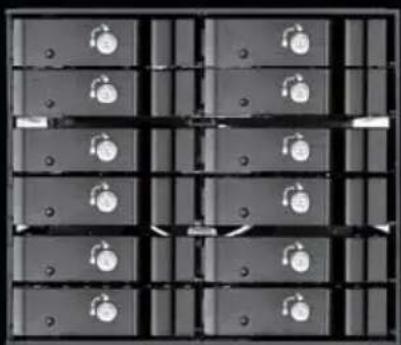
natural_image
Grid of black rectangular blocks with circular symbols, no visible text or labels5.25" device bay to 2.5" SAS/SATA 6 Gbit/s hot-swap cage
Installation and system optimization guide:
The following manual and guides were carefully prepared by the SilverStone engineering team to help you maximize the potential of your SilverStone product. Please keep this manual for future reference when upgrading or performing maintenance on your system. A copy of this manual can also be downloaded from our website at:
● Product Overview P.1
● Installation Chart P.6
- Indicator Status P.10
● Warranty P.21
Introduction
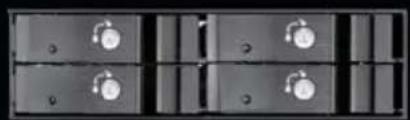
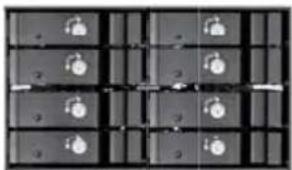
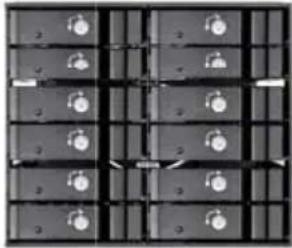
To accommodate PC user's need for more storage flexibility and convenience, SilverStone created a line of front bay storage products called the FS series. These are 5.25" bay chassis designed to fit 3.5" or 2.5" SAS/SATA drives. Equipped with release handle made out of finely brushed aluminum, hot-swapping drives is extremely quick and comfortable. Built-in cooling fan behind the chassis ensures drive and run cool for extended life while individual LED indicators let user easily monitor drive status in one glance. For security, each drive tray also has metal key lock. For those that need to upgrade their current PC with more drives, SilverStone's FS series is a great choice.
FS204
natural_image
Grid of dark rectangular blocks with small circular symbols, no readable text or labelsFS208
natural_image
Grid of dark rectangular blocks with small circular symbols, no visible text or labels50019
Special Features
■ Fits 2.5" SAS/SATA 6Gbit/s drives in 5.25" device bay
■ Individual metal key lock for each drive for extra security
■ All aluminum body with beautiful hairline brushed finish
■ Independent drive status LED
■ Built-in cooling fan for excellent heat dissipation
■ Compatible with all 2.5" drives up to 14.5mm thickness
■ Fully supports SATA Hot-Swap function
Specifications
| Model | SST-FS204B, SST-FS208B, SST-FS212B | |
| Color | Black | |
| Material | Aluminum body, tray, and front bezel | |
| Form factor | 5.25" drive bay | |
| Drive support | 2.5" SAS/SATA HDD or SSD | |
| Transfer rate | Up to 6 Gbit/s (dependent on drive speed) | |
| Host interface | 7-Pin SATA connector or SAS primary channel connection | |
| Power connector | SATA 15-Pin | |
| Drive tray security | Triangle metal key lock design with guiding rail & anti-vibration | |
| Number of key | 2 | |
| LED indicator | Power On Blue | |
| Fan Failure Red blinking (slower) | ||
| Over heating Red blinking (faster) | ||
| Cooling fan | 40mm fan x 2, 3500rpm (FS204) | |
| 70mm fan x 1, 3000rpm (FS208) | ||
| 80mm fan x 1, 3000rpm (FS212) | ||
| Net weight | 0.91kg (FS204) | |
| 1.33kg (FS208) | ||
| 1.82kg (FS212) | ||
| Dimension | 146 mm (W) X2mm (H) X 180mm (D), FS204 | |
| 146 mm (W) X5 mm (H) X 159mm (D), FS208 | ||
| 146 mm (W) X27mm (H) X 164mm (D), FS212 | ||
Front Panel Storage
Product Overview
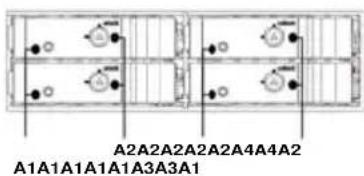
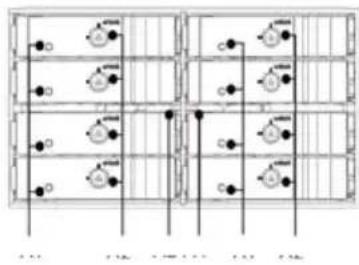
FS204FS208FS212
flowchart
graph TD
    A["Start"] --> B{Decision}
    B -->|Yes| C["Process 1"]
    B -->|No| D["Process 2"]
    C --> E["End"]
    D --> F["End"]
flowchart
graph TD
    A["Start"] --> B{Decision}
    B -->|Yes| C["Path 1"]
    B -->|No| D["Path 2"]
    C --> E["End"]
    D --> F["End"]
    style A fill:#f9f,stroke:#333
    style B fill:#ccf,stroke:#333
    style C fill:#cfc,stroke:#333
    style D fill:#fcc,stroke:#333
    style E fill:#ffc,stroke:#333
    style F fill:#fcc,stroke:#333
ENGLISH
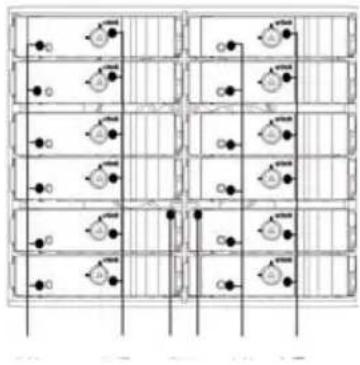
A1 = HDD power & access LED
A2 = Triangle Safety lock
A3 = FAN status LED Solid red for FAN failure
A4 = Temperature status LED Solid red for Overheating
DEUTSCH
natural_image
Pure electrical circuit lines without any symbolsB4
B1B1B1
B3 B5
B4 B6B1B1
B2
B3B5B6B2B2
B2B2B4
ENGLISH
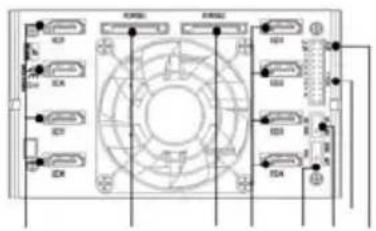
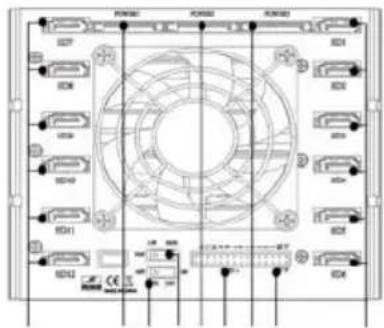
B1 = SATA data signal connector
B2 = 15pin power connector
B3 = FAN Speed switch Speed switch High (3000rpm)/Low (2400rpm)
B4 = HDD LED Switch (ON/OFF)
B5 = Extension HDD signal jumper
B6 = signal jumper for Temperature & fan
DEUTSCH
Before you begin, please make sure that you
1 have all components collected
② check that all components do not have compatibility problems with each other or with the case
③ if possible, assemble the components outside the case first to make sure they are working
④ keep the motherboard manual ready for reference during installation
⑤ prepare a Phillips screwdriver.
01
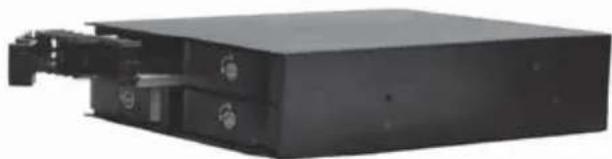
Remove tray
natural_image
Exterior view of a black rectangular electronic device with mounting brackets and internal components (no visible text or symbols)DEUTSCH
natural_image
Exterior view of a computer drive chassis (no visible text or labels)DEUTSCH
natural_image
Exterior view of a mechanical electronic device housing (no visible text or symbols)DEUTSCH
Schrauben Sie ein
FRANCAIS
Visser la vis
ESPAÑOL
Insert tray back into drive chassis
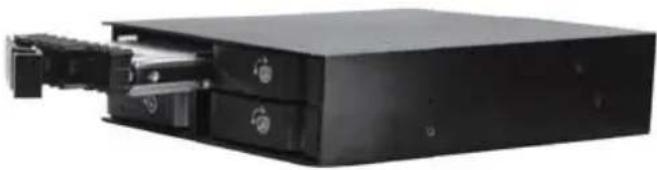
natural_image
Exterior view of a black rectangular electronic device with internal components (no visible text or symbols)DEUTSCH
Install drive chassis into case
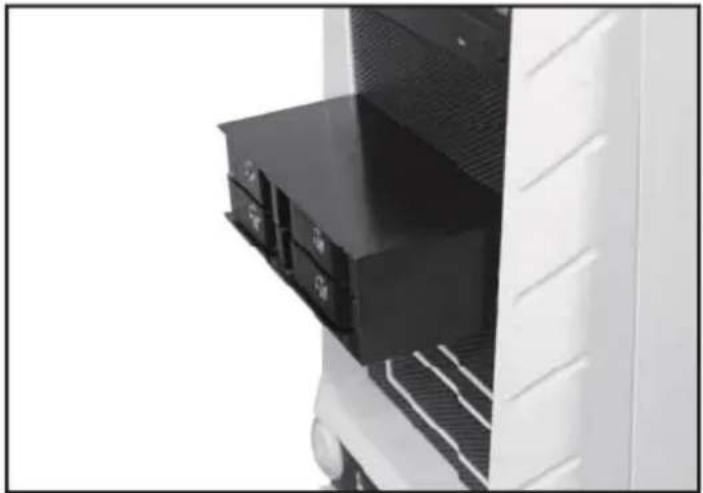
natural_image
Close-up of a white refrigerator with black plastic doorrests and ventilation grilles (no visible text or symbols)DEUTSCH
Connect SATA and power cable
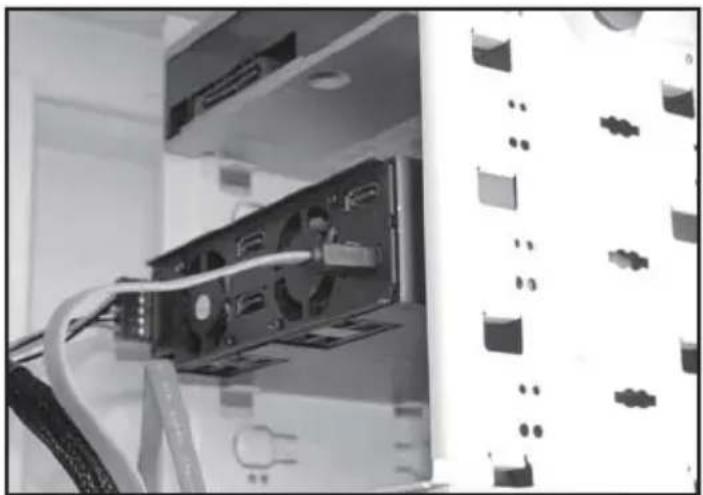
natural_image
Interior view of a computer tower with CPU socket and cable, no visible text or symbolsDEUTSCH
Installation complete
DEUTSCH
Komplettinstallation
FRANCAIS
| LED | A1 | ||||
| State | HDD in | HDD Access | B4 turn OFF | Overheating | Fan failure |
| Color | Blue | Purple | Blue | Red | Red |
| Blink | x | o | x | o | o |
* When B4 switch is turned to OFF position, the HDD accessing function is disable. In this case, the front accessing LED is displayed in solid blue only and that means it is with the power ON function only but without blinking accessing signal.
FS208
| LED | A1 | A3 | A4 | ||
| State | HDD in | HDD Access | B4 turn OFF | Fan failure | Overheating |
| Color | Blue | Purple | Blue | Red | Red |
| Blink | x | o | x | o | o |
* When B4 switch is turned to OFF position, the HDD accessing function is disable. In this case, the front accessing LED is displayed in solid blue only and that means it is with the power ON function only but without blinking accessing signal.
FS212
| LED | A1 | A3 | A4 | ||
| State | HDD in | HDD Access | B4 turn OFF | Fan failure | Overheating |
| Color | Blue | Purple | Blue | Red | Red |
| Blink | x | o | x | o | o |
* When B4 switch is turned to OFF position, the HDD accessing function is disable. In this case, the front accessing LED is displayed in solid blue only and that means it is with the power ON function only but without blinking accessing signal.
Note: Don't tilt the tray when inserting it.
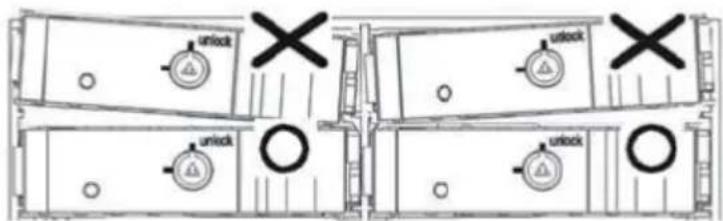
DEUTSCH
FS204
FRANCAIS
FS204
ESPAÑOL
FS204
ITALIANO
FS204
РУССКИЙ
FS204
繁體中文
FS204
簡体中文
FS204
日本語
FS204
FS204
This product has a limited 1 year warranty in North America and Australia.
For information on warranty periods in other regions, please contact your reseller or SilverStone authorized distributor.
Warranty terms & conditions
- Product component defects or damages resulted from defective production is covered under warranty.
Defects or damages with the following conditions will be fixed or replaced under SilverStone Technology's jurisdiction.
a) Usage in accordance with instructions provided in this manual, with no misuse, overuse, or other inappropriate actions.
b) Damage not caused by natural disaster (thunder, fire, earthquake, flood, salt, wind, insect, animals, etc...)
c) Product is not disassembled, modified, or fixed. Components not disassembled or replaced.
d) Warranty mark/stickers are not removed or broken.
Loss or damages resulted from conditions other than ones listed above are not covered under warranty. - Under warranty, SilverStone Technology's maximum liability is limited to the current market value for the product (depreciated value, excluding shipping, handling, and other fees). SilverStone Technology is not responsible for other damages or loss associated with the use of product.
- Under warranty, SilverStone Technology is obligated to repair or replace its defective products. Under no circumstances will SilverStone Technology be liable for damages in connection with the sale, purchase, or use including but not limited to loss of data, loss of business, loss of profits, loss of use of the product or incidental or consequential damage whether or not foreseeable and whether or not based on breach of warranty, contract or negligence, even if SilverStone Technology has been advised of the possibility of such damages.
- Warranty covers only the original purchaser through authorized SilverStone distributors and resellers and is not transferable to a second hand purchaser.
- You must provide sales receipt or invoice with clear indication of purchase date to determine warranty eligibility.
- If a problem develops during the warranty period, please contact your retailer/reseller/SilverStone authorized distributors or SilverStone http://www.silverstonetek.com.
Please note that: (i) You must provide proof of original purchase of the product by a dated itemized receipt; (ii) You shall bear the cost of shipping (or otherwise transporting) the product to SilverStone authorized distributors. SilverStone authorized distributors will bear the cost of shipping (or otherwise transporting) the product back to you after completing the warranty service; (iii) Before you send the product, you must be issued a Return Merchandise Authorization ("RMA") number from SilverStone. Updated warranty information will be posted on SilverStone's official website. Please visit http://www.silverstonetek.com for the latest updates.
Additional info & contacts
For North America (usasupport@silverstonetek.com)
SilverStone Technology in North America may repair or replace defective product with refurbished product that is not new but has been functionally tested. Replacement product will be warranted for remainder of the warranty period or thirty days, whichever is longer. All products should be sent back to the place of purchase if it is within 30 days of purchase, after 30 days, customers need to initiate RMA procedure with SilverStone Technology in USA by first downloading the "USA RMA form for end-users" form from the below link and follow its instructions. http://silverstonetek.com/contactus.php
For Australia only (support@silverstonetek.com)
Our goods come with guarantees that cannot be excluded under the Australian Consumer Law.
You are entitled to a replacement or refund for a major failure and for compensation for any other reasonably foreseeable loss or damage.
You are also entitled to have the goods repaired or replaced if the goods fail to be of acceptable quality and the failure does not amount to a major failure. Please refer to above “Warranty terms & conditions” for further warranty details.
SilverStone Technology Co., Ltd. 12F No. 168 Jiankang Rd., Zhonghe Dist., New Taipei City 235 Taiwan R.O.C. + 886-2-8228-1238 (standard international call charges apply)
For Europe (support.eu@silverstonetek.de)
For all other regions (support@silverstonetek.com)
SilverStone Technology Co., Ltd.
www.silverstonetek.com
support@silverstonetek.com
NO: G11224890
- Front Panel Storage FS204 / FS208 / FS212
- Installation and system optimization guide:
- Introduction
- Special Features
- Specifications
- Front Panel Storage
- Product Overview
- ENGLISH
- DEUTSCH
- Before you begin, please make sure that you
- 01
- Remove tray
- FRANCAIS
- ESPAÑOL
- Installation complete
- ITALIANO
- РУССКИЙ
- 繁體中文
- 簡体中文
- 日本語
- Warranty terms & conditions
- Additional info & contacts
- For North America (usasupport@silverstonetek.com)
- For Australia only (support@silverstonetek.com)
- For Europe (support.eu@silverstonetek.de)
Brand : SILVERSTONE
Model : SST-FS212B
Category : Disk array