
CL-KBD50027 - Keyboard Syba - Free user manual and instructions
Find the device manual for free CL-KBD50027 Syba in PDF.


| Type de produit | Keyboard |
| Marque | Syba |
| Modèle | CL-KBD50027 |
| Connectivité | Wired USB |
| Disposition du clavier | US QWERTY (full-size) |
| Nombre de touches | 104 |
| Dimensions (L x l x H) | 440 x 140 x 25 mm (approx.) |
| Poids | 600 g (approx.) |
| Longueur du câble | 1.5 m (approx.) |
| Systèmes d'exploitation compatibles | Windows, macOS, Linux |
| Alimentation | USB bus-power (no batteries required) |
| Fonctions principales | Plug-and-play, standard keyboard input, multimedia hotkeys |
| Entretien et nettoyage | Wipe with a dry, soft cloth. Do not use liquids or abrasive cleaners. |
| Sécurité | Avoid exposure to water or excessive moisture. Unplug before cleaning. |
| Pièces détachées et réparabilité | Not available; device is not user-serviceable. |
| Informations générales | Designed for daily office and home use. Works with USB-A port. |
Frequently Asked Questions - CL-KBD50027 Syba
User questions about CL-KBD50027 Syba
0 question about this device. Answer the ones you know or ask your own.
Ask a new question about this device
Download the instructions for your Keyboard in PDF format for free! Find your manual CL-KBD50027 - Syba and take your electronic device back in hand. On this page are published all the documents necessary for the use of your device. CL-KBD50027 by Syba.
USER MANUAL CL-KBD50027 Syba
The Connectland wireless keyboard and mouse kit is included with the following accessories: a USB wireless 2.4 GHz receiver, four batteries LR03 AAA 1.5V, a CDROM and a Quick User's Guide.
Please contact immediately your vendor if one them is missing.
2. INSTALLATION
Mouse
a) Pres battery cap button and open battery cap.
b) Insert two LR03 AAA 1.5V batteries (caution to the polarity)
c) Switch on the mouse.
Keyboard
a) Turn keyboard on its rear side, and then release the cap of battery compartment.
b) Insert two LR03 AAA 1.5V batteries (caution to the polarity). Replace the cap.
Plug the USB receiver into your computer's USB port.
System will recognize the new USB devices and installed by itself. The user will see "device can be used", after successfully installed. If user shuts down computer or pulls out receiver over 5 seconds, the power of mouse will be automatically shut off. To wake up it, user must reinsert receiver into USB port of computer (if the receiver is pulled out) and press the key of mouse. This is automatic power saving function.
3. SYSTEMS SUPPORTED
The keyboard and mouse set is compliant with the following operating systems:
- Microsoft Windows ME/2000/2003/XP/VISTA
(Insert the Windows CDROM if asked) - IBM and PC compatible
4. USE
Mouse
Left button

Right
Scroll wheel
CPI adjustable instruction (Count Per Inch):
The mouse has 2 sensitive modes: 800 cpi and 1600 cpi. To change the resolution, press the right and left button at the same time.
5. KEYBOARD
The keyboard has 11 multimedia keys ready to use without any software installation and is compatible with Windows ME, 2000, XP, Vista and or above.
Media keys instructions:

Desktop


Homepage

Favourite

Calculator

Volume Down

Volume Up

Mute

Stop

Play/Pause

Mediaplayer
CONNECTLAND KEYBOARD DRIVER INSTALLATION
Keyboard use can be improved by the installation of Connectland Keyboard Driver. The driver adds visual display information about the keyboard and enables media keys to be customized.
To install the driver, please insert the CD-ROM and execute SETUP.EXE file.
Follow the instruction displayed on screen.

Setup.exe

Setup.exe

Icons will be inserted on task bar:

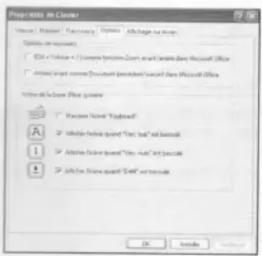
Display mode:
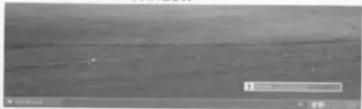
Window
natural_image
Grayscale aerial view of a flat landscape with no visible text, symbols, or markings.OSD

To custom Media Keys shortcut:

Copyright © 2009. Connectland. All Rights Reserved.
Brand : Syba
Model : CL-KBD50027
Category : Keyboard