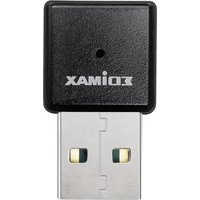
HP-2002AC - Network card / adapter Edimax - Free user manual and instructions
Find the device manual for free HP-2002AC Edimax in PDF.


Pick your language and provide your email: we'll send you a specifically translated version.
| Product Type | Powerline Network Adapter |
| Model Number | HP-2002AC |
| Brand | Edimax |
| Data Transfer Rate | Up to 2000 Mbps (HomePlug AV2) |
| Frequency Band | 2.4 GHz and 5 GHz (dual-band Wi-Fi) |
| Power Consumption | Max 5.5W (typical) |
| Dimensions (W x D x H) | 60 x 40 x 110 mm |
| Weight | Approx. 150 g |
| Power Supply | Built-in AC plug (100-240V, 50/60 Hz) |
| Ethernet Ports | 1 x Gigabit LAN port |
| Wi-Fi Standards | IEEE 802.11ac/n/g/b/a |
| Security | 128-bit AES encryption with Pairing button |
| LED Indicators | Power, Ethernet, Wi-Fi, Signal Strength |
| Operating Temperature | 0°C to 40°C |
| Humidity | Up to 90% (non-condensing) |
| Compliance | CE, FCC, RoHS |
| Management | Web-based interface (HTTP) |
| Pairing Method | Physical Pair button, simple and secure |
| Repairability | Not user-serviceable; no replaceable parts |
| Cleaning Instructions | Wipe with dry cloth; do not use liquids |
Frequently Asked Questions - HP-2002AC Edimax
How do I set up the Edimax HP-2002AC powerline adapter?
Plug the adapter into a wall socket near your router and connect it via Ethernet cable. Press the Pair button on the adapter, then press the same button on another adapter within 2 minutes to pair them.
What is the maximum data transfer speed of the HP-2002AC?
The HP-2002AC supports speeds up to 2000 Mbps over the powerline network, thanks to HomePlug AV2 technology.
Can I use the HP-2002AC with my existing Wi-Fi router?
Yes, the HP-2002AC acts as a Wi-Fi extender. Plug it in and connect it to your router via Ethernet or pair it wirelessly. It creates a dual-band Wi-Fi network (2.4GHz and 5GHz).
How do I reset the HP-2002AC to factory settings?
Use a paperclip to press and hold the Reset button (usually a small hole) for 10 seconds until the LED blinks. This restores default settings.
Is the HP-2002AC compatible with other powerline adapters?
It is compatible with all HomePlug AV2 compliant adapters. For best performance, use Edimax adapters.
How can I improve the signal strength?
Plug adapters directly into wall sockets, avoid extension cords and surge protectors. The signal strength LED indicates quality: green for good, orange for fair, red for poor.
What security encryption does the HP-2002AC use?
It uses 128-bit AES encryption with a secure pairing button to protect your network traffic over powerlines.
Can I manage the HP-2002AC remotely?
Yes, you can access the web interface via its IP address to change settings, update firmware, or monitor network status. Check your router's DHCP list for the IP.
What does the Wi-Fi LED indicator mean?
The Wi-Fi LED shows solid green when Wi-Fi is active and connected, blinking during data transfer, and off if Wi-Fi is disabled.
How do I clean the HP-2002AC?
Unplug the adapter and wipe the exterior with a dry, soft cloth. Do not use water, solvents, or abrasive cleaners.
User questions about HP-2002AC Edimax
0 question about this device. Answer the ones you know or ask your own.
Ask a new question about this device
No questions yet. Be the first to ask one.
Download the instructions for your Network card / adapter in PDF format for free! Find your manual HP-2002AC - Edimax and take your electronic device back in hand. On this page are published all the documents necessary for the use of your device. HP-2002AC by Edimax.