DG900 Pro - Oscilloscope Rigol - Free user manual and instructions
Find the device manual for free DG900 Pro Rigol in PDF.


| Product Type | Digital Oscilloscope |
| Brand | Rigol |
| Model | DG900 Pro |
| Bandwidth | 100 MHz |
| Number of Channels | 4 |
| Sample Rate | 1 GSa/s |
| Memory Depth | 12 Mpts |
| Display | 7-inch TFT LCD |
| Dimensions | 313 x 180 x 112 mm |
| Weight | 2.5 kg |
| Power Supply | 100-240 VAC, 50/60 Hz |
| Main Functions | Waveform capture, FFT analysis, automatic measurements, trigger modes |
| Maintenance | Clean with dry cloth, avoid moisture |
| Safety | Overvoltage protection, grounding required |
| Spare Parts | Probes, power cord, USB cable |
| General Information | Includes 2 passive probes, calibration certificate |
Frequently Asked Questions - DG900 Pro Rigol
User questions about DG900 Pro Rigol
0 question about this device. Answer the ones you know or ask your own.
Ask a new question about this device
Download the instructions for your Oscilloscope in PDF format for free! Find your manual DG900 Pro - Rigol and take your electronic device back in hand. On this page are published all the documents necessary for the use of your device. DG900 Pro by Rigol.
USER MANUAL DG900 Pro Rigol
Function/Arbitrary Waveform Generator
Programming Guide
Oct. 2024
Guaranty and Declaration
Copyright
© 2024 RIGOL TECHNOLOGIES CO., LTD. All Rights Reserved.
Trademark Information
RIGOL ^® is the trademark of RIGOL TECHNOLOGIES CO., LTD.
Notices
• RIGOL products are covered by P.R.C. and foreign patents, issued and pending.
- RIGOL reserves the right to modify or change parts of or all the specifications and pricing policies at the company's sole decision.
• Information in this publication replaces all previously released materials.
• Information in this publication is subject to change without notice.
- RIGOL shall not be liable for either incidental or consequential losses in connection with the furnishing, use, or performance of this manual, as well as any information contained.
- Any part of this document is forbidden to be copied, photocopied, or rearranged without prior written approval of RIGOL.
Product Certification
RIGOL guarantees that this product conforms to the national and industrial standards in China as well as the ISO9001:2015 standard and the ISO14001:2015 standard. Other international standard conformance certifications are in progress.
Contact Us
If you have any problem or requirement when using our products or this manual, please contact RIGOL.
E-mail: service@rigol.com
Website: http://www.rigol.com
Section Description Page
List of Tables....XI
1 Document Overview ...... 1
2 Programming Overview 3
2.1 SCPI Introduction ......3
2.2 Remote Control 5
2.2.1 Remote Control via USB 6
2.2.2 Remote Control via LAN 6
3 Command System 8
3.1 :ABORt 8
3.2 :DISPLAY Commands 9
3.2.1 :DISPLAY:BRIGHTness 9
3.2.2 :DISPLAY:FOCus 9
3.2.3 :DISPLAY[:STATE] 10
3.2.4 :DISPLAY:TEXT 11
3.2.5 :DISPLAY:TEXT:CLEar 11
3.2.6 :DISPLAY:UNIT:PULSe 12
3.2.7 :DISPLAY:UNIT:RATE 12
3.2.8 :DISPLAY:UNIT:SWEep 13
3.2.9 :DISPLAY:UNIT:VOLTage 14
3.3 :HCOPy Commands 14
3.3.1 :HCOPy:SDUMp:DATA? 15
3.3.2 :HCOPy:SDUMp:DATA:FORMAT 15
3.4 IEEE488.2 Common Commands 16
3.4.1 *CLS 17
3.4.2 *ESE 18
3.4.3 *ESR? 19
3.4.4 *IDN? 19
3.4.5 *OPC 20
3.4.6 *OPT? 21
3.4.7 *PSC 21
3.4.8 *RCL 22
3.4.9 *RST 22
3.4.10 *SAV 23
3.4.11 *SRE 23
3.4.12 *STB? 24
3.4.13 *TRG 25
3.4.14 *WAI 25
3.5 : INITiate Commands 26
3.5.1 : INITiate[
3.5.2 : INITiate[
3.5.3 :INITiate[
3.5.4 : INITiate[
3.6 :LXI Commands 29
3.6.1 :LXI:MDNS:STATE 29
3.6.2 :LXI:MDNS:SNAME:DESired 29
3.6.3 :LXI:RESet 30
3.6.4 :LXI:RESTART 31
3.7 :MEMory Commands 31
3.7.1 :MEMory:NSTates? 31
3.7.2 :MEMory:STATE:CATalog? 32
3.7.3 :MEMory:STATE:DElete 32
3.7.4 :MEMory:STATE:NAME 33
3.7.5 :MEMory:STATE:RECall:AUTO 34
3.7.6 :MEMory:STATE:VALid? 34
3.8 :MMEMory Commands 35
3.8.1 :MMEMory:CATalog[:ALL]? 35
3.8.2 :MMEMory:CATalog:DATA:ARBitrary? 36
3.8.3 :MMEMory:CATalog:STATe? 37
3.8.4 :MMEMory:CDIRECTory 38
3.8.5 :MMEMory:COPY 38
3.8.6 :MMEMory:COPY:SEQUence 39
3.8.7 :MMEMory:DElete 40
3.8.8 :MMEMory:LOAD:DATA 40
3.8.9 :MMEMory:LOAD:STATE 41
3.8.10 :MMEMory:MDIRectory 42
3.8.11 :MMEMory:MOVE 43
3.8.12 :MMEMory:RDIRectory 43
3.8.13 :MMEMory:STORE:DATA 44
3.8.14 :MMEMory:STORe:STATE 45
3.8.15 :MMEMory[:TRACe]:ARB:DATA 45
3.8.16 :MMEMory[:TRACe]:ARB:DATA:DAC 46
3.9 : OUTPUT Commands 47
3.9.1 : OUTPUT[
3.9.2 :OUTPUT[
3.9.3 : OUTPUT[
3.9.4 :OUTPUT[
3.9.5 :OUTPUT[
3.9.6 :OUTPUT[
3.9.7 : OUTPUT[
3.9.8 :OUTPUT[
3.9.9 : OUTPUT[
3.9.10 :OUTPUT[
3.10 :SYNChro Commands 55
3.10.1 :SYNChro:BENCHMARK 55
3.11 :SOURce Commands 56
3.11.1 [:SOURce[
3.11.1.1 [:SOURce[
3.11.1.2 [:SOURce[
3.11.1.3 [:SOURce[
3.11.1.4 [:SOURCE[
3.11.1.5 [:SOURce[
3.11.1.6 [:SOURce[
3.11.1.7 [:SOURce[
3.11.2 [:SOURce[
3.11.2.1 [:SOURCE[
3.11.2.2 [:SOURce[
3.11.2.3 [:SOURce[
3.11.2.4 [:SOURce[
3.11.2.5 [:SOURce[
3.11.2.6 [:SOURce[
3.11.2.7 [:SOURce[
3.11.2.8 [:SOURce[
3.11.2.9 [:SOURce[
3.11.3 [:SOURce[
3.11.3.1 [:SOURce[
3.11.3.2 [:SOURCE[
3.11.3.3 [:SOURce[
3.11.3.4 [:SOURce[
3.11.3.5 [:SOURce[
3.11.3.6 [:SOURce[
3.11.4 [:SOURce[]]:BURSt 78
3.11.4.1 [:SOURce[
3.11.4.2 [:SOURce[
3.11.4.3 [:SOURce[
3.11.4.4 [:SOURce[
3.11.4.5 [:SOURce[
3.11.4.6 [:SOURce[
3.11.5 [:SOURce[]]:FM 84
3.11.5.1 [:SOURce[
3.11.5.2 [:SOURce[
3.11.5.3 [:SOURCE[
3.11.5.4 [:SOURCE[
3.11.5.5 [:SOURce[
3.11.5.6 [:SOURce[
3.11.6 [:SOURce[]]:FREQUENCY 89
3.11.6.1 [:SOURce[
3.11.6.2 [:SOURce[
3.11.6.3 [:SOURce[
3.11.6.4 [:SOURce[
3.11.6.5 [:SOURce[
3.11.6.6 [:SOURce[
3.11.6.7 [:SOURce[
3.11.6.8 [:SOURCE[
3.11.6.9 [:SOURce[
3.11.7 [:SOURce[]]:FSKey 98
3.11.7.1 [:SOURce[
3.11.7.2 [:SOURce[
3.11.7.3 [:SOURce[
3.11.7.4 [:SOURce[
3.11.7.5 [:SOURce[
3.11.7.6 [:SOURce[
3.11.8 [:SOURCE[]]:FUNCTION 103
3.11.9 [:SOURce[]]:FUNCTION:ADVance:ARB 104
3.11.9.1 [:SOURce[
3.11.9.2 [:SOURce[
3.11.9.3 [:SOURce[
3.11.9.4 [:SOURce[
3.11.9.5 [:SOURce[
3.11.10 [:SOURce[
3.11.10.1 [:SOURCE[
3.11.10.2 [:SOURCE[
3.11.10.3[:SOURCE[
3.11.10.4 [:SOURCE[
3.11.10.5[:SOURCE[
3.11.10.6[:SOURCE[
3.11.10.7[:SOURce[
3.11.10.8 [:SOURce[
3.11.10.9 [:SOURce[
3.11.10.10 [:SOURce[
3.11.10.11[:SOURCE[
3.11.10.12 [:SOURce[
3.11.11 [:SOURCE[
3.11.11.1 [:SOURce[
3.11.11.2[:SOURCE[
3.11.11.3[:SOURCE[
3.11.11.4[:SOURCE[
3.11.11.5[:SOURCE[
3.11.11.6 [:SOURce[
3.11.11.7[:SOURCE[
3.11.11.8[:SOURCE[
3.11.11.9 [:SOURce[
3.11.11.10 [:SOURce[
3.11.11.11 [:SOURce[
3.11.11.12 [:SOURCE[
3.11.11.13 [:SOURce[
3.11.12 [:SOURce[
3.11.12.1[:SOURCE[
3.11.12.2[:SOURCE[
3.11.12.3 [:SOURCE[
3.11.12.4[:SOURCE[
3.11.12.5[:SOURce[
3.11.12.6[:SOURCE[
3.11.12.7 [:SOURCE[
3.11.12.8 [:SOURce[
3.11.12.9 [:SOURCE[
3.11.13 [:SOURce[]]:FUNCTION:ADVance:PATTern (Optional) 134
3.11.13.1[:SOURCE[
3.11.13.2 [:SOURCE[
3.11.13.3[:SOURCE[
3.11.13.4 [:SOURCE[
3.11.13.5 [:SOURCE[
3.11.13.6[:SOURCE[
3.11.13.7[:SOURCE[
3.11.13.8 [:SOURCE[
3.11.13.9 [:SOURCE[
3.11.13.10 [:SOURCE[
3.11.13.11 [:SOURce[
3.11.13.12 [:SOURCE[
3.11.14 [:SOURce[]]:FUNCTION:ADVance:PRBS 143
3.11.14.1 [:SOURce[
3.11.14.2 [:SOURCE[
3.11.14.3 [:SOURce[
3.11.14.4 [:SOURce[
3.11.15 [:SOURCE[]]:FUNCTION:ADVance:SEQUence (Optional) 146
3.11.15.1 [:SOURce[
3.11.15.2 [:SOURCE[
3.11.15.3 [:SOURCE[
3.11.15.4 [:SOURCE[
3.11.15.5 [:SOURCE[
3.11.15.6[:SOURCE[
3.11.15.7 [:SOURCE[
3.11.15.8 [:SOURce[
3.11.15.9 [:SOURCE[
3.11.15.10 [:SOURCE[]]:FUNCTION:ADVance:SEQUence:ITEM:GOTO 152
3.11.15.11 [:SOURCE[
3.11.15.12 [:SOURCE[
3.11.15.13 [:SOURCE[
3.11.15.14 [:SOURCE< n>]]:FUNCTION:ADVance:SEQUence:ITEM:WAIT ......156
3.11.15.15 [:SOURCE[
3.11.15.16[:SOURCE[
3.11.15.17 [:SOURCE[
3.11.15.18[:SOURCE[
3.11.15.19[:SOURCE[
3.11.16 [:SOURCE[
3.11.17 [:SOURCE[
3.11.18 [:SOURCE[
3.11.18.1 [:SOURce[
3.11.18.2 [:SOURce[
3.11.18.3 [:SOURCE[
3.11.18.4 [:SOURCE[
3.11.18.5 [:SOURce[
3.11.19 [:SOURce[
3.11.20 [:SOURce[
3.11.20.1 [:SOURce[
3.11.20.2 [:SOURce[
3.11.21 [:SOURce[
3.11.21.1 [:SOURce[
3.11.21.2 [:SOURce[
3.11.21.3 [:SOURce[
3.11.21.4 [:SOURce[
3.11.21.5 [:SOURce[
3.11.21.6 [:SOURce[
3.11.21.7 [:SOURce[
3.11.22 [:SOURCE[
3.11.23 [:SOURCE[
3.11.24 [:SOURce[
3.11.25 [:SOURce[
3.11.25.1 [:SOURce[
3.11.25.2 [:SOURCE[
3.11.25.3 [:SOURce[
3.11.25.4 [:SOURce[
3.11.25.5 [:SOURce[
3.11.25.6 [:SOURCE[
3.11.26 [:SOURCE[
3.11.26.1 [:SOURce[
3.11.26.2 [:SOURce[
3.11.26.3 [:SOURce[
3.11.26.4 [:SOURce[
3.11.26.5 [:SOURce[
3.11.26.6 [:SOURce[
3.11.27 [:SOURce[]]:PSKey 190
3.11.27.1 [:SOURce[
3.11.27.2 [:SOURce[
3.11.27.3 [:SOURce[
3.11.27.4 [:SOURce[
3.11.27.5 [:SOURce[
3.11.27.6 [:SOURce[
3.11.28 [:SOURce[]]:PWM 195
3.11.28.1 [:SOURce[
3.11.28.2 [:SOURce[
3.11.28.3 [:SOURce[
3.11.28.4 [:SOURce[
3.11.28.5 [:SOURce[
3.11.28.6 [:SOURce[
3.11.28.7 [:SOURce[
3.11.29 [:SOURce[]]:SUM 202
3.11.29.1 [:SOURce[
3.11.29.2 [:SOURce[
3.11.29.3 [:SOURCE[
3.11.29.4 [:SOURce[
3.11.29.5 [:SOURce[
3.11.30 [:SOURce[]]:SWEep 207
3.11.30.1 [:SOURce[
3.11.30.2 [:SOURce[
3.11.30.3 [:SOURce[
3.11.30.4 [:SOURce[
3.11.30.5 [:SOURce[
3.11.30.6 [:SOURce[
3.11.30.7 [:SOURce[
3.11.31 [:SOURce[]]:TRACk 213
2[:SOURCE[]]:VOLTage 214
3.11.32.1 [:SOURce[
3.11.32.2 [:SOURce[
3.11.32.3 [:SOURce[
3.11.32.4 [:SOURce[
3.11.32.5 [:SOURce[
3.11.32.6 [:SOURce[
3.11.32.7 [:SOURce[
3.11.32.8 [:SOURce[
3.11.32.9 [:SOURce[
3.12 :SYSTem Commands 222
3.12.1 :SYSTem:BEEPer[:IMMediate] 222
3.12.2 :SYSTem:BEEPer:STATE 222
3.12.3 :SYSTem:COMMunicate 223
3.12.3.1 :SYSTem:COMMunicate:LAN:AUTOip[:STATe] 223
3.12.3.2 :SYSTem:COMMunicate:LAN:CONTrol? 224
3.12.3.3 :SYSTem:COMMunicate:LAN:DHCP[:STATe] 224
3.12.3.4 :SYSTem:COMMunicate:LAN:DNS 225
3.12.3.5 :SYSTem:COMMunicate:LAN:DOMAIN? 226
3.12.3.6 :SYSTem:COMMunicate:LAN:GATeway 226
3.12.3.7 :SYSTem:COMMunicate:LAN:HOSTname 227
3.12.3.8 :SYSTem:COMMunicate:LAN:IPADdress 228
3.12.3.9 :SYSTem:COMMunicate:LAN:MAC? 229
3.12.3.10 :SYSTem:COMMunicate:LAN:SMASk 229
3.12.3.11 :SYSTem:COMMunicate:LAN:STATic[:STATE] 230
3.12.3.12 :SYSTem:COMMunicate:LAN:UPDATE 231
3.12.3.13 :SYSTem:COMMunicate:USB:INFormation? 231
3.12.4 :SYSTem:DATE 232
4.2 To Output Arbitrary Waveforms 247
4.3 To Output Harmonic 248
4.4 To Output AM Modulated Waveform 248
4.5 To Output FSK Modulated Waveform 249
4.6 To Output a Frequency Sweep 249
4.7 To Output a Burst Waveform 250
4.8 To Output a Sequence Waveform 251
5 Programming Examples 252
5.1 Programming Preparations 252
5.2 LabVIEW Programming Example 252
5.3 Visual Basic Programming Example 259
5.4 Visual C++ Programming Example 260
List of Tables
Table 3.1 Unit Description ......8
Table 3.11 Table of the Bit Definition of Standard Event Status Register .....16
Table 3.12 Table of the Bit Definition of Status Byte Register 17
Table 3.55 Range of Continuous Waveform Frequency 56
Table 3.56 Range of Continuous Waveform Period 57
Table 3.57 Range of Amplitude ....57
1 Document Overview
This manual introduces how to program and control the DG5000 Pro Series Function/Arbitrary Waveform Generator via the remote interface by using the SCPI (Standard Commands for Programmable Instruments) commands. DG5000 Pro series can communicate with PC through USB or LAN interface.

TIP
For the latest version of this manual, download it from RIGOL official website (www.rigol.com).
Publication Number
PGB18100-1110
Software Version
00.01.00
Software upgrade might change or add product features. Please acquire the latest version of the manual from RIGOL website or contact RIGOL to upgrade the software.
Format Conventions in this Manual
1. Key
The front panel key is denoted by the menu key icon. For example, Default indicates the "Default" key.
2. Menu
The menu item is denoted by the format of "Menu Name (Bold) + Character Shading" in the manual. For example, Setup.
3. Operation Procedures
The next step of the operation is denoted by ">" in the manual. For example,
Utility indicates first clicking or tapping and then clicking or tapping Utility.
Content Conventions in this Manual
DG5000 Pro Series Function/Arbitrary Waveform Generator includes the following models. Unless otherwise specified, this manual takes DG5502 Pro as an example to illustrate the basic operation methods of DG5000 Pro series.
| Model No. of Channels | Sample Rate | Max. Output Frequency | |
| DG5252 Pro 2 2.5 GSa/s 250 MHz | |||
| DG5352 Pro 2 2.5 GSa/s | 350 MHz | ||
| DG5502 Pro 2 2.5 GSa/s | 500 MHz |
2 Programming Overview
2.1 SCPI Introduction
SCPI (Standard Commands for Programmable Instruments) is a standardized instrument programming language that is built upon the existing standard IEEE 488.1 and IEEE 488.2 and conforms to various standards, such as the floating point operation rule in IEEE 754 standard, ISO 646 7-bit coded character set for information interchange (equivalent to ASCII programming). The SCPI commands provide a hierarchical tree structure, and consist of multiple subsystems. Each command subsystem consists of one root keyword and one or more sub-keywords.
Syntax
The command line usually starts with a colon; the keywords are separated by colons, and following the keywords are the parameter settings available. The command ending with a question mark indicates querying a certain function and returns the query results. The keywords of the command and the first parameter are separated by a space.
For example,
:SYSTem:PSTatus
:SYSTem:PSTatus?
SYSTem is the root keyword of the command, PSTatus is the second-level keyword. The command line starts with a colon, and different levels of keywords are also separated by colons.
In some commands with parameters, "," is often used to separate multiple parameters. For example,
: SYSTEM:DATE
Symbol Description
The following symbols are not sent with the commands.
1. Braces {}
The contents in the braces can contain one or multiple parameters. These parameters can be omitted or used for several times. Parameters are usually separated by the vertical bar "|". When using the command, you must select one of the parameters.
2. Vertical Bar |
The vertical bar is used to separate multiple parameters. When using the command, you must select one of the parameters.
3. Square Brackets [ ]
The contents in the square brackets can be omitted.
4. Angle Brackets <>
The parameter enclosed in the angle brackets must be replaced by an effective value.
Parameter Type
1. Bool
The parameter can be set to ON, OFF, 1, or 0. For example,
:SYSTem:BEEPer:STATE <bool>
:SYSTem:BEEPer:STATE?
Wherein,
2. Discrete
The parameter can be any of the values listed. For example,
- < sat> can be set to DEFault|OPEN.
- The query returns an abbreviated form: DEF or OPEN.
3. Integer
Unless otherwise specified, the parameter can be any integer (NR1 format) within the effective value range.
CAUTION
Do not set the parameter to a decimal; otherwise, errors will occur.
For example,
[:SOURCE[<n>]]:SWEep:STEP {<step>|<lim>}
Wherein,
4. Real
The parameter can be any real number within the effective value range, and this command accepts parameter input in decimal (NR2 format) and scientific notation (NR3 format). For example,

[:SOURCE[
[:SOURCE[
Wherein,
5. ASCII String
The parameter can be the combinations of ASCII characters. For example,
:SYSTEM:COMMunicate:LAN:GATEway
Wherein,
Use the MINimum, MAXimum, and DEFault parameters
For many commands, you can substitute "MINimum" or "MAXimum" in place of a parameter. In some cases, you can also substitute "DEFault". For example,
[:SOURCE[
Wherein,
Instead of selecting a specific value for
Command Abbreviation
All the commands are case-insensitive. They can all be in upper case or in lower case. If abbreviation is used, you must input all the capital letters in the command. For example,
: SYSTEM: LANGUAGE?
can be abbreviated as
:SYST:LANG?
2.2 Remote Control
This instrument can be connected to the PC via the USB and LAN interfaces to set up communication and realize remote control through the PC. The remote control can be realized by using SCPI (Standard Commands for Programmable Instruments) commands.
PC Software
Users usually need to use the PC software to send commands to control the instrument remotely. RIGOL Ultra Sigma is recommended. When the instrument is connected to the PC via the USB or LAN interface, the PC software can search for instrument resources and enable command interaction.
Log in to the RIGOL official website. Click Support and select Soft/Firmware to obtain the Ultra Sigma software package and help documentation.
Web Control
When the instrument is connected to the PC via the LAN interface, you can use Web Control to send SCPI commands from the PC to the instrument. Operation Procedures:
- Obtain the instrument's IP address and input it in the browser address bar to log in to the Web Control page.
- After you enter the Web Control interface, click the "SCPI Panel Control" button to enter the SCPI Command interface.
- Input the specified SCPI command and then click Send & Read to send the command. The operation process and the returned value will be displayed in the current interface.
2.2.1 Remote Control via USB
1. Connect the device
Use the USB cable to connect the rear-panel USB DEVICE interface of the instrument to the USB HOST interface of the PC.
2. Search for the device resource
Start up Ultra Sigma and the software will automatically search for the resource currently connected to the PC via the USB interface. You can also click USB-TMC to search for the resource.
3. View the device resource
The resources found will appear under the "RIGOL Online Resource" directory, and the model number and USB interface information of the instrument will also be displayed.
4. Control the instrument remotely
Right-click the device resource name and select "SCPI Panel Control" to open the remotely command control panel. Then you can send commands and read data through the panel. For details about the SCPI commands and programming, refer to the Programming Guide of this instrument.
2.2.2 Remote Control via LAN
1. Connect the device
Use the network cable to connect the instrument to your local area network (LAN).
2. Configure network parameters
Configure the network parameters of the instrument in Utility>IO menu.
3. Search for Search device resource
Start up Ultra Sigma and click LAN to open the panel as shown in the figure below. Click Search and the software searches for the instrument resources currently connected to the LAN and the resources found are displayed at the right section of the window as shown in the figure below. Click OK to add it.
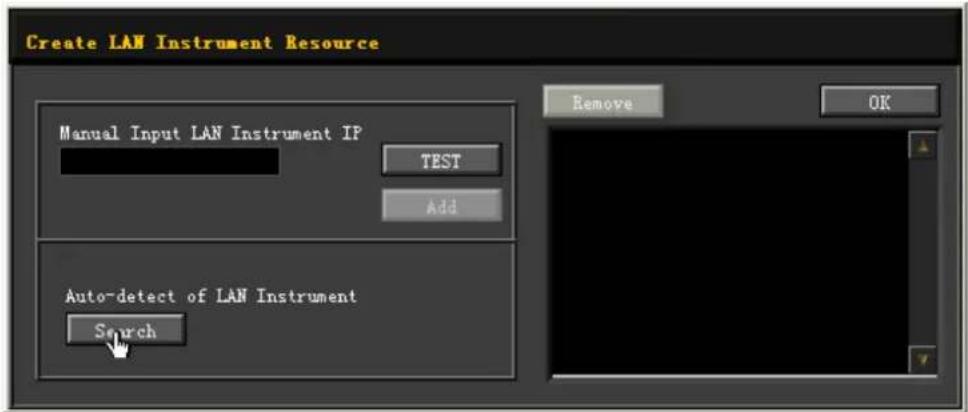
Besides, you can input the IP address of the instrument manually into the text field under "Manual Input LAN Instrument IP", then click TEST. If the instrument passes the test, click Add to add the instrument to the LAN instrument resource list in the right section; if the instrument fails the test, please check whether the IP address that you input is correct, or use the auto search method to add the instrument resource.
4. View the device resource
The resources found will appear under the "RIGOL Online Resource" directory.
5. Control the instrument remotely
Right-click the device resource name and select "SCPI Panel Control" to open the remotely command control panel. Then you can send commands and read data through the panel.
6. Load LXI webpage
As this instrument conforms to LXI CORE 2011 DEVICE standards, you can load LXI web page through Ultra Sigma (right-click the instrument resource name and select "LXI-Web"). Various important information about the instrument (including the model, manufacturer, serial number, description, MAC address, and IP address) will be displayed on the web page. You can also directly input the IP address of the instrument in the address bar of the PC browser to load the LXI web page.
3 Command System
This chapter introduces the syntax, functions, parameters, usage of each DG5000 Pro command.
For the parameter setting command (frequency, amplitude, offset, high level, low level, time), the instrument can recognize the unit. If omitted, it is interpreted as the default unit. For the default units of parameters, see the table below.
Table 3.1 Unit Description
| Parameter Available Units Default Unit | ||
| Frequency MHZ, KHZ, HZ, UHZ HZ | ||
| Amplitude | VPP, MVPP, VRMS, MVRMS, DBM | VPP, VRMS, or DBM (related to the current amplitude unit) |
| Offset/High Level/Low Level | V, MV V | |
| Time KS, S, MS, US, NS S | ||

NOTE
Since the SCPI parser is case-insensitive, there is some confusion over the letter "M" (or "m"). For your convenience, this instrument interprets "mV" (or "MV") as millivolts and "ms" (or "Ms") as milliseconds. However, it interprets "MHZ" (or "mhz") as megahertz.
3.1 :ABORt
Syntax
:ABORT
Description
Stops any operation that is triggered.
Parameter
None.
Remarks
None.
Return Format
None.
Examples
:ABORT /*Stops any operation that is triggered.*/
3.2 :DISPLAY Commands
:DISPlay commands are used to set or query the status of the current channel and display, and select the method to specify the voltage range, frequency sweep range, and pulse duration.
3.2.1 :DISPLAY:BRIGHTness
Syntax
:DISPLAY:BRIGHTness {<brightness>|<lim>}
:DISPLAY:BRIGHTness? [<lim>]
Description
Sets or queries the brightness of the display.
Parameter
| Name Type Range Default | |||
| Integer 1% to 100% | 50% | ||
| Discrete {MINimum|MAXimum} - | |||
Remarks
None.
Return Format
The query returns an integer. For example, the query might return 80, indicating that the brightness is 80%.
Examples
:DISPLAY:BRIGHTness 80 /*Sets the brightness of the display to 80%.*/
:DISPLAY:BRIGHTness? /*Queries the brightness of the display. The query returns 80.*/
3.2.2 :DISPLAY:FOCus
Syntax
:DISPLAY:FOCus <chan>
:DISPLAY:FOCus?
Description
Sets or queries the current channel.
Parameter
| Name Type Range Default | |||
| Discrete {CH1|CH2} CH1 | |||
Remarks
None.
Return Format
The query returns CH1 or CH2.
Examples
:DISPLAY:FOCUS CH1 /*Sets the current channel to CH1.*/
:DISPLAY:FOCUS? /*Queries the current channel. The query returns CH1.*/
3.2.3 :DISPLAY[:STATe]
Syntax
:DISPLAY[:STATE] <bool>
:DISPLAY[:STATE]?
Description
Enables or disables the front-panel screen. Queries the current state of the front-panel screen.
Parameter
| Name Type Range Default | ||
| Bool {0|1|OFF|ON} 1|ON |
Remarks
- When it is disabled, the front-panel screen is black but the UI progress will not be blocked.
- When you press the front-panel Utility to return to local operation, the screen is automatically enabled.
Return Format
The query returns 1 or 0.
Examples
:DISPLAY:STATE OFF /*Disables the front-panel screen.*/ :DISPLAY:STATE? /*Queries the state of the front-panel screen. The query returns 0.*/
3.2.4 :DISPLAY:TEXT
Syntax
:DISPLAY:TEXT
:DISPLAY:TEXT?
Description
Sets or queries the text message displayed on the front-panel screen.
Parameter
| Name Type Range Default | ||
| ASCII string | A string with a maximum of 40 characters enclosed by double quotation marks. |
Remarks
When a text message is displayed on the front-panel screen, the instrument will enter the notifier mode. You can only press the front-panel key to return to local mode or clear the text message (:DISPLAY:TEXT:CLEan) to restore the screen to its normal display.
Return Format
The query returns a character string, for example, Test in progress.
Examples
:DISPLAY:TEXT "Test in progress" /*Sets the text message to "Test in progress".*/ :DISPLAY:TEXT? /*Queries the text message displayed on the front-panel screen. The query returns Test in progress.*/
3.2.5 :DISPLAY:TEXT:CLEar
Syntax
:DISPLAY:TEXT:CLEAR
Description
Clears the text message displayed on the front-panel screen.
Parameter
None.
Remarks
None.
Return Format
None.
Examples
:DISPLAY:TEXT:CLEar /*Clears the text message displayed on the front-panel screen.*/
3.2.6 :DISPLAY:UNIT:PULSe
Syntax
:DISPLAY:UNIT:PULSE <type>
:DISPLAY:UNIT:PULSe?
Description
Sets or queries the method to specify the pulse width.
Parameter
| Name Type Range Default | |||
| Discrete | {WIDTH|DUTY} WIDTH | ||
Remarks
- WIDTH: pulse width, to specify the pulse width in seconds (s).
• DUTY: duty cycle, to specify the pulse width in percentage (%).
Return Format
The query returns WIDT or DUTY
Examples
:DISPLAY:UNIT:PULSe DUTY /*Sets the method to specify the pulse width to duty cycle.*/
:DISPLAY:UNIT:PULSe? /*Queries the method to specify the pulse width. The query returns DUTY.*/
3.2.7 :DISPLAY:UNIT:RATE
Syntax
:DISPLAY:UNIT:RATE <unit>
:DISPLAY:UNIT:RATE?
Description
Sets or queries the rate unit for Sine, Square, Ramp, Pulse, Arb, and Harmonic.
Parameter
| Name Type Range Default | |||
| Discrete | {FREQUENCY|PERiod} FREQUENCY | ||
Remarks
• FREQUENCY: frequency in Hz.
• PERiod: period in s.
Return Format
The query returns FREQ or PER.
Examples
:DISPLAY:UNIT:RATE PERiod /*Sets the rate unit to s for Sine, Square, Ramp, Pulse, Arb, and Harmonic.*/ :DISPLAY:UNIT:RATE? /*Queries the rate unit for Sine, Square, Ramp, Pulse, Arb, and Harmonic. The query returns PER.*/
3.2.8 :DISPLAY:UNIT:SWEep
Syntax
:DISPLAY:UNIT:SWEep
Description
Sets or queries the method to specify the frequency sweep range.
Parameter
| Name Type Range Default | |||
| Discrete | {STARtstop|CENTerspan} STARtstop | ||
Remarks
- STARtstop: uses the start value ([:SOURce[
]]:FREQUENCY:STAR) and stop value ([:SOURce[ ]]:FREQUENCY:STOP) to specify the frequency sweep range. - CENTerspan: uses the middle value ([:SOURCE[
]:FREQUENCY:CENTe) and span ([:SOURCE[ ]:FREQUENCY:SPAN) to specify the frequency sweep range.
Return Format
The query returns STAR or CENT.
Examples
:DISPLAY:UNIT:SWEep CENTerspan /*Uses the middle value and span to specify the frequency sweep range.*/
:DISPLAY:UNIT:SWEep? /*Queries the method to specify the frequency sweep range. The query returns CENT.*/
3.2.9 :DISPLAY:UNIT:VOLTage
Syntax
:DISPLAY:UNIT:VOLTage <type>
:DISPLAY:UNIT:VOLTage?
Description
Sets or queries the method to specify the voltage range.
Parameter
| Name Type Range | Default | ||
| Discrete | {AMPLitudeoff|H|IGHlow} AMPLitudeoff |
Remarks
- AMPLitudeoff: uses the amplitude ([:SOURce[
]:VOLTage) and offset ([:SOURce[ ]:VOLTage:OFFSe) to specify the voltage range. - HIGHlow: uses the high level ([:SOURce[
]:VOLTage:HIGH) and low level ([:SOURce[ ]:VOLTage:LOV) to specify the voltage range.
Return Format
The query returns AMPL or HIGH.
Examples
:DISPLAY:UNIT:VOLTage HIGHlow /*Uses the high level and low level to specify the voltage range.*/
:DISPLAY:UNIT:VOLTage? /*Queries the method to specify the voltage range. The query returns HIGH.*/
3.3 :HCOPy Commands
:HCOPy commands are used to set or query the image format and execute the screenshot operation.
3.3.1 :HCOPy:SDUMp:DATA?
Syntax
:HCOPY:SDUMP:DATA?
Description
Captures the current screen.
Parameter
None.
Remarks
Use :HCOPy:SDUMp:DATA:FORMAT to set and query the returned image format (BMP/PNG).
Return Format
The query returns the data stream of the screen image.
Examples
None.
3.3.2 :HCOPy:SDUMp:DATA:FORMAT
Syntax
:HCOPy:SDUMp:DATA:FORMAT
:HCOPy:SDUMp:DATA:FORMAT?
Description
Sets or queries the format of the screen image.
Parameter
| Name Type Range Default | |||
| Discrete {BMP|PNG} - | |||
Remarks
None.
Return Format
The query returns BMP or PNG.
Examples
:HCOPy:SDUMp:DATA:FORMAT PNG /*Sets the format of the image to PNG.*/
:HCOPy:SDUMp:DATA:FORMAT? /*Queries the format of the screen image. The query returns PNG.*/
3.4 IEEE488.2 Common Commands
The IEEE488.2 common commands are used to query the basic information of the instrument or executing basic operations. These commands usually start with "*", and the command keywords contain 3 characters and are related with status registers.
The standard event status register (SESR) and status byte register (SBR) record the event of a certain type happened during the use of the instrument. IEEE488.2 defines to record one specific type of event for each bit in the status register.
Table 3.11 Table of the Bit Definition of Standard Event Status Register
| Bit No. Bit | Name | Decimal Value | Description |
| 0 | Operation Complete (OPC) | 1 | "Operation complete" indicates that all pending operations were completed following the execution of the command. |
| 1 Not Used | 2 - | ||
| 2 | Query Error (QYE) | 4 | The instrument tries to read the output buffer but it was empty. Or, a new command line was received before a previous query has been read. Or, both the input buffer and output buffer are full. |
| 3 | Device-Specific Error (DDE) | 8 | Indicates that an error has occurred that is neither a Command Error, a Query Error, nor an Execution Error. A Device-Specific Error is any executed device operation that did not properly complete due to some condition, such as self-check error, calibration error, or other device-specific errors. |
| 4 | Execution Error (E) | 16 An execution error occurred. | |
| 5 | Command Error (CME) | 32 | A command error (command syntax error) has occurred. |
| 6 Not Used | 64 - | ||
| 7 | Power On (PON) | 128 | Indicates that an off-to-on transition has occurred in the device's power supply since last reading or the event register was cleared. |
Table 3.12 Table of the Bit Definition of Status Byte Register
| Bit No. Bit | Name | Decimal Value | Description |
| 0 Not Used | 1 - | ||
| 1 Not Used | 2 - | ||
| 2 Error Queue 4 1 or multiple errors in the error queue | |||
| 3 | Questionable Data Summary | 8 | Sets 1 or multiple bits (must be the enabled bit) in the questionable data register. |
| 4 | Message Available (MAV) | 16 | Indicates the available data in the output buffer. |
| 5 | Standard Event Summary | 32 | Sets 1 or multiple bits (must be the enabled bit) in the standard event register. |
| 6 | Master Summary Status (MSS) | 64 | Sets 1 or multiple bits (must be the enabled bit) in the Status Byte Register and generate the service request. |
| 7 | Operation Status Register | 128 | Sets 1 or multiple bits (must be the enabled bit) in the Operation Status Register. |
3.4.1 \*CLS
Syntax
*CLS
Description
Clears all the event registers, and also clears the error queue.
Parameter
None.
Remarks
None.
Return Format
None.
Example
None.
3.4.2 \*ESE
Syntax
*ESE
*ESE?
Description
Sets or queries the enable register of the standard event register set.
Parameter
| Name Type Range Default | |||
| <Integer 0 to 255 0 |
Remarks
For the definitions of the bits in the standard event register, refer to Table 3.11 Table of the Bit Definition of Standard Event Status Register. The value of
Return Format
The query returns an integer. The integer equals to the decimal-weighted sum of all the bits set in the register.
Example
*ESE 16 /*Enables Bit 4 (16 in decimal) in the register.*/
*ESE? /*The query returns the enable value of the register 16.*/
3.4.3 \*ESR?
Syntax
*ESR?
Description
Queries and clears the event register of the standard event status register.
Parameter
None.
Remarks
Bit 1 and Bit 6 in the standard event status register (Table 3.11 Table of the Bit Definition of Standard Event Status Register) are not used and are always treated as 0; therefore, the range of the returned value is a decimal number corresponding to a binary number X0XXXX0X (X is 1 or 0).
Return Format
The query returns an integer. The integer equals to the binary-weighted sum of all the bits set in the register.
Example
None.
3.4.4 \*IDN?
Syntax
*IDN?
Description
Queries the ID string of the instrument.
Parameter
None.
Remarks
None.
Return Format
The query returns RIGOL TECHNOLOGIES,
-
-
-
Example
None.
3.4.5 \*OPC
Syntax
*OPC
*OPC?
Description
Sets the OPC (bit 0, "Operation Complete") of the Standard Event register to 1 after all commands are executed.
Queries whether all the previous commands are executed. The query returns 1 to the output buffer after the command is executed.
Parameter
None.
Remarks
- Operation complete means that all the previous commands including the *OPC command have been executed.
- When setting the instrument configuration through programming (by executing the command string), using this command as the last command can determine when the command queue is executed (when the command queue is executed, the bit0 (OPC, "operation complete" bit) in the event register of the Standard Event register will be set).
- Sending the *OPC? command and reading the result can ensure synchronization.
Return Format
Queries whether all the previous commands are executed. The query returns 1 when all commands are executed.
Examples
None.
3.4.6 \*OPT?
Syntax
*OPT?
Description
Queries the options installed in your instrument
Parameter
None.
Remarks
None.
Return Format
The query returns the options installed, separated by ",". If an option has been installed, the query returns the option name; if it is not installed, the query returns NONE.
Examples
*OPT? /*Queries the options installed. The query returns NONE.*/
3.4.7 \*PSC
Syntax
*PSC
*PSC?
Description
Enables or disables the function of clearing the enable registers of the Status Byte and Standard Event registers at power-on.
Queries the on/off state of the function of clearing the enable registers of the Status Byte and Standard Event registers at power-on.
Parameter
| Name Type Range Default | ||
| Bool {0|1} 0 |
Remarks
- *PSC 1 denotes clearing the enable registers of the Status Byte and Standard Event registers at power-on; *PSC 0 denotes that the enable registers of the Status Byte and Standard Event registers will not be affected at power-on.
- You can also send *SRE(*SRE 0) or (*ESE 0) to clear the enable registers of the Status Byte and Standard Event registers respectively.
Return Format
The query returns 0 or 1.
Examples
*PSC 1 /*Enables the function of clearing the enable registers of the Status Byte and Standard Event registers at power-on.*/ *PSC? /*Queries the on/off state of the function of clearing the registers at power-on. The query returns 1.*/
3.4.8 \*RCL
Syntax
*RCL
Description
Recalls a previously stored instrument state from the specified non-volatile memory location.
Parameter
| Name Type Range Default | ||
| Discrete {0|1|2|3|4|5} 0 |
Remarks
None.
Return Format
None.
Examples
*RCL 1 /*Recalls the instrument state stored in memory location 1.*/
3.4.9 \*RST
Syntax
*RST
Description
Resets the instrument to its factory default state.
Parameter
None.
Remarks
None.
Return Format
None.
Examples
None.
3.4.10 \*SAV
Syntax
*SAV
Description
Stores the current instrument state to a specified location in non-volatile memory.
Parameter
| Name Type Range Default | ||
| Discrete {0|1|2|3|4|5} 0 |
Remarks
If a file has already been stored in the specified location, this command will overwrite the original file directly without any prompt message.
Return Format
None.
Examples
*SAV 1 /*Stores the current instrument state to memory location 1.*/
3.4.11 \*SRE
Syntax
*SRE
*SRE?
Description
Sets or queries the enable register of the status byte register set.
Parameter
| Name Type Range Default | |||
| Integer 0 to 255 0 | |||
Remarks
For the definitions of the bits in the status byte register, refer to Table 3.12 Table of the Bit Definition of Status Byte Register. The value of
Return Format
The query returns an integer. The integer equals to the decimal-weighted sum of all the bits set in the register.
Example
*SRE 16 /*Enables Bit 4 (16 in decimal) in the register.*/
*SRE? /*The query returns the enable value of the register 16.*/
3.4.12 \*STB?
Syntax
*STB?
Description
Queries the event register for the status byte register. After executing the command, the value in the status byte register is cleared.
Parameter
None.
Remarks
Bit 0 and Bit 1 in the status byte register (Table 3.12 Table of the Bit Definition of Status Byte Register) are not used and are always treated as 0; therefore, the range of the returned value is a decimal number corresponding to a binary number XXXXXX00 (X is 1 or 0).
Return Format
The query returns an integer. The integer equals to the decimal-weighted sum of all the bits set in the register.
Example
None.
3.4.13 \*TRG
Syntax
*TRG
Description
Generates a trigger event.
Parameter
None.
Remarks
- This command is valid only when the sweep or burst function is enabled and the trigger source is set to manual.
- When the sweep or burst function is enabled and the trigger source is set to manual, you can also send :TRIGger
[:IMMediate] to trigger a sweep or burst.
Return Format
None.
Examples
*TRG /*Generates a trigger event.*/
3.4.14 \*WAI
Syntax
*WAI
Description
Waits for the operation to complete. This command is used to make sure that the previous command is complete before the next command is issued.
Parameter
None.
Remarks
For example, you want to use :SOURce1:SWEep:SPACing LINear and then use :TRIGger1:IMMediate. To make sure that :SOURce1:SWEep:SPACing LINear can be completed before executing the next command, you can insert *WAI between the two commands.
Return Format
None.
Examples
None.
3.5 : INITiate Commands
:INITiate commands are used to set or query the "wait-for-trigger" state of the instrument.

NOTE
The states of the trigger system include "wait-for-trigger", "action-in-progress", and "idle".
- Wait-for-trigger: when the system is in "wait-for-trigger" state, it can detect the trigger event. Once a trigger event is generated, the system enters the "action-in-progress" state.
- Action-in-progress: once a channel is triggered, the system leaves the "wait-for-trigger" state and enters the "action-in-progress" state (e.g. burst-in-progress or sweep-in-progress). After the output is finished, the system returns to the "idle" state or "wait-for-trigger" state (set by :INITiate[
]:CONTINUOUS or :INITiate[ ]:CONTINUOUS:ALL).
- Idle: the system ignores the trigger signal in the "idle" state. You can use :INITiate[
3.5.1 : INITiate[]: CONTinuous
Syntax
: INITiate[
: INITiate[<η>]:CONTinuous?
Description
Sets or queries whether the trigger system always returns to the "wait-for-trigger" state for the specified channel.
Parameter
| Name Type Range Default | ||
| Discrete {1|2} - | ||
| Bool {0|1|OFF|ON} 0|OFF |
Remarks
- 1|ON: returns to the "wait-for-trigger" state; 0|OFF: remains in the "idle" state, ignoring triggers until :INITiate[
- With 1|ON, the trigger count setting ( :TRIGger
:COUN) will be invalid. If you need to count the triggers, you must select 0|OFF. - When [
] is omitted, it is interpreted as CH1.
Return Format
The query returns 0 or 1.
Examples
:INITiatel:CONTINUOUS ON /*Sets CH1 to automatically return to "wait-for-trigger".*/
:INITiatel:CONTINUOUS? /*Queries whether CH1 automatically returns to "wait-for-trigger". The query returns 1.*/
3.5.2 : INITiate[]: CONTinuous:ALL
Syntax
: INITiate[<n>]: CONTinuous:ALL <bool>
Description
Sets or queries whether the trigger system always returns to the "wait-for-trigger" state for both channels.
Parameter
| Name Type Range Default | ||
| Bool {0|1|OFF|ON} 0|OFF |
Remarks
- 1|ON: returns to the "wait-for-trigger" state; 0|OFF: remains in the "idle" state, ignoring triggers until :INITiate[
][:IMMediate] or :INITiate[ ][:IMMediate]:ALL is issued. - With 1|ON, the trigger count setting ( :TRIGger
:COUNt) will be invalid. If you need to count the triggers, you must select 0|OFF.
Return Format
None.
Examples
None.
3.5.3 : INITiate[][:IMMediate]
Syntax
: INITiate[<n>][:IMMediate]
Description
Changes the status of the trigger system from "idle" to "wait-for-trigger" for the specified channel.
Parameter
| Parameter Type | Range Default | ||
| Discrete {1|2} 1 |
Remarks
- Use :ABORt to return the instrument to idle.
- If the specified channel has :INITiate[
]:CONTINUOUS set to ON, :INITiate[ ]:IMMEDIATE] and :INITiate[ ]:IMMEDIATE:ALL have no effect on the trigger system. - When [
] is omitted, it is interpreted as CH1.
Return Format
None.
Examples
None.
3.5.4 : INITiate[][:IMMediate]:ALL
Syntax
: INITiate[<η>][: IMMEDIATE]:ALL
Description
Changes the status of the trigger system from "idle" to "wait-for-trigger" for both channels.
Parameter
| Parameter Type | Range Default | ||
| Discrete {1|2} 1 |
Remarks
- Use :ABORt to return the instrument to idle.
- If the specified channel has :INITiate[
]:CONTINUOUS set to ON, :INITiate[ ]:IMMEDIATE] and :INITiate[ ]:IMMEDIATE:ALL have no effect on the trigger system.
Return Format
None.
Examples
None.
3.6 :LXI Commands
:LXI commands are used to set the on/off status of mDNS, restart the LAN, and restore the network settings to default values.
3.6.1 :LXI:MDNS:STATe
Syntax
:LXI:MDNS:STATE
:LXI:MDNS:STATE?
Description
Sets or queries the on/off status of the multicast Domain Name System (mDNS).
Parameter
| Name Type Range Default | ||
| Bool {0}1|OFF|ON} 0|OFF |
Remarks
You can enable this system to provide the function of DNS server for service discovery in a small network without a DNS server.
Return Format
The query returns 0 or 1.
Examples
:LXI:MDNS:STATE ON /*Enables the mDNS.*/
:LXI:MDNS:STATE? /*Queries whether the mDNS is enabled. The query returns 1.*/
3.6.2 :LXI:MDNS:SNAMe:DESired
Syntax
:LXI:MDNS:SNAME:DESired
:LXI:MDNS:SNAME:DESired?
Description
Sets or queries the service name for mDNS.
Parameter
| Name Type Range Default | |||
| ASCII string Refer to | Remarks | - | |
Remarks
Return Format
The query returns the ASCII string.
Examples
:LXI:MDNS:SNAME:DESired RIGOL /*Sets the mDNS service name to RIGOL.*/
:LXI:MDNS:SNAME:DESired? /*Queries the service name for mDNS. The query returns RIGOL.*/
3.6.3 :LXI:RESet
Syntax
:LXI:RESet
Description
Sets the network settings to default values.
Parameter
None.
Remarks
It may take a few seconds for the LAN interface to restart after you send this command.
Return Format
None.
Examples
:LXI:RESET /*Sets the network settings to default values.*/
3.6.4 :LXI:RESTART
Syntax
:LXI:RESTART
Description
Restarts the LAN interface.
Parameter
None.
Remarks
It may take a few seconds for the LAN interface to restart after you send this command.
Return Format
None.
Examples
:LXI:RESTART /*Restarts the LAN interface.*/
3.7 :MEMory Commands
:MEMory commands are used to set and query the state file stored in the internal non-volatile memory of the instrument.
3.7.1 :MEMory:NSTates?
Syntax
:MEMory:NSTates?
Description
Queries the number of memory locations for storing states.
Parameter
None.
Remarks
None.
Return Format
The query returns 6.
Examples
:MEMory:NSTates? /*Queries the number of memory locations for the state files in the non-volatile memory of the instrument. The query returns 6.*/
3.7.2 :MEMory:STATe:CATalog?
Syntax
:MEMory:STATE:CATalog?
Description
Queries the names of the state files in the internal non-volatile memory of the instrument.
Parameter
None.
Remarks
This instrument provides 6 memory locations for state files in the internal non-volatile memory.
Return Format
The query returns a string which consists of six parts (representing the filenames of the files stored in locations 0 to 5 respectively), separated by commas. For example, the query might return
"AUTO_RECALL","STATE_1","STATE_2","STATE_3","STATE_4","STATE_5".
Examples
:MEMory:STATE:CATalog? /*Queries the names of locations 0 to 5. The query returns
"AUTO_RECALL", "STATE_1", "STATE_2", "STATE_3", "STATE_4", "STATE_5".*/
3.7.3 :MEMory:STATe:DElete
Syntax
:MEMORY:STATE:DElete
Description
Deletes the state files stored in the specified memory location.
Parameter
| Name Type Range Default | ||
| Discrete {0|1|2|3|4|5} - |
Remarks
- This instrument provides 6 memory locations for state files in the internal non-volatile memory. 0 to 5 represents the state files stored in the specified locations respectively.
- This command is valid only when a state file has been stored in the specified memory location.
Return Format
None.
Examples
:MEMory:STATE:DElete 1 /*Deletes the state file stored in location 1.*/
3.7.4 :MEMory:STATE:NAME
Syntax
:MEMORY:STATE:NAME
Description
Sets or queries the filename of the state file stored in the internal non-volatile memory of the instrument.
Parameter
| Name Type Range Default | ||
| Discrete {0|1|2|3|4|5} - | ||
| ASCII string Refer to | Remarks |
Remarks
- The parameter
is a string without quotation marks. It can contain up to 12 characters. The first character of must be an English letter (a\~z, A\~Z). The other characters can be English letters, numbers (0-9), or underline (). If the name is omitted, the factory default name will be used. - This instrument provides 6 memory locations for state files in the internal non-volatile memory. 0 to 5 represents the state file stored in the specified locations respectively.
Return Format
The query returns a string with double quotation marks. For example, the query might return "state".
Examples
:MEMory:STATE:NAME 2, state /*Sets the filename to state for the state file stored in location 2 of the internal non-volatile memory of the instrument.*/
:MEMory:STATE:NAME? 2 /*Queries the filename of the state file stored in location 2 of the internal non-volatile memory of the instrument. The query returns "state".*/
3.7.5 :MEMory:STATe:RECall:AUTO
Syntax
:MEMORY:STATE:RECall:AUTO
:MEMory:STATE:RECall:AUTO?
Description
Sets or queries whether to enable the automatic recall of the last power-on setting.
Parameter
| Name Type Range Default | ||
| Bool {0|1|OFF|ON} - |
Remarks
- ON/1: the instrument recalls the instrument state (at last power-off) in memory location 0 at the next power-on.
- OFF/0: the instrument uses the factory default values (except the parameters not affected by factory default settings) at the next power-on.
Return Format
The query returns 0 or 1.
Examples
:MEMory:STATE:RECall:AUTO ON /*Enables the automatic recall of the last power-on setting in location 0 at the next power-on.*/ :MEMory:STATE:RECall:AUTO? /*Queries whether to enable the automatic recall of the last power-on setting in location 0. The query returns 1.*/
3.7.6 :MEMory:STATe:VALid?
Syntax
:MEMORY:STATE:VALID?
Description
Queries whether a state file is available in the specified memory location in the internal non-volatile memory of the instrument.
Parameter
| Name Type Range Default | |||
| Discrete {0|1|2|3|4|5} - | |||
Remarks
Before using *SAV, you can use this query command to avoid overwriting an existing file accidentally.
Return Format
The query returns 1 or 0.1 indicates that an existing state file has been stored in the specified location while 0 indicates that no state file is stored in the specified location.
Examples
:MEMory:STATE:VALid? 2 /*Queries whether an existing state file is stored in the location 2 in the internal non-volatile memory of the instrument. The query returns 1.*/
3.8 :MMEMory Commands
:MMEMory commands are used to set and query the related information of the internal and external memory. The internal memory ("INT:\") of the instrument is always present while the external memory ("USB:\") is available only when the USB HOST interface detects the USB storage device.
Many :MMEMory commands refer to folders and files. These folders and files have specific structures, described below.
- Absolute paths begin with "/" or "\" and start at the driver identifier (INT or USB).
- Folder and file names cannot contain the following characters: \ / : * ? " < > |, and cannot start with "."
- The combination of folder and file name cannot exceed 200 characters.
3.8.1 :MMEMory:CATalog[:ALL]?
Syntax
:MMEMory:CATalog[:ALL]? [
Description
Queries all the files in the specified directory.
Parameter
| Name Type Range Default | ||
Remarks
The parameter
Return Format
The query returns a string in the format of space used,space available,"file name,file property,file size",......; wherein, the units of the space used and space available are byte; the file name includes the file extension (if any); the file property is either STAT for STATe (*.sta) files, ASC for Arb files stored in ASCII for floating-point data (*.csv), FOLD for folders, SEQ for .seq files, ARB for Arb wave (*.arb) stored in floating-point data (-1.0-1.0), BARB for Arb wave stored as DAC code values (*.barb), GEL for upgrade files (*.GEL, *.gel), or null for all other file extensions; the file size is expressed in bytes. For example, the query might return
96256,1019770880,"command.exe,,375808","MySetup.sta,STAT,8192",
"MyWave.csv,ASC,11265", indicating that the space used is 96256 bytes and the space available is 1019770880 bytes; it contains one executable file, one state file (MySetup.sta), and one Arb file (MyWave.csv).
If no file exists in the target directory, the query only returns the space used and space available.
Examples
:MMEMory:CATalog:ALL? USB:\Mydata /*Queries all the files in the folder named Mydata in the USB storage device. The query returns 96256,1019770880,"command.exe,,375808", "MySetup.sta,STAT,8192", "MyWave.csv,ASC,11265"."*/
3.8.2 :MMEMory:CATalog:DATA:ARBitrary?
Syntax
:MMEMory:CATalog:DATA:ARBitrary? [
Description
Queries all the arbitrary waveform files (*.arb/*.barb) and sequence files (*.seq) in the specified directory.
Parameter
| Name Type Range Default | ||
Remarks
The parameter
Return Format
The query returns a string in the format of space used,space available,"file name,file property,file size",......; wherein, the units of the space used and space available are byte; the file name includes the file extension; the file property is either SEQ for *. seq files, ARB for Arb wave (*.arb) stored in floating-point data (-1.0-1.0), BARB for Arb wave stored as DAC code values (*.barb); the file size is amount of space that the file uses. For example, the query might return 28672,4102361088,"Rigol1.seq,SEQ,1254","test.arb,ARB,587", indicating that the space used is 28672 bytes and the space available is 4102361088 bytes; it contains one sequence file (Rigol1.seq) and one Arb file; their sizes are 1254 bytes and 587 bytes.
If no Arb file or sequence file exists in the directory, the query only returns the space used and space available.
Examples
:MMEMory:CATalog:DATA:ARBitrary? INT:\folder /*Queries all the arbitrary waveform files and sequence files in the folder named "folder" under C disk. The query returns 28672,4102361088,"Rigoll.seq,SEQ,1254","test.arb,ARB,587"."*/
3.8.3 :MMEMory:CATalog:STATe?
Syntax
:MMEMory:CATalog:STATE? [
Description
Queries the state file (*.sta) under the specified directory.
Parameter
| Name Type Range Default | ||
Remarks
The parameter
Return Format
The query returns a string in the format of space used,space available,"file name,file property,file size",......; wherein, the units of the space used and space available are
byte; the file name includes the file extension; the file property is STAT; the file size is the amount of space that file uses. For example, the query might return 28672,4102361088, "MySetup.sta,STAT,8192", indicating that the space used is 28672 bytes and the space available is 4102361088 bytes; it contains one state file (MySetup.sta); the file size is 8192 bytes.
If no state file exists in the target directory, the query only returns the space used and space available.
Examples
:MMEMory:CATalog:STATe? /*Queries the state file under the current directory. The query returns 28672,4102361088,"MySetup.sta,STAT,8192"."*/
3.8.4 :MMEMory:CDIRectory
Syntax
:MMEMory:CDIRectory
:MMEMory:CDIRectomy?
Description
Sets or queries the default directory for :MMEMory Commands.
Parameter
| Name Type Range Default | |||
| ASCII string Valid directory - | |||
Remarks
The parameter
Return Format
The query returns a string. For example, the query might return INT:/folder, representing the folder named "folder" under local disk C.
Examples
:MMEMory:CDIRECTory INT:/folder /*Sets the default directory to INT:/folder (the "folder" in internal memory).*/ :MMEMory:CDIRECTory? /*Queries the default directory. The query returns INT:/folder.*/
3.8.5 :MMEMory:COPY
Syntax
:MMEMory:COPY
Description
Copies a file to the specified directory (not the current directory).
Parameter
| Name Type Range | Default | ||
| ASCII string Valid filename - | |||
| ASCII string Valid directory - |
Remarks
- The parameter
- The parameter
- The copy operation fails if there are files with the same name under the target path.
Return Format
None.
Examples
:MMEMory:COPY INT:\Arb.raf,INT:\TextFolder /*Copies the Arb.raf file under C disk to the directory named "TextFolder" under C disk.*/
3.8.6 :MMEMory:COPY:SEQUence
Syntax
:MMEMory: COPY: SEQuence
Description
Copies a specified sequence file (.seq) to the specified directory.
Parameter
| Name Type Range | Default | ||
| ASCII string | Valid sequence filename | - | |
| ASCII string | Valid directory | - |
Remarks
- The parameter
- The parameter
- The copy operation fails if there are files with the same name under the target path.
Return Format
None.
Examples
:MMEMory:COPY:SEQUence INT:\Rigol\MySequence.seq,USB:\rigol / *Copies the sequence file named MySequence.seq and its associated files in the "Rigol" folder of C disk to the "rigol" folder of USB storage device.*/
3.8.7 :MMEMory:DElete
Syntax
:MMEMory:DELe te
Description
Deletes a specific file under the specified directory.
Parameter
| Name Type Range Default | ||
Remarks
- The parameter
- To delete a folder, use :MMEMory:RDIRectory.
Return Format
None.
Examples
:MMEMory:DElete INT:\screenshot.png /*Deletes the image named screenshot.png under C disk.*/
3.8.8 :MMEMory:LOAD:DATA
Syntax
:MMEMory:LOAD:DATA
Description
Loads the sequence file (*.seq) or arbitrary waveform file (*.arb) from internal or external memory into the volatile memory of the specified channel.
Parameter
| Name Type Range Default | ||
| Discrete {1|2} 1 | ||
| ASCII string Valid filename - |
Remarks
- The parameter
specifies the channel (CH1 or CH2) to which the specified sequence or Arb file under the current directory is loaded. - The parameter
- In non-sequence output mode, loading sequence files is also supported while it does not change the current output mode.
- In non-advanced output mode, only an Arb waveform with a length of 16,384 pts is supported. After it is loaded successfully, the basic waveform of the corresponding channel will be modified to this Arb waveform. In advanced output mode, the Arb waveform with a length of 32 pts to 64 Mpts (128 Mpts optional) can be loaded. This command is valid only when the advanced waveform type is set to Arb.
Return Format
None.
Examples
:MMEMory:LOAD:DATA 1,INT:\SEQ.seq /*Loads the sequence file named SEQ.seq under the C disk into CH1.*/
3.8.9 :MMEMory:LOAD:STATe
Syntax
:MMEMory:LOAD:STATE
Description
Loads the specified state file.
Parameter
| Name Type Range Default | ||
Remarks
The parameter
Return Format
None.
Examples
:MMEMory:LOAD:STATE INT:\Mystate.sta /*Loads the instrument state file named Mystate.sta from the root directory of the internal memory.*/
3.8.10 :MMEMory:MDIRectory
Syntax
:MMEMory:MDIRectory
Description
Creates an empty folder with the specified name in the mass memory system.
Parameter
| Name Type Range Default | ||
| Remarks | - |
Remarks
- The parameter
- It is not allowed to create folders with the same name.
Return Format
None.
Examples
:MMEMory:MDIRectory TestFolder /*Creates a folder named "TestFolder" in the internal mass memory.*/
3.8.11 :MMEMory:MOVE
Syntax
:MMEMory:MOVE
Description
Moves file 1 under the current directory to the specified directory, or renames file 1 to file 2.
Parameter
| Name Type Range Default | ||
| ASCII string Valid filename - | ||
| ASCII string Valid directory or filename - |
Remarks
- The parameter
is the file under the current directory or the specified directory, for example, Rigol.sta. - The parameter
is the valid directory or filename in the internal or external memory. For example, it can be INT:\ or USB:\Rigol. - If you want to rename the file,
and should share the same folder; if you want to move the file, then should be specified as another valid directory such as USB:\Rigol.
Return Format
None.
Examples
:MMEMory:MOVE INT:\Rigol.sta,USB:\Rigol\ /*Moves the file named Rigol.sta in internal memory to the folder named Rigol in the USB storage device.*/ :MMEMory:MOVE USB:\Rigoll.sta,USB:\Rigol2.sta /*Names the file named Rigoll.sta in the USB storage device to Rigol2.sta.*/
3.8.12 :MMEMory:RDIRectory
Syntax
:MMEMory:RDIRectory
Description
Deletes the specified directory (empty folder) in the mass memory system.
Parameter
| Name Type Range Default | ||
Remarks
You can only delete empty folders, or an error message will be displayed.
Return Format
None.
Examples
:MMEMory:RDIRectory folder /*Deletes the empty folder named "folder" in the internal mass memory.*/
3.8.13 :MMEMory:STORe:DATA
Syntax
:MMEMory:STORe:DATA <n>,<file_name>
Description
Stores a sequence file (*.seq) in volatile memory of the specified channel to the specified directory.
Parameter
| Name Type Range Default | |||
| Discrete {1|2} 1 | |||
| ASCII string Valid directory - | |||
Remarks
None.
Return Format
None.
Examples
:MMEMory:STORE:DATA 1,INT:\Seq_1.seq /*Stores a sequence file (*.seq) in volatile memory of CH1 to the internal memory with the name of Seq_1.seq.*/
3.8.14 :MMEMory:STORe:STATe
Syntax
:MMEMory:STORe:STATE
Description
Stores the current instrument state with the specified name in the specified directory.
Parameter
| Name Type Range Default | ||
Remarks
None.
Return Format
None.
Examples
:MMEMory:STORE:STATE INT:\state.sta /*Stores the instrument state in the file named state.sta under C disk.*/
3.8.15 :MMEMory[:TRACe]:ARB:DATA
Syntax
:MMEMory[:TRACe]:ARB:DATA
Description
Sends floating point values from -1.0 to 1.0 to the specified Arb file.
Parameter
| Name Type Range Default | |||
| ASCII string Valid filename - | |||
| Discrete | {HEADer|CONTinue|END} | - | |
| ASCII string Refer toRemarks | - | ||
Remarks
- The parameter
-
- HEADER indicates discarding the previous data and using this data as the beginning of a waveform data package.
- CONTinue indicates that there is data package following this data package.
-
END indicates that this is the last data package and the data transmission finishes. If you want to send only one data package, you must use "END".
-
The parameter is the data to be sent. The values are separated by comma. For example, the data can be
-0.001,-0.002,-0.0029,-0.0039,-0.0049,-0.0058,-0.0067,-0.0076,-0.0085,-0.0093,-0.0102,-0.0109,-0.0117,-0.0124,-0.013,-0.0137... - The total length of data sent to a file is limited to 32 pts to 64 Mpts (128 Mpts optional). If you send data outside of the range, the data writing fails. It is recommended to send data within 20 kbytes at a time. You can send data multiple times until the max. memory depth is reached.
Return Format
None.
Examples
:MMEMory:TRACe:ARB:DATA
INT:\ARB.arb,END,-0.001,-0.002,-0.0029,-0.0039,-0.0049,-0.0058,-0.0067,-0.0076,-0.0085,-0.0093,-0.0102,-0.0109,-0.0117,-0.0124,-0.013,-0.0137 /*Sends floating point values to INT:\ARB.arb.*/
3.8.16 :MMEMory[:TRACe]:ARB:DATA:DAC
Syntax
:MMEMory[:TRACe]:ARB:DATA:DAC
Description
Sends integers between -32768 and +32768 or data stream to the specified Arb file.
Parameter
| Name Type Range Default | |||
| ASCII string Valid filename - | |||
| Discrete {HEADer|CONTinue|END} - | |||
| ASCII string Refer to | Remarks | - |
Remarks
- The parameter
-
- HEADER indicates discarding the previous data and using this data as the beginning of a waveform data package.
- CONTinue indicates that there is data package following this data package.
- END indicates that this is the last data package and the data transmission finishes. If you want to send only one data package, you must use "END".
- The parameter specifies the data to be sent.
- When sending integers, the values are separated by comma. For example, the data can be 10,20,30,40,50,60,70,80,90,100,200,300,400,500,600,700,800,900,1000,1100, 1200,1300,1400,1500,1600,1700,1800,1900,2000,2100,2200,2300...
- When sending the data stream, the data format is TMC header + binary waveform data. The TMC header is in the form of #NXXXXXXXXXX. Wherein, # is the header identifier specified by TMC, N indicates that the following part contains N bytes, and the length of the waveform data point is described in the form of ASCII characters. For example, #9000001024 indicates 9 bytes to describe the data length. 000001024 indicates the length of the sent data is 1024 bytes.
- The total length of data sent to a file is limited to 32 pts to 64 Mpts (128 Mpts optional). If you send data outside of the range, the data writing fails. It is recommended to send data within 20 kbytes at a time. You can send data multiple times until the max. memory depth is reached.
Return Format
None.
Examples
:MMEMory:TRACe:ARB:DATA:DAC INT:\ARB.arb,END,10,20,30,40,50,60,70,80,90,100,200,300,400,500,600,700,800,900,1000,1100,1200,1300,1400,1500,1600,1700,1800,1900,2000,2100,2200,2300 /*Sends floating point values to INT:\ARB.arb.*/
3.9 : OUTPUT Commands
:OUTPUT commands are used to set and query the channel outputs.
3.9.1 : OUTPUT[]: IDLE
Syntax
: OUTPUT[<n>]: IDLE {<idle>|<position>}
: OUTPUT[<n>]: IDLE?
Description
Sets or queries the idle level position of the burst mode for the specified channel.
Parameter
| Name Type Range Default | ||
| Discrete {1|2} 1 | ||
| Integer 0 to 65535 - | ||
| Discrete {FPT|TOP|CENTer|BOTTom} FPT |
Remarks
- The parameter
is used to self-define the idle level position and allows you to set the position to the first point (FPT), the top (TOP), the center (CENTer), or the bottom (BOTTom) of the waveform. - When [
] is omitted, it is interpreted as CH1.
Return Format
The query returns FPT, TOP, CENT, or BOTT; or returns the idle level position in an integer.
Examples
:OUTPut1:IDLE TOP /*Sets the idle level to the top point of the waveform.*/
:OUTPut1:IDLE? /*Queries the idle level position of the burst signal. The query returns TOP.*/
3.9.2 : OUTPUT[]:LOAD
Syntax
:OUTPUT[<n>]:LOAD {<ohms>|<lim_set>}
:OUTPUT[<n>]:LOAD? <lim_query>
Description
Sets or queries the output impedance for the specified channel.
Parameter
| Name Type Range Default | ||
Remarks
- When [
] is omitted, it is interpreted as CH1. - The parameter
indicates setting the output impedance to a specified value. The - The output impedance setting affects the output amplitude and DC offset. If the actual load impedance differs from the value specified, the voltage level displayed would not match the voltage level of the device under test. To ensure correct voltage level, the load impedance setting must match the actual load.
Return Format
The query returns the output impedance in scientific notation. For example, the query might return +1.000000000000000E+02, indicating that the output impedance is 100 Ω. If the output impedance of the output connector of the specified channel is set to HighZ (INFinity), the query returns 9.9E+37.
Examples
:OUTPut1:LOAD INFINITY /*Sets the output impedance to HighZ for CH1 output connector.*/
:OUTPut1:LOAD? /*Queries the output impedance for CH1 output connector. The query returns 9.9E+37.*/
3.9.3 :OUTPUT[]:POLarity
Syntax
:OUTPUT[<n>]:POLarity <polarity>
:OUTPUT[<n>]:POLarity?
Description
Sets or queries the output polarity for the specified channel.
Parameter
| Name Type Range Default | ||
Remarks
- The output polarity sets the signal on the output connector to normal (NORMAL) or inverted (INverted). In Normal mode, the instrument outputs a normal waveform; in Invert mode, the instrument inverts the waveform and then outputs the inverted waveform.
- The waveform is inverted relative to the offset voltage. The offset voltage remains unchanged when the waveform is inverted. The sync signal related to the waveform is not inverted.
- When [
] is omitted, it is interpreted as CH1.
Return Format
The query returns NORM or INV.
Examples
:OUTPut1:POLarity NORMAL /*Sets the CH1 output polarity to Normal.*/ :OUTPut1:POLarity? /*Queries the CH1 output polarity. The query returns NORM.*/
3.9.4 : OUTPUT[]:SKEW:TIME
Syntax
: OUTPUT[<n>]: SKEW:TIME {<time>|<lim>}
: OUTPUT[<n>]: SKEW:TIME?
Description
Sets or queries the channel-to-channel skew (relative timing of the analog output).
Parameter
| Name Type Range Default | |||
| Discrete {1|2} 1 | |||
| Real -200 ns to +200 ns | 0 s | ||
| Discrete {MINimum|MAXimum|DEFault} - |
Remarks
• The precision of
- When [
Return Format
The query returns the skew in scientific notation. For example, the query might return +1.00000000000000E-09, indicating that the skew is 1 ns.
Examples
:OUTPUT1:SKEW:TIME 1ns /*Sets the skew to 1 ns for CH1.*/
:OUTPUT1:SKEW:TIME? /*Queries the skew for CH1. The query returns +1.000000000000000E-09.*/
3.9.5 : OUTPUT[][:STATE]
Syntax
:OUTPUT[<n>][:STATE] <state>
:OUTPUT[<n>][:STATE]?
Description
Sets or queries the output on/off status for the specified channel.
Parameter
| Name Type Range Default | |||
| Discrete {1|2} 1 | |||
| Bool {0|1|OFF|ON} 0|OFF | |||
Remarks
- 0/OFF disables the channel output; 1/ON enables the channel output.
- The parameter [
Return Format
The query returns 0 or 1.
Examples
:OUTPUT1:STATE 1 /*Enables the output of CH1.*/
:OUTPUT1:STATE? /*Queries the output on/off status for CH1. The query returns 1.*/
3.9.6 : OUTPUT[]:SYNC
Syntax
:OUTPUT[<n>]:SYNC <state>
:OUTPUT[<n>]:SYNC?
Description
Sets or queries the output state of the sync signal.
Parameter
| Name Type Range Default | ||
| Discrete {1|2} 1 | ||
| Bool {0|1|OFF|ON} 0|OFF | ||
Remarks
- Sine, Square, Ramp, Pulse, Arb (except DC), Sweep waveforms, Bursts, and modulated waveforms have associated sync signals. For the characteristics of sync signals for different signals, refer to the user manual of this product.
- When [
Return Format
The query returns 0 or 1.
Examples
:OUTPut1:SYNC ON /*Enables the sync signal output.*/
:OUTPut1:SYNC? /*Queries the output state of the sync signal. The query returns 1.*/
3.9.7 : OUTPUT[]:SYNC:MODE
Syntax
:OUTPUT[<n>]:SYNC:MODE <mode>
:OUTPUT[<n>]:SYNC:MODE?
Description
Sets or queries whether the frequency mark function is enabled for the specified channel.
Parameter
| Name Type Range Default | ||
Remarks
• NORMAL: disables the frequency mark function.
- MARKer: enables the frequency mark function.
- This function can be enabled only when the Sweep function ([:SOURce[
- When [
Return Format
The query returns NORM or MARK.
Examples
:OUTPUT1:SYNC:MODE MARKer /*Enables the frequency mark function for CH1.*/
:OUTPUT1:SYNC:MODE? /*Queries whether the frequency mark function is enabled for CH1. The query returns MARK.*/
3.9.8 : OUTPUT[]:SYNC:POLarity
Syntax
:OUTPUT[<n>]:SYNC:POLarity <polarity>
:OUTPUT[<n>]:SYNC:POLarity?
Description
Sets or queries the polarity of sync signal for the specified channel.
Parameter
| Name Type Range Default | ||
Remarks
- You can set the instrument to output normal sync signals (NORMAL) or inverted sync signals (INverted).
- When [
Return Format
The query returns NORM or INV.
Examples
:OUTPUT1:SYNC:POLarity NORMAL /*Sets the output polarity of CH1 sync signal to Normal.*/
:OUTPUT1:SYNC:POLarity? /*Queries the output polarity of CH1 sync signal. The query returns NORM.*/
3.9.9 : OUTPUT[]:TRIGger
Syntax
- After it is enabled, the instrument outputs a pulse with the specified edge (:OUTPUT[
]:TRIGger:SLOPe) via the front-panel [Sync Out] connector. - The trigger output is disabled when the burst trigger source is set to External or the burst type is set to Gated.
- The trigger output is disabled when the sweep trigger source is set to External.
- When [
] is omitted, it is interpreted as CH1.
Return Format
The query returns 0 or 1.
Examples
:OUTPUT:TRIGger ON /*Enables the trigger output for CH1.*/
:OUTPUT:TRIGger? /*Queries whether the trigger output is enabled for CH1. The query returns 1.*/
3.9.10 : OUTPUT[]:TRIGger:SLOPe
Syntax
:OUTPUT[<n>]:TRIGger:SLOPe <type>
:OUTPUT[<n>]:TRIGger:SLOPe?
Description
Sets or queries the edge of the trigger output signal for the specified channel.
Parameter
| Name Type Range Default | ||
Remarks
- POSitive: outputs the pulse at the leading edge; NEGative: outputs the pulse at the trailing edge.
- After the trigger output is enabled ( :OUTPut[
]:TRIGgel), the instrument outputs a pulse with the specified edge from the front-panel [Sync Out] connector. - When [
] is omitted, it is interpreted as CH1.
Return Format
The query returns POS or NEG.
Examples
:OUTPUT1:TRIGger:SLOPe NEGative /*Sets the edge of the trigger output signal to trailing edge for CH1.*/
:OUTPUT1:TRIGger:SLOPe? /*Queries the edge of the trigger output signal for CH1. The query returns NEG.*/
3.10 :SYNChro Commands
:SYNChro commands are used to set and query the base channel of the channel coupling and track function.
3.10.1 :SYNChro:BENCHMARK
Syntax
:SYNChro:BENCHMARK <chan>
:SYNChro:BENCHMARK?
Description
Sets or queries the base channel.
Parameter
| Name Type Range | Default | ||
| Discrete {CH1|CH2} CH1 |
Remarks
None.
Return Format
The query returns CH1 or CH2.
Examples
:SYNChro:BENCHMARK CH1 /*Sets the base channel to CH1.*/
:SYNChro:BENCHMARK? /*Queries the base channel. The query returns CH1*/
3.11 :SOURce Commands
:SOURce commands are used to set and query channel and waveform parameters including basic waveform, sequence, harmonic, modulation, sweep, burst, coupling, and channel track.
Table 3.55 Range of Continuous Waveform Frequency
| Waveform DG5252 Pro DG5352 Pro DG5502 Pro | |||
| Sine 1 μHz to 250 MHz | 1 μHz to 350 MHz | 1 μHz to 500 MHz[1] | |
| Square[2] | 1 μHz to 170 MHz | 1 μHz to 170 MHz | 1 μHz to 170 MHz |
| Ramp[3] | 1 μHz to 5 MHz | 1 μHz to 5 MHz | 1 μHz to 5 MHz |
| Pulse | 1 μHz to 120 MHz | 1 μHz to 120 MHz | 1 μHz to 120 MHz |
| Arb | 1 μHz to 100 MHz | 1 μHz to 100 MHz | 1 μHz to 100 MHz |
| Harmonic 1 mHz | to 125 MHz | 1 mHz to 175 MHz | 1 mHz to 250 MHz |

NOTE
[1]: In Modulation and Burst output modes, the maximum frequency available of the sine wave is limited to 350 MHz for DG5502 Pro.
[2]: In Modulation and Burst output modes, the maximum frequency of the square wave is limited to 120 MHz.
[3]: In Modulation and Burst output modes, the maximum frequency available of the ramp wave to 2.5 MHz.
Table 3.56 Range of Continuous Waveform Period
| Waveform DG5252 Pro DG5352 Pro DG5502 Pro | |
| Sine 4 ns to 1 Ms 2.9 ns to 1 Ms 2 ns to 1 Ms | |
| Square 5.9 ns to 1 Ms 5.9 ns to 1 Ms 5.9 ns to 1 Ms | |
| Ramp 200 ns to 1 Ms 200 ns to 1 Ms 200 ns to 1 Ms | |
| Pulse 8.4 ns to 1 Ms 8.4 ns to 1 Ms 8.4 ns to 1 Ms | |
| Arb 10 ns to 1 Ms 10 ns to 1 Ms 10 ns to 1 Ms | |
| Harmonic 8 ns to 1 ks 5.8 ns to 1 ks 4 ns to 1 ks |

NOTE
[1]: In Modulation and Burst output modes, the minimum period available of the sine wave is limited to 2.9 ns for DG5502 Pro.
[2]: In Modulation and Burst output modes, the minimum period available of the square wave is limited to 8.4 ns.
[3]: In Modulation and Burst output modes, the minimum period available of the ramp wave is limited to 400 ns.
Table 3.57 Range of Amplitude
| Frequency | HighZ Load (50 Ω) | |||
| Amplitude Range | Maximum Peak Value | Amplitude Range | Maximum Peak Value | |
| [1 μHz, 100 MHz] | 2 mVpp to 20 Vpp | 10 V | 1 mVpp to 10 Vpp | 5 V |
| (100 MHz, 250 MHz] | 2 mVpp to 10 Vpp | 5 V | 1 mVpp to 5 Vpp | 2.5 V |
| (250 MHz, 350 MHz] | 2 mVpp to 4 Vpp | 2 V | 1 mVpp to 2 Vpp | 1 V |
| (350 MHz, 500 MHz] | 2 mVpp to 2 Vpp | 1 V | 1 mVpp to 1 Vpp | 500 mV |

TIP
The noise amplitude range is related to the impedance setting:
• HighZ: 2 mVpp to 2 Vpp.
- Load (50 Ω): 1 mVpp to 1 Vpp.
3.11.1 [:SOURce[]]:AM
[:SOURce[
3.11.1.1 [:SOURce[]]:AM:DEPTH
Syntax
[:SOURCE[<n>]]:AM[:DEPTH]{<percent>|<lim>}
[:SOURCE[<n>]]:AM[:DEPTH]? [<lim>]
Description
Sets or queries the AM modulation depth for the specified channel.
Parameter
| Name Type Range Default | |||
| Discrete {1|2} 1 | |||
| Real 0% to 120% 100% | |||
| Discrete {MINimum|MAXimum} - | |||
Remarks
- Modulation depth is a percentage that represents the amplitude variation. At 0% depth, the amplitude is one-half of the carrier's amplitude setting. At 100% depth, the amplitude is identical to the carrier's amplitude setting. At greater than 100% depth, the modulation depth upper limit is limited by the peak on the output.
- When [:SOURce[
]] or [ ] is omitted, it is interpreted as CH1.
Return Format
The query returns the AM modulation depth in scientific notation. For example, the query might return +5.00000000000000E+01, indicating that the modulation depth is 50%.
Examples
:SOURcel:AM:DEPTH 50 /*Sets the AM modulation depth to 50% for CH1.*/
:SOURcel:AM:DEPTH? /*Queries the AM modulation depth for CH1. The query returns +5.00000000000000E+01.*/
3.11.1.2 [:SOURce[]]:AM:DSSC
Syntax
[:SOURce[<n>]]:AM:DSSC<state>
[:SOURce[<n>]]:AM:DSSC?
Description
Sets or queries the on/off status of the AM DSSC function for the specified channel.
Parameter
| Name Type Range Default | ||
| Discrete {1|2} 1 | ||
| Discrete {ON|1|OFF|0} 0|OFF | ||
Remarks
When [:SOURCE[
Return Format
The query returns 0 or 1.
Examples
:SOURcel:AM:DSSC ON /*Enables the AM DSSC function for CH1.*/
:SOURcel:AM:DSSC? /*Queries the on/off status of the AM DSSC function for CH1. The query returns 1.*/
3.11.1.3 [:SOURCE[]]:AM:INTernal:FREQuency
Syntax
[:SOURce[<n>]]:AM:INTernal:FREQuency {<frequency>|<lim_set>}
[:SOURce[<n>]]:AM:INTernal:FREQuency? [<lim_query>]
Description
Sets or queries the frequency of the AM modulating waveform for the specified channel.
Parameter
| Name Type Range Default | |||
| Discrete {1|2} 1 | |||
| Real 2 mHz to 1 MHz | 100 Hz | ||
| Discrete {MINimum|MAXimum|DEFault} - | |||
| Discrete {MINimum|MAXimum} - |
Remarks
- This command is only available for internal modulation source ([:SOURce[
]]:AM:SOURce). - When [:SOURce[
]] or [ ] is omitted, it is interpreted as CH1.
Return Format
The query returns the frequency in scientific notation. For example, the query might return +1.50000000000000E+02, indicating that the frequency is 150 Hz.
Examples
:SOURcel:AM:INTernal:FREQuency 150 /*Sets the frequency of the AM modulating waveform to 150 Hz for CH1.*/
:SOURcel:AM:INTernal:FREQuency? /*Queries the frequency of the AM modulating waveform for CH1. The query returns +1.50000000000000E +02.*/
3.11.1.4 [:SOURCE[]]:AM:INTernal:FUNCTION
Syntax
[:SOURce[<n>]]:AM:INTernal:FUNCTION <function>
[:SOURce[<n>]]:AM:INTernal:FUNCTION?
Description
Sets or queries the AM modulating waveform for the specified channel.
Parameter
| Name Type Range Default | ||
| Discrete {1|2} 1 |
| Name Type Range Default | |||
| Discrete | {SINusoid|SQUare|TRIangle|RAMP|NRAMp|NOISE|ARB} | SINusoid |
Remarks
- AM supports the following internal modulating waveforms:
- SINusoid: Sine wave.
- SQUare: Square with 50% duty cycle.
- TRIangle: Triangle with 50% symmetry.
- RAMP: UpRamp with 100% symmetry.
- NRAMp: DnRamp with 0% symmetry.
- NOISE: white gaussian noise.
-
ARB: arbitrary waveform.
-
This command is only available for internal modulation source ([:SOURce[
]]:AM:SOURce). - When [:SOURce[
]] or [ ] is omitted, it is interpreted as CH1.
Return Format
The query returns SIN, SQU, TRI, RAMP, NRAM, NOIS, or ARB.
Examples
:SOURcel:AM:INTernal:FUNCTION SQUare /*Sets the AM modulating waveform to Square for CH1.*/
:SOURcel:AM:INTernal:FUNCTION? /*Queries the AM modulating waveform for CH1. The query returns SQU.*/
3.11.1.5 [:SOURCE[]]:AM:INTernal:FUNCTION:ARBitrary
Syntax
[:SOURce[<n>]]:AM:INTernal:FUNCTION:ARBitrary <arb>
[:SOURce[<n>]]:AM:INTernal:FUNCTION:ARBitrary?
Description
Sets or queries the modulating waveform (Arb) type of AM for the specified channel.
Parameter
| Name Type Range Default | ||
| Remarks | ||
Remarks
• The parameter
- When the modulating waveform ([:SOURCE[
- When [:SOURce[
Return Format
The query returns the Arb type, for example, SINC.
Examples
:SOURcel:AM:INTernal:FUNCTION:ARBitrary SINC /*Sets the Arb type of the AM modulating waveform to SINC for CH1.*/
:SOURcel:AM:INTernal:FUNCTION:ARBitrary? /*Queries the Arb type of the AM modulating waveform for CH1. The query returns SINC.*/
3.11.1.6 [:SOURce[]]:AM:SOURce
Syntax
[:SOURCE[<n>]]:AM:SOURCE <source>
[:SOURCE[<n>]]:AM:SOURCE?
Description
Sets or queries the AM modulation source for the specified channel.
Parameter
| Name Type Range Default | ||
Remarks
- The instrument can receive modulating waveforms from internal or external modulation.
- INTernal: internal modulation source. When the internal modulation source is selected, you can send [:SOURce[
]:AM:INTernal:FUNCTIONto select the internal modulating waveforms. - EXTERNAL: external modulation source. When the external modulation source is selected, the generator receives the external modulating signal from the front-panel [MOD IN] connector.
- When [:SOURce[
Return Format
The query returns INT or EXT.
Examples
:SOURcel:AM:SOURce INTernal /*Sets the AM modulation source to internal modulation source for CH1.*/
:SOURcel:AM:SOURce? /*Queries the AM modulation source for CH1. The query returns INT.*/
3.11.1.7 [:SOURCE[]]:AM:STATe
Syntax
[:SOURCE[<n>]]:AM:STATE <bool>
[:SOURCE[<n>]]:AM:STATE?
Description
Sets or queries the on/off status of the AM modulation function for the specified channel.
Parameter
| Name Type Range Default | ||
| Discrete {1|2} 1 | ||
| Bool {0|1|OFF|ON} OFF | ||
Remarks
- If the Sweep ([:SOURCE[
- The harmonic, noise, DC, and pulse cannot be modulated for AM.
- When [:SOURce[
Return Format
The query returns 0 or 1.
Examples
:SOURcel:AM:STATE ON /*Enables the AM modulation function for CH1.*/
:SOURcel:AM:STATE? /*Queries the on/off status of the AM modulation function for CH1. The query returns 1.*/
3.11.2 [:SOURce[]]:APPLy
3.11.2.1 [:SOURCE[]]:APPLy?
Syntax
[:SOURCE[<n>]]:APPLY?
Description
Queries the waveform parameters for the specified channel.
Parameter
| Name Type Range Default | ||
| Discrete {1|2} 1 |
Remarks
- When [:SOURCE[
- The table below shows the channel waveform types and the corresponding returned waveform names.
| Waveform Parameters | Remarks | Waveform Parameters | Remarks |
| SIN Sine ARB Arb (not DC) | |||
| SQU Square SEQ | Advanced Waveform-Sequence | ||
| RAMP Ramp IQ | Advanced Waveform-IQ | ||
| PULS | Pulse | PRBS | Advanced Waveform-PRBS |
| NOIS | Noise | MPUL | Advanced Waveform-Multi-pulse |
| DC | DC | MTON | Advanced Waveform-Multi-tone |
| HARM | Harmonic | PATT | Advanced Waveform-Pattern |
Return Format
The query returns a string enclosed by double quotation marks. It consists of 5 parts separated by commas. The return format is related to the current waveform.
- For basic waveform, the return format is "Continuous waveform name,frequency,amplitude,offset,phase" (expressed in scientific notation and the default units are Hz, Vpp, Vdc and ° respectively; the absent item is fixed to 0). For example, the query might return "SIN,+5.000000000000000E+03,+3.0000000000000E+00,-3.0000000000000E+00,+4.0000000000000E+00", indicating that the current waveform is Sine wave, the frequency is 5 kHz, the amplitude is 3 Vpp, the offset is -3 Vdc, and the start phase is 4°.
- The return format of the Advanced waveform is related to the waveform type. The waveform parameters are expressed in scientific notation and the absent item is fixed to 0.
- Arb/Sequence/Multi-tone/Multi-pulse: "waveform name, sample rate, amplitude, offset, phase", and the default units are Sa/s, Vpp, Vdc and ° respectively.
- PRBS: "waveform name, bit rate, amplitude, offset, phase", and the default units are bps, Vpp, Vdc and ° respectively.
- IQ: "waveform name, symbol rate, power, 0, 0", and the default units are Sa/s, dBm, Vdc, and ° respectively.
- Pattern: "waveform name, baud rate, amplitude, offset, phase", and the default units are Baud, Vpp, Vdc and ° respectively.
Examples
:SOURcel:APPLY? /*Queries the waveform parameters for CH1. The query returns "SIN,+5.00000000000000E+03,+3.0000000000000E+00,-3.0000000000000E+00,+4.0000000000000E+00".*/
3.11.2.2 [:SOURce[]]:APPLY:ARBitrary
Syntax
[:SOURCE[
Description
Sets the specified channel to output an arbitrary waveform with the specified frequency, amplitude, offset, and phase.
Parameter
| Name Type Range Default | |||
| Discrete {1|2} 1 | |||
| Discrete {DEFault|MINimum|MAXimum} - | |||
| Real Refer to | Remarks | 1 kHz | |
| Real | Refer to Remarks | 5 Vpp | |
| Real | Refer to Remarks | 0 Vdc | |
| Real | -360° to 360° | 0° |
Remarks
- The range of
- When [:SOURce[
Return Format
None.
Examples
:SOURcel:APPLY:ARBitrary 100,1,2,1 /*Sets CH1 to output an arbitrary waveform with 100 Hz frequency, 1 Vpp amplitude, 2 Vdc offset, and 1° start phase.*/
3.11.2.3 [:SOURCE[]]:APPLy:DC
Syntax
[:SOURCE[
Description
Sets the specified channel to output a DC with a specified offset.
Parameter
| Name Type Range Default | ||
| Discrete {1|2} 1 | ||
| Discrete {DEFault|MINimum|MAXimum} - | ||
| Real Refer to | Remarks | |
| Real Refer to | Remarks | |
| Real Refer to | Remarks | |
| Real Refer to | Remarks |
Remarks
-
- The range of
- When [:SOURce[
Return Format
None.
Examples
:SOURcel:APPLY:DC 100,5,1,90 /*Sets CH1 to output a DC with 1 Vdc offset.*/
3.11.2.4 [:SOURce[]]:APPLy:NOISE
Syntax
[:SOURCE[
Description
Sets the specified channel to output noise with the specified amplitude and offset.
Parameter
| Name Type Range Default | ||
| Discrete {1|2} 1 | ||
| Discrete {DEFault|MINimum|MAXimum} - | ||
| Real Refer to | Remarks | |
| Real Refer to | Remarks | |
| Real Refer to | Remarks | |
| Real Refer to | Remarks | |
| Real Refer to | Remarks |
Remarks
-
- For the range of
- When [:SOURce[
Return Format
None.
Examples
:SOURcel:APPLY:NOISE 100,2,1,90 /*Sets CH1 to output noise with 2 Vpp amplitude and 1 Vdc offset.*/
3.11.2.5 [:SOURce[]]:APPLy:PULSe
Syntax
[:SOURCE[<n>]]:APPLy:PULSe [{<frequency>|<lim_set>}},{<amplitude>|<lim_set>}},{<offset>|<lim_set>}},{<phase>|<lim_set>}]]]
Description
Sets the specified channel to output a pulse with the specified frequency, amplitude, offset, and phase.
Parameter
| Name Type Range Default | ||
| Discrete {1|2} 1 | ||
| Discrete {DEFault|MINimum|MAXimum} - | ||
| Real Refer to | Remarks | |
| Real Refer to | Remarks | |
| Real Refer to | Remarks | |
| Real -360° to 360° | 0° |
Remarks
- The range of
- When [:SOURce[
Return Format
None.
Examples
:SOURcel:APPLY:PULSe 100,3,2,1 /*Sets CH1 to output a pulse with 100 Hz frequency, 3 Vpp amplitude, 2 Vdc offset, and 1° start phase.*/
3.11.2.6 [:SOURce[]]:APPLy:RAMP
Syntax
[:SOURCE[<n>]]:APPLY:RAMP [{<frequency>|<lim_set>}[{<amplitude>|<lim_set>}},{<offset>|<lim_set>}[{<phase>|<lim_set>]}]]]
Description
Sets the specified channel to output a ramp (99.9% symmetry) with the specified frequency, amplitude, offset, and phase.
Parameter
| Name Type Range Default | ||
| Discrete {1|2} 1 | ||
| Discrete {DEFault|MINimum|MAXimum} - | ||
| Real Refer to | Remarks | |
| Real Refer to | Remarks | |
| Real Refer to | Remarks | |
| Real -360° to 360° | 0° |
Remarks
- The range of
- Executing this command will overwrite the current symmetry setting ([:SOURce[
- When [:SOURCE[
Return Format
None.
Examples
:SOURcel:APPLY:RAMP 100,1,2,3 /*Sets CH1 to output a ramp with 100 Hz frequency, 1 Vpp amplitude, 2 Vdc offset, and 3° start phase.*/
3.11.2.7 [:SOURce[]]:APPLy:SINusoid
Syntax
[:SOURCE[
Description
Sets the specified channel to output a sine wave with the specified frequency, amplitude, offset, and phase.
Parameter
| Name Type Range Default | ||
| Discrete {1|2} 1 | ||
| Discrete {DEFault|MINimum|MAXimum} - | ||
| Real Refer to | Remarks | |
| Real Refer to | Remarks | |
| Real Refer to | Remarks | |
| Real -360° to 360° 0° |
Remarks
- The range of
- When [:SOURce[
Return Format
None.
Examples
:SOURcel:APPLY:SINusoid 100,3,2,1 /*Sets CH1 to output a sine wave with 100 Hz frequency, 3 Vpp amplitude, 2 Vdc offset, and 1° start phase.*/
3.11.2.8 [:SOURce[]]:APPLy:SQUare
Syntax
[:SOURCE[
Description
Sets the specified channel to output a square wave with the specified frequency, amplitude, offset, and phase.
Parameter
| Name Type Range Default | ||
| Discrete {1|2} 1 | ||
| Discrete {DEFault|MINimum|MAXimum} - | ||
| Real Refer to | Remarks | |
| Real Refer to | Remarks | |
| Real Refer to | Remarks | |
| Real -360° to 360° 0° |
Remarks
- The range of
is related to the instrument model (Table 3.55 Range of Continuous Waveform Frequency). For the range of , refer to Table 3.57 Range of Amplitude. The range of is limited by the current amplitude setting. - Executing this command will overwrite the current duty cycle setting ([:SOURCE[
]]:FUNCTION:SQUare:DCYCLE) and set 50% duty cycle for the square wave. - When [:SOURce[
]] or [ ] is omitted, it is interpreted as CH1.
Return Format
None.
Examples
:SOURcel:APPLY:SQUare 100,5,0.5,3 /*Sets CH1 to output a square wave with 100 Hz frequency, 5 Vpp amplitude, 0.5 Vdc offset, and 3° start phase.*/
3.11.2.9 [:SOURce[]]:APPLY:TRIangle
Syntax
[:SOURCE[<n>]]:APPLY:TRIangle [{<frequency>|<lim_set>}[,{<amplitude>|<lim_set>}},{<offset>|<lim_set>}[,{<phase>|<lim_set>}]]]
Description
Sets the specified channel to output a triangle wave with the specified frequency, amplitude, offset, and phase.
Parameter
| Name Type Range Default | ||
| Discrete {1|2} 1 | ||
| Discrete {DEFault|MINimum|MAXimum} - | ||
| Real Refer to | Remarks | |
| Real Refer to | Remarks | |
| Real Refer to | Remarks | |
| Real -360° to 360° 0° |
Remarks
- The range of
is related to the instrument model (Table 3.55 Range of Continuous Waveform Frequency). For the range of , refer to Table 3.57 Range of Amplitude. The range of is limited by the current amplitude setting. - Triangle wave is a special case of ramp. It is equivalent to a ramp with 50% symmetry ([:SOURce[
]]:FUNCTION:RAMP:SYMmetry). - When [:SOURCE[
]] or [ ] is omitted, it is interpreted as CH1.
Return Format
None.
Examples
:SOURcel:APPLY:TRIangle 100,1,2,3 /*Sets CH1 to output a triangle wave with 100 Hz frequency, 1 Vpp amplitude, 2 Vdc offset, and 3° start phase.*/
3.11.3 [:SOURCE[]]:ASKey
[:SOURCE[
3.11.3.1 [:SOURce[]]:ASKey:AMPLitude
Syntax
[:SOURCE[
[:SOURCE[
Description
Sets or queries the ASK modulation amplitude for the specified channel.
Parameter
| Name Type Range Default | |||
| Discrete {1|2} 1 | |||
| Real Refer to | Remarks | 2 Vpp | |
| Discrete {MINimum|MAXimum|DEFault} - | |||
| Discrete {MINimum|MAXimum} - |
Remarks
- In ASK modulation, the instrument shift its output amplitude between two preset values (called the carrier amplitude and the modulation amplitude).
- The range of
is consistent with the amplitude range of basic waveforms (Table 3.57 Range of Amplitude). - When [:SOURce[
]] or [ ] is omitted, it is interpreted as CH1.
Return Format
The query returns the ASK modulation amplitude in scientific notation. For example, the query might return +1.00000000000000E+00, indicating that the modulation amplitude is 1 Vpp.
Examples
:SOURcel:ASKey:AMPLitude 1 /*Sets the ASK modulation amplitude to 1 Vpp for CH1.*/
:SOURcel:ASKey:AMPLitude? /*Queries the ASK modulation amplitude for CH1. The query returns +1.00000000000000E+00.*/
3.11.3.2 [:SOURce[]]:ASKey:INTernal:RATE
Syntax
[:SOURCE[<n>]]: ASKey: INTernal: RATE {<rate>|<lim>}
[:SOURCE[<n>]]: ASKey: INTernal: RATE? [<lim>]
Description
Sets or queries the ASK modulation rate for the specified channel.
Parameter
| Name Type Range Default | ||
| Discrete {1|2} 1 | ||
| Real 2 mHz to 1 MHz 100 Hz | ||
| Discrete {MINimum|MAXimum} - |
Remarks
- This command is only available for internal modulation source ([:SOURce[
]]:ASKey:SOURce). - ASK rate is the rate at which the output amplitude "shifts" between the carrier amplitude ([:SOURce[
]]:VOLTage) and modulation amplitude ([:SOURce[ ]]:ASKey:AMPLitude). - When [:SOURCE[
]] or [ ] is omitted, it is interpreted as CH1.
Return Format
The query returns the ASK rate in scientific notation. For example, the query might return +1.50000000000000E+02, indicating that the ASK rate is 150 Hz.
Examples
:SOURcel:ASKey:INTernal:RATE 150 /*Sets the ASK rate to 150 Hz for CH1.*/
:SOURcel:ASKey:INTernal:RATE? /*Queries the ASK rate for CH1. The query returns +1.500000000000000E+02.*/
3.11.3.3 [:SOURce[]]:ASKey:POLarity
Syntax
[:SOURce[<n>]]: ASKey: POLarity <polarity>
[:SOURce[<n>]]: ASKey: POLarity?
Description
Sets or queries the ASK modulation polarity for the specified channel.
Parameter
| Name Type | Range Default | |
| Discrete {1|2} 1 | ||
| Discrete {POSitive|NEGative} POSitive |
Remarks
- The ASK modulation polarity can be set to the following:
- POSitive: positive polarity.
- NEGative: negative polarity.
- When [:SOURce[
Return Format
The query returns POS or NEG.
Examples
:SOURcel:ASKey:POLarity NEGative /*Sets the ASK modulation polarity to negative for CH1.*/
:SOURcel:ASKey:POLarity? /*Queries the ASK modulation polarity for CH1. The query returns NEG.*/
3.11.3.4[:SOURCE[]]:ASKey:PORT
Syntax
[:SOURCE[<n>]]: ASKey: PORT <port>
[:SOURCE[<n>]]: ASKey: PORT?
Description
Sets or queries the ASK external modulation port for the specified channel.
Parameter
| Name Type Range Default | ||
| Discrete {1|2} 1 | ||
| Discrete {FRONt|REAR} FRONt |
Remarks
- When the modulation source of ASK modulation is set to external source, you can set the following input terminals:
- FRONT: front port. The instrument receives the external modulation signal from the front-panel [Mod In] connector.
- REAR: rear port. The instrument receives the external modulation signal from the rear-panel [AUX IN] connector.
- When [:SOURce[
Return Format
The query returns FRON or REAR.
Examples
:SOURcel:ASKey:PORT FRONT /*Sets the ASK external modulation port to front port for CH1.*/
:SOURcel:ASKey:PORT? /*Queries the ASK external modulation port for CH1. The query returns FRON.*/
3.11.3.5 [:SOURce[]]:ASKey:SOURce
Syntax
[:SOURCE[<n>]]: ASKey: SOURCE <source>
[:SOURCE[<n>]]: ASKey: SOURCE?
Description
Sets or queries the ASK modulation source for the specified channel.
Parameter
| Name Type Range Default | ||
Remarks
- The instrument can receive modulating waveforms from internal or external modulation source.
- INTernal: internal modulation source. The modulating waveform is a square waveform with 50% duty cycle.
- EXTERNAL: when the external modulation source is selected, the generator receives the external modulating signal from the rear-panel [AUX IN] connector or the corresponding front-panel [Mod IN] connector.
- When [:SOURce[
Return Format
The query returns INT or EXT.
Examples
:SOURcel:ASKey:SOURce INTernal /*Sets the ASK modulation source to internal modulation source for CH1.*/
:SOURcel:ASKey:SOURce? /*Queries the ASK modulation source for CH1. The query returns INT.*/
3.11.3.6 [:SOURCE[]]:ASKey:STATE
Syntax
[:SOURCE[<n>]]: ASKey:STATE <bool>
[:SOURCE[<n>]]: ASKey:STATE?
Description
Sets or queries the on/off status of the ASK modulation function for the specified channel.
Parameter
| Name Type Range Default | ||
| Discrete {1|2} 1 | ||
| Bool {0|1|OFF|ON} 0|OFF | ||
Remarks
- If the Sweep ([:SOURCE[
- The harmonic, noise, DC, and pulse cannot be modulated for ASK.
- When [:SOURce[
]] or [ ] is omitted, it is interpreted as CH1.
Return Format
The query returns 0 or 1.
Examples
:SOURcel:ASKey:STATE ON /*Enables the ASK modulation function for CH1.*/
:SOURcel:ASKey:STATE? /*Queries the on/off status of the ASK modulation function for CH1. The query returns 1.*/
3.11.4 [:SOURce[]]:BURSt
[:SOURce[
3.11.4.1 [:SOURCE[]]:BURSt:GATE:POLarity
Syntax
[:SOURCE[<n>]]:BURST:GATE:POLarity <polarity>
[:SOURCE[
Description
Sets or queries the gate polarity of the burst waveform for the specified channel.
Parameter
| Name Type Range Default | ||
| Discrete {1|2} 1 | ||
| Discrete {NORMAL|INverted} NORMAL |
Remarks
- The gate polarity is only available for the gated burst mode ([:SOURce[
• The gate polarity can be set to the following:
- NORMAL: positive polarity. When the external signal level is high (low), the gate signal is true (false).
- INverted: negative polarity. When the external signal level is low (high), the gate signal is true (false).
- When [:SOURce[
Return Format
The query returns NORM or INV.
Examples
:SOURcel:BURSt:GATE:POLarity NORMAL /*Sets the gate polarity of the burst waveform to positive for CH1.*/ :SOURcel:BURSt:GATE:POLarity? /*Queries the gate polarity of the burst waveform for CH1. The query returns NORM.*/
3.11.4.2 [:SOURce[]]:BURSt:INTernal:PERiod
Syntax
[:SOURCE[<n>]]:BURSt:INTernal:PERiod{<seconds>|<lim>}
[:SOURCE[<n>]]:BURSt:INTernal:PERiod? [<lim>]
Description
Sets or queries the burst period of internally-triggered N-Cycle bursts for the specified channel.
Parameter
| Name Type Range Default | ||
| Discrete {1|2} 1 | ||
| Real 4 μs to 8000 s 10 ms | ||
| Discrete {MINimum|MAXimum} - |
Remarks
- Burst period is only available for internally triggered N-Cycle burst mode.
- For the relations among the burst period, basic waveform period, and burst count, the following formula should be satisfied:
Burst Period ≥ [(Burst Count x Waveform Period) ÷ 6.4 ns] × 6.4 ns + 4 μs ^[1]
- If the burst period is too short, the generator will increase it automatically to ensure the output of the specified number of cycles.
- When [:SOURce[
TIP
[1]: [x] indicates that x is rounded up.
Return Format
The query returns the burst period in scientific notation. For example, the query might return +1.000000000000000E-01, indicating that the period is 0.1 s.
Examples
:SOURcel:BURSt:INTernal:PERiod 0.1 /*Sets the burst period of internally-triggered N-Cycle bursts to 0.1 s for CH1.*/
:SOURcel:BURSt:INTernal:PERiod? /*Queries the burst period of internally-triggered N-Cycle bursts for CH1. The query returns +1.000000000000000E-01.*/
3.11.4.3 [:SOURce[]]:BURSt:MODE
Syntax
[:SOURCE[<n>]]:BURSt:MODE <mode>
[:SOURCE[<n>]]:BURSt:MODE?
Description
Sets or queries the burst type for the specified channel.
Parameter
| Name Type Range Default | ||
| Discrete {TRIGgered|GATed} TRIGgered | ||
Remarks
- When the output mode of the specified channel is set to Burst, you can use this command to set the burst type.
- TRIGgered: N-Cycle burst. The generator outputs a waveform with the specified number of cycles (burst count) when it receives the trigger signal. You can use [:SOURce[
- GATed: Gated burst. The generator controls the waveform output based on the external signal levels at the rear-panel [AUX IN] connector. You can use [:SOURce[
- When [:SOURce[
Return Format
The query returns TRIG or GAT.
Examples
:SOURcel:BURSt:MODE GATed /*Sets the burst type to Gated for CH1.*/ :SOURcel:BURSt:MODE? /*Queries the burst type for CH1. The query returns GAT.*/
3.11.4.4 [:SOURce[]]:BURSt:NCYCles
Syntax
[:SOURce[<n>]]:BURSt:NCYCles {<cycles>|<lim_set>}
[:SOURce[<n>]]:BURSt:NCYCles? [<lim_query>]
Description
Sets or queries the number of cycles (burst count) of the N-Cycle bursts for the specified channel.
Parameter
| Name Type Range Default | ||
| Discrete {1|2} 1 | ||
| Integer 1 to 1,000,000 1 | ||
| <lim_set> Discrete {INFinity|MINimum|MAXimum} - | ||
| <lim_query> Discrete {MINimum|MAXimum} - |
Remarks
- In N-Cycle Burst mode ([:SOURce[
- When [:SOURce[
Return Format
The query returns the burst count in scientific notation. For example, the query might return +5.00000000000000E+02, indicating that the burst count is 500.
Examples
:SOURcel:BURSt:NCYCles 500 /*Sets the burst count of the N-Cycle bursts to 500.*/
:SOURcel:BURSt:NCYCles? /*Queries the burst count of the N-Cycle bursts for CH1. The query returns +5.00000000000000E+02.*/
3.11.4.5 [:SOURce[]]:BURSt:PHASE
Syntax
[:SOURCE[<n>]]:BURST:PHASE{<phase>|<lim>}
[:SOURCE[<n>]]:BURST:PHASE? [<lim>]
Description
Sets or queries the start phase of the burst waveform for the specified channel.
Parameter
| Name Type Range Default | |||
| Discrete {1|2} 1 | |||
| Real | -360° to 360° | 0° | |
| Discrete {MINimum|MAXimum} - | |||
Remarks
When [:SOURce[
Return Format
The query returns the start phase in scientific notation. For example, the query might return +1.00000000000000E+01, indicating that the start phase is 10^ .
Examples
:SOURcel:BURSt:PHASE 10 /Sets the start phase of the burst waveform to 10^ for CH1./ :SOURcel:BURSt:PHASE? /Queries the start phase of the burst waveform for CH1. The query returns +1.00000000000000E+01./
3.11.4.6 [:SOURce[]]:BURSt:STATE
Syntax
[:SOURCE[<n>]]:BURSt:STATE <bool>
[:SOURCE[<n>]]:BURSt:STATE?
Description
Sets or queries the on/off status of the burst mode for the specified channel.
Parameter
| Name Type Range Default | ||
| Discrete {1|2} 1 | ||
Remarks
- If the Modulation, Advanced, or Burst function is currently enabled, it will be disabled automatically when the Sweep function is enabled.
- The Burst mode cannot be enabled when the fundamental frequency is less than or equal to 125~ Hz .
- When [:SOURce[
]] or [ ] is omitted, it is interpreted as CH1.
Return Format
The query returns 0 or 1.
Examples
:SOURcel:BURSt:STATE ON /*Enables the burst mode for CH1.*/
:SOURcel:BURSt:STATE? /*Queries whether the burst mode is enabled for CH1. The query returns 1.*/
3.11.5 [:SOURCE[]]:FM
[:SOURCE[
3.11.5.1 [:SOURCE[]]:FM[:DEViation]
Syntax
[:SOURCE[<n>]]:FM[:DEViation]{<deviation>|<lim_set>}
[:SOURCE[<n>]]:FM[:DEViation]? [<lim_query>]
Description
Sets or queries the FM frequency deviation for the specified channel.
Parameter
| Name Type Range Default | |||
| Discrete {1|2} 1 | |||
| Real Refer to | Remarks | 100 Hz | |
| Discrete {MINimum|MAXimum|DEFault} - | |||
| Discrete {MINimum|MAXimum} - |
Remarks
- Frequency deviation represents the peak variation in frequency of the modulated waveform from the carrier frequency. The minimum frequency deviation is 0 Hz and the maximum value is limited by the frequency setting value ([:SOURce[
]]:FREQuency) and the carrier frequency upper limit: - Frequency Deviation ≤ Current Carrier Frequency Value - 1 Hz.
- Frequency Deviation ≤ Carrier Frequency Upper Limit - Carrier Frequency Value.
- When an external modulation source ([:SOURce[
]]:FM:SOURce) is selected, the frequency deviation is controlled by the signal from the front-panel [MOD IN] connector. - When [:SOURce[
]] or [ ] is omitted, it is interpreted as CH1.
Return Format
The query returns the frequency deviation in scientific notation. For example, the query might return +1.00000000000000E+02, indicating that the frequency deviation is 100 Hz.
Examples
:SOURcel:FM:DEViation 100 /*Sets the FM frequency deviation to 100 Hz for CH1.*/
:SOURcel:FM:DEViation? /*Queries the FM frequency deviation for CH1. The query returns +1.00000000000000E+02.*/
3.11.5.2 [:SOURce[]]:FM:INTernal:FREQuency
Syntax
[:SOURce[<n>]]:FM:INTernal:FREQuency {<frequency>|<lim_set>}
[:SOURce[<n>]]:FM:INTernal:FREQuency? [<lim_query>]
Description
Sets or queries the FM modulation frequency for the specified channel.
Parameter
| Name Type Range Default | ||
| Discrete {1|2} 1 | ||
| Real 2 mHz to 1 MHz 100 Hz | ||
| Discrete {MINimum|MAXimum|DEFault} - | ||
| Discrete {MINimum|MAXimum} - |
Remarks
- This command is only available for internal modulation source ([:SOURce[
]]:FM:SOURce). - When [:SOURce[
]] or [ ] is omitted, it is interpreted as CH1.
Return Format
The query returns the frequency in scientific notation. For example, the query might return +1.50000000000000E+02, indicating that the frequency is 150 Hz.
Examples
:SOURcel:FM:INTernal:FREQuency 150 /*Sets the frequency of the FM modulating waveform to 150 Hz for CH1.*/
:SOURcel:FM:INTernal:FREQuency? /*Queries the frequency of the FM modulating waveform for CH1. The query returns +1.50000000000000E +02.*/
3.11.5.3 [:SOURce[]]:FM:INTernal:FUNCTION
Syntax
[:SOURCE[<n>]]:FM:INTernal:FUNCTION <function>
[:SOURCE[
Description
Sets or queries the FM modulating waveform for the specified channel.
Parameter
| Name Type Range Default | ||
| Discrete {1|2} 1 | ||
| Discrete | {SINusoid|SQUare|TRIangle|RAMP|NRAMp|NOISE|ARB} | SINusoid |
Remarks
• FM supports the following internal modulating waveforms:
- SINusoid: Sine wave.
- SQUare: Square with 50% duty cycle.
- TRIangle: Triangle with 50% symmetry.
- RAMP: UpRamp with 100% symmetry.
- NRAMp: DnRamp with 0% symmetry.
- NOISE: white gaussian noise.
-
ARB: arbitrary waveform.
-
This command is only available for internal modulation source ([:SOURce[
]]:FM:SOURce). - When [:SOURCE[
]] or [ ] is omitted, it is interpreted as CH1.
Return Format
The query returns SIN, SQU, TRI, RAMP, NRAM, NOIS, or ARB.
Examples
:SOURcel:FM:INTernal:FUNCTION SQUare /*Sets the FM modulating waveform to Square for CH1.*/ :SOURcel:FM:INTernal:FUNCTION? /*Queries the FM modulating waveform for CH1. The query returns SQU.*/
3.11.5.4 [:SOURCE[]]:FM:INTernal:FUNCTION:ARBitrary
Syntax
[:SOURCE[
[:SOURCE[
Description
Sets or queries the modulating waveform (Arb) type of FM for the specified channel.
Parameter
| Name Type Range Default | ||
| Remarks SINC | ||
Remarks
- The parameter
- When the modulating waveform ([:SOURCE[
- When [:SOURCE[
Return Format
The query returns the Arb type, for example, SINC.
Examples
:SOURcel:FM:INTernal:FUNCTION:ARBitrary SINC /*Sets the Arb type of the FM modulating waveform to SINC for CH1.*/ :SOURcel:FM:INTernal:FUNCTION:ARBitrary? /*Queries the Arb type of the FM modulating waveform for CH1. The query returns SINC.*/
3.11.5.5 [:SOURce[]]:FM:SOURce
Syntax
[:SOURCE[
[:SOURCE[
Description
Sets or queries the FM modulation source for the specified channel.
Parameter
| Name Type Range Default | ||
| Discrete {INTernal|EXTernal} INTernal | ||
Remarks
- The instrument can receive modulating waveforms from internal or external modulation source.
- INTernal: internal modulation source. When the internal modulation source is selected, you can use [:SOURce[
- EXTernal: when the external modulation source is selected, the generator receives the external modulating signal from the corresponding front-panel [Mod In] connector.
- When [:SOURce[
Return Format
The query returns INT or EXT.
Examples
:SOURcel:FM:SOURce INTernal /*Sets the FM modulation source to internal modulation source for CH1.*/ :SOURcel:FM:SOURce? /*Queries the FM modulation source for CH1. The query returns INT.*/
3.11.5.6 [:SOURce[]]:FM:STATe
Syntax
[:SOURCE[<n>]]:FM:STATE<bool>
[:SOURCE[<n>]]:FM:STATE?
Description
Sets or queries the on/off status of the FM modulation function for the specified channel.
Parameter
| Name Type Range Default | ||
| Discrete {1|2} 1 | ||
| Bool {0|1|OFF|ON} 0|OFF | ||
Remarks
- If the Sweep ([:SOURCE[
• The harmonic, noise, DC, and pulse cannot be modulated for FM.
- When [:SOURCE[
Return Format
The query returns 1 or 0.
Examples
:SOURcel:FM:STATE ON /*Enables the FM modulation function for CH1.*/
:SOURcel:FM:STATE? /*Queries the on/off status of the FM modulation function for CH1. The query returns 1.*/
3.11.6 [:SOURce[]]:FREQuency
[:SOURce[
3.11.6.1 [:SOURCE[]]:FREQUENCY
Syntax
[:SOURCE[<n>]]:FREQUENCY {<frequency>|<lim_set>}
[:SOURCE[<n>]]:FREQUENCY? [<lim_query>]
Description
Sets or queries the frequency of the continuous waveform for the specified channel.
Parameter
| Name Type Range Default | |||
| Discrete {1|2} 1 | |||
| Real Refer to | Remarks | 1 kHz | |
| Discrete {MINimum|MAXimum|DEFault} - | |||
| Discrete {MINimum|MAXimum} - |
Remarks
- The available frequency range varies for different waveforms. For this, refer to Table 3.55 Range of Continuous Waveform Frequency.
- When the wave type of the specified channel is changed, the instrument still uses the frequency if the frequency is valid. Otherwise, the instrument automatically sets the frequency as the upper limit for the new wave type.
- When [:SOURce[
]] or [ ] is omitted, it is interpreted as CH1.
Return Format
The query returns the frequency in scientific notation. For example, the query might return +1.00000000000000E+06, indicating that the frequency is 1 MHz.
Examples
:SOURcel:FREQUENCY 1000000 /*Sets the frequency of the continuous waveform to 1 MHz for CH1.*/
:SOURcel:FREQUENCY? /*Queries the frequency of the continuous waveform for CH1. The query returns +1.00000000000000E+06.*/
3.11.6.2 [:SOURCE[]]:FREQuency:CENTer
Syntax
[:SOURce[<n>]]:FREQUENCY:CENTer {<frequency>|<lim_set>}
[:SOURce[<n>]]:FREQUENCY:CENTer? [<lim_query>]
Description
Sets or queries the center frequency of the sweep mode for the specified channel.
Parameter
| Name Type Range Default | |||
| Discrete {1|2} 1 | |||
| Real Refer to | Remarks | 550 Hz | |
| Discrete {MINimum|MAXimum|DEFault} - | |||
| Discrete {MINimum|MAXimum} - |
Remarks
- You can set the sweep boundaries using the center frequency and frequency span ([:SOURce[
- Center Frequency = (Start Frequency + Stop Frequency)/2. Frequency Span = Stop Frequency - Start Frequency.
- When [:SOURce[
Return Format
The query returns the center frequency in scientific notation. For example, the query might return +5.000000000000000E+03, indicating that the center frequency is 5 kHz.
Examples
:SOURcel:FREQUENCY:CENTER 5000 /*Sets the center frequency of the sweep mode to 5 kHz for CH1.*/
:SOURcel:FREQUENCY:CENTER? /*Queries the center frequency of the sweep mode for CH1. The query returns +5.00000000000000E+03.*/
3.11.6.3 [:SOURce[]]:FREQuency:COUPLE:MODE
Syntax
[:SOURCE[<n>]]:FREQUENCY:COUPLE:MODE <mode>
[:SOURCE[<n>]]:FREQUENCY:COUPLE:MODE?
Description
Sets or queries the type of the frequency coupling mode for the specified channel.
Parameter
| Name Type Range Default | ||
| Discrete {OFFSET|RATio} | RATio | |
Remarks
- The frequency coupling mode can be set to the following:
- OFFSET: frequency deviation mode. You can use [:SOURCE[
- RATio: frequency ratio mode. You can use
[:SOURce[
- When [:SOURCE[
Return Format
The query returns OFFS or RAT.
Examples
:SOURcel:FREQUENCY:COUPLE:MODE OFFSET /*Sets the type of the frequency coupling mode to frequency deviation for CH1.*/
:SOURcel:FREQUENCY:COUPLE:MODE? /*Queries the type of the frequency coupling mode for CH1. The query returns OFFS.*/
3.11.6.4 [:SOURCE[]]:FREQUENCY:COUPLE:OFFSET
Syntax
[:SOURCE[<n>]]:FREQUENCY:COUPLE:OFFSET<offset>
[:SOURCE[<n>]]:FREQUENCY:COUPLE:OFFSET?
Description
Sets or queries the frequency deviation of the frequency coupling for the specified channel.
Parameter
| Name Type Range Default | ||
| Discrete {1|2} 1 | ||
| Real Refer to | Remarks | 0 |
Remarks
- When modifying the deviation, if base channel parameters exceed the limits of the coupled channel after coupling calculation, the generator will automatically adjust the coupling deviation to avoid parameter overlimit.
- The range of the frequency deviation is limited by the waveform type and instrument model.
- When [:SOURce[
]] or [ ] is omitted, it is interpreted as CH1.
Return Format
The query returns the frequency deviation in scientific notation. For example, the query might return +1.00000000000000E-02, indicating that the frequency deviation is 10 mHz.
Examples
:SOURcel:FREQUENCY:COUPLE:OFFSET 0.01 /*Sets the frequency deviation of the frequency coupling to 10 mHz for CH1.*/ :SOURcel:FREQUENCY:COUPLE:OFFSET? /*Queries the frequency deviation of the frequency coupling for CH1. The query returns +1.00000000000000E-02.*/
3.11.6.5 [:SOURCE[]]:FREQuency:COUPLE:RATio
Syntax
[:SOURce[<n>]]:FREQUENCY:COUPLE:RATio <ratio>
[:SOURce[<n>]]:FREQUENCY:COUPLE:RATio?
Description
Sets or queries the frequency ratio of the frequency coupling for the specified channel.
Parameter
| Name Type Range Default | ||
| Discrete {1|2} 1 | ||
| Real 0.001 to 1000 1 | ||
Remarks
- When modifying the ratio, if base channel parameters exceed the limits of the coupled channel after coupling calculation, the generator will automatically adjust the waveform frequency to avoid parameter overlimit.
- When [:SOURce[
]] or [ ] is omitted, it is interpreted as CH1.
Return Format
The query returns the frequency ratio in scientific notation. For example, the query might return 2.00000000000000E+00, indicating that the frequency ratio is 2.
Examples
:SOURcel:FREQUENCY:COUPLE:RATio 2 /*Sets the frequency ratio of the frequency coupling to 2 for CH1.*/
:SOURcel:FREQUENCY:COUPLE:RATio? /*Queries the frequency ratio of the frequency coupling for CH1. The query returns 2.00000000000000E+00.*/
3.11.6.6 [:SOURce[]]:FREQUENCY:COUPIe[:STATe]
Syntax
[:SOURce[<n>]]:FREQUENCY:COUPLE[:STATE]<bool>
[:SOURce[<n>]]:FREQUENCY:COUPLE[:STATE]?
Description
Sets or queries the on/off status of the frequency coupling function for the specified channel.
Parameter
| Name Type Range Default | |||
| Discrete {1|2} 1 | |||
| Bool {0|1|OFF|ON} 0|OFF | |||
Remarks
- When the coupling function is enabled, if the frequency, amplitude, or phase of the coupling channel exceeds the upper/lower limit after calculation according to the ratio or deviation, the generator will automatically adjust the waveform parameters of the base channel to avoid parameter overlimit. If the adjusted waveform parameters also exceed the limit of the base channel, then coupling is not allowed at this time.
- The coupling mode of the base channel cannot be enabled. You can use :SYNChro:BENCHMARK to query the current base channel.
- The frequency coupling function is available only when the output modes of both channels are set to Continuous and the output waveform is set to Sine, Square, or Ramp.
- The coupling function is disabled when the channel track function is enabled. The Channel Copy function is disabled after the coupling is enabled.
- When [:SOURce[
]] or [ ] is omitted, it is interpreted as CH1.
Return Format
The query returns 0 or 1.
Examples
:SOURcel:FREQUENCY:COUPLE:STATE ON /*Enables the frequency coupling function for CH1.*/
:SOURcel:FREQUENCY:COUPLE:STATE? /*Queries the on/off status of the frequency coupling function for CH1. The query returns 1.*/
3.11.6.7 [:SOURCE[]]:FREQuency:SPAN
Syntax
[:SOURCE[<n>]]:FREQUENCY:SPAN {<frequency>|<lim_set>}
[:SOURCE[<n>]]:FREQUENCY:SPAN? [<lim_query>]
Description
Sets or queries the frequency span of the sweep function for the specified channel.
Parameter
| Name Type Range Default | |||
| Discrete {1|2} 1 | |||
| Real Refer to | Remarks | 900 Hz | |
| Discrete {MINimum|MAXimum|DEFault} - | |||
| Discrete {MINimum|MAXimum} - |
Remarks
- You can set the sweep boundaries using the center frequency ([:SOURCE[
- Center Frequency = (Start Frequency + Stop Frequency)/2. Frequency Span = Stop Frequency - Start Frequency.
- When [:SOURce[
Return Format
The query returns the frequency span in scientific notation. For example, the query might return +8.000000000000000E+02, indicating that the frequency span is 800 Hz.
Examples
:SOURcel:FREQUENCY:SPAN 800 /*Sets the frequency span of the sweep function to 800 Hz for CH1.*/
:SOURcel:FREQUENCY:SPAN? /*Queries the frequency span of the sweep function for CH1. The query returns +8.00000000000000E+02.*/
3.11.6.8 [:SOURCE[]]:FREQuency:STARt
Syntax
[:SOURce[<n>]]:FREQUENCY:START {<frequency>|<lim_set>}
[:SOURce[<n>]]:FREQUENCY:START? [<lim_query>]
Description
Sets or queries the start frequency of the sweep function for the specified channel.
Parameter
| Name Type Range Default | |||
| Discrete {1|2} 1 | |||
| Real Refer to | Remarks | 100 Hz | |
| Discrete {MINimum|MAXimum|DEFault} - | |||
| Discrete {MINimum|MAXimum} - |
Remarks
- The start frequency and stop frequency ([:SOURce[
- Center Frequency = (Start Frequency + Stop Frequency)/2. Frequency Span = Stop Frequency - Start Frequency.
- When [:SOURce[
Return Format
The query returns the start frequency in scientific notation. For example, the query might return +1.000000000000000E+02, indicating that the start frequency is 100 Hz.
Examples
:SOURcel:FREQUENCY:START 100 /*Sets the start frequency of the sweep function to 100 Hz for CH1.*/
:SOURcel:FREQUENCY:START? /*Queries the start frequency of the sweep function for CH1. The query returns +1.00000000000000E+02.*/
3.11.6.9 [:SOURCE[]]:FREQuency:STOP
Syntax
[:SOURce[<n>]]:FREQUENCY:STOP {<frequency>|<lim_set>}
[:SOURce[<n>]]:FREQUENCY:STOP?[<lim_query>]
Description
Sets or queries the stop frequency of the sweep function for the specified channel.
Parameter
| Name Type Range Default | ||
| Discrete {1|2} 1 | ||
| Real Refer to | Remarks | |
| Discrete {MINimum|MAXimum|DEFault} - | ||
| Discrete {MINimum|MAXimum} - |
Remarks
- The start frequency ([:SOURce[
- Center Frequency = (Start Frequency + Stop Frequency)/2. Frequency Span = Stop Frequency - Start Frequency.
- When [:SOURCE[
Return Format
The query returns the stop frequency in scientific notation. For example, the query might return +9.00000000000000E+02, indicating that the stop frequency is 900 Hz.
Examples
:SOURcel:FREQUENCY:STOP 900 /*Sets the stop frequency of the sweep function to 900 Hz for CH1.*/
:SOURcel:FREQUENCY:STOP? /*Queries the stop frequency of the sweep function for CH1. The query returns +9.00000000000000E+02.*/
3.11.7 [:SOURCE[]]:FSKey
[:SOURce[
3.11.7.1 [:SOURce[]]:FSKey:FREQuency
Syntax
[:SOURCE[<n>]]:FSKey:FREQUENCY{<frequency>|<lim_set>}
[:SOURCE[<n>]]:FSKey:FREQuency?[<lim_query>]
Description
Sets or queries the FSK hop frequency for the specified channel.
Parameter
| Name Type Range Default | |||
| Discrete {1|2} 1 | |||
| Real Refer to | Remarks | 10 kHz | |
| Discrete {MINimum|MAXimum|DEFault} - | |||
| Discrete {MINimum|MAXimum} - |
Remarks
- In FSK modulation, the generator "shift" its output frequency between the carrier frequency ([:SOURCE[
- The range of the hop frequency
- When [:SOURce[
Return Format
The query returns the hop frequency in scientific notation. For example, the query might return +5.00000000000000E+03, indicating that the frequency is 5 kHz.
Examples
:SOURcel:FSKey:FREQuency 5000 /*Sets the FSK hop frequency to 5 kHz for CH1.*/
:SOURcel:FSKey:FREQuency? /*Queries the FSK hop frequency for CH1. The query returns +5.000000000000000E+03.*/
3.11.7.2 [:SOURce[]]:FSKey:INTernal:RATE
Syntax
[:SOURCE[<n>]]:FSKey:INTernal:RATE{<rate>|<lim>}
[:SOURCE[<n>]]:FSKey:INTernal:RATE? [<lim>]
Description
Sets or queries the FSK modulation rate for the specified channel.
Parameter
| Name Type Range Default | ||
| Discrete {1|2} 1 | ||
| Real 2 mHz to 1 MHz 100 Hz | ||
| Discrete {MINimum|MAXimum} - |
Remarks
- This command is only available for internal modulation source ([:SOURce[
]]:FSKey:SOURce). FSK rate is the rate at which the output frequency "shifts" between the carrier frequency ([:SOURce[ ]]:FREQuency) and hop frequency ([:SOURce[ ]]:FSKey:FREQuency). - When [:SOURCE[
]] or [ ] is omitted, it is interpreted as CH1.
Return Format
The query returns the FSK rate in scientific notation. For example, the query might return +1.50000000000000E+02, indicating that the FSK rate is 150 Hz.
Examples
:SOURcel:FSKey:INTernal:RATE 150 /*Sets the FSK rate to 150 Hz for CH1.*/
:SOURcel:FSKey:INTernal:RATE? /*Queries the FSK rate for CH1. The query returns +1.500000000000000E+02.*/
3.11.7.3 [:SOURCE[]]:FSKey:POLarity
Syntax
[:SOURce[<n>]]:FSKey:POLarity <polarity>
[:SOURce[<n>]]:FSKey:POLarity?
Description
Sets or queries the FSK modulation polarity for the specified channel.
Parameter
| Name Type Range Default | ||
| Discrete {1|2} 1 | ||
| Discrete {POSitive|NEGative} POSitive |
Remarks
- The FSK modulation polarity can be set to the following:
- POSitive: positive polarity.
- NEGative: negative polarity.
- When [:SOURce[
Return Format
The query returns POS or NEG.
Examples
:SOURcel:FSKey:POLarity NEGative /*Sets the FSK modulation polarity to negative for CH1.*/
:SOURcel:FSKey:POLarity? /*Queries the FSK modulation polarity for CH1. The query returns NEG.*/
3.11.7.4 [:SOURCE[]]:FSKey:PORT
Syntax
[:SOURCE[<n>]]:FSKey:PORT <port>
[:SOURCE[<n>]]:FSKey:PORT?
Description
Sets or queries the FSK external modulation port for the specified channel.
Parameter
| Name Type Range Default | |||
| Discrete {1|2} 1 | |||
| Discrete {FRONt|REAR} FRONt | |||
Remarks
- When the modulation source of FSK modulation is set to external source, you can set the following input terminals:
- FRONT: front port. The instrument receives the external modulation signal from the front-panel [Mod In] connector.
- REAR: rear port. The instrument receives the external modulation signal from the rear-panel [AUX IN] connector.
- When [:SOURCE[
Return Format
The query returns FRON or REAR.
Examples
:SOURcel:FSKey:PORT FRONT /*Sets the FSK external modulation port to front port for CH1.*/
:SOURcel:FSKey:PORT? /*Queries the FSK external modulation port for CH1. The query returns FRON.*/
3.11.7.5 [:SOURce[]]:FSKey:SOURce
Syntax
[:SOURCE[<n>]]:FSKey:SOURCE <source>
[:SOURCE[<n>]]:FSKey:SOURce?
Description
Sets or queries the FSK modulation source for the specified channel.
Parameter
| Name Type Range Default | ||
| Discrete {1|2} 1 | ||
| Discrete {INTernal|EXTernal} INTernal | ||
Remarks
- The instrument can receive modulating waveforms from internal or external modulation source.
- INTernal: internal modulation source. When the internal modulation source is selected, the modulating waveform is a square waveform with 50% duty cycle.
- EXTERNAL: when the external modulation source is selected, the generator receives the external modulating signal from the rear-panel [AUX IN] connector or the corresponding front-panel [Mod IN] connector.
- When [:SOURCE[
Return Format
The query returns INT or EXT.
Examples
:SOURcel:FSKey:SOURce INTernal /*Sets the FSK modulation source to internal modulation source for CH1.*/
:SOURcel:FSKey:SOURce? /*Queries the FSK modulation source for CH1. The query returns INT.*/
3.11.7.6 [:SOURce[]]:FSKey:STATE
Syntax
[:SOURCE[<n>]]:FSKey:STATE <bool>
[:SOURCE[<n>]]:FSKey:STATE?
Description
Sets or queries the on/off status of the FSK modulation function for the specified channel.
Parameter
| Name Type Range Default | ||
| Discrete {1|2} 1 | ||
| Bool {0|1|OFF|ON} 0|OFF |
Remarks
- If the Sweep ([:SOURce[
- The harmonic, noise, DC, and pulse cannot be modulated for FSK.
- When [:SOURce[
]] or [ ] is omitted, it is interpreted as CH1.
Return Format
The query returns 0 or 1.
Examples
:SOURcel:FSKey:STATE ON /*Enables the FSK modulation function for CH1.*/
:SOURcel:FSKey:STATE? /*Queries the on/off status of the FSK modulation function for CH1. The query returns 1.*/
3.11.8 [:SOURCE[]]:FUNCTION
Syntax
[:SOURCE[<n>]]:FUNCTION <shape>
[:SOURCE[<n>]]:FUNCTION?
Description
Sets or queries the continuous wave type for the specified channel.
Parameter
| Name Type | Range Default | ||
| Discrete {1|2} 1 | |||
| Discrete | {SINusoid|SQUare|RAMP|PULSe|NOISE|ARB|HARMonic} | - |
Remarks
- The parameter
can be set to SINusoid, SQUare, RAMP, PULSe, NOISE, HARMonic, or ARB. - When the specified channel is in the Advanced mode, this command is not valid.
- When [:SOURce[
]] or [ ] is omitted, it is interpreted as CH1.
Return Format
The query returns the waveform name, for example, SQU.
Examples
:SOURcel:FUNCTION SQUARE /*Sets the waveform type to Square for CH1.*/
:SOURcel:FUNCTION? /*Queries the waveform type for CH1. The query returns SQU.*/
3.11.9 [:SOURce[]]:FUNCTION:ADVance:ARB
[:SOURCE[
3.11.9.1 [:SOURCE[]]:FUNCTION:ADVance:ARB:EDGE
Syntax
[:SOURCE[<n>]]:FUNCTION:ADVance:ARB:EDGE <edge>
[:SOURCE[<n>]]:FUNCTION:ADVance:ARB:EDGE?
Description
Sets or queries the edge time of the Arb (Advanced) for the specified channel.
Parameter
| Name Type Range Default | ||
| Discrete {1|2} 1 | ||
| Real Refer to | Remarks | 2 ns |
Remarks
- When the sample rate is less than 400 MSa/s,
ranges from 2 ns to 0.8^(1/Sample Rate) and is not greater than 1 s . When the sample rate is greater than or equal to 400 MSa/s, it is fixed to 0.8^(1/Sample Rate) . - When [:SOURce[
]] or [ ] is omitted, it is interpreted as CH1.
Return Format
The query returns the edge time in scientific notation. For example, the query might return +1.00000000000000E-8, indicating that the edge time is 10 ns.
Examples
:SOURcel:FUNCTION:ADVance:ARB:EDGE 10ns /*Sets the edge time of the Arb (Advanced) to 10 ns for CH1.*/
:SOURcel:FUNCTION:ADVance:ARB:EDGE? /*Queries the edge time of the Arb (Advanced) for CH1. The query returns +1.0000000000000E-8.*/
3.11.9.2 [:SOURce[]]:FUNCTION:ADVance:ARB:FILTer
Syntax
[:SOURCE[<n>]]:FUNCTION:ADVance:ARB:FILTER <type>
[:SOURCE[<n>]]:FUNCTION:ADVance:ARB:FILTER?
Description
Sets or queries the Arb filter mode in the Advanced mode for the specified channel.
Parameter
| Name Type Range Default | ||
| Discrete {1|2} 1 | ||
| Discrete | {INSert|NORMAL|STEP|EDGeadjust} | |
Remarks
- The following four filter modes are available for the Arb mode in the Advanced mode:
- NORMAL: It has wide and flat frequency response as well as short edge time, but the step response produces a large overshoot.
- STEP: It has more ideal step response, narrow bandwidth, longer rise/fall time, and longer edge time.
- EDGeadjust: It allows you to define the edge time to create bursts with arbitrary edge time.
- INSert: It guarantees the output of signals with no distortion at all.
- When [:SOURce[
Return Format
The query returns NORM, STEP, EDG, or INS.
Examples
:SOURcel:FUNCTION:ADVance:ARB:FILTER STEP /*Sets the Arb filter mode to Step in the Advanced mode for CH1.*/ :SOURcel:FUNCTION:ADVance:ARB:FILTER? /*Queries the Arb filter mode in the Advanced mode for CH1. The query returns STEP.*/
3.11.9.3 [:SOURce[]]:FUNCTION:ADVance:ARB:LOAD
Syntax
[:SOURCE[
Description
Loads the Arb file in the Advanced mode for the specified channel.
Parameter
| Name Type Range Default | ||
| Discrete {1|2} 1 | ||
| ASCII string Valid directory - | ||
Remarks
- The parameter
- The Arb length that can be loaded is from 32 pts to 64 Mpts (128 Mpts optional).
- This command is valid only when the output mode is set to "Advanced" and the sub-mode is set to "Arb" for the specified channel.
- When [:SOURce[
]] or [ ] is omitted, it is interpreted as CH1.
Return Format
None.
Examples
:SOURcel:FUNCTION:ADVance:ARB:LOAD INT:\sinc.arb /*Loads the Arb file named sinc.arb for CH1.*/
3.11.9.4 [:SOURce[]]:FUNCTION:ADVance:ARB:SRATe
Syntax
[:SOURce[
Description
Sets or queries the Arb sample rate in the Advanced mode for the specified channel.
Parameter
| Name Type Range Default | ||
| < n> Discrete {1|2} 1 | ||
| < sample_rate> Real 1 μSa/s to 1.25 GSa/s 1 kSa/s |
Remarks
When [:SOURce[
Return Format
The query returns the sample rate in scientific notation. For example, the query might return +3.0000000000000E+03, indicating that the sample rate is 3 kSa/s.
Examples
:SOURcel:FUNCTION:ADVance:ARB:SRATe 3000 /*Sets the Arb sample rate to 3 kSa/s in the Advanced mode for CH1.*/
:SOURcel:FUNCTION:ADVance:ARB:SRATe? /*Queries the Arb sample rate in the Advanced mode for CH1. The query returns +3.0000000000000E +03.*/
3.11.9.5 [:SOURCE[]]:FUNCTION:ADVance:ARB:STATe
Syntax
[:SOURCE[<n>]]: FUNCTION:ADVance:ARB:STATE <bool>
[:SOURCE[<n>]]: FUNCTION:ADVance:ARB:STATE?
Description
Sets or queries the on/off status of the Arb function in the Advanced mode for the specified channel.
Parameter
| Name Type Range Default | |||
| Discrete {1|2} 1 | |||
| Bool {0|1|OFF|ON} 0|OFF | |||
Remarks
- Enabling or disabling any of the Arb (Advanced), Sequence, PRBS, Multi-pulse, Multi-tone, Pattern, or IQ output modes will enable or disable the Advanced mode automatically.
- When [:SOURce[
]] or [ ] is omitted, it is interpreted as CH1.
Return Format
The query returns 0 or 1.
Examples
:SOURcel:FUNCTION:ADVance:ARB:STATE 1 /*Enables the Arb function in the Advanced mode for CH1.*/
:SOURcel:FUNCTION:ADVance:ARB:STATE? /*Queries the on/off status of the Arb function in the Advanced mode for CH1. The query returns 1.*/
3.11.10 [:SOURCE[]]:FUNCTION:ADVance:IQ (Optional)
[:SOURCE[
![Rigol DG900 Pro - [:SOURCE[]]:FUNCTION:ADVance:IQ (Optional) - 1](/content/2026/05/984558/images/cd7e452ea5342b5c217c92ab06ffd2d1965e47055e06d617537213ddeb117437.jpg)
TIP
As IQ modulation takes up the resources of both channels, only CH1 can have its IQ modulation enabled. CH2 is disabled when the IQ modulation is enabled.
3.11.10.1 [:SOURCE[]]:FUNCTION:ADVance:IQ:APPLY
Syntax
[:SOURCE[<n>]]:FUNCTION:ADVance:IQ:APPLy
Description
Applies IQ waveform settings to the specified channel.
Parameter
| Name Type Range Default | |||
| Discrete {1} 1 | |||
Remarks
- IQ modulation takes up the resources of two channels. When IQ modulation is enabled, the channel number can only be 1, and CH2 cannot be operated.
- When [:SOURce[
Return Format
None.
Examples
:SOURcel:FUNCTION:ADVance:IQ:APPLY /*Applies IQ waveform settings to CH1.*/
3.11.10.2 [:SOURCE[]]:FUNCTION:ADVance:IQ:POWer
Syntax
[:SOURCE[<n>]]:FUNCTION:ADVance:IQ:POWer {<value>|<lim>}
[:SOURCE[<n>]]:FUNCTION:ADVance:IQ:POWER? [<lim>]
Description
Sets or queries the output power of the IQ wave.
Parameter
| Name Type Range Default | |||
| Discrete {1} 1 | |||
| Real -60 dBm to 25.5 dBm 0 dBm | |||
| Discrete {MINimum|MAXimum} - | |||
Remarks
- The maximum value of
is related to the selected modulation type ([:SOURce[ ]]:FUNCTION:ADVance:IQ:SOURce:TYPE). - IQ modulation takes up the resources of two channels. When IQ modulation is enabled, the channel number can only be 1, and CH2 cannot be operated.
- When [:SOURCE[
]] or [ ] is omitted, it is interpreted as CH1.
Return Format
The query returns the output power in scientific notation. For example, the query might return +3.00000000000000E+00, indicating that the power is 3 dBm.
Examples
:SOURcel:FUNCTION:ADVance:IQ:POWER 3 /*Sets the output power of the IQ wave to 3 dBm.*/
:SOURcel:FUNCTION:ADVance:IQ:POWER? /*Queries the output power of the IQ wave. The query returns +3.000000000000000E+00.*/
3.11.10.3 [:SOURce[]]:FUNCTION:ADVance:IQ:SIGNal:CENTer
Syntax
[:SOURCE[<n>]]:FUNCTION:ADVance:IQ:SIGNAL:CENTER{<frequency>|<lim>}
[:SOURCE[<n>]]:FUNCTION:ADVance:IQ:SIGNal:CENTER?[<lim>]
Description
Sets or queries the center frequency of the IQ wave in the Advanced mode for the specified channel.
Parameter
| Name Type Range Default | |||
| Discrete {1} | 1 | ||
| Real 0 to 500 MHz | 100 MHz | ||
| Discrete {MINimum|MAXimum} - |
Remarks
- IQ modulation takes up the resources of two channels. When IQ modulation is enabled, the channel number can only be 1, and CH2 cannot be operated.
- When [:SOURce[
Return Format
The query returns the center frequency in scientific notation. For example, the query might return +1.000000000000000E+07, indicating that the center frequency is 10 MHz.
Examples
:SOURcel:FUNCTION:ADVance:IQ:SIGNal:CENTER 10000000 /*Sets the center frequency of the IQ wave to 10 MHz for CH1.*/
:SOURcel:FUNCTION:ADVance:IQ:SIGNal:CENTER? /*Queries the center frequency of the IQ wave for CH1. The query returns +1.00000000000000E+07.*/
3.11.10.4 [:SOURce[]]:FUNCTION:ADVance:IQ:SIGNal:CTYPE
Syntax
[:SOURCE[<n>]]:FUNCTION:ADVance:IQ:SIGNal:CTYPE <type>
[:SOURCE[<n>]]:FUNCTION:ADVance:IQ:SIGNal:CTYPE?
Description
Sets or queries the data type of the IQ waveform in the Advanced mode for the specified channel.
Parameter
| Name Type Range Default | |||
| Discrete {1} 1 | |||
| Discrete | {ALL1|ALL0|PRBS9|PRBS11|PRBS15|PRBS16|PRBS20|PRBS21|PRBS23} ALL1 | ||
Remarks
• The following data types are available:
- ALL1: a sequence in which all bits are 1.
- ALLO: a sequence in which all bits are 0.
- PRBSn: set the type to PRBS9, PRBS11, PRBS15, PRBS16, PRBS20, PRBS21, or PRBS23.
- IQ modulation takes up the resources of two channels. When IQ modulation is enabled, the channel number can only be 1, and CH2 cannot be operated.
- When [:SOURce[
]] or [ ] is omitted, it is interpreted as CH1.
Return Format
The query returns ALL1, ALL0, PRBS9, PRBS11, PRBS15, PRBS16, PRBS20, PRBS21, or PRBS23.
Examples
:SOURcel:FUNCTION:ADVance:IQ:SIGNal:CTYPE ALL0 /*Sets the data type of the IQ waveform in the Advanced mode to ALL0 for CH1.*/ :SOURcel:FUNCTION:ADVance:IQ:SIGNal:CTYPE? /*Queries the data type of the IQ waveform in the Advanced mode for CH1. The query returns ALL0.*/
3.11.10.5 [:SOURCE[]]:FUNCTION:ADVance:IQ:SIGNal:LENGTH
Syntax
[:SOURCE[
[:SOURCE[
Description
Sets or queries the data length of the IQ waveform in the Advanced mode for the specified channel.
Parameter
| Name Type Range Default | |||
| Discrete {1} | 1 | ||
| Real 10 to 20 M 10 k | |||
| Discrete {MINimum|MAXimum} - |
Remarks
- IQ modulation takes up the resources of two channels. When IQ modulation is enabled, the channel number can only be 1, and CH2 cannot be operated.
- When [:SOURce[
Return Format
The query returns the data length in scientific notation. For example, the query might return +5.000000000000000E+03, indicating that the data length of the IQ waveform is 5000.
Examples
:SOURcel:FUNCTION:ADVance:IQ:SIGNal:LENGTH 5000 /*Sets the data length of the IQ waveform in the Advanced mode to 5000 for CH1.*/ :SOURcel:FUNCTION:ADVance:IQ:SIGNal:LENGTH? /*Queries the data length of the IQ waveform in the Advanced mode for CH1. The query returns +5.000000000000000E+03.*/
3.11.10.6 [:SOURCE[]]:FUNCTION:ADVance:IQ:SIGNal:RATE
Syntax
[:SOURCE[<n>]]:FUNCTION:ADVance:IQ:SIGNal:RATE{<rate>|<lim>}
[:SOURCE[<n>]]:FUNCTION:ADVance:IQ:SIGNal:RATE?[<lim>]
Description
Sets or queries the symbol rate of the IQ wave in the Advanced mode for the specified channel.
Parameter
| Name Type Range Default | |||
| Discrete {1} 1 | |||
| Real 100 Sa/s to 100 MSa/s 1 MSa/s | |||
| Discrete {MINimum|MAXimum} - | |||
Remarks
When [:SOURce[
Return Format
The query returns the symbol rate in scientific notation. For example, the query might return +5.000000000000000E+03, indicating that the symbol rate of the IQ waveform is 5 kSa/s.
Examples
:SOURcel:FUNCTION:ADVance:IQ:SIGNal:RATE 5000 /*Sets the symbol rate of the IQ wave to 5 kSa/s for CH1.*/
:SOURcel:FUNCTION:ADVance:IQ:SIGNal:RATE? /*Queries the symbol rate of the IQ wave for CH1. The query returns +5.000000000000000E +03.*/
3.11.10.7 [:SOURce[]]:FUNCTION:ADVance:IQ:SOURce:ALPHA
Syntax
[:SOURce[<n>]]:FUNCTION:ADVance:IQ:SOURce:ALPHA {<alpha>|<lim>}
[:SOURce[<n>]]:FUNCTION:ADVance:IQ:SOURce:ALPHA? [<lim>]
Description
Sets or queries the filter's roll-off factor of the IQ wave in the Advanced mode for the specified channel.
Parameter
| Name Type Range Default | |||
| Discrete {1} 1 | |||
| Real 0.05 to 1 0.25 | |||
| Discrete {MINimum|MAXimum} - | |||
Remarks
- The command is valid only when the filter type
([:SOURce[
]]:FUNCTION:ADVance:IQ:SOURce:FILTe) is set to cosine filter (COSine) and root-raised cosine filter (ROOT). - IQ modulation takes up the resources of two channels. When IQ modulation is enabled, the channel number can only be 1, and CH2 cannot be operated.
- When [:SOURCE[
]] or [ ] is omitted, it is interpreted as CH1.
Return Format
The query returns the roll-off factor in scientific notation. For example, the query might return +5.00000000000000E-01, indicating that the roll-off factor is 0.5.
Examples
:SOURcel:FUNCTION:ADVance:IQ:SOURce:ALPHA 0.5 /*Sets the filter's roll-off factor of the IQ wave to 0.5 for CH1.*/
:SOURcel:FUNCTION:ADVance:IQ:SOURce:ALPHA? /*Queries the filter's roll-off factor of the IQ wave for CH1. The query returns +5.000000000000000E-01.*/
3.11.10.8 [:SOURce[]]:FUNCTION:ADVance:IQ:SOURce:CTYPE
Syntax
[:SOURCE[<n>]]:FUNCTION:ADVance:IQ:SOURCE:CTYPE <type>
[:SOURCE[<n>]]:FUNCTION:ADVance:IQ:SOURCE:CTYPE?
Description
Sets or queries the encoding type of the IQ waveform in the Advanced mode for the specified channel.
Parameter
| Name Type Range Default | |||
| Discrete {1} 1 | |||
| Discrete {OFF|DIFF|DGRay|GRAY} OFF | |||
Remarks
• The following encoding types are available:
- OFF: no coding
- DIFF: Differential coding
- DGRay: Differential + Gray coding
- GRAY: Gray coding
- IQ modulation takes up the resources of two channels. When IQ modulation is enabled, the channel number can only be 1, and CH2 cannot be operated.
- When [:SOURce[
Return Format
The query returns OFF, DIFF, DGR, or GRAY.
Examples
:SOURcel:FUNCTION:ADVance:IQ:SOURce:CTYPE DIFF /*Sets the encoding type of the IQ waveform to Differential for CH1.*/ :SOURcel:FUNCTION:ADVance:IQ:SOURce:CTYPE? /*Queries the encoding type of the IQ waveform for CH1. The query returns DIFF.*/
3.11.10.9 [:SOURCE[]]:FUNCTION:ADVance:IQ:SOURce:FILTER
Syntax
[:SOURCE[
[:SOURCE[
Description
Sets or queries the filter type of the IQ wave in the Advanced mode for the specified channel.
Parameter
| Name Type Range Default | |||
| Discrete {1} 1 | |||
| Name Type Range | Default | ||
| Discrete | {RECTangular|COSine|ROOT} - | ||
Remarks
• The following filter types are available:
- RECTangular: rectangular filter
- COSine: cosine filter
- ROOT: root-raised cosine filter
- IQ modulation takes up the resources of two channels. When IQ modulation is enabled, the channel number can only be 1, and CH2 cannot be operated.
- When [:SOURce[
Return Format
The query returns RECT, COS, or ROOT.
Examples
:SOURcel:FUNCTION:ADVance:IQ:SOURce:FILTER RECTangular /*Sets the filter type of the IQ wave to rectangular for CH1.*/
:SOURcel:FUNCTION:ADVance:IQ:SOURce:FILTER? /*Queries the filter type of the IQ wave for CH2. The query returns RECT.*/
3.11.10.10 [:SOURCE[]]:FUNCTION:ADVance:IQ:SOURCE:OVER
Syntax
[:SOURCE[<n>]]:FUNCTION:ADVance:IQ:SOURCE:OVER{<over>|<lim>}
[:SOURCE[<n>]]:FUNCTION:ADVance:IQ:SOURce:OVER?[<lim>]
Description
Sets or queries the oversampling of the IQ wave in the Advanced mode for the specified channel.
Parameter
| Name Type Range Default | |||
| Discrete {1} 1 | |||
| Integer 1 to 16 | 4 | ||
| Discrete {MINimum|MAXimum} - | |||
Remarks
- IQ modulation takes up the resources of two channels. When IQ modulation is enabled, the channel number can only be 1, and CH2 cannot be operated.
- When [:SOURce[
Return Format
The query returns the oversampling in scientific notation. For example, the query might return +8.00000000000000E+00, indicating that the oversampling is 8.
Examples
:SOURcel:FUNCTION:ADVance:IQ:SOURce:OVER 8 /*Sets the oversampling of the IQ wave to 8 for CH1.*/
:SOURcel:FUNCTION:ADVance:IQ:SOURce:OVER? /*Queries the oversampling of the IQ wave for CH1. The query returns +8.00000000000000E+00.*/
3.11.10.11 [:SOURce[]]:FUNCTION:ADVance:IQ:SOURce:TYPE
Syntax
[:SOURCE[
[:SOURCE[
Description
Sets or queries the modulation type of the IQ wave in the Advanced mode for the specified channel.
Parameter
| Name Type Range Default | |||
| Discrete {1} 1 | |||
| Discrete | {BPSK|QPSK|8PSK|16QAM|32QAM|64QAM|128QAM|256QAM} | ||
Remarks
- IQ modulation takes up the resources of two channels. When IQ modulation is enabled, the channel number can only be 1, and CH2 cannot be operated.
- When [:SOURCE[
Return Format
The query returns the modulation type, for example, QPSK.
Examples
:SOURcel:FUNCTION:ADVance:IQ:SOURce:TYPE QPSK /*Sets the modulation type of the IQ wave to QPSK for CH1.*/
:SOURcel:FUNCTION:ADVance:IQ:SOURce:TYPE? /*Queries the modulation type of the IQ wave for CH1. The query returns QPSK.*/
3.11.10.12 [:SOURCE[]]:FUNCTION:ADVance:IQ:STATe
Syntax
[:SOURCE[<n>]]:FUNCTION:ADVance:IQ:STATE <bool>
[:SOURCE[<n>]]:FUNCTION:ADVance:IQ:STATE?
Description
Sets or queries the on/off status of the IQ modulation in the Advanced mode for the specified channel.
Parameter
| Name Type Range Default | |||
| Discrete {1} 1 | |||
| Discrete {ON|1|OFF|0} 0|OFF | |||
Remarks
- Enabling or disabling any of the Arb (Advanced), Sequence, PRBS, Multi-pulse, Multi-tone, Pattern, or IQ output modes will enable or disable the Advanced mode automatically.
- IQ modulation takes up the resources of two channels. When IQ modulation is enabled, the channel number can only be 1, and CH2 cannot be operated.
- When [:SOURce[
]] or [ ] is omitted, it is interpreted as CH1.
Return Format
The query returns 0 or 1.
Examples
:SOURcel:FUNCTION:ADVance:IQ:STATE ON /*Enables the IQ modulation in the Advanced mode for CH1.*/
:SOURcel:FUNCTION:ADVance:IQ:STATE? /*Queries the on/off status of the IQ modulation in the Advanced mode for CH1. The query returns 1.*/
3.11.11 [:SOURCE[]]:FUNCTION:ADVance:MPULse (Optional)
[:SOURCE[
3.11.11.1 [:SOURCE[]]:FUNCTION:ADVance:MPULse:APPLY
Syntax
[:SOURCE[
Description
Applies the Multi-pulse settings to the specified channel.
Parameter
| Name Type Range Default | |||
| Discrete {1|2} 1 | |||
Remarks
When [:SOURce[
Return Format
None.
Examples
:SOURcel:FUNCTION:ADVance:MPULse:APPLy /*Applies the Multi-pulse settings to CH1.*/
3.11.11.2 [:SOURCE[]]:FUNCTION:ADVance:MPULse:DELay
Syntax
[:SOURCE[
[:SOURCE[
Description
Sets or queries the pulse delay of the Multi-pulse waveform for the specified channel.
Parameter
| Name Type Range Default | ||
| < n> Discrete {1|2} 1 | ||
| < delay> Real 5 μs to 1 s | 500 ms |
Remarks
When [:SOURCE[
Return Format
The query returns the pulse delay in scientific notation. For example, the query might return +1.00000000000000E-5, indicating that the pulse delay is 10 s.
Examples
:SOURcel:FUNCTION:ADVance:MPULse:DELay 10us /*Sets the pulse delay of the Multi-pulse waveform to 10 μs for CH1.*/
:SOURcel:FUNCTION:ADVance:MPULse:DELay? /*Queries the pulse delay of the Multi-pulse waveform for CH1. The query returns +1.0000000000000E-5.*/
3.11.11.3 [:SOURCE[]]:FUNCTION:ADVance:MPULse:EDGE
Syntax
[:SOURce[<n>]]:FUNCTION:ADVance:MPULse:EDGE <time>
[:SOURce[<n>]]:FUNCTION:ADVance:MPULse:EDGE?
Description
Sets or queries the edge time of the Multi-pulse waveform for the specified channel.
Parameter
| Name Type Range Default | ||
| Discrete {1|2} 1 | ||
| Real 2 ns to 1 μs - |
Remarks
When [:SOURce[
Return Format
The query returns the edge time in scientific notation. For example, the query might return 1.00000000000000E-8, indicating that the edge time is 10 ns.
Examples
:SOURcel:FUNCTION:ADVance:MPULse:EDGE 10ns /*Sets the edge time of the Multi-pulse waveform to 10 ns for CH1.*/
:SOURcel:FUNCTION:ADVance:MPULse:EDGE? /*Queries the edge time of the Multi-pulse waveform for CH1. The query returns 1.0000000000000E-8.*/
3.11.11.4[:SOURCE[]]:FUNCTION:ADVance:MPULse:HWIDth
Syntax
[:SOURCE[<n>]]: FUNCTION:ADVance:MPULse:HWIDth <num>,<width>
[:SOURCE[<n>]]: FUNCTION:ADVance:MPULse:HWIDth? <num>
Description
Sets or queries the high level duration of the specified pulse for the specified channel.
Parameter
| Name Type Range Default | ||
| Discrete {1|2} 1 | ||
| Integer 1 to 30 - | ||
| Real 20 ns to 150 μs 5 μs |
Remarks
When [:SOURCE[
Return Format
The query returns the high level duration in scientific notation. For example, the query might return +5.00000000000000E-06, indicating that the duration is 5 s
Examples
:SOURcel:FUNCTION:ADVance:MPULse:HWIDth 2,5us /*Sets the high level duration of the 2nd pulse to 5 μs for CH1.*/
:SOURcel:FUNCTION:ADVance:MPULse:HWIDth? 2 /*Queries the high level duration of the 2nd pulse for CH1. The query returns +5.000000000000000E-06.*/
3.11.11.5[:SOURCE[]]:FUNCTION:ADVance:MPULse:HWIDth:ALL?
Syntax
[:SOURCE[<n>]]:FUNCTION:ADVance:MPULse:HWIDth:ALL?
Description
Queries the high level durations of all pulses for the specified channel.
Parameter
| Name Type Range Default | ||
Remarks
When [:SOURce[
Return Format
The query returns the high level durations of all pulses separated by comma. For example, the query might return
+1.00000000000000E-06,+2.00000000000000E-06,+3.00000000000000E-06,+4.0000000000000E-06,+5.0000000000000E-06, indicating that the high level durations of 5 pulses are 1 μs, 2 μs, 3 μs, 4 μs, and 5 μs.
Examples
:SOURcel:FUNCTION:ADVance:MPULse:HWIDth:ALL? /*Queries the high level durations of all pulses for CH1. The query might return +1.000000000000000E-06,+2.000000000000000E-06,+3.000000000000000E-06,+4.000000000000000E-06,+5.000000000000000E-06.*/
3.11.11.6[:SOURCE[]]:FUNCTION:ADVance:MPULse:IDLE
Syntax
[:SOURce[<n>]]:FUNCTION:ADVance:MPULse:IDLE <type>
[:SOURce[<n>]]:FUNCTION:ADVance:MPULse:IDLE?
Description
Sets or queries the idle level of the Multi-pulse waveform for the specified channel.
Parameter
| Name Type Range Default | ||
| Discrete {1|2} 1 | ||
| Discrete {FPT|TOP|CENTer|BOTTom} FPT |
Remarks
- The idle level of the Multi-pulse waveform can be set to the following:
- FPT: Select the level at the first point of the waveform as the idle level.
- TOP: Select the level at the top point of the waveform as the idle level.
- CENTer: Select the level at the center point of the waveform as the idle level.
- BOTTOM: Select the level at the bottom point of the waveform as the idle level.
- When [:SOURce[
Return Format
The query returns FPT, TOP, CENT, or BOTT.
Examples
:SOURcel:FUNCTION:ADVance:MPULse:IDLE TOP /*Sets the idle level of the Multi-pulse waveform to the level at the top point of the waveform for CH1.*/
:SOURcel:FUNCTION:ADVance:MPULse:IDLE? /*Queries the idle level of the Multi-pulse waveform for CH1. The query returns TOP.*/
3.11.11.7 [:SOURCE[]]:FUNCTION:ADVance:MPULse:LWIDth
Syntax
[:SOURCE[<n>]]:FUNCTION:ADVance:MPULse:LWIDTH <num>,<width>
[:SOURCE[<n>]]:FUNCTION:ADVance:MPULse:LWIDth? <num>
Description
Sets or queries the low level duration of the specified pulse for the specified channel.
Parameter
| Name Type Range Default | ||
| Discrete {1|2} 1 | ||
| Integer 1 to 30 - | ||
| Integer 20 ns to 150 μs 5 μs |
Remarks
When [:SOURCE[
Return Format
The query returns the low level duration in scientific notation. For example, the query might return +5.00000000000000E-06, indicating that the duration is 5 s.
Examples
:SOURcel:FUNCTION:ADVance:MPULse:LWIDth 2,5us /*Sets the low level duration of the 2nd pulse to 5 μs for CH1.*/
:SOURcel:FUNCTION:ADVance:MPULse:LWIDth? 2 /*Queries the low level duration of the 2nd pulse for CH1. The query returns +5.00000000000000E-06.*/
3.11.11.8[:SOURCE[]]:FUNCTION:ADVance:MPULse:LWIDth:ALL?
Syntax
[:SOURCE[<n>]]:FUNCTION:ADVance:MPULse:LWIDth:ALL?
Description
Queries the low level durations of all pulses for the specified channel.
Parameter
| Name Type | Range Default | |
Remarks
When [:SOURce[
Return Format
The query returns the low level durations of all pulses separated by comma. For example, the query might return +1.00000000000000E-06,+2.00000000000000E-06,+3.00000000000000E-06,+4.0000000000000E-06,+5.00000000000000E-06, indicating that the low level durations of 5 pulses are 1 μs, 2 μs, 3 μs, 4 μs, and 5 μs.
Examples
:SOURcel:FUNCTION:ADVance:MPULse:LWIDTH:ALL? /*Queries the low level durations of all pulses for CH1. The query might return +1.00000000000000E-06,+2.00000000000000E-06,+3.00000000000000E-06,+4.00000000000000E-06,+5.00000000000000E-06.*/
3.11.11.9 [:SOURCE[]]:FUNCTION:ADVance:MPULse:NUMBer
Syntax
[:SOURCE[<n>]]:FUNCTION:ADVance:MPULse:NUMBER <num>
[:SOURCE[<n>]]:FUNCTION:ADVance:MPULse:NUMBER?
Description
Sets or queries the number of pulses of the Multi-pulse waveform for the specified channel.
Parameter
| Name Type Range Default | ||
| Discrete {1|2} 1 | ||
Remarks
When [:SOURce[
Return Format
The query returns the number of pulses of the Multi-pulse waveform.
Examples
:SOURcel:FUNCTION:ADVance:MPULse:NUMBER 5 /*Sets the number of pulses of the Multi-pulse waveform to 5 for CH1.*/
:SOURcel:FUNCTION:ADVance:MPULse:NUMBER? /*Queries the number of pulses of the Multi-pulse waveform for CH1. The query returns 5.*/
3.11.11.10 [:SOURCE[]]:FUNCTION:ADVance:MPULse:STATE
Syntax
[:SOURCE[<n>]]:FUNCTION:ADVance:MPULse:STATE <bool>
[:SOURCE[<n>]]:FUNCTION:ADVance:MPULse:STATE?
Description
Sets or queries the on/off status of the Multi-pulse function in the Advanced mode for the specified channel.
Parameter
| Name Type Range Default | ||
| Discrete {1|2} 1 | ||
| Bool {ON|1|OFF|0} 0|OFF | ||
Remarks
- Enabling or disabling any of the Arb (Advanced), Sequence, PRBS, Multi-pulse, Multi-tone, Pattern, or IQ output modes will enable or disable the Advanced mode automatically.
- When [:SOURce[
]] or [ ] is omitted, it is interpreted as CH1.
Return Format
The query returns 0 or 1.
Examples
:SOURcel:FUNCTION:ADVance:MPULse:STATE ON /*Enables the Multi-pulse function in the Advanced mode for CH1.*/
:SOURcel:FUNCTION:ADVance:MPULse:STATE? /*Queries the on/off status of the Multi-pulse function in the Advanced mode for CH1. The query returns 1.*/
3.11.11.11 [:SOURce[]]:FUNCTION:ADVance:MPULse:TRIGger:SOURce
Syntax
[:SOURCE[<n>]]:FUNCTION:ADVance:MPULse:TRIGger:SOURce <source>
[:SOURCE[<n>]]:FUNCTION:ADVance:MPULse:TRIGger:SOURce?
Description
Sets or queries the trigger mode of the Multi-pulse waveform for the specified channel.
Parameter
| Name Type Range Default | |||
| Discrete {1|2} 1 | |||
| Discrete | {OFF|TIMer|EXTernal|MANual} OFF | ||
Remarks
- The following trigger modes are available for the Multi-pulse waveform:
- OFF: trigger off.
- TIMer: timer trigger. Use
[:SOURCE[
- EXTERNAL: external trigger. Use
[:SOURCE[
- MANUAL: manual trigger.
- When [:SOURce[
Return Format
The query returns OFF, TIM, EXT, or MAN.
Examples
:SOURcel:FUNCTION:ADVance:MPULse:TRIGger:SOURce MANUAL /*Sets the trigger mode of the Multi-pulse waveform to manual trigger for CH1.*/
:SOURcel:FUNCTION:ADVance:MPULse:TRIGger:SOURce? /*Queries the trigger mode of the Multi-pulse waveform for CH1. The query returns MAN.*/
3.11.11.12 [:SOURce[]]:FUNCTION:ADVance:MPULse:TRIGger:TIMer
Syntax
[:SOURCE[
[:SOURCE[
Description
Sets or queries the internal trigger timer of the Multi-pulse waveform for the specified channel.
Parameter
| Name Type Range Default | ||
| Discrete {1|2} 1 | ||
Remarks
- When the trigger source
([:SOURCE[]):FUNCTION:ADVance:MPULse:TRIGger:SOURce) of the Multi-pulse is set to timer, this command is valid. - The actual minimum value of
- When [:SOURce[
]] or [ ] is omitted, it is interpreted as CH1.
Return Format
The query returns the internal trigger timer in scientific notation. For example, the query might return +4.50000000000000E-03, indicating that the timer is 4.5 ms.
Examples
:SOURcel:FUNCTION:ADVance:MPULse:TRIGger:TIMer 0.0045 /*Sets the trigger timer of the Multi-pulse waveform to 4.5 ms for CH1.*/ :SOURcel:FUNCTION:ADVance:MPULse:TRIGger:TIMer? /*Queries the trigger timer of the Multi-pulse waveform for CH1. The query returns +4.50000000000000E-03.*/
3.11.11.13 [:SOURCE[]]:FUNCTION:ADVance:MPULse:TRIGger:TTYPE
Syntax
[:SOURCE[
Description
Sets or queries the external trigger type of the Multi-pulse waveform for the specified channel.
Parameter
| Name Type Range Default | ||
| Discrete {1|2} 1 | ||
| Discrete {LEADING|TRAiling} - |
Remarks
- When the trigger source
([:SOURCE[
- The following external trigger types are available:
- LEADING: external leading edge trigger
- TRAiling: external trailing edge trigger
- When [:SOURce[
Return Format
The query returns LEAD or TRA.
Examples
:SOURcel:FUNCTION:ADVance:MPULse:TRIGger:TTYPE LEADING /*Sets the external trigger type of the Multi-pulse waveform to leading edge trigger for CH1.*/
:SOURcel:FUNCTION:ADVance:MPULse:TRIGger:TTYPE? /*Queries the external trigger type of the Multi-pulse waveform for CH1. The query returns LEAD.*/
3.11.12 [:SOURce[]]:FUNCTION:ADVance:MTONe (Optional)
[:SOURce[
3.11.12.1 [:SOURce[]]:FUNCTION:ADVance:MTONe:APPLy
Syntax
[:SOURCE[<n>]]:FUNCTION:ADVance:MTONE:APPLy
Description
Applies the Multi-tone settings to the specified channel.
Parameter
| Name Type Range Default | ||
| Discrete {1|2} 1 |
Remarks
When [:SOURce[
Return Format
None.
Examples
:SOURcel:FUNCTION:ADVance:MTONE:APPLY /*Applies the Multi-tone settings to CH1.*/
3.11.12.2 [:SOURCE[]]:FUNCTION:ADVance:MTONE:LOW
Syntax
[:SOURCE[<n>]]: FUNCTION:ADVance:MTONE:LOW {<frequency>|<lim>}
[:SOURCE[<n>]]: FUNCTION:ADVance:MTONE:LOW? [<lim>]
Description
Sets or queries the start frequency of the Multi-tone function in the Advanced mode for the specified channel.
Parameter
| Name Type Range Default | |||
| Discrete {1|2} 1 | |||
| Real Refer to | Remarks | - | |
| Discrete {MINimum|MAXimum|DEFault} - |
Remarks
- The parameter
ranges from 1 kHz to 499.999 MHz. Start Frequency, Spacing, and Tone Count are constrained. Start Frequency + Spacing*(Tone Count - 1) ≤ 500 MHz. Their values cannot exceed the range. - When [:SOURCE[
]] or [ ] is omitted, it is interpreted as CH1.
Return Format
The query returns the start frequency in scientific notation. For example, the query might return +2.00000000000000E+06, indicating that the start frequency is 2 MHz.
Examples
:SOURcel:FUNCTION:ADVance:MTONE:LOW 2000000 /*Sets the start frequency of the Multi-tone function to 2 MHz for CH1.*/
:SOURcel:FUNCTION:ADVance:MTONE:LOW? /*Queries the start frequency of the Multi-tone function for CH1. The query returns +2.00000000000000E+06.*/
3.11.12.3 [:SOURCE[]]:FUNCTION:ADVance:MTONE:NUMBER
Syntax
[:SOURce[<n>]]:FUNCTION:ADVance:MTONE:NUMBER <num>
[:SOURce[<n>]]:FUNCTION:ADVance:MTONE:NUMBER?
Description
Sets or queries the number of tones (Tone Count) of the Multi-tone waveform in the Advanced mode for the specified channel.
Parameter
| Name Type Range Default | ||
Remarks
- Start Frequency, Spacing, and Tone Count are constrained. Start Frequency + Spacing*(Tone Count - 1) ≤ 500 MHz. Their values cannot exceed the range.
- When [:SOURce[
]] or [ ] is omitted, it is interpreted as CH1.
Return Format
The query returns an integer, for example, 6.
Examples
:SOURcel:FUNCTION:ADVance:MTONE:NUMBER 6 /*Sets the Tone Count to 6 of the Multi-tone waveform for CH1.*/
:SOURcel:FUNCTION:ADVance:MTONE:NUMBER? /*Queries the Tone Count of the Multi-tone waveform for CH1. The query returns 6.*/
3.11.12.4 [:SOURCE[]]:FUNCTION:ADVance:MTONe:SPACing
Syntax
[:SOURCE[<n>]]:FUNCTION:ADVance:MTONE:SPACING <frequency>
[:SOURCE[<n>]]:FUNCTION:ADVance:MTONE:SPACING?
Description
Sets or queries the spacing between tones (Spacing) of the Multi-tone waveform in the Advanced mode for the specified channel.
Parameter
| Name Type Range Default | ||
| Discrete {1|2} 1 | ||
| Real Refer to | Remarks |
Remarks
- The parameter
ranges from 1 kHz to 499.999 MHz. Start Frequency, Spacing, and Tone Count are constrained. Start Frequency + Spacing*(Tone Count - 1) ≤ 500 MHz. Their values cannot exceed the range. - When [:SOURce[
]] or [ ] is omitted, it is interpreted as CH1.
Return Format
The query returns the spacing in scientific notation. For example, the query might return +2.00000000000000E+06, indicating that the spacing is 2 MHz.
Examples
:SOURcel:FUNCTION:ADVance:MTONE:SPACING 2000000 /*Sets the spacing between tones (Spacing) of the Multi-tone waveform to 2 MHz for CH1.*/
:SOURcel:FUNCTION:ADVance:MTONE:SPACING? /*Queries the spacing between tones (Spacing) of the Multi-tone waveform for CH1. The query returns +2.00000000000000E+06.*/
3.11.12.5 [:SOURce[]]:FUNCTION:ADVance:MTONe:SRATe?
Syntax
[:SOURCE[
Description
Queries the sample rate of the Multi-tone waveform in the Advanced mode for the specified channel.
Parameter
| Name Type Range Default | ||
| Discrete {1|2} 1 |
Remarks
When [:SOURCE[
Return Format
The query returns the sample rate in scientific notation. For example, the query might return 1.250000E+09, indicating that the sample rate is 1.25 GSa/s.
Examples
:SOURcel:FUNCTION:ADVance:MTONE:SRATe? /*Queries the sample rate of the Multi-tone waveform for CH1. The query returns 1.250000E +09.*/
3.11.12.6 [:SOURCE[]]:FUNCTION:ADVance:MTONe:STATE
Syntax
[:SOURCE[<n>]]:FUNCTION:ADVance:MTONE:STATE <bool>
[:SOURCE[<n>]]:FUNCTION:ADVance:MTONE:STATE?
Description
Sets or queries the on/off status of the Multi-tone function in the Advanced mode for the specified channel.
Parameter
| Name Type Range Default | ||
| Discrete {1|2} 1 | ||
| Bool {ON|1|OFF|0} 0|OFF | ||
Remarks
- Enabling or disabling any of the Arb (Advanced), Sequence, PRBS, Multi-pulse, Multi-tone, Pattern, or IQ output modes will enable or disable the Advanced mode automatically.
- When [:SOURce[
Return Format
The query returns 0 or 1.
Examples
:SOURcel:FUNCTION:ADVance:MTONE:STATE ON /*Enables the Multi-tone function in the Advanced mode for CH1.*/ :SOURcel:FUNCTION:ADVance:MTONE:STATE? /*Queries the on/off state of the Multi-tone function for CH1. The query returns 1.*/
3.11.12.7 [:SOURce[]]:FUNCTION:ADVance:MTONe:TONE:PHASE
Syntax
[:SOURCE[<n>]]:FUNCTION:ADVance:MTONE:TONE:PHASE <m>,{<phase>|<lim>}
[:SOURCE[<n>]]:FUNCTION:ADVance:MTONE:TONE:PHASE? <m>[,<lim>]
Description
Sets or queries the phase of the Multi-tone waveform in the Advanced mode for the specified channel.
Parameter
| Name Type Range Default | ||
| Discrete {1|2} 1 | ||
| Integer 1 to 16 - | ||
| Real 0° to 360° 0° | ||
| Discrete {MINimum|MAXimum|DEFault} - |
Remarks
specifies the tone number of the Multi-tone waveform. - When [:SOURce[
]] or [ ] is omitted, it is interpreted as CH1.
Return Format
The query returns the tone phase in scientific notation. For example, the query might return +2.000000000000000E+01, indicating that the tone phase is 20^ .
Examples
:SOURcel:FUNCTION:ADVance:MTONE:TONE:PHASE 1,20 /*Sets the phase of tone 1 to 20° for CH1.*/
:SOURcel:FUNCTION:ADVance:MTONE:TONE:PHASE? 1 /*Queries the phase of tone 1 for CH1. The query returns +2.000000000000000E+01.*/
3.11.12.8 [:SOURCE[]]:FUNCTION:ADVance:MTONE:TONE:POWER
Syntax
[:SOURce[<n>]]:FUNCTION:ADVance:MTONe:TONE:POWer <m>,{<power>|<lim>}
[:SOURce[<n>]]:FUNCTION:ADVance:MTONe:TONE:POWer? <m>[<lim>]
Description
Sets or queries the gain of the specified tone of the Multi-tone waveform in the Advanced mode for the specified channel.
Parameter
| Name Type | Range Default | |
| Name Type Range Default | ||
| <power> Real -20 dB to 0 dB - | ||
| <lim> Discrete {MINimum|MAXimum|DEFault} - | ||
Remarks
specifies the tone number of the Multi-tone waveform. - When [:SOURCE[
]] or [ ] is omitted, it is interpreted as CH1.
Return Format
The query returns the gain of the specified tone in scientific notation. For example, the query might return -2.00E+00 , indicating that the gain is -2 dB.
Examples
:SOURcel:FUNCTION:ADVance:MTONE:TONE:POWER 1,-2 /*Sets the gain of tone 1 of the Multi-tone waveform to -2 dB for CH1.*/
:SOURcel:FUNCTION:ADVance:MTONE:TONE:POWER? 1 /*Queries the gain of tone 1 of the Multi-tone waveform for CH1. The query returns -2.00E+00.*/
3.11.12.9 [:SOURce[]]:FUNCTION:ADVance:MTONE:TONE:STATE
Syntax
[:SOURCE[<n>]]:FUNCTION:ADVance:MTONE:TONE:STATE <m>,<bool>
[:SOURCE[<n>]]:FUNCTION:ADVance:MTONE:TONE:STATE? <m>
Description
Sets or queries the on/off status of the specified tone of the Multi-tone waveform in the Advanced mode for the specified channel.
Parameter
| Name Type Range Default | |||
| Discrete {1|2} 1 | |||
| Integer | 1 to 16 | - | |
| Bool | {0|1|OFF|ON} | 1|ON | |
Remarks
specifies the tone number of the Multi-tone waveform. - When [:SOURCE[
]] or [ ] is omitted, it is interpreted as CH1.
Return Format
The query returns 0 or 1.
Examples
:SOURcel:FUNCTION:ADVance:MTONE:TONE:STATE 1,ON /*Enables the tone 1 of the Multi-tone waveform for CH1.*/
:SOURcel:FUNCTION:ADVance:MTONE:TONE:STATE? 1 /*Queries the on/off status of tone 1 for CH1. The query returns 1.*/
3.11.13 [:SOURCE[]]:FUNCTION:ADVance:PATTern (Optional)
[:SOURCE[
3.11.13.1 [:SOURCE[]]:FUNCTION:ADVance:PATTERN:APPLY
Syntax
[:SOURCE[<n>]]:FUNCTION:ADVance:PATTern:APPLY
Description
Applies the pattern generator settings to the specified channel.
Parameter
| Name Type Range Default | ||
| Discrete {1|2} 1 |
Remarks
When [:SOURce[
Return Format
None.
Examples
:SOURcel:FUNCTION:ADVance:PATTern:APPLY /*Applies the pattern generator settings to CH1.*/
3.11.13.2 [:SOURCE[]]:FUNCTION:ADVance:PATTern:B4B5:STATE
Syntax
[:SOURCE[<n>]]:FUNCTION:ADVance:PATTern:B4B5:STATE <bool>
[:SOURCE[<n>]]:FUNCTION:ADVance:PATTern:B4B5:STATE?
Description
Sets or queries whether the 4b/5b encoding of the pattern generator is enabled.
Parameter
| Name Type Range Default | ||
| Discrete {1|2} 1 | ||
| Bool {ON|1|OFF|0} 0|OFF |
Remarks
- The 4b/5b encoding can be enabled only when the data format of the input pattern or the imported file is set to hexadecimal.
- When [:SOURCE[
]] or [ ] is omitted, it is interpreted as CH1.
Return Format
The query returns 0 or 1.
Examples
:SOURcel:FUNCTION:ADVance:PATTern:B4B5:STATE ON /*Enables the 4b/5b encoding of the pattern generator for CH1.*/
:SOURcel:FUNCTION:ADVance:PATTern:B4B5:STATE? /*Queries whether the 4b/5b encoding of the pattern generator is enabled for CH1. The query returns 1.*/
3.11.13.3 [:SOURCE[]]:FUNCTION:ADVance:PATTern:B8B10:STATE
Syntax
[:SOURCE[<n>]]:FUNCTION:ADVance:PATTern:B8B10:STATE <bool>
[:SOURCE[<n>]]:FUNCTION:ADVance:PATTern:B8B10:STATE?
Description
Sets or queries whether the 8b/10b encoding of the pattern generator is enabled.
Parameter
| Name Type Range Default | ||
| Discrete {1|2} 1 | ||
| Bool {ON|1|OFF|0} 0|OFF | ||
Remarks
- The 8b/10b encoding can be enabled only when the data format of the input pattern or the imported file is set to KD symbol.
- When [:SOURce[
Return Format
The query returns 0 or 1.
Examples
:SOURcel:FUNCTION:ADVance:PATTern:B8B10:STATE ON /*Enables the 8b/10b encoding of the pattern generator for CH1.*/
:SOURcel:FUNCTION:ADVance:PATTern:B8B10:STATE? /*Queries whether the 8b/10b encoding of the pattern generator is enabled for CH1. The query returns 1.*/
3.11.13.4 [:SOURce[]]:FUNCTION:ADVance:PATTern:B8B10:DISParity
Syntax
[:SOURCE[<n>]]:FUNCTION:ADVance:PATTern:B8B10:DISParity <disparity>
[:SOURCE[<n>]]:FUNCTION:ADVance:PATTern:B8B10:DISParity?
Description
Sets or queries the disparity of the 8b/10b encoding of the pattern generator for the specified channel.
Parameter
| Name Type Range Default | ||
| Discrete {1|2} 1 | ||
| Discrete {POSitive|NEGative} POSitive | ||
Remarks
- Disparity is the difference between the number of 1 bits and 0 bits of the first code value after encoding. Available options include POSitive (more 0 bits than 1 bits or equal number of 1 bits and 0 bits) and NEGative (more 1 bits than 0 bits or equal number of 1 bits and 0 bits).
- When [:SOURCE[
]] or [ ] is omitted, it is interpreted as CH1.
Return Format
The query returns POS or NEG.
Examples
:SOURcel:FUNCTION:ADVance:PATTern:B8B10:DISParity NEGative /*Sets the disparity of the 8b/10b encoding of the pattern generator to NEGative for CH1.*/
:SOURcel:FUNCTION:ADVance:PATTern:B8B10:DISParity? /*Queries the disparity of the 8b/10b encoding of the pattern generator for CH1. The query returns NEG.*/
3.11.13.5[:SOURCE[]]:FUNCTION:ADVance:PATTern:BAUD
Syntax
[:SOURce[<n>]]:FUNCTION:ADVance:PATTern:BAUD <baud>
[:SOURce[<n>]]:FUNCTION:ADVance:PATTern:BAUD?
Description
Sets or queries the baud rate of the pattern generator for the specified channel.
Parameter
| Name Type Range Default | ||
| Discrete {1|2} 1 | ||
| Real 1 μBaud to 300 MBaud 9.6 kBaud |
Remarks
When [:SOURce[
Return Format
The query returns the baud rate in scientific notation. For example, the query might return 9.600000E+03, indicating that the baud rate is 9.6 kBaud.
Examples
:SOURcel:FUNCTION:ADVance:PATTern:BAUD 96000 /*Sets the baud rate of the pattern generator to 9.6 kBaud for CH1.*/
:SOURcel:FUNCTION:ADVance:PATTern:BAUD? /*Queries the baud rate of the pattern generator for CH1. The query returns 9.600000E+03.*/
3.11.13.6 [:SOURCE[]]:FUNCTION:ADVance:PATTern:DATA
Syntax
[:SOURCE[<n>]]: FUNCTION: ADVance: PATTern: DATA <type>, <data>
[:SOURCE[<n>]]: FUNCTION: ADVance: PATTern: DATA?
Description
Sets or queries the code pattern of the pattern generator for the specified channel.
Parameter
| Name Type Range Default | |||
| Discrete {1|2} 1 | |||
| Discrete {BIN|HEX|SYMBOL} BIN | |||
| Name Type Range Default | ||
| Remarks | - |
Remarks
- When the input data type ([:SOURce[
]]:FUNCTION:ADVance:PATTERN:SOURce) of the pattern generator is set to "Pattern", use this command to set the code pattern. - The data type (
) can be set to binary (BIN), hexadecimal (HEX), or KD symbol (SYMBOL). - The format of the input data should match the selected data type. The maximum length of is related to the data type. The maximum length is 4000 characters for binary data and 1000 characters for hexadecimal data and KD symbol.
- When [:SOURce[
]] or [ ] is omitted, it is interpreted as CH1.
Return Format
The query returns the code pattern of the pattern generator, for example, 10101010.
Examples
:SOURcel:FUNCTION:ADVance:PATTERN:DATA BIN,10101010 /*Sets the code pattern of the pattern generator to 10101010 for CH1.*/ :SOURcel:FUNCTION:ADVance:PATTERN:DATA? /*Queries the code pattern of the pattern generator for CH1. The query returns 10101010.*/
3.11.13.7 [:SOURce[]]:FUNCTION:ADVance:PATTERN:DATA:TYPE?
Syntax
[:SOURCE[
Description
Queries the input data type of the pattern generator for the specified channel.
Parameter
| Name Type Range Default | ||
| Discrete {1|2} 1 |
Remarks
When [:SOURCE[
Return Format
The query returns BIN, HEX, or SYMB.
Examples
:SOURcel:FUNCTION:ADVance:PATTern:DATA:TYPE? /*Queries the data type of the pattern generator for CH1. The query returns BIN.*/
3.11.13.8[:SOURCE[]]:FUNCTION:ADVance:PATTern:ENCode:TYPE
Syntax
[:SOURCE[<n>]]:FUNCTION:ADVance:PATTern:ENCode:TYPE <type>
[:SOURCE[<n>]]:FUNCTION:ADVance:PATTern:ENCode:TYPE?
Description
Sets or queries the encoding type of the pattern generator for the specified channel.
Parameter
| Name Type Range Default | |||
| Discrete {1|2} 1 | |||
| Discrete {NRZ|RZ|MANChester} NRZ | |||
Remarks
- The encoding type can be set to Non-Return-to-Zero (NRZ), Return-to-Zero (RZ), or Manchester (MANChester).
- When [:SOURce[
]] or [ ] is omitted, it is interpreted as CH1.
Return Format
The query returns NRZ, RZ, or MANC.
Examples
:SOURcel:FUNCTION:ADVance:PATTern:ENCode:TYPE RZ /*Sets the encoding type of the pattern generator to RZ for CH1.*/
:SOURcel:FUNCTION:ADVance:PATTern:ENCode:TYPE? /*Queries the encoding type of the pattern generator for CH1. The query returns RZ.*/
3.11.13.9[:SOURCE[]]:FUNCTION:ADVance:PATTern:FILE:PATH
Syntax
[:SOURCE[<n>]]:FUNCTION:ADVance:PATTERN:FILE:PATH <path>
[:SOURCE[<n>]]:FUNCTION:ADVance:PATTERN:FILE:PATH?
Description
Sets or queries the file path of the file imported to the pattern generator for the specified channel.
Parameter
| Name Type Range Default | ||
| < n> Discrete {1|2} 1 | ||
Remarks
- When the input data type ([:SOURce[
]]:FUNCTION:ADVance:PATTERN:SOURce) is set to "File", use this command to set the file path of the imported file. - The parameter
is a valid file path, for example, INT:/data.txt. -
DG5000 Pro only supports symbol files of *.txt format.
-
For binary files, the data should start with b, for example, b1100101010. The length is limited to 64M characters.
- For hexadecimal files, the data should start with h, for example, h123ABE5. The length is limited to 12M characters.
- For KD symbol files, the data should start with s and be separated by comma, for example, sD1.3,D2.3. The length is limited to 12M characters.
- When [:SOURce[
Return Format
The query returns the file path, for example, INT:/data.txt.
Examples
:SOURcel:FUNCTION:ADVance:PATTern:FILE:PATH INT:/data.txt /*Sets the file path the file imported to the pattern generator to INT:/ data.txt for CH1.*/
:SOURcel:FUNCTION:ADVance:PATTern:FILE:PATH? /*Queries the file path the file imported to the pattern generator. The query returns INT:/data.txt.*/
3.11.13.10 [:SOURCE[]]:FUNCTION:ADVance:PATTERN:SOURce
Syntax
[:SOURCE[<n>]]:FUNCTION:ADVance:PATTern:SOURce <source>
[:SOURCE[<n>]]:FUNCTION:ADVance:PATTERN:SOURce?
Description
Sets or queries the input data type of the pattern generator for the specified channel.
Parameter
| Name Type Range Default | ||
Remarks
- The following data source of the pattern generator is available:
- PATTERN: user-defined value. You can use
[:SOURCE[
- FILE: imported file. You can use
[:SOURCE[
- When [:SOURce[
Return Format
The query returns PATT or FILE.
Examples
:SOURcel:FUNCTION:ADVance:PATTern:SOURce PATT /*Sets the input data type of the pattern generator to user-defined code file for CH1.*/
:SOURcel:FUNCTION:ADVance:PATTern:SOURce? /*Queries the input data type of the pattern generator for CH1. The query returns PATT.*/
3.11.13.11 [:SOURCE[]]:FUNCTION:ADVance:PATTern:STATE
Syntax
[:SOURCE[<n>]]:FUNCTION:ADVance:PATTERN:STATE<bool>
[:SOURCE[<n>]]:FUNCTION:ADVance:PATTern:STATE?
Description
Sets or queries the on/off status of the pattern generator in the Advanced mode for the specified channel.
Parameter
| Name Type Range Default | |||
| Discrete {1|2} 1 | |||
| Bool | {ON|1|OFF|0} | 0|OFF |
Remarks
- Enabling or disabling any of the Arb (Advanced), Sequence, PRBS, Multi-pulse, Multi-tone, Pattern, or IQ output modes will enable or disable the Advanced mode automatically.
- When [:SOURce[
]] or [ ] is omitted, it is interpreted as CH1.
Return Format
The query returns 0 or 1.
Examples
:SOURcel:FUNCTION:ADVance:PATTERN:STATE ON /*Enables the pattern generator in the Advanced mode for CH1.*/
:SOURcel:FUNCTION:ADVance:PATTERN:STATE? /*Queries the on/off state of the pattern generator in the Advanced mode. The query returns 1.*/
3.11.13.12 [:SOURCE[]]:FUNCTION:ADVance:PATTern:VOLTage:TYPE
Syntax
[:SOURCE[<n>]]:FUNCTION:ADVance:PATTERN:VOLTage:TYPE <type>
[:SOURCE[<n>]]:FUNCTION:ADVance:PATTERN:VOLTage:TYPE?
Description
Sets or queries the amplitude format of the patten generator for the specified channel.
Parameter
| Name Type Range Default | ||
| Discrete {1|2} 1 | ||
| Discrete | {TTL|CMOS5.0|CMOS3.3|CMOS2.5|CMOS1.8|ECL|PECL} | |
Remarks
- In addition to using this command to set the preset amplitude of the pattern output, you can also use [:SOURce[
- When [:SOURce[
Return Format
The query returns TTL, CMOS5.0, CMOS3.3, CMOS2.5, CMOS1.8, ECL, PECL, or USER.
Examples
:SOURcel:FUNCTION:ADVance:PATTern:VOLTage:TYPE TTL /*Sets the amplitude format of the pattern generator to TTL for CH1.*/ :SOURcel:FUNCTION:ADVance:PATTern:VOLTage:TYPE? /*Queries the amplitude format of the pattern generator for CH1. The query returns TTL.*/
3.11.14 [:SOURce[]]:FUNCTION:ADVance:PRBS
[:SOURCE[
3.11.14.1 [:SOURce[]]:FUNCTION:ADVance:PRBS:EDGE
Syntax
[:SOURce[<n>]]:FUNCTION:ADVance:PRBS:EDGE <width>
[:SOURce[<n>]]:FUNCTION:ADVance:PRBS:EDGE?
Description
Sets or queries the PRBS edge time in the Advanced mode for the specified channel.
Parameter
| Name Type Range Default | ||
| Discrete {1|2} 1 | ||
Remarks
When [:SOURce[
Return Format
The query returns the edge time in scientific notation. For example, the query might return +5.00000000000000E-9, indicating that the edge time is 5 ns.
Examples
:SOURcel:FUNCTION:ADVance:PRBS:EDGE 5ns /*Sets the PRBS edge time to 5 ns for CH1.*/
:SOURcel:FUNCTION:ADVance:PRBS:EDGE? /*Queries the PRBS edge time for CH1. The query returns +5.0000000000000E-9.*/
3.11.14.2 [:SOURCE[]]:FUNCTION:ADVance:PRBS:RATE
Syntax
[:SOURCE[<n>]]:FUNCTION:ADVance:PRBS:RATE{<rate>|<lim>}
[:SOURCE[<n>]]:FUNCTION:ADVance:PRBS:RATE?[<lim>]
Description
Sets or queries the PRBS bit rate in the Advanced mode for the specified channel.
Parameter
| Name Type Range Default | ||
| Discrete {1|2} 1 | ||
| Real 1 μbps to 300 Mbps 1 Mbps | ||
| Discrete {MINimum|MAXimum} - |
Remarks
When [:SOURCE[
Return Format
The query returns the PRBS bit rate in scientific notation. For example, the query might return +3.000000000000000E+03, indicating that the PRBS bit rate is 3 kbps.
Examples
:SOURcel:FUNCTION:ADVance:PRBS:RATE 3000 /*Sets the PRBS bit rate to 3 kbps for CH1.*/
:SOURcel:FUNCTION:ADVance:PRBS:RATE? /*Queries the PRBS bit rate for CH1. The query returns +3.00000000000000E+03.*/
3.11.14.3 [:SOURCE[]]:FUNCTION:ADVance:PRBS:TYPE
Syntax
[:SOURce[<n>]]:FUNCTION:ADVance:PRBS:TYPE <type>
[:SOURce[<n>]]:FUNCTION:ADVance:PRBS:TYPE?
Description
Sets or queries the PRBS type in the Advanced mode for the specified channel.
Parameter
| Name Type Range Default | |||
| Discrete {1|2} 1 | |||
| Discrete Refer to | Remarks | PRBS3 | |
Remarks
- The setting range of PRBS is from PRBS3 to PRBS32. The sequence length of PRBSn is 2^n - 1 .
- When [:SOURCE[
]] or [ ] is omitted, it is interpreted as CH1.
Return Format
The query returns the PRBS type, for example, PRBS5.
Examples
:SOURcel:FUNCTION:ADVance:PRBS:TYPE PRBS5 /*Sets the PRBS type to PRBS5 for CH1.*/
:SOURcel:FUNCTION:ADVance:PRBS:TYPE? /*Queries the PRBS type for CH1. The query returns PRBS5.*/
3.11.14.4 [:SOURCE[]]:FUNCTION:PRBS:STATe
Syntax
[:SOURCE[<n>]]:FUNCTION:PRBS:STATE <bool>
[:SOURCE[<n>]]:FUNCTION:PRBS:STATE?
Description
Sets or queries the on/off status of the PRBS function in the Advanced mode for the specified channel.
Parameter
| Name Type Range Default | ||
| Discrete {1|2} 1 | ||
| Bool {ON|1|OFF|0} 0|OFF | ||
Remarks
- Enabling or disabling any of the Arb (Advanced), Sequence, PRBS, Multi-pulse, Multi-tone, Pattern, or IQ output modes will enable or disable the Advanced mode automatically.
- When [:SOURce[
Return Format
The query returns 0 or 1.
Examples
:SOURcel:FUNCTION:PRBS:STATE ON /*Enables the PRBS function in the Advanced mode for CH1.*/
:SOURcel:FUNCTION:PRBS:STATE? /*Queries the on/off status of the PRBS function in the Advanced mode for CH1. The query returns 1.*/
3.11.15 [:SOURce[]]:FUNCTION:ADVance:SEQUence (Optional)
[:SOURCE[
3.11.15.1 [:SOURCE[]]:FUNCTION:ADVance:SEQUence:ADD
Syntax
[:SOURCE[<n>]]:FUNCTION:ADVance:SEQUence:ADD
Description
Adds a new step (at the end) for the sequence of the specified channel.
Parameter
| Name Type Range Default | ||
| Discrete {1|2} 1 |
Remarks
• A sequence supports a maximum of 512 steps.
- When [:SOURce[
Return Format
None.
Examples
:SOURcel:FUNCTION:ADVance:SEQUence:ADD /*Adds a new step for the sequence of CH1.*/
3.11.15.2 [:SOURce[]]:FUNCTION:ADVance:SEQUence:APPLY
Syntax
[:SOURCE[<n>]]:FUNCTION:ADVance:SEQUence:APPLY
[:SOURCE[<n>]]:FUNCTION:ADVance:SEQUence:APPLy?
Description
Applies all waveform and loop settings to the sequence for the specified channel.
Queries whether the waveform and loop setting modifications are applied to the sequence for the specified channel.
Parameter
| Name Type Range Default | |||
| Discrete {1|2} 1 | |||
Remarks
When [:SOURce[
Return Format
The query returns 0 or 1.
Examples
:SOURcel:FUNCTION:ADVance:SEQUence:APPLy /*Applies all waveform and loop settings to the sequence for CH1.*/
:SOURcel:FUNCTION:ADVance:SEQUence:APPLy? /*Queries whether the waveform and loop setting modifications are applied to the sequence for CH1. The query returns 1.*/
3.11.15.3 [:SOURce[]]:FUNCTION:ADVance:SEQUence:CLEar
Syntax
[:SOURCE[<n>]]:ADVance:FUNCTION:SEQUence:CLEAR
Description
Clears all waveform and loop data of the sequence for the specified channel.
Parameter
| Name Type Range Default | ||
| Discrete {1|2} 1 |
Remarks
When [:SOURCE[
Return Format
None.
Examples
:SOURcel:FUNCTION:ADVance:SEQUence:CLEar /*Clears all waveform and loop data of the sequence for CH1.*/
3.11.15.4[:SOURCE[]]:FUNCTION:ADVance:SEQUence:COUNt?
Syntax
[:SOURCE[<n>]]:FUNCTION:ADVance:SEQUence:COUNT?
Description
Queries the number of steps in the sequence for the specified channel.
Parameter
| Name Type Range Default | ||
| Discrete {1|2} 1 |
Remarks
When [:SOURce[
Return Format
The query returns an integer, for example, 25.
Examples
:SOURcel:FUNCTION:ADVance:SEQUence:COUNT? /*Queries the number of steps in the sequence for CH1. The query returns 25.*/
3.11.15.5 [:SOURCE[]]:FUNCTION:ADVance:SEQUence:DElete
Syntax
[:SOURCE[
Description
Deletes the specified step of the sequence waveform for the specified channel.
Parameter
| Name Type Range Default | ||
| Discrete {1|2} 1 | ||
| Integer 1 to 512 - |
Remarks
- When [
- When [:SOURce[
Return Format
None.
Examples
:SOURcel:FUNCTION:ADVance:SEQUence:DElete 3 /*Deletes the third step of the sequence waveform for CH1.*/
3.11.15.6 [:SOURCE[]]:FUNCTION:ADVance:SEQUence:EDGE
Syntax
[:SOURCE[<n>]]:FUNCTION:ADVance:SEQUence:EDGE <edge>
[:SOURCE[<n>]]:FUNCTION:ADVance:SEQUence:EDGE?
Description
Sets or queries the edge time of the Sequence waveform for the specified channel.
Parameter
| Name Type Range Default | ||
| Discrete {1|2} 1 | ||
| Real Refer to | Remarks 2 ns |
Remarks
- When the sample rate is less than 400 MSa/s,
- When [:SOURCE[
Return Format
The query returns the edge time in scientific notation. For example, the query might return +1.00000000000000E-08, indicating that the edge time is 10 ns.
Examples
:SOURcel:FUNCTION:ADVance:SEQUence:EDGE 10ns /*Sets the edge time of the Sequence waveform to 10 ns for CH1.*/
:SOURcel:FUNCTION:ADVance:SEQUence:EDGE? /*Queries the edge time of the Sequence waveform for CH1. The query returns +1.000000000000000E-08.*/
3.11.15.7 [:SOURCE[]]:FUNCTION:ADVance:SEQUence:FILTer
Syntax
[:SOURCE[<n>]]:FUNCTION:ADVance:SEQUence:FILTER <filter>
[:SOURCE[<n>]]:FUNCTION:ADVance:SEQUence:FILTER?
Description
Sets or queries the filter mode of the sequence waveform for the specified channel.
Parameter
| Name Type Range Default | ||
| Discrete {1|2} 1 | ||
| {INSert|NORMAL|STEP|EDGeadjust} | ||
Remarks
- The following four filter modes are available for the Sequence mode:
- NORMAL: It has wide and flat frequency response as well as short edge time, but the step response produces a large overshoot.
- STEP: It has more ideal step response, narrow bandwidth, longer rise/fall time, and longer edge time.
- EDGeadjust: It allows you to define the edge time to create bursts with arbitrary edge time.
- INSert: It guarantees the output of signals with no distortion at all.
- When [:SOURCE[
Return Format
The query returns NORM, STEP, EDG, or INS.
Examples
:SOURcel:FUNCTION:ADVance:SEQUence:FILTER STEP /*Sets the filter mode of the sequence waveform to step for CH1.*/ :SOURcel:FUNCTION:ADVance:SEQUence:FILTER? /*Queries the filter mode of the sequence waveform for CH1. The query returns STEP.*/
3.11.15.8 [:SOURCE[]]:FUNCTION:ADVance:SEQUence:INSert
Syntax
[:SOURCE[
Description
Inserts a step to the specified position of the sequence waveform for the specified channel.
Parameter
| Name Type Range Default | ||
| Discrete {1|2} 1 | ||
| Integer 1 to 512 - | ||
Remarks
When [:SOURce[
Return Format
None.
Examples
:SOURcel:FUNCTION:ADVance:SEQUence:INSert 3 /*Inserts a step to the position 3 of the sequence for CH1.*/
3.11.15.9 [:SOURCE[]]:FUNCTION:ADVance:SEQUence:ITEM:EVENT
Syntax
[:SOURCE
Description
Sets or queries whether an event jump is active for the specified sequence step and the trigger source for the jump to occur for the specified channel.
Parameter
| Name Type Range Default | ||
| Discrete {1|2} 1 | ||
| Integer 1 to 512 - | ||
| Discrete {OFF|TRIG|MANual|TIMer} OFF |
Remarks
This command defines whether an event jump is active for the step and the trigger source for the jump to occur. If a trigger signal for the event jump is received, the sequence uses the Event Jump To definition to jump to a specified step.
- OFF: An event jump is not active for the step. The sequence uses the Go To definition after finishing this step
([:SOURCE[
]]:FUNCTION:ADVance:SEQUence:ITEM:GOTO). - TRIG: An event jump occurs when an external trigger signal with the specified edge ([:SOURce[
]]:FUNCTION:ADVance:SEQUence:TTYPE) is received during the playout of the current step. - MANual: An event jump occurs when a manual trigger signal is received during the playout of the current step.
- TIMer: An event jump occurs when an internal trigger signal is received during the playout of the current step. The internal trigger interval is specified by [:SOURCE[
When [:SOURce[
Return Format
The query returns OFF, TRIG, TIM, or MAN.
Examples
:SOURcel:FUNCTION:SEQUence:LIST:EVENT 2,TRIG /*Sets the event jump trigger source to external trigger signal for step 2 of CH1.*/ :SOURcel:FUNCTION:SEQUence:LIST:EVENT? 2 /*Queries the event jump trigger source for step 2 of CH1. The query returns TRIG.*/
3.11.15.10[:SOURCE[]]:FUNCTION:ADVance:SEQUence:ITEM:GOTO
Syntax
[:SOURCE
Description
Sets or queries the target step for the GO TO jump of the sequence at the specified step.
Parameter
| Name Type Range Default | ||
| Discrete {1|2} 1 | ||
| Integer 1 to 512 - | ||
| Discrete {NEXT|FIRST|LAST|END} - | ||
| Integer Existing step number - | ||
Remarks
This command is used to set the target step in the sequence to go to and play after the current step executes the total number of complete waveform cycles. The default is NEXT.
defines the specified step to go to. - NEXT enables the sequence to go to the next step.
-
FIRST enables the sequence to go to the first step.
-
LAST enables the sequence to go to the last step.
- END indicates the end of the sequence after the current step has finished playing its waveform.
When [:SOURce[
Return Format
The query returns NEXT, FIRS, LAST, END, or an integer.
Examples
:SOURcel:FUNCTION:ADVance:SEQUence:ITEM:GOTO 2 LAST /*Enables the sequence of CH1 to go to the last step after executing step 2.*/ :SOURcel:FUNCTION:ADVance:SEQUence:ITEM:GOTO? 2 /*Queries the target step to go to for the sequence of CH1 after executing step 2. The query returns LAST.*/
3.11.15.11 [:SOURCE[]]:FUNCTION:ADVance:SEQUence:ITEM:JUMP
Syntax
[:SOURCE
[:SOURCE
Description
Sets or queries the step that the sequence of the specified channel will jump to on a trigger event.
Parameter
| Name Type Range Default | ||
| Discrete {1|2} 1 | ||
| Integer 1 to 512 - | ||
| Discrete {NEXT|FIRST|LAST} | - | |
| Integer Existing step number | - | |
Remarks
- This command sets the target step that the sequence will jump to when a trigger signal is received during the execution of the current step. You can select the NEXT, FIRST, or LAST step to jump to. You can also use
- This command is valid only when an event jump
([:SOURCE[
- When [:SOURce[
Return Format
The query returns NEXT, FIRS, LAST, or an integer.
Examples
:SOURcel:FUNCTION:ADVance:SEQUence:ITEM:JUMP 2,5 /*Enables the sequence of CH1 to jump to step 4 after executing step 2 on a trigger event.*/
:SOURcel:FUNCTION:ADVance:SEQUence:ITEM:JUMP? 2 /*Queries the target step that the sequence of CH1 will jump to after executing step 2 on a trigger event. The query returns 4.*/
3.11.15.12[:SOURCE[]]:FUNCTION:ADVance:SEQUence:ITEM:LENGTH?
Syntax
[:SOURCE[<n>]]:FUNCTION:ADVance:SEQUence:ITEM:LENGTH? {<num>|<all>}
Description
Queries the length of the specified step of the sequence waveform for the specified channel.
Parameter
| Name Type Range Default | ||
| Discrete {1|2} 1 | ||
| Integer 1 to 512 - | ||
| Discrete {ALL} | - |
Remarks
- You can use
- When [:SOURce[
Return Format
For a specified step, the query returns an integer; for all the steps (ALL), the query might return multiple integers (representing the lengths of the sequence steps) separated by ";".
Examples
:SOURcel:FUNCTION:ADVance:SEQUence:ITEM:LENGTH? 1 /*Queries the length of step 1 for CH1. The query returns 100.*/
3.11.15.13 [:SOURce[]]:FUNCTION:ADVance:SEQUence:ITEM:PERiod
Syntax
[:SOURCE[<n>]]:FUNCTION:ADVance:SEQUence:ITEM:PERiod <num>,{<value>|<lim_set>}
[:SOURCE[<n>]]:FUNCTION:ADVance:SEQUence:ITEM:PERiod? {<num>|<all>}
Description
Sets or queries the loop of the specified step of the sequence waveform for the specified channel.
Parameter
| Name Type Range Default | ||
| Discrete {1|2} 1 | ||
| Integer 1 to 512 - | ||
| Integer 1 to 256 1 | ||
| Discrete {MINimum|MAXimum} - | ||
| Discrete {ALL} | - |
Remarks
specifies the step number of the sequence and specifies the loop of the specified step. - MINimum|MAXimum specifies the minimum/maximum value. ALL indicates querying all the steps of the sequence waveform.
- When [:SOURce[
]] or [ ] is omitted, it is interpreted as CH1.
Return Format
For a specified step, the query returns an integer; for all the steps (ALL), the query might return multiple integers (representing the loops of the sequence steps) separated by ";".
Examples
:SOURcel:FUNCTION:ADVance:SEQUence:ITEM:PERiod 1,10 /*Sets the loop of step 1 of the sequence waveform to 10 for CH1.*/ :SOURcel:FUNCTION:ADVance:SEQUence:ITEM:PERiod? 1 /*Queries the loop of step 1 of the sequence waveform for CH1. The query returns 10.*/
3.11.15.14 [:SOURCE]]:FUNCTION:ADVance:SEQUence:ITEM:WAIT
Syntax
[:SOURCE[<n>]]:FUNCTION:ADVance:SEQUence:ITEM:WAIT <num>,<wait>
[:SOURCE[<n>]]:FUNCTION:ADVance:SEQUence:ITEM:WAIT? <num>
Description
Sets or queries the trigger signal that the specified sequence step waits for before playing the waveform for the specified channel.
Parameter
| Name Type Range Default | |||
| Discrete {1|2} 1 | |||
| Integer 1 to 512 - | |||
| Discrete {OFF|TRIG|MANual|TIMer} OFF | |||
Remarks
- You can use
- OFF: Waiting for trigger is disabled. The waveform plays immediately without waiting for trigger.
- TRIG: The specified step does not start playing the waveform until an external trigger signal is received. The external trigger type is specified by [:SOURCE[
]]:FUNCTION:ADVance:SEQUence:TTYPE - MANual: The specified step does not start playing the waveform until a manual trigger signal is received.
- TIMer: The specified step does not start playing the waveform until an internal trigger signal is received. The internal trigger interval is specified by [:SOURce[
]]:FUNCTION:ADVance:SEQUence:TIMer.
- When [:SOURce[
Return Format
The query returns OFF, TRIG, TIM, or MAN.
Examples
:SOURcel:FUNCTION:ADVance:SEQUence:ITEM:WAIT 2,TRG /*Sets the waiting for trigger type to external trigger for step 2 of CH1.*/
:SOURcel:FUNCTION:ADVance:SEQUence:ITEM:WAIT? 2 /*Queries the waiting for trigger type for step 2 of CH1. The query returns TRG.*/
3.11.15.15 [:SOURCE[]]:FUNCTION:ADVance:SEQUence:ITEM:WAVE
Syntax
[:SOURCE[<n>]]:FUNCTION:ADVance:SEQUence:ITEM:WAVE <num>,{<file_path>|<wavename>}
[:SOURCE[<n>]]:FUNCTION:ADVance:SEQUence:ITEM:WAVE? {<num>|<lim>}
Description
Sets or queries the waveform type of the specified step of the sequence waveform for the specified channel.
Parameter
| Name Type Range Default | |||
| Discrete {1|2} 1 | |||
| Integer 1 to 512 - | |||
| ASCII string Valid Waveform Name - | |||
| Discrete Refer to | Remarks | - | |
| Discrete {ALL} | - | ||
Remarks
- The parameter
- The parameter
COTHCON|COTHPRO|CSCCON|CSCPRO|CSCHCON|CSCHPRO|RECIPCON|RECIPPRO|SECCON|SECPRO|SECH|SINC|SINH|SININT|SQRT|TAN|TANH|ACOS|ACOSH|ACOTCON|ACOTPRO|ACOTHCON|ACOTHPRO|ACSCCON|ACSCPRO|ACSCHCON|ACSCHPRO|ASECCON|ASECPRO|ASECH|ASIN|ASINH|ATAN|ATANH|BARLETT|BARTHANN|BLACKMAN|BLACKMANH|BOHMANWIN|BOXCAR|CHEBWIN|FLATTOPWIN|HAMMING|HANNING|KAISER|NUTTALLWIN|PARZENWIN|TAYLORWIN|TRIANG|TUKEYWIN|ROUNDPM|ECG1|ECG2|ECG3|ECG4|ECG5|ECG6|ECG7|ECG8|ECG9|ECG10|ECG11|ECG12|ECG13|ECG14|ECG15|MODBESSELIO|SPHBESSELJ1|SPHBESSELJ2|ARCHAV|ARCHCV|ACOT|NEGHALFSINE|POSHWRSINE|NEGHWRSINE|POSFWRSINE|NEGFWRSINE|2NDOSR01|2NDOSR02|2NDOSR07|2NDOIR01|2NDOIR02|2NDOIR07|DAMPEDSINE1|DAMPEDSINE3|DAMPEDSINE5|ISO167502VIT|ISO167502VRT|THREETONE|FOURTONE|FIVETONE|SIXTONE|SEVENTONE|EIGHTTONE|ISO167502LD1|ISO167502LD2|X3|PSORAMP|LOWERSEMICIRCLE|DISTORTION|GAUSSDERIV|GAUSSHERMITE1|GAUSSHERMITE2|GAUSSHERMITE3|GAUSSHERMITE4|GABOR1|GABOR3}.
- ALL indicates querying the waveform types of all steps.
- When [:SOURce[
]] or [ ] is omitted, it is interpreted as CH1.
Return Format
For a specified step, the query returns the wave type or filename (e.g. SQU); for all the steps (ALL), the query might return the wave types/file names of multiple steps.
Examples
:SOURcel:FUNCTION:ADVance:SEQUence:ITEM:WAVE 1,SQUare /*Sets the waveform type of step 1 of the sequence waveform to Square for CH1.*/
:SOURcel:FUNCTION:ADVance:SEQUence:ITEM:WAVE? 1 /*Queries the waveform type of step 1 of the sequence waveform for CH1. The query returns SQU.*/
3.11.15.16 [:SOURCE[]]:FUNCTION:ADVance:SEQUence:SRATe
Syntax
[:SOURce[<n>]]:FUNCTION:ADVance:SEQUence:SRATe {<sample_rate>|<lim>}
[:SOURce[<n>]]:FUNCTION:ADVance:SEQUence:SRATe? [<lim>]
Description
Sets or queries the sample rate of the sequence waveform for the specified channel.
Parameter
| Name Type Range Default | |||
| Discrete {1|2} 1 | |||
| Name Type Range Default | |||
| Real 1 μSa/s to 1.25 GSa/s 1 MSa/s | |||
| Discrete {MAXimum|MINimum} - | |||
Remarks
When [:SOURce[
Return Format
The query returns the sample rate. For example, the query might return +3.00000000000000E+03, indicating the sample rate is 3 kSa/s.
Examples
:SOURcel:FUNCTION:ADVance:SEQUence:SRATe 3000 /*Sets the sample rate of the sequence waveform to 3 kSa/s for CH1.*/
:SOURcel:FUNCTION:ADVance:SEQUence:SRATe? /*Queries the sample rate of the sequence waveform for CH1. The query returns +3.00000000000000E+03.*/
3.11.15.17 [:SOURCE[]]:FUNCTION:ADVance:SEQUence:STATE
Syntax
[:SOURCE[
[:SOURCE[
Description
Sets or queries the on/off status of the Sequence function in the Advanced mode for the specified channel.
Parameter
| Name Type Range Default | ||
| Discrete {1|2} 1 | ||
| Bool {ON|1|OFF|0} | 0|OFF |
Remarks
- Enabling or disabling any of the Arb (Advanced), Sequence, PRBS, Multi-pulse, Multi-tone, Pattern, or IQ output modes will enable or disable the Advanced mode automatically.
- When [:SOURce[
Return Format
The query returns 0 or 1.
Examples
:SOURcel:FUNCTION:ADVance:SEQUence:STATE ON /*Enables the Sequence function for CH1.*/
:SOURcel:FUNCTION:ADVance:SEQUence:STATE? /*Queries whether the Sequence function is enabled for CH1. The query returns 1.*/
3.11.15.18 [:SOURce[]]:FUNCTION:ADVance:SEQUence:TIMer
Syntax
[:SOURce[<n>]]:FUNCTION:ADVance:SEQUence:TIMer <timer>
[:SOURce[<n>]]:FUNCTION:ADVance:SEQUence:TIMer?
Description
Sets or queries the internal trigger interval of the sequence for the specified channel.
Parameter
| Name Type Range Default | |||
| Discrete {1|2} 1 | |||
| Real 4 μs to 8000 s 1 s | |||
Remarks
- This command is valid only when the Wait trigger source ([:SOURCE
- When [:SOURce[
Return Format
The query returns the internal trigger interval in scientific notation. For example, the query might return 1.0000000000000E-4, indicating that the trigger interval is 100 s.
Examples
:SOURcel:FUNCTION:ADVance:SEQUence:TIMer 100us /*Sets the internal trigger interval of the sequence to 100 μs for CH1.*/
:SOURcel:FUNCTION:ADVance:SEQUence:TIMer? /*Queries the internal trigger interval of the sequence for CH1. The query returns 1.00000000000000E-4.*/
3.11.15.19 [:SOURCE[]]:FUNCTION:ADVance:SEQUence:TTYPE
Syntax
[:SOURCE[<n>]]:FUNCTION:ADVance:SEQUence:TTYPE <type>
[:SOURCE[
Description
Sets or queries the external trigger type of the Sequence mode for the specified channel.
Parameter
| Name Type Range Default | ||
| Discrete {1|2} 1 | ||
| Discrete {LEADING|TRAiling} - |
Remarks
- The following external trigger types is available for the Sequence mode:
- LEADING sets the external trigger type to leading edge.
- TRAiling sets the external trigger type to trailing edge.
- When [:SOURce[
Return Format
The query returns LEAD or TRA.
Examples
:SOURcel:FUNCTION:ADVance:SEQUence:TTYPE LEADING /*Sets the external trigger type to leading edge for CH1 Sequence mode.*/ :SOURcel:FUNCTION:ADVance:SEQUence:TTYPE? /*Queries the external trigger type for CH1 Sequence mode. The query returns LEAD.*/
3.11.16 [:SOURce[]]:FUNCTION:ADVance[:STATE]
Syntax
[:SOURCE[
[:SOURCE[
Description
Sets or queries the on/off status of the Advanced mode.
Parameter
| Name Type Range | Default | ||
| Discrete | {1|2} | 1 | |
| Bool | {0|1|OFF|ON} | 0|OFF | |
Remarks
When [:SOURce[
Return Format
The query returns 0 or 1.
Examples
:SOURcel:FUNCTION:ADVance:STATE ON /*Enables the Advanced mode for CH1.*/
:SOURcel:FUNCTION:ADVance:STATE? /*Queries whether the Advanced mode of CH1 is enabled. The query returns CH1.*/
3.11.17 [:SOURce[]]:FUNCTION:ARBitrary
Syntax
[:SOURCE[<n>]]:FUNCTION:ARBitrary <arb>
[:SOURCE[<n>]]:FUNCTION:ARBitrary?
Description
Sets or queries the built-in arbitrary waveform type for the specified channel.
Parameter
| Name Type Range Default | ||
| Discrete {1|2} 1 | ||
| Remarks | ||
Remarks
- When the continuous wave type ([:SOURCE[
- This command is only available for the built-in Arb waveform. To load the stored waveforms, use :MMEMory:LOAD:DATA
- The parameter
ERF|ERFC|ERFCINV|ERFINV|EXPFALL|EXPRISE|GAUSS|HAVERSINE|LAGUERRE|LAPLACE|LEGEND|LOG|LOGNORMAL|LORENTZ|MAXWELL|RAYLEIGH|VERSIERA|WEIBULL|X2DATA|COSH|COSINT|COT|COTHCON|COTHPRO|CSCCON|CSCPRO|CSCHCON|CSCHPRO|RECIPCON|RECIPPRO|SECCON|SECPRO|SECH|SINC|SINH|SININT|SQRT|TAN|TANH|ACOS|ACOSH|ACOTCON|ACOTPRO|ACOTHCON|ACOTHPRO|ACSCCON|ACSCPRO|ACSCHCON|ACSCHPRO|ASECCON|ASECPRO|ASECH|ASIN|ASINH|ATAN|ATANH|BARLETT|BARTHANN|BLACKMAN|BLACKMANH|BOHMANWIN|BOXCAR|CHEBWIN|FLATTOPWIN|HAMMING|HANNING|KAISER|NUTTALLWIN|PARZENWIN|TAYLORWIN|TRIANG|TUKEYWIN|ROUNDPM|ECG1|ECG2|ECG3|ECG4|ECG5|ECG6|ECG7|ECG8|ECG9|ECG10|ECG11|ECG12|ECG13|ECG14|ECG15|MODBESSELIO|SPHBESSELJ1|SPHBESSELJ2|ARCHAV|ARCHCV|ACOT|NEGHALFSINE|POSHWRSINE|NEGHWRSINE|POSFWRSINE|NEGFWRSINE|2NDOSR01|2NDOSR02|2NDOSR07|2NDOIR01|2NDOIR02|2NDOIR07|DAMPEDSINE1|DAMPEDSINE3|DAMPEDSINE5|ISO167502VIT|ISO167502VRT|THREETONE|FOURTONE|FIVETONE|SIXTONE|SEVENTONE|EIGHTTONE|ISO167502LD1|ISO167502LD2|X3|POSRAMP|LOWERSEMICIRCLE|DISTORTION|GAUSSDERIV|GAUSSHERMITE1|GAUSSHERMITE2|GAUSSHERMITE3|GAUSSHERMITE4|GABOR1|GABOR3}.
- When [:SOURce[
Return Format
When the Arb type is set to built-in Arb waveform for the specified channel, it returns the waveform name; when the specified channel loads the Arb file, it returns the waveform file name.
Examples
:SOURcel:FUNCTION:ARBitrary DC /*Sets the Arb type to DC for CH1.*/
:SOURcel:FUNCTION:ARBitrary? /*Queries the Arb type for CH1. The query returns DC.*/
3.11.18 [:SOURCE[]]:FUNCTION:PULSE
[:SOURce[
3.11.18.1 [:SOURce[]]:FUNCTION:PULSe:DCYcle
Syntax
[:SOURCE[<n>]]:FUNCTION:PULSe:DCYCLE {<percent>|<lim_set>}
[:SOURCE[<n>]]:FUNCTION:PULSe:DCYCLE? [<lim_query>]
Description
Sets or queries the pulse duty cycle for the specified channel.
Parameter
| Name Type Range Default | ||
| Discrete {1|2} 1 | ||
| Real 0.01% to 99.99% | 50% | |
| Discrete {MINimum|MAXimum|DEFault} - | ||
| Discrete {MINimum|MAXimum} - |
Remarks
- The pulse duty cycle is defined as the percentage of the pulse width ([:SOURce[
- When [:SOURce[
Return Format
The query returns the pulse duty cycle in scientific notation. For example, the query might return +4.50000000000000E+01, indicating that the pulse duty cycle is 45%.
Examples
:SOURcel:FUNCTION:PULSE:DCYcle 45 /*Sets the pulse duty cycle to 45% for CH1.*/
:SOURcel:FUNCTION:PULSE:DCYcle? /*Queries the pulse duty cycle for CH1. The query returns +4.50000000000000E+01.*/
3.11.18.2 [:SOURce[]]:FUNCTION:PULSe:PERiod
Syntax
[:SOURCE[<n>]]: FUNCTION:PULSE:PERiod {<seconds>|<lim_set>}
[:SOURCE[<n>]]: FUNCTION:PULSE:PERiod?[<lim_query>]
Description
Sets or queries the period of the pulse waveform for the specified channel.
Parameter
| Name | Type | Range | Default |
| Discrete | {1|2} | 1 | |
| Real Refer to | Remarks | 1 ms | |
| Discrete | {MAXimum|MINimum|DEFault} | - |
| Name Type Range Default | ||
Remarks
- As period and frequency ([:SOURce[
]]:FREQUENCY) are specified as the same parameter, the most recently executed command will overwrite another command. - For the period range of the pulse waveform, refer to Table 3.56 Range of Continuous Waveform Period.
- When the waveform type of the specified channel changes, if the period is valid under the new waveform type, the instrument still uses the period; If the period is not valid under the new waveform type, a prompt message is displayed and the instrument automatically sets the period to the lower limit of the new waveform type.
- The instrument will automatically adjust the edge time and pulse width according to the period setting to meet the specified period.
- When [:SOURce[
]] or [ ] is omitted, it is interpreted as CH1.
Return Format
The query returns the pulse period in scientific notation. For example, the query might return +1.000000000000000E-01, indicating that the pulse period is 0.1 s.
Examples
:SOURcel:FUNCTION:PULSE:PERiod 0.1 /*Sets the pulse period to 0.1 s for CH1.*/
:SOURcel:FUNCTION:PULSE:PERiod? /*Queries the pulse period for CH1. The query returns +1.00000000000000E-01.*/
3.11.18.3 [:SOURce[]]:FUNCTION:PULSE:TRANSITION:LEADING
Syntax
[:SOURCE[<n>]]:FUNCTION:PULSE:TRANSition:LEADING{<seconds>|<lim_set>}
[:SOURCE[<n>]]:FUNCTION:PULSE:TRANSition:LEADING? [<lim_query>]
Description
Sets or queries the leading edge time of the pulse for the specified channel.
Parameter
| Name Type Range Default | |||
| Discrete {1|2} | 1 | ||
| Real | 1.4 ns to 1 s | 1.4 ns | |
| Name Type Range Default | ||
| Discrete {MAXimum|M|Nimum|DEFault} - | ||
| Discrete {MAXimum|MINimum} - |
Remarks
- The leading (rising) edge time is the time it takes for the pulse level to go from 10% to 90%.
- The range of the leading edge time is limited by the current waveform frequency and pulse width. When the set value exceeds the limits, the instrument will adjust the edge time automatically.
- When [:SOURce[
]] or [ ] is omitted, it is interpreted as CH1.
Return Format
The query returns the leading edge time in scientific notation. For example, the query might return +3.50000000000000E-08, indicating that the leading edge time is 35 ns.
Examples
:SOURcel:FUNCTION:PULSE:TRANSition:LEADING 0.000000035 /*Sets the leading edge time of the pulse to 35 ns for CH1.*/
:SOURcel:FUNCTION:PULSE:TRANSition:LEADING? /*Queries the leading edge time of the pulse for CH1. The query returns +3.50000000000000E-08.*/
3.11.18.4 [:SOURce[]]:FUNCTION:PULSE:TRANSition:TRAiling
Syntax
[:SOURCE[<n>]]:FUNCTION:PULSE:TRANSition:TRAiling{<seconds>|<lim_set>}
[:SOURCE[<n>]]:FUNCTION:PULSE:TRANSition:TRAiling?[<lim_query>]
Description
Sets or queries the trailing edge time of the pulse for the specified channel.
Parameter
| Name Type Range Default | |||
| Discrete {1|2} 1 | |||
| Real | 1.4 ns to 1 s | 1.4 ns | |
| Discrete {MAXimum|M | Nimum|DEFault} - | ||
| Discrete {MAXimum} | MINimum} - |
Remarks
- The trailing (falling) edge time is the time it takes for the pulse level to go from 90% to 10%.
- The range of the trailing edge time is limited by the current waveform frequency, pulse width, and leading edge time. When the set value exceeds the limits, the instrument will adjust the edge time automatically.
- When [:SOURce[
]] or [ ] is omitted, it is interpreted as CH1.
Return Format
The query returns the trailing edge time in scientific notation. For example, the query might return +3.50000000000000E-08, indicating that the trailing edge time is 35 ns.
Examples
:SOURcel:FUNCTION:PULSe:TRANSition:TRAiling 0.000000035 /*Sets the trailing edge time of the pulse to 35 ns for CH1.*/
:SOURcel:FUNCTION:PULSe:TRANSition:TRAiling? /*Queries the trailing edge time of the pulse for CH1. The query returns +3.50000000000000E-08.*/
3.11.18.5 [:SOURCE[]]:FUNCTION:PULSE:WIDTH
Syntax
[:SOURce[<n>]]:FUNCTION:PULSe:WIDTH {<seconds>|<lim_set>}
[:SOURce[<n>]]:FUNCTION:PULSe:WIDTH? [<lim_query>]
Description
Sets or queries the pulse width for the specified channel.
Parameter
| Name Type Range Default | |||
| Discrete {1|2} 1 | |||
| Real 4.2 ns to 999.9 ks | 500 μs | ||
| Discrete {MAXimum|M} | Nimum|DEFault} - | ||
| Discrete {MAXimum} | MINimum} - | ||
Remarks
- Pulse width is the time from the 50% of a pulse's rising edge to the 50% of the next falling edge.
- The actual range of the pulse width ( T_W ) is limited by the pulse period (T): 0.01%T ≤ T_W ≤ 99.99%T .
- When [:SOURce[
]] or [ ] is omitted, it is interpreted as CH1.
Return Format
The query returns the pulse width in scientific notation. For example, the query might return +1.000000000000000E-02, indicating that the pulse width is 10 ms (0.01 s).
Examples
:SOURcel:FUNCTION:PULSE:WIDTH 0.01 /*Sets the pulse width to 10 ms (0.01s) for CH1.*/
:SOURcel:FUNCTION:PULSE:WIDTH? /*Queries the pulse width for CH1. The query returns +1.000000000000000E-02.*/
3.11.19 [:SOURCE[]]:FUNCTION:RAMP:SYMMetry
Syntax
[:SOURCE[<n>]]:FUNCTION:RAMP:SYMMetry {<symmetry>|<lim_set>}
[:SOURCE[<n>]]:FUNCTION:RAMP:SYMMetry? [<lim_query>]
Description
Sets or queries the ramp symmetry for the specified channel.
Parameter
| Name Type Range Default | |||
| Discrete {1|2} 1 | |||
| Real | 0.1% to 99.9% 50% | ||
| Discrete {MAXimum|MINimum|DEFault} - | |||
| Discrete {MAXimum|MINimum} - |
Remarks
- Symmetry is defined as the percentage of the amount of time Ramp wave is rising in the period.
- Sending [:SOURce[
]:APPLY:RAMPoverwrites the current symmetry setting and sets the symmetry to 99.9%. - When [:SOURCE[
]] or [ ] is omitted, it is interpreted as CH1.
Return Format
The query returns the symmetry in scientific notation. For example, the query might return +5.50000000000000E+01, indicating that the ramp symmetry is 55%.
Examples
:SOURcel:FUNCTION:RAMP:SYMMetry 55 /*Sets the ramp symmetry to 55% for CH1.*/
:SOURcel:FUNCTION:RAMP:SYMMetry? /*Queries the ramp symmetry for CH1. The query returns +5.50000000000000E+01.*/
3.11.20 [:SOURce[]]:FUNCTION:SQUare
[:SOURce[
3.11.20.1 [:SOURCE[]]:FUNCTION:SQUare:DCYcle
Syntax
[:SOURCE[<n>]]:FUNCTION:SQUare:DCYCle {<percent>|<lim_set>}
[:SOURCE[<n>]]:FUNCTION:SQUare:DCYCle? [<lim_query>]
Description
Sets or queries the duty cycle percentage of square wave for the specified channel.
Parameter
| Name Type Range Default | ||
| Discrete {1|2} 1 | ||
| Real 0.01% to 99.99% | 50% | |
| Discrete {MINimum|MAXimum|DEFault} - | ||
| Discrete {MINimum|MAXimum} - |
Remarks
- Duty cycle represents the amount of time per period that the square wave is at a high level.
- Sending [:SOURce[
]:APPLY:SQUare overwrites the current duty cycle setting and sets the duty cycle to 50%. - When [:SOURCE[
]] or [ ] is omitted, it is interpreted as CH1.
Return Format
The query returns the square duty cycle in scientific notation. For example, the query might return +4.500000000000000E+01, indicating that the square duty cycle is 45%.
Examples
:SOURcel:FUNCTION:SQUare:DCYcle 45 /*Sets the square duty cycle to 45% for CH1.*/
:SOURcel:FUNCTION:SQUare:DCYcle? /*Queries the square duty cycle for CH1. The query returns +4.50000000000000E+01.*/
3.11.20.2 [:SOURce[]]:FUNCTION:SQUare:PERiod
Syntax
[:SOURCE[<n>]]:FUNCTION:SQUare:PERiod {<seconds>|<lim_set>}
[:SOURCE[<n>]]:FUNCTION:SQUare:PERiod? [<lim_query>]
Description
Sets or queries the square period for the specified channel.
Parameter
| Name Type Range Default | |||
| Discrete {1|2} 1 | |||
| Real Refer to | Remarks | 1 ms | |
| Discrete {MINimum|MAXimum|DEFault} - | |||
| Discrete {MINimum|MAXimum} - | |||
Remarks
- When the wave type of the specified channel is changed, the instrument still uses the period if the period is valid. Otherwise, the instrument automatically sets the period as the lower limit for the new wave type.
- For the square period setting range, refer to Waveform Period. Table 3.56 Range of Continuous
- When [:SOURCE[
Return Format
The query returns the square period in scientific notation. For example, the query might return +1.00000000000000E+00, indicating that the square period is 1 s.
Examples
:SOURcel:FUNCTION:SQUare:PERiod 1 /*Sets the square period to 1 s for CH1.*/
:SOURcel:FUNCTION:SQUare:PERiod? /*Queries the square period for CH1. The query returns +1.00000000000000E+00.*/
3.11.21 [:SOURce[]]:HARMonic
[:SOURce[
3.11.21.1 [:SOURce[]]:HARMonic:COMBine
Syntax
[:SOURce[<n>]]:HARMonic:COMBine <user>
[:SOURce[<n>]]:HARMonic:COMBine?
Description
Sets or queries the combine harmonic for the specified channel.
Parameter
| Name Type Range Default | |||
| Discrete {1} 2} 1 | |||
| ASCII string Refer to | Remarks | X0000000000000000000 | |
Remarks
- The parameter
- The max. fundamental frequency ( F_fund ) is limited by the max. harmonic order (M) and harmonic frequency upper limit ( F_max ): F_fund = (2 × F_max ÷ M) . Changing the max. harmonic order may modify the fundamental frequency. For the harmonic frequency upper limit ( F_max ) of different models, refer to Table 3.55 Range of Continuous Waveform Frequency.
- This setup command is valid only when the harmonic type ([:SOURCE[
- When [:SOURce[
Return Format
The query returns a string between X000000000000000000 and X111111111111111111. For example, the query might return X0010001000000000000.
Examples
:SOURcel:HARMonic:COMBine X0010001000000000000 /*Sets CH1 to output the fundamental waveform, the 4th order of harmonic, and 8th order of harmonic.*/
:SOURcel:HARMonic:COMBine? /*Queries the harmonic output for CH1. The query returns X0010001000000000000.*/
3.11.21.2 [:SOURce[]]:HARMonic:COMBine:AMPLitude
Syntax
[:SOURCE[<n>]]:HARMonic:COMBine:AMPLitude <sn>,{<amplitude>|<lim_set>}
[:SOURCE[<n>]]:HARMonic:COMBine:AMPLitude? {<sn>|<all>}[,<lim_query>]
Description
Sets or queries the amplitude of the specified harmonic component in the combine harmonic for the specified channel.
Parameter
| Name Type Range Default | |||
| Discrete {1|2} 1 | |||
| Integer 2 to 20 2 | |||
| Real | 2 mVpp (in HighZ) to the upper limit of the specified channel | 5 Vpp | |
| Discrete {MINimum|MAXimum|DEFault} - | |||
| Discrete {ALL} | - | ||
| Discrete {MINimum|MAXimum} - |
Remarks
- The upper limit of the amplitude of the specified channel is limited by the impedance setting ( · OUTPUT[
]:LOAD ) and the frequency/period setting. - You can use
to query the amplitudes of all harmonics. - When [:SOURce[
]] or [ ] is omitted, it is interpreted as CH1.
Return Format
When querying the specified harmonic, the query returns the amplitude of the specified order in scientific notation, for example, +1.00000000000000E+00. When querying all the harmonics (ALL), the query returns the amplitudes of all harmonics separated by ";'.
Examples
:SOURcel:HARMonic:COMBine:AMPLitude 5,1 /*Sets the amplitude of the fifth order harmonic to 1 Vpp for CH1.*/
:SOURcel:HARMonic:COMBine:AMPLitude? 5 /*Queries the amplitude of the fifth order harmonic for CH1. The query returns +1.000000000000000E+00.*/
3.11.21.3 [:SOURce[]]:HARMonic:COMBine:PHASE
Syntax
[:SOURCE[<n>]]:HARMonic:COMBine:PHASE <sn>,{<phase>|<lim_set>}
[:SOURCE[<n>]]:HARMonic:COMBine:PHASE? {<sn>|<all>}[,<lim_query>]
Description
Sets or queries the phase of the harmonic component in the combine harmonic for the specified channel.
Parameter
| Name Type Range Default | ||
| Discrete {1|2} 1 | ||
| Integer 2 to 20 2 | ||
| Real 0° to 360° 0° | ||
| Discrete {MINimum|MAXimum|DEFault} - | ||
| Discrete {ALL} - | ||
| Discrete {MINimum|MAXimum} - |
Remarks
• You can use
- When [:SOURce[
Return Format
When querying the specified harmonic component, the query returns the phase of the specified order, for example, +1.00000000000000E+01. When query all the harmonics (ALL), the query returns the phases of all harmonics separated by ";'.
Examples
:SOURcel:HARMonic:COMBine:PHASE 5,10 /Sets the phase of the fifth order harmonic to 10^ for CH1./ :SOURcel:HARMonic:COMBine:PHASE? 5 /Queries the phase of the fifth order harmonic for CH1. The query returns +1.00000000000000E +01./
3.11.21.4 [:SOURCE[]]:HARMonic:ORDER
Syntax
[:SOURCE[<n>]]:HARMonic:ORDer {<value>|<lim>}
[:SOURCE[<n>]]:HARMonic:ORDER? [<lim>]
Description
Sets or queries the harmonic order of the order harmonic for the specified channel.
Parameter
| Name Type Range Default | ||
| Discrete {1|2} 1 | ||
| Integer 2 to 20 2 | ||
| Discrete {MINimum|MAXimum} - |
Remarks
- The max. fundamental frequency ( F_fund ) is limited by the harmonic order (N) and max. harmonic frequency ( F_max ): F_fund = (2 × F_max ÷ N) . Changing the harmonic order may modify the fundamental frequency. For the max. harmonic frequency ( F_max ) of different models, refer to Table 3.55 Range of Continuous Waveform Frequency.
- When the harmonic type ([:SOURce[
- When [:SOURCE[
Return Format
The query returns the harmonic order in scientific notation. For example, the query might return +1.000000000000000E+01, indicating that the harmonic order is 10.
Examples
:SOURcel:HARMonic:ORDER 10 /*Sets the harmonic order of the oder harmonic to 10 for CH1.*/ :SOURcel:HARMonic:ORDER? /*Queries the harmonic order of the oder harmonic for CH1. The query returns +5.00000000000000E+00.*/
3.11.21.5 [:SOURce[]]:HARMonic:ORDER:AMPLitude
Syntax
[:SOURce[
Description
Sets or queries the amplitude of the harmonic component in the order harmonic for the specified channel.
Parameter
| Name Type Range Default | |||
| Discrete {1|2} 1 | |||
| Real | 2 mVpp (in HighZ) to the upper limit of the specified channel | 5 Vpp | |
| Discrete {MINimum|MAXimum|DEFault} - | |||
| Discrete {MINimum|MAXimum} - |
Remarks
- The upper limit of the amplitude of the specified channel is limited by the impedance setting (OUTPUT[
]:LOAD) and the frequency/period setting. - You can use [:SOURce[
]:HARMonic:ORDER to set or query the harmonic component for the order harmonic. - When [:SOURce[
]] or [ ] is omitted, it is interpreted as CH1.
Return Format
The query returns the harmonic amplitude in scientific notation. For example, the query might return +1.00000000000000E+00, indicating that the harmonic amplitude is 1 Vpp.
Examples
:SOURcel:HARMonic:ORDER:AMPLitude 1 /*Sets the amplitude of the current harmonic component of the order harmonic to 1 Vpp for CH1.*/ :SOURcel:HARMonic:ORDER:AMPLitude? /*Queries the amplitude of the
current harmonic component of the order harmonic for CH1. The query returns +1.00000000000000E+00.*/
3.11.21.6 [:SOURce[]]:HARMonic:ORDer:PHASe
Syntax
[:SOURCE[
[:SOURCE[
Description
Sets or queries the phase of the harmonic component in the order harmonic for the specified channel.
Parameter
| Name Type Range Default | ||
| Discrete {1|2} 1 | ||
| Real 0° to 360° 0° | ||
| Discrete {MINimum|MAXimum|DEFault} - | ||
| Discrete {MINimum|MAXimum} - |
Remarks
- You can use [:SOURce[
- When [:SOURce[
Return Format
The query returns the phase in scientific notation. For example, the query might return +1.00000000000000E+01, indicating that the harmonic phase is 10^ .
Examples
:SOURcel:HARMonic:ORDER:PHASE 10 /*Sets the phase of the current harmonic in the order harmonic to 10^ for CH1.*/ :SOURcel:HARMonic:ORDER:PHASE? /*Queries the phase of the current harmonic in the order harmonic for CH1. The query returns +1.000000000000000E+01.*/
3.11.21.7 [:SOURce[]]:HARMonic[:TYPE]
Syntax
[:SOURce[
Description
Sets or queries the harmonic type for the specified channel.
Parameter
| Name Type Range Default | ||
| Discrete {1|2} 1 | ||
Remarks
• The harmonic type can be set to the following:
- ORDer: order harmonic which outputs the basic waveform and a single harmonic component ([:SOURce[
]]:HARMonic:ORDe). - COMBine: combine harmonic which outputs harmonics with multiple harmonic components. You can self-define the orders of harmonic ([:SOURce[
]]:HARMonic:COMBine). The maximum order is 20.
- When [:SOURce[
Return Format
The query returns ORD or COMB.
Examples
:SOURcel:HARMonic:TYPE ORDER /*Sets the harmonic type to order harmonic for CH1.*/
:SOURcel:HARMonic:TYPE? /*Queries the harmonic type for CH1. The query returns ORD.*/
3.11.22 [:SOURce[]]:MARKer:FREQuency
Syntax
[:SOURCE[<n>]]:MARKer:FREQUENCY {<frequency>|<lim_set>}
[:SOURCE[<n>]]:MARKer:FREQuency?[<lim_query>]
Description
Sets or queries the mark frequency for the specified channel.
Parameter
| Name Type Range Default | |||
| Discrete | {1|2} | 1 | |
| Real | Refer toRemarks | 550 Hz | |
| Name Type Range Default | |||
| Discrete {MINimum|MAXimum|DEFault} - | |||
| Discrete {MINimum|MAXimum} - | |||
Remarks
- The parameter
is limited by the sweep "Start Frequency" ([:SOURce[ ]]:FREQUENCY:START) and "Stop Frequency" ([:SOURce[ ]]:FREQUENCY:STOP). It must lie between the start frequency and stop frequency. - When [:SOURce[
]] or [ ] is omitted, it is interpreted as CH1.
Return Format
The query returns the frequency in scientific notation. For example, the query might return +5.00000000000000E+02, indicating that the frequency is 500 Hz.
Examples
:SOURcel:MARKer:FREQuency 500 /*Sets the mark frequency to 500 Hz for CH1.*/
:SOURcel:MARKer:FREQuency? /*Queries the mark frequency for CH1. The query returns +5.00000000000000E+02.*/
3.11.23 [:SOURce[]]:PARameter:COPY
Syntax
[:SOURCE[<n>]]:PARAMeter:COPY <ch>
Description
Copies the parameters of the specified channel
Parameter
| Name Type Range Default | ||
| Discrete {1|2} 1 | ||
| Discrete {CH1|CH2} | - |
Remarks
-
- The channel on/off status is not included in the available copy states, for which you can refer to the User Guide.
- When the channel track or the Advanced output mode is enabled, the channel copy function is not available.
- When [:SOURce[
]] or [ ] is omitted, it is interpreted as CH1.
Return Format
None.
Examples
:SOURCE1:PARAMeter:COPY CH2 /*Copies the parameters of CH1 to CH2.*/
3.11.24 [:SOURCE[]]:PERiod[:FIXed]
Syntax
[:SOURCE[<n>]]:PERiod[:FIXed]{<period>|<lim>}
[:SOURCE[<n>]]:PERiod[:FIXed]? [<lim>]
Description
Sets or queries the period of the continuous wave for the specified channel.
Parameter
| Name Type Range Default | |||
| Discrete {1|2} 1 | |||
| Real Refer to | Remarks | 1 ms | |
| Discrete {MINimum|MAXimum} - |
Remarks
- The period and frequency are reciprocal to each other. For the ranges of period available for different models and waveforms, refer to Table 3.56 Range of Continuous Waveform Period.
- When the waveform type of the specified channel changes, if the period is valid under the new waveform type, the instrument still uses the period; If the period is not valid under the new waveform type, the instrument automatically sets the period to the lower limit of the new waveform type.
- When [:SOURce[
]] or [ ] is omitted, it is interpreted as CH1.
Return Format
The query returns the period in scientific notation. For example, the query might return +1.000000000000000E-01, indicating that the period is 0.1 s.
Examples
:SOURcel:PERiod:FIXed 0.1 /*Sets the period of the continuous wave to 0.1 s for CH1.*/
:SOURcel:PERiod:FIXed? /*Queries the period of the continuous wave for CH1. The query returns +1.00000000000000E-01.*/
3.11.25 [:SOURce[]]:PHASE
[:SOURCE[
3.11.25.1 [:SOURce[]]:PHASe
Syntax
[:SOURCE[<n>]]:PHASE{<phase>|<lim_set>}
[:SOURCE[<n>]]:PHASE?[<lim_query>]
Description
Sets or queries the start phase of the waveform (basic waveform and Arb) for the specified channel.
Parameter
| Name Type Range Default | ||
| Discrete {1|2} 1 | ||
| Real -360° to 360° 0° | ||
| Discrete {MINimum|MAXimum|DEFault} - | ||
| Discrete {MINimum|MAXimum} - |
Remarks
When [:SOURCE[
Return Format
The query returns the start phase in scientific notation. For example, the query might return +5.000000000000000E+01, indicating that the start phase is 50^ .
Examples
:SOURcel:PHASE 50 /*Sets the waveform start phase to 50° for CH1.*/ :SOURcel:PHASE? /*Queries the waveform start phase for CH1. The query returns +5.00000000000000E+01.*/
3.11.25.2 [:SOURCE[]]:PHASe:COUPLE:MODE
Syntax
[:SOURCE[
[:SOURCE[
Description
Sets or queries phase coupling mode for the specified channel.
Parameter
| Name Type Range Default | ||
Remarks
- The phase coupling mode can be set to the following:
- OFFSET: phase deviation mode. You can use [:SOURce[
- RATio: phase ratio mode. You can use
[:SOURce[
- When [:SOURCE[
Return Format
The query returns OFFS or RAT.
Examples
:SOURcel:PHASE:COUPLE:MODE OFFSET /*Sets the type of the phase coupling mode to deviation for CH1.*/ :SOURcel:PHASE:COUPLE:MODE? /*Queries the type of the phase coupling mode for CH1. The query returns OFFS.*/
3.11.25.3 [:SOURce[]]:PHASe:COUPLE:OFFSET
Syntax
[:SOURCE[
[:SOURCE[
Description
Sets or queries the phase deviation of the phase coupling for the specified channel.
Parameter
| Name Type Range Default | ||
| Discrete {1|2} 1 | ||
| Real -360° to 360° 0° |
Remarks
- When modifying the deviation, if base channel parameters exceed the limits of the coupled channel after coupling calculation, the generator will automatically adjust the coupling deviation to avoid parameter overlimit.
- When [:SOURCE[
Return Format
The query returns the phase deviation in scientific notation. For example, the query might return +1.00000000000000E+02, indicating that the phase deviation is 100^ .
Examples
:SOURcel:PHASE:COUPLE:OFFSET 100 /*Sets the phase deviation of the phase coupling to 100° for CH1.*/ :SOURcel:PHASE:COUPLE:OFFSET? /*Queries the phase deviation of the phase coupling for CH1. The query returns +1.00000000000000E+02.*/
3.11.25.4 [:SOURce[]]:PHASe:COUPLE:RATio
Syntax
[:SOURCE[<n>]]: PHASE:COUPLE:RATio <ratio>
[:SOURCE[<n>]]: PHASE:COUPLE:RATio?
Description
Sets or queries the phase ratio of the phase coupling for the specified channel.
Parameter
| Name Type Range Default | ||
| Discrete {1|2} 1 | ||
| Real 0.01 to 100 1 |
Remarks
- When modifying the ratio, if base channel parameters exceed the limits of the coupled channel after coupling calculation, the generator will automatically adjust the waveform phase to avoid parameter overlimit.
- When [:SOURCE[
]] or [ ] is omitted, it is interpreted as CH1.
Return Format
The query returns the phase ratio in scientific notation. For example, the query might return +2.000000000000000E+00, indicating that the ratio is 2.
Examples
:SOURcel:PHASE:COUPLE:RATio 2 /*Sets the phase ratio of the phase coupling to 2 for CH1.*/
:SOURcel:PHASE:COUPLE:RATio? /*Queries the phase ratio of the phase coupling for CH1. The query returns +2.000000000000000E+00.*/
3.11.25.5 [:SOURce[]]:PHASe:COUPIe[:STATe]
Syntax
[:SOURCE[<n>]]: PHASE:COUPLE[:STATE] <bool>
[:SOURCE[<n>]]: PHASE:COUPLE[:STATE]?
Description
Sets or queries the on/off status of the phase coupling function for the specified channel.
Parameter
| Name Type Range Default | |||
| Discrete {1|2} 1 | |||
| Bool {0|1|OFF|ON} 0|OFF | |||
Remarks
- When the coupling function is enabled, if the frequency, amplitude, or phase of the coupling channel exceeds the upper/lower limit after calculation according to the ratio or deviation, the generator will automatically adjust the waveform parameters of the base channel to avoid parameter overlimit. If the adjusted waveform parameters also exceed the limit of the base channel, then coupling is not allowed at this time.
-
The coupling mode of the base channel cannot be enabled. You can use :SYNChro:BENCHMARK to query the current base channel.
-
The phase coupling function is available only when the output modes of both channels are set to Continuous and the output waveform is set to Sine, Square, or Ramp.
- When [:SOURce[
]] or [ ] is omitted, it is interpreted as CH1.
Return Format
The query returns 0 or 1.
Examples
:SOURcel:PHASE:COUPLE:STATE ON /*Enables the phase coupling function for CH1.*/
:SOURcel:PHASE:COUPLE:STATE? /*Queries the on/off status of the phase coupling function for CH1. The query returns 1.*/
3.11.25.6 [:SOURce[]]:PHASe:SYNChronize
Syntax
[:SOURCE[<n>]]:PHASE:SYNChronize
Description
Performs one align phase operation.
Parameter
| Name Type Range Default | ||
| Discrete {1|2} 1 |
Remarks
- The align phase function is only available for the Continuous mode and the internally triggered Burst and Sweep modes.
- When [:SOURce[
Return Format
None.
Examples
:SOURcel:PHASE:SYNChronize /*Performs one align phase operation.*/
3.11.26 [:SOURce[]]:PM
[:SOURCE[
3.11.26.1 [:SOURCE[]]:PM:DEViation
Syntax
[:SOURCE[<n>]]: PM:DEViation {<deviation>|<lim_set>}
[:SOURCE[<n>]]: PM:DEViation? [<lim_query>]
Description
Sets or queries the PM phase deviation for the specified channel.
Parameter
| Name Type Range Default | ||
| Discrete {1|2} 1 | ||
| Real 0° to 360° 90° | ||
| Discrete {MINimum|MAXimum|DEFault} - | ||
| Discrete {MINimum|MAXimum} - |
Remarks
- The phase deviation represents the variation in phase of the modulated waveform from the carrier waveform.
- When an external modulation source ([:SOURce[
- When [:SOURce[
Return Format
The query returns the PM phase deviation in scientific notation. For example, the query might return +5.00000000000000E+01, indicating that the phase deviation is 50^ .
Examples
:SOURcel:PM:DEViation 50 /*Sets the PM phase deviation to 50° for CH1.*/
:SOURcel:PM:DEViation? /*Queries the PM phase deviation for CH1. The query returns +5.000000000000000E+01.*/
3.11.26.2 [:SOURce[]]:PM:INTernal:FREQuency
Syntax
[:SOURce[<n>]]: PM: INTernal: FREQuency {<frequency>|<lim_set>}
[:SOURce[<n>]]: PM: INTernal: FREQuency? [<lim_query>]
Description
Sets or queries the PM modulation frequency for the specified channel.
Parameter
| Name Type Range Default | ||
| Discrete {1|2} 1 | ||
| Real 2 mHz to 1 MHz 100 Hz | ||
| Discrete {MINimum|MAXimum|DEFault} - | ||
| Discrete {MINimum|MAXimum} - |
Remarks
- This command is only available for internal modulation source ([:SOURce[
]]:PM:SOURce). - When [:SOURce[
]] or [ ] is omitted, it is interpreted as CH1.
Return Format
The query returns the frequency in scientific notation. For example, the query might return +1.50000000000000E+02, indicating that the frequency is 150 Hz.
Examples
:SOURcel:PM:INTernal:FREQuency 150 /*Sets the frequency of the PM modulating waveform to 150 Hz for CH1.*/
:SOURcel:PM:INTernal:FREQuency? /*Queries the frequency of the PM modulating waveform for CH1. The query returns +1.50000000000000E +02.*/
3.11.26.3 [:SOURCE[]]:PM:INTernal:FUNCTION
Syntax
[:SOURce[<n>]]:PM:INTernal:FUNCTION <function>
[:SOURce[<n>]]:PM:INTernal:FUNCTION?
Description
Sets or queries the PM modulating waveform for the specified channel.
Parameter
| Name Type Range Default | ||
| Discrete {1|2} 1 |
| Name Type Range Default | |||
| Discrete | {SINusoid|SQUare|TRIangle|RAMP|NRAMp|NOISE|ARB} | SINusoid | |
Remarks
- PM supports the following internal modulating waveforms:
- SINusoid: Sine wave.
- SQUare: Square with 50% duty cycle.
- TRIangle: Triangle with 50% symmetry.
- RAMP: UpRamp with 100% symmetry.
- NRAMp: DnRamp with 0% symmetry.
- NOISE: white gaussian noise.
-
ARB: arbitrary waveform.
-
This command is only available for internal modulation source ([:SOURce[
]]:PM:SOURce). - When [:SOURce[
]] or [ ] is omitted, it is interpreted as CH1.
Return Format
The query returns SIN, SQU, TRI, RAMP, NRAM, NOIS, or ARB.
Examples
:SOURcel:PM:INTernal:FUNCTION SQUare /*Sets the PM modulating waveform to Square for CH1.*/
:SOURcel:PM:INTernal:FUNCTION? /*Queries the PM modulating waveform for CH1. The query returns SQU.*/
3.11.26.4 [:SOURce[]]:PM:INTernal:FUNCTION:ARBitrary
Syntax
[:SOURce[<n>]]: PM: INTernal: FUNCTION: ARBitrary <arb>
[:SOURce[<n>]]: PM: INTernal: FUNCTION: ARBitrary?
Description
Sets or queries the modulating waveform (Arb) type of PM for the specified channel.
Parameter
| Name Type Range Default | ||
| Remarks | ||
Remarks
- The parameter
- When the modulating waveform ([:SOURCE[
- When [:SOURce[
Return Format
The query returns the Arb type, for example, SINC.
Examples
:SOURcel:PM:INTernal:FUNCTION:ARBitrary SINC /*Sets the Arb type of the PM modulating waveform to SINC for CH1.*/
:SOURcel:PM:INTernal:FUNCTION:ARBitrary? /*Queries the Arb type of the PM modulating waveform for CH1. The query returns SINC.*/
3.11.26.5 [:SOURce[]]:PM:SOURce
Syntax
[:SOURCE[<n>]]:PM:SOURCE <source>
[:SOURCE[<n>]]:PM:SOURCE?
Description
Sets or queries the PM modulation source for the specified channel.
Parameter
| Name Type Range Default | ||
Remarks
- The instrument can receive modulating waveforms from internal or external modulation source.
- INTernal: internal modulation source. After the internal modulation source is selected, you can send [:SOURCE[
]:PM:INTernal:FUNCTION to select the modulating waveforms. - EXTERNAL: external modulation source. After the external modulation source is selected, the generator receives the external modulating signal from the front-panel [Mod In] connector.
- When [:SOURce[
Return Format
The query returns INT or EXT.
Examples
:SOURcel:PM:SOURce INTernal /*Sets the PM modulation source to internal modulation source for CH1.*/
:SOURcel:PM:SOURce? /*Queries the PM modulation source for CH1. The query returns INT.*/
3.11.26.6 [:SOURce[]]:PM:STATe
Syntax
[:SOURce[<n>]]:PM:STATE <bool>
[:SOURce[<n>]]:PM:STATE?
Description
Sets or queries the on/off status of the PM modulation function for the specified channel.
Parameter
| Name Type Range Default | ||
| Discrete {1|2} 1 | ||
| Bool {0|1|OFF|ON} 0|OFF |
Remarks
- If the Sweep ([:SOURce[
- The harmonic, noise, DC, and pulse cannot be modulated for PM.
- When [:SOURce[
Return Format
The query returns 0 or 1.
Examples
:SOURcel:PM:STATE ON /*Enables the PM modulation function for CH1.*/
:SOURcel:PM:STATE? /*Queries the on/off status of the PM modulation function for CH1. The query returns 1.*/
3.11.27 [:SOURCE[]]:PSKey
[:SOURce[
3.11.27.1 [:SOURCE[]]:PSKey:INTernal:RATE
Syntax
[:SOURCE[<n>]]:PSKey:INTernal:RATE {<rate>|<lim>}
[:SOURCE[
Description
Sets or queries the PSK modulation rate for the specified channel.
Parameter
| Name Type Range Default | ||
| Discrete {1|2} 1 | ||
| Real 2 mHz to 1 MHz 100 Hz | ||
| Discrete {MINimum|MAXimum} - | ||
Remarks
- This command is only available for internal modulation source ([:SOURce[
- When [:SOURce[
Return Format
The query returns the PSK rate in scientific notation. For example, the query might return +1.50000000000000E+02, indicating that the PSK rate is 150 Hz.
Examples
:SOURcel:PSKey:INTernal:RATE 150 /*Sets the PSK rate to 150 Hz for CH1.*/ :SOURcel:PSKey:INTernal:RATE? /*Queries the PSK rate for CH1. The query returns +1.50000000000000E+02.*/
3.11.27.2 [:SOURce[]]:PSKey:PHASe
Syntax
[:SOURCE[
Description
Sets or queries the PSK modulation phase for the specified channel.
Parameter
| Name Type Range Default | ||
| Discrete {1|2} 1 | ||
| <phase> Real 0° to 360° 180° | ||
| <lim_set> Discrete {MINimum|MAXimum|DEFault} - | ||
| <lim_query> Discrete {MINimum|MAXimum} - |
Remarks
- In PSK modulation, the generator "shift" its output phase between two preset phases, carrier phase ([:SOURce[
]]:PHASe) and modulation phase. - When [:SOURCE[
]] or [ ] is omitted, it is interpreted as CH1.
Return Format
The query returns the PSK phase in scientific notation. For example, the query might return +9.00000000000000E+01, indicating that the PSK phase is 90°.
Examples
:SOURcel:PSKey:PHASE 90 /*Sets the PSK modulation phase to 90° for CH1.*/
:SOURcel:PSKey:PHASE? /*Queries the PSK modulation phase for CH1. The query returns +9.00000000000000E+01.*/
3.11.27.3 [:SOURce[]]:PSKey:POLarity
Syntax
[:SOURCE[<n>]]:PSKey:POLarity <polarity>
[:SOURCE[<n>]]:PSKey:POLarity?
Description
Sets or queries the PSK modulation polarity for the specified channel.
Parameter
| Name Type Range Default | |||
| Discrete {1|2} 1 | |||
| Discrete {POSitive|NEGative} POSitive | |||
Remarks
- The PSK modulation polarity can be set to the following:
- POSitive: positive polarity.
- NEGative: negative polarity.
- When [:SOURce[
Return Format
The query returns POS or NEG.
Examples
:SOURcel:PSKey:POLarity NEGative /*Sets the PSK modulation polarity to negative for CH1.*/
:SOURcel:PSKey:POLarity? /*Queries the PSK modulation polarity for CH1. The query returns NEG.*/
3.11.27.4 [:SOURce[]]:PSKey:PORT
Syntax
[:SOURce[<n>]]:PSKey:PORT <port>
[:SOURce[<n>]]:PSKey:PORT?
Description
Sets or queries the PSK external modulation port for the specified channel.
Parameter
| Name Type Range Default | ||
| Discrete {1|2} 1 | ||
Remarks
- When the modulation source of PSK modulation is set to external source, you can set the following input terminals:
- FRONT: front port. The instrument receives the external modulation signal from the front-panel [Mod In] connector.
- REAR: rear port. The instrument receives the external modulation signal from the rear-panel [AUX IN] connector.
- When [:SOURce[
Return Format
The query returns FRON or REAR.
Examples
:SOURcel:PSKey:PORT FRONT /*Sets the PSK external modulation port to front port for CH1.*/
:SOURcel:PSKey:PORT? /*Queries the PSK external modulation port for CH1. The query returns FRON.*/
3.11.27.5 [:SOURce[]]:PSKey:SOURce
Syntax
[:SOURce[<n>]]:PSKey:SOURce <source>
[:SOURce[<n>]]:PSKey:SOURce?
Description
Sets or queries the PSK modulation source for the specified channel.
Parameter
| Name Type Range Default | ||
| Discrete {1|2} 1 | ||
| Discrete {INTernal|EXTernal} INTernal |
Remarks
- The instrument can receive modulating waveforms from internal or external modulation source.
- INTernal: internal modulation source. Selecting the internal modulation source means selecting a square waveform with 50% duty cycle.
- EXTernal: external modulation source. When the external modulation source is selected, the generator receives the external modulating signal from the front-panel [Mod In] connector or the rear-panel [AUX IN] connector.
- When [:SOURce[
Return Format
The query returns INT or EXT.
Examples
:SOURcel:PSKey:SOURce INTernal /*Sets the PSK modulation source to internal modulation source for CH1.*/
:SOURcel:PSKey:SOURce? /*Queries the PSK modulation source for CH1. The query returns INT.*/
3.11.27.6 [:SOURCE[]]:PSKey:STATe
Syntax
[:SOURCE[<n>]]:PSKey:STATE <bool>
[:SOURCE[<n>]]:PSKey:STATE?
Description
Sets or queries the on/off status of the PSK modulation function for the specified channel.
Parameter
| Name Type Range Default | ||
| Discrete {1|2} 1 | ||
| Bool {0|1|OFF|ON} 0|OFF | ||
Remarks
- If the Sweep ([:SOURce[
• The harmonic, noise, DC, and pulse cannot be modulated for PSK.
- When [:SOURce[
Return Format
The query returns 0 or 1.
Examples
:SOURcel:PSKey:STATE ON /*Enables the PSK modulation function for CH1.*/
:SOURcel:PSKey:STATE? /*Queries the on/off status of the PSK modulation function for CH1. The query returns 1.*/
3.11.28 [:SOURce[]]:PWM
[:SOURCE[
3.11.28.1 [:SOURce[]]:PWM:DEViation
Syntax
[:SOURCE[<n>]]:PWM:DEViation {<deviation>|<lim_set>}
[:SOURCE[<n>]]:PWM:DEViation? [<lim_query>]
Description
Sets or queries the PWM width deviation for the specified channel.
Parameter
| Name Type Range Default | |||
| Discrete {1|2} 1 | |||
| Real Refer to | Remarks | 50 μs | |
| Discrete {MINimum|MAXimum|DEFault} - | |||
| Discrete {MINimum|MAXimum} - |
Remarks
- The width deviation is limited by the pulse width, the minimum pulse width, and the edge time.
- When [:SOURce[
Return Format
The query returns the PWM width deviation in scientific notation. For example, the query might return +1.000000000000000E-04, indicating that the width deviation is 100 s (0.0001 s).
Examples
:SOURcel:PWM:DEViation 0.0001 /*Sets the PWM width deviation to 100 μs (0.0001 s) for CH1.*/
:SOURcel:PWM:DEViation? /*Queries the PWM width deviation for CH1. The query returns +1.000000000000000E-04.*/
3.11.28.2 [:SOURce[]]:PWM:DEViation:DCYCle
Syntax
[:SOURCE[<n>]]: PWM:DEViation:DCYCle {<percent>|<lim_set>}
[:SOURCE[<n>]]: PWM:DEViation:DCYCle? [<lim_query>]
Description
Sets or queries the PWM duty cycle deviation for the specified channel.
Parameter
| Name Type Range Default | |||
| Discrete {1|2} 1 | |||
| Real Refer to | Remarks | 5% | |
| Discrete {MINimum|MAXimum|DEFault} - |
| Name Type Range Default | ||
Remarks
- The duty cycle deviation is limited by the duty cycle, the minimum duty cycle, and the edge time.
- When [:SOURce[
]] or [ ] is omitted, it is interpreted as CH1.
Return Format
The query returns the PWM duty cycle deviation in scientific notation. For example, the query might return +1.500000000000000E+01, indicating that the duty cycle deviation is 15%.
Examples
:SOURcel:PWM:DEViation:DCYcle 15 /*Sets the PWM duty cycle deviation to 15% for CH1.*/
:SOURcel:PWM:DEViation:DCYcle? /*Queries the PWM duty cycle deviation for CH1. The query returns +1.50000000000000E+01.*/
3.11.28.3 [:SOURCE[]]:PWM:INTernal:FREQuency
Syntax
[:SOURCE[<n>]]:PWM:INTernal:FREQuency {<frequency>|<lim_set>}
[:SOURCE[<n>]]:PWM:INTernal:FREQUENCY?[<lim_query>]
Description
Sets or queries the modulation frequency of PWM modulation for the specified channel.
Parameter
| Name Type Range Default | ||
| Discrete {1|2} 1 | ||
| Real 2 mHz to 1 MHz 100 Hz | ||
| Discrete {MINimum|MAXimum|DEFault} - | ||
| Discrete {MINimum|MAXimum} - |
Remarks
- This command is available only when internal modulation source ([:SOURce[
- When [:SOURce[
Return Format
The query returns the frequency in scientific notation. For example, the query might return +1.50000000000000E+05, indicating that the frequency is 150 kHz.
Examples
:SOURcel:PWM:INTernal:FREQuency 150000 /*Sets the frequency of the PWM modulating waveform to 150 kHz for CH1.*/
:SOURcel:PWM:INTernal:FREQuency? /*Queries the frequency of the PWM modulating waveform for CH1. The query returns +1.50000000000000E+05.*/
3.11.28.4 [:SOURCE[]]:PWM:INTernal:FUNCTION
Syntax
[:SOURCE[<n>]]: PWM:INTernal:FUNCTION <function>
[:SOURCE[<n>]]: PWM:INTernal:FUNCTION?
Description
Sets or queries the PWM modulating waveform for the specified channel.
Parameter
| Name Type Range Default | |||
| Discrete {1|2} 1 | |||
| Discrete | {SINusoid|SQUare|TRlangle|RAMP|NRAMp|NOISE|ARB} | SINusoid |
Remarks
- PWM supports the following internal modulating waveforms:
- SINusoid: Sine wave.
- SQUare: Square with 50% duty cycle.
- TRIangle: Triangle with 50% symmetry.
- RAMP: UpRamp with 100% symmetry.
- NRAMp: DnRamp with 0% symmetry.
- NOISE: white gaussian noise.
-
ARB: arbitrary waveform.
-
This command is only available for internal modulation source ([:SOURCE[
]]:PWM:SOURCE). - When [:SOURce[
]] or [ ] is omitted, it is interpreted as CH1.
Return Format
The query returns SIN, SQU, RAMP, NRAM, TRI, NOIS, or ARB.
Examples
:SOURcel:PWM:INTernal:FUNCTION SQUARE /*Sets the PWM modulating waveform to Square for CH1.*/
:SOURcel:PWM:INTernal:FUNCTION? /*Queries the PWM modulating waveform for CH1. The query returns SQU.*/
3.11.28.5 [:SOURce[]]:PWM:INTernal:FUNCTION:ARBitrary
Syntax
[:SOURCE[<n>]]:PWM:INTernal:FUNCTION:ARBitrary <arb>
[:SOURCE[<n>]]:PWM:INTernal:FUNCTION:ARBitrary?
Description
Sets or queries the modulating waveform (Arb) type of PWM for the specified channel.
Parameter
| Name Type Range Default | ||
| Remarks | ||
Remarks
- The parameter
CSCHCON|CSCHPRO|RECIPCON|RECIPPRO|SECCON|SECPRO|SECH|SINC|SINH|SININT|SQRT|TAN|TANH|ACOS|ACOSH|ACOTCON|ACOTPRO|ACOTHCON|ACOTHPRO|ACSCCON|ACSCPRO|ACSCHCON|ACSCHPRO|ASECCON|ASECPRO|ASECH|ASIN|ASINH|ATAN|ATANH|BARLETT|BARTHANN|BLACKMAN|BLACKMANH|BOHMANWIN|BOXCAR|CHEBWIN|FLATTOPWIN|HAMMING|HANNING|KAISER|NUTTALLWIN|PARZENWIN|TAYLORWIN|TRIANG|TUKEYWIN|ROUNDPM|ECG1|ECG2|ECG3|ECG4|ECG5|ECG6|ECG7|ECG8|ECG9|ECG10|ECG11|ECG12|ECG13|ECG14|ECG15|MODBESSELIO|SPHBESSELJ1|SPHBESSELJ2|ARCHAV|ARCHCV|ACOT|NEGHALFSINE|POSHWRSINE|NEGHWRSINE|POSFWRSINE|NEGFWRSINE|2NDOSR01|2NDOSR02|2NDOSR07|2NDOIR01|2NDOIR02|2NDOIR07|DAMPEDSINE1|DAMPEDSINE3|DAMPEDSINE5|ISO167502VIT|ISO167502VRT|THREETONE|FOURTONE|FIVETONE|SIXTONE|SEVENTONE|EIGHTTONE|ISO167502LD1|ISO167502LD2|X3|POSRAMP|LOWERSEMICIRCLE|DISTORTION|GAUSSDERIV|GAUSSHERMITE1|GAUSSHERMITE2|GAUSSHERMITE3|GAUSSHERMITE4|GABOR1|GABOR3.
- When the modulating waveform ([:SOURCE[
]:PWM:INTernal:FUNCTION) is set to Arb, you can use this command to select the Arb type as the modulating waveform. - When [:SOURce[
]] or [ ] is omitted, it is interpreted as CH1.
Return Format
The query returns the Arb type, for example, SINC.
Examples
:SOURcel:PWM:INTernal:FUNCTION:ARBitrary SINC /*Sets the Arb type of the PWM modulating waveform to SINC for CH1.*/
:SOURcel:PWM:INTernal:FUNCTION:ARBitrary? /*Queries the Arb type of the PWM modulating waveform for CH1. The query returns SINC.*/
3.11.28.6 [:SOURce[]]:PWM:SOURce
Syntax
[:SOURCE[<n>]]:PWM:SOURce <source>
[:SOURCE[<n>]]:PWM:SOURce?
Description
Sets or queries the PWM modulation source for the specified channel.
Parameter
| Name Type Range Default | ||
| Discrete {1|2} 1 | ||
| Discrete {INTernal|EXTernal} INTernal |
Remarks
- The instrument can receive modulating waveforms from internal or external modulation.
- INTernal: internal modulation source. After the internal modulation source is selected, you can send [:SOURCE[
- EXTernal: external modulation source. After the external modulation source is selected, the generator receives the external modulating signal from the front-panel [Mod In] connector.
- When [:SOURCE[
Return Format
The query returns INT or EXT.
Examples
:SOURcel:PWM:SOURce EXTERNAL /*Sets the PWM modulation source to external modulation source for CH1.*/
:SOURcel:PWM:SOURce? /*Queries the PWM modulation source for CH1. The query returns EXT.*/
3.11.28.7 [:SOURCE[]]:PWM:STATE
Syntax
[:SOURCE[<n>]]: PWM:STATE <bool>
[:SOURCE[<n>]]: PWM:STATE?
Description
Sets or queries the on/off status of the PWM modulation function for the specified channel.
Parameter
| Name Type Range Default | ||
| Discrete {1|2} 1 | ||
| Bool {0|1|OFF|ON} 0|OFF |
Remarks
- The carrier waveform of PWM can only be pulse. The PWM modulation can be enabled only when the current waveform of the specified channel is a pulse wave. Different settings of the pulse parameters (e.g. frequency, amplitude, offset, pulse width, duty cycle) will affect the output PWM modulated waveform.
- If the Sweep ([:SOURce[
- When [:SOURce[
Return Format
The query returns 0 or 1.
Examples
:SOURcel:PWM:STATE ON /*Enables the PWM modulation function for CH1.*/
:SOURcel:PWM:STATE? /*Queries the on/off status of the PWM modulation function for CH1. The query returns 1.*/
3.11.29 [:SOURce[]]:SUM
[:SOURce[
3.11.29.1 [:SOURCE[]]:SUM:AMPLitude
Syntax
[:SOURCE[<n>]]:SUM:AMPLitude {<amplitude>|<lim_set>}
[:SOURCE[<n>]]:SUM:AMPLitude? [<lim_query>]
Description
Sets or queries the sum ratio of the waveform summing function for the specified channel.
Parameter
| Name Type Range Default | |||
| Discrete {1|2} 1 | |||
| Real 0% to 100% | 50% | ||
| Discrete {MINimum|MAXimum|DEFault} - | |||
| Discrete {MINimum|MAXimum} - |
Remarks
- Sum ratio is the ratio of the amplitude of the waveform to be added relative to the amplitude of the basic waveform. It is limited by the current carrier amplitude and the maximum amplitude.
- When [:SOURCE[
]] or [ ] is omitted, it is interpreted as CH1.
Return Format
The query returns the sum ratio in scientific notation. For example, the query might return +5.00000000000000E+01, indicating that the sum ratio is 50%.
Examples
:SOURcel:SUM:AMPLitude 50 /*Sets the sum ratio of the waveform summing function to 50% for CH1.*/
:SOURcel:SUM:AMPLitude? /*Queries the sum ratio of the waveform summing function for CH1. The query returns +5.00000000000000E +01.*/
3.11.29.2 [:SOURce[]]:SUM:INTernal:FREQuency
Syntax
[:SOURce[<n>]]:SUM:INTernal:FREQuency {<frequency>|<lim_set>}
[:SOURce[<n>]]:SUM:INTernal:FREQuency? [<lim_query>]
Description
Sets or queries the sum frequency of the waveform summing function for the specified channel.
Parameter
| Name Type Range Default | ||
| Discrete {1|2} 1 | ||
| Real 2 mHz to 1 MHz 100 Hz | ||
| Discrete {MINimum|MAXimum|DEFault} - | ||
| Discrete {MINimum|MAXimum} - |
Remarks
- Sum frequency is the frequency of the waveform to be added to the current basic waveform.
- When [:SOURCE[
]] or [ ] is omitted, it is interpreted as CH1.
Return Format
The query returns the frequency in scientific notation. For example, the query might return +1.00000000000000E+02, indicating that the sum frequency is 100 Hz.
Examples
:SOURcel:SUM:INTernal:FREQuency 100 /*Sets the sum frequency of the waveform summing function to 100 Hz for CH1.*/
:SOURcel:SUM:INTernal:FREQuency? /*Queries the sum frequency of the waveform summing function for CH1. The query returns +1.00000000000000E+02.*/
3.11.29.3 [:SOURCE[]]:SUM:INTernal:FUNCTION
Syntax
[:SOURCE[<n>]]:SUM:INTernal:FUNCTION <function>
[:SOURCE[<n>]]:SUM:INTernal:FUNCTION?
Description
Sets or queries the summing waveform of the waveform summing function for the specified channel.
Parameter
| Name Type Range Default | ||
| Discrete {1|2} 1 | ||
| Discrete | {SINusoid|SQUare|TRIangle|RAMP|NRAMp|NOISE|ARB} | SINusoid |
Remarks
• SUM supports the following internal modulating waveforms:
- SINusoid: Sine wave.
- SQUare: Square with 50% duty cycle.
- TRIangle: Triangle with 50% symmetry.
- RAMP: UpRamp with 100% symmetry.
- NRAMp: DnRamp with 0% symmetry.
- NOISE: white gaussian noise.
- ARB: arbitrary waveform.
- When [:SOURce[
Return Format
The query returns SIN, SQU, RAMP, NRAM, TRI, NOIS, or ARB.
Examples
:SOURcel:SUM:INTernal:FUNCTION SQUare /*Sets the summing waveform of the waveform summing function to Square for CH1.*/ :SOURcel:SUM:INTernal:FUNCTION? /*Queries the summing waveform of the waveform summing function for CH1. The query returns SQU.*/
3.11.29.4 [:SOURCE[]]:SUM:INTernal:FUNCTION:ARBitrary
Syntax
[:SOURCE[
Description
Sets or queries the sum waveform (Arb) for the specified channel.
Parameter
| Name Type Range Default | ||
| Discrete {1|2} 1 | ||
| Discrete Refer to | Remarks | SINC |
Remarks
- The parameter
HANNING|KAISER|NUTTALLWIN|PARZENWIN|TAYLORWIN|TRIANG|TUKEYWIN|ROUNDPM|ECG1|ECG2|ECG3|ECG4|ECG5|ECG6|ECG7|ECG8|ECG9|ECG10|ECG11|ECG12|ECG13|ECG14|ECG15|MODBESSELIO|SPHBESSELJ1|SPHBESSELJ2|ARCHAV|ARCHCV|ACOT|NEGHALFSINE|POSHWRSINE|NEGHWRSINE|POSFWRSINE|NEGFWRSINE|2NDOSR01|2NDOSR02|2NDOSR07|2NDOIR01|2NDOIR02|2NDOIR07|DAMPEDSINE1|DAMPEDSINE3|DAMPEDSINE5|ISO167502VIT|ISO167502VRT|THREETONE|FOURTONE|FIVETONE|SIXTONE|SEVENTONE|EIGHTTONE|ISO167502LD1|ISO167502LD2|X3|POSRAMP|LOWERSEMICIRCLE|DISTORTION|GAUSSDERIV|GAUSSHERMITE1|GAUSSHERMITE2|GAUSSHERMITE3|GAUSSHERMITE4|GABOR1|GABOR3.
- When the sum waveform ([:SOURCE[
]:SUM:INTernal:FUNCTION) is set to Arb, you can use this command to select the Arb type. - When [:SOURce[
]] or [ ] is omitted, it is interpreted as CH1.
Return Format
The query returns the Arb type, for example, SINC.
Examples
:SOURcel:SUM:INTernal:FUNCTION:ARBitrary SINC /*Sets the sum waveform to SINC for CH1.*/
:SOURcel:SUM:INTernal:FUNCTION:ARBitrary? /*Queries the sum waveform for CH1. The query returns SINC.*/
3.11.29.5 [:SOURce[]]:SUM:STATe
Syntax
[:SOURCE[<n>]]:SUM:STATE <bool>
[:SOURCE[<n>]]:SUM:STATE?
Description
Sets or queries the on/off status of the waveform summing function for the specified channel.
Parameter
| Name Type Range Default | ||
| Discrete {1|2} 1 | ||
| Bool {ON|1|OFF|0} 0|OFF |
Remarks
- Waveform summing function is to sum the specified waveform on the basic waveform like Sine, Square, Ramp, and Arb (except DC) and then output the summed waveform.
- If the Sweep ([:SOURCE[
- When [:SOURce[
Return Format
The query returns 0 or 1.
Examples
:SOURcel:SUM:STATE ON /*Enables the waveform summing function for CH1.*/
:SOURcel:SUM:STATE? /*Queries the on/off status of the waveform summing function for CH1. The query returns 1.*/
3.11.30 [:SOURce[]]:SWEep
[:SOURCE[
3.11.30.1 [:SOURCE[]]:SWEep:HTIMe:START
Syntax
[:SOURCE[<n>]]:SWEep:HTIME:START {<time>|<lim_set>}
[:SOURCE[<n>]]:SWEep:HTIME:START? [<lim_query>]
Description
Sets or queries the start hold time of the sweep function for the specified channel.
Parameter
| Name Type Range Default | ||
| Discrete {1|2} 1 | ||
| Real 0 s to 3600 s | 0 s | |
| Discrete {MINimum|MAXimum|DEFault} - | ||
| Discrete {MINimum| MAXimum} - |
Remarks
- The maximum value of
- Linear Sweep: internal trigger source, T_P + 1 ms ≤ 8,000 s; manual/external trigger source, T_P ≤ 250,000 s.
- Log/Step Sweep: T_P ≤ 500 s.
- When [:SOURCE[
Return Format
The query returns the start hold time in scientific notation. For example, the query might return +1.000000000000000E-03, indicating that the start hold time is 1 ms.
Examples
:SOURcel:SWEep:HTIME:START 0.001 /*Sets the start hold time of the sweep function to 1 ms for CH1.*/
:SOURcel:SWEep:HTIME:START? /*Queries the start hold time of the sweep function for CH1. The query returns +1.00000000000000E-03.*/
3.11.30.2 [:SOURCE[]]:SWEep:HTIMe[:STOP]
Syntax
[:SOURce[<n>]]:SWEep:HTIMe[:STOP]{<time>|<lim_set>}
[:SOURce[<n>]]:SWEep:HTIMe[:STOP]? [<lim_query>]
Description
Sets or queries the stop hold time of the sweep function for the specified channel.
Parameter
| Name Type Range Default | |||
| Discrete {1|2} 1 | |||
| Real 0 s to 3600 s 0 s | |||
| Discrete {MINimum|MAXimum|DEFault} - | |||
| Discrete {MINimum|MAXimum} - |
Remarks
- The maximum value of
- Linear Sweep: internal trigger source, T_P + 1 ms ≤ 8,000 s; manual/external trigger source, T_P ≤ 250,000 s.
- Log/Step Sweep: T_P ≤ 500 s.
- When [:SOURce[
Return Format
The query returns the stop hold time in scientific notation. For example, the query might return +1.000000000000000E-03, indicating that the stop hold time is 1 ms.
Examples
:SOURcel:SWEep:HTIME:STOP 0.001 /*Sets the stop hold time of the sweep function to 1 ms for CH1.*/
:SOURcel:SWEep:HTIME:STOP? /*Queries the stop hold time of the sweep function for CH1. The query returns +1.00000000000000E-03.*/
3.11.30.3 [:SOURCE[]]:SWEep:RTIMe
Syntax
[:SOURCE[<n>]]:SWEep:RTIME {<time>|<lim_set>}
[:SOURCE[<n>]]:SWEep:RTIMe? [<lim_query>]
Description
Sets or queries the return time of the sweep function for the specified channel.
Parameter
| Name Type Range Default | ||
| Discrete {1|2} 1 | ||
| Real 0 s to 3600 s 0 s | ||
| Discrete {MINimum|MAXimum|DEFault} - | ||
| Discrete {MINimum|MAXimum} - |
Remarks
- The maximum value of
- Linear Sweep: internal trigger source, T_P + 1 ms ≤ 8,000 s; manual/external trigger source, T_P ≤ 250,000 s.
- Log/Step Sweep: T_P ≤ 500 s.
- When [:SOURce[
Return Format
The query returns the return time in scientific notation. For example, the query might return +1.00000000000000E-03, indicating that the return time is 1 ms.
Examples
:SOURcel:SWEep:RTIME 0.001 /*Sets the return time of the sweep function to 1 ms for CH1.*/
:SOURcel:SWEep:RTIME? /*Queries the return time of the sweep function for CH1. The query returns +1.00000000000000E-03.*/
3.11.30.4 [:SOURce[]]:SWEep:SPACing
Syntax
[:SOURce[<n>]]:SWEep:SPACING <type>
[:SOURce[<n>]]:SWEep:SPACING?
Description
Sets or queries the sweep type for the specified channel.
Parameter
| Name Type Range Default | ||
| Discrete {1|2} 1 | ||
Remarks
- When you enable the sweep function for the specified channel, you can use this command to set the sweep type. This instrument provides the following three sweep types.
- LINear: linear sweep. The instrument varies the output frequency linearly during the sweep, changing the output frequency by a constant number of Hz per second. It is characterized by "Start Frequency" ([:SOURce[
- LOGarithmic: logarithmic sweep. The instrument varies the output frequency logarithmically during the sweep, changing the frequency by a constant number of octaves. It is characterized by "Start Frequency", "Stop Frequency", and "Sweep Time".
- STEP: step sweep. The instrument "steps" through a list of frequencies during the sweep. The period that the output signal dwells on each
frequency is determined by "Sweep Time" and "Step Number" ([:SOURCE[
- When [:SOURce[
Return Format
The query returns LIN, LOG, or STEP.
Examples
:SOURcel:SWEep:SPACing LINear /*Sets the sweep type to linear sweep for CH1.*/
:SOURcel:SWEep:SPACing? /*Queries the sweep type for CH1. The query returns LIN.*/
3.11.30.5 [:SOURCE[]]:SWEep:STATE
Syntax
[:SOURCE[<n>]]:SWEep:STATE <bool>
[:SOURCE[<n>]]:SWEep:STATE?
Description
Sets or queries the on/off status of the Sweep function for the specified channel.
Parameter
| Name Type Range Default | ||
| Discrete {1|2} 1 | ||
| Bool {0|1|OFF|ON} 0|OFF |
Remarks
- If the Modulation, Advanced, or Burst function is currently enabled, the Modulation, Advanced, or Burst function will be disabled automatically when the Sweep function is enabled.
- When the basic waveform ([:SOURCE[
]]:FUNCTION) of the specified channel is set to harmonic, noise, DC, or pulse, the Sweep function cannot be enabled. - When [:SOURCE[
]] or [ ] is omitted, it is interpreted as CH1.
Return Format
The query returns 0 or 1.
Examples
:SOURcel:SWEep:STATE on /*Enables the Sweep function for CH1.*/
:SOURcel:SWEep:STATE? /*Queries the on/off status of the Sweep function for CH1. The query returns 1.*/
3.11.30.6 [:SOURCE[]]:SWEep:STEP
Syntax
[:SOURCE[<n>]]:SWEep:STEP {<step>|<lim>}
[:SOURCE[<n>]]:SWEep:STEP? [<lim>]
Description
Sets or queries the step number of the step sweep function for the specified channel.
Parameter
| Name Type Range Default | ||
| < n> Discrete {1|2} 1 | ||
| < step> Integer 2 to 1024 2 | ||
| < lim> Discrete {MINimum|MAXimum} - |
Remarks
- Step number specifies the number of steps to sweep from "Start Frequency" ([:SOURce[
]:FREQUENCY:START) to "Stop Frequency" ([:SOURce[ ]:FREQUENCY:STOP). It is only available for step sweep.
- When [:SOURce[
Return Format
The query returns the step number in scientific notation. For example, the query might return +5.00000000000000E+02, indicating that the step number is 500.
Examples
:SOURcel:SWEep:STEP 500 /*Sets the step number of the step sweep function to 500 for CH1.*/
:SOURcel:SWEep:STEP? /*Queries the step number of the step sweep function for CH1. The query returns +5.00000000000000E+02.*/
3.11.30.7 [:SOURCE[]]:SWEep:TIME
Syntax
[:SOURce[<n>]]:SWEep:TIME {<time>|<lim_set>}
[:SOURce[<n>]]:SWEep:TIME? [<lim_query>]
Description
Sets or queries the sweep time for the specified channel.
Parameter
| Name Type Range Default | ||
| Discrete {1|2} 1 | ||
| Real 1 ms to 250,000 s 1 s | ||
| Discrete {MINimum|MAXimum|DEFault} - | ||
| Discrete {MINimum|MAXimum} - |
Remarks
- The maximum value of
- Linear Sweep: internal trigger source, T_P + 1 ms ≤ 8,000 s; manual/external trigger source, T_P ≤ 250,000 s.
- Log/Step Sweep: T_P ≤ 500 s.
- When [:SOURCE[
Return Format
The query returns the sweep time in scientific notation. For example, the query might return +5.00000000000000E+00, indicating that the sweep time is 5 s.
Examples
:SOURcel:SWEep:TIME 5 /*Sets the sweep time to 5 s for CH1.*/
:SOURcel:SWEep:TIME? /*Queries the sweep time for CH1. The query returns +5.00000000000000E+00.*/
3.11.31 [:SOURCE[]]:TRACk
Syntax
[:SOURce[<n>]]:TRACK-track>
[:SOURce[<n>]]:TRACK?
Description
Sets or queries the state of the channel track function for the specified channel.
Parameter
| Name | Type | Range | Default |
| Discrete | {1|2} | 1 |
| Name Type Range Default | ||
| <track> Discrete {ON|OFF|INVerted} OFF |
Remarks
• The channel track function has the following three states.
- ON: enables the track function. When the track function is enabled for a specified channel, the instrument automatically copies the parameters and states (except the channel output on/off state) of the base channel (:SYNChro:BENChmark) to the channel while the channel cannot be operated at this point. The modifications of the base channel also apply to the channel.
- OFF: disables the track function.
-
INverted: the track function is enabled, but the output polarity of the target channel is opposite to that of the source channel.
-
You cannot set the track state of the base channel ( :SYNChro:BENCHMARK).
- The channel track function is disabled when the Advanced mode is enabled.
- When [:SOURCE[
]] or [ ] is omitted, it is interpreted as CH1.
Return Format
The query returns ON, OFF, or INV.
Examples
:SOURcel:TRACk ON /*Enables the channel track function for CH1.*/ :SOURcel:TRACk? /*Queries the channel track function for CH1. The query returns ON.*/
3.11.32 [:SOURce[]]:VOLTage
[:SOURce[
3.11.32.1 [:SOURce[]]:VOLTage
Syntax
[:SOURCE[
[:SOURCE[
Description
Sets or queries the output amplitude for the specified channel.
Parameter
| Name Type Range Default | |||
| Discrete {1|2} 1 | |||
| Real Refer to | Remarks | 5 Vpp | |
| Discrete {MINimum|MAXimum|DEFault} - | |||
| Discrete {MINimum|MAXimum} - |
Remarks
- The maximum value of
is limited by the impedance (OUTPUT[n>]:LOAD) and frequency ([:SOURCE[n>]:FREQUENCY). For details, refer to Table 3.57 Range of Amplitude. Define the amplitude upper limit to Vppmax: max. output amplitude ≤ (Vppmax - 2*|Voffset|). - When [:SOURCE[
]] or [ ] is omitted, it is interpreted as CH1.
Return Format
The query returns the amplitude in scientific notation. For example, the query might return +2.50000000000000E+00, indicating that the output amplitude is 2.5 Vpp.
Examples
:SOURcel:VOLTage 2.5 /*Sets the output amplitude to 2.5 Vpp for CH1.*/
:SOURcel:VOLTage? /*Queries the output amplitude for CH1. The query returns +2.500000000000000E+00.*/
3.11.32.2 [:SOURce[]]:VOLTage:COUPLE:MODE
Syntax
[:SOURCE[<n>]]:VOLTage:COUPLE:MODE <mode>
[:SOURCE[<n>]]:VOLTage:COUPLE:MODE?
Description
Sets or queries the type of the amplitude coupling mode for the specified channel.
Parameter
| Name Type | Range Default | ||
| Discrete {1|2} 1 | |||
| Discrete | {OFFSET|RATio} | RATio | |
Remarks
- The amplitude coupling mode can be set to the following:
- OFFSET: amplitude deviation mode. You can use [:SOURce[
- RATio: amplitude ratio mode. You can use [:SOURce[
- When [:SOURce[
Return Format
The query returns OFFS or RAT.
Examples
:SOURcel:VOLTage:COUPLE:MODE OFFSET /*Sets the type of the amplitude coupling mode to amplitude deviation for CH1.*/
:SOURcel:VOLTage:COUPLE:MODE /*Queries the type of the amplitude coupling mode for CH1. The query returns OFFS.*/
3.11.32.3 [:SOURCE[]]:VOLTage:COUPLE:OFFSET
Syntax
[:SOURCE[
[:SOURCE[
Description
Sets or queries the amplitude deviation of the amplitude coupling for the specified channel.
Parameter
| Name Type Range Default | ||
| Discrete {1|2} 1 | ||
| Real -19.998 Vpp to +19.998 Vpp 0 Vpp |
Remarks
- When modifying the deviation, if base channel parameters exceed the limits of the coupled channel after coupling calculation, the generator will automatically adjust the coupling deviation to avoid parameter overlimit.
- When [:SOURce[
Return Format
The query returns the amplitude deviation in scientific notation. For example, the query might return +5.00000000000000E+00, indicating that the amplitude deviation is 5 Vpp.
Examples
:SOURcel:VOLTage:COUPLE:OFFSET 5 /*Sets the amplitude deviation of the amplitude coupling to 5 Vpp for CH1.*/
:SOURcel:VOLTage:COUPLE:OFFSET? /*Queries the amplitude deviation of the amplitude coupling for CH1. The query returns +5.00000000000000E+00.*/
3.11.32.4 [:SOURce[]]:VOLTage:COUPLE:RATio
Syntax
[:SOURCE[<n>]]:VOLTage:COUPLE:RATio <ratio>
[:SOURCE[<n>]]:VOLTage:COUPLE:RATio?
Description
Sets or queries the amplitude ratio of the amplitude coupling for the specified channel.
Parameter
| Name Type Range Default | ||
| Discrete {1|2} 1 | ||
| Real 0.001 to 1000 1 |
Remarks
- When modifying the ratio, if base channel parameters exceed the limits of the coupled channel after coupling calculation, the generator will automatically adjust the waveform amplitude to avoid parameter overlimit.
- When [:SOURce[
Return Format
The query returns the amplitude ratio in scientific notation. For example, the query might return +2.000000000000000E+00, indicating that the ratio is 2.
Examples
:SOURcel:VOLTage:COUPLE:RATio 2 /*Sets the amplitude ratio of the amplitude coupling to 2 for CH1.*/
:SOURcel:VOLTage:COUPLE:RATio? /*Queries the amplitude ratio of the amplitude coupling for CH1. The query returns +2.000000000000000E+00.*/
3.11.32.5 [:SOURce[]]:VOLTage:COUPLE[:STATe]
Syntax
[:SOURce[<n>]]:VOLTage:COUPLE[:STATE] <bool>
[:SOURce[<n>]]:VOLTage:COUPLE[:STATE]?
Description
Sets or queries the on/off status of the amplitude coupling function for the specified channel.
Parameter
| Name Type Range Default | ||
| Discrete {1|2} 1 | ||
| Bool {0|1|OFF|ON} 0|OFF |
Remarks
- When the coupling function is enabled, if the frequency, amplitude, or phase of the coupling channel exceeds the upper/lower limit after calculation according to the ratio or deviation, the generator will automatically adjust the waveform parameters of the base channel to avoid parameter overlimit. If the adjusted waveform parameters also exceed the limit of the base channel, then coupling is not allowed at this time.
- The coupling mode of the base channel cannot be enabled. You can use :SYNChro:BENCHMARK to query the current base channel.
- The amplitude coupling function is available only when the output modes of both channels are set to Continuous and the output waveform is set to Sine, Square, Ramp, Noise, or Arb (except DC).
- When [:SOURce[
]] or [ ] is omitted, it is interpreted as CH1.
Return Format
The query returns 0 or 1.
Examples
:SOURcel:VOLTage:COUPLE:STATE ON /*Enables the amplitude coupling function for CH1.*/
:SOURcel:VOLTage:COUPLE:STATE? /*Queries the on/off status of the amplitude coupling function. The query returns 1.*/
3.11.32.6 [:SOURce[]]:VOLTage:HIGH
Syntax
[:SOURce[<n>]]:VOLTage:HIGH{<voltage>|<lim_set>}
[:SOURce[<n>]]:VOLTage:HIGH?[<lim_query>]
Description
Sets or queries the high level for the specified channel.
Parameter
| Name Type Range Default | |||
| Discrete {1|2} 1 | |||
| Real Refer to | Remarks | 2.5 V | |
| Discrete {MINimum|MAXimum|DEFault} - | |||
| Discrete {MINimum|MAXimum} - |
Remarks
- Define the amplitude upper/lower limit to Vpp max /Vpp min . The range of the high level should conform to the following restrictions:
|High Level| ≤ Vpp max /2, and Vpp min ≤ (High Level - Low Level) ≤ Vpp _max
- When [:SOURCE[
Return Format
The query returns the high level in scientific notation. For example, the query might return +2.00000000000000E+00, indicating that the high level is 2 V.
Examples
:SOURcel:VOLTage:HIGH 2 /*Sets the high level to 2 V for CH1.*/
:SOURcel:VOLTage:HIGH? /*Queries the high level for CH1. The query returns +2.00000000000000E+00.*/
3.11.32.7 [:SOURce[]]:VOLTage:LOW
Syntax
[:SOURCE[<n>]]:VOLTage:LOW{<voltage>|<lim_set>}
[:SOURCE[<n>]]:VOLTage:LOW?[<lim_query>]
Description
Sets or queries the low level for the specified channel.
Parameter
| Name Type Range Default | |||
| Discrete {1|2} 1 | |||
| Real Refer to | Remarks | -2.5 V | |
| Discrete {MINimum|MAXimum|DEFault} - | |||
| Discrete {MINimum|MAXimum} - |
Remarks
- Define the amplitude upper/lower limit (Table 3.57 Range of Amplitude) to Vpp_max/Vpp_min . The range of the low level should conform to the following restrictions:
|Low Level| ≤ Vpp max /2, and Vpp min ≤ (High Level - Low Level) ≤ Vpp _max
- When [:SOURce[
Return Format
The query returns the low level in scientific notation. For example, the query might return -1.000000000000000E+00, indicating that the low level is -1 V.
Examples
:SOURcel:VOLTage:LOW -1 /*Sets the low level to -1 V for CH1.*/ :SOURcel:VOLTage:LOW? /*Queries the low level for CH1. The query returns -1.00000000000000E+00.*/
3.11.32.8 [:SOURCE[]]:VOLTage:OFFSET
Syntax
[:SOURCE[<n>]]:VOLTage:OFFSET{<voltage>|<lim_set>}
[:SOURCE[<n>]]:VOLTage:OFFSET?[<lim_query>]
Description
Sets or queries the offset voltage for the specified channel.
Parameter
| Name Type Range Default | |||
| Discrete {1|2} 1 | |||
| Real Refer to | Remarks | 0 Vdc | |
| Discrete {MINimum|MAXimum|DEFault} - |
| Name Type Range Default | ||
Remarks
- The parameter
- When [:SOURCE[
Return Format
The query returns the offset voltage in scientific notation. For example, the query might return +5.00000000000000E-01, indicating that the offset value is 0.5 Vdc.
Examples
:SOURcel:VOLTage:OFFSET 0.5 /*Sets the offset voltage to 0.5 Vdc for CH1.*/
:SOURcel:VOLTage:OFFSET? /*Queries the offset voltage for CH1. The query returns +5.00000000000000E-01.*/
3.11.32.9 [:SOURce[]]:VOLTage:UNIT
Syntax
[:SOURCE[<n>]]:VOLTage:UNIT <unit>
[:SOURCE[<n>]]:VOLTage:UNIT?
Description
Sets or queries the amplitude unit for the specified channel.
Parameter
| Name Type Range Default | ||
| Discrete {1|2} 1 | ||
Remarks
- VPP: indicates the signal peak-to-peak voltage (Vpp); VRMS: indicates the root-mean-square voltage (Vrms); DBM: expresses the absolute power level (dBm). dBm is not available when the output impedance is set to HighZ.
- When [:SOURCE[
]] or [ ] is omitted, it is interpreted as CH1.
Return Format
The query returns VPP, VRMS, or DBM.
Examples
:SOURcel:VOLTage:UNIT VPP /*Sets the amplitude unit to Vpp for CH1.*/
:SOURcel:VOLTage:UNIT? /*Queries the amplitude unit for CH1. The query returns VPP.*/
3.12 :SYSTem Commands
:SYSTem commands are used to set or query system parameters.
3.12.1 :SYSTem:BEEPer[:IMMediate]
Syntax
:SYSTEM:BEEPer[:IMMEDIATE]
Description
Issues a single beep immediately.
Parameter
None.
Remarks
This command is valid regardless of the beeper on/off state. This command issues a beep immediately even though the beeper is turned off.
Return Format
None.
Examples
:SYSTEM:BEEPer:IMMediate /*Issues a single beep immediately.*/
3.12.2 :SYSTem:BEEPer:STATe
Syntax
:SYSTEM:BEEPer:STATE <state>
:SYSTem:BEEPer:STATE?
Description
Sets or queries the on/off status of the beeper.
Parameter
| Name Type Range Default | |||
| Bool {1|ON|0|OFF} 1|ON | |||
Remarks
None.
Return Format
The query returns 1 or 0.
Examples
:SYSTem:BEEPer:STATE 1 /*Enables the beeper.*/
:SYSTem:BEEPer:STATE? /*Queries the on/off status of the beeper.
The query returns 1.*/
3.12.3 :SYSTem:COMMunicate
3.12.3.1 :SYSTem:COMMunicate:LAN:AUTOip[:STATe]
Syntax
:SYSTem:COMMunicate:LAN:AUTOip[:STATE] <bool>
:SYSTem:COMMunicate:LAN:AUTOip[:STATE]?
Description
Sets or queries the on/off status of the Auto IP mode.
Parameter
| Name Type Range | Default | ||
| Bool {0|1 | |ON|OFF} 1|ON |
Remarks
- Before using the LAN interface, use the network cable to connect the instrument to the PC or the local area network (LAN) where the PC resides.
- In "Auto IP" mode, the instrument will acquire the IP address ranging from "169.254.0.1" to "169.254.255.254" and the subnet mask (255.255.0.0) automatically based on the current network configuration.
- This instrument provides three IP configuration types: DHCP, Auto IP, and Static IP. When the three IP configuration types are all turned on, the priority of the parameter configuration from high to low is "DHCP", "Auto IP", and "Static IP". Therefore, to enable the Auto IP mode, DHCP (:SYSTem:COMMunicate:LAN:DHCP[:STATE]) should be disabled.
- The three IP configuration types cannot be all turned off at the same time.
- After sending this command, execute :SYSTem:COMMunicate:LAN:UPDate to apply the current network setting for the new parameters to take effect.
Return Format
The query returns 0 or 1.
Examples
:SYSTem:COMMunicate:LAN:AUTOip:STATE on /*Enables the Auto IP mode.*/
:SYSTem:COMMunicate:LAN:AUTOip:STATE? /*Queries the on/off status of the Auto IP mode. The query returns 1.*/
3.12.3.2 :SYSTem:COMMunicate:LAN:CONTROL?
Syntax
:SYSTem:COMMunicate:LAN:CONTROL?
Description
Reads the port number of the initial control connecting port for socket communication.
Parameter
None.
Remarks
None.
Return Format
The query returns the port number; if the interface does not support the socket, it returns 0.
Examples
:SYSTem:COMMunicate:LAN:CONTROL? /*Reads the port number of the initial control connecting port for socket communication. The query returns 5000.*/
3.12.3.3 :SYSTem:COMMunicate:LAN:DHCP[:STATE]
Syntax
:SYSTem:COMMunicate:LAN:DHCP[:STATE] <bool>
:SYSTem:COMMunicate:LAN:DHCP[:STATE]?
Description
Sets or queries the on/off status of the DHCP mode.
Parameter
| Name Type Range Default | ||
| Bool {0|1|OFF|ON} 1|ON |
Remarks
- In DHCP mode, it automatically assigns an IP address to the instrument from a DHCP server.
- When the three IP configuration types are all turned on, the priority of the parameter configuration from high to low is "DHCP", "Auto IP", and "Static IP".
- The three IP configuration types cannot be all turned off at the same time.
• After sending this command, execute :SYSTem:COMMunicate:LAN:UPDateto apply the current network setting for the new parameters to take effect.
Return Format
The query returns 0 or 1.
Examples
:SYSTem:COMMunicate:LAN:DHCP:STATE ON /*Enables the DHCP mode.*/ :SYSTem:COMMunicate:LAN:DHCP:STATE? /*Queries the on/off status of the DHCP mode. The query returns 1.*/
3.12.3.4 :SYSTem:COMMunicate:LAN:DNS
Syntax
:SYSTem:COMMunicate:LAN:DNS
Description
Sets or queries the domain name server (DNS) address.
Parameter
| Name Type Range Default | ||
| Remarks | - |
Remarks
- The format of
is nnn.nnn.nnn.nnn; wherein, the first nnn ranges from 1 to 223 (excluding 127), and the other three range from 0 to 255. -
You are recommended to ask your network administrator for an address available.
-
When Static IP mode is enabled with both DHCP and Auto IP disabled, the DNS address is used.
• After sending this command, execute :SYSTem:COMMunicate:LAN:UPDateto apply the current network setting for the new parameters to take effect.
Return Format
The query returns the DNS address, for example, 172.16.3.2.
Examples
:SYSTem:COMMunicate:LAN:DNS 172.16.3.2 /*Sets the DNS address to 172.16.3.2.*/
:SYSTem:COMMunicate:LAN:DNS? /*Queries the current DNS address. The query returns 172.16.3.2.*/
3.12.3.5 :SYSTem:COMMunicate:LAN:DOMain?
Syntax
:SYSTem:COMMunicate:LAN:DOMAIN?
Description
Queries the domain name.
Parameter
None.
Remarks
None.
Return Format
The query returns a string.
Examples
:SYSTem:COMMunicate:LAN:DOMAIN? /*Queries the domain name. The query returns YYYrigollan.*/
3.12.3.6 :SYSTem:COMMunicate:LAN:GATeway
Syntax
:SYSTem:COMMunicate:LAN:GATeway <gateway>
:SYSTem:COMMunicate:LAN:GATeway?
Description
Sets or queries the default gateway.
Parameter
| Name Type Range Default | |||
| ASCII string Refer to | Remarks | - | |
Remarks
- The format of
is nnn.nnn.nnn.nnn; wherein, the first nnn ranges from 1 to 223 (excluding 127), and the other three range from 0 to 255. - You are recommended to ask your network administrator for a gateway available.
- When Static IP mode is enabled with both DHCP and Auto IP disabled, this default gateway is used.
- After sending this command, execute :SYSTem:COMMunicate:LAN:UPDateto apply the current network setting for the new parameters to take effect.
Return Format
The query returns a string, for example, 172.16.3.1.
Examples
:SYSTem:COMMunicate:LAN:GATeway 172.16.3.1 /*Sets the default gateway to 172.16.3.1.*/ :SYSTem:COMMunicate:LAN:GATeway? /*Queries the current default gateway. The query returns 172.16.3.1.*/
3.12.3.7 :SYSTem:COMMunicate:LAN:HOSTname
Syntax
:SYSTem:COMMunicate:LAN:HOSTname
:SYSTem:COMMunicate:LAN:HOSTname?
Description
Sets or queries the hostname.
Parameter
| Name Type Range Default | ||
Remarks
The parameter
Return Format
The query returns a string.
Examples
:SYSTem:COMMunicate:LAN:HOSTname RIGOL123 /*Sets the hostname to RIGOL123.*/
:SYSTem:COMMunicate:LAN:HOSTname? /*Queries the hostname. The query returns RIGOL123.*/
3.12.3.8 :SYSTem:COMMunicate:LAN:IPADdress
Syntax
:SYSTem:COMMunicate:LAN:IPADdress
:SYSTem:COMMunicate:LAN:IPADdress?
Description
Sets or queries the IP address.
Parameter
| Name Type Range Default | ||
| Remarks | - |
Remarks
- The format of
is nnn.nnn.nnn.nnn; wherein, the first nnn ranges from 1 to 223 (excluding 127), and the other three range from 0 to 255. - You are recommended to ask your network administrator for an address available.
- When Static IP mode is enabled with both DHCP and Auto IP disabled, the IP address is used.
- After sending this command, execute :SYSTem:COMMunicate:LAN:UPDate to apply the current network setting for the new parameters to take effect.
Return Format
The query returns the IP address, for example, 172.16.3.128.
Examples
:SYSTem:COMMunicate:LAN:IPADdress 172.16.3.128 /*Sets the IP address to 172.16.3.128.*/
:SYSTem:COMMunicate:LAN:IPADdress? /*Queries the current IP address. The query returns 172.16.3.128.*/
3.12.3.9 :SYSTem:COMMunicate:LAN:MAC?
Syntax
:SYSTem:COMMunicate:LAN:MAC?
Description
Queries the MAC address.
Parameter
None.
Remarks
A MAC (Media Access Control) address, also referred to as a hardware address, is used to identify the network device address. For each instrument, the MAC address is unique. When assigning the IP address for the instrument, the system uses the MAC address to identify the instrument. The MAC address (48 bits, namely 6 bytes) is usually expressed in hexadecimal format, such as 00:2A:A0:AA:E0:56.
Return Format
The query returns the MAC address, for example, 00:2A:A0:AA:E0:56.
Examples
:SYSTem:COMMunicate:LAN:MAC? /*Queries the MAC address. The query returns 00:2A:A0:AA:E0:56.*/
3.12.3.10 :SYSTem:COMMunicate:LAN:SMASk
Syntax
:SYSTem:COMMunicate:LAN:SMASk
:SYSTem:COMMunicate:LAN:SMASk?
Description
Sets or queries the subnet mask.
Parameter
| Name Type Range Default | |||
| ASCII string Refer to | Remarks | - | |
Remarks
- The format of
- You are recommended to ask your network administrator for a subnet mask available.
- When Static IP mode is enabled with both DHCP and Auto IP disabled, the subnet mask is used.
- After sending this command, execute :SYSTem:COMMunicate:LAN:UPDateto apply the current network setting for the new parameters to take effect.
Return Format
The query returns the subnet mask, such as 255.255.255.0.
Examples
:SYSTem:COMMunicate:LAN:SMASK 255.255.255.0 /*Sets the subnet mask to 255.255.255.0.*/
:SYSTem:COMMunicate:LAN:SMASK? /*Queries the current subnet mask. The query returns 255.255.255.0.*/
3.12.3.11 :SYSTem:COMMunicate:LAN:STATic[:STATE]
Syntax
:SYSTem:COMMunicate:LAN:STATic[:STATE] <bool>
:SYSTem:COMMunicate:LAN:STATic[:STATE]?
Description
Sets or queries the on/off status of the Static IP mode.
Parameter
| Name Type Range Default | |||
| Bool {0|1|OFF|ON} 0|OFF | |||
Remarks
- In Static IP mode, you can self-define the network parameters (e.g. IP address) of the instrument.
- When the three IP configuration types are all turned on, the priority of the parameter configuration from high to low is "DHCP", "Auto IP", and "Static IP". Therefore, to enable the Static IP mode, you should disable the DHCP (:SYSTem:COMMunicate:LAN:DHCP[:STATe]) and Auto IP (:SYSTem:COMMunicate:LAN:AUTOip[:STATe]).
- The three IP configuration types cannot be all turned off at the same time.
• After sending this command, execute :SYSTem:COMMunicate:LAN:UPDateto apply the current network setting for the new parameters to take effect.
Return Format
The query returns 0 or 1.
Examples
:SYSTem:COMMunicate:LAN:STATIC:STATE ON /*Enables the Static IP mode.*/
:SYSTem:COMMunicate:LAN:STATIC:STATE? /*Queries the on/off status of the Static IP mode. The query returns 1.*/
3.12.3.12 :SYSTem:COMMunicate:LAN:UPDATE
Syntax
:SYSTem:COMMunicate:LAN:UPDATE
Description
Stores all the modifications of the LAN setting to the non-volatile memory and restarts the LAN drive program using the updated setting.
Parameter
None.
Remarks
- You must send this command after modifying the DHCP, DNS, gateway, IP address, and subnet mask settings.
- Complete all the LAN settings before sending this command.
Return Format
None.
Examples
:SYSTem:COMMunicate:LAN:UPDATE /*Stores all the modifications of the LAN setting to the non-volatile memory and restarts the LAN drive program using the updated setting.*/
3.12.3.13 :SYSTem:COMMunicate:USB:INFormation?
Syntax
:SYSTem:COMMunicate:USB:INFormation?
Description
Queries the instrument's USB information.
Parameter
None.
Remarks
None.
Return Format
The query returns a string, for example,
USB0::0x1AB1::0x052::DG50000000001::INSTR.
Examples
:SYSTem:COMMunicate:USB:INFormation? /*Queries the instrument's USB information. The query returns
USB0::0x1AB1::0x052::DG50000000001::INSTR.*/
3.12.4 :SYSTem:DATE
Syntax
: SYSTEM:DATE <yyyy>,<mm>,<dd>
: SYSTEM: DATE?
Description
Sets or queries the system date.
Parameter
| Name Type Range Default | ||
| <yyyyMMdd> Integer 1970 to 2037 - | ||
| <mm> Integer 01 to 12 - | ||
| <dd> Integer 01 to 31 (28, 29, or 30) - |
Remarks
None.
Return Format
The query returns the system date in character string. The year, month, and day are separated by "-"
Examples
:SYSTem:DATE 2022,05,01 /*Sets the system date to May 1, 2022.*/
:SYSTem:DATE? /*Queries the system date. The query returns
2022-05-01.*/
Queries and clears an error message in the error queue.
Parameter
None.
Remarks
When you read the error queue, the error will be cleared. You can also clear the error queue by using *CLS or turning on/off the instrument.
Return Format
The query returns a string consisting of two parts separated by commas. The first part is the number of the error message and the second part is the content of the error message; wherein, the content is a string enclosed in double quotation marks. For example, the query might return -109, "Missing parameter"; wherein, -109 is the number of the error message and Missing parameter (the content enclosed in the double quotation marks) is the content of the error message.
Examples
:SYSTem:ERRor? /*Queries and clears an error message in the error queue. The query returns -109, "Missing parameter".*/
3.12.6 :SYSTem:KLOCk
Syntax
:SYSTEM:KLOCk
: SYSTEM: KLOCk?
Description
Sets or queries the status (locked or unlocked) of all front-panel keys.
Parameter
| Name Type Range | Default | ||
| Bool {1|ON|0|OFF} 0|OFF |
Remarks
- This instrument allows you to lock all knobs and keys on the front panel to avoid danger due to misoperation.
-
Return Format
The query returns 0 or 1.
Examples
:SYSTem:KLOCk ON /*Locks all front-panel keys.*/
:SYSTem:KLOCk? /*Queries whether all front-panel keys are locked.
The query returns 1.*/
Sets or queries the system language.
Parameter
| Name Type Range Default | ||
| Discrete {SCHinese|ENGLISH} - |
Remarks
The language settings are not affected by factory default settings ( ^* RST).
Return Format
The query returns SCH or ENGL.
Examples
:SYSTem:LANGUAGE ENGLISH /*Sets the system language to English.*/
:SYSTem:LANGUAGE? /*Queries the system language. The query returns ENGL.*/
3.12.8 :SYSTem:LIcense:CATalog?
Syntax
:SYSTem: LICense: CATalog?
Description
Queries the options currently activated.
Parameter
None.
Remarks
None.
Return Format
The query returns the options currently activated such as 2RL.
Examples
:SYSTem:LIcense:CATalog? /*Queries the option list. The query returns 2RL.*/
3.12.9 :SYSTem:LIcense:DElete
Syntax
:SYSTem: LICense: DELete <name>
Description
Deletes the installed option.
Parameter
| Name Type Range Default | ||
| {IQ|MPULse|SEQUence|2RL|PJ|MTONE} | - |
Remarks
- IQ: IQ modulation option.
• MPULse: Multi-pulse output option.
• SEQUence: Sequence output option. - 2RL: memory depth upgrade option. For DG5000 Pro series, the default memory depth is 64 Mpts/CH which can be upgraded to 128 Mpts/CH with the memory depth upgrade option is installed.
- PJ: Pattern option.
- MTONE: Multi-tone option.
Return Format
None.
Examples
:SYSTem:LIcense:DElete 2RL /*Deletes the installed memory depth upgrade option.*/
3.12.10 :SYSTem:LIcense:DElete:ALL
Syntax
:SYSTem: LICense: DELete: ALL
Description
Deletes all the installed options.
Parameter
None.
Remarks
None.
Return Format
None.
Examples
:SYSTEM:LIcense:DElete:ALL /*Deletes all the installed options.*/
3.12.11 :SYSTem:LI Cense:INSTall
Syntax
:SYSTem: LICense: INSTall "
Description
Installs the option using license.
Parameter
| Name Type Range Default | |||
| ASCII string Valid license - | |||
Remarks
• To install the option, first purchase the required option to obtain the key, and then use the key to obtain the option license according to the following steps.
- Log in to the RIGOL official website (http://www.rigol.com), click SERVICE CENTRE > License Activation to enter the software license registration interface.
- In the software license registration interface, input the correct key, serial
number (click or tap 📋 > Utility > About to obtain the serial number of the instrument), and verification code. Then click Generate to obtain the option license file download link. If you need to use the file, please download it to the USB storage device.
- The license is a fixed length of strings. Each instrument has a unique license.
Return Format
None.
Examples
None.
3.12.12 :SYSTem:LIcense:INSTall:UDISk
Syntax
:SYSTem:LIcense:INSTall:UDISk "
Description
Installs the option using license file.
Parameter
| Name Type Range Default | ||
| ASCII string Valid directory - |
Remarks
• To install the option, first purchase the required option to obtain the key, and then use the key to obtain the option license according to the following steps.
- Log in to the RIGOL official website (http://www.rigol.com), click SERVICE CENTRE > License Activation to enter the software license registration interface.
- In the software license registration interface, input the correct key, serial
number (click or tap 📋 > Utility > About to obtain the serial number of the instrument), and verification code. Then click Generate to obtain the option license file download link. If you need to use the file, please download it to the USB storage device.
- "
Return Format
None.
Examples
:SYSTem:LIcense:INSTall:UDISk "USB:/rigol/license.lic" /*Installs the option using the "license.lic" file in the "rigol" folder of the USB storage device.*/
Sets or queries the power status of the instrument.
Parameter
| Name Type Range Default | ||
| Discrete {DEFault|OPEN} OPEN |
Remarks
- DEFault: After the instrument is connected to power, you need to press the front-panel power key to power on the instrument.
- OPEN: After the instrument is connected to power, it will be powered on immediately. It saves you from pressing the power key.
Return Format
The query returns DEF or OPEN.
Examples
:SYSTem:PSTatus DEFault /*Sets the power status to DEFault.*/ :SYSTem:PSTatus? /*Queries the power status of the instrument. The query returns DEF.*/
3.12.14 :SYSTem:ROSCillator:SOURce
Syntax
:SYSTem:ROSCillator:SOURce
Description
Sets or queries the system clock source.
Parameter
| Name Type Range Default | ||
Remarks
- This instrument provides an internal clock source (INTernal) and also accepts the external clock source (EXTernal) from the rear-panel [10MHZ REF IN] connector.
- If an external source is selected, the system accepts an external clock source from the rear-panel [10MHZ REF IN] connector. If no valid clock source is detected, the instrument will continue to output, but the output frequency is unstable.
Return Format
The query returns INT or EXT.
Examples
:SYSTem:ROSCillator:SOURce INTernal /*Sets the system clock source to internal source.*/
:SYSTem:ROSCillator:SOURce? /*Queries the system clock source. The query returns INT.*/
3.12.15 :SYSTem:TIME
Syntax
: SYSTEM: TIME
: SYSTEM: TIME?
Description
Sets or queries the system time.
Parameter
| Name Type Range Default | |||
| Integer 0 to 23 | - | ||
| Integer 0 to 59 | - | ||
| Integer 0 to 59 | - |
Remarks
There is a certain delay between the returned time value and the set time value due to the command response time and other factors.
Return Format
The query returns the system time in string.
Examples
:SYSTem:TIME 16,10,17 /*Sets the system time to 16:10:17.*/
:SYSTem:TIME? /*Queries the system time. The query returns 16:10:17.*/
3.12.16 :SYSTem:TOUCH
Syntax
:SYSTEM:TOUCH <bool>
: SYSTEM: TOUCH?
Description
Sets or queries whether the touch screen is enabled.
Parameter
| Name Type Range Default | ||
| Bool {0|1|OFF|ON} 0|OFF |
Remarks
• 1/ON: enables the touch screen.
• 0/OFF: disables the touch screen.
Return Format
The query returns 0 or 1.
Examples
:SYSTem:TOUCH OFF /*Locks the touch screen.*/
:SYSTem:TOUCH? /*Queries whether the touch screen is enabled. The query returns 0.*/
3.12.17 :SYSTem:VERSION?
Syntax
:SYSTEM:VERSION?
Description
Queries the version number of the SCPI used by the system.
Parameter
None.
Remarks
None.
Return Format
The query returns a string (SCPI version) in the form of "YYYY.V", where "YYYY" represents the year of the version and "V" represents a version for that year (e.g. 1994.0).
Examples
:SYSTem:VERSION? /*Queries the version number of the SCPI used by the system. It might return 1994.0.*/
3.13 :TRIGger Commands
:TRIGger commands are used to set or query the trigger mode, trigger delay, trigger period, trigger edge, and trigger count.
3.13.1 :TRIGger:COUNT
Syntax
:TRIGger<n>:COUNT{<count>|<lim_set>}
:TRIGger<n>:COUNT?[<lim_query>]
Description
Sets or queries the trigger count for the specified channel.
Parameter
| Name Type Range Default | ||
| Discrete {1|2} 1 | ||
| Integer 1 to 1000000 1 | ||
| Discrete {MINimum|MAXimum|DEFault} - | ||
| Discrete {MINimum|MAXimum} - |
Remarks
- Trigger count is used to set the number of cycles of the effective output signals after each trigger event. After the trigger count is complete, the trigger system enters the idle state.
• It is only available for remote mode.
• The trigger count is valid only when :INITiate[]:CONTINUOUS is set to 0|OFF.
Return Format
The query returns an integer.
Examples
:TRIGger1:COUNT 100 /*Sets the trigger count to 100.*/
:TRIGger1:COUNT? /*Queries the trigger count. The query returns 100.*/
3.13.2 :TRIGger:DELAY
Syntax
:TRIGger<n>: DELay {<seconds>|<lim_set>}
:TRIGger<n>: DELay? [<lim_query>]
Description
Sets or queries the trigger delay for the specified channel.
Parameter
| Name Type Range Default | |||
| Discrete {1|2} 1 | |||
| Real Refer to | Remarks | 0 ps | |
| Discrete {MINimum|MAXimum|DEFault} - | |||
| Discrete {MINimum|MAXimum} - | |||
Remarks
Trigger delay is only available for N-Cycle burst mode. The range of
• Manual/external trigger: 0 s to 20 s.
- Internal trigger: 0 s to (T_burst - |T_wave × N_cycle ÷ 6.4 ns| × 6.4 ns - 4 )^[1] , and no greater than 20 s.
- T_burst : burst period
- T_wave : period of basic waveform (e.g. Sine and Square)
- N_cycle : burst count

TIP
[1]: [x] indicates that x is rounded up.
Return Format
The query returns the trigger delay in scientific notation. For example, the query might return +1.05000000000000E-01, indicating that the trigger delay is 105 ms.
Examples
:TRIGger1:DELAY 0.105 /*Sets the trigger delay to 105 ms for CH1.*/
:TRIGger1:DELAY? /*Queries the trigger delay for CH1. The query
returns +1.050000000000000E-01.*/
3.13.3 :TRIGger[:IMMediate]
Syntax
:TRIGger<n>[:IMMEDIATE]
Description
Generates a trigger event in the specified channel.
Parameter
| Name Type Range Default | ||
| Discrete {1|2} 1 |
Remarks
- This command is only available for the manual trigger ( :TRIGger
- If the output of the corresponding channel is not enabled, the trigger will be ignored.
Return Format
None.
Examples
:TRIGger1:IMmediate /*Generates a trigger event in CH1.*/
3.13.4 :TRIGger:SLOPe
Syntax
:TRIGger<n>:SLOPe<slope>
:TRIGger<n>:SLOPe?
Description
Sets or queries the edge type of the external trigger signal for the specified channel.
Parameter
| Name Type Range Default | ||
Remarks
- This command is only available for the external trigger ( :TRIGger
:SOURce) of the Burst mode ([:SOURce[ ]:BURSt:STAT) and Sweep mode ([:SOURce[ ]:SWEep:STAT). When the external trigger is selected, the instrument receives the trigger signal from the rear-panel [AUX IN] connector. A burst or sweep is generated each time a TTL pulse with the specified polarity is received. - The edge of the input signal can be set to leading edge (POSitive) or trailing edge (NEGative).
Return Format
The query returns POS or NEG.
Examples
:TRIGger1:SLOPe NEGative /*Sets the edge type of the trigger input signal to trailing edge for CH1.*/
:TRIGger1:SLOPe? /*Queries the edge type of the trigger input signal for CH1. The query returns NEG.*/
3.13.5 :TRIGger:SOURce
Syntax
:TRIGger<n>:SOURCE <source>
:TRIGger<n>:SOURCE?
Description
Sets or queries the trigger type for the specified channel.
Parameter
| Name Type Range Default | ||
| Discrete {IMMediate|EXTernal|BUS|TIMer} IMMediate | ||
Description
- This command is only available for the Burst mode or Sweep mode.
- IMMediate: immediate trigger. The frequency of N-Cycle bursts is determined by the "Burst Period" ([:SOURce[
]:BURSt:INTernal:PERiod). The trigger period of the sweep waveforms is determined by the specified sweep time ([:SOURce[ ]:SWEep:TIME), return time ([:SOURce[ ]:SWEep:RTIME), start hold time ([:SOURce[ ]:SWEep:HTIME:STAR), and stop hold time ([:SOURce[ ]:SWEep:HTIME[:STOP]). - EXTERNAL: external trigger. The instrument receives the trigger signal from the rear-panel [AUX IN] connector. A burst or sweep output is generated each time a TTL pulse with the specified polarity is received. You can specify the edge type (TRIGger
:SLOPe) for trigger input signal. - BUS: manual/bus trigger. Sending *TRG or :TRIGger[
]:IMMediate] initiates a burst or sweep output immediately in the corresponding channel. If the output of the corresponding channel is not enabled, the trigger will be ignored. - TIMer: timer trigger. In Burst mode, the trigger event is determined by the timer (:TRIGger
:TIMer). The trigger occurs when the instrument is in the waiting-for-trigger state. It is only available for remote mode.
Return Format
The query returns IMM, EXT, TIM, or BUS.
Examples
:TRIGger2:SOURce EXTernal /*Sets the trigger source to external for CH2.*/
:TRIGger2:SOURce? /*Queries the trigger source for CH2. The query returns EXT.*/
3.13.6 :TRIGger:TIMer
Syntax
: TRIGger < n>: TIMer { < timer> | < lim>}
: TRIGger < n>: TIMer? [< lim>]
Description
Sets or queries the trigger timer for the specified channel.
Parameter
| Name Type Range Default | ||
| Discrete {1|2} 1 | ||
| Real 1 μs to 8000 s - | ||
| Discrete {MINimum|MAXimum} - | ||
Remarks
- This command is available only when the trigger type is set to timer trigger ( TRIGger<n :SOURce) for the specified channel.
- The timer starts only in waiting-for-trigger state. The trigger is generated only when the timer is complete.
Return Format
The query returns the trigger timer in scientific notation. For example, the query might return +1.00000000000000E-00, indicating that the trigger timer is 1 s.
Examples
:TRIGger1:TIMer 1 /*Sets the trigger timer to 1 s for CH1.*/ :TRIGger1:TIMer? /*Queries the trigger timer for CH1. The query returns +1.000000000000000E-00.*/
4 Application Examples
This chapter provides application examples of the SCPI commands. You can use a series of SCPI commands to realize the main functions of the instrument.

NOTE
- The ranges of some parameters may differ for different instrument models. Therefore, you need to adjust the parameter range for the specified model.
- Before using the examples in this chapter, make the correct connections using USB or LAN. In addition, you have to install the PC software for sending commands on your PC.
- The content enclosed in "/*" and "*/" after each command in the examples of this chapter is the annotation for easier understanding and is not a part of the command.
4.1 To Output Basic Waveforms
Requirements
Use the SCPI commands to realize the following functions:
Output a sine wave (500 Hz frequency, 2.5 Vpp amplitude, 1 Vdc offset, and 90° start phase) from the CH1 output connector on the front panel.
Method 1
*IDN? /*Queries the ID string of the signal generator to check whether the remote communication is normal.*/
:SOURcel:APPLY:SINusoid 500,2.5,1,90 /*Sets the CH1 waveform to sine wave with 500 Hz frequency, 2.5 Vpp amplitude, 1 Vdc offset, and 90° start phase.*/
:OUTPUT1:STATE ON /*Enables the output of CH1.*/
Method 2
*IDN? /*Queries the ID string of the signal generator to check whether the remote communication is normal.*/
:SOURcel:FUNCTION SINusoid /*Sets the CH1 waveform to sine wave.*/
:SOURcel:FREQUENCY 500 /*Sets the frequency to 500 Hz for CH1.*/
:SOURcel:VOLTage 2.5 /*Sets the amplitude to 2.5 Vpp for CH1.*/
:SOURcel:VOLTage:OFFSET 1 /*Sets the offset to 1 Vdc for CH1.*/
:SOURcel:PHASE 90 /*Sets the start phase to 90° for CH1.*/
:OUTPUT1:STATE ON /*Enables the output of CH1.*/
4.2 To Output Arbitrary Waveforms
Requirements
Use the SCPI commands to realize the following functions:
Output an arbitrary waveform (100 Hz frequency, 1 Vpp amplitude, 2 Vdc offset, and 3° start phase) from the CH1 output connector on the front panel.
Method
*IDN? /*Queries the ID string of the signal generator to check whether the remote communication is normal.*/
:SOURcel:APPLY:ARBitrary 100,1,2,3 /*Sets the CH1 waveform to an arbitrary wave with 100 Hz frequency, 1 Vpp amplitude, 2 Vdc offset, and 3° start phase.*/
:OUTPUT1 ON /*Enables the output of CH1.*/
4.3 To Output Harmonic
Requirements
Use the SCPI commands to realize the following functions:
Output harmonic waveform from the front-panel output connector of CH1; the fundamental waveform parameters are 1 kHz frequency, 5 Vpp amplitude, 0 Vdc offset, and 0° start phase; output 2nd order harmonic (2 Vpp amplitude, 30° phase) and 4th order harmonic (1 Vpp amplitude, 50° phase).
Method
IDN? /Queries the ID string of the signal generator to test whether the remote communication works normally./
:SOURcel:FUNCTION HARMonic /Enables the Harmonic function for CH1./
:SOURcel:FREQUENCY 1000 /Sets the fundamental frequency to 1 kHz./
:SOURcel:VOLTage 5 /Sets the fundamental amplitude to 5 Vpp for CH1./
:SOURcel:VOLTage:OFFSET 0 /Sets the offset to 0 Vdc for CH1./
:SOURcel:PHASE 0 /Sets the start phase to 0^ for CH1./
:SOURcel:HARMonic:TYPE COMBine /Sets the harmonic type to Combine for CH1./
:SOURcel:HARMonic:COMBine X101000000000000000 /Sets the combine harmonic to 2nd order harmonic and 4th order harmonic./
:SOURcel:HARMonic:COMBine:AMPLitude 2,2 /Sets the amplitude to 2 Vpp for 2nd order harmonic./
:SOURcel:HARMonic:COMBine:PHASE 2,30 /Sets the phase to 30^ for 2nd order harmonic./
:SOURcel:HARMonic:COMBine:AMPLitude 4,1 /Sets the amplitude to 1 Vpp for 4th order harmonic./
:SOURcel:HARMonic:COMBine:PHASE 4,50 /Sets the phase to 50^ for 4th order harmonic./
:OUTPUTON /Enables the output of CH1.*/
4.4 To Output AM Modulated Waveform
Requirements
Use the SCPI commands to realize the following functions:
Output AM modulated waveform from the front-panel output connector of CH1; set the carrier waveform to Sine (1 kHz frequency, 5 Vpp amplitude, 0 Vdc offset voltage, and 0° start phase); select internal modulation source; set the modulating waveform to Sine, the modulation depth to 80%, and the modulation frequency to 200 Hz; enable the DSSC function.
Method
*IDN? /*Queries the ID string of the signal generator to test whether the remote communication works normally.*/
:SOURcel:APPLY:SINusoid 1000,5,0,0 /*Sets the waveform of CH1 to Sine with 1kHz frequency, 5 Vpp amplitude, 0 Vdc offset, and 0° start phase.*/
:SOURcel:AM:STATE ON /*Enables the AM function for CH1.*/
:SOURcel:AM:SOURce INTernal /*Sets the AM modulation source to internal modulation source for CH1.*/
:SOURcel:AM:INTernal:FUNCTION SINusoid /*Sets the AM modulation waveform to Sine for CH1.*/
:SOURcel:AM:DEPTH 80 /*Sets the AM modulation depth to 80% for CH1.*/
:SOURcel:AM:INTernal:FREQUENCY 200 /*Sets the AM modulation frequency to 200 Hz for CH1.*/
:SOURcel:AM:DSSC ON /*Enables the AM DSSC function.*/
:OUTPUT1 ON /*Enables the output of CH1.*/
4.5 To Output FSK Modulated Waveform
Requirements
Use the SCPI commands to realize the following functions:
Output FSK modulated waveform from the front-panel output connector of CH1; set the carrier waveform to Sine (1 kHz frequency, 5 Vpp amplitude, 0 Vdc offset voltage, and 0° start phase); select external modulation source; set the hop frequency to 2 kHz and the polarity to Positive.
Method
*IDN? /*Queries the ID string of the signal generator to test whether the remote communication works normally.*/
:SOURcel:APPLY:SINusoid 1000,5,0,0 /*Sets the waveform of CH1 to Sine with 1 kHz frequency, 5 Vpp amplitude, 0 Vdc offset, and 0° start phase.*/
:SOURcel:FSKey:STATE ON /*Enables the FSK function for CH1.*/
:SOURcel:FSKey:SOURce EXTERNAL /*Sets the FSK modulation source to external modulation source for CH1.*/
:SOURcel:FSKey:FREQuency 2000 /*Sets the FSK hop frequency to 2 kHz for CH1.*/
:SOURcel:FSKey:POLarity POSitive /*Sets the FSK modulation polarity to Positive for CH1.*/
:OUTPUT1 ON /*Enables the output of CH1.*/
4.6 To Output a Frequency Sweep
Requirements
Use the SCPI commands to realize the following functions:
Output a sweep waveform from the front-panel output connector of CH1; set the sweep waveform to Sine (5 Vpp amplitude, 0 Vdc offset), the sweep type to Linear, the sweep time to 3 s, the return time to 0.1 s, the start frequency to 100 Hz, and the stop frequency to 1 kHz; enable the frequency mark function and set the mark frequency
to 500 Hz, the start hold time to 0.1 s, the stop hold to 0.1 s, the trigger source to manual, and the edge type of the trigger output signal to leading edge.
Method
*IDN? /*Queries the ID string of the signal generator to test whether the remote communication works normally.*/
:SOURcel:FUNCTION SINusoid /*Sets the waveform to Sine for CH1.*/
:SOURcel:VOLTage 5 /*Sets the waveform amplitude to 5 Vpp for CH1.*/
:SOURcel:VOLTage:OFFSET 0 /*Sets the offset to 0 Vdc for CH1.*/
:SOURcel:SWEep:STATE ON /*Enables the Sweep function for CH1.*/
:SOURcel:SWEep:SPACING LINear /*Sets the sweep type to linear sweep for CH1.*/
:SOURcel:SWEep:TIME 3 /*Sets the sweep time to 3 s for CH1.*/
:SOURcel:SWEep:RTIME 0.1 /*Sets the return time of the Sweep function to 0.1 s for CH1.*/
:SOURcel:FREQUENCY:START 100 /*Sets the start frequency of the Sweep function to 100 Hz for CH1.*/
:SOURcel:FREQUENCY:STOP 1000 /*Sets the stop frequency of the Sweep function to 1 kHz for CH1.*/
:OUTPUT1:SYNC:MODE MARKer /*Enables the mark frequency function for CH1.*/
:SOURcel:MARKer:FREQUENCY 500 /*Sets the mark frequency to 500 Hz for CH1.*/
:SOURcel:SWEep:HTIME:START 0.1 /*Sets the start hold time to 0.1 s for CH1.*/
:SOURcel:SWEep:HTIME:STOP 0.1 /*Sets the stop hold time to 0.1 s for CH1.*/
:TRIGger1:SOURCE BUS /*Sets the sweep trigger source to manual for CH1.*/
:OUTPUT1:TRIGger ON /*Enables the trigger output for CH1.*/
:OUTPUT1:TRIGger:SLOPe POSitive /*Sets the edge of the trigger output signal to leading edge for CH1.*/
:OUTPUT1 ON /*Enables the output of CH1.*/
:TRIGger1:IMmediate /*Triggers a sweep immediately in CH1.*/
4.7 To Output a Burst Waveform
Requirements
Use the SCPI commands to realize the following functions:
Output a burst waveform from the CH1 output connector on the front panel; set the burst waveform to sine wave (1 kHz frequency, 5 Vpp amplitude, 0 Vdc offset, and 0° start phase), the burst type to N-Cycle burst with 10 burst count, the burst time to 0.1 s, the trigger source to internal trigger, the edge of the trigger output signal to trailing edge, and the trigger delay to 0.01 s.
Method
*IDN? /*Queries the ID string of the signal generator to check whether the remote communication is normal.*/
:SOURcel:APPLY:SINusoid 1000,5,0,0 /*Sets the CH1 waveform to sine wave with 1 kHz frequency, 5 Vpp amplitude, 0 Vdc offset, and *0° start phase./
:SOURcel:BURSt:STATE ON /*Enables the burst function for CH1.*/
:SOURcel:BURSt:MODE TRIGgered /*Sets the burst type to N-Cycle for CH1.*/
:TRIGger1:SOURce IMMEDIATE /*Sets the trigger source to internal for CH1.*/
:SOURcel:BURSt:NCYCles 10 /*Sets the burst count of N-Cycle bursts to 10 for CH1.*/
:SOURcel:BURSt:INTernal:PERiod 0.1 /*Sets the burst period of internally-triggered N-Cycle bursts to 0.1 s for CH1.*/
:OUTPUT1:TRIGger ON /*Enables the trigger output of CH1*/
:OUTPUT1:TRIGger:SLOPe NEGative /*Sets the edge of the trigger output signal to trailing edge for CH1.*/
:TRIGger1:DELAY 0.01 /*Sets the trigger delay of N-Cycle bursts to 0.01 s for CH1.*/
:OUTPUT1 ON /*Enables the output of CH1.*/
4.8 To Output a Sequence Waveform
Requirements
Output a sequence waveform (3 kSa/s sample rate, 5 Vpp amplitude, 1 Vdc offset, and step filter) with five steps from the CH1 output connector on the front panel. Set the burst count to 5 for all steps; set the event input to "Manual" and the event jump to "Last" for step 3; use default values for other parameters.
Method
*IDN? /*Queries the ID string of the signal generator to test whether the remote communication works normally.*/
:SOURcel:FUNCTION:ADVance:STATE ON /*Enables the Advanced output mode for CH1.*/
:SOURcel:FUNCTION:ADVance:SEQUence:STATE ON /*Sets the Advanced waveform to Sequence for CH1.*/
:SOURcel:FUNCTION:ADVance:SEQUence:SRATe 3000 /*Sets the sequence sample rate to 3 kSa/s for CH1.*/
:SOURcel:VOLTage 5 /*Sets the output amplitude to 5 Vpp for CH1.*/
:SOURcel:VOLTage:OFFSET 1 /*Sets the offset voltage to 1 Vdc for CH1.*/
:SOURcel:FUNCTION:ADVance:SEQUence:FILTER STEP /*Sets the sequence filter to step for CH1.*/
:SOURcel:FUNCTION:ADVance:SEQUence:ADD /*Adds a new step (sine by default) at the end of the sequence.*/ :SOURcel:FUNCTION:ADVance:SEQUence:ADD /*Adds a new step (sine by default) at the end of the sequence.*/ :SOURcel:FUNCTION:ADVance:SEQUence:ADD /*Adds a new step (sine by default) at the end of the sequence.*/ :SOURcel:FUNCTION:ADVance:SEQUence:ADD /*Adds a new step (sine by default) at the end of the sequence.*/ :SOUTCel:FUNCTION:ADVance:SEQUence:ITEM:PERiod 1,5 /*Sets the burst count of step 1 to 5 for CH1.*/ :SOURcel:FUNCTION:ADVance:SEQUence:ITEM:PERiod 2,5 /*Sets the burst count of step 2 to 5 for CH1.*/ :SOURcel:FUNCTION:ADVance:SEQUence:ITEM:PERiod 3,5 /*Sets the burst count of step 3 to 5 for CH1.*/ :SOURcel:FUNCTION:ADVance:SEQUence:ITEM:PERiod 4,5 /*Sets the burst count of step 4 to 5 for CH1.*/ :SOURcel:FUNCTION:ADVance:SEQUence:ITEM:PERiod 5,5 /*Sets the burst count of step 5 to 5 for CH1.*/ :SOURcel:FUNCTION:ADVance:SEQUence:ITEM:EVENT 3,MAN /*Sets the event jump trigger source of step 3 to Manual for CH1.*/ :SOURcel:FUNCTION:ADVance:SEQUence:ITEM:JUMP 3,LAST /*Sets the event jump destination of step 3 to Last for CH1.*/ :SOURcel:FUNCTION:ADVance:SEQUence:APPLY /*Applies the settings of the CH1 sequence.*/ :OUTPUT1:STATE ON /*Enables the output of CH1.*/
5 Programming Examples
This chapter illustrates how to control the instrument by programming in LabVIEW, Visual Basic, and Visual C++. These examples are programmed based on Virtual Instrument Software Architecture (VISA) library.
RIGOL official website (http://www.rigol.com) provides the programming examples based on LabVIEWk, Visual Basic, Visual C++, Matlab, and Python. You can go to the official website and click SUPPORT > Programming Demo to obtain the programming examples.
5.1 Programming Preparations
Before programming, you need to prepare the following tasks:
You can log in to the RIGOL official website (http://www.rigol.com) to download the software. Then install the software according to the installation wizard. After Ultra Sigma is installed successfully, NI-VISA library will be completely installed automatically. In this manual, the default installation path is C:\Program Files\IVI Foundation\VISA.
In the manual, the instrument communicates with the PC via the USB interface. Connect the USB Device interface on the rear panel of the instrument to the PC by using the USB cable. After the instrument is properly connected to the PC, power on the instrument to start it.
The following parts will make a detailed introduction about the programming examples in LabVIEW, Visual Basic, and Visual C++.
5.2 LabVIEW Programming Example
Program used in this example: LabVIEW 2009
Function realized in this example: search for the instrument address, connect the instrument, send command, and read the returned value.
- Run LabVIEW, and then create a VI file named Demo_LABVIEW.
- Add controls in the front panel interface, including the Address, Command, and
Return field as well as the Connect, Write, Read, and Exit buttons.
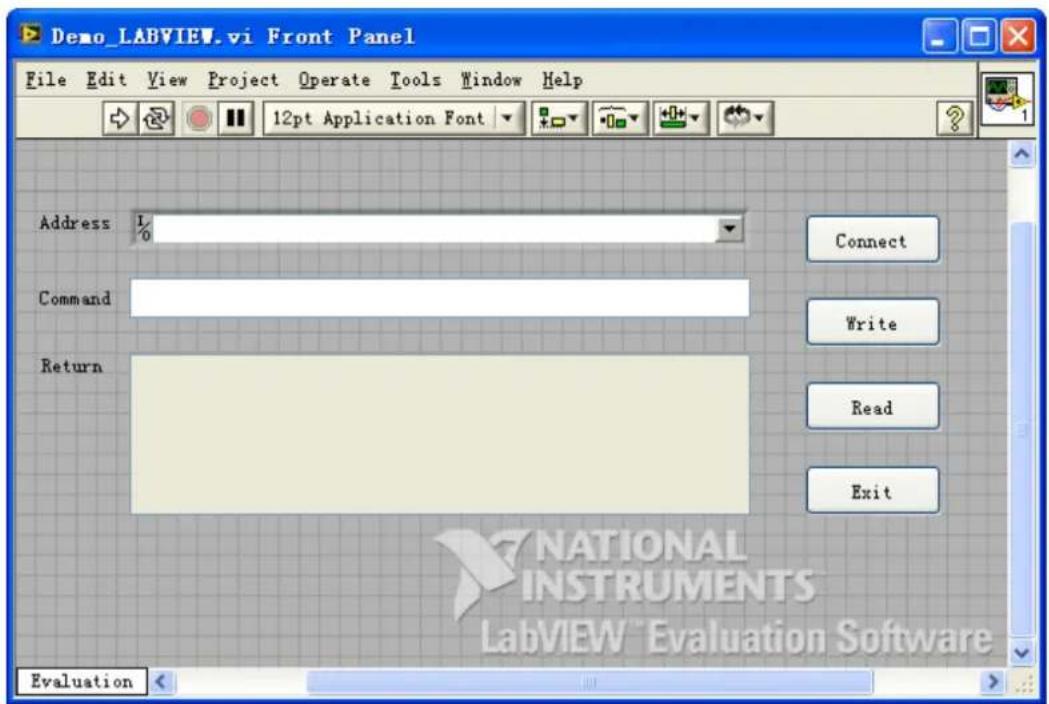
- Click Show Block Diagram in the Window menu to create event structure.
![Demo_LABVIEW.vi Block Diagram File Edit View Project Operate Tools Window Help 12pt Application Font Address Command Return Connect Write Read Exit I/O abc abc TF TF TF TF [0] Timeout Type Time Evaluation](/content/2026/05/984558/images/10efc8d87ca7de2f95f44d56845d07eb1d70e8f1e859d32dbee446c3ba6454a2.jpg)
- Add events, including connecting instrument, write operation, read operation, and exit.
a. Connect the instrument (including error processing):
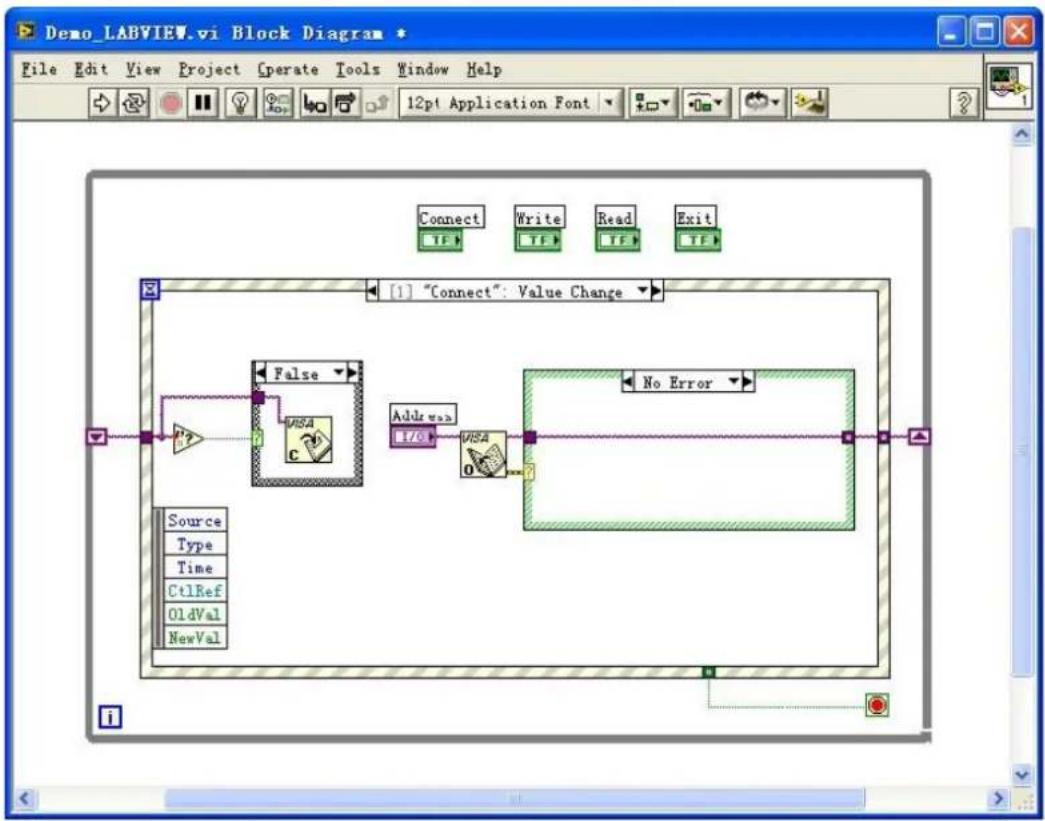
flowchart
graph TD
A["Source"] --> B["Type"]
B --> C["Time"]
C --> D["Ct1Ref"]
D --> E["OldVal"]
E --> F["NewVal"]
G["False"] --> H["VISA"]
I["Add val"] --> J["VISA"]
K["No Error"] --> L["End"]
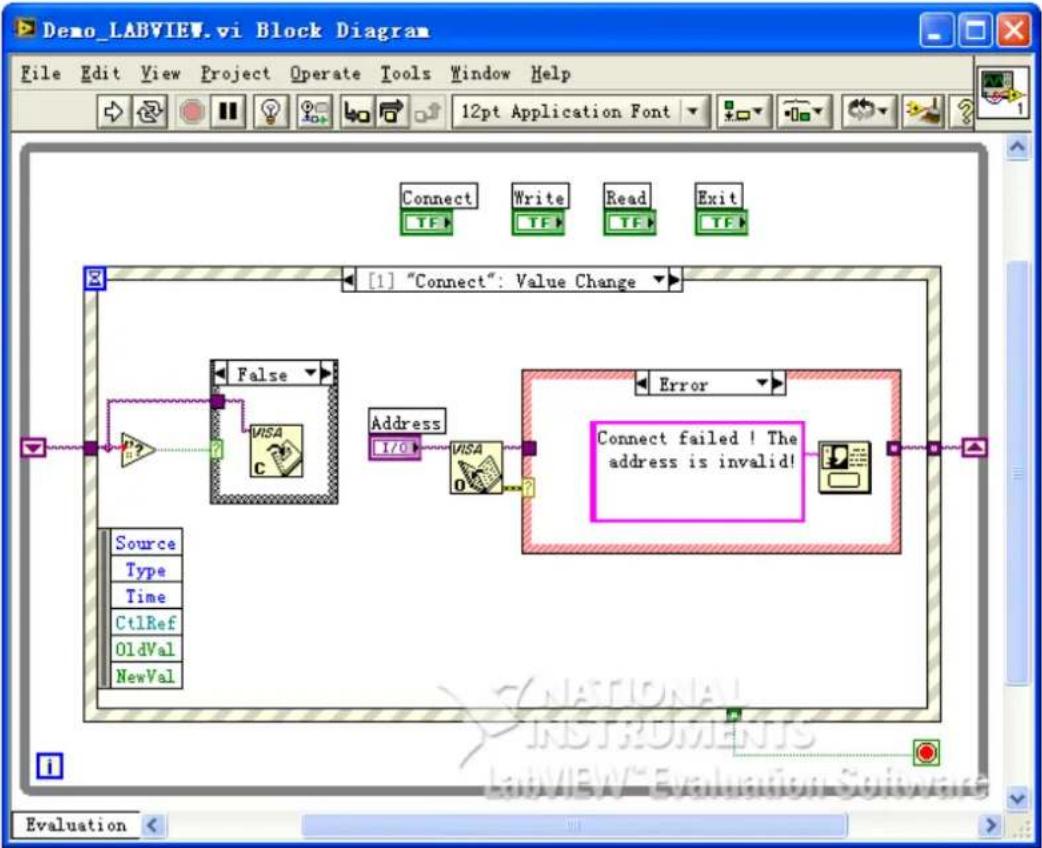
flowchart
graph TD
A["Source"] --> B["Type"]
B --> C["Time"]
C --> D["Ct1Ref"]
D --> E["OldVal"]
E --> F["NewVal"]
G["False"] --> H["VISA"]
I["Address"] --> J["I/O"]
K["Error"] --> L["VISA"]
M["Connect failed ! The address is invalid!"] --> N["End"]
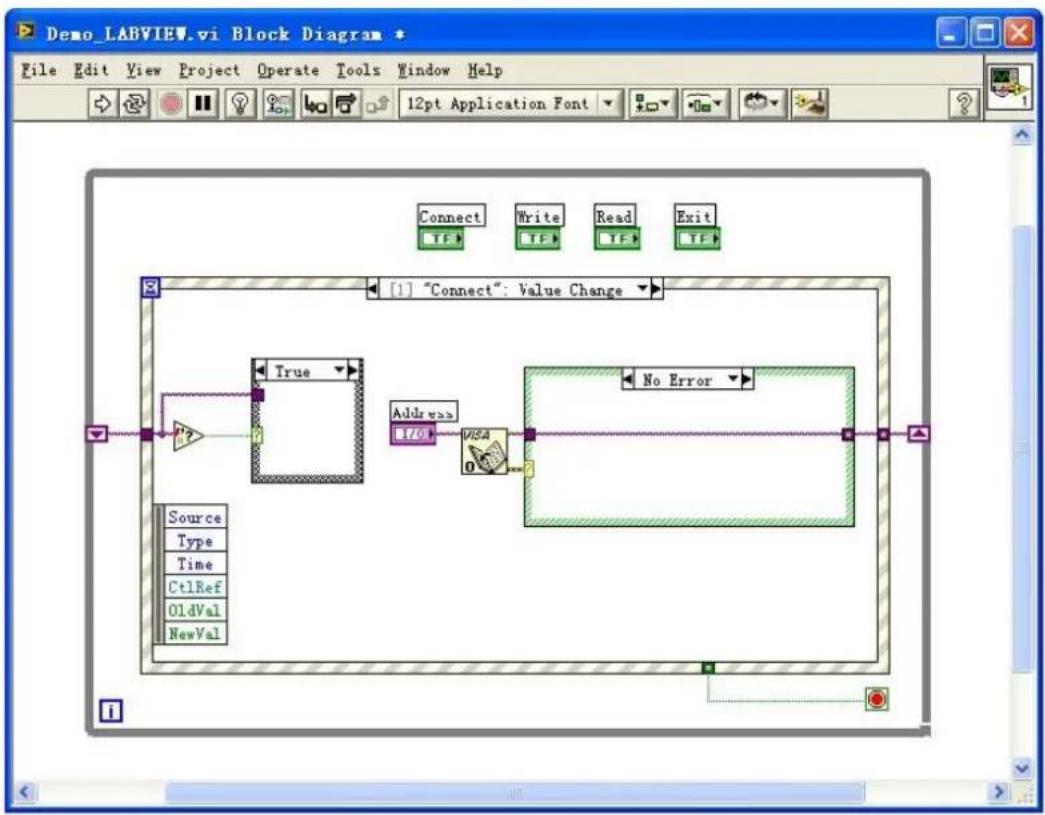
flowchart
graph TD
A["Source"] --> B["Type"]
B --> C["Time"]
C --> D["Ct1Ref"]
D --> E["OldVal"]
E --> F["NewVal"]
G["Address"] --> H["I/O"]
H --> I["VISA"]
I --> J["No Error"]
K["Connect"] --> L["TF"]
M["Write"] --> N["TF"]
O["Read"] --> P["TF"]
Q["Exit"] --> R["TF"]
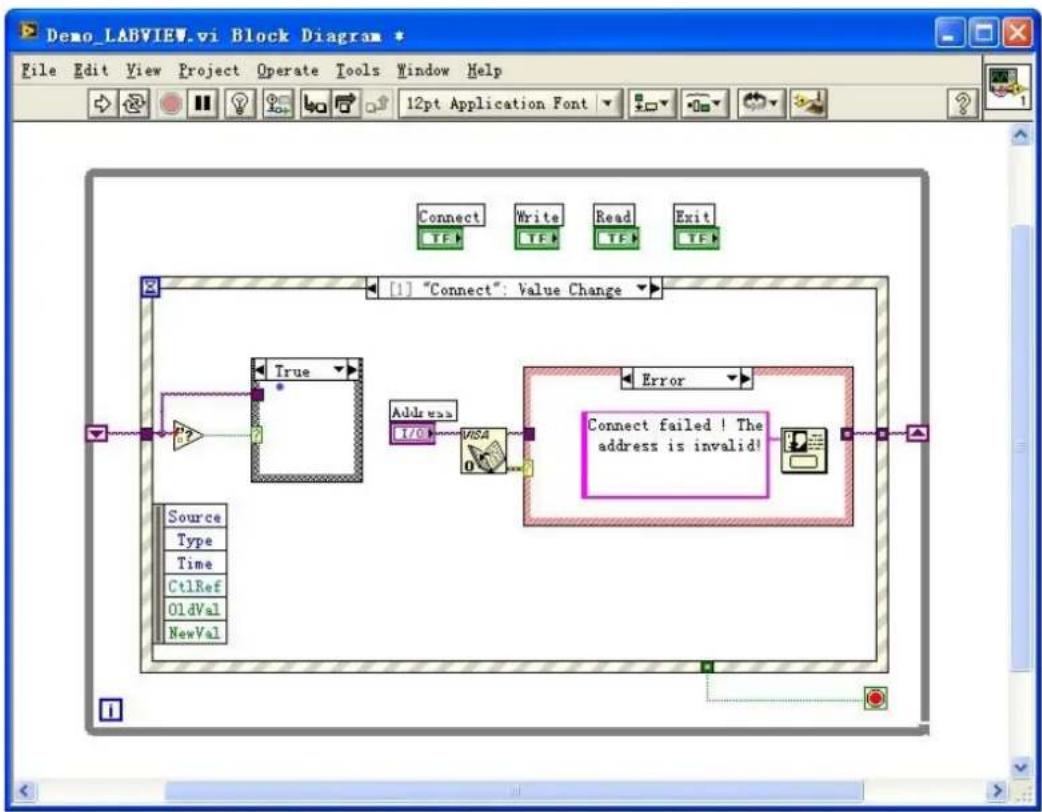
flowchart
graph TD
A["Source"] --> B["True"]
C["Type"] --> B
D["Time"] --> B
E["Ct1Ref"] --> B
F["OldVal"] --> B
G["NewVal"] --> B
B --> H["Address I/O"]
H --> I["VISA"]
I --> J["Error"]
J --> K["Connect failed ! The address is invalid!"]
style A fill:#f9f,stroke:#333
style C fill:#f9f,stroke:#333
style E fill:#f9f,stroke:#333
style F fill:#f9f,stroke:#333
style G fill:#f9f,stroke:#333
style J fill:#f9f,stroke:#333
b. Write operation (including error judgment):
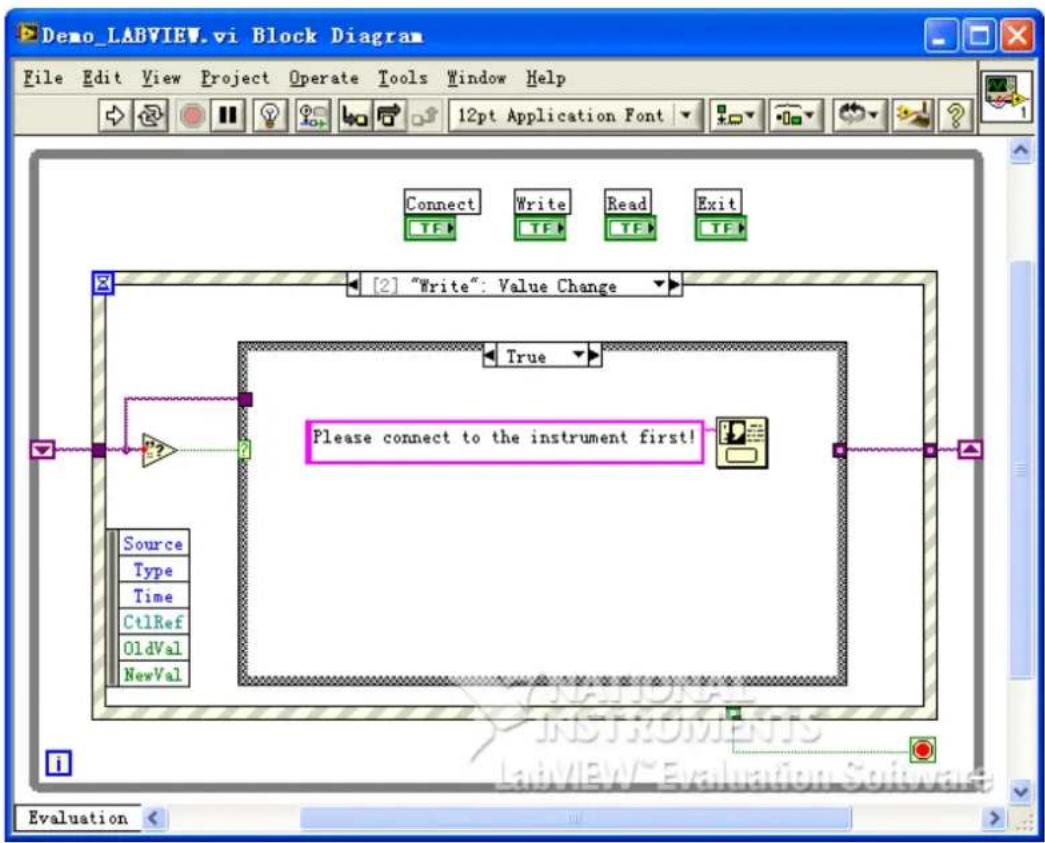
flowchart
graph TD
A["Source"] --> B["Type"]
B --> C["Time"]
C --> D["Ct1Ref"]
D --> E["OldVal"]
E --> F["NewVal"]
G["Connect"] --> H["Write"]
H --> I["Read"]
I --> J["Exit"]
K["True"] --> L["Please connect to the instrument first!"]
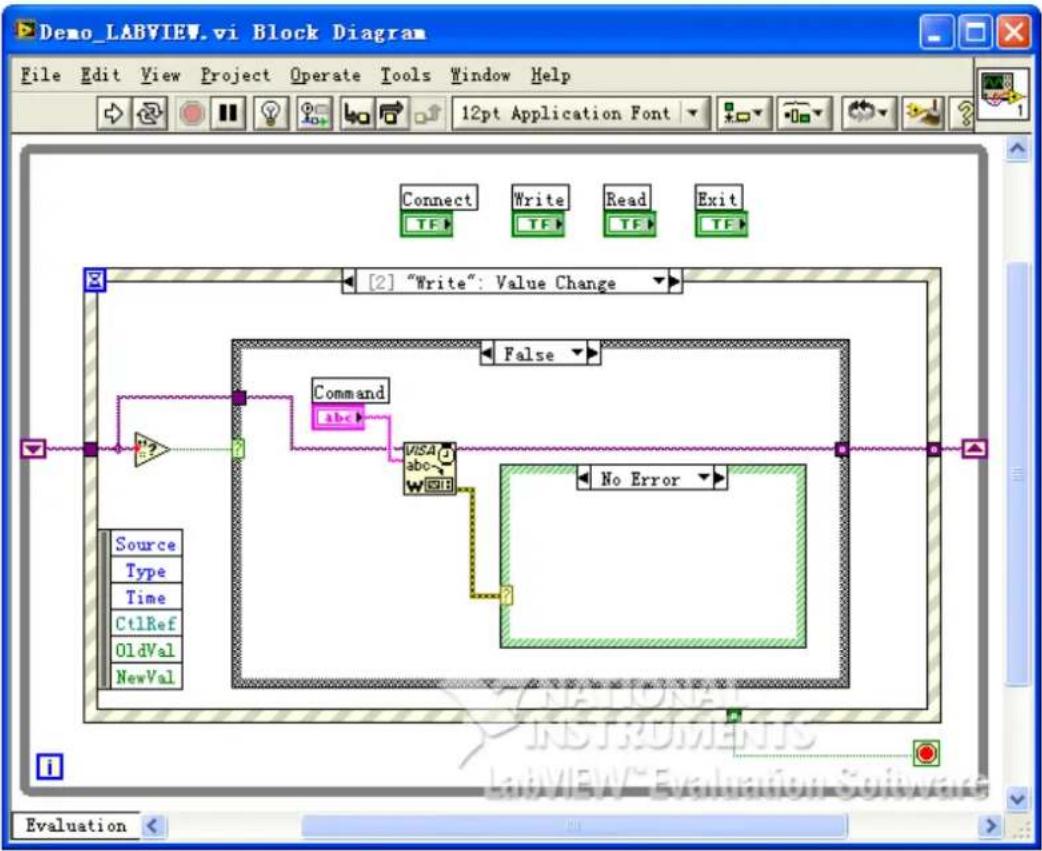
flowchart
graph TD
A["Source"] --> B["Command"]
B --> C["VISA"]
C --> D["No Error"]
D --> E["End"]
style A fill:#f9f,stroke:#333
style B fill:#ccf,stroke:#333
style C fill:#cfc,stroke:#333
style D fill:#fcc,stroke:#333
style E fill:#ffc,stroke:#333
c. Read operation (including error processing):
![Demo_LABVIEW.vi Block Diagram File Edit View Project Operate Tools Window Help Connect Write Read Exit TF TF TF TF [3] "Read": Value Change True Please connect to the instrument first! Source Type Time CtlRef OldVal NewVal Evaluation](/content/2026/05/984558/images/e699b7f24fdf7ec6437917f1c023e99582f56066b9cf34fcaf451844f1f11164.jpg)
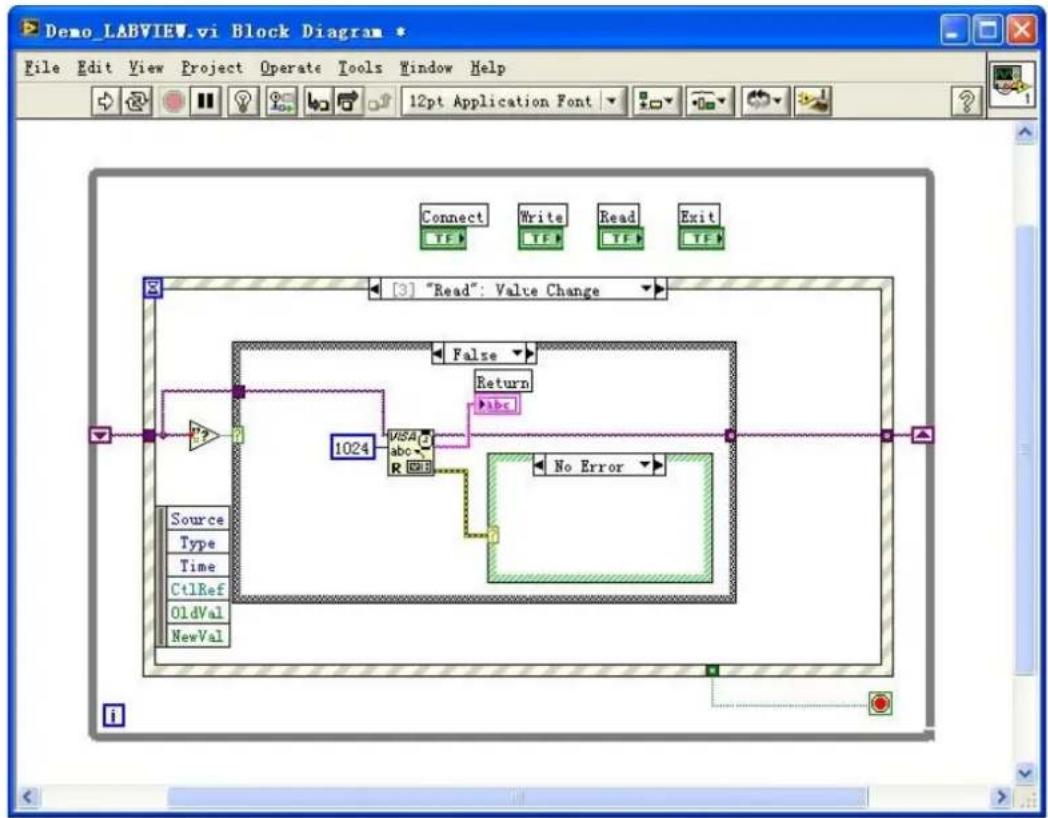
flowchart
graph TD
A["Source"] --> B["Type"]
B --> C["Time"]
C --> D["Ct1Ref"]
D --> E["OldVal"]
E --> F["NewVal"]
G["1024"] --> H["VISA"]
H --> I["abc"]
I --> J["No Error"]
K["False"] --> L["Return"]
L --> M["abc"]
N["Connect"] --> O["Write"]
O --> P["Read"]
P --> Q["Exit"]
d. Exit:
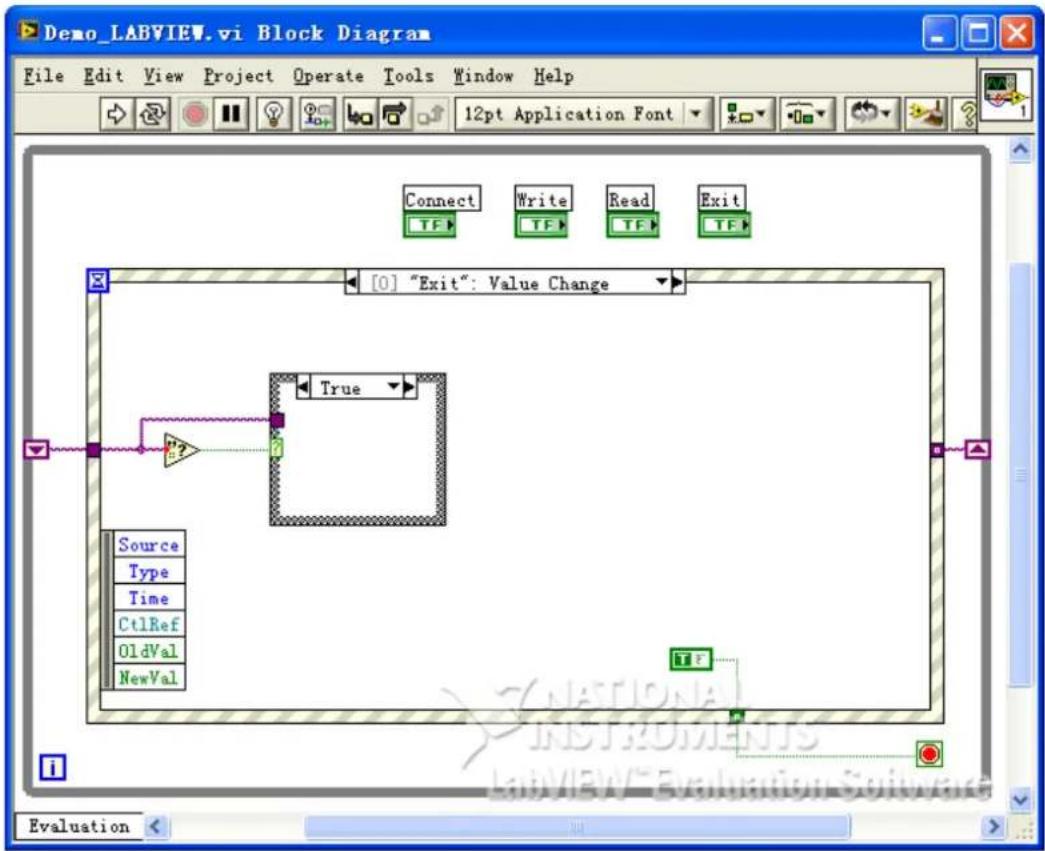
flowchart
graph TD
A["Source"] --> B["Type"]
B --> C["Time"]
C --> D["Ct1Ref"]
D --> E["OldVal"]
E --> F["NewVal"]
F --> G["Exit"]
style A fill:#f9f,stroke:#333
style G fill:#ccf,stroke:#333
- Run the program and the interface as shown in the figure below is displayed. Click the Address drop-down button and select the VISA resource name; click Connect to connect the instrument; enter the command into the Command input field and click Write to write the command into the instrument. If the command is a query command, click Read and the returned value is displayed in the Return field.
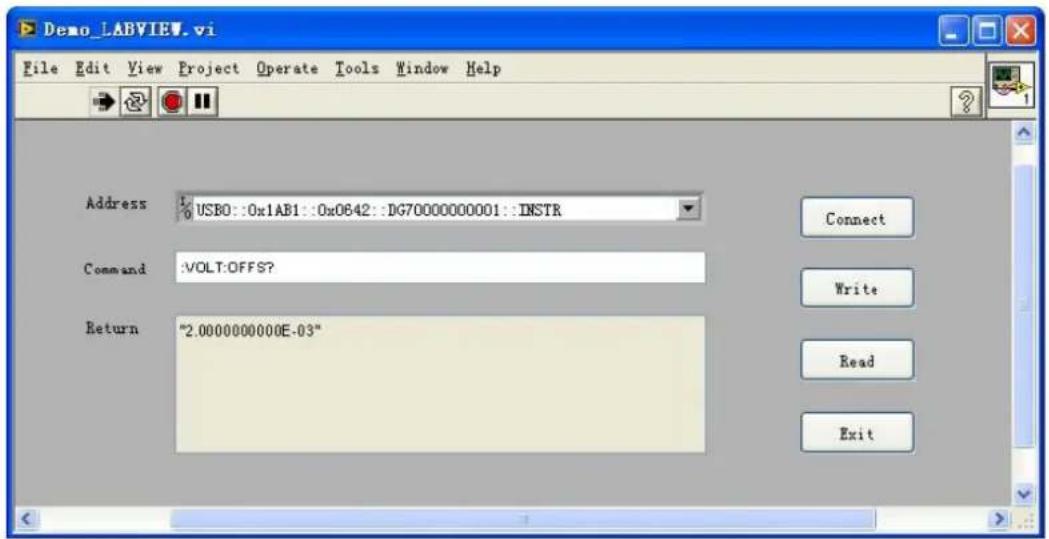
5.3 Visual Basic Programming Example
Program used in this example: Visual Basic 6.0
Function realized in this example: control the on/off state of either channel.
Enter the Visual Basic 6.0 programming environment, and perform the following procedures.
- Build a standard application program project (Standard EXE), and name it "Demo".
- Click Project > Add Module to open the Add Module dialog box. In the dialog box, click the Existing tab to search for the visa32.bas file in the include folder under the NI-VISA installation path and add the file.
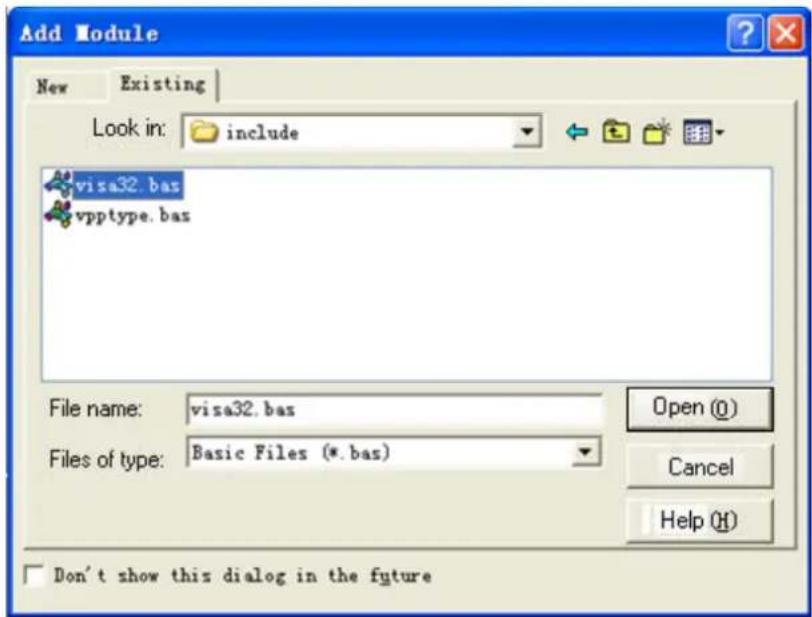
- In the Demo dialog box, add two buttons to represent CH1\~CH2. Add two Labels (Label1(0) and Label1(1)) to represent the status of CH1\~CH2 respectively (when the channel is enabled, it displays the color of the channel; when the channel is disabled, it displays gray). See the figure below.
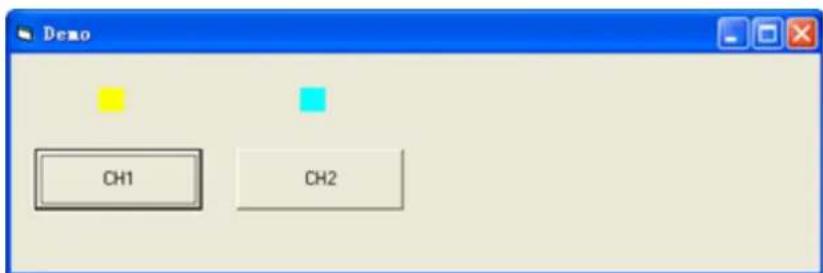
-
Click Project > Project1 Properties to open the Project1 – Project Properties dialog box. In the dialog box, click on the General tab and select Form1 from the drop-down list under Startup Object.
-
Double-click CH1 to enter the programming environment. Add the following codes to control CH1-CH2. The codes of CH1 are as shown below; the codes of the other channel are similar.
Dim defrm As Long
Dim vi As Long
Dim strRes As String * 200
Dim list As Long
Dim nmatches As Long
Dim matches As String * 200 'Reserve the obtained device number
Dim s32Disp As Integer
' Obtain the usb resource of visa
Call viOpenDefaultRM(defrm)
Call viFindRsrc(defrm, "USB?*", list, nmatches, matches)
' Turn on the instrument
Call viOpen(defrm, matches, 0, 0, vi)
' Send a command to query the status of CH1
Call viVPrintf(vi, ":OUTP1:STAT?" + Chr$(10), 0)
' Obtain the status of CH1
Call viVScanf(vi, "%t", strRes)
s32Disp = CInt(strRes)
If (s32Disp = 1) Then
' Send the setting command
Call viVPrintf(vi, ":OUTP1:STAT 0" + Chr$(10), 0)
Label1(0).ForeColor = &H808080 'Gray
Else
Call viVPrintf(vi, ":OUTP1:STAT 1" + Chr$(10), 0)
Label1(0).ForeColor = &HFFFF& 'Yellow
End If
' Close the resource
Call viClose(vi)
Call viClose(defrm)
- Save and run the project to obtain a single exe program for demo. When the instrument is correctly connected to the PC, you can control the on/off status of either channel.
5.4 Visual C++ Programming Example
Program used in this example: Visual C++6.0
Function realized in this example: search for the instrument address, connect to the instrument, send commands, and read return values.
Enter the Visual C++6.0 programming environment, and perform the following procedures.
- Create a MFC project based on a dialog box.
- Click Project > Settings to open the Project Setting dialog box. In the dialog box, click the C/C++ tab, select Code Generation from the drop-down list under
Category. Choose Debug Multithreaded DLL from the drop-down list under Use run-time library. Click OK to close the dialog box.
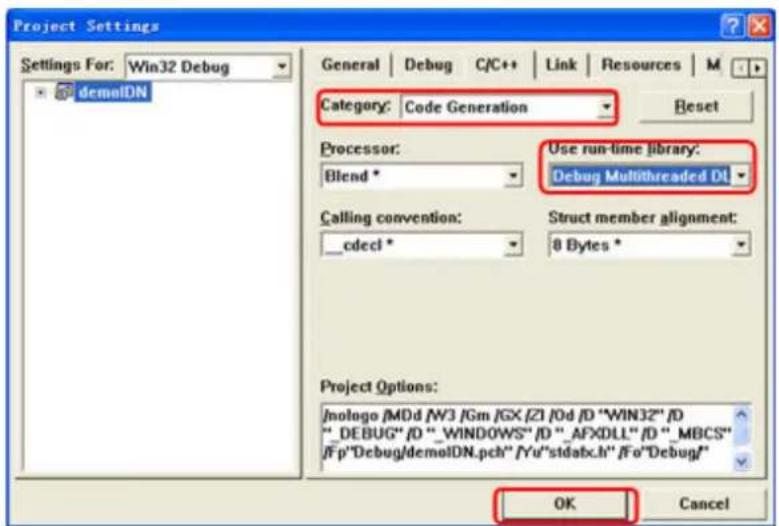
- Click Project > Settings to open the Project Setting dialog box. In the dialog box, click the Link tab, add "visa32.lib" under Object/library modules, then click OK to close the dialog box.
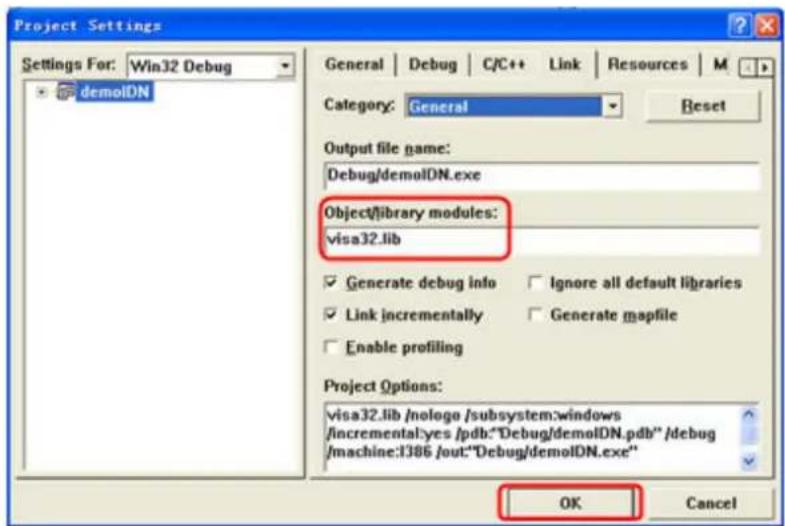
- Click Tools > Options to open the Options dialog box. Then click the Directories tab.
Select Include files from the drop-down list under Show directories for. Double click the empty space under Directories to enter the specified path of Include files: C:\Program Files\IVI Foundation\VISA\WinNT\include. Click OK to close the dialog box.
Select Library files from the drop-down list under Show directories for. Double click the empty space under Directories to enter the specified path of Library files: C:\Program Files\IVI Foundation\VISA\WinNT\lib\msc. Click OK to close the dialog box.
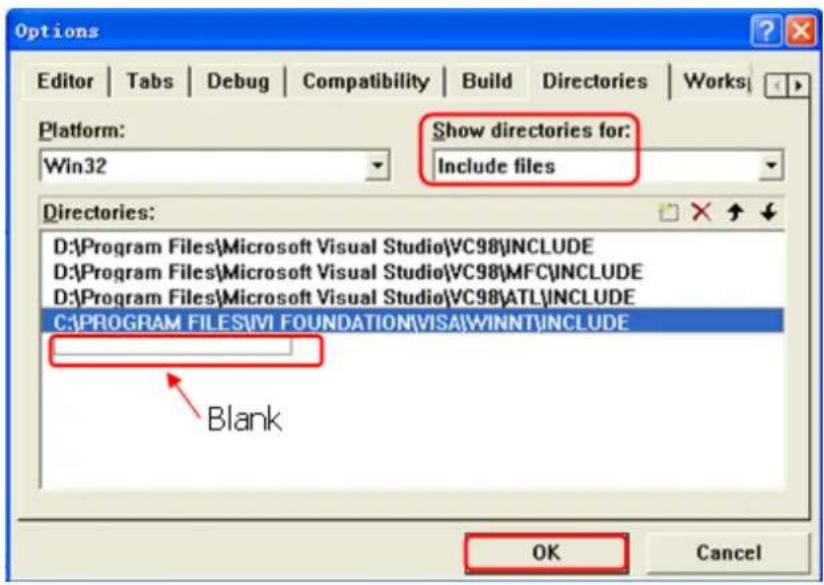
Note: By now, VISA library has been added.
- Add the Text, Combo Box, Button, and Edit Box controls. The layout interface for adding controls is as follows:
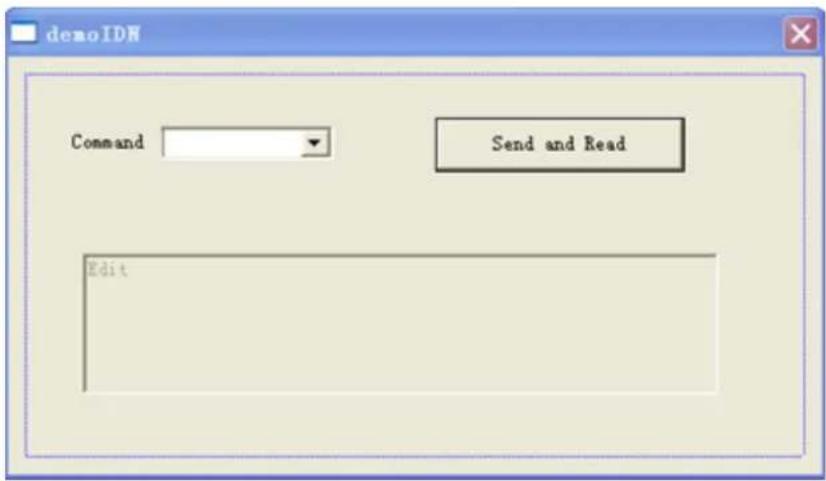
- Modify the control attributes.
a. Name Text as "Command".
b. Open the Data item in the Combo Box attribute and input the following command *IDN? manually.
c. Open the General item in the Edit Box attribute and select Disabled.
d. Name Button as Send and Read.
- Add the variables m_combo and m_receive to the Combo Box and Edit Box controls respectively.
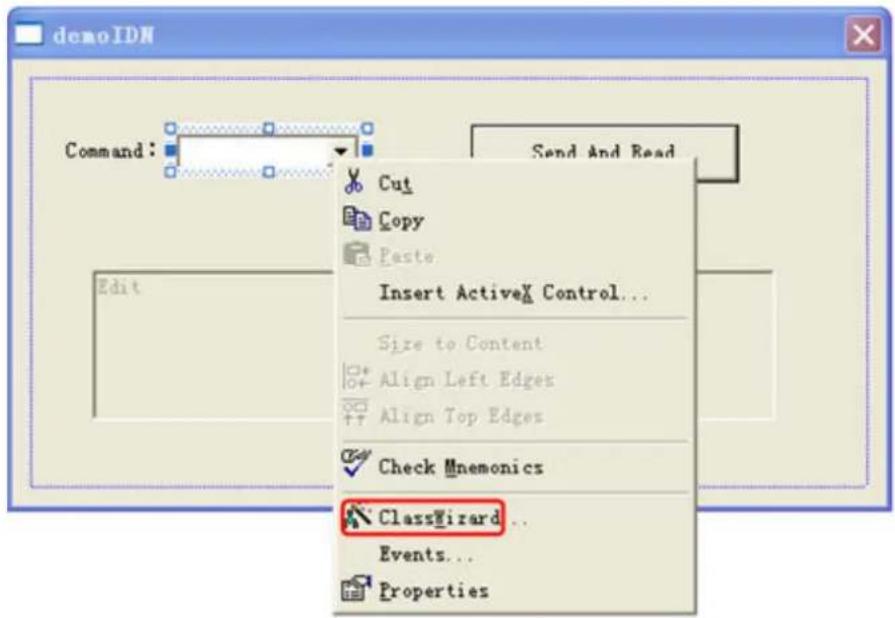
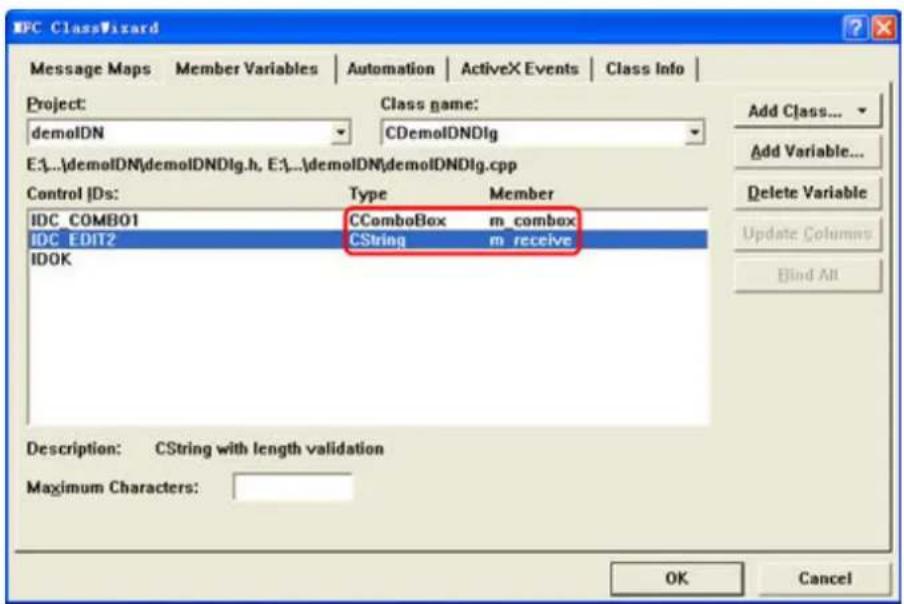
- Add codes.
Double-click Send and Read to enter the programming environment. Declare the #include
ViSession defaultRM, vi;
char buf [256] = {0};
CString s, strTemp;
char* stringTemp;
ViChar buffer [VI_FIND_BUFLEN];
ViRsrc matches=buffer;
ViUInt32 nmatches;
ViFindList list;
viOpenDefaultRM (&defaultRM);
//Acquire the USB resource of VISA
viFindRsrc(defaultRM, "USB?*", &list, &nmatches, matches);
viOpen (defaultRM, matches, VI_NULL, VI_NULL, &vi);
//Send the command received
m_combo.GetLBText(m_combo.GetCurSel(), strTemp);
strTemp = strTemp + "\n";
stringTemp = (char *) (LPCTSTR) strTemp;
viPrintf (vi, stringTemp);
//Read the results
viScanf (vi, "%t\n", &buf);
//Display the results
UpdateData (TRUE);
m_receive = buf;
UpdateData (FALSE);
viClose (vi);
viClose (defaultRM);
- Save, compile, and run the project to obtain a single exe file. When the instrument is correctly connected to the PC, enter a command (for example, *IDN?) and click Send and Read to execute the command. Then, the reading results will be returned.
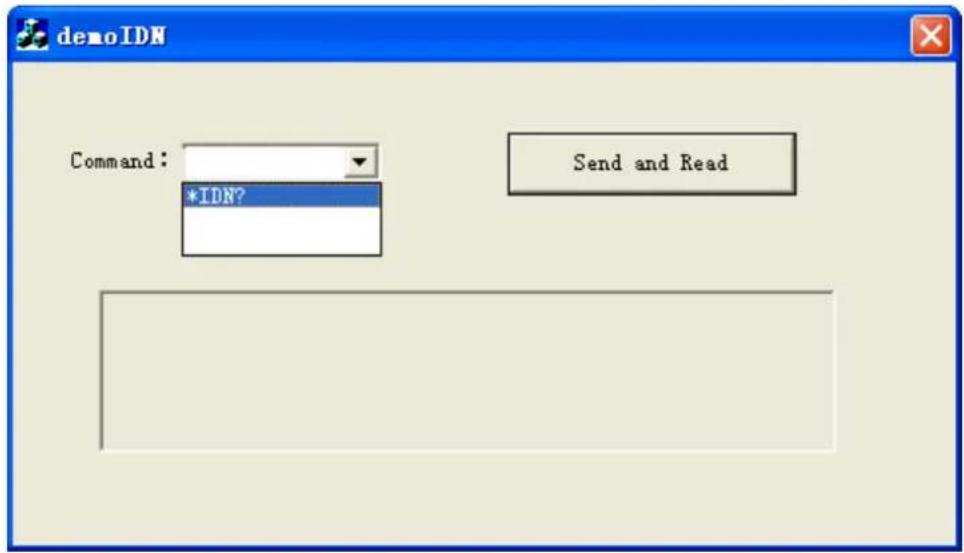
Boost Smart World and Technology Innovation
Industrial Intelligent Manufacturing

Semiconductors
Education& Research
flowchart
graph TD
A["RIGOL"] --> B["5G"]
A --> C["2D"]
A --> D["3D"]
B --> E["Signal Processing"]
C --> F["Control Systems"]
D --> G["Data Acquisition"]
E --> H["Robot"]
F --> I["Smart Control"]
G --> J["Green Infrastructure"]
H --> K["Smart Automation"]
I --> L["Smart Security"]
J --> M["Smart Home"]
K --> N["Smart Environment"]
L --> O["Smart Security System"]

Communication
System Integration


New Energy

Cellular-5G/WIFI

UWB/RFID/ZIGBEE

Digital Bus/Ethernet

Optical Communication

Digital/Analog/RF Chip

Memory and MCU Chip

Third-Generation Semiconductor

Solar Photovoltaic Cells

New Energy Automobile

PV/Inverter

Power Test

Automotive Electronics
Provide Testing and Measuring Products and Solutions for Industry Customers
HEADQUARTER
RIGOL TECHNOLOGIES CO., LTD.
No.8 Keling Road, New District,
Suzhou, JiangSu, P.R.China
Tel: +86-400620002
Email: info@rigol.com
JAPAN
RIGOL JAPAN CO., LTD.
5F,3-45-6,Minamiotsuka, Toshima-Ku,
Tokyo,170-0005,Japan
Tel: +81-3-6262-8932
Fax: +81-3-6262-8933
Gangseo-gu, Seoul, Republic of Korea
Tel: +82-2-6953-4466
Fax: +82-2-6953-4422
Email: info.kr@rigol.com
NORTH AMERICA
RIGOL TECHNOLOGIES, USA INC.
10220 SW Nimbus Ave.
Suite K-7
Portland, OR 97223
Tel: Tel: +1-877-4-RIGOL-1
Fax: +1-877-4-RIGOL-1
Email: info@rigol.com
- Guaranty and Declaration
- Copyright
- Trademark Information
- Notices
- Product Certification
- Contact Us
- Section Description Page
- List of Tables....XI
- : INITiate Commands 26
- :LXI Commands 29
- :MEMory Commands 31
- :MMEMory Commands 35
- :MMEMory:MDIRectory 42
- [:SOURce[]]:BURSt 78
- [:SOURce[]]:FM 84
- [:SOURce[]]:FREQUENCY 89
- [:SOURce[]]:FSKey 98
- [:SOURCE[]]:FUNCTION 103
- [:SOURce[]]:FUNCTION:ADVance:ARB 104
- [:SOURce[]]:FUNCTION:ADVance:PATTern (Optional) 134
- [:SOURce[]]:FUNCTION:ADVance:PRBS 143
- [:SOURCE[]]:FUNCTION:ADVance:SEQUence (Optional) 146
- [:SOURCE[]]:FUNCTION:ADVance:SEQUence:ITEM:GOTO 152
- [:SOURce[]]:PSKey 190
- [:SOURce[]]:PWM 195
- [:SOURce[]]:SUM 202
- [:SOURce[]]:SWEep 207
- [:SOURce[]]:TRACk 213
- 2[:SOURCE[]]:VOLTage 214
- :SYSTem Commands 222
- List of Tables
- Document Overview
- TIP
- Publication Number
- Software Version
- Format Conventions in this Manual
- Key
- Menu
- Operation Procedures
- Content Conventions in this Manual
- Programming Overview
- SCPI Introduction
- Syntax
- Symbol Description
- Braces {}
- Vertical Bar |
- Square Brackets [ ]
- Angle Brackets <>
- Parameter Type
- Bool
- Discrete
- Integer
- CAUTION
- Real
- ASCII String
- Use the MINimum, MAXimum, and DEFault parameters
- Command Abbreviation
- Remote Control
- PC Software
- Web Control
- Remote Control via USB
- Connect the device
- Search for the device resource
- View the device resource
- Control the instrument remotely
- Remote Control via LAN
- Configure network parameters
- Search for Search device resource
- View the device resource
- Control the instrument remotely
- Load LXI webpage
- Command System
- NOTE
- :ABORt
- Description
- Parameter
- Remarks
- Return Format
- Examples
- :DISPLAY Commands
- :DISPLAY:BRIGHTness
- :DISPLAY:FOCus
- :DISPLAY[:STATe]
- :DISPLAY:TEXT
- :DISPLAY:TEXT:CLEar
- :DISPLAY:UNIT:PULSe
- :DISPLAY:UNIT:RATE
- :DISPLAY:UNIT:SWEep
- :DISPLAY:UNIT:VOLTage
- :HCOPy Commands
- :HCOPy:SDUMp:DATA?
- :HCOPy:SDUMp:DATA:FORMAT
- IEEE488.2 Common Commands
- \*CLS
- Example
- \*ESE
- \*ESR?
- \*IDN?
- \*OPC
- \*OPT?
- \*PSC
- \*RCL
- \*RST
- \*SAV
- \*SRE
- \*STB?
- \*TRG
- \*WAI
- : INITiate Commands
- : INITiate[]: CONTinuous
- : INITiate[]: CONTinuous:ALL
- : INITiate[][:IMMediate]
- : INITiate[][:IMMediate]:ALL
- :LXI Commands
- :LXI:MDNS:STATe
- :LXI:MDNS:SNAMe:DESired
- :LXI:RESet
- :LXI:RESTART
- :MEMory Commands
- :MEMory:NSTates?
- :MEMory:STATe:CATalog?
- :MEMory:STATe:DElete
- :MEMory:STATE:NAME
- :MEMory:STATe:RECall:AUTO
- :MEMory:STATe:VALid?
- :MMEMory Commands
- :MMEMory:CATalog[:ALL]?
- :MMEMory:CATalog:DATA:ARBitrary?
- :MMEMory:CATalog:STATe?
- :MMEMory:CDIRectory
- :MMEMory:COPY
- :MMEMory:COPY:SEQUence
- :MMEMory:DElete
- :MMEMory:LOAD:DATA
- :MMEMory:LOAD:STATe
- :MMEMory:MDIRectory
- :MMEMory:MOVE
- :MMEMory:RDIRectory
- :MMEMory:STORe:DATA
- :MMEMory:STORe:STATe
- :MMEMory[:TRACe]:ARB:DATA
- :MMEMory[:TRACe]:ARB:DATA:DAC
- : OUTPUT Commands
- : OUTPUT[]: IDLE
- : OUTPUT[]:LOAD
- :OUTPUT[]:POLarity
- : OUTPUT[]:SKEW:TIME
- : OUTPUT[][:STATE]
- : OUTPUT[]:SYNC
- : OUTPUT[]:SYNC:MODE
- : OUTPUT[]:SYNC:POLarity
- : OUTPUT[]:TRIGger
- : OUTPUT[]:TRIGger:SLOPe
- :SYNChro Commands
- :SYNChro:BENCHMARK
- :SOURce Commands
- [:SOURce[]]:AM
- [:SOURce[]]:AM:DEPTH
- [:SOURce[]]:AM:DSSC
- [:SOURCE[]]:AM:INTernal:FREQuency
- [:SOURCE[]]:AM:INTernal:FUNCTION
- [:SOURCE[]]:AM:INTernal:FUNCTION:ARBitrary
- [:SOURce[]]:AM:SOURce
- [:SOURCE[]]:AM:STATe
- [:SOURce[]]:APPLy
- [:SOURCE[]]:APPLy?
- [:SOURce[]]:APPLY:ARBitrary
- [:SOURCE[]]:APPLy:DC
- [:SOURce[]]:APPLy:NOISE
- [:SOURce[]]:APPLy:PULSe
- [:SOURce[]]:APPLy:RAMP
- [:SOURce[]]:APPLy:SINusoid
- [:SOURce[]]:APPLy:SQUare
- [:SOURce[]]:APPLY:TRIangle
- [:SOURCE[]]:ASKey
- [:SOURce[]]:ASKey:AMPLitude
- [:SOURce[]]:ASKey:INTernal:RATE
- [:SOURce[]]:ASKey:POLarity
- 3.11.3.4[:SOURCE[]]:ASKey:PORT
- [:SOURce[]]:ASKey:SOURce
- [:SOURCE[]]:ASKey:STATE
- [:SOURce[]]:BURSt
- [:SOURCE[]]:BURSt:GATE:POLarity
- [:SOURce[]]:BURSt:INTernal:PERiod
- [:SOURce[]]:BURSt:MODE
- [:SOURce[]]:BURSt:NCYCles
- [:SOURce[]]:BURSt:PHASE
- [:SOURce[]]:BURSt:STATE
- [:SOURCE[]]:FM
- [:SOURCE[]]:FM[:DEViation]
- [:SOURce[]]:FM:INTernal:FREQuency
- [:SOURce[]]:FM:INTernal:FUNCTION
- [:SOURCE[]]:FM:INTernal:FUNCTION:ARBitrary
- [:SOURce[]]:FM:SOURce
- [:SOURce[]]:FM:STATe
- [:SOURce[]]:FREQuency
- [:SOURCE[]]:FREQUENCY
- [:SOURCE[]]:FREQuency:CENTer
- [:SOURce[]]:FREQuency:COUPLE:MODE
- [:SOURCE[]]:FREQUENCY:COUPLE:OFFSET
- [:SOURCE[]]:FREQuency:COUPLE:RATio
- [:SOURce[]]:FREQUENCY:COUPIe[:STATe]
- [:SOURCE[]]:FREQuency:SPAN
- [:SOURCE[]]:FREQuency:STARt
- [:SOURCE[]]:FREQuency:STOP
- [:SOURCE[]]:FSKey
- [:SOURce[]]:FSKey:FREQuency
- [:SOURce[]]:FSKey:INTernal:RATE
- [:SOURCE[]]:FSKey:POLarity
- [:SOURCE[]]:FSKey:PORT
- [:SOURce[]]:FSKey:SOURce
- [:SOURce[]]:FSKey:STATE
- [:SOURCE[]]:FUNCTION
- [:SOURce[]]:FUNCTION:ADVance:ARB
- [:SOURCE[]]:FUNCTION:ADVance:ARB:EDGE
- [:SOURce[]]:FUNCTION:ADVance:ARB:FILTer
- [:SOURce[]]:FUNCTION:ADVance:ARB:LOAD
- [:SOURce[]]:FUNCTION:ADVance:ARB:SRATe
- [:SOURCE[]]:FUNCTION:ADVance:ARB:STATe
- [:SOURCE[]]:FUNCTION:ADVance:IQ (Optional)
- [:SOURCE[]]:FUNCTION:ADVance:IQ:APPLY
- [:SOURCE[]]:FUNCTION:ADVance:IQ:POWer
- [:SOURce[]]:FUNCTION:ADVance:IQ:SIGNal:CENTer
- [:SOURce[]]:FUNCTION:ADVance:IQ:SIGNal:CTYPE
- [:SOURCE[]]:FUNCTION:ADVance:IQ:SIGNal:LENGTH
- [:SOURCE[]]:FUNCTION:ADVance:IQ:SIGNal:RATE
- [:SOURce[]]:FUNCTION:ADVance:IQ:SOURce:ALPHA
- [:SOURce[]]:FUNCTION:ADVance:IQ:SOURce:CTYPE
- [:SOURCE[]]:FUNCTION:ADVance:IQ:SOURce:FILTER
- [:SOURCE[]]:FUNCTION:ADVance:IQ:SOURCE:OVER
- [:SOURce[]]:FUNCTION:ADVance:IQ:SOURce:TYPE
- [:SOURCE[]]:FUNCTION:ADVance:IQ:STATe
- [:SOURCE[]]:FUNCTION:ADVance:MPULse (Optional)
- [:SOURCE[]]:FUNCTION:ADVance:MPULse:APPLY
- [:SOURCE[]]:FUNCTION:ADVance:MPULse:DELay
- [:SOURCE[]]:FUNCTION:ADVance:MPULse:EDGE
- 3.11.11.4[:SOURCE[]]:FUNCTION:ADVance:MPULse:HWIDth
- 3.11.11.5[:SOURCE[]]:FUNCTION:ADVance:MPULse:HWIDth:ALL?
- 3.11.11.6[:SOURCE[]]:FUNCTION:ADVance:MPULse:IDLE
- [:SOURCE[]]:FUNCTION:ADVance:MPULse:LWIDth
- 3.11.11.8[:SOURCE[]]:FUNCTION:ADVance:MPULse:LWIDth:ALL?
- [:SOURCE[]]:FUNCTION:ADVance:MPULse:NUMBer
- [:SOURCE[]]:FUNCTION:ADVance:MPULse:STATE
- [:SOURce[]]:FUNCTION:ADVance:MPULse:TRIGger:SOURce
- [:SOURce[]]:FUNCTION:ADVance:MPULse:TRIGger:TIMer
- [:SOURCE[]]:FUNCTION:ADVance:MPULse:TRIGger:TTYPE
- [:SOURce[]]:FUNCTION:ADVance:MTONe (Optional)
- [:SOURce[]]:FUNCTION:ADVance:MTONe:APPLy
- [:SOURCE[]]:FUNCTION:ADVance:MTONE:LOW
- [:SOURCE[]]:FUNCTION:ADVance:MTONE:NUMBER
- [:SOURCE[]]:FUNCTION:ADVance:MTONe:SPACing
- [:SOURce[]]:FUNCTION:ADVance:MTONe:SRATe?
- [:SOURCE[]]:FUNCTION:ADVance:MTONe:STATE
- [:SOURce[]]:FUNCTION:ADVance:MTONe:TONE:PHASE
- [:SOURCE[]]:FUNCTION:ADVance:MTONE:TONE:POWER
- [:SOURce[]]:FUNCTION:ADVance:MTONE:TONE:STATE
- [:SOURCE[]]:FUNCTION:ADVance:PATTern (Optional)
- [:SOURCE[]]:FUNCTION:ADVance:PATTERN:APPLY
- [:SOURCE[]]:FUNCTION:ADVance:PATTern:B4B5:STATE
- [:SOURCE[]]:FUNCTION:ADVance:PATTern:B8B10:STATE
- [:SOURce[]]:FUNCTION:ADVance:PATTern:B8B10:DISParity
- 3.11.13.5[:SOURCE[]]:FUNCTION:ADVance:PATTern:BAUD
- [:SOURCE[]]:FUNCTION:ADVance:PATTern:DATA
- [:SOURce[]]:FUNCTION:ADVance:PATTERN:DATA:TYPE?
- 3.11.13.8[:SOURCE[]]:FUNCTION:ADVance:PATTern:ENCode:TYPE
- 3.11.13.9[:SOURCE[]]:FUNCTION:ADVance:PATTern:FILE:PATH
- [:SOURCE[]]:FUNCTION:ADVance:PATTERN:SOURce
- [:SOURCE[]]:FUNCTION:ADVance:PATTern:STATE
- [:SOURCE[]]:FUNCTION:ADVance:PATTern:VOLTage:TYPE
- [:SOURce[]]:FUNCTION:ADVance:PRBS
- [:SOURce[]]:FUNCTION:ADVance:PRBS:EDGE
- [:SOURCE[]]:FUNCTION:ADVance:PRBS:RATE
- [:SOURCE[]]:FUNCTION:ADVance:PRBS:TYPE
- [:SOURCE[]]:FUNCTION:PRBS:STATe
- [:SOURce[]]:FUNCTION:ADVance:SEQUence (Optional)
- [:SOURCE[]]:FUNCTION:ADVance:SEQUence:ADD
- [:SOURce[]]:FUNCTION:ADVance:SEQUence:APPLY
- [:SOURce[]]:FUNCTION:ADVance:SEQUence:CLEar
- 3.11.15.4[:SOURCE[]]:FUNCTION:ADVance:SEQUence:COUNt?
- [:SOURCE[]]:FUNCTION:ADVance:SEQUence:DElete
- [:SOURCE[]]:FUNCTION:ADVance:SEQUence:EDGE
- [:SOURCE[]]:FUNCTION:ADVance:SEQUence:FILTer
- [:SOURCE[]]:FUNCTION:ADVance:SEQUence:INSert
- [:SOURCE[]]:FUNCTION:ADVance:SEQUence:ITEM:EVENT
- 3.11.15.10[:SOURCE[]]:FUNCTION:ADVance:SEQUence:ITEM:GOTO
- [:SOURCE[]]:FUNCTION:ADVance:SEQUence:ITEM:JUMP
- 3.11.15.12[:SOURCE[]]:FUNCTION:ADVance:SEQUence:ITEM:LENGTH?
- [:SOURce[]]:FUNCTION:ADVance:SEQUence:ITEM:PERiod
- [:SOURCE]]:FUNCTION:ADVance:SEQUence:ITEM:WAIT
- [:SOURCE[]]:FUNCTION:ADVance:SEQUence:ITEM:WAVE
- [:SOURCE[]]:FUNCTION:ADVance:SEQUence:SRATe
- [:SOURCE[]]:FUNCTION:ADVance:SEQUence:STATE
- [:SOURce[]]:FUNCTION:ADVance:SEQUence:TIMer
- [:SOURCE[]]:FUNCTION:ADVance:SEQUence:TTYPE
- [:SOURce[]]:FUNCTION:ADVance[:STATE]
- [:SOURce[]]:FUNCTION:ARBitrary
- [:SOURCE[]]:FUNCTION:PULSE
- [:SOURce[]]:FUNCTION:PULSe:DCYcle
- [:SOURce[]]:FUNCTION:PULSe:PERiod
- [:SOURce[]]:FUNCTION:PULSE:TRANSITION:LEADING
- [:SOURce[]]:FUNCTION:PULSE:TRANSition:TRAiling
- [:SOURCE[]]:FUNCTION:PULSE:WIDTH
- [:SOURCE[]]:FUNCTION:RAMP:SYMMetry
- [:SOURce[]]:FUNCTION:SQUare
- [:SOURCE[]]:FUNCTION:SQUare:DCYcle
- [:SOURce[]]:FUNCTION:SQUare:PERiod
- [:SOURce[]]:HARMonic
- [:SOURce[]]:HARMonic:COMBine
- [:SOURce[]]:HARMonic:COMBine:AMPLitude
- [:SOURce[]]:HARMonic:COMBine:PHASE
- [:SOURCE[]]:HARMonic:ORDER
- [:SOURce[]]:HARMonic:ORDER:AMPLitude
- [:SOURce[]]:HARMonic:ORDer:PHASe
- [:SOURce[]]:HARMonic[:TYPE]
- [:SOURce[]]:MARKer:FREQuency
- [:SOURce[]]:PARameter:COPY
- [:SOURCE[]]:PERiod[:FIXed]
- [:SOURce[]]:PHASE
- [:SOURce[]]:PHASe
- [:SOURCE[]]:PHASe:COUPLE:MODE
- [:SOURce[]]:PHASe:COUPLE:OFFSET
- [:SOURce[]]:PHASe:COUPLE:RATio
- [:SOURce[]]:PHASe:COUPIe[:STATe]
- [:SOURce[]]:PHASe:SYNChronize
- [:SOURce[]]:PM
- [:SOURCE[]]:PM:DEViation
- [:SOURce[]]:PM:INTernal:FREQuency
- [:SOURCE[]]:PM:INTernal:FUNCTION
- [:SOURce[]]:PM:INTernal:FUNCTION:ARBitrary
- [:SOURce[]]:PM:SOURce
- [:SOURce[]]:PM:STATe
- [:SOURCE[]]:PSKey
- [:SOURCE[]]:PSKey:INTernal:RATE
- [:SOURce[]]:PSKey:PHASe
- [:SOURce[]]:PSKey:POLarity
- [:SOURce[]]:PSKey:PORT
- [:SOURce[]]:PSKey:SOURce
- [:SOURCE[]]:PSKey:STATe
- [:SOURce[]]:PWM
- [:SOURce[]]:PWM:DEViation
- [:SOURce[]]:PWM:DEViation:DCYCle
- [:SOURCE[]]:PWM:INTernal:FREQuency
- [:SOURCE[]]:PWM:INTernal:FUNCTION
- [:SOURce[]]:PWM:INTernal:FUNCTION:ARBitrary
- [:SOURce[]]:PWM:SOURce
- [:SOURCE[]]:PWM:STATE
- [:SOURce[]]:SUM
- [:SOURCE[]]:SUM:AMPLitude
- [:SOURce[]]:SUM:INTernal:FREQuency
- [:SOURCE[]]:SUM:INTernal:FUNCTION
- [:SOURCE[]]:SUM:INTernal:FUNCTION:ARBitrary
- [:SOURce[]]:SUM:STATe
- [:SOURce[]]:SWEep
- [:SOURCE[]]:SWEep:HTIMe:START
- [:SOURCE[]]:SWEep:HTIMe[:STOP]
- [:SOURCE[]]:SWEep:RTIMe
- [:SOURce[]]:SWEep:SPACing
- [:SOURCE[]]:SWEep:STATE
- [:SOURCE[]]:SWEep:STEP
- [:SOURCE[]]:SWEep:TIME
- [:SOURCE[]]:TRACk
- [:SOURce[]]:VOLTage
- [:SOURce[]]:VOLTage
- [:SOURce[]]:VOLTage:COUPLE:MODE
- [:SOURCE[]]:VOLTage:COUPLE:OFFSET
- [:SOURce[]]:VOLTage:COUPLE:RATio
- [:SOURce[]]:VOLTage:COUPLE[:STATe]
- [:SOURce[]]:VOLTage:HIGH
- [:SOURce[]]:VOLTage:LOW
- [:SOURCE[]]:VOLTage:OFFSET
- [:SOURce[]]:VOLTage:UNIT
- :SYSTem Commands
- :SYSTem:BEEPer[:IMMediate]
- :SYSTem:BEEPer:STATe
- :SYSTem:COMMunicate
- :SYSTem:COMMunicate:LAN:AUTOip[:STATe]
- :SYSTem:COMMunicate:LAN:CONTROL?
- :SYSTem:COMMunicate:LAN:DHCP[:STATE]
- :SYSTem:COMMunicate:LAN:DNS
- :SYSTem:COMMunicate:LAN:DOMain?
- :SYSTem:COMMunicate:LAN:GATeway
- :SYSTem:COMMunicate:LAN:HOSTname
- :SYSTem:COMMunicate:LAN:IPADdress
- :SYSTem:COMMunicate:LAN:MAC?
- :SYSTem:COMMunicate:LAN:SMASk
- :SYSTem:COMMunicate:LAN:STATic[:STATE]
- :SYSTem:COMMunicate:LAN:UPDATE
- :SYSTem:COMMunicate:USB:INFormation?
- :SYSTem:DATE
- :SYSTem:KLOCk
- :SYSTem:LIcense:CATalog?
- :SYSTem:LIcense:DElete
- :SYSTem:LIcense:DElete:ALL
- :SYSTem:LI Cense:INSTall
- :SYSTem:LIcense:INSTall:UDISk
- :SYSTem:ROSCillator:SOURce
- :SYSTem:TIME
- :SYSTem:TOUCH
- :SYSTem:VERSION?
- :TRIGger Commands
- :TRIGger:COUNT
- :TRIGger:DELAY
- :TRIGger[:IMMediate]
- :TRIGger:SLOPe
- :TRIGger:SOURce
- :TRIGger:TIMer
- Application Examples
- To Output Basic Waveforms
- Requirements
- Method 1
- Method 2
- To Output Arbitrary Waveforms
- Method
- To Output Harmonic
- To Output AM Modulated Waveform
- To Output FSK Modulated Waveform
- To Output a Frequency Sweep
- To Output a Burst Waveform
- To Output a Sequence Waveform
- Programming Examples
- Programming Preparations
- LabVIEW Programming Example
- Visual Basic Programming Example
- Visual C++ Programming Example
- Boost Smart World and Technology Innovation
- Provide Testing and Measuring Products and Solutions for Industry Customers
- HEADQUARTER
- JAPAN
- NORTH AMERICA
Brand : Rigol
Model : DG900 Pro
Category : Oscilloscope