
Z455 - Smartphone DEXP - Free user manual and instructions
Find the device manual for free Z455 DEXP in PDF.


Pick your language and provide your email: we'll send you a specifically translated version.
| Product Type | Smartphone |
| Brand | DEXP |
| Model | Z455 |
| Display Type | IPS LCD |
| Display Size | 6.5 inches |
| Resolution | 720 x 1600 pixels (HD+) |
| Processor | Quad-core 1.6 GHz (MediaTek or similar) |
| RAM | 3 GB |
| Internal Storage | 32 GB (expandable via microSD) |
| Rear Camera | 13 MP + 2 MP depth sensor |
| Front Camera | 8 MP |
| Battery Capacity | 4000 mAh |
| Battery Type | Li-Po, removable |
| Operating System | Android 12 (Go edition or stock) |
| Connectivity | 4G LTE, Wi-Fi 802.11 b/g/n, Bluetooth 5.0, GPS |
| SIM Card | Dual SIM (Nano-SIM, dual stand-by) |
| Weight | 200 g (approx) |
| Dimensions | 165 x 75 x 9 mm (approx) |
| Protection | Plastic body, no official water resistance |
| Sensors | Accelerometer, proximity sensor, fingerprint (rear-mounted) |
| Ports | Micro-USB 2.0, 3.5 mm headphone jack |
| Colors | Black, Blue, Green |
| Package Contents | Phone, charger, USB cable, user manual, SIM ejector |
| Warranty | 1 year limited warranty |
Frequently Asked Questions - Z455 DEXP
How do I insert the SIM card?
Use the SIM ejector tool to open the tray on the left side. Place the Nano-SIM cards face down, then gently push the tray back in.
Does the DEXP Z455 support fingerprint unlock?
Yes, it has a rear-mounted fingerprint sensor. Go to Settings > Security & Location > Fingerprint to set it up.
How can I expand the storage?
Insert a microSD card into the hybrid SIM/microSD tray (second slot). It supports up to 256 GB.
What type of charger does it use?
It uses a Micro-USB port and comes with a 5V/1A charger. Fast charging is not supported.
Is the device water-resistant?
No, the DEXP Z455 does not have an official water resistance rating. Avoid exposure to water and liquids.
How do I take a screenshot?
Press and hold the Power and Volume Down buttons simultaneously for 2 seconds.
Can I use Bluetooth headphones?
Yes, it supports Bluetooth 5.0 for wireless audio. You can also use the 3.5 mm headphone jack.
What Android version is installed?
The device runs Android 12 (likely Go edition for smooth performance on lower RAM).
How do I clean the phone?
Disconnect all cables and turn off the phone. Gently wipe with a soft, slightly damp cloth. Do not use harsh chemicals.
What should I do if the battery drains too fast?
Check battery usage in Settings, reduce screen brightness, disable unused background apps, and consider a factory reset if necessary.
User questions about Z455 DEXP
0 question about this device. Answer the ones you know or ask your own.
Ask a new question about this device
No questions yet. Be the first to ask one.
Download the instructions for your Smartphone in PDF format for free! Find your manual Z455 - DEXP and take your electronic device back in hand. On this page are published all the documents necessary for the use of your device. Z455 by DEXP.
USER MANUAL Z455 DEXP
natural_image
Abstract geometric logo design with stylized shapes (no text or symbols)Z455

natural_image
Smartphone displaying a starry night sky with glowing blue stars and scattered white dots (no text or symbols visible)natural_image
Illustration of a smartphone displaying a hand icon with Wi-Fi signal waves and a download arrow (no text or symbols)natural_image
Line drawing of a smartphone with a hand cursor clicking a circular button (no text or symbols)natural_image
Illustration of a smartphone with finger icons and an arrow pointing to the button (no text or symbols)natural_image
Diagram of a smartphone with a hand gesture and directional arrows indicating finger movement (no text or symbols)natural_image
Abstract geometric logo design with stylized shapes (no text or symbols)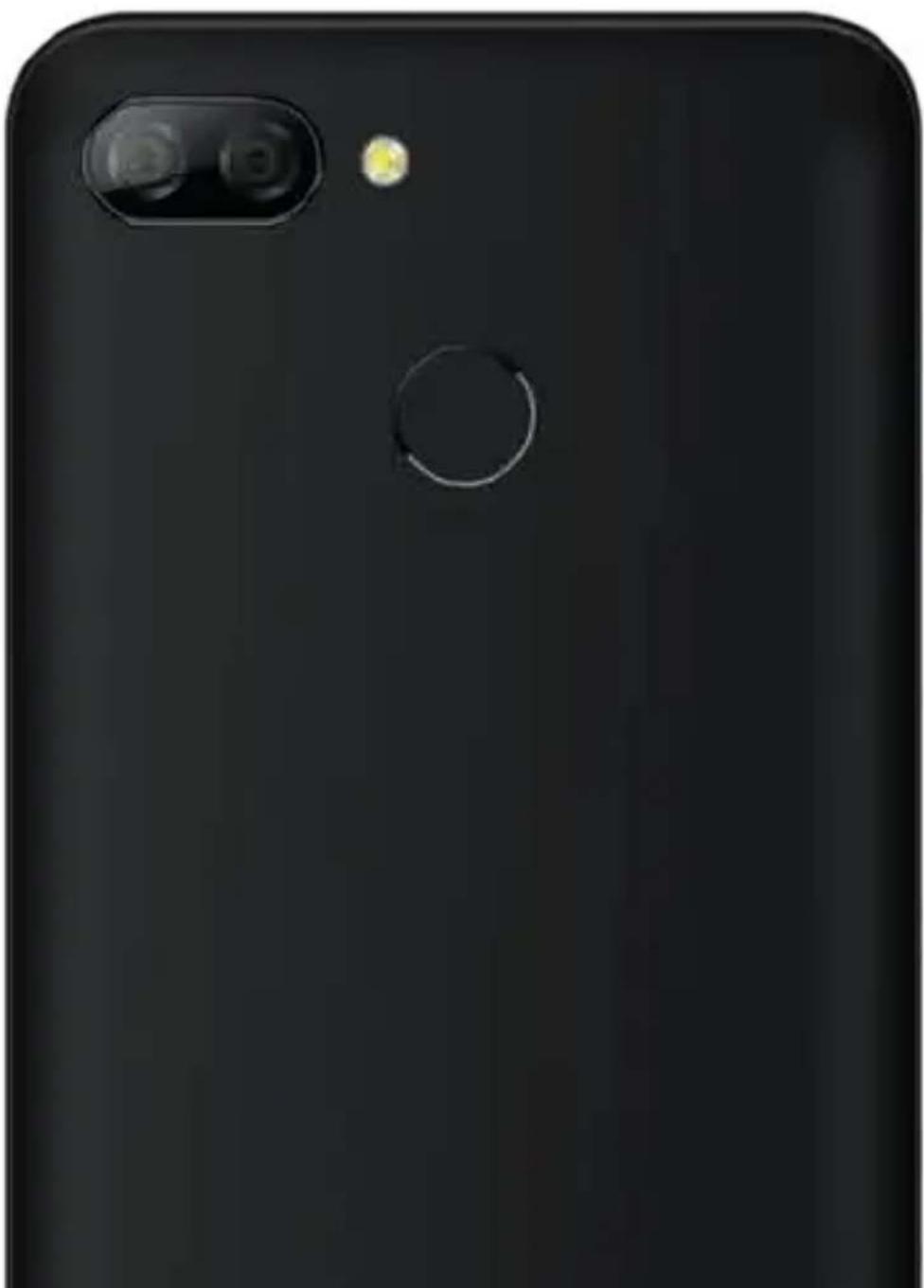
natural_image
Close-up of a black smartphone camera with a circular lens and a small yellow dot on the screen (no text or symbols visible)
Manual assistant
Powered by Anthropic
Waiting for your message
Product information
Brand : DEXP
Model : Z455
Category : Smartphone