C2R-VW2 - Car audio interface PAC - Free user manual and instructions
Find the device manual for free C2R-VW2 PAC in PDF.


| Product Type | CAN Bus Interface / Radio Adapter |
| Model | C2R-VW2 |
| Brand | PAC |
| Compatible Vehicles | Volkswagen (2002-2010, excludes Touareg 2004-2007 with digital audio) |
| Compatibility with Aftermarket Radios | Yes, requires SWC interface for steering wheel control |
| Power Supply Voltage | 12V DC (vehicle battery) |
| Maximum Current Draw | 1 Amp (accessory output) |
| Dimensions (approx.) | 2.5 x 2.0 x 1.0 inches |
| Weight (approx.) | 0.2 lbs |
| Wire Harness Connector | 16-pin (radio), 11-pin (CAN interface) |
| Output Signals | Accessory (+12V), Parking Brake (-), VSS (pulse), Reverse (+), Illumination (+), SWC |
| SWC Programming | Requires version 2 programming for radio-specific SWC interface |
| Vehicle Compatibility Notes | 2002-2005: no reverse output; requires Double-DIN replacement |
| Installation Type | Plug-and-play with harness connections |
| Safety Features | Parking brake output activates below 4 mph, deactivates above |
| Warranty | Limited warranty (see manual) |
| Maintenance | No regular maintenance required |
| Storage Conditions | Keep in dry place, avoid moisture |
Frequently Asked Questions - C2R-VW2 PAC
User questions about C2R-VW2 PAC
0 question about this device. Answer the ones you know or ask your own.
Ask a new question about this device
Download the instructions for your Car audio interface in PDF format for free! Find your manual C2R-VW2 - PAC and take your electronic device back in hand. On this page are published all the documents necessary for the use of your device. C2R-VW2 by PAC.
USER MANUAL C2R-VW2 PAC
Radio Connection Chart:
(Read the Installation Notes before making connections to the provided radio harness)
| Yellow | Battery +12v |
| Black | Ground |
| Blue | Amp Turn On Input |
| White | Front L + input |
| White / Black | Front L - input |
| Grey | Front R + input |
| Grey / Black | Front R - input |
| Green | Rear L + input |
| Green / Black | Rear L - input |
| Purple | Rear R + input |
| Purple / Black | Rear R - input |
CAN Interface Connection Chart:
| Red | Acc. Output (1 amp) |
| Red / White | P.B. Output (-) |
| Purple / White | VSS Output (Pulse) |
| Orange / White | Illum. Output (+) |
| Green | Reverse Output (+) |
| White / Green | SWC Output |

flowchart
graph TD
    A["Radio Connections. See aside Chart for color description."] --> B["CAN INTERFACE"]
    B --> C["Radio Specific Steering Wheel Control Interface (Sold Separately) Program SWC Interface for Version 2."]
    B --> D["SWC Interface. Program for Version 2"]
    B --> E["Navigation outputs and Amplifier Remote Input See Chart for wire color descriptions."]
- Vehicles with or without a factory amplifier: Connect the aftermarket radio's front and rear speaker wires to the 16 pin plug.
- The accessory output wire is located on the 11 pin CAN INTERFACE harness
- connect this wire to the radio's accessory wire. The accessory wire supplies +12v, 1 amp max when key is in the accessory or ignition position (see fig. 1: If more current is needed).

3. 11 pin plug (to CAN INTERFACE):
White/Green - Steering Wheel Control (SWC) output.1.
Green - Connect this wire to the radio's reverse input wire only.2.
Orange/White - Connect this wire to the radio's Illumination input wire only.3.
Violet/White - Connect this wire to the radio's VSS input wire only.4.
Red/White - Connect this wire to the radio's parking brake input wire only. 5.
Please Note: The parking brake wire will output a neg (-) trigger at all times until the vehicle is moving at a speed of approximately 3 mph or faster.
Note: Do not connect these wires to any circuit other than the aftermarket radio's wire harness.
4. 11 pin plug (to SWC INTERFACE):
This is a quick connection to a radio specific SWC interface. No additional connections are necessary other than radio control connections. Plug the radio specific SWC interface in to this connector and program the radio specific SWC interface for version 2. Do not cut the loops. Refer to the SWC interface instruction manual for the radio specific control function programming order.
SWC Programming & Installation Notes
- 2002-2005 vehicles (excludes Touareg) - Can map track up and down, and volume up and down.
- 2006-2010 vehicles with Eight button SWC (excludes Touareg) - Can map volume up and down, phone button, and star button without effecting the Multi Function Display (MFD). Arrow up and down can be mapped but will control MFD.
- 2009-2010 vehicles with 12 button SWC (excludes Touareg) - Can map left side of steering wheel (volume up and down, track left and right, phone, and mute buttons) without effecting MFD. Arrow up and down on right side can be mapped but will control MFD.
- 2004-2010 Touareg - Can only map volume up and down
- Refer to the aftermarket radio's instruction manual for testing VSS, Reverse, Parking Brake and Illumination outputs. PLEASE NOTE: The Parking Brake is speed based. The C2R-VW2 will automatically send a Parking Brake signal when going below 4 Mph. The signal will shut off when going above 4 Mph.
- 2002-2005 Vehicles - The C2R-VW2 does not provide a Reverse output trigger. This signal is unavailable on the data bus. You must be replacing a factory Double-DIN radio. If the vehicle came equipped with a Single-DIN radio, the C2R-VW2 is not compatible.
- 2004-2007 Touareg - Does not retain digital audio amplified system seen when the vehicles is equipped with factory navigation radio
DISCLAIMER: Under no circumstances shall the manufacturer or the distributors of the C2R-VW2 be held liable for consequential damages sustained in connection with the C2R-VW2. The manufacture and its distributors will not, nor will they authorize any representative or any other individual to assume obligation or liability in relation to the C2R-VW2 other than its replacement.
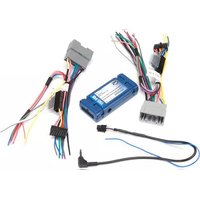
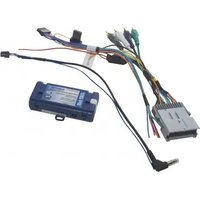
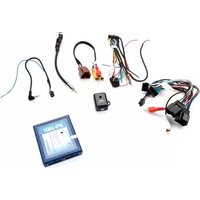
Brand : PAC
Model : C2R-VW2
Category : Car audio interface