IAN 76601 - Uncategorized Sensiplast - Free user manual and instructions
Find the device manual for free IAN 76601 Sensiplast in PDF.


| Product Type | Blood Pressure Monitor |
| Brand | Sensiplast |
| Model | IAN 76601 |
| Measurement Method | Oscillometric |
| Display | LCD Digital |
| Power Supply | 4 x AAA batteries (1.5V) |
| Arm Circumference | 22-32 cm |
| Memory | 2 x 60 measurements |
| Classification | Class IIa Medical Device |
| Weight | Approx. 300 g |
| Dimensions | 15 x 10 x 8 cm |
| Cuff | Arm cuff, included |
| Functions | Automatic inflation, irregular heartbeat detection |
| Cleaning | Wipe with soft dry cloth |
| Safety | Not for use with pacemakers |
| Warranty | 2 years |
Frequently Asked Questions - IAN 76601 Sensiplast
User questions about IAN 76601 Sensiplast
0 question about this device. Answer the ones you know or ask your own.
Ask a new question about this device
Download the instructions for your Uncategorized in PDF format for free! Find your manual IAN 76601 - Sensiplast and take your electronic device back in hand. On this page are published all the documents necessary for the use of your device. IAN 76601 by Sensiplast.
USER MANUAL IAN 76601 Sensiplast
natural_image
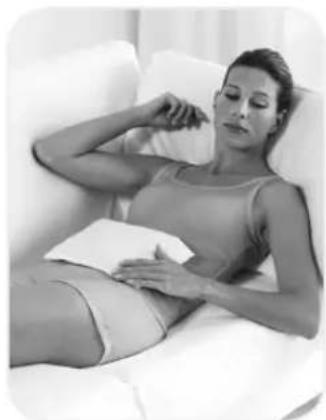
Black-and-white photo of a pregnant woman lying on a white couch, holding her hand near her face (no text or symbols visible)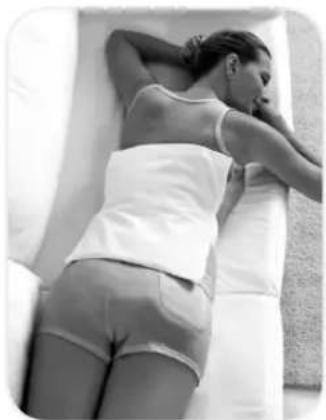
natural_image
Black-and-white photo of a person lying on a bed covered with a white blanket, no visible text or symbols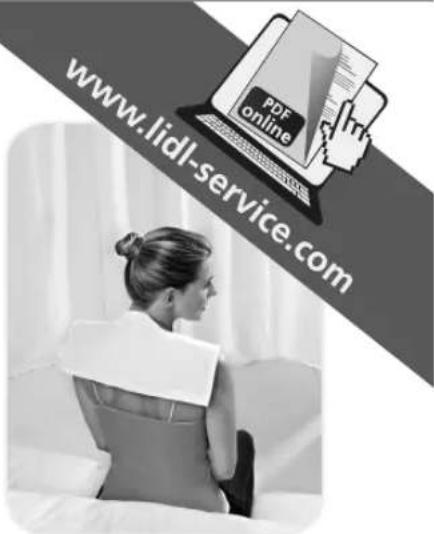
HEAT CUSHION BACK CUSHION NECK CUSHION


GB Heat cushion user instructions
FL Poduszka wygrzewająca Instrukcja użytkowania
HU Melegítőpárna Használati útmutató
SI Navodila za uporabo toplotne blazine
CZ Termopolštář Návod k použití
SK Ohrievací vankúš návod na použitie
IAN: 76603
GB Back cushion user instructions
GB Neck cushion user instructions
natural_image
Pure diagram of a rectangular structure with colored blocks and a crosshair symbol, no text or labels present.

2

CONTENT
GB Heat cushion user instructions
IAN: 76603
Back cushion user instructions
IAN: 76601
Neck cushion user instructions
IAN: 76602
Warranty Conditions
Page 4-5
Page 6
SPIS TREŚCI
We are pleased you have decided to purchase the mud pack cushion! This mud pack cushion is a patented medical product. It offers gentle healing and relaxation with natural ingredients. Heat is transferred to the skin in a gentler way than with a conventional hot water bottle. The peat used in this product is sourced from renewable sources in Germany. The plastic foil contains no critical plasticizers. The textile protective cover supplied as an accessory for your medical product is manufactured from hypoallergenic cotton. Please note the following instructions. This high-quality mud pack cushion will be a welcome aid to you for many years!
Application in heat therapy: lumbago, muscle ache, back pain, stomach ache, menstrual cramps, neck problems, tense muscles, rheumatic pains (please speak to your doctor or therapist about such use; do not use on rheumatic inflammations), joint and neck stiffness
Application in cold therapy: contusions, sprains, pulled muscles, head aches, migraines, fever, toothache, insect bites, nose bleeds, bruises, nighttime calf cramps, edema, tennis elbow, inflamed muscles or joints, refreshment of tired and heavy legs, rheumatic pains (please speak to your doctor or therapist about such use)
The mud pack heat cushion may not be used if a person cannot properly perceive heat or cold. Therefore, do not use this article with children under 3 years of age, the disabled and persons insensitive to heat. Do not use in conjunction with analgesics. Do not apply if the individual has arterial circulatory disorders or Raynaud's syndrome.

Heat cushion user instructions: (IAN: 76603)
Heating in the microwave: Heat the mud pack cushion in the microwave at max. 600 watts for approx. 2-3 minutes, according to individual sensitivity. Attention: Do not leave the mud pack heat cushion unattended during heating. If the product should swell up, immediately turn off the microwave and check the product for damage after it cools. If the product is too cold, heat the cushion in 10-second stages until the ideal temperature of 10-43°C of has been reached.
Heating in the oven: Place the mud pack heat cushion on a plate, fold the retention straps underneath and heat on the middle rack in an un-preheated oven for 10 minutes at no more than 120^ C. Attention: Do not bring the mud pack heat cushion into contact with hot metal! If the product is too cold, heat the cushion in 60-second stages until the ideal temperature of 40-43^ C has been reached.
Please only heat the heat cushion WITHOUT the protective cover due to the risk of burning!
Cooling: Place the mud pack heat cushion in the refrigerator, or place it in the freezer for no more than one hour at max. -18°C.
Important Notes: Carefully check the temperature with the back of your hand before application. When using the product, make sure to insert the mud pack heat cushion into the protective cover provided to prevent any heat or cold-related skin reactions. In the event of visible damage, which can be caused by pointy or sharp objects or overheating, the cushion must no longer be used! Therefore, no guarantee can be assumed for possible consequential damages. Storage and Care: We recommend storage in the supplied packaging. Properly store the usage instructions. Clean the mud pack heat cushion with damp cloth after use and store it dry. Do not use aggressive cleaning agents and solvents. If you do this, the high-quality mud pack heat cushion will be a welcome aid to you for many years.
Protective cover: 100 % Cotton


Back cushion user instructions: (IAN: 76601)
Heating in the microwave: Heat the mud pack back cushion in the microwave at max. 600 watts for approx. 3-4 minutes, according to individual sensitivity. Attention: Do not leave the mud pack back cushion unattended during heating. If the product should swell up, immediately turn off the microwave and check the product for damage after it cools. If the product is too cold, heat the cushion in 10-second stages until the ideal temperature of 40-43^ C has been reached.
Heating in the oven: Fold the mud pack back cushion, place it on a plate, fold the retention straps underneath, and heat on the middle rack in an un-preheated oven for 20 minutes at no more than 120°C. After half the time, turn the cushion onto the other side so that the heat distributes uniformly. Heat longer as necessary. Attention: Do not bring the mud pack back cushion into contact with hot metal! If the product is too cold, heat the cushion in 60-second stages until the ideal temperature of 40-43°C has been reached.
Please only heat the heat cushion WITHOUT the protective cover due to the risk of burning!
Cooling: Place the back cushion in the refrigerator, or place it in the freezer for no more than one hour at max. -18°C.
Important Notes: Carefully check the temperature with the back of your hand before application. When using the product, make sure to insert the mud pack heat cushion into the protective cover provided to prevent any heat or cold-related skin reactions. In the event of visible damage, which can be caused by pointy or sharp objects or overheating, the cushion must no longer be used!
Therefore, no guarantee can be assumed for possible consequential damages. Storage and Care: We recommend storage in the supplied packaging. Properly store the usage instructions. Clean the mud pack back cushion with damp cloth after use and store it dry. Do not use aggressive cleaning agents and solvents. If you do this, the high-quality mud pack back cushion will be
a welcome aid to you for many years.
Protective cover: 100 % Cotton



Neck cushion user instructions: (IAN: 76602)
Heating in the microwave: Heat the mud pack neck cushion in the microwave at max. 600 watts for approx. 2-3 minutes, according to individual sensitivity. Attention: Do not leave the mud pack neck cushion unattended during heating. If the product should swell up, immediately turn off the microwave and check the product for damage after it cools. If the product is too cold, heat the cushion in 10-second stages until the ideal temperature of 40-43°C has been reached.
Heating in the oven: Fold the mud pack neck cushion, place it on a plate on the middle rack and heat it in an un-preheated oven for 10 minutes at no more than 120^ C. Attention: Do not bring the mud pack neck cushion into contact with hot metal! If the product is too cold, heat the cushion in 60-second stages until the ideal temperature of 40-43^ C has been reached.
Please only heat the heat cushion WITHOUT the protective cover due to the risk of burning!
Cooling: Place the neck cushion in the refrigerator, or place it in the freezer for no more than one hour at max. -18°C.
Important Notes: Carefully check the temperature with the back of your hand before application. When using the product, make sure to insert the mud pack heat cushion into the protective cover provided to prevent any heat or cold-related skin reactions. In the event of visible damage, which can be caused by pointy or sharp objects or overheating, the cushion must no longer be used! Therefore, no guarantee can be assumed for possible consequential damages. Storage and
Care: We recommend storage in the supplied packaging. Properly store the usage instructions. Clean the mud pack neck cushion with damp cloth after use and store it dry. Do not use aggressive cleaning agents and solvents. If you do this, the high-quality mud pack neck cushion will be
a welcome aid to you for many years.
Protective cover: 100 % Cotton


Warranty Conditions:
IAN: 76603 • IAN: 76601 • IAN: 76602
The warranty period is 3 years and begins with the date of purchase. Please store your sales slip as proof of purchase in a safe place. Warranty claims are accepted for defects resulting from material or manufacturing faults. The warranty becomes void in case of misuse or improper handling or brute force used on the product. Comply with the information provided in the user manual supplied. Your legal rights are not diminished by this warranty.
Please contact us directly by phone, fax, or email in case of a defect:
Phone: +49 2824 2083-0
Fax: +49 2824 4877
Email: info@blue-bell.de
blue bell cosmetic GmbH
Wöhrmannstr. 15
47546 Kalkar
GERMANY
A valid warranty claim will entitle you to a free replacement product! We are unfortunately unable to take receipt of collect shipments without prior contact!


natural_image
Pure diagram of a rectangular structure with colored blocks and a crosshair symbol, no text or labels present.


natural_image
Pure diagram of a rectangular structure with colored blocks and a crosshair symbol, no text or labels present.

sensiplast®

blue bell cosmetic GmbH
Wöhrmannstraße 15
D-47546 Kalkar-Kehrum
Tel: +49 2824 2083-0
www.blue-bell.de
info@blue-bell.de
Rev. 4 08/2012
IAN: 76603 • IAN: 76601 • IAN: 76602
4△
Brand : Sensiplast
Model : IAN 76601
Category : Uncategorized