Semblance 15030 - Storage furniture BDI - Free user manual and instructions
Find the device manual for free Semblance 15030 BDI in PDF.


| Product Type | Media Cabinet / Storage Credenza |
| Brand | BDI |
| Model | Semblance 15030 |
| Color | Black / Walnut (varies by variant) |
| Material | Engineered wood with real wood veneer, tempered glass shelves |
| Overall Dimensions (W x D x H) | 60.25" x 17.75" x 30" (153 x 45 x 76 cm) |
| Weight | 110 lbs (50 kg) |
| Number of Shelves | 3 adjustable glass shelves |
| Number of Doors | 2 doors with soft-close hinges |
| Door Material | Wood veneer with tempered glass panels |
| Finish | Satin Black or Natural Walnut (depending on model) |
| Ventilation | Open back for airflow and cable management |
| Cable Management | Integrated cable pass-through and rear cutouts |
| Weight Capacity (per shelf) | 30 lbs (13.6 kg) |
| Total Load Capacity | 150 lbs (68 kg) |
| Assembly Required | Yes, tools included |
| Anti-Tip Kit Included | Yes |
| Cleaning Instructions | Wipe with a soft, damp cloth; do not use harsh chemicals |
| Spare Parts Availability | Contact BDI customer service for replacement parts |
| Repairability | Moderate; hinges and shelves replaceable |
| Warranty | Limited lifetime warranty |
Frequently Asked Questions - Semblance 15030 BDI
User questions about Semblance 15030 BDI
0 question about this device. Answer the ones you know or ask your own.
Ask a new question about this device
Download the instructions for your Storage furniture in PDF format for free! Find your manual Semblance 15030 - BDI and take your electronic device back in hand. On this page are published all the documents necessary for the use of your device. Semblance 15030 by BDI.
USER MANUAL Semblance 15030 BDI
natural_image
Abstract geometric design with overlapping squares in black, orange, and gray (no text or symbols)SEMBLANCE
MODULAR SYSTEM
COMPONENT
ASSEMBLY
INSTRUCTIONS
natural_image
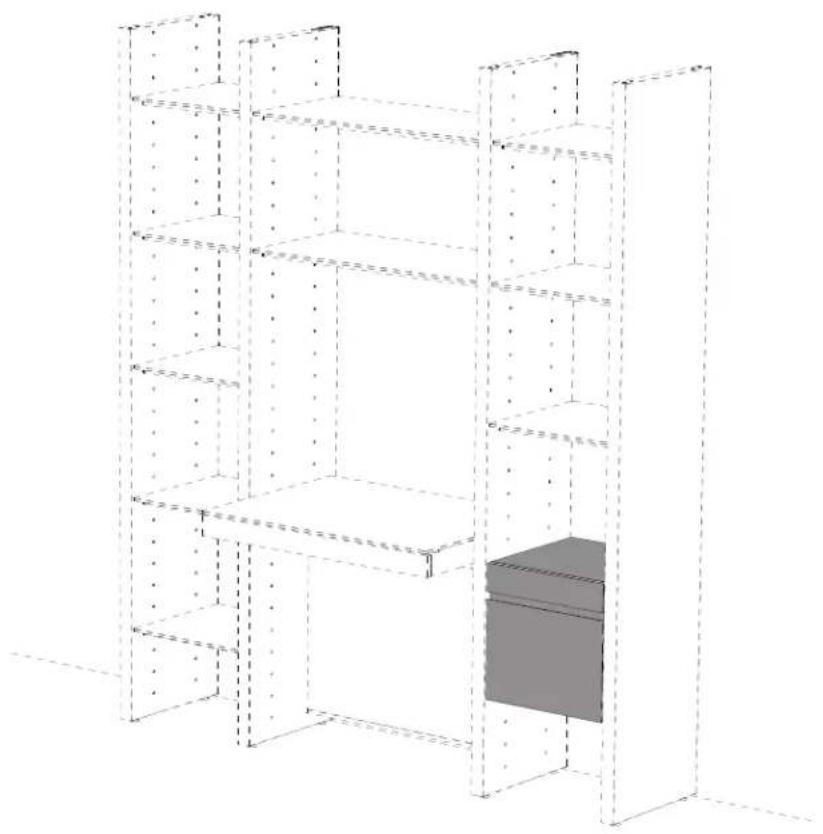
3D architectural rendering of a multi-level modular building structure with dashed structural lines and a highlighted interior space (no text or symbols)Refer to the Cabinet Assembly section (page 17) in the Main Instruction Booklet for proper installation of the Two-Drawer Files while implementing and replacing the following steps.
BEFORE STEP 3
(PAGE 18):
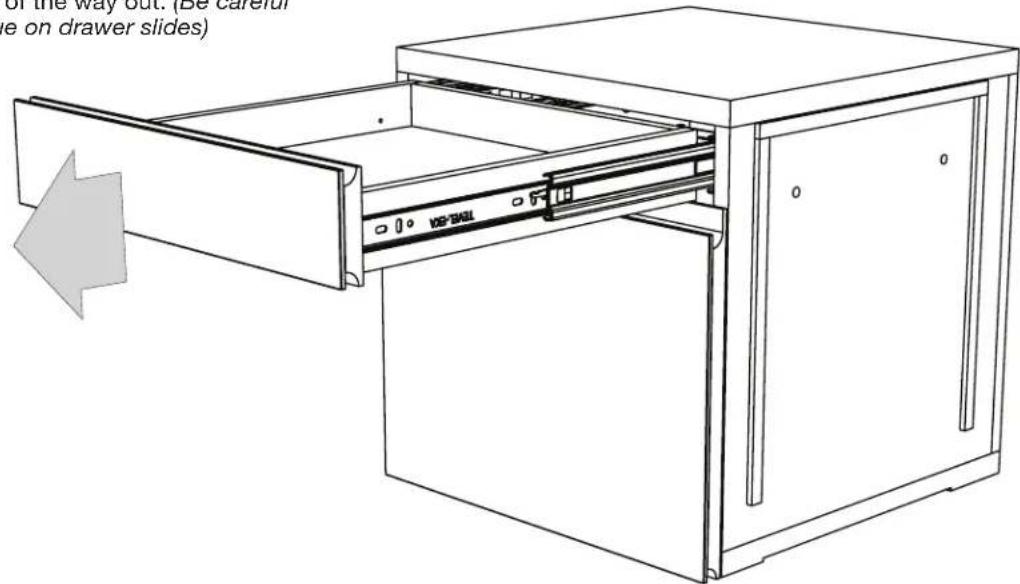
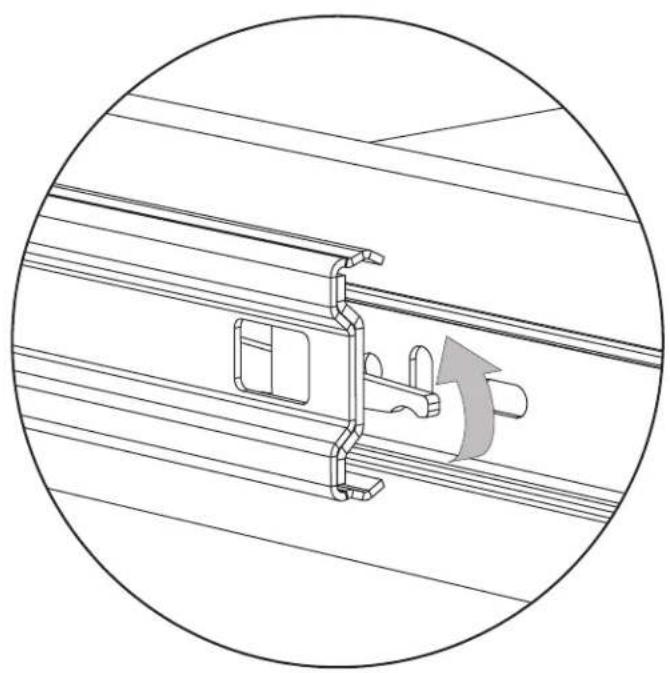
Pull the Top Drawer as far out as it will go. Locate the finger latch in the rail of the slide on each side of the Drawer. Lift the Left Latch up and press the Right Latch down simultaneously and slide the Top Drawer the rest of the way out. (Be careful of grease residue on drawer slides)
natural_image
Technical line drawing of a mechanical assembly with a rotating component (no text or symbols)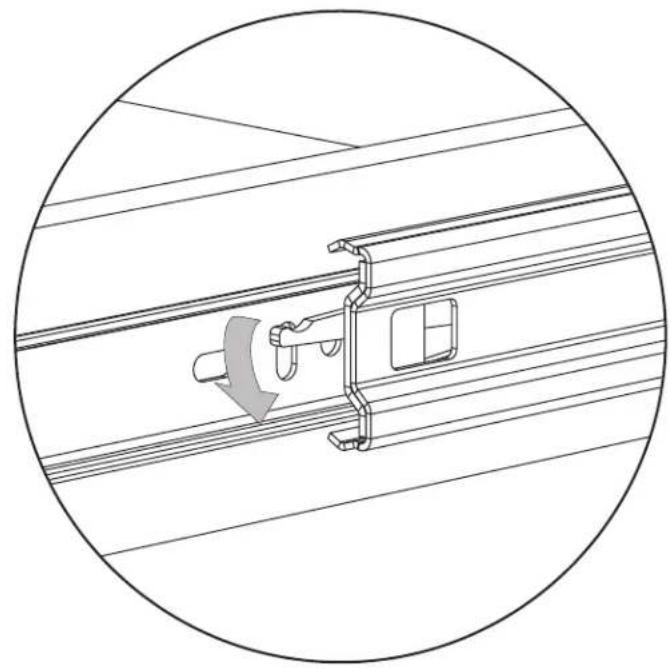
natural_image
Technical line drawing of a mechanical assembly with a circular boundary (no text or symbols)REPLACES STEP 4 (PAGE 19) IN MAIN ASSEMBLY INSTRUCTIONS:
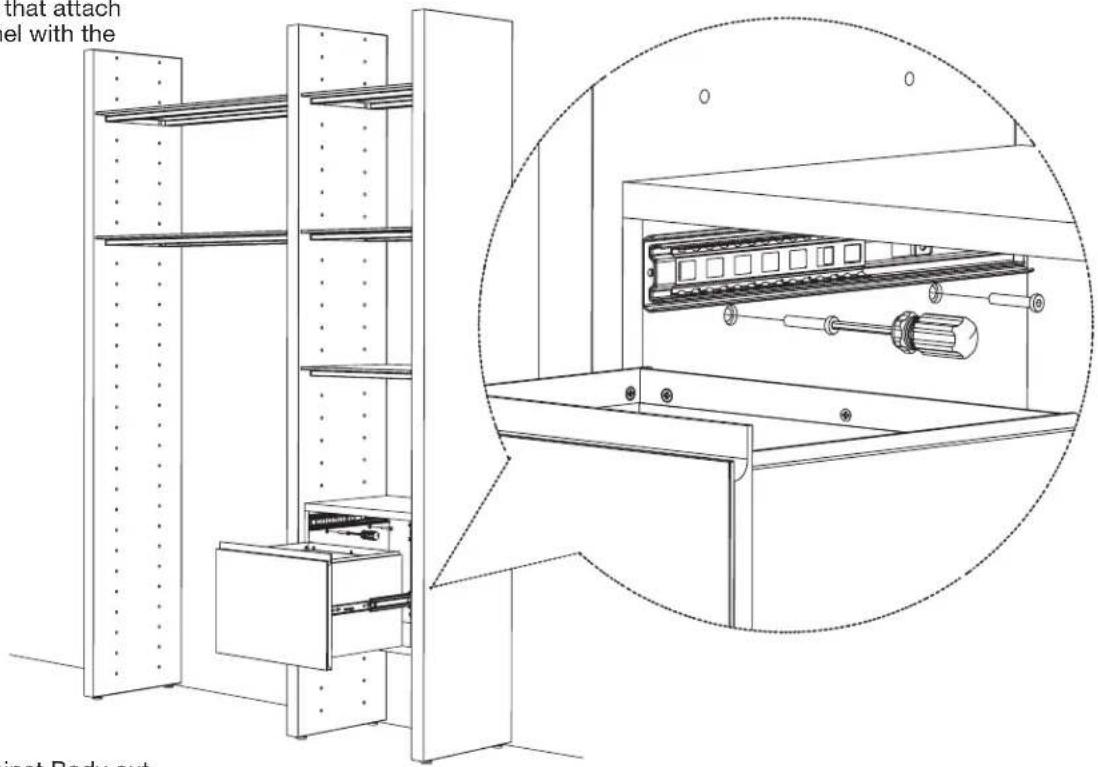
Slide the File Drawer all the way open to access the through holes that attach the Cabinet Body to the Panel with the Screws (K).
AFTER STEP 5 (PAGE 19):
Pull the slide rails in the Cabinet Body out slightly. Carefully bring the Top Drawer up to the exposed slide rails, fitting the rails of the Top Drawer into the Cabinet Body slides. Once engaged, continue to push the Drawer to its closed position. (It will seem difficult to push closed, but once you close the Drawer, it will revert back to an easily gliding drawer).
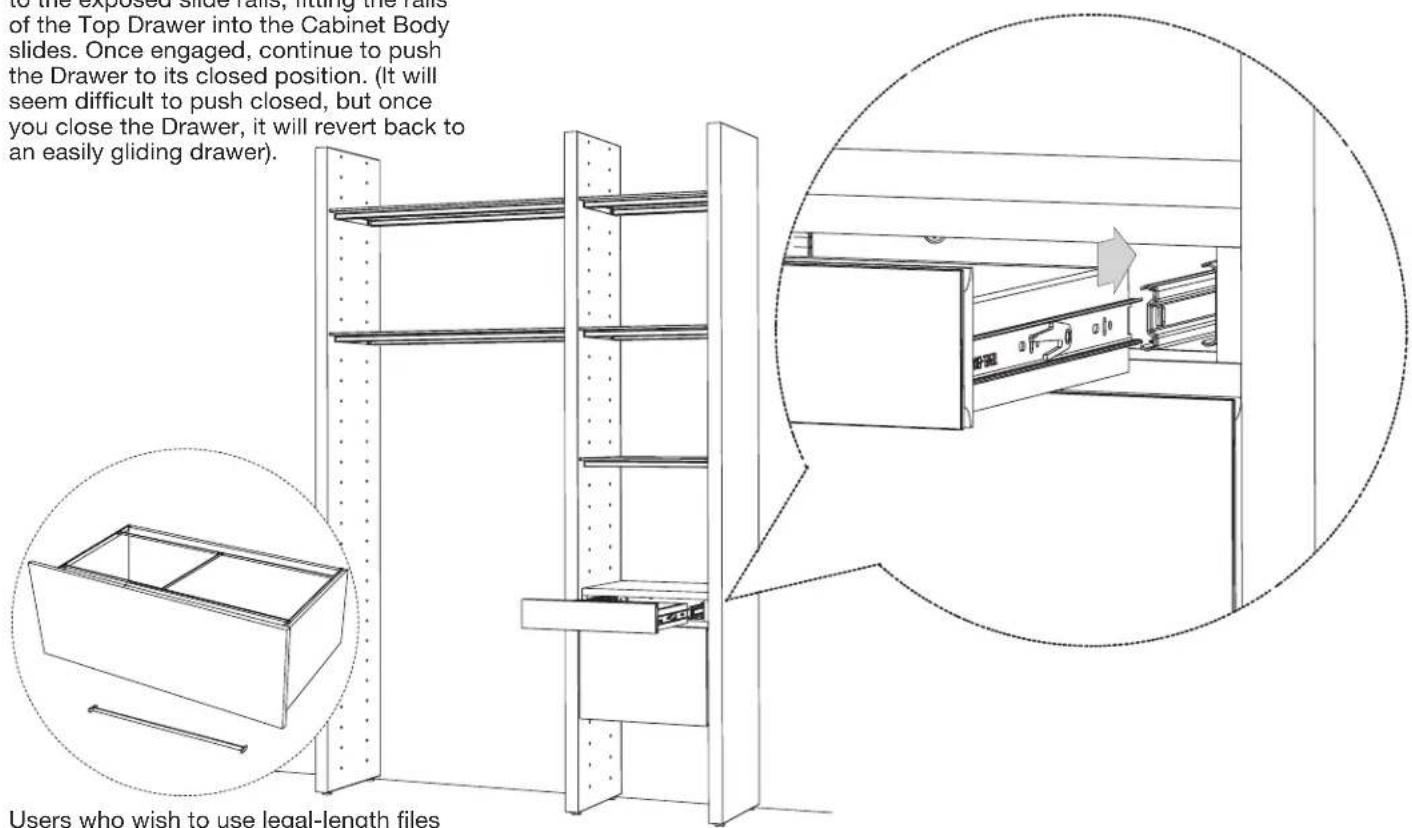
Users who wish to use legal-length files may install provided Legal File Folder Stretchers by dropping into place near front and back of file drawers.
Brand : BDI
Model : Semblance 15030
Category : Storage furniture