Commander - Keyboard THERMALTAKE - Free user manual and instructions
Find the device manual for free Commander THERMALTAKE in PDF.


| Type de produit | Clavier gaming mécanique |
| Marque | Thermaltake |
| Modèle | Commander |
| Disposition | Full-size (104 touches) |
| Switch | Mécanique (estimation) |
| Rétroéclairage | RGB par touche |
| Connectivité | USB filaire |
| Taux d'interrogation | 1000 Hz |
| Mémoire embarquée | Oui, pour profils |
| Anti-ghosting | Full N-Key rollover |
| Repose-poignet | Inclus |
| Câble | Tressé, détachable |
| Dimensions (L x l x H) | 440 x 130 x 35 mm |
| Poids | 1,1 kg |
| Alimentation | USB 5V |
| Compatibilité | Windows 10 / 11 |
| Contenu du carton | Clavier, manuel d'utilisation |
| Garantie | 2 ans |
Frequently Asked Questions - Commander THERMALTAKE
User questions about Commander THERMALTAKE
0 question about this device. Answer the ones you know or ask your own.
Ask a new question about this device
Download the instructions for your Keyboard in PDF format for free! Find your manual Commander - THERMALTAKE and take your electronic device back in hand. On this page are published all the documents necessary for the use of your device. Commander by THERMALTAKE.
USER MANUAL Commander THERMALTAKE
On-the-fly DPI adjustment button.
( Cycles through 800, 1200, 1600, and 2400 DPI )
Side Panel Lighting to enhance gaming feel
Two side buttons for convenient navigation
natural_image
Front view of a black and blue computer keyboard with standard keys and buttons (no visible text or symbols)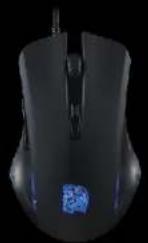
Membrane PLUMGER
Full 104 key layout keyboard
Multimedia keys
Shortcut keys
Adjustment 2 speed repeat rate
Adjustable 4 levels brightness
Polling Rate: 1000Hz
BLUE LED Backlight
◎ Fully backlit with adjustable brightness and pulse lighting
© Rubber coating provides a soft to touch finish for comfort
PLUNGER switch gives a mechanical-like tactile feel
- Multimedia keys to control media player while in-game
Regional Anti-Ghosting to allow for a smooth gaming experience
Spill resistant drainage holes help prevent accidents
Reinforced frame design enhances durability of the keyboard
Optical Sensor (Up to 2400 DPI)
AVAGO ADNS-3050
DPL800/1200/1600/2400
Switch: Omron
Number Of Buttons: 6
Side Panel Lighting to enhance gaming feel
Two side buttons for convenient navigation
© DPI switch button for on-the-fly DPI adjustment
natural_image
Black and white image of a retro keyboard with blue-lit control buttons and golden base (no visible text or symbols)Fn+F1 - Music
Fn+F2 - Volume Down
◎ Fn+F3 - Volume Up
Fn+F4-Mute
© Fn+F5 - Stop
Fn+F6 – Previous Track
Fn+F7 – Play / Pause
Fn+F8 – Next Track
Fn+F9 - Email
Fn+F10 – Browser Key
Fn+F11 – Fully Keyboard Lock Key
Fn+F12-Calculator
Fn+Q - Repeat Rate
◎ Fn+W-WASD / ↑↓←→ Switcher
◎ Fn+Pg UP – Brightness UP
◎ Fn+Pg DOWN – Brightness Down
© Fn+Win - Windows Lock
The speed at which it repeats, which can be fast or slow. Choose a repeat rate that matches your comfort level.
Fn+W -> SWITCH
The Switch where you can turn WASD keys to 1↓←→, vice versa! You're totally in control!
Fn+Win -> WINDOWS LOCK
A switch to lock the windows key, prevents accidental presses of the windows key while in-game.
Brand : THERMALTAKE
Model : Commander
Category : Keyboard