
VPL-150BTMK2 - Turntable DENVER - Free user manual and instructions
Find the device manual for free VPL-150BTMK2 DENVER in PDF.


| Product Type | Turntable with Bluetooth |
| Model | VPL-150BTMK2 |
| Brand | Denver |
| Dimensions (approx) | 420 x 350 x 120 mm |
| Weight (approx) | 3.5 kg |
| Power Supply | AC 100-240V, 50/60Hz (external adapter) |
| Drive System | Belt drive |
| Speeds | 33 1/3, 45, 78 RPM |
| Bluetooth Version | 5.0 |
| Built-in Speakers | 2 x 3 W stereo speakers |
| Output Power (speakers) | 3 W per channel |
| Audio Outputs | RCA line out, 3.5 mm headphone jack |
| Audio Input | 3.5 mm AUX input |
| USB Port | USB-A for recording to USB drive |
| Cartridge Type | Moving magnet (MM) with diamond stylus |
| Stylus Replacement | Available (standard replacement needle) |
| Auto Stop | Yes, at end of record |
| Dust Cover | Included, hinged |
| Maintenance | Clean stylus with soft brush; dust cover with damp cloth |
| Safety | Keep away from moisture and heat sources |
| Repairability | Spare parts available via Denver service centers |
Frequently Asked Questions - VPL-150BTMK2 DENVER
User questions about VPL-150BTMK2 DENVER
0 question about this device. Answer the ones you know or ask your own.
Ask a new question about this device
Download the instructions for your Turntable in PDF format for free! Find your manual VPL-150BTMK2 - DENVER and take your electronic device back in hand. On this page are published all the documents necessary for the use of your device. VPL-150BTMK2 by DENVER.
USER MANUAL VPL-150BTMK2 DENVER
Instruction Manual VPL-150BTMK2
natural_image
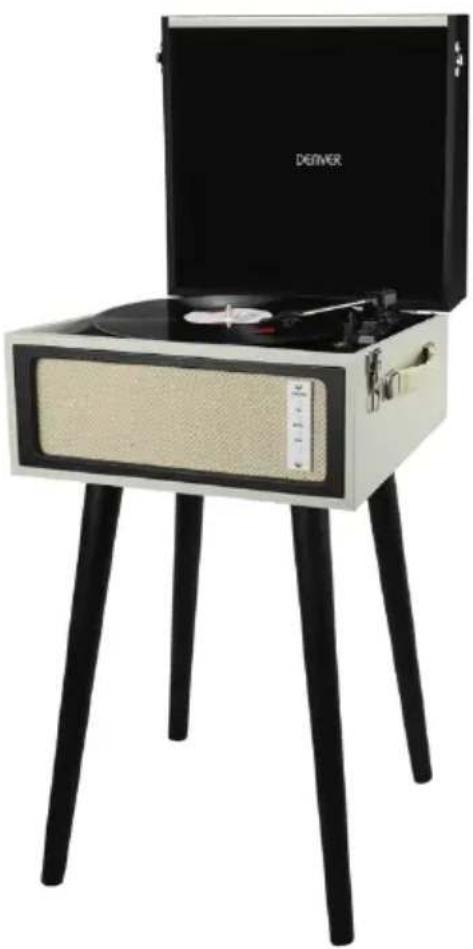
Modern vintage gramophone with open lid and black legs, no visible text or symbols on device bodywww.denver-electronics.com
IMPORTANT SAFETY INSTRUCTIONS
READ CAREFULLY AND KEEP FOR FUTURE REFERENCE
English
DESCRIPTION
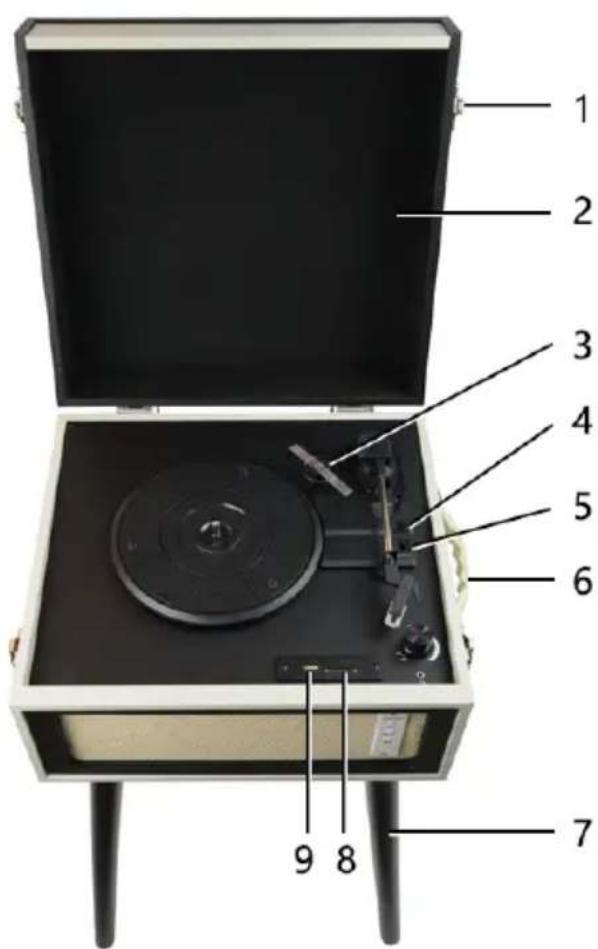
- Lock catch
- Dust cover
- 45rpm adaptor
- Auto stop control
- Speed selection - Three speed for choice: 33, 45, 78 rpm
- Carrying handle
- Detachable leg
- SD card connector
- USB connector
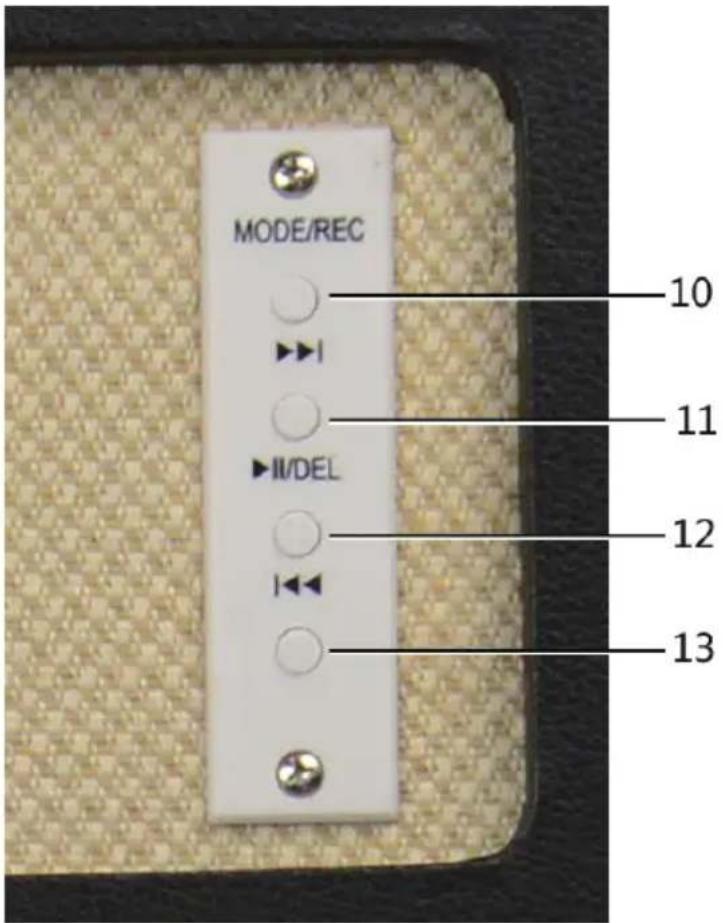
- Mode: REC/USB/SD/Bluetooth selection button
- Next music
- Pause/play button/DEL
- Previous music
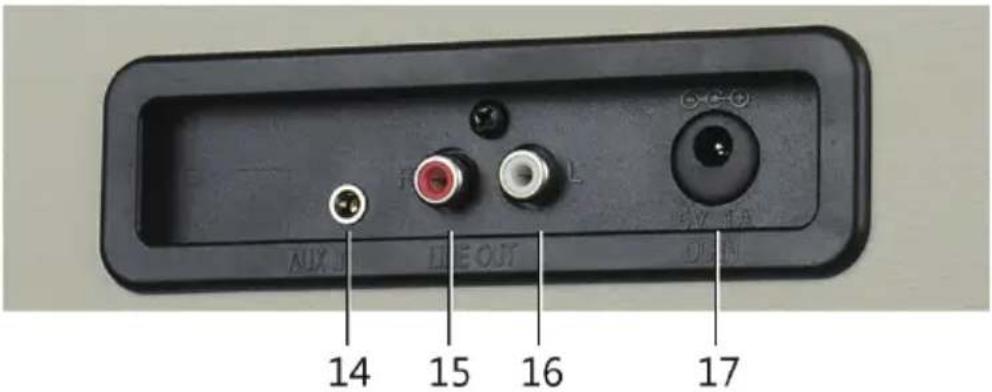
- Aux-in
- Line out R channel
- Line out L channel
- DC power jack
INITIAL SETUP
- Make sure that the mains voltage is compatible with the operation voltage of the Power Adapter.
- Connect the Power Adapter in the wall socket.
- Connect the DC plug for Power into the Power Adapter connection port.
Playing a record
- Place the record of your choice on the turntable. If required, do not forget to place the adaptor on the record spindle.
- Choose the desired playing speed using the speed selection switch between 33, 45 and 78rpm.
- Turn on the Rotary Power Switch, note that this also controls volume.
- Release the tone arm lock.
- Raise the tone arm with your hand lightly.
- Place the pickup vertically over the desired track of the record, the turntable will start turning automatically.
- Put down the pickup slowly on to the record to play.
- When a record comes to the end. Lift up the tone arm and put it on the rest when finished.
- Replace the protective cap on the stylus and close the tone arm lock.
Bluetooth connection
(Lift up the tone arm and put it on the rest)
- Press "MODE/REC" button.
- Search VPL-150BTMK2 by your bluetooth device and connect.
- When connected successfully you can play your music.
LINE IN FUNCTION
- Turn on the power & volume control knob.
- Connect your Smartphone, Tablet, MP3 or other Digital Audio Player to the LINE IN port with a 3.5mm audio stereo jack cable (not included).
- You can enjoy the music of the connected device at the turntable player.
LINE OUT FUNCTION
- Turn on the power & volume control knob.
- Connect the RCA connectors to your external amplifier or speakers (RCA cable not included).
- You can enjoy the music of the vinyl records at your own (speaker) audio system.
HEADPHONE FUNCTION
- Connect your headphone, with 3.5 mm stereo jack to the headphone port.
- You can enjoy the music of the vinyl records at your headphone.
USB FLASH DRIVE AND SD CARD READER RECORDING
(Lift up the tone arm and put it on the rest) HOW TO RECORD TO A FLASH DRIVE
- Insert a USB flash drive or a TF card reader to the turntable's aside USB port.
- Play your RECORDS.
- To start recording, press and hold the “MODE/REC” for about 2 seconds; The beep indicates recording.
- Lower tone arm onto the record; the record will play and the song will record.
- When finished, press "USB/REC" for about 2 seconds to stop recording. Twice beep indicates stop.
- To record more songs, repeat Steps #3-5 above. When you finished, raise the tone arm and return it to the arm clip.
HOW TO PLAYBACK FROM A FLASH DRIVE
- Connect a USB flash drive or a TF card reader with MP3 to the turntable's aside USB port.
- Press the "USB/REC" the first recoding song will play.
- Press skip+ or skip- to skip to the previous/next song.
Note: Songs will play in alphabetical order by file name within each folder on the drive. QUICK PLAY FLASH will scan through the drive's folders/subfolders for playable music files in the following order:
(1) Songs recorded by the turntable that are located in the "RECORD0" folder.
(2) Songs in the root directory.
(3) Songs in other folders/subfolders (including any hidden or Trash folders).
- When you plug the recorder songs, you can press the MODE button conversion.
- When you want to clear the track recording, press and hold the DEL key to clear, the USB original documents will be removed too.
ALL RIGHTS RESERVED, COPYRIGHT DENVER ELECTRONICS A/S
DENVER®
www.denver-electronics.com

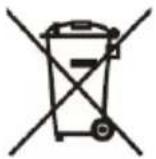

Electric and electronic equipment and included batteries contains materials, components and substances that can be hazardous to your health and the environment, if the waste material (discarded electric and electronic equipment and batteries) is not handled correctly.
Electric and electronic equipment and batteries is marked with the crossed out trash can symbol, seen below. This symbol signifies that electric and electronic equipment and batteries should not be disposed of with other household waste, but should be disposed of separately.
As the end user it is important that you submit your used batteries to the appropriate and designated facility. In this manner you make sure that the batteries are recycled in accordance with legislature and will not harm the environment.
All cities have established collection points, where electric and electronic equipment and batteries can either be submitted free of charge at recycling stations and other collection sites, or be collected from the households. Additional information is available at the technical department of your city.
Hereby, Inter Sales A/S declares that the radio equipment type VPL-150BTMK2 is in compliance with Directive 2014/53/EU. The full text of the EU declaration of conformity is available at the following internet address: www.denver-electronics.com, and then click the search ICON on topline of website. Write model number: VPL-150BTMK2. Now enter product page, and red directive is found under downloads/other downloads.
Operating Frequency Range: 2402MHz – 2480MHz
Max Output Power: 2.51W
DENVER ELECTRONICS A/S
Omega 5A, Soeften
DK-8382 Hinnerup
Denmark
www.facebook.com/denverelectronics
Brand : DENVER
Model : VPL-150BTMK2
Category : Turntable