L25MDM13 - Microwave Logik - Free user manual and instructions
Find the device manual for free L25MDM13 Logik in PDF.
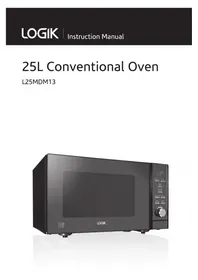


| Product Type | Microwave Oven (Conventional) |
| Brand | Logik |
| Model | L25MDM13 |
| Capacity | 25 Liters |
| Microwave Output Power | 900 Watts (IEC 60705) |
| Microwave Input Power | 1400 Watts |
| Frequency | 2450 MHz |
| Voltage | 230-240V ~ 50Hz |
| Outside Dimensions (W x D x H) | 483 mm x 386 mm x 281 mm |
| Heating Category | E |
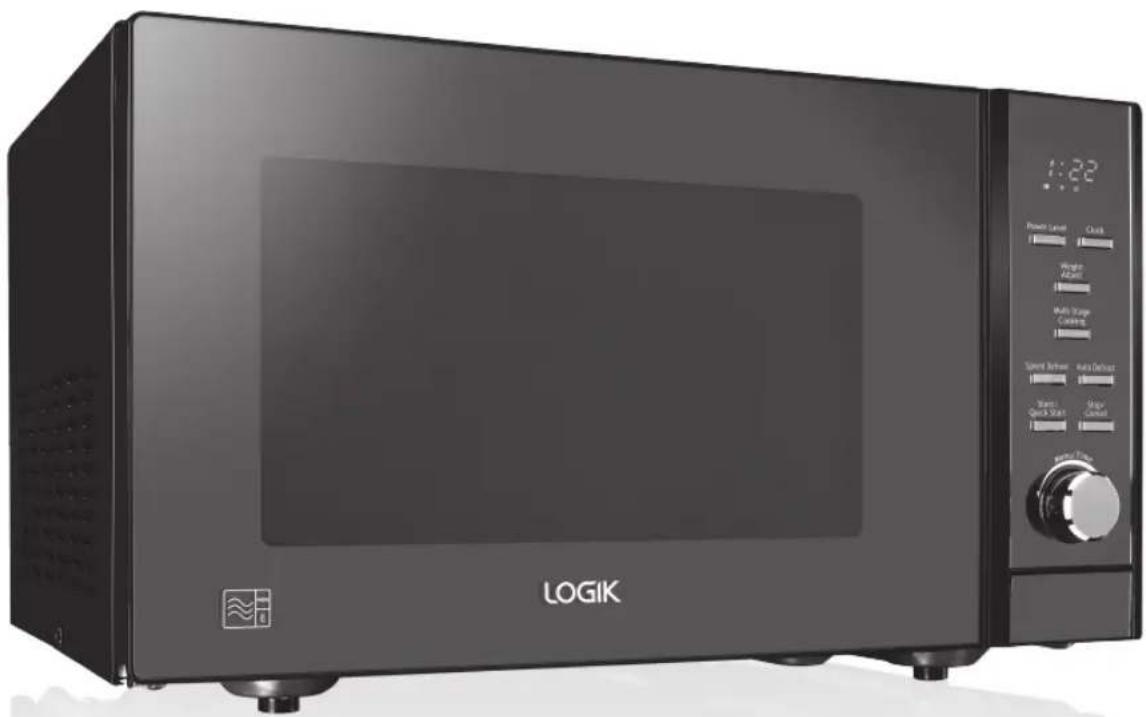
| Control Panel | Digital display with buttons (Power Level, Clock, Auto Cook, Defrost, etc.) |
| Functions | Microwave cooking, Quick Start, Multi-Stage Cooking, Auto Cook (8 menus), Auto Defrost, Speed Defrost, Child Lock, Clock setting |
| Turntable | Glass turntable plate with support (removable) |
| Safety Features | Child lock, door interlock, auto shut-off on door opening |
| Cleaning | Wipe interior and exterior with mild detergent and damp cloth; do not use abrasive cleaners |
| Installation Clearance | 10 cm around, 20 cm above; not for built-in use |
| Included Accessories | Glass turntable plate, turntable support, instruction manual |
| Compliance | EC directives 2004/108/EC and 2006/95/EC |
| After-Sales Support | DSG Retail Limited; Partmaster for spares |
Frequently Asked Questions - L25MDM13 Logik
User questions about L25MDM13 Logik
0 question about this device. Answer the ones you know or ask your own.
Ask a new question about this device
Download the instructions for your Microwave in PDF format for free! Find your manual L25MDM13 - Logik and take your electronic device back in hand. On this page are published all the documents necessary for the use of your device. L25MDM13 by Logik.
USER MANUAL L25MDM13 Logik
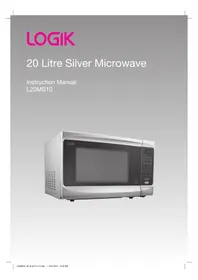
25L Conventional Oven
L25MDM13
Safety Warnings....4
Unpacking....9
Getting Ready 10
Introducing Microwave Cooking....11
Cooking with a Microwave....11
Checking Your Cooking Utensils....12
Using Aluminium Foil in Your Microwave....12
Materials That Can Be Used in The Microwave ....13
Microwave Heating Categories....14
Steam....15
Condensation....15
Product Overview....16
The Main Unit....16
The Control Panel 16
Checking Your Microwave....17
Clock Setting....18
Setting the Child Lock 19
Microwave Cooking....20
Quick Start Cooking 21
Multi-Stage Cooking 22
Auto Cooking 23
Auto-Cook Menu 23
Auto-Cook Menu Table....24
Defrosting 25
Auto Defrost....25
Speed Defrost 26
Cleaning Your Microwave....27
Frequently Asked Questions 28
Specifications....29
General Safety
- Switch off and unplug before fitting or removing tools/attachments, after use and before cleaning.
- Keep your fingers away from moving parts and fitted attachments. • Never use a damaged appliance. • Never operate the appliance when it is empty.
- Keep the mains cable out of reach from children.
- Keep the unit, mains cable and plug away from water. • Never exceed the maximum capacities.
- When using an attachment, read the accompanying safety instructions. • Take care when lifting this appliance as it is heavy.
- You should always have your appliance checked by a qualified service agent if it has been dropped or damaged to ensure it is safe to use.
- This appliance can be used by children aged from 8 years and above and persons with reduced physical, sensory or mental capabilities or lack of experience and knowledge if they have been given supervision or instruction concerning use of the appliance in a safe way and understand the hazards involved. Children shall not play with the appliance. Cleaning and user maintenance shall not be made by children unless they are older than 8 and supervised.
- Keep the appliance and its cord out of reach of children less than 8 years.
- Children should be supervised to ensure that they do not play with the appliance. • This appliance is for indoor, domestic, household use only.
- Do not install the microwave in a cabinet.
Maintenance of Your Microwave
WARNING: It is hazardous for anyone other than a qualified service agent to carry out any service or repair operation which involves the removal of a cover that gives protection against exposure to microwave energy.
WARNING: If the door or door seals are damaged, the microwave must not be operated until it has been repaired by a qualified service agent.
- If smoke is observed, switch off or unplug the microwave and keep the door closed in order to stifle any flames.
- If the mains cable is damaged, it must be replaced by a qualified service agent.
- If you have a pacemaker, please contact your doctor before using a microwave.
Microwave Use
• This microwave is not intended for commercial use. - It should never be used for drying clothes or for other non-food purposes. • The microwave should not be left unattended when in use. - The temperature of accessible surfaces may be high when the microwave is operating. - To prevent high moisture content gathering inside the microwave cavity, open the door immediately after the cooking function has stopped to allow steam to escape. • Only use utensils that are suitable for microwave use. - Care should be taken when using paper, plastic, wooden or other combustible materials in the microwave as they can catch fire. • Oil & fat for deep frying should not be heated in the microwave. - Only use cling film designed for microwave use and take extra care when removing the film to avoid steam burns. • Only heat popcorn that has been designed for microwave use.
Cooking Use
- As the power of different microwaves can vary considerably, care must be taken when first using this microwave as it may cook faster than expected.
- Do not leave the microwave unattended during use. • Take care when cooking food with a high sugar or fat content, such as Christmas pudding or fruitcake. The sugar or fat can overheat and in some cases catch fire.
WARNING: Only allow children to use the microwave without supervision when adequate instructions have been given so that the child is able to use it in a safe way and understands the hazards of improper use; DO NOT assume that because a child has mastered one cooking skill he/she can cook everything without close supervision. The microwave MUST NOT be treated nor used like a toy.
Fire!
In the event of fire:
- Keep the microwave door closed.
- Turn off the power. • Unplug the microwave from the mains power.
First Aid
Treat scalding by:
- Quickly place the scald under cold running water for at least 10 minutes. Cover with a clean, dry dressing. Do not use creams, oils, or lotions.
Cleaning Your Microwave
The microwave should be cleaned regularly and food deposits removed. Failure to maintain the microwave in a clean condition can affect the life of the microwave and possibly result in a hazardous situation. (See cleaning your microwave.)
Do Not Use These in Your Microwave
Metal objects are not to be used in the microwave. These include: metal cooking utensils, metal plates or trays, wine twist ties, crockery with metal trim, and meat thermometers. Never use equipment made of metal, except aluminum foil, in your microwave. The microwave energy cannot pass through metal, so it bounces off and sparks against the inside of the microwave. Stop the microwave straight away if any item is causing sparks. Remember that some crockery has a metal trim. Even this trim can cause sparks.
Containers
WARNING: Pressure will build up in sealed containers and can cause them to explode. Therefore, do not use the following in your microwave:
- Sealed containers
- Capped bottles
- Vacuum containers
- Sealed jars
- Hard-boiled eggs
- Eggs in their shells
- Nuts
Always pierce the skin of fruit and vegetables, such as potatoes.
- Never use scratched, cracked or damaged glass in a microwave. Damaged glass can explode.
- When heating food in plastic or paper containers, keep an eye on the microwave due to the possibility of ignition.
Delayed Boiling
Liquids heated in a microwave can boil up when removing them from the microwave.
Take the following precautions:
• Always stir liquids, before and after cooking. - Allow them to stand. • Use containers that are wider at the top than at the bottom.
Preparing Food for Babies
Extra care must be taken when preparing food or drink for babies and small children.
• Always test the food or liquid temperature before feeding it to the baby. - When using a baby bottle, ensure the teat is removed before heating. - When warming milk, ensure the bottle is shaken.
Caution!
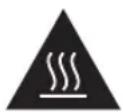
Hot Surface
During cooking the outer surface will become hot. Do not touch the outer casing of the microwave. Care should be taken not to store any items on top of your microwave.
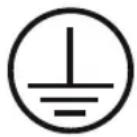
Earthing Instructions
WARNING: THIS APPLIANCE MUST BE EARTHED.
- This appliance is equipped with a mains cable having an earthed plug.
- The plug must be plugged into an appropriate mains socket that is installed and earthed in accordance with all local standards and requirements.
WARNING!
- Improper connection of the appliance-earthing conductor can result in a risk of an electric shock.
- Check with a qualified service agent if you are in doubt whether the appliance is properly earthed. • Never modify the plug provided with the appliance.
- If the plug does not fit properly in the mains socket, have a qualified electrician install a proper mains socket.
- The appliance is not intended to be operated by means of an external timer or separate remote-control system.
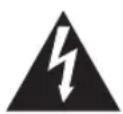
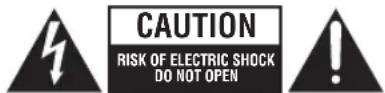
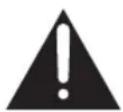
- The lightning flash with arrowhead symbol, within an equilateral triangle, is intended to alert the user to the presence of uninsulated “dangerous voltage” within the unit’s enclosure that may be of sufficient magnitude to constitute a risk of electric shock.
- The exclamation point within an equilateral triangle is intended to alert the user to the presence of important operating and maintenance (servicing) instructions in the manual accompanying the unit.
Remove all packaging from the unit. Retain the packaging. If you dispose of it please do so according to local regulations.
The following items are included:
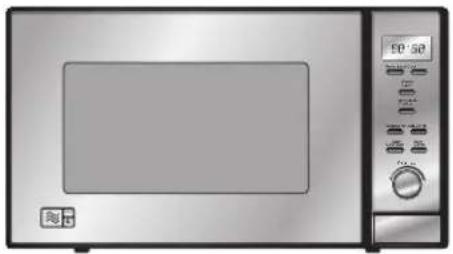
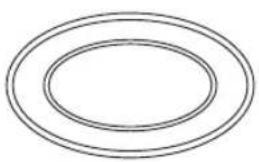
The Main Unit Glass Turntable Plate
Turntable Support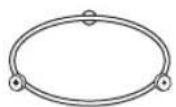
Instruction Manual

If items are missing, or damaged please contact Partmaster (UK only). Tel: 0844 800 3456 for assistance.
* All images in this instruction manual are for indication only; please refer to your individual unit for details.
This microwave is designed for home use only. It should not be used for commercial catering.
- After unpacking your microwave, check that it has not been damaged whilst in the box. Make sure there are no dents, and the door closes properly. A damaged microwave could allow microwave energy to escape. Make sure that you have taken out all the packaging from inside the microwave. Please dispose of the plastic wrappings / bags safely and keep out of the reach of babies and young children.
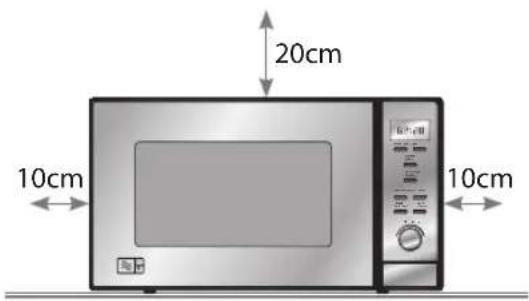
- Choose a flat, stable work surface for your microwave away from heat sources such as radiators or fires and away from cold areas. You should allow a 10 cm space all around the microwave and 20 cm above so that warm air can escape from the vents during cooking. This microwave is not designed to be built in.
- Plug your microwave into a standard household electrical socket. Avoid using a socket that also has an adaptor and other equipment plugged in. Do not use a multi-adaptor.
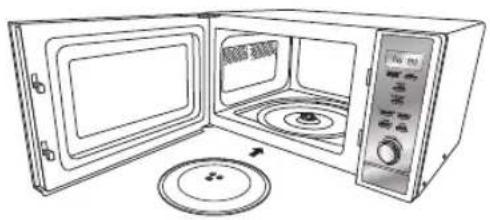
- Put the turntable support inside the microwave and place the glass turntable plate on top of the support. The turntable support is shaped to sit securely on the spindle. You must always use the turntable plate and support whenever you use the microwave.
- To protect your work surface, we recommend that you fix some non-slip cushion pads (not included) to the underside of the microwave.

Remove the turntable plate and turntable support before turning the microwave upside down.
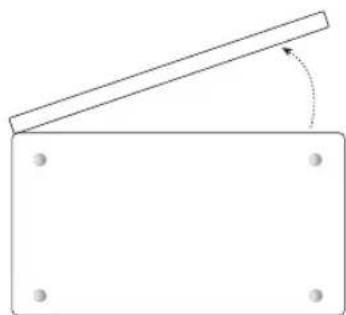
Underside View
Always remember the basic safeguards you would follow when using any cooking equipment or handling hot food.
This page gives some of the basic guidelines for microwave cooking. If you are unfamiliar with using a microwave, there is more information at the back of this instruction manual.
Cooking with a Microwave

Cooking with a microwave is much faster than conventional cooking and, whilst you should make sure that food is fully cooked, you should be careful not to overcook it. Food can catch fire if excessive cooking times are used.
- Microwave energy can heat unevenly so stirring to distribute heat is very important. Always stir from the outside, inwards.
- If you are cooking a number of individual foods at the same time, such as baked potatoes or small cakes, arrange them evenly on the turntable plate so that they cook evenly. Never stack food in the microwave.
- Turn larger foods such as meat roasts and poultry during cooking so that the top and bottom cook evenly. It is also recommended to turn pieces of meat or poultry, especially if they have not been deboned.
- Meat and poultry which is cooked for 15 minutes or more will brown lightly in its own fat. Anything cooked for a shorter time can be brushed with a browning sauce to give an appetising colour.

If you are unsure how long the food should cook for, begin cooking at the lowest recommended time, then add more time if necessary. The moisture content of food can vary. Ensure food is thoroughly cooked all the way to the centre before serving.
- Strips of aluminium foil can be used to cover the thinner pieces of food to stop them overcooking before the thicker parts of the food have had a chance to cook. Use the aluminium foil sparingly and wrap around the food or container carefully to stop it touching the inside of the microwave which could cause sparks.
- Microwaves cook food using microwave energy that is similar to naturally occurring radio waves. Normally, these “waves” would fade as they disappear into the atmosphere but in a microwave they are concentrated on the food causing it to heat up.
- Microwave energy cannot pass through metal – so it can not escape from inside your microwave – but it can pass through materials like glass, porcelain, plastic, and paper. These are the things used to make microwave-safe cooking equipment.
- Microwave-safe cooking equipment will still get hot as the food it contains heats up.
- The microwave energy focuses on the moisture in the food causing lots of tiny vibrations. The vibrations get so great that the moisture – and the food – heat up.
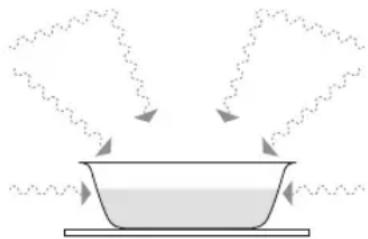
Most heat-resistant, non-metallic cooking utensils are safe to use in your microwave. If made of plastic or glass, utensils will be marked as “microwave safe” or similar.

If you are not sure and/or there is no microwave-safe marking on the utensil, do NOT use it in the microwave.
For the types of utensils you can use in the microwave, please see the "Materials That Can Be Used" section.

- Never use equipment made of metal, except aluminium foil, in your microwave oven.
- Microwave energy cannot pass through metal, so it bounces off and causes sparks against the inside of the oven.
- Stop the microwave immediately if any equipment causes sparks.
- Remember that some crockery has a metal trim around the edge. Even this trim can cause sparks.
- Never use scratched, cracked, or damaged glass in a microwave. Damaged glass can explode.
Using Aluminium Foil in Your Microwave
It is safe to use aluminium foil in your microwave as long as you follow these safety guidelines.
As with all metals, microwave energy cannot pass through aluminium foil, but provided you keep the aluminium foil away from the sides of the microwave, it will not cause sparks and there will be no damage to your microwave.
Using aluminium foil is a good way to shield parts of food that you do not want to cook as quickly as others – perhaps where the food is narrower and would otherwise overcook.
Place the aluminium foil over the area you want to shield, taking care that the aluminium foil will not touch the sides of the microwave when the turntable plate rotates. Only use one piece of aluminium foil at a time so that you do not get sparks between the separate pieces.
Follow these guidelines when using aluminium foil in your microwave:
- Remove aluminium foil lids from containers before using them in the microwave. Some lids are made of card with an aluminium foil covering – these should be removed too. Use a microwave-safe transparent lid if possible. Stir food during cooking if the container has a lid or film cover. Always use the glass turntable plate.
- Use shallow containers with a large surface area. Do not use containers that are more than 1.25 inches (3.5 cm) deep. Use gloves when handling hot aluminium foil containers.
- Do not completely cover food with aluminium foil. The microwave energy cannot pass through the aluminium foil, so the food will not cook.
- Do not let aluminium foil touch the inside of the microwave.
- Do not use more than one piece of aluminum foil in the microwave at the same time.
Materials That Can Be Used in the Microwave
| Utensils Remarks | |
| Aluminum foil Shielding | only. Small smooth pieces can be used to cover thin parts of meat or poultry to prevent overcooking. Arcing can occur if foil is too close to oven walls. The foil should be at least 1 inch (2.5cm) away from oven walls. |
| Browning dish Follow m | manufacturer's instructions. The bottom of browning dish must be at least 3/16 inch (5mm) above the turntable. Incorrect usage may cause the turntable to break. |
| Dinnerware Microwave-safe only. Follow manufacturer's instructions. Do not use cracked or chipped dishes. | |
| Glass jars Always remove lid. Use only to heat food until just warm. Most glass jars are not heat resistant and may break. | |
| Glassware Heat-resistant oven glassware only. Make sure there is no metallic trim. Do not use cracked or chipped dishes. | |
| Oven cooking bags Follow manufacturer's instructions. Do not close with metal tie. Make slits to allow steam to escape. | |
| Paper plates and cups Use for short-term cooking/warming only. Do not leave oven unattended while cooking. | |
| Paper towels Use to cover food for reheating and absorbing fat. Use with supervision for a short-term cooking only. | |
| Greaseproof paper Use as a cover to prevent splattering or a wrap for steaming. | |
| Plastic Microwave-safe only. Follow the manufacturer's instructions. Should be labelled "Microwave Safe". Some plastic containers soften, as the food inside gets hot. "Boiling bags" and tightly closed plastic bags should be slit, pierced or vented as directed by package. | |
| Plastic wrap Microwave-safe only. Use to cover food during cooking to retain moisture. Do not allow plastic wrap to touch food. | |
Microwave Heating Categories
Your microwave has been tested and labeled to meet the UK government's voluntary agreement on the reheating of pre-cooked food.
The heating characteristics and output power levels of microwaves are usually calculated using a relatively large portion of food (a 1000 gram load, IEC 60705) but many packs of pre-cooked food are sold in smaller packs, often about 350 grams.
The UK government, in partnership with food companies and microwave manufacturers, have set up a system of heating categories to help you choose the reheating time for pre-cooked food.
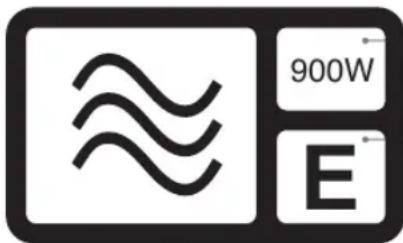
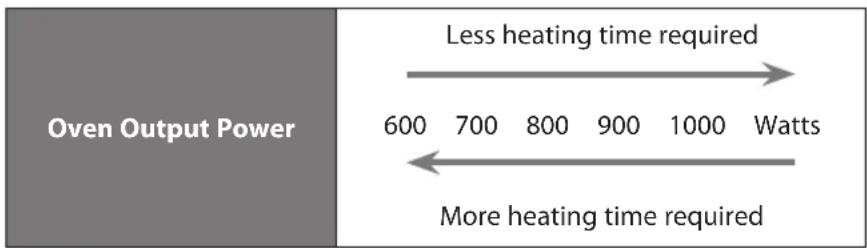
900W (IEC 60705) is the output power of the microwave.
E is the heating category for your microwave. Check the cooking times for category E on the food's packaging to see how long it should be cooked for.
The category (a letter from A to E) is designed to help you reheat small quantities of food such as microwave ready meals.
The label given above and also on the oven door gives the heating category and output power of the oven.
Microwave ready meals weighing up to 500g (1lb 2oz) should have cooking instructions for heating categories A to E. Follow the instructions for the letter that corresponds to the heating category of the oven.
The higher the output power and heating category of the oven the less heating time is required. This is shown in the diagrams below:
![graph LR A["Oven Output Category"] --> B["More heating time required"] B --> C["A"] B --> D["B"] B --> E["C"] B --> F["D"] B --> G["E"] style A fill:#999,stroke:#333 style B fill:#ccc,stroke:#333 style C fill:#fff,stroke:#333 style D fill:#fff,stroke:#333 style E fill:#fff,stroke:#333 style F fill:#…](/content/2026/05/967142/images/291c92acfcbc042cfd0e87810eb69c07b8ce7f388eb8c09ad952e86cc9a4e070.jpg)

Start cooking at the lowest recommended time, and add more time if necessary. The moisture content of food can vary, ensure food is cooked thoroughly all the way to the centre before serving.
Steam
When you microwave food, steam is created as water in the food heats up and evaporates.
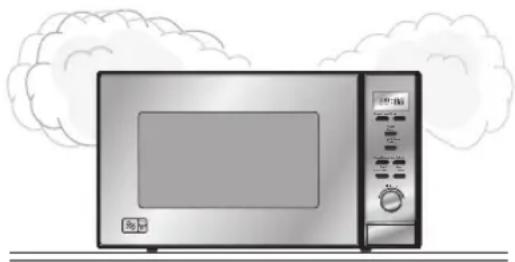
The steam formed during microwave cooking is entirely safe. It has to escape from the microwave to prevent pressure from building up inside the microwave. It does this through the vents on the back of the microwave and from around the door.
Condensation
As the steam cools, you may find that condensation gathers in small pools inside your microwave and on the work surface beneath the door and vents. Always dry the microwave after cooking foods with a high moisture content.
Your microwave is designed to let steam escape from the vents and around the door without microwave energy escaping. There is no danger of microwave energy escaping with the steam.
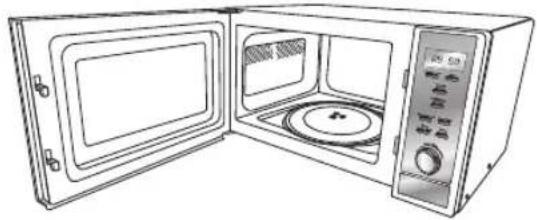
The Main Unit
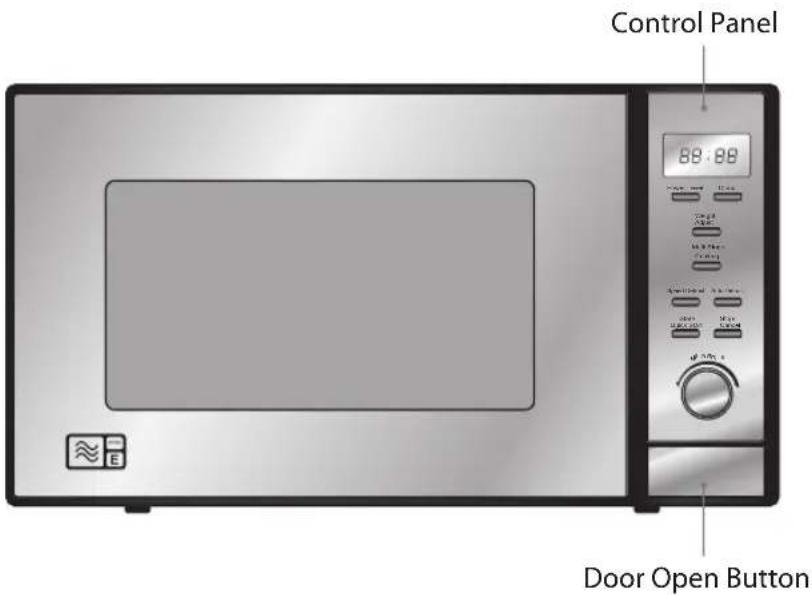
The Control Panel
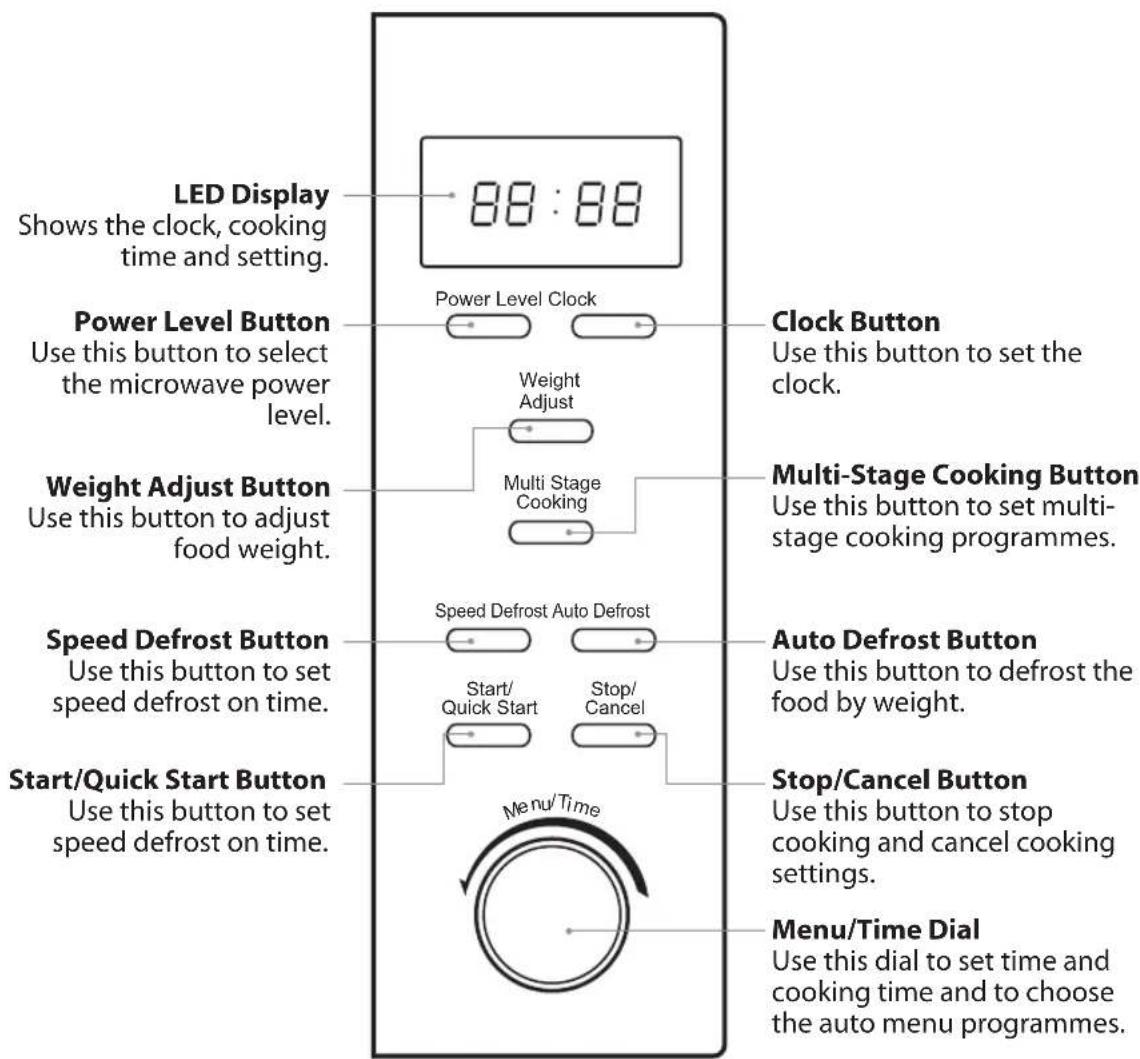
Check your microwave after unpacking.

For your safety, the microwave stops if the door is opened during cooking. Close the door and press the Start/Quick Start button to continue the cooking cycle.
- Pull the handle to open the door.
- Place a cup of water on the glass turntable plate. Make sure the cup is microwave safe (it should not have any decorative metal trim).
- Close the door.
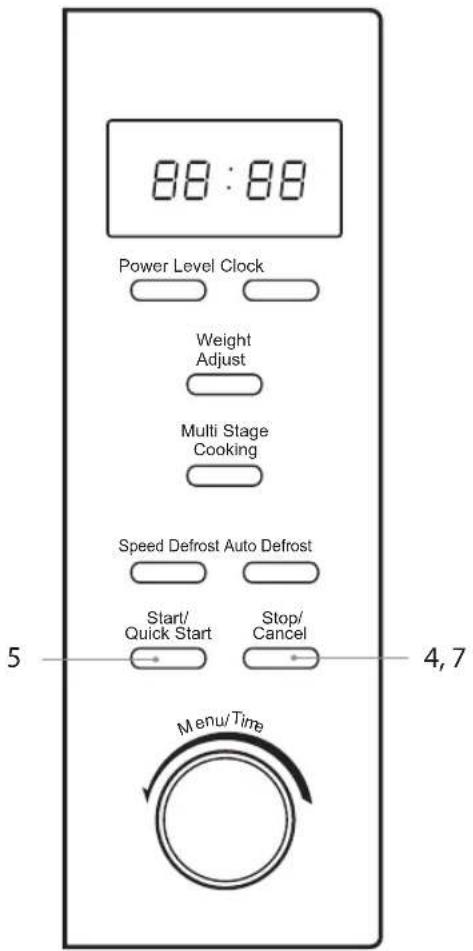
- Press the Stop/Cancel button to clear any settings that have already been made.
- Press the Start/Quick Start button once to start a simple 30-second microwave cooking cycle and that allows you to check the operation of the microwave.
- When the cooking cycle has finished, the water should be hot (be careful when you take the cup out of the microwave).
- Press the Stop/Cancel button to clear any settings.
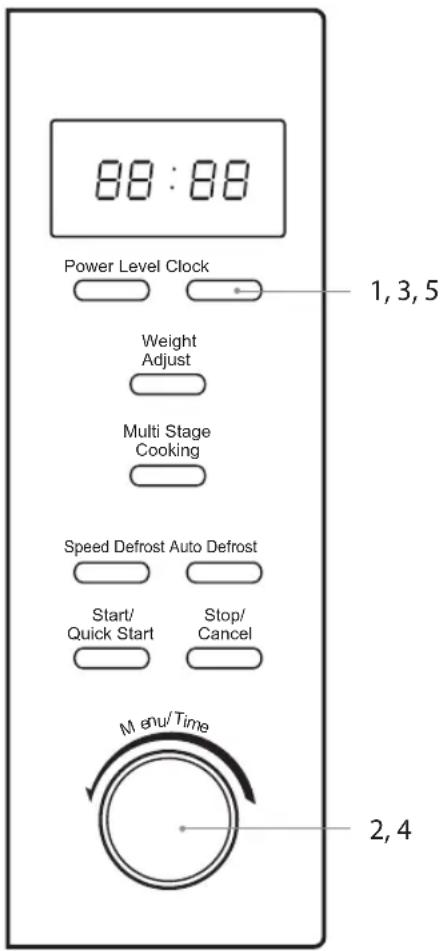
When the microwave is connected to the mains power, the LED display will show "12:00", and the microwave will sound once. Please ensure that you have set the clock prior to use.
Please follow the steps below to set the clock.
- Press the Clock button and the LED display will show "Hr 24".

Press the Clock button again, if you want to set 12 hour clock.
- Turn the Menu/Time dial to adjust the hour digits. The input time has to be within 0-23 for 24 hour clock or 0-12 for 12 hour clock.
- Press the Clock button and the minute digits will flash.
- Turn the Menu/Time dial to adjust the minute digits, the input time has to be within 0-59.
- Press the Clock button again to complete the clock setting. The clock setting is complete.

- This is a 12/24-hour clock. When the microwave is connected to the mains power for the first time or when the power is resumed after a power interruption, the LED display will show "1:00". To re-set the clock, follow the above 5 steps.
- In the process of clock setting, if the Stop/Cancel button is pressed or if there is no operation within 1 minute, the microwave will go back to the previous status automatically.
- To find out the current time while the microwave is operating, press the Clock button. It will last for 2-3 seconds and then return to its original display.
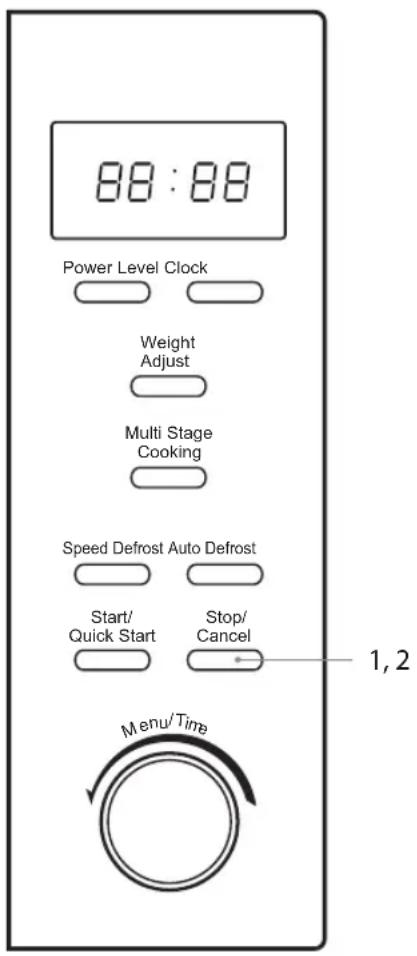
This feature prevents the electronic operation of the microwave by locking the operation of the control panel until you have cancelled it.
Please follow the steps below to set the child lock.
- Press the Stop/Cancel button until the microwave beeps. The child lock indicator LOCK will illuminate to indicate the microwave has set the child lock.
- To release the child lock, press the Stop/Cancel button again until the microwave beeps. The child lock indicator LOCK will disappear from the LED display to indicate that the microwave has released the child lock.
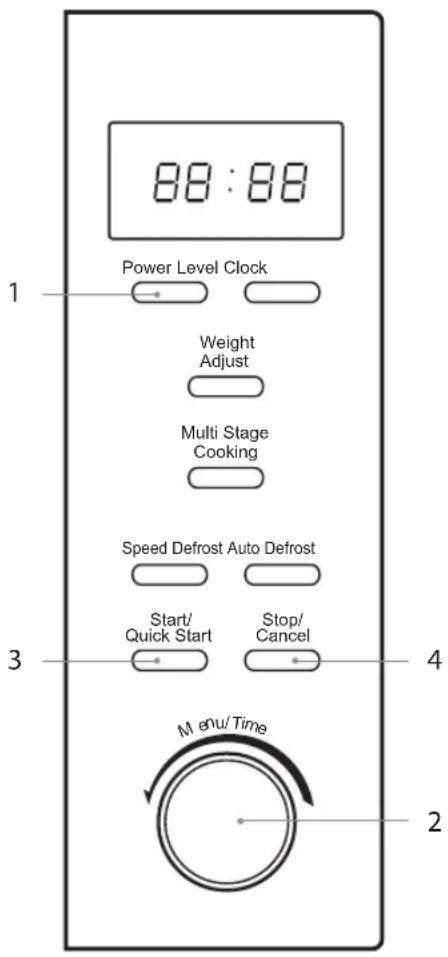
For simple Microwave Cooking, follow the steps below.
For instance: If you want to use 60% microwave power to cook for 5 minutes.
- Press the Power Level button once and the LED display will show "100". Press the Power Level button repeatedly until the LED display shows "60".
- Turn the Menu/Time dial to adjust the cooking time until the LED display shows "5:00".
- Press the Start/Quick Start button to confirm and start cooking.
- Press the Stop/Cancel button once to stop the cooking. Press the Stop/Cancel button again to cancel the setting.
| Microwave Button Control | ||
| Press Order | LED Display | Microwave Power |
| 1 100 100% | ||
| 2 90 90% | ||
| 3 80 80% | ||
| 4 70 70% | ||
| 5 60 60% | ||
| 6 50 50% | ||
| 7 40 40% | ||
| 8 30 30% | ||
| 9 20 20% | ||
| 10 10 10% | ||
| 11 0 0% | ||

- Stop the microwave before removing food.
- Operating the microwave without food in it can result in overheating and damage the magnetron.
- Cooking with a microwave is much faster than conventional cooking. Whilst you should ensure that food is thoroughly cooked, you should be careful not to overcook it.
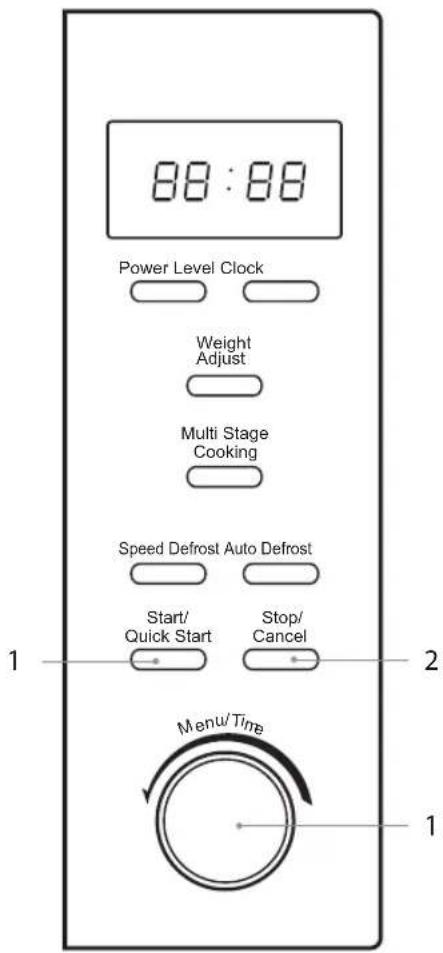
This feature allows you to quickly cook your food for 30 seconds with 100% microwave power. Please follow the steps below.
- Press the Start/Quick Start button to start the quick start cooking. Press the Start/Quick Start button again to add another 1 minute. The maximum time you can set is 10 minutes. The programme will begin automatically.

Alternatively, you can turn the Menu/Time dial clockwise to set the cooking time with 100% microwave power first. Then, press the Start/Quick Start button to start cooking.
- Press the Stop/Cancel button once to stop the cooking. Press the Stop/Cancel button again to cancel the setting.
For Multi-Stage Cooking, please follow the steps below.
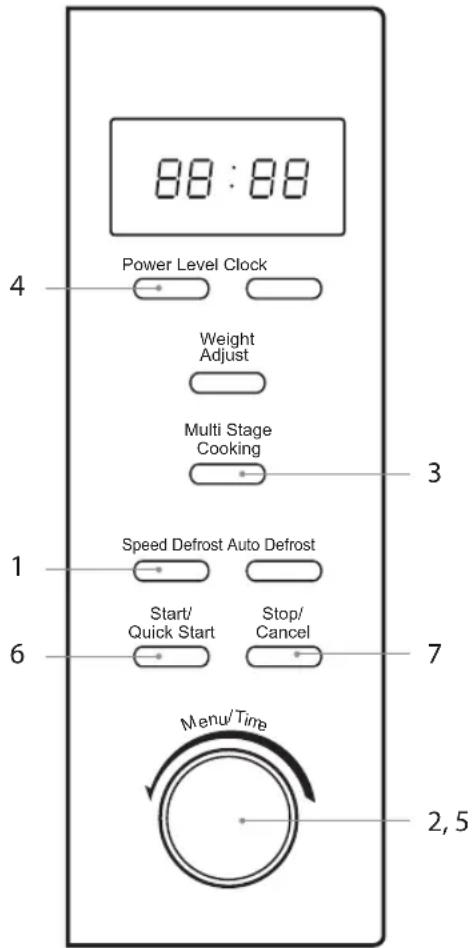
For instance: If you want to defrost shrimp for 5 minutes and then to cook it with 80% microwave power for 7 minutes.

You can set a maximum of 2 stages for Multi Stage Cooking. If you want to use a defrost program in a Multi Stage Cooking program, you can only set the Speed Defrost program on the first stage. Auto Defrost, Quick Start Cooking, and Auto Cooking are not available in Multi Stage Cooking.
- Press the Speed Defrost button once. The LED display will show "1S".
- Turn the Menu/Time dial to adjust the defrosting time until the LED display shows "5:00".

Do not press the Start/Quick Start button at this stage.
- Press the Multi Stage Cooking button once. The LED display will show "2S".
- Press the Power Level button 3 times to confirm the microwave power level. The LED display will show "80".
- Turn the Menu/Time dial to adjust the cooking time until the LED display shows "7:00".
- Press the Start/Quick Start button to confirm. The microwave will sound once to indicate it has started defrosting. The respective light will turn on to indicate which stage the oven is operating. Upon completion, the microwave will sound five times.
- Press the Stop/Cancel button once to stop the cooking. Press the Stop/Cancel button again to cancel the setting.
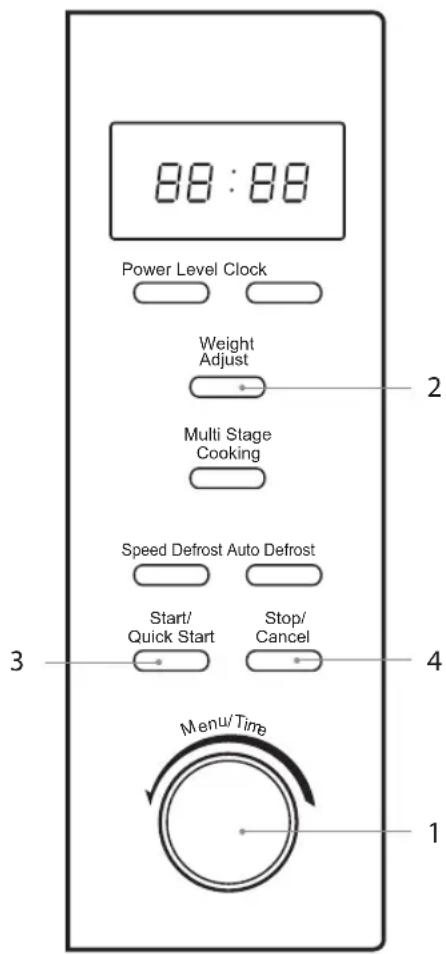
This feature allows you to cook most of your food based on the food category and the weight. Select the category and choose the default weight of the food. For quick reference of the cooking time and the default weight, please refer to the Auto-Cook Menu table.
Auto-Cook Menu
- Turn the Menu/Time dial anti-clockwise to select the required Auto Menu program. The LED display will show "01", "02", "03", etc.
- Press the Weight Adjust button to adjust the weight or amount of food.
- Press the Start/Quick Start button to confirm.
- Press the Stop/Cancel button once to stop the cooking. Press the Stop/Cancel button again to cancel the setting.
For instance: If you want to cook 400g of fish using the Auto Menu programme, please follow the steps below.
- Turn the Menu/Time dial anti-clockwise to select the Auto Menu programme "06". The LED display will flash.
- Press the Weight Adjust button until the LED display shows "400".
- Press the Start/Quick Start button to confirm and start cooking.

When using the auto-cook menu, it is not necessary to programme the time or cooking power. Indicating the food type and weight is sufficient. For some food, you may need to turn it over during cooking to ensure it is thoroughly cooked and browns evenly.
Auto-Cook Menu Table
| Menu Weight Display | Cooking Time | Comments | |||
| 01 Milk/Coffee (200ml per cup) | 1 cup 1 1 | 30" | Always stir liquids before and after cooking and allow them to stand. Ensure containers are wider at the top than at the bottom. If warming milk in a bottle, ensure the bottle is shaken.Check cooking regularly to make sure the water does not boil over. | ||
| 2 cups 2 2 | 40" | ||||
| 3 cups 3 3 | 50" | ||||
| 02 Rice | 150 g 150 | 19'00" | 150g of rice + 300ml of cold water | Only use suitable microwavable containers and cling film in the microwave. Pierce the film with a fork before cooking.Check cooking regularly to make sure the water does not boil over. | |
| 300 g 300 | 22'00" | 300g of rice + 600ml of cold water | |||
| 450 g 450 | 25'00" | 450g of rice + 900ml of cold water | |||
| 600 g 600 | 28'00" | 600g of rice + 1200ml of cold water | |||
| 03 Spaghetti | 100 g 100 | 22'00" | 100g of Pasta + 800ml of Cold Water | Only use suitable microwavable containers and cling film in the microwave.Ensure to check the cooking regularly to make sure the water does not boil over. | |
| 200 g 200 | 27'00" | 200g of Pasta + 1600ml of Cold Water | |||
| 300 g 300 | 32'00" | 300g of Pasta + 2400ml of Cold Water | |||
| 04 Potato* (230g ±10g each) | 1 piece 1 | 4'00" | For best results, pierce the potatoes' skin before cooking. Once the potatoes are cooked, wrap them in aluminium foil for at least 5 minutes to ensure they are cooked thoroughly. | ||
| 2 pieces 2 | 8'00" | ||||
| 3 pieces 3 | 12'00" | ||||
| 05 Auto Reheat | 200 g 200 | 1'30" | Make sure food is cooked thoroughly before consuming. Additional cooking time may be required for thicker pieces. | ||
| 300 g 300 | 2'00" | ||||
| 400 g 400 | 2'30" | ||||
| 500 g 500 | 3'00" | ||||
| 600 g 600 | 3'30" | ||||
| 700 g 700 | 4'00" | ||||
| 800 g 800 | 4'30" | ||||
| 06 Fish | 200 g 200 | 3'00" | Make sure food is cooked thoroughly before consuming. Additional cooking time may be required for thicker pieces of fish. | ||
| 300 g 300 | 4'20" | ||||
| 400 g 400 | 5'40" | ||||
| 500 g 500 | 7'00" | ||||
| 600 g 600 | 8'20" | ||||
| 07 Pizza | 150 g 150 | 0'50" | This setting is designed for re-heating cooked pizza slices (not frozen pizza). | ||
| 300 g 300 | 1'20" | ||||
| 450 g 450 | 1'50" | ||||
| 08 Popcorn | 99 g 99 | 2'30" | For best results, we recommend using ready mix packed popcorn. Cover it with microwavable lid. | ||
* It is recommended that when auto-cooking a potato, the potato should weigh at least 230g. Note: potatoes will vary in water content depending on age, type, weight, etc.
This feature allows you to defrost your frozen foods simply by entering the weight or time.
Auto Defrost

The microwave can defrost meat, poultry, and seafood. The time and the defrosting power are adjusted automatically once the weight is programmed.
For instance: If you want to defrost 600g of shrimp, please follow the steps below.
- Press the Auto Defrost button once and the LED display will show "100g".
- Press the Weight Adjust button to adjust the weight of your food. The default range is 100g to 1800g.
- Press the Start/Quick Start button to start defrosting.
- Press the Stop/Cancel button once to stop defrosting. Press the Stop/Cancel button again to cancel the setting.
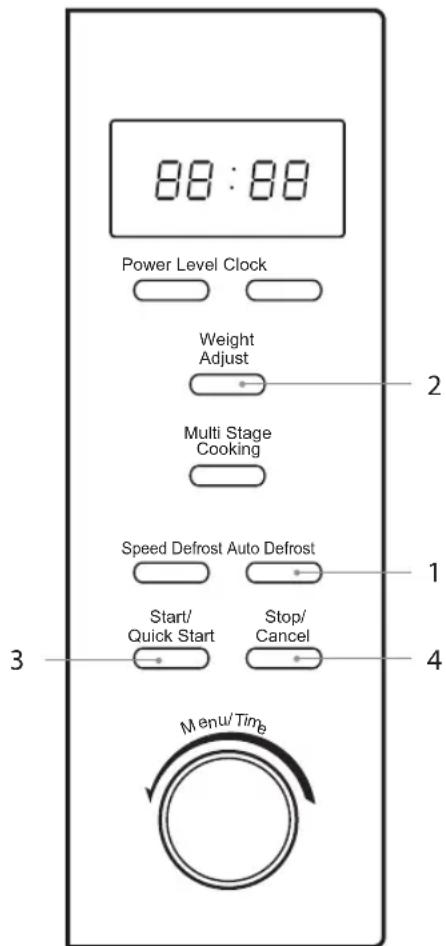

- The microwave stops during defrosting to let you turn the food and open the microwave door. After you rotate the food, you need to press the Start/Quick Start button to re-start defrosting.
- Large items may be frozen in the centre. Therefore, to ensure even thawing, turn them over from time to time and break them into smaller pieces during defrosting.
- Place roasts fat-side down or whole poultry breast-side down.
- Drain liquids during defrosting as the juices from food can get hot and cook the food.
Speed Defrost
For instance: If you want to defrost shrimp. Please follow the below steps.
- Press the Speed Defrost button once and the LED display will show "1S".
- Turn the Menu/Time dial to set the defrosting leadtime. The input time has to be within 0-45 minutes.
- Press the Start/Quick Start button to start defrosting.
- Press the Stop/Cancel button once to stop defrosting. Press the Stop/Cancel button again to cancel the setting.
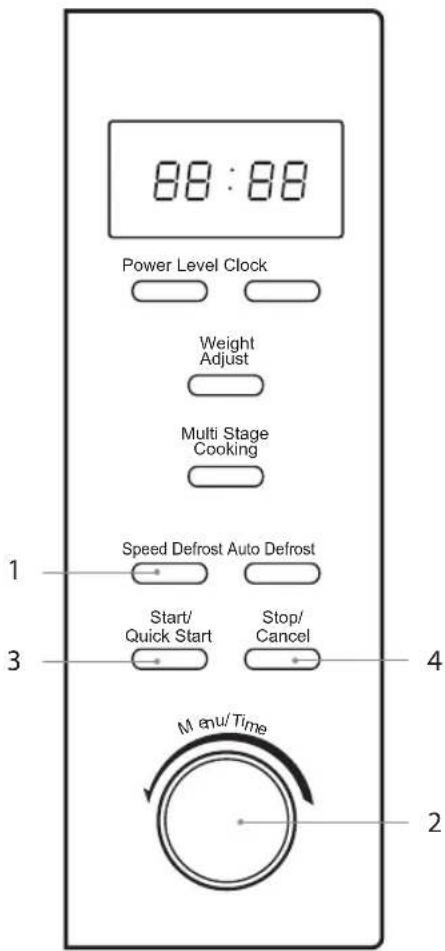

- The microwave stops during defrosting to let you turn the food and open the microwave door. After you rotate the food, you need to press the Start/Quick Start button to re-start defrosting.
- Large items may be frozen in the centre. Therefore, to ensure even thawing, turn them over from time to time and break them into smaller pieces during defrosting.
- Place roasts fat-side down or whole poultry breast-side down.
- Drain liquids during defrosting as the juices from food can get hot and cook the food.

Cleaning Your Microwave
Cleaning your microwave each time you use it will help to prevent a build-up of stubborn marks that can be difficult to clean.
Unplug your microwave from the mains and wait for it to completely cool down before cleaning.
On the right-hand side wall of the cavity is the wave guide cover. Microwaves are passed through this to enable your food to cook. It is important that this wave guide cover is kept clean at all times.
Wipe it with mild detergent and water and leave to dry.
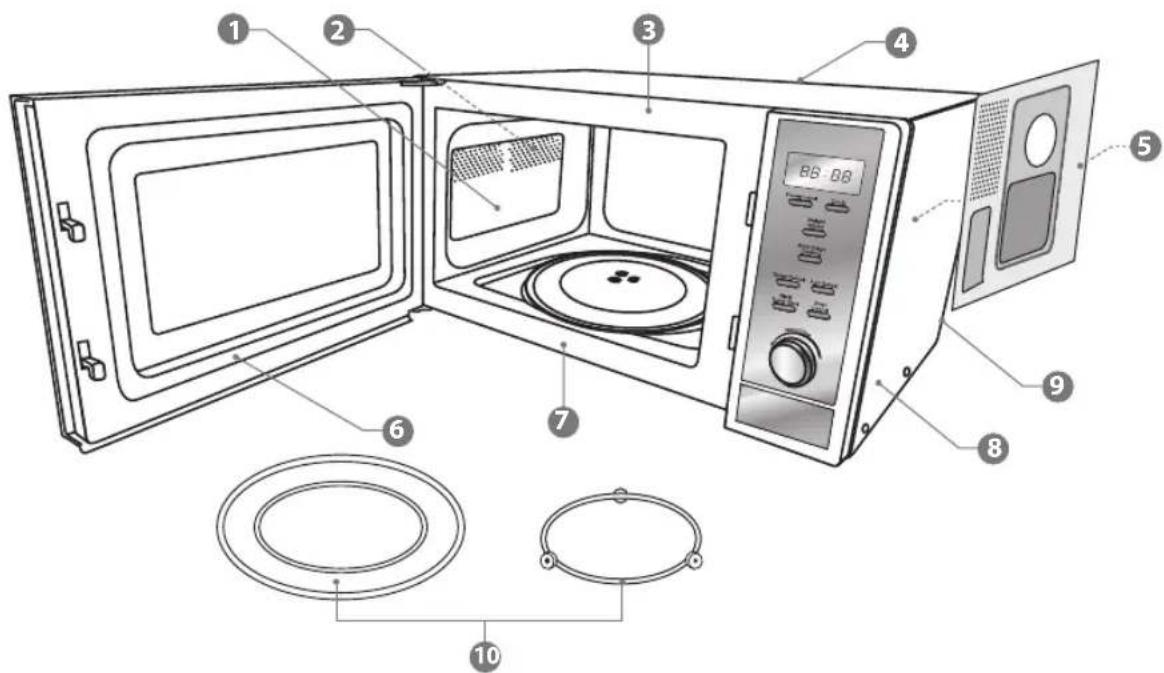
The microwave walls have a special enamel coating which makes cleaning very easy. Use a soft damp cloth to wipe off any splashes or a paper towel to mop up any spills. Wipe off grease with a damp cloth and a little detergent. Dry thoroughly. If grease is left to accumulate, it can smoke and even catch fire.
② Make sure you keep the outlet grids clean.
3 Keep the front of the microwave clean so that the door can close properly.
4 Be careful not to spill water into the vents.
5 Do not remove the wave guide cover: It is important to keep the cover clean in the same manner as the inside of the microwave. If grease is left to accumulate, it can smoke and even catch fire.
6 Keep the inside of the door clean with a damp cloth. Use warm soapy water for stubborn marks and dry thoroughly. The inside of the door has a special coating and must not be cleaned with abrasive pads or cleaning powders.
7 Clean behind the door ledge. 8 Use warm soapy water to clean the outside of the microwave. Do not use abrasive cleansers, pads or powders that could scratch the surface. 9 Unplug the microwave before cleaning the power cord and the microwave. Wipe with a damp cloth and leave to dry before plugging it back in. 10 Treat the glass turntable plate as you would any glass plate. After you have used it for more than 15 minutes, allow it to cool down before you use it again. Do not wash the glass turntable plate in very hot water, doing so could crack it. Wash the turntable support in warm water. Do not use very hot water which could make it warp. Make sure the glass turntable plate and turntable support are dry before you put them back in the microwave.

Do not remove any fixed parts from the inside of your microwave during cleaning or at any other time.
If a problem does occur, it may often be due to something very minor. The following Q & A may be able to resolve the issue.
| Questions Answers | |
| Why doesn't the food seem to cook? | Check that:·the cooking time has been set·the door is closed·the mains socket is not overloaded causing the fuse to blow. |
| Why does the food seem undercooked or overcooked? | Check that:·the correct cooking time has been set·the correct power setting has been used. |
| How can I stop eggs from popping? | When you bake or poach eggs in the microwave, the yolk can sometimes pop as steam builds up inside it. You can stop the egg from popping by piercing the yolk with a toothpick before cooking.Never cook eggs that are still in their shells. |
| Why is it so important that I allow standing time after cooking? | With microwave cooking, many foods build up enough heat inside them to continue cooking even after they've been taken out of the microwave. Because microwave cooking works from the outside of food inwards, standing time lets you cook the centre of the food without the outside being overcooked. |
| Why does my microwave sometimes take longer to cook than it says in the recipe? | First check that the microwave was set just as the recipe said. Cooking times and heat settings are suggestions to help prevent overcooking but differences in the weight, size, shape and starting temperature of food will all affect how long it takes to cook – just as it does with a conventional oven. Use your judgement along with the recipe to check whether the food has been cooked properly. |
| Why do I get condensation on the inside of the door? | Condensation is perfectly normal, especially when you are cooking food with a high moisture content such as potatoes. |
| Does the microwave energy get through the window on the door? | No. The door has a special metal screen with holes in that lets you see inside but stops microwave energy from getting out. |
| Steam comes out of the side of the door and vents. Can microwave energy get out too? | No. The door and vents are carefully designed to let steam out during cooking but keep microwave energy in. The gaps are not big enough for microwave energy to escape. |
| What happens if the microwave is switched on while the microwave is empty? | The microwave will be damaged. Do not switch the microwave on when there's nothing inside the microwave. It is a good idea to keep a cup of water in the microwave just in case someone accidentally starts the microwave. |
| Why doesn't the microwave's light illuminate? | Open the door. If the light does not illuminate, the bulb has probably blown. Call a qualified technician – do not try to change the bulb yourself. |
| There are sparks inside the microwave when I use the microwave. Will this cause any damage? | Yes. Make sure that you are not using any metal utensils and that your containers don't have a metal trim. You must not use metal in your microwave when you cook (except aluminium foil). |
| Light is showing through the vents and door. Does this mean the microwave energy can escape? | No. It is normal for the light to be visible and is nothing to be concerned about. |
| Why do I get interference on my TV and radio when I use the microwave? | Microwaves use radio waves similar to those received by TVs and radios. You can lessen the interference by moving your microwave further away from the TV or radio. |
| Model L25MDM13 | |
| Input 230 - 240V~ 50Hz | |
| Microwave Output 900 Watts | |
| Microwave Frequency 2450 MHz | |
| Outside Dimensions(width x deep x height) | 483 mm(W) x 386 mm(D) x 281 mm(H) |
| Power Consumption | |
| Microwave Input 1400 Watts | |
Complies with EC directives 2004/108/EC and 2006/95/EC.
We continually strive to improve our products. Features and specifications may change without prior notice.

DSG Retail Limited is responsible for after-sales service. If you have a query about the product, please contact our product support line at 0844 561 6263 (Currys).
Partmaster.co.uk
Visit Partmaster.co.uk today for the easiest way to buy electrical spares and accessories. With over 1 million spares and accessories available, we can deliver direct
to your door the very next day. Visit www.partmaster.co.uk or call 0844 800 3456 (UK customers only). Calls charged at National Rate.
This symbol on the product or in the instructions means that your electrical and electronic equipment should be disposed of at the end of its life separately from your household waste. There are separate collection systems for recycling in the EU.
For more information, please contact the local authority or your retailer where you purchased the product.
- L CONVENTIONAL OVEN
- GENERAL SAFETY
- MAINTENANCE OF YOUR MICROWAVE
- MICROWAVE USE
- COOKING USE
- FIRE
- FIRST AID
- CLEANING YOUR MICROWAVE
- DO NOT USE THESE IN YOUR MICROWAVE
- CONTAINERS
- DELAYED BOILING
- PREPARING FOOD FOR BABIES
- CAUTION
- HOT SURFACE
- EARTHING INSTRUCTIONS
- WARNING: THIS APPLIANCE MUST BE EARTHED
- WARNING
- COOKING WITH A MICROWAVE
- USING ALUMINIUM FOIL IN YOUR MICROWAVE
- MATERIALS THAT CAN BE USED IN THE MICROWAVE
- MICROWAVE HEATING CATEGORIES
- STEAM
- CONDENSATION
- THE MAIN UNIT
- THE CONTROL PANEL
- AUTO-COOK MENU
- AUTO DEFROST
- SPEED DEFROST
- PARTMASTER.CO.UK
Brand : Logik
Model : L25MDM13
Category : Microwave