
Wille - Uncategorized MIO - Free user manual and instructions
Find the device manual for free Wille MIO in PDF.


Pick your language and provide your email: we'll send you a specifically translated version.
| Product Type | Activity Tracker |
| Brand | Mio |
| Model | Wille |
| Display | 0.96 inch OLED |
| Dimensions | 40 x 20 x 10 mm |
| Weight | 25 g |
| Battery | Lithium polymer, 100 mAh |
| Battery Life | Up to 7 days (normal use) |
| Charging | USB magnetic charging cable |
| Connectivity | Bluetooth 5.0 |
| Compatibility | iOS 10+ / Android 6+ |
| Sensors | Accelerometer, Heart rate monitor, SpO2 |
| Water Resistance | IP67 (sweat, rain, swimming) |
| Main Functions | Steps, distance, calories, heart rate, sleep, notifications |
| Additional Features | Stopwatch, timer, find phone, remote camera |
| Strap Material | Silicone, adjustable 130-210 mm |
| Cleaning | Wipe with damp cloth; avoid soap/alcohol |
| Safety | Do not expose to high temperatures; discontinue if skin irritation |
| Spare Parts | Straps available separately; battery not user-replaceable |
| Repairability | Repair only by qualified personnel; no user-serviceable parts |
Frequently Asked Questions - Wille MIO
How do I turn on the Mio Wille?
Press and hold the side button for 3 seconds until the screen lights up. If it doesn't, ensure the battery is charged.
How do I charge the device?
Connect the magnetic charging cable to the contacts on the back of the tracker and plug the USB end into a power source. A full charge takes about 1 hour.
Is the Mio Wille waterproof?
It has an IP67 rating, meaning it is dust-tight and can withstand immersion in 1 meter of water for 30 minutes. It is suitable for swimming, but not for diving or hot showers.
How do I sync data with my smartphone?
Download the Mio Care app from the App Store or Google Play. Enable Bluetooth on your phone, open the app, and follow the pairing instructions. Data syncs automatically when in range.
What should I do if the heart rate reading seems inaccurate?
Ensure the tracker is worn snugly on your wrist, above the wrist bone. Clean the sensor area and your skin. Avoid wearing too loose or too tight. For best results, remain still during measurement.
How do I replace the strap?
Remove the tracker module from the strap by sliding it out. Attach a compatible replacement strap and slide the module back in until it clicks. Ensure it is secure before use.
The screen is dim or not responding. What can I do?
Try restarting the device by pressing and holding the button for 10 seconds. If the issue persists, charge the device for at least 30 minutes. If still unresponsive, contact Mio support.
Can I wear the Mio Wille while sleeping?
Yes, it tracks sleep automatically. Wear it comfortably on your non-dominant wrist. The device will detect sleep and provide insights in the app.
How do I reset the device to factory settings?
On the tracker, go to Settings > Reset > Confirm. Alternatively, in the app, tap on the device icon and select 'Reset'. All data will be erased.
The device is not receiving notifications. What should I check?
Ensure notifications are enabled in the app for the desired apps. Check that Bluetooth is on and the device is within range (10 meters). Also, make sure 'Do Not Disturb' mode is off on the tracker.
User questions about Wille MIO
0 question about this device. Answer the ones you know or ask your own.
Ask a new question about this device
No questions yet. Be the first to ask one.
Download the instructions for your Uncategorized in PDF format for free! Find your manual Wille - MIO and take your electronic device back in hand. On this page are published all the documents necessary for the use of your device. Wille by MIO.
USER MANUAL Wille MIO
natural_image
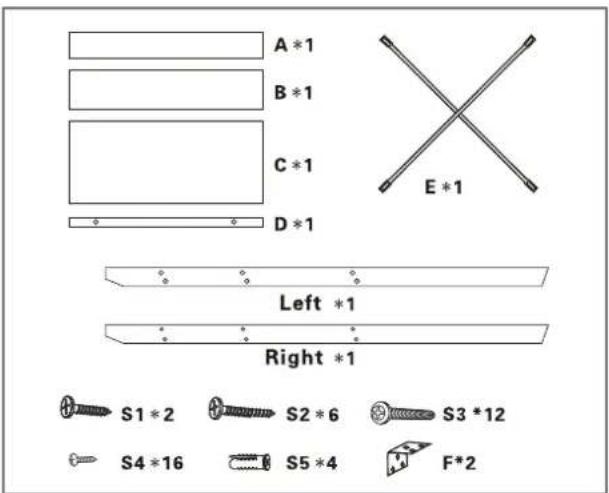
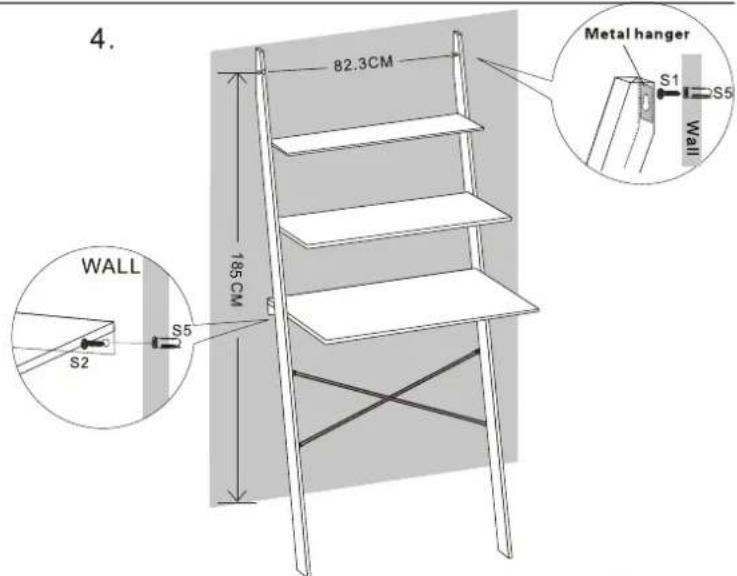
Line drawing of a three-tiered folding chair with no text or symbols- Delar
Manual assistant
Powered by Anthropic
Waiting for your message
Product information
Brand : MIO
Model : Wille
Category : Uncategorized