
S 7510 - Vacuum Cleaner Arçelik - Free user manual and instructions
Find the device manual for free S 7510 Arçelik in PDF.


| Product Type | Cylinder Vacuum Cleaner |
| Model Number | S 7510 |
| Brand | Arçelik |
| Motor Power | 2000 W |
| Suction Power | 450 Air Watts |
| Dust Bag Capacity | 4.0 L |
| Filtration System | HEPA 13 Filter |
| Cord Length | 8.0 m |
| Operating Radius | 12.0 m |
| Net Weight | 5.5 kg |
| Dimensions (W x D x H) | 420 x 290 x 320 mm |
| Power Cord Type | Automatic cord rewind |
| Noise Level | 78 dB(A) |
| Accessories Included | Floor nozzle, crevice tool, dusting brush, upholstery tool |
| Maintenance | Replace dust bag when full, clean HEPA filter every 6 months |
| Safety Features | Thermal overload protection, motor protection filter |
| Energy Class | Class A (EU) |
| Warranty | 2 years |
| Repairability Index | 7.5 / 10 |
| Country of Origin | Turkey |
Frequently Asked Questions - S 7510 Arçelik
User questions about S 7510 Arçelik
0 question about this device. Answer the ones you know or ask your own.
Ask a new question about this device
Download the instructions for your Vacuum Cleaner in PDF format for free! Find your manual S 7510 - Arçelik and take your electronic device back in hand. On this page are published all the documents necessary for the use of your device. S 7510 by Arçelik.
USER MANUAL S 7510 Arçelik
natural_image
Line drawing of a vacuum cleaner with labeled parts (no text or symbols)Şekil 1
natural_image
Technical line drawing of a mechanical component with no visible text or symbols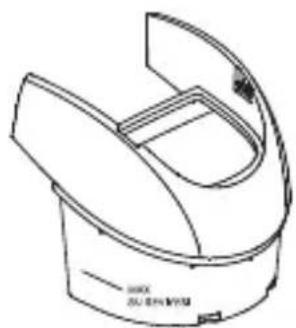
natural_image
Technical line drawing of a mechanical component with curved and flat surfaces (no text or symbols)Şekil 2
natural_image
Line drawing of a vacuum cleaner with attached housing (no text or symbols)Şekil 6
Şekil 7
natural_image
Line drawing of a hand operating a vacuum cleaner (no text or symbols present)Şekil 8
natural_image
Simple line drawing of a mechanical part or tool (no text or symbols)Şekil 10
Geniş ağızlı uç
natural_image
Simple line drawing of a mechanical component with a cylindrical top and rectangular base (no text or symbols)Şekil 11
Toz fırçası
natural_image
Simple line drawing of a cylindrical mechanical component with a textured inner ring (no text or symbols)Şekil 12
natural_image
Technical line drawing of two mechanical components with arrows indicating movement or assembly (no text or symbols)Şekil 13
natural_image
Diagram of a mechanical setup with a lever and base, showing an upward arrow (no text or symbols present)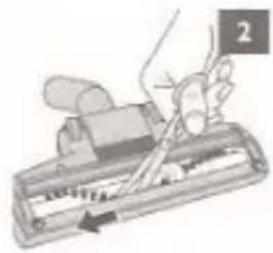
natural_image
Illustration of a hand using a tool to press or write on a mechanical component (no text or symbols visible)natural_image
Line drawing of a vacuum cleaner with handle and control panel (no text or symbols)Şekil 14
4 Bakım ve Temizlik
natural_image
Technical line drawing of a mechanical component with no visible text or symbols(Şekil 15)
natural_image
Line drawing of a robotic vacuum cleaner with internal compartments and a rectangular housing (no text or symbols)(Şekil 17)
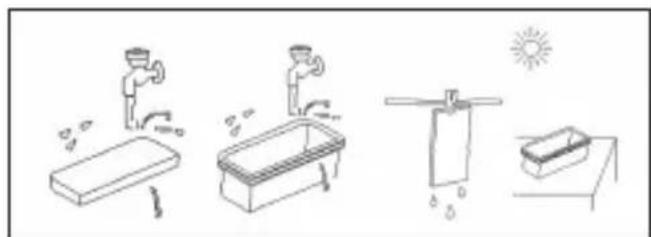
natural_image
Illustration of four different outdoor activities: washing machine, person washing table, cleaning sink, and sun (no text or symbols)(Şekil 18)
Brand : Arçelik
Model : S 7510
Category : Vacuum Cleaner