
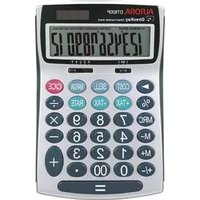
DT401 - Calculator AURORA - Free user manual and instructions
Find the device manual for free DT401 AURORA in PDF.


Pick your language and provide your email: we'll send you a specifically translated version.
| Product Type | Desktop Calculator |
| Model | Aurora DT401 |
| Display | 8-digit LCD |
| Power Source | Dual power: Solar cell and 1x LR54 button cell |
| Dimensions (W x D x H) | 150 x 100 x 25 mm |
| Weight | 100 g (including battery) |
| Basic Operations | Addition, subtraction, multiplication, division |
| Additional Functions | Percentage, square root, sign change, memory keys |
| Memory | 3-key memory: M+, M-, MR/CM |
| Key Material | Plastic with tactile feedback |
| Housing Material | ABS plastic |
| Auto Power Off | Yes, after approximately 5 minutes of inactivity |
| Operating Temperature | 0°C to 40°C |
| Acoustic Level | Silent operation (no audible beeps) |
| Pieces and Repairability | Battery user-replaceable; no other serviceable parts |
| Cleaning | Wipe with a soft, dry cloth. Do not use solvents. |
| Safety | Do not expose to water or extreme temperatures. Keep away from children under 3 years due to small parts. |
| Warranty | 2 years from date of purchase |
Frequently Asked Questions - DT401 AURORA
How do I turn on the Aurora DT401 calculator?
The calculator turns on automatically when you press any key. If it doesn't, check the battery or expose the solar panel to light.
What type of battery does the DT401 use?
It uses a 1x LR54 (AG10) button cell battery. The calculator also features a solar panel for supplemental power.
How do I replace the battery?
Slide the battery cover off the back, remove the old battery, and insert a new LR54 with the positive side up. Replace the cover.
How do I clean the calculator?
Use a soft, dry cloth to wipe the surface. Do not use water, chemicals, or abrasive cleaners.
What does the MR/CM key do?
Press MR once to recall the stored memory value. Press MR twice to clear the memory.
How do I calculate a percentage?
Enter the number, press the multiplication key, enter the percentage value, then press the % key. The result is displayed.
Why does the display show 'E' or 'Error'?
This indicates an overflow or division by zero. Press the 'C' clear key to reset.
Can I use the calculator in direct sunlight?
Yes, it works well in bright light due to the solar panel. Avoid extreme heat to prevent damage.
Is the Aurora DT401 suitable for students?
Yes, it is a basic calculator ideal for everyday arithmetic at home, school, or office.
What should I do if the display is dim?
Ensure the solar panel is exposed to enough light or that the battery is fresh. If the problem persists, contact support.
User questions about DT401 AURORA
0 question about this device. Answer the ones you know or ask your own.
Ask a new question about this device
No questions yet. Be the first to ask one.
Download the instructions for your Calculator in PDF format for free! Find your manual DT401 - AURORA and take your electronic device back in hand. On this page are published all the documents necessary for the use of your device. DT401 by AURORA.
USER MANUAL DT401 AURORA
| SWITCH | PROBLEM | INPUT | DISPLAY |
| F | Set currency rate=12 | ONC1 2SET | 0.12.12. |
| F | Exchange 4235(€)=?(€) | 4 2 3 5€ | 4235.€ 352.92 |
| F | Exchange 4567(€)=?(€) | 4 5 6 7€ | 4567.54804.00 |
| F | Currency rate review | ONCSET € | 0.12. |
| F | 2+6-7= | ONC2 + 6 - 7 = | 0.1. |
| 5/4 A | 0.02+0.03-0.01= | 2 + 3 - 1 = | 0.04 |
| ↑ 4 | -2.7×9÷7= | 2 · 7 ✘ X 9 ÷ 7 = | -3.4715 |
| ↓ 3 | 4 × (5+6)÷3= | 5 + 6 X 4 ÷ 3 = | 14.666 |
| F | 2÷3= | 2 ÷ 4 CE 3 = | 0.66666666666 |
| F | BACKSPACE | →→→ | 0.666666666 |
| ↓ 0 | 2.2+3= | 2 · 2 + 3 = | 5. |
| 4.6+3= | 4 · 6 = | 7. | |
| 5/4 2 | 2.465 - 5.73= | 2 · 4 6 5 - 5 · 7 3 = | -3.27 |
| 9.7 - 5.73= | 9 · 7 = | 3.97 | |
| ↑ A | 2.7 × 1.26= | 2 · 7 X 1 · 2 6 = | 3.41 |
| 2.7 × 3.27= | 3 · 2 7 = | 8.83 | |
| 5/4 4 | 7÷6= | 7 ÷ 6 = | 1.1667 |
| 8÷6= | 8 = | 1.3333 | |
| F | 2+3+3= | 2 + 3 = = | 8. |
| 6-2-2= | 6 - 2 = = | 2. | |
| 22= | 2 X = = | 8. | |
| 1÷5÷5= | 5 ÷ = = | 0.04 | |
| F | 20×25%= | 2 0 X 2 5 % | 5. |
| 5÷20%= | 5 ÷ 2 0 % | 25. | |
| 20×(1+15%)= | 2 0 + 1 5 % | 23. | |
| 20×(1-20%)= | 2 0 - 2 0 % | 16. | |
| F | 100÷(1-20%)= | 1 0 0 ÷ 2 0 MU | 125. |
| 100÷(1-20%)-100= | 1 0 0 ÷ 2 0 MU | 25. | |
| F | 2×3=6 | 2 X 3 M+ | M 6. |
| -) 3×4=12 | 3 X 4 M- | M 12. | |
| +) 4×5=20 | 4 X 5 M+ | M 20. | |
| 14 | MR | M 14. | |
| MC | 14. |

Manual assistant
Powered by Anthropic
Waiting for your message
Product information
Brand : AURORA
Model : DT401
Category : Calculator