Blok - Hi-Fi System REVO - Free user manual and instructions
Find the device manual for free Blok REVO in PDF.


| Product Type | Hi-Fi System |
| Brand | REVO |
| Model | Blok |
| Dimensions (W x H x D) | 280 x 140 x 180 mm |
| Weight | 2.8 kg |
| Power Supply | AC 100-240V, 50/60Hz |
| Power Consumption | 25 W (standby < 0.5 W) |
| Radio Bands | DAB/DAB+, FM (RDS) |
| Presets | 20 (10 DAB, 10 FM) |
| Bluetooth | Version 4.2, range 10 m |
| USB Port | Type A for MP3 playback (max 32 GB) |
| AUX Input | 3.5 mm stereo |
| Speaker Output | 2 x 10 W RMS |
| Display | LCD screen with white backlight |
| Clock & Alarm | Dual alarm, snooze, sleep timer |
| Remote Control | Included, CR2032 battery |
| Cleaning Instructions | Wipe with soft, dry cloth; avoid liquids and abrasives |
| Safety Warnings | Place on a stable surface; keep away from moisture and heat sources |
| Spare Parts | Available through REVO service centers; remote, power cord, antenna |
| Reparability | Refer to qualified service personnel; no user-serviceable parts inside |
Frequently Asked Questions - Blok REVO
User questions about Blok REVO
0 question about this device. Answer the ones you know or ask your own.
Ask a new question about this device
Download the instructions for your Hi-Fi System in PDF format for free! Find your manual Blok - REVO and take your electronic device back in hand. On this page are published all the documents necessary for the use of your device. Blok by REVO.
USER MANUAL Blok REVO
natural_image
Wooden portable electronic device with two speakers and a smartphone displaying a video player interface (no visible text or symbols on the device body)
natural_image
Black portable electronic device with two speakers and a smartphone displaying a video call (no visible text or symbols)
blok
Owner's Manual


Do not operate this product near water. Do not remove screws or casing parts. Use only the power supply unit supplied.
RoHS COMPLIANT


Warranty Information
Revo Technologies Ltd warrants to the end user that this product will be free from defects in materials and workmanship in the course of normal use for a period of one year from the date of purchase. This guarantee covers breakdowns due to manufacturing faults and does not apply in cases such as accidental damage, general wear and tear, user negligence, modification or repair not authorised by Revo Technologies Ltd.
Warranty Support and Registration
Should you encounter problems using this product, please refer to the troubleshooting section on page 13 of this owner's guide. Alternatively, call Revo technical support on +44 (0) 1555 66 61 61. To register your purchase please visit www.revo.co.uk/register
Environmental Information
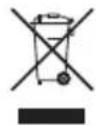
This product has been designed to comply with international directives on the Restriction of Hazardous Substances (RoHS) in electrical and electronic equipment and the disposal of Waste Electrical and Electronic Equipment (WEEE). These symbols indicate compliance and that this product must be appropriately recycled or processed in accordance with these directives.
The information in this guide is believed to be correct at the time of publication. However, our policy is one of continuous development and therefore the information contained is subject to change without notice. Revo and BLOK are trademarks or registered trademarks of Revo Technologies Ltd.
Introduction
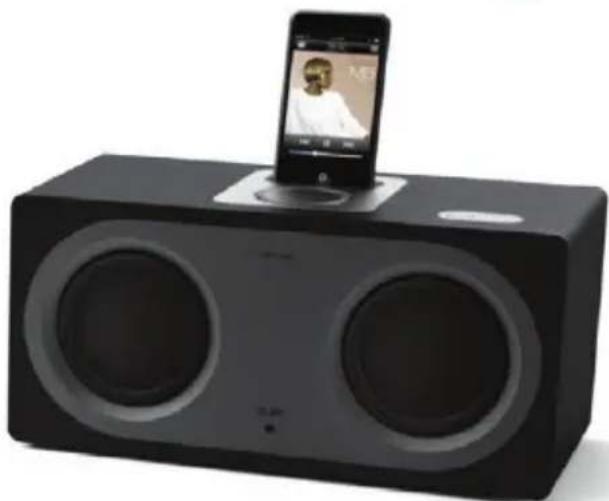
Thank you for choosing to purchase the BLOK iPod docking system from Revo, we feel sure that you will appreciate its unique blend of high quality natural materials and hi-fi standard audio reproduction.
This owner's manual has been designed to provide you with all the information you will need to set-up and use BLOK with all current iPod models.
In order to get the most from your purchase, and to fully understand its capabilities, it is important that you carefully read this guide.
Contents
2 Safety and Warranty Information
3 Introduction
4 Unpacking BLOK
6 Anatomy of BLOK
8 Setting Up BLOK
10 Using BLOK: 5 Simple Steps
11 | Putting You in Kontrol
12 Care and Maintenance
13 Troubleshooting
14 Specifications
Unpacking BLOK
Carefully remove BLOK from its packaging before removing the other items from the box.
The box should contain the following:
- Revo BLOK
- Kontrol Remote
- Remote Battery and Battery Cover
• Power Supply Unit (with power leads for UK and European use) - Dock Adaptor Kit
- Cleaning Cloth
- Owner's Manual
Should any item be missing or damaged, please contact your point of purchase or call Revo directly on +44 (0) 1555 66 61 61
NOTE: BLOK's packaging should be retained for possible future use, it is the safest way to transport BLOK should it be necessary.
Revo BLOK Box Contents

Anatomy of BLOK: top

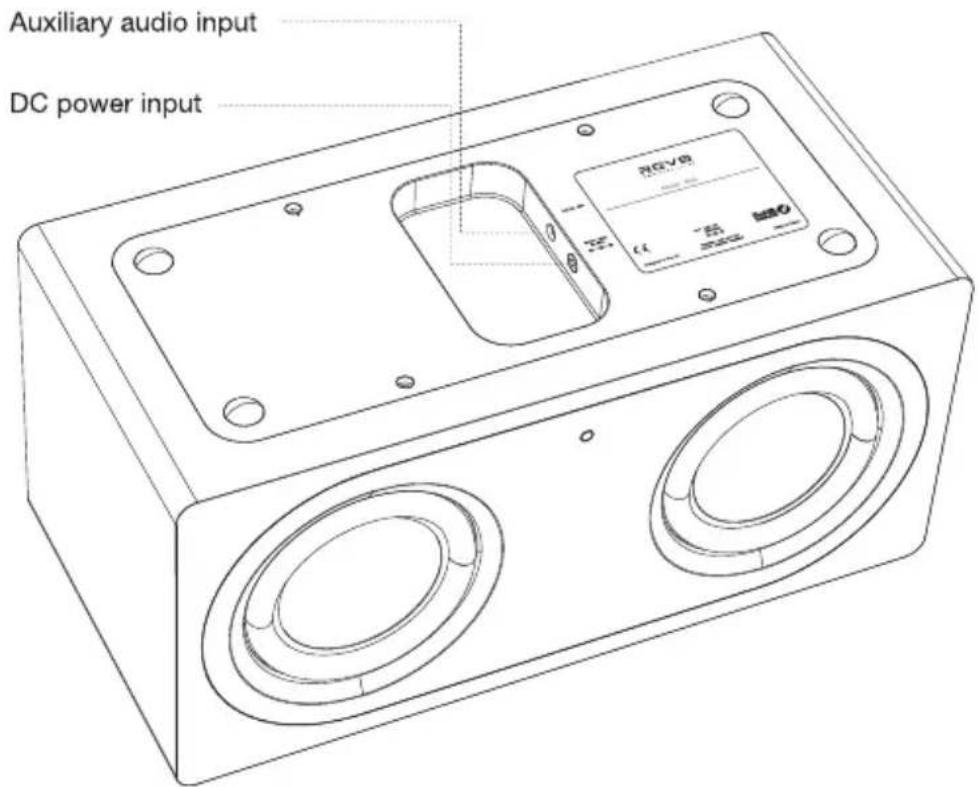
Anatomy of BLOK: underside
Setting Up BLOK
Installing the Battery in the Remote Control
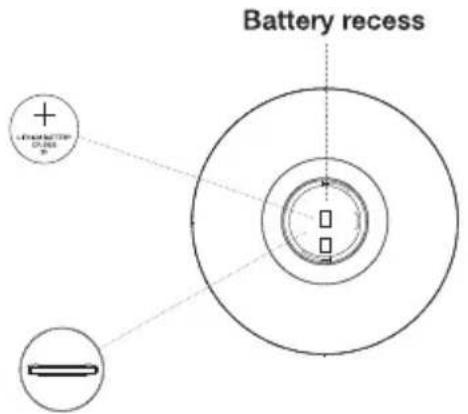
Before using the remote control you will need to install its lithium battery.
Place the battery into the recess in the battery compartment, ensuring that the battery is facing the correct way (see illustration below). Now replace the battery compartment cover.
To secure the battery cover you will need a small coin or flat-head screwdriver. Place the edge of the coin or the head of the screwdriver into the slot on the battery cover and turn clockwise for just under a quarter of a turn. The battery compartment cover will now be locked in place.


Insert battery (with “+” facing up)

Snugly fit battery cover then rotate 1/4 turn CW
iPod Dock Adaptors
BLOK includes a selection of iPod dock adaptors to fit a variety of iPod models.
Each of the supplied dock adaptors has a number (see diagram below).
The dock adaptor box lists the adaptor numbers and the iPod models that they correspond to.

NOTE: If a dock adaptor for your specific iPod model is not one of the adaptors included with BLOK, please use the adaptor supplied by Apple as part of your iPod kit.
Installing a Dock Adaptor
Select the correct dock adaptor for your iPod model and clip the adaptor into the recess that surrounds the iPod dock connector on the top face of BLOK.

natural_image
Diagram showing a device with two circular ports and a lid, connected to a tray with a lid (no text or symbols present)Using BLOK: 5 Simple Steps
① Connect the power supply to BLOK's DC power connector, found on the underside of BLOK.
② Press the power button to turn BLOK on – the power LED will illuminate.
③ Select and install the correct dock adaptor for your iPod model.
④ Connect your iPod to BLOK's dock connector.
5 Select and play music using the controls on your iPod or via the remote control (see page 11). Volume can be controlled by the main volume dial on BLOK itself or via the remote control. NOTE: The volume control on your iPod is disabled while connected to BLOK.

Putting You in Kontrol
BLOK's ergonomic 'Kontrol' remote places full iPod control in the palm of your hand; including play/pause, track skip, shuffle and repeat; as well as menu navigation, access to playlists etc.

Care and Maintenance
BLOK's Wooden Cabinet
BLOK is made from real wood veneer and should be treated with care.
Due to the inherent properties of wood, BLOK's appearance and colour may change slightly over time. Where possible, keep BLOK out of direct sunlight.
Cleaning
BLOK's wooden cabinet and metalwork should be cleaned with the cloth provided. Do not use abrasive cleaning products.
Replacing The Remote Control Battery
Changing the battery in the remote control is the only regular maintenance that you will need to carry out.
Depending on usage, the battery should happily run for between 1 and 2 years.
Replace when button presses seem sluggish or when its range appears to have reduced significantly.
Replace the old battery with a new CR2025 lithium cell.
Troubleshooting
| Problem | What to do |
| No power | Check that the PSU is plugged into the mains and switched on.Ensure that the power connector is securely connected on the underside of BLOK.Make sure that BLOK is receiving power (is the power LED illuminated?).If BLOK's power LED is not illuminated, the PSU may be faulty. |
| iPod isn't charging | Ensure that BLOK is being powered (is the power LED illuminated?).Is the iPod making a full-contact with the dock connector?Make sure that the correct dock adaptor is being used. |
| Audio is distorted | Noise may be caused by interference from mobile phone or other device.Check the EQ setting on your iPod.Check that the volume level isn't too high. |
| Remote not working or operating only at close range | The battery in the remote may be running low and may need to be replaced.(see page 12) |
If a problem persists or cannot be identified, please contact the place of purchase or call Revo Customer Care on 01555 66 61 61 in the UK or +44 1555 66 61 61 if calling from overseas.
Specification
Audio Specification:
| Drivers: | 2x 4.5" NXT Balanced Radiator full-range units utilising neodymium magnet systems |
| Power: | Continuous 20W(RMS) per channel |
| Frequency response: | 55Hz to 20kHz (-6dB) |
| Acoustic configuration: | Vented box with rear-firing port tuned to 65Hz. |
| Sensitivity: | 85dB 1W, 1m (per channel) |
| Max SPL: | >100dB SPL at 1m |
Hardware Specification:
| Input Connectors: | DC power adaptor socket (230V adapter supplied)3.5mm line-in for auxiliary devices |
| Remote Control: | Infra-red remote control |
| Operating Range: | 10 metres |
| Remote Battery: | CR2025 Lithium Cell |
| Mains Power Supply: | 24V 2500 mA |
| Approvals: | CE marked and RoHS compliant |
| Dimensions: | 316mm (W) x 148mm (H) x 153mm (D) |
REVO®

natural_image
Wooden portable electronic device with two speakers and a small electronic device on top (no visible text or symbols)Bedienungsanleitung

natural_image
Black portable electronic device with two speakers and a smartphone displaying a video player (no visible text or symbols)

REVO
Sicherheitshinweise

natural_image
Diagram showing a device with two circular ports and a lid, connected to a tray with a circular pattern (no text or symbols)
REVO
natural_image
Wooden portable electronic device with two speakers and a smartphone displaying a video player interface (no visible text or symbols on the device body)Mode D'emploi
natural_image
Black portable electronic device with two speakers and a smartphone displaying a video player (no visible text or symbols)

REVO
Règles de sécurité

natural_image
Line drawing of a rectangular basin with a small outlet (no text or symbols)natural_image
Diagram showing a device with a lid and two circular ports, and a tray with a lid and a drop (no text or symbols)
REVO
Replacing The Remote Control Battery
natural_image
Wooden portable electronic device with two speakers and a smartphone displaying a music player interface (no visible text or symbols on the device body)natural_image
Black portable electronic device with two speakers and a smartphone on top (no visible text or symbols)

REVO
natural_image
Diagram showing a device with two circular ports and a lid, connected to a tray with a circular pattern (no text or symbols)
REVO
Revo Technologies Ltd
The Inox Building Caldwellside Lanark Scotland UK ML11 7SR
www.revo.co.uk
© 2008 Revo Technologies Ltd. All rights reserved.
iPod is a trademark of Apple Computer, Inc., registered in the U.S. and other countries.
Version 1.0

- Owner's Manual
- RoHS COMPLIANT
- Warranty Information
- Warranty Support and Registration
- Environmental Information
- Introduction
- Contents
- Unpacking BLOK
- Revo BLOK Box Contents
- Anatomy of BLOK: top
- Anatomy of BLOK: underside
- Setting Up BLOK
- iPod Dock Adaptors
- Installing a Dock Adaptor
- Using BLOK: 5 Simple Steps
- Putting You in Kontrol
- Care and Maintenance
- BLOK's Wooden Cabinet
- Cleaning
- Replacing The Remote Control Battery
- Specification
- REVO®
- Sicherheitshinweise
- Règles de sécurité
Brand : REVO
Model : Blok
Category : Hi-Fi System