
RX33 - Keyboard Natec - Free user manual and instructions
Find the device manual for free RX33 Natec in PDF.


| Brand | Natec |
| Model | RX33 |
| Product Type | Gaming Keyboard |
| Compatibility | Windows XP, Vista, 7 |
| Interface | USB |
| Backlight | LED (single color) |
| Multimedia Functions | 9 functions via Fn + Function keys |
| Windows Key Lock | Yes, with LED indicator |
| Dimensions (approx.) | 440 x 130 x 25 mm |
| Weight (approx.) | 500 g |
| Cable Length (approx.) | 1.5 m |
| Profile | Thin, minimalistic |
| Material | Plastic |
| Color | Black |
| Power Source | USB bus power |
| Safety Certifications | CE, RoHS |
| WEEE Compliance | Yes |
| Cleaning Instructions | Use a dry, soft cloth; avoid liquids |
| Repair Warning | Non-authorized repairs void warranty |
Frequently Asked Questions - RX33 Natec
User questions about RX33 Natec
0 question about this device. Answer the ones you know or ask your own.
Ask a new question about this device
Download the instructions for your Keyboard in PDF format for free! Find your manual RX33 - Natec and take your electronic device back in hand. On this page are published all the documents necessary for the use of your device. RX33 by Natec.
USER MANUAL RX33 Natec
PL – NATEC GENESIS RX 55 – INSTRUKCJA OBSŁUGI
Wstep
Genesis RX33 is a comfortable gaming keyboard with built-in backlight panel and additional multimedia functions.
Features
- Compatible with Windows XP/Vista/7 operation system
- LED backlight
- Special function key to provide 9 additional multimedia functions
- Lock/unlock Windows key feature
- Minimalistic, thin profile
Multimedia functions
Genesis RX33 provides 9 additional functions, which can be activated by shortcut [Fn] + [Function key]. List of functions can be viewed on the schema below:

Lock Win key function works as a switch between two modes:
- Gaming mode: lock Win key, LED indicator on
- Regular mode: unlock Win key, LED indicator off
General
- Non-authorized repairs or taking the device to pieces make the warranty void and may cause the product damage.
- Do not use the product in low and high temperatures and in the dusty atmosphere.
- Do not connect / disconnect the product to / from a computer when it is on.
- The safe product, conforming to the EU requirements.
- The product is made in accordance with RoHS European standard. The standard was issued in order to decrease the amount of the electronic and electrical waste emitted into the atmosphere.
- The WEEE symbol (the crossed-out wheeled bin) using indicates that this product in not home waste. You protect the environment when you recycle hazardous waste appropriately. In order to get detailed information about recycling this product please contact your retailer or a local authority.


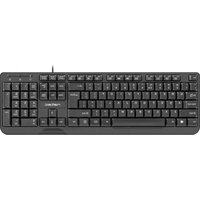


Brand : Natec
Model : RX33
Category : Keyboard