
SI3060N - Iron SWAN - Free user manual and instructions
Find the device manual for free SI3060N SWAN in PDF.


| Product Type | Steam Iron |
| Brand | Swan |
| Model | SI3060N |
| Dimensions | Approx. 30 x 15 x 15 cm |
| Weight | Approx. 1.5 kg |
| Power Supply | 230 V, 50 Hz (UK plug) |
| Power Consumption | 2200 W (typical) |
| Water Tank Capacity | Removable, max level mark |
| Soleplate Material | Stainless steel (with steam vents) |
| Spray Function | Yes, spray button |
| Steam Shot Function | Yes, for vertical and horizontal use |
| Variable Steam Control | Adjustable from dry to max steam |
| Self-Clean Function | Yes, with dedicated button |
| Auto-Decalcification | Yes, built-in decalcification unit |
| Anti-Drip System | Yes, prevents water leakage |
| Temperature Settings | Adjustable thermostat with fabric guide |
| Dry Ironing Option | Yes, set steam control to 0 |
| Indicator Light | Heating indicator |
| Safety Features | Heat-resistant handle, auto shut-off not specified |
| Cord Length | Approx. 2 m |
| Cleaning and Maintenance | Self-clean, wipe soleplate, empty tank after use |
| Warranty | 2 years (UK and Eire only) |
| Accessories Included | Iron, removable water tank, filler cap |
| Repairability | Authorized service only, use original parts |
Frequently Asked Questions - SI3060N SWAN
User questions about SI3060N SWAN
0 question about this device. Answer the ones you know or ask your own.
Ask a new question about this device
Download the instructions for your Iron in PDF format for free! Find your manual SI3060N - SWAN and take your electronic device back in hand. On this page are published all the documents necessary for the use of your device. SI3060N by SWAN.
USER MANUAL SI3060N SWAN
Steam Iron
v1.0
Item no.: SI3060N
Swan Products Limited, PO Box 3117, Stoke on Trent, Staffordshire, ST4 9GD
2 Year Guarantee
This product is guaranteed for two years from the date of original purchase. If any defect arises due to faulty materials or workmanship faulty products must be returned to place of purchase. Refunds or replacement is at the discretion of the store.
The following conditions apply:
The product must be returned to the retailer with original proof of purchases.
The product must be installed and used in accordance with the instruction contained in this instruction guide.
It must be used only for domestic purposes.
It does not cover wear and tear, damage, misuse or consumable parts.
Swan has no responsibility for incidental or consequential loss or damage.
≡ Valid in the UK and Eire Only
Important Safeguards
When using any electrical appliance, basic safety precautions should always be followed including the following:
Always ensure that the voltage on the rating label corresponds to the mains voltage in your home.
Incorrect operation and improper use can damage the appliance and cause injury to the user.
≡ This appliance is not intended for use by persons (including
children) with reduced physical, sensory or mental capabilities, or lack of experience and knowledge, unless they have been given supervision or instruction concerning use of the appliances by a person responsible for their safety. Children should be supervised to ensure that they do not play with the appliance.
Check the power cord and plug regularly for any damage. If the cord or the plug is damaged, it must be replaced by the manufacturer or qualified person in order to avoid an electrical hazard.
Do not use the appliance if it has been dropped or damaged in any way. In case of damage, take the unit in for examination and/or repair by an authorised service agent.
Never immerse the unit in water or any other liquid for cleaning purposes.
≡ Remove the plug from the socket by gripping the plug. Do not pull on the cord to disconnect the appliance from the mains. Always unplug the unit when not in use, before cleaning or when adding or removing parts.
The use of accessory attachments that are not recommended or supplied by the manufacturer may result in injuries, fire or electric shock.
Do not let the cord hang over the edge of a table or counter. Ensure that the cord is not in a position where it can be pulled on inadvertently.
Do not allow the cord to touch hot surfaces and do not place on or near a hot gas or electric burner or in a heated oven.
Do not use the appliance on a gas or electric cooking top or over or near an open flame.
Use of an extension cord with this appliance is not recommended. However, if it is necessary to use an extension lead, ensure that the lead is suited to the power consumption of the appliance to avoid overheating of extension cord, appliance or plug point. Do not place the extension cord in a position where it can be pulled on
by children or animals or tripped over.
This appliance is not suitable for outdoor use. Do not use the appliance for anything other than its intended use.
Do not carry the appliance by the power cord.
Do not leave the appliance unattended during use. Always unplug the unit when not in use or before cleaning.
Always operate the appliance on a smooth, even, stable surface. Do not place the unit on a hot surface.
Ensure that the unit is switched off after use.
The manufacture does not accept responsibility for any damage or injury caused by improper or incorrect use, or for repairs carried out by unauthorised personnel.
In case of technical problems, switch off the product and do not attempt to repair it yourself. Return the appliance to an authorised service facility for examination, adjustment or repair. Always insist on the use of original spare parts. Failure to comply with the above mentions precautions and instructions, could affect the safe operation of this product.
Your appliance must never be switched on through an external timer or any kind of separate remote control system
It is important to ensure the correct plug adaptor is used when operating in a country not using the UK 13 Amp socket system. If in doubt, consult a qualified electrician.

- Water level indiction
- Spray nozzle
- Filler cap
- Variable steam control
- Spray button
- Shot-steam button
- Handle
- Power cord
-
Cord bushing
-
Base stand
- Tank release button
- Thermostat knob for temperature regulation
- Self-cleaning button
- Removable water reservoir
- Skirt
- Soleplate with steam vents
- Remove any stickers, protective foil or storage cover from the soleplate.
- Heat up the iron to maximum temperature and iron over a piece of damp cloth for several minutes for the purpose of removing any residue on the soleplate.
Note: It is normal for a strange odour to come from the unit during the first use. This is due to light oils used to preserve components during manufacture. The odour will disappear after first use.
Operation
- Press the tank release button (11) and remove the tank. Add clean water into the water tank to the MAX level. Replace the tank ensuring that it “clicks” into place. For best results and longer product life, use bottled or purified water – especially if you live in a hard water area. Make sure not to exceed Max level on the tank.
- Press down filler cap (3) of water tank and you will hear a click if it is in the correct position.
- Connect plug to outlet and turn temperature dial to your desired setting, which is determined by the type of fabric you intend to iron. The indicator light will illuminate.
- Make sure steam dial is on dry position then place the iron vertically
- Once soleplate temperature has reached the preset temperature, indicator light will turn off, then set steam dial (3) to your desired steam output or dry position and begin ironing. WARNING: Not touch hot soleplate at any time during ironing. It will be very hot.
- Press spray water button a couple of times to moisten the laundry if necessary, before spraying make sure that there is enough water in water tank.
- Steam shot function is best used at max temperature, as it helps
remove stubborn creases.
-
The iron has an anti-drip function: if you are ironing dense garments for a long time, the soleplate temperature can drop. To prevent water coming from the soleplate, the iron will automatically reduce the steam output.
-
“Steam shot” can also be applied when holding the iron in a vertical position, so this is useful for removing creases from hung clothes, curtains, etc.
IRONING TIPS
●Always check first whether a label with ironing instructions is attached to the article.
●The iron heats up quicker than it cools down, therefore, you should start ironing the articles requiring the lowest temperature such as those made of synthetic fibres.
- If the fabric consists of various kinds of fibres, you must always select the lowest ironing temperature to iron the composition of those fibres.
- Silk and other fabrics that are likely to become shiny should be ironed on the inner side. To prevent staining do not spray water straight on silk or other delicate fabrics.
- Velvet and other textures that rapidly become shiny should be ironed in one direction with light pressure applied. Always keep the iron moving at any given moment.
●Pure woollen fabrics (100% wool) may be ironed with the iron set a steam position. Preferably set steam button to the maximum position and use a dry cloth as a mat.
●Note: when ironing woolen fabrics, shining of the fabric may occur. So it is suggested that you should turn the article inside out and iron the reverse side.
TEMPERATURE GUIDE
| Symbol | Fabric | Temperature | Variable steam | Steam shot | Spray |
 | Synthetic fibres/silk | [225C] |  |  | √ |
 | Wool |  |  | [4T5S] | √ |
 | Cotton Linen |  |  | [DBYC] | √ |
 | Do not iron | ||||
Do not iron
TIP: the iron gives off steam continuously only if you hold the iron horizontally. You can stop the continuous steam by placing the iron in a vertical position or by moving the variable steam control to “0”. As indicated on the thermostat knob for temperature regulation and in the initial table, you can only use steam at the highest temperatures. If the selected temperature is too low, water may drip onto the plate.
For dry ironing, put the steam control (4) into the "0" position
CLEANING AND MAINTENANCE
After ironing
- Disconnect power supply and empty the water left in water tank.
- Reconnect into power supply and disconnect after indicator light goes off, this dries the soleplate.
- Let the iron completely cool down, then wipe flakes and any other deposits on the soleplate with a damp cloth or a non-abrasive (liquid) cleaner.
- Clean the upper part of iron with a damp cloth.
- Always store the emptied iron horizontally on a stable surface with a cloth protecting the soleplate.
Self-clean function
Clean the unit regularly – more so if you live in a hard water area.
- Fill water into the water tank and set the temperature selector to Max position
- Connect into power supply and indicator light will be illuminated, make sure Steam control button (4) is in the self clean position Warning: never pour white vinegar or other liquid cleaners for eliminating calcium into water tank!
- Hold the iron over the sink and press the button while the steam control is in the self-clean position. Steam and boiling water will come out of the soleplate along with any impurities and limescale flakes.
Auto-decalcification feature
There is a decalcification unit inside the appliance, which can absorb insoluble calcium ions and send out soluble natrium ion so that water can be softened, and the process of calcium deposits building up is greatly reduced. This is an automatic process and not controllable by the user.
U.K. Plug Wiring Instructions
The wires in the mains lead are coloured in accordance with the following code:
BLUE NEUTRAL
BROWN LIVE
GREEN/YELLOW EARTH
As the colours of the wire in the mains lead of this appliance may not correspond with the colour markings identifying the terminals on your plug, proceed as follows:
The wire which is coloured BLUE must be connected to the terminal which is marked with the letter N or coloured black. The wire which is coloured BROWN must be connected to the terminal which is marked with the letter L or coloured red. The wire which is coloured GREEN/YELLOW must be connected to the terminal which is marked with the letter E or (earth symbol) and is colour GREEN or GREEN/YELLOW.
WARNING: THIS APPLIANCE MUST BE EARTHED
Disposal of Unit
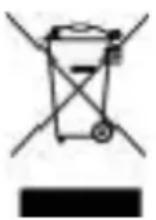
Disposal instructions for Swan items in accordance with the WEEE directive.
Appliances bearing the symbol shown here may not be disposed of in domestic
rubbish. You are required to dispose of old electrical and electronic appliances like this separately. Please visit www.recyclemore.co.uk, or www.recylcenow.co.uk for access to information about the recycling of electrical items. The WEEE directive, introduced in August 2006, states that all electrical items must be recycled, rather than taken to landfill. Please arrange to take this appliance to your local Civic Amenity site for recycling, once it has reached the end of its life.
Helpline
01733 404703
Visit www.swan-brand.co.uk for more great Swan products and history of the Swan Brand


- STEAM IRON
- ITEM NO.: SI3060N
- 2 YEAR GUARANTEE
- IMPORTANT SAFEGUARDS
- ALWAYS ENSURE THAT THE VOLTAGE ON THE RATING LABEL CORRESPONDS TO THE MAINS VOLTAGE IN YOUR HOME
- OPERATION
- IRONING TIPS
- TEMPERATURE GUIDE
- DO NOT IRON
- CLEANING AND MAINTENANCE
- AFTER IRONING
- SELF-CLEAN FUNCTION
- AUTO-DECALCIFICATION FEATURE
- U.K. PLUG WIRING INSTRUCTIONS
- WARNING: THIS APPLIANCE MUST BE EARTHED
- DISPOSAL OF UNIT
- 01733 404703
Brand : SWAN
Model : SI3060N
Category : Iron