M3 Full Touch Smart - Smartwatch Kogan - Free user manual and instructions
Find the device manual for free M3 Full Touch Smart Kogan in PDF.


| Product Type | Smartwatch |
| Brand | Kogan |
| Model | M3 Full Touch Smart |
| Display | 1.3-inch TFT LCD, full touch |
| Dimensions (without strap) | 45 x 38 x 10 mm |
| Weight (with strap) | 50 g |
| Case Material | Zinc alloy |
| Strap Material | Silicon |
| Strap Width | 22 mm (removable) |
| Battery Capacity | 200 mAh |
| Charging | Magnetic pogo pin charger, 5V/0.5A |
| Battery Life | Up to 5-7 days (typical use) |
| Connectivity | Bluetooth 5.0 |
| Compatible OS | iOS 9.0+, Android 4.4+ |
| Water Resistance | IP68 (up to 1.5m for 30 min) |
| Sensors | Heart rate monitor, accelerometer |
| Main Functions | Step counter, call & message notifications, remote camera control, music control, sedentary reminder, sleep monitor, stopwatch, alarm clock |
| Maintenance | Clean with soft damp cloth; dry thoroughly after exposure to water |
| Safety | Keep away from strong magnetic fields; do not wear too tight; remove if skin irritation occurs |
| Spare Parts & Repairability | Battery non-user replaceable; contact Kogan support for service |
| General Information | CE, FCC certified; operating temperature: -10°C to 40°C |
Frequently Asked Questions - M3 Full Touch Smart Kogan
User questions about M3 Full Touch Smart Kogan
0 question about this device. Answer the ones you know or ask your own.
Ask a new question about this device
Download the instructions for your Smartwatch in PDF format for free! Find your manual M3 Full Touch Smart - Kogan and take your electronic device back in hand. On this page are published all the documents necessary for the use of your device. M3 Full Touch Smart by Kogan.
USER MANUAL M3 Full Touch Smart Kogan
natural_image
Line drawing of a smartwatch with dual dials and rotary dial (no text or symbols)M3 FULL TOUCH SMART WATCH
KAM3FTHWCHA
SAFETY & WARNINGS
Battery Warning
Do not disassemble, puncture or damage the battery. Do not disassemble the built-in batteries of devices with non-replaceable batteries. Do not use sharp objects to remove the battery.
Health Warning
If you are wearing a pacemaker or other implanted electronic device, please consult your doctor before using the heart rate monitoring strap.
The watch's optical heart rate sensor glows green and flashes. If you suffer from epilepsy or are sensitive to blinking light sources, please consult your physician before using this product.
The device tracks your daily activities through sensors. This data is intended to advise you about your daily activities (such as steps, sleep, distance, heart rate and calories), but may not be completely accurate.
The device, accessories, heart rate sensors and other relevant data are designed for entertainment and fitness, not for medical purposes. They are not applicable to the diagnosis, monitoring, treatment or prevention of any diseases or symptoms. The heart rate data is for reference only. Manufacturer is not responsible for any consequences caused by any data deviation.
Cycling Warning
If you are wearing a pacemaker or other implanted electronic devices, please consult your doctor before using the heart rate monitoring strap.
Notes:
Device data should be synchronised once every seven days to avoid data loss.
The device has no waterproof effect against seawater, acidic or alkaline solutions, chemical reagents and other corrosive liquids. Any damage or defects caused by misuse or improper use are beyond the warranty scope.
The device supports use in a cold shower or while swimming (excluding diving).
- In daily use, avoid cinching the band too tightly around your wrist. Please keep the parts of the unit that contact your skin clean and dry.
• During heart rate detection, please remain still and keep your arm steady.
APP INSTALLATION
1. Turn On
Automatically turns ON after charging.
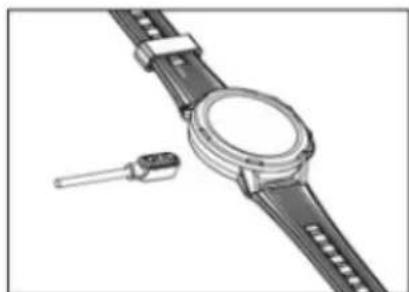
natural_image
Illustration of a wristwatch with a sensor and a tool inserted (no text or symbols)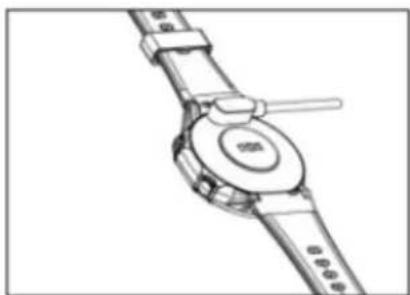
natural_image
Technical line drawing of a mechanical device with no visible text or symbolsNote: The watch must be charged and activated before the first use. Please use the original power adapter to charge the watch.
- Turn on by pressing and holding the DOWN button.
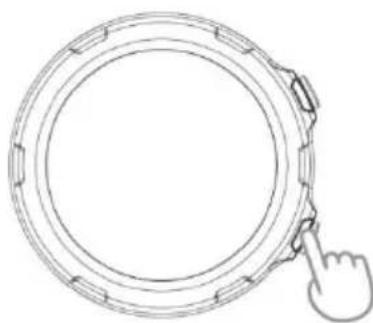
natural_image
Simple line drawing of a circular mechanical component with a finger pointing to it (no text or symbols)- Download and Install VeryFitPro
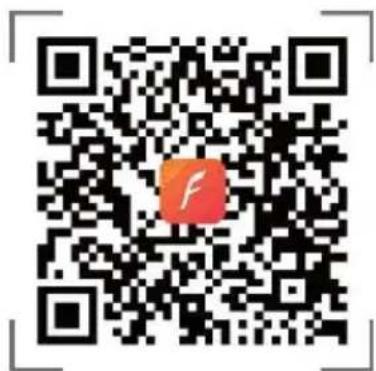
You can directly scan the QR code to download VeryFitPro or search "VeryFitPro" in the APP store to download and install.
Note: Specifications required by hardware platform system are as below.
 |  |  | |||
| iOS 9.0 and above Android 4.4 and above Bluetooth 4.2 | |||||
3. Please connect to mobile phone correctly.
 | Correct operation: Pair the watch via VeryFitPro APP on your phone. | 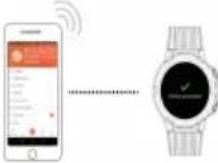 |
 | Incorrect operation: Pair the watch directly via Bluetooth in phone Settings. | 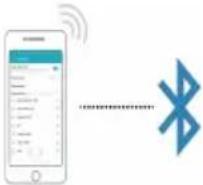 |
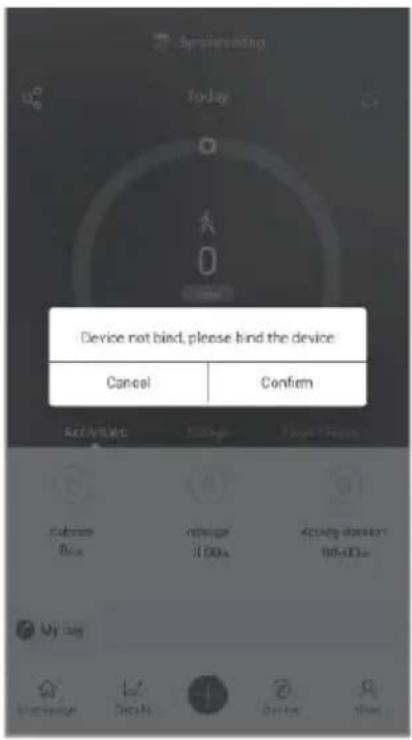
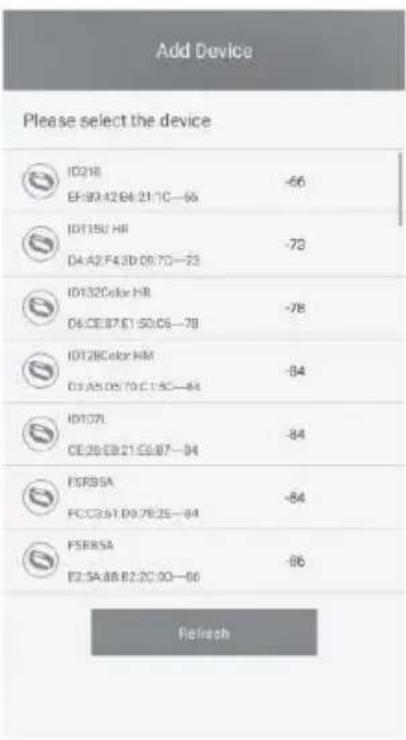
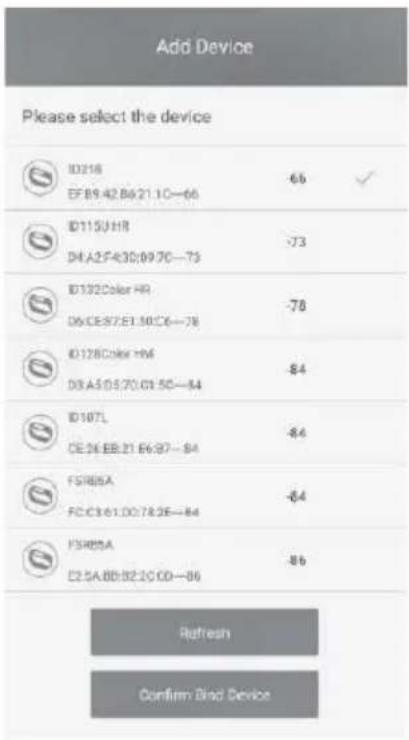
4. Bind the Watch
Drop down on APP home to show binding request. Select product model and tap "Confirm Binding" to complete binding.
OPERATION
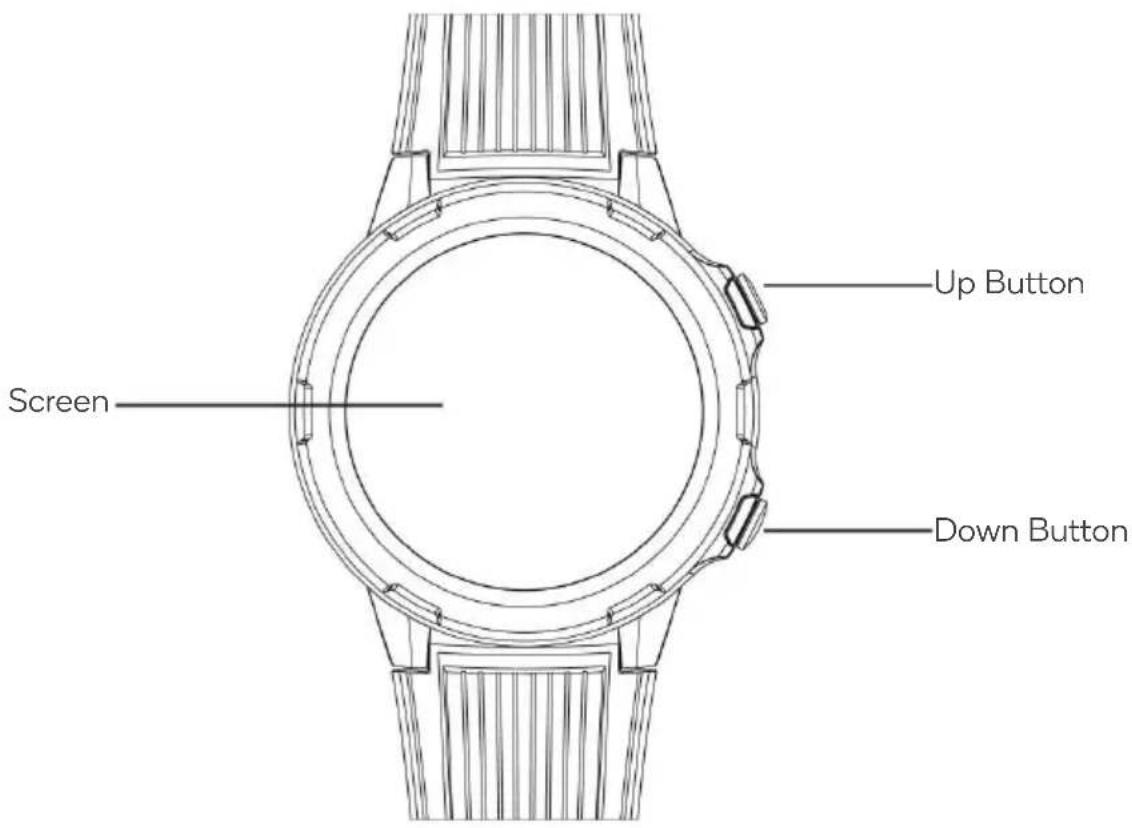
- Key Instructions
| UP button | Press | In screen locked state: Unlocks screen |
| Sibling interface: Circularly flip | ||
| Pop-up interface: Confirm | ||
| During stopwatch/timer operation: Pause/continue | ||
| During sports paused: Continue sport | ||
| Press and hold | During sports: Pause sports | |
| Other interfaces: Quickly launch sports | ||
| DOWN Button Press | In screen locked state: Unlock screen | |
| During sports paused: Stop sports | ||
| Pop-up interface: Cancel/close | ||
| During stopwatch operation: Count | ||
| During timer operation: Stop timekeeping and quit | ||
| Other interfaces: Return to previous interface/dial | ||
| Press and hold Turn on/turn off | ||
2. Operation on Screen
| Screen | Tap | Select to enter the next interface/select current item |
| Tap and hold | Tap and hold in the main dial interface to enter dial switching interface | |
| Slide left/right | Switch interfaces, left and right | |
| Slide up/down | Switch interfaces, up and down |
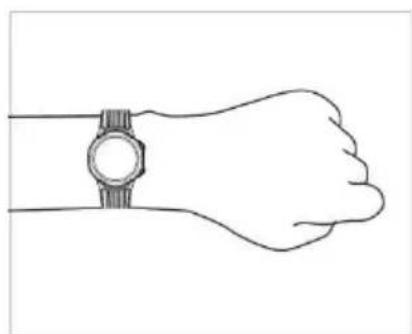
Operation of Gestures
natural_image
Line drawing of a hand wearing a wristwatch (no text or symbols)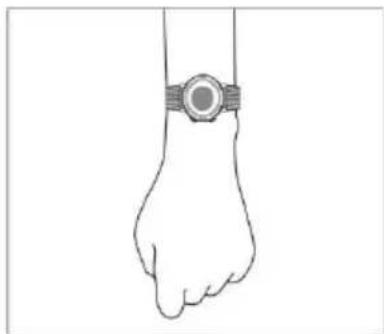
natural_image
Line drawing of a human foot wearing a wristband (no text or symbols)Raise to turn on backlight Lower to turn off backlight
Note: ON/OFF of this function can be set up through mobile APP.
Sports Functions
- Activate Sports
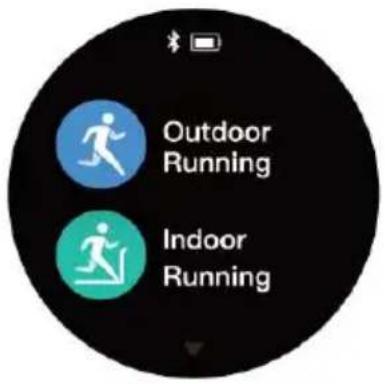
Enter sports list interface, slide up or down to select sports item and tap icon to start sports.
- Start Sports
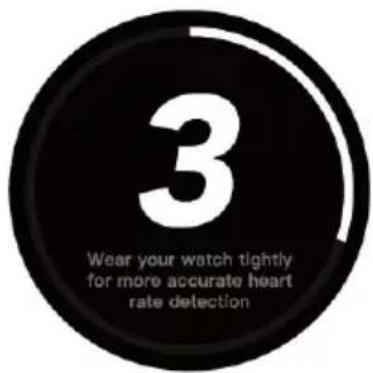
When sports function is activated, the watch will show sports countdown. Sports function starts after the countdown.
- Operations during Sports
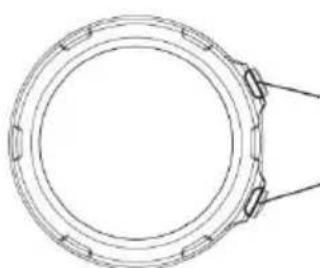
natural_image
Technical line drawing of a circular mechanical component with mounting holes (no text or symbols)Press UP/DOWN Button to Unlock
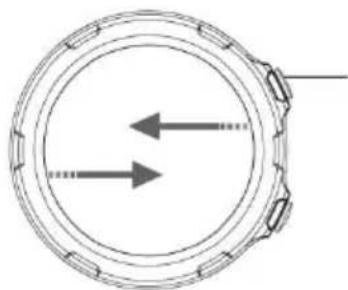
natural_image
Circular mechanical component with two dashed arrows indicating direction, no text or symbols presentPress and hold UP Button to Pause Sports. Slide left/right to Switch Indicated Sports data
In screen locked state
In screen unlocked state
4. Reminders during Sports
Heart Rate Reminder
During sports, the Watch will continuously detect the current heart rate. If current heart rate exceeds the maximum heart rate, the Watch will alert to reduce sports intensity or stop sports through vibration and interface alarm. Set your safe heart rate reminder through More > Heart rate zone > User defined Maximum heart rate in the mobile APP.
5. Pause or Stop Sports
Pause sports:
In the unlocked state, press and hold UP button to pause sports. Tap continue icon to resume sports. In the paused state, slide up to view current sports data.
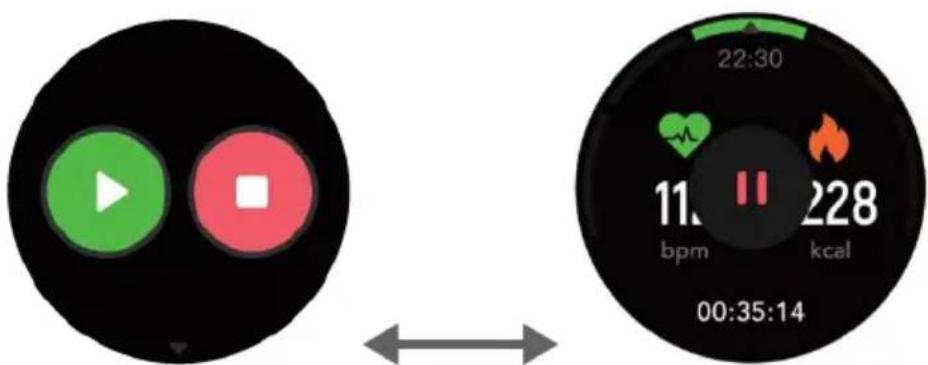
Stop sports
In the paused state, select STOP to stop sports. After sports, the watch will keep details of the activity under sports records.
Other Functions
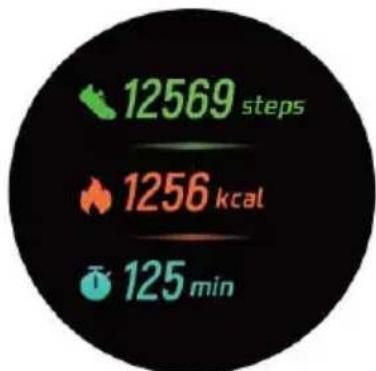
1. Health Data
other
| Metric | Value | | ------------ | --------- | | steps | 12569 | | kcal | 1256 | | min | 125 |Enter Health Data interface to view the accumulated steps, calories and distances when wearing the watch that day.
2. Notifications
Turn on smart reminder
Enables notifications for various functions when enabled through the “Smart Reminder” on the APP. This function requires a constant connection between the watch and mobile phone.
View message
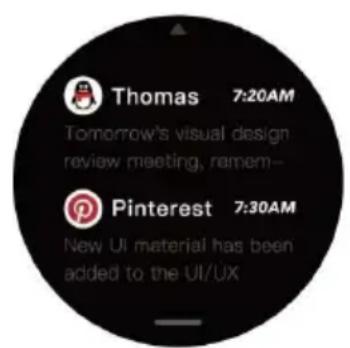
When receiving a message, the watch will vibrate to alert. If the message is not immediately viewed after being received, slide down to view the message.
Delete message
The watch can save the most recent 12 notifications. Beyond this limit, the earliest notice will be automatically deleted once a new notice is received. When the notification content exceeds one screen, it will be displayed continuously on the second screen.
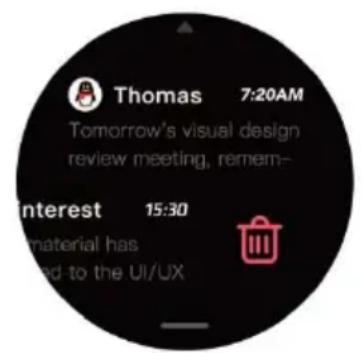
- On the message list view interface, slide left on a single message box to show Delete icon and tap Delete icon to delete the message.
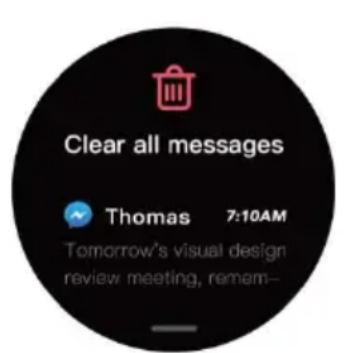
- Slide down to the top of message list and tap Clear icon to clear all messages.
3. Heart Rate
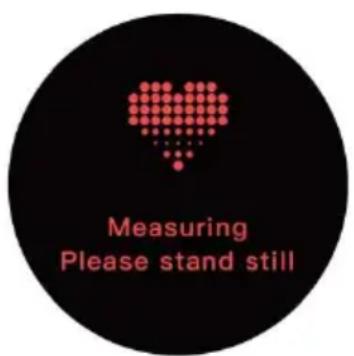
The Watch supports heart rate detection. Slide to Heart Rate Detection interface, hold for two seconds, the Watch will automatically detect heart rate. Please stand still during the detection so that the watch can output more accurate heart rate data.
Note: To improve the accuracy of heart rate detection, please wear the watch correctly and keep the parts in contact with skin clean.
4. Weather
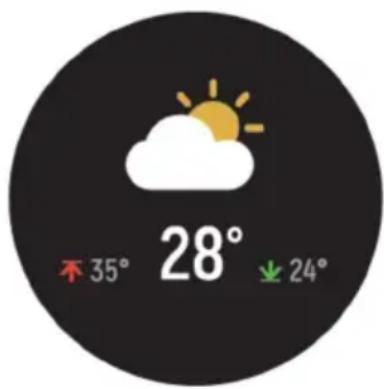
Weather function allows you keep track of the weather in your city. Weather data is obtained through mobile phone network, so it is required to maintain the connection between the watch and the phone to routinely update weather data.
5. More Functions
Stopwatch
Can be used to record multiple individual times, such as laps or heats.
Timer
Can be utilised to set a countdown timer. A vibration alert will occur once the countdown has completed.
Alarm clock
Set alarm clocks in mobile APP.
When the set time has elapsed, the watch will alert through vibration. In case of no operation after 20 seconds, the alarm clock will automatically stop. After 5 minutes, the alarm clock will alert again. Press UP/DOWN button to pause the alarm and after 5 minutes the alarm clock will alert again.
Call reminder
Call reminder can be set in mobile APP. This functionality requires a constant connection between the watch and the APP. When there is an incoming call, the watch will alert through vibration. Close the call pop-up by pressing UP/DOWN button.
6. Control Centre
DND (do-not-disturb) mode
Slide up once on dial interface and enter control centre interface. Tap DND icon lighten the icon . DND mode is on. Tap DND icon again to dim the icon. DND mode is off.
Brightness adjustment
Slide up once on dial interface and enter control centre interface. Brightness level is defaulted as Level 2. Tap the brightness icon to switch it to Level 3. Tap the icon again to switch it to Level 1. Tap the icon again to switch it to Level 2. Repeat as desired for the appropriate brightness level.
System settings
Slide up once on dial interface and enter control enter interface. Ttap System Setting icon

to enter system.
In system settings, you can enter:
• Dial settings: Tap and enter this function to switch dials among different styles.
- Pressing and holding UP button settings: Tap and enter this function to edit sports.
• Factory data reset settings: Tap to enter factory data reset procedure.
- Firmware information: Tap and enter to view firmware information and Bluetooth address.
SPECIFICATIONS
| Battery Capacity 260mAh Screen model | 1.3" TFT-LCD (Round) | ||
| Charging time | ≤2 hours, 25°C Constant temperature | Working voltage 3.8V | |
| Waterproofing grade | 5ATM Battery duration | 7 days (dependant on usage) | |
| Working temperature | -10 - 45°C Bluetooth both version BLE4.2 | ||
| Product frequency 2402-2480MHz Product | weight 56.1g | ||
| Maximum transmission power consumption | 0dBm | ||
| Waterproofing: Using the watch at the time of hand washing, raining and swimming in shallow fresh water is supported, but using under hot shower, diving, underwater diving, surfing etc. is unsupported. | |||
CLEANING & CARE
natural_image
Top-down technical line drawing of a smartwatch with sensor modules and adjustment arrows (no text or symbols)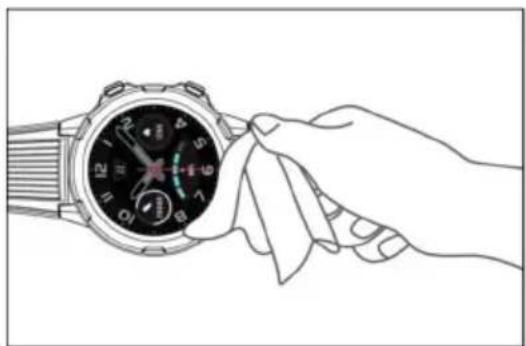
natural_image
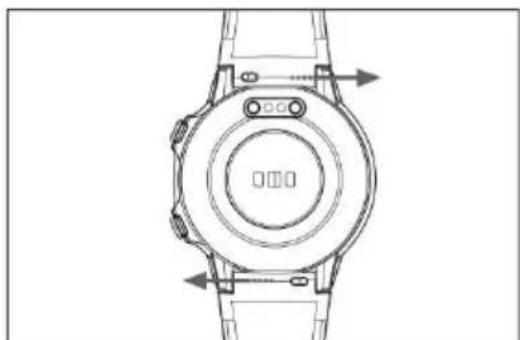
Line drawing of a hand holding a smartwatch with a hand adjusting the dial (no text or symbols visible)Replace watch strap Please use a soft brush or clean soft cloth to clean the watch
- Please stop using the watch and disconnect all connections with other equipment before cleaning and maintenance.
- Please keep the watch and its accessories dry. Do not dry them with external heating equipment such as microwave oven or hair dryer.
- Do not place the watch and its accessories in an area where the temperature is too high or too low, which may cause malfunction, fire or explosion.
- Avoid strong shock or vibration to prevent damage to the watch and its accessories, or failure of the product.
- Please do not disassemble or modify the watch and its accessories without permission. In case of failure, please contact after-sales service.
TROUBLESHOOTING
| Problem Solution | |
| Mobile phone cannot be connected to the watch | 1. It is recommended to update Very FitPro to the latest version.2. It is recommended to quit all APPs, reactivate the phone Bluetooth and re-connect.3. Confirm that system of the phone is Android 4.4 or iOS9.0 and above. |
| The watch has no message or call reminders | 1. It is required to turn on smart reminder function and call reminder function in APP and synchronise to the Watch.2. The watch should be paired with mobile phone through Bluetooth.3. It is required to keep watch Bluetooth under normal connection. |
| Bluetooth disconnects frequently 1. Relatively long distance between the watch and the phone may cause Bluetooth disconnection and the effect of Bluetooth connection over 7 metres will be obviously weak.2. Shielding between the watch and the phone will affect the connection and human body and metal jewellery will interfere Bluetooth connection signal.3. Please confirm that Bluetooth function of the phone is normal. | |
Disposal
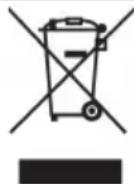
This marking indicates that this appliance should not be disposed with other house-hold wastes. To prevent possible harm to the environment or human health from uncontrolled waste disposal, recycle it responsibly to promote the sustainable reuse of material resources.
Need more information?
This is a Quick Start Guide, and we hope that this has given you the assistance needed for a simple set-up.
For the most up-to-date guide for your product, as well as any additional assistance you may require, head online to help.kogan.com
kōgan
- M3 FULL TOUCH SMART WATCH
- SAFETY & WARNINGS
- Battery Warning
- Health Warning
- Cycling Warning
- Notes:
- APP INSTALLATION
- Turn On
- Please connect to mobile phone correctly.
- Bind the Watch
- OPERATION
- Operation on Screen
- Operation of Gestures
- Sports Functions
- Reminders during Sports
- Heart Rate Reminder
- Pause or Stop Sports
- Pause sports:
- Stop sports
- Other Functions
- Health Data
- Notifications
- Turn on smart reminder
- View message
- Delete message
- Heart Rate
- Weather
- More Functions
- Stopwatch
- Timer
- Alarm clock
- Call reminder
- Control Centre
- DND (do-not-disturb) mode
- Brightness adjustment
- System settings
- SPECIFICATIONS
- CLEANING & CARE
- TROUBLESHOOTING
- Disposal
- Need more information?
Brand : Kogan
Model : M3 Full Touch Smart
Category : Smartwatch