
DX2 - Docking Station Alogic - Free user manual and instructions
Find the device manual for free DX2 Alogic in PDF.


| Type | Docking Station |
| Brand | Alogic |
| Model | DX2 |
| Dimensions | 200 x 90 x 30 mm |
| Weight | 300 g |
| Input Interface | USB-C (Thunderbolt 3 compatible) |
| Power Delivery | Up to 100W (laptop charging) |
| Video Output | HDMI 2.0 (4K @ 60Hz) |
| USB Ports | 3x USB-A 3.0 (5Gbps), 1x USB-C 3.0 (data only) |
| Ethernet | Gigabit RJ45 (10/100/1000) |
| Audio | 3.5 mm Combo audio jack |
| Card Reader | SD card slot (SDHC/SDXC) |
| Material | Aluminum alloy |
| Compatibility | Windows 10/11, macOS 10.15+, iPadOS |
| Power Adapter | Included (120W DC adapter) |
| Maintenance | Wipe with dry soft cloth; do not use liquids |
| Safety Features | Overcurrent protection, surge protection, temperature control |
| Repairability | Not user-serviceable; contact Alogic support for repairs |
Frequently Asked Questions - DX2 Alogic
User questions about DX2 Alogic
0 question about this device. Answer the ones you know or ask your own.
Ask a new question about this device
Download the instructions for your Docking Station in PDF format for free! Find your manual DX2 - Alogic and take your electronic device back in hand. On this page are published all the documents necessary for the use of your device. DX2 by Alogic.
USER MANUAL DX2 Alogic
Universal Docking Station – DX2 Pro
- WITH 100W LAPTOP CHARGING

Dual Display

Ultra HD

Apple & Windows Compatible

PowerDelivery

USB-C + USB-A Compatible

Power Adapter Included
natural_image
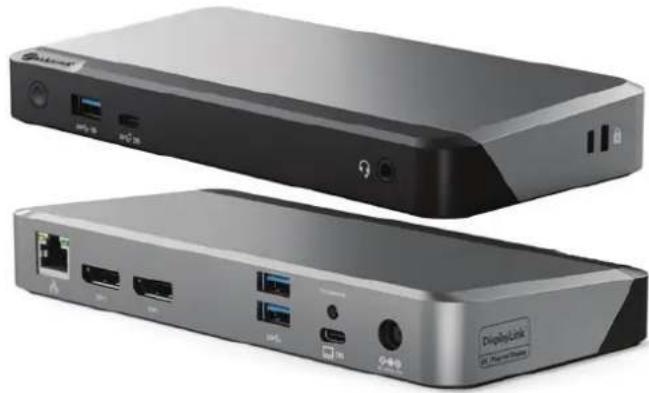
Two black wireless devices with ports and connectors, one labeled 'DisplayLink' (no visible text beyond branding)Part no Color
DUPRDX2-100 Space Grey and Black
natural_image
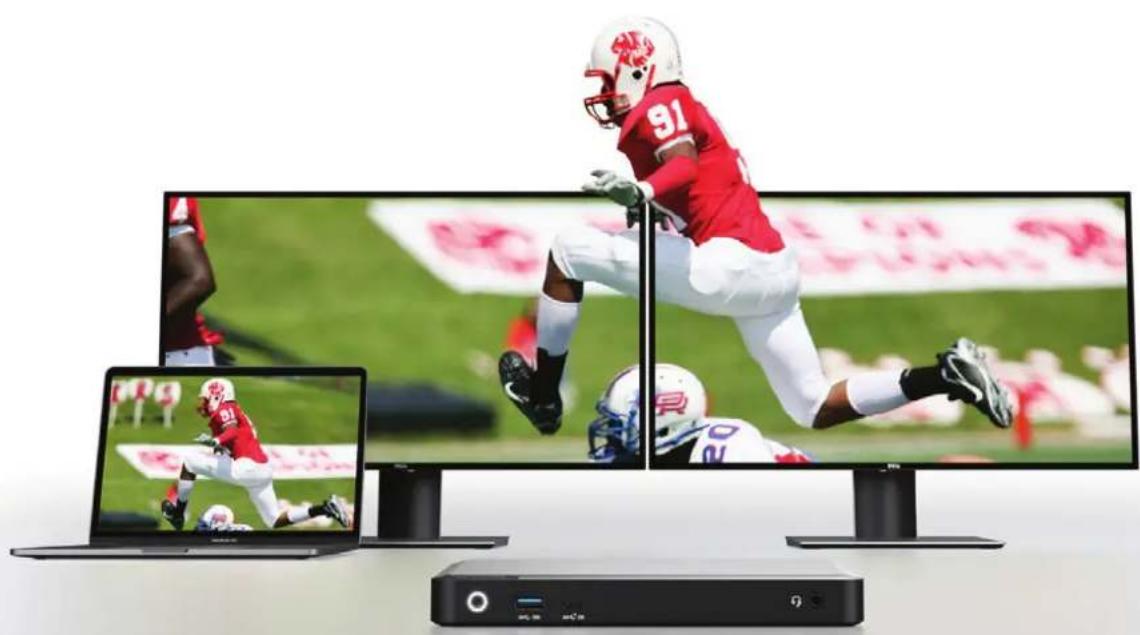
Three electronic devices displaying NFL player action shots on a sports field, no visible text or symbolsImmersive Dual 4K
Sometimes you need more screen real estate. The DX2 Pro can connect up to two external displays at up to 4K resolutions via its twin DisplayPort outputs.
Whether you need to view big spreadsheets on multiple screens, compare designs, enter data or more, the DX2 Pro is the perfect way to see more work on your screen, and do more work on your screen.
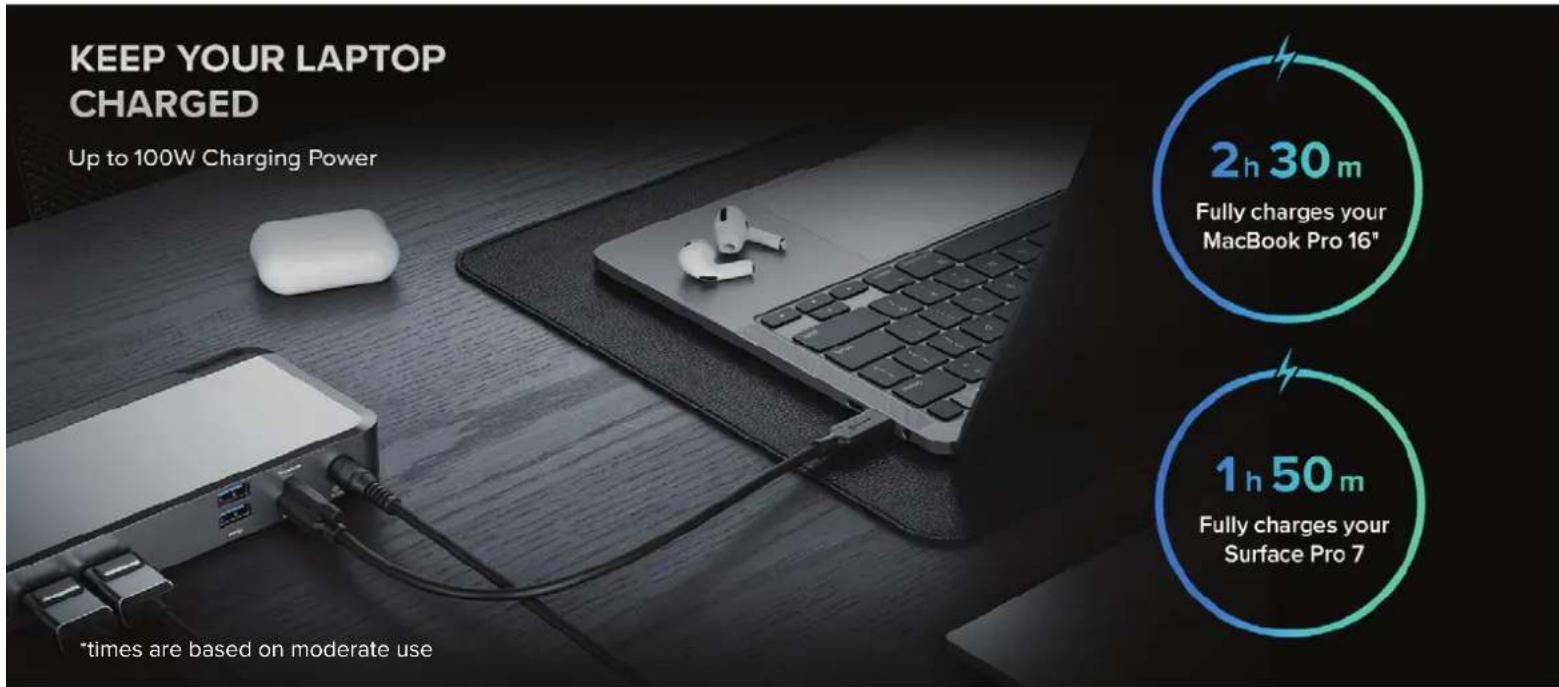
Keep your Laptop Charged
When you have a lot going on, so does the DX2 Pro. It fast-charges laptops with up to 100W of power, supports up to two displays, and delivers connectivity for standard peripherals including Ethernet, audio/microphone jack and USB accessories. All at the same time.

natural_image
Top-down view of Apple and Microsoft laptops with accessories (no visible text or symbols)A Universal Dock
The DX2 Pro docking station provides universal compatibility across Windows, Mac and Chromebook computers and laptops. Allowing modern USB-C equipped or older USB-A computers to be connected, this dock enables IT professionals and organisations to deploy the DX2 Pro docking station as a single solution across all users. The DX2 Pro dock helps remove clutter and can power hot desking arrangements in any workspace environment.
natural_image
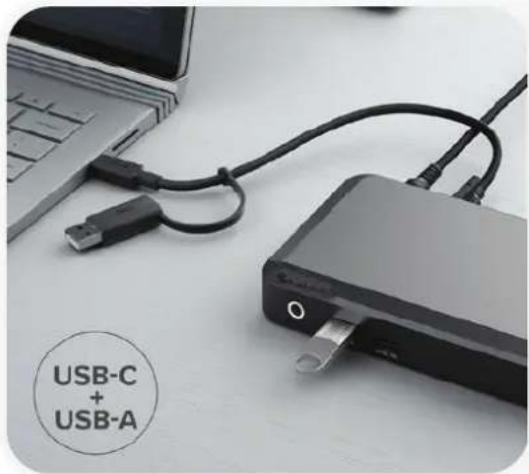
Close-up of a USB device with USB cable and connector, placed on a desk with a laptop nearby (no visible text or symbols on the device itself)USB-C & USB-A Laptop Compatible
IT decision-makers and organisations have more options with the DX2 Pro. It supports USB-C and USB-A laptop deployment.
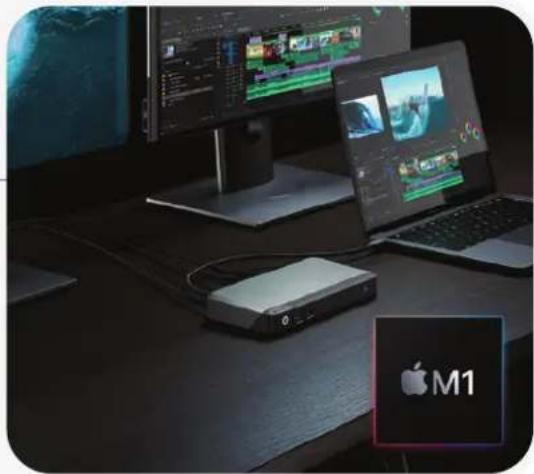
Dual Display On M1 Mac
M1 Mac users can work on up to two screens when they plug into the DX2 Pro.
natural_image
Desktop setup with two monitors displaying video content and a USB router, next to a laptop and a Apple M1 logo (no readable text or symbols on devices)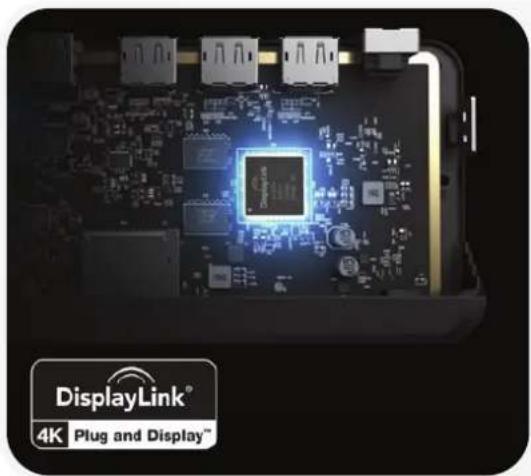
natural_image
Close-up of a circuit board with glowing components and a central chip, no visible text or symbols on the main subject.Made with DisplayLink
The DX2 Pro's DisplayLink technology boosts your connectivity, power and productivity at work.

natural_image
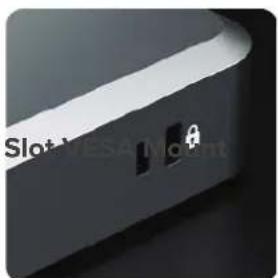
Close-up of a black electronic device with a white circular mark and 'ALTOX' logo on the top (no readable text or symbols beyond branding)LED Button Lock Slot
natural_image
Close-up of a dark, curved mechanical component with a small inset showing a white lock symbol (no text or symbols visible)
9 High-Performance Ports
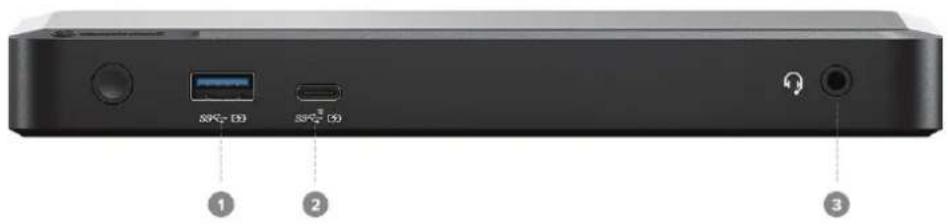
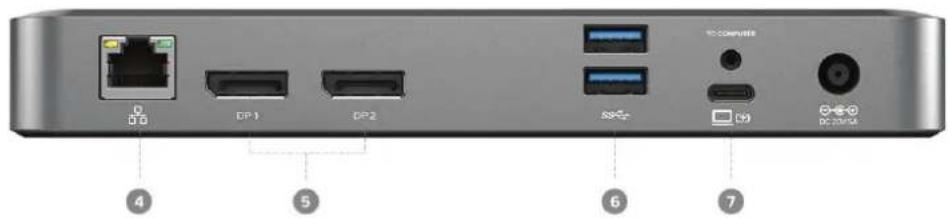
USB-A 3.1 Gen 1 (5G) BC 1.2 & Apple Charging (Supports Smartphone Charging)
5 DisplayPort (DP1.4/DP++) f
USB-C 3.1 Gen 2 (10G) BC 1.2 & Apple Charging (Supports Smartphone Charging)
6 USB-A 3.1 Gen1 (5G)
3.5mm TRRS Audio/Microphone Jack
7 USB-C with Power Delivery (to Computer)
4 RJ45 Ethernet 1 Gbps
Display Resolution Table
The Display Resolution Table also specifies the maximum resolution you can run each of your displays at.
| Port | Maximum Resolution |
| DisplayPort 1 | Stunning visual displays: 5120x2880 60Hz (all computers) |
| DisplayPort 2 | Stunning visual displays: 5120x2880 60Hz (all computers) |
User Interface
| Input | USB-C | |
| Output | 2 x DisplayPort (DP1.4/DP++) | 2 x USB-A 3.1 Gen1 (5G) |
| 1 x USB-C 3.1 Gen 2 (10G) BC 1.2 and Apple Charging Support | 1 x 3.5mm TRRS Audio / Microphone Jack | |
| 1 x USB-A 3.1 Gen 1 (5G) BC 1.2 and Apple Charging Support | 1 x RJ45 Ethernet 1Gbps |
Power Device Compatibility
| 135W External Power Adapter (supplied) | Windows, MacOS, ChromeOS Computers |
| Dock can provide up to 100W power to computer | |
Physical Characteristics
| Product Dimensions | 190 x 90 x 6.5mm (W x D x H) |
| Colour | Space Grey and Black |
| Weight | 535g |
Video Resolution Audio Support
| Up to 2 x 4K UHD 60Hz (2x 5120x2880@60Hz maximum) | Analogue audio line/microphone in/out |
Package Includes Warranty
| 1 x Dock |
| 1 x USB-C Cable with USB-A Adapter for Connection to Computer |
| 1 x 100W AC Power Adapter |
| 1 x US; 1 x UK; 1 x EU; 1 x AU Power Cord |
| 1 x User Manual |
Brand : Alogic
Model : DX2
Category : Docking Station