
CSD 18 - Radio cassette MPMAN - Free user manual and instructions
Find the device manual for free CSD 18 MPMAN in PDF.


| Product type | Radio cassette |
| Brand | MPMAN |
| Model | CSD 18 |
| Power supply | 6 C-type batteries (UM-2) or AC mains adapter 230 V~50 Hz |
| Dimensions (approx.) | 300 x 200 x 150 mm |
| Weight (approx.) | 1.5 kg |
| Radio | FM / AM with stereo FM reception |
| Cassette player | Playback and recording |
| CD/MP3 player | Plays audio CDs and MP3, programmable for 20 tracks |
| Recording functions | From radio or CD/MP3 to cassette |
| Antenna | FM telescopic |
| Display | LCD screen |
| Controls | Play, volume, tuning, function selector buttons, etc. |
| Maintenance | Clean CD with a soft cloth; avoid moisture |
| Safety | Do not expose to water; do not open; repairs by qualified technician |
| Environment | Recycle according to local regulations |
| Included accessories | Detachable AC power cord |
| Spare parts | Contact after-sales service |
| Manual languages | FR, DE, EN, IT (others on request) |
Frequently Asked Questions - CSD 18 MPMAN
User questions about CSD 18 MPMAN
0 question about this device. Answer the ones you know or ask your own.
Ask a new question about this device
Download the instructions for your Radio cassette in PDF format for free! Find your manual CSD 18 - MPMAN and take your electronic device back in hand. On this page are published all the documents necessary for the use of your device. CSD 18 by MPMAN.
USER MANUAL CSD 18 MPMAN
CSD-18
TO PREVENT FIRE OR SHOCK HAZARD, DO NOT EXPOSE THIS APPLIANCE TO RAIN OR MOISTURE.
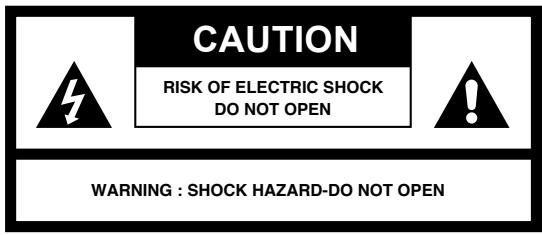
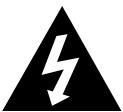
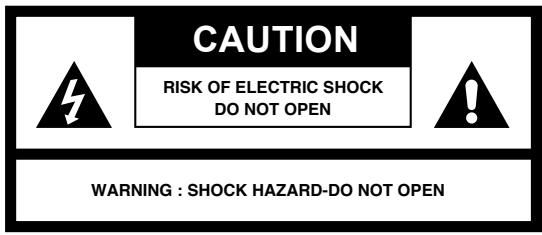
The lightning flash with arrowhead symbol within an equilateral triangle is intended to alert the user to the presence of uninsulated dangerous voltage within the product's enclosure that may be of sufficient magnitude to constitute a risk of electric shock to persons.

The exclamation point within an equilateral triangle is used to indicate that a specific component shall be replaced only by the component specified in that documentation for safety reasons.
The following label has been affixed to the unit, listing the proper procedure for working with the laser beam:
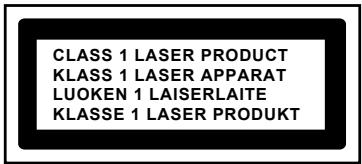

CLASS 1 LASER PRODUCT LABEL -
This label is attached to the place as illustrated to inform that the apparatus contains a laser component.
WARNING LABEL INFORMING OF RADIATION -
This label is placed inside the unit, as shown in the illustration, to warn against further measures on the unit. The equipment contains a laser radiating laser rays according to the limit of laser product of class 1.
SAFETY INSTRUCTIONS
- READ INSTRUCTIONS - All the safety and operating instructions should be read before the appliance is operated.
- RETAIN INSTRUCTIONS - The safety and operating instructions should be retained for future reference.
- HEED WARNINGS - All warnings on the appliance and in the operating instructions should be adhered to.
- FOLLOW INSTRUCTIONS - All operating instructions should be followed.
- WATER AND MOISTURE - The appliance should not be used near water, for example, near a bathtub, washbowl, kitchen sink, laundry tub, swimming pool, or in a wet basement.
- VENTILATION - The appliance should be situated so that its location or position does not interfere with its proper ventilation. For example, it should not be placed on a bed, sofa, rug, or similar surface that may block the ventilation openings, or placed in a built-in installation, such as a bookcase or cabinet that may impede the flow of air through the ventilation openings.
- HEAT - The appliance should be situated away from heat sources such as radiators, stoves, or other appliances (including amplifiers) that produce heat.
- POWER SOURCE - The appliance should be connected to a power supply only of the type described in the operating instructions or as marked on the appliance.
- GROUNDING - Precautions should be taken to ensure that the grounding means of an appliance is not defeated.
- POWER CORD PROTECTION - Power supply cords should be routed so that they are not likely to be walked on or pinched by items placed upon or against them.
- POWER LINES - An outdoor antenna should be located away from power lines.
- OBJECT and LIQUID ENTRY - Care should be taken so that objects do not fall and liquids are not spilled into the enclosure through openings.
- DAMAGE REQUIRING SERVICE - The appliance should be serviced by qualified service personnel when:
a. The power-supply cord or plug has been damaged. b. Objects have fallen into, or liquid has been spilled into the appliance enclosure. c. The appliance has been exposed to rain. d. The appliance has been dropped, or the enclosure damaged. e. The appliance does not appear to operate normally.
- SERVICING - The user should not attempt to service the appliance beyond that described in the user operating instructions. All other servicing should be referred to qualified service personnel.
Notes:
a. Dirty or scratched CD may cause a skipping problem. Clean or replace the CD. b. If an error display or malfunction occurs, disconnect the AC cord and remove all the batteries. Then turn the power back on.
BEFORE OPERATION
Notes: CONCERNING COMPACT DISCS.
Since dirty, damaged or warped discs may damage the appliance, care should be taken of the following items:
a. Usable compact discs. Use only compact discs with the mark shown below. b. CD compact disc only with digital audio signals.

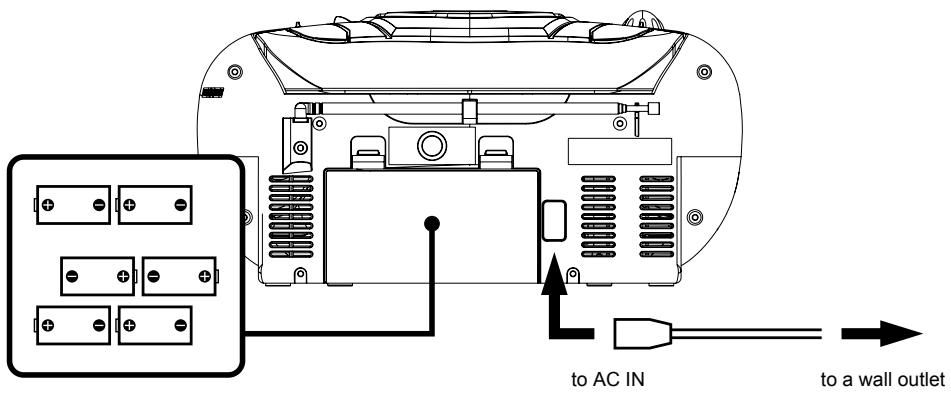
Insert 6 x "C" size batteries into the battery compartment.
AC POWER
You can power your portable system by plugging the detachable AC power cord into the AC inlet at the back of the unit and into a wall AC power outlet. Check that the rated voltage of your appliance matches your local voltage. Make sure that the AC power cord is fully inserted into the appliance.
BATTERY POWER
Insert 6 x "C" size batteries into the battery compartment. Be sure that the batteries are inserted correctly to avoid damage to the appliance. Always remove the batteries when the appliance will not be used for a long period of time, as this will cause leakage to the batteries and subsequently damage to your set.
Notes:
- Use batteries of the same type. Never use different types of batteries together.
- To use the appliance with batteries, disconnect the AC power cord from it.
TAPE BUTTONS - PAUSE, STOP / EJECT, FAST FORWARD, REWIND, PLAY, RECORD
CASSETTE DOOR
GENERAL OPERATION
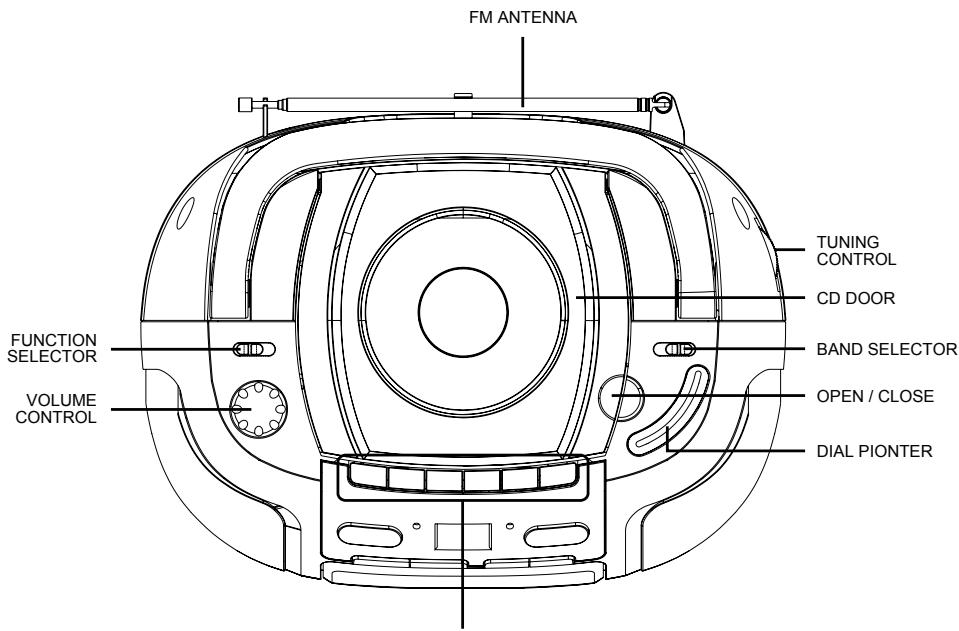
- Set the "FUNCTION" selector to "RADIO" mode.
- Select the desired band by using the "BAND" selector.
- Adjust the radio frequency to your desired station by using the "TUNING" control.
- Adjust the "VOLUME" control to the desired level.
FM / FM-STEREO RECEPTION
- Set the "BAND" selector to FM mode for MONO reception.
- Set the "BAND" selector to FM ST. mode for FM STEREO reception. The Stereo indicator lights up to show FM ST. mode.
FOR BETTER RECEPTION
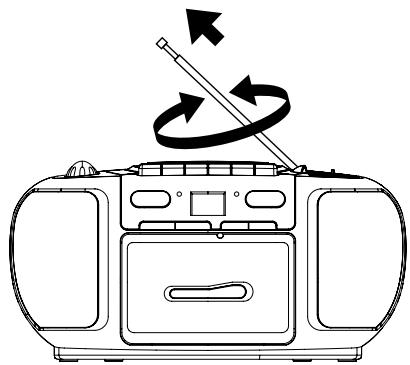
- Reorient the antenna for better FM reception.
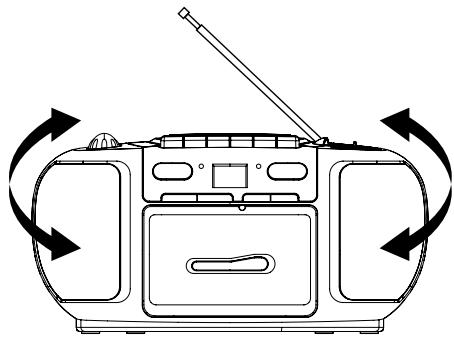
- Reorient the appliance to get better AM reception.
TAPE OPERATION
GENERAL OPERATION
PAUSE II
Press to stop playing tape operation temporarily.
Press again to resume tape operation.
STOP / EJECT ■▲
Press to stop tape operations.
Press again to open the cassette door after the tape spools stop turning.
FAST FORWARD ◀◀ & REWIND ▶▶
Press to start rapid tape winding either forward or reverse direction.
Press to start playing tape.
PLAY
RECORD ●
Press it together with "PLAY" button to start recording.
PLAYBACK
- Set the "FUNCTION" selector to "TAPE" mode.
- Press the "STOP / EJECT" button to open the cassette door and insert your tape.
- Close the cassette door.
- Press the "PLAY" button to start playing tape.
- Adjust the "VOLUME" control to the desired level.
- Press the "PAUSE" button when you want to stop playing tape operation temporarily.
- Press the "STOP / EJECT" button when finished.
RECORDING
- Press the "STOP / EJECT" button to open the cassette door and insert a blank tape.
- Select the source you want to record. To record from radio - Set the “FUNCTION” selector to “RADIO” mode and adjust the desired station. To record from CD / MP3 - Place a disc on the CD compartment. Set the “FUNCTION” selector to “CD / MP3” mode and select the desired track.
- Press the "RECORD" button together with the "PLAY" button to start recording.
- Press the "STOP / EJECT" button when finished.
GENERAL OPERATION
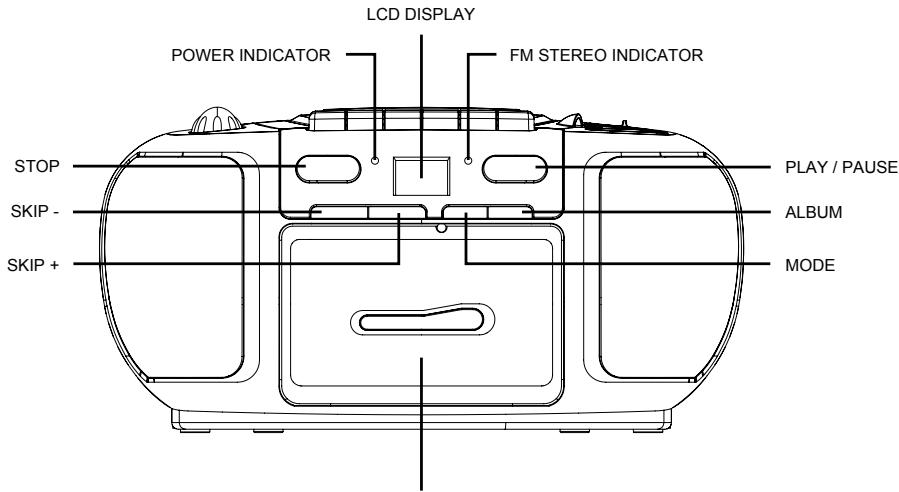
PLAY / PAUSE ▶II
Press to start playing CD / MP3 disc.
Press again to stop playing CD / MP3 operation temporarily.
Press again to resume playback.
SKIP + ▶▶▶I &
Press to go to the next track or back to the previous track.
SKIP - ◀◀◀
Press and hold while playing until you find the point of the sound.
STOP ■
Press to stop all CD / MP3 operation.
PLAYBACK
- Set the "FUNCTION" selector to "CD / MP3" mode.
- Open the CD door and place a CD / MP3 disc with the label up on the CD compartment.
- Close the CD door.
- Focus search is performed if disc is inside. Total number of track is read and appear on the display.
- Press the "PLAY / PAUSE" button to start playing CD / MP3 disc. You may select a desired folder by pressing "ALBUM" button (For MP3 only).
- Adjust the "VOLUME" control to the desired level.
- Press the "PLAY / PAUSE" button again when you want to stop playback temporarily.
- Press the "STOP" button when finished.
PROGRAM
Up to 20 tracks can be programmed for disc play in any order.
Be sure to press the "STOP" button before use.
- Press the "MODE" button, the display will show "P01" and flashing.
- Select a desired track by using the "SKIP +" or "SKIP -" button. (You may select a desired album by pressing "ALBUM" button.)
- Press the "MODE" button again to confirm desire track into program.
- Repeat steps 2 and 3 to enter additional memories into the program.
- When all the desired tracks have been programmed, press the "PLAY/PAUSE" button to play the disc in the order you have programmed.
- Press the "STOP" button twice to terminate program playback.
MODE
Press the "MODE" button during CD/MP3 disc playback. Each press switches the mode function as follows:
1 - REPEAT 1, 2 - REPEAT ALBUM (*MP3 ONLY), 3 - REPEAT ALL, 4 - RANDOM, 5 - NORMAL PLAYBACK
![graph TD A["REP"] -->|REPEAT 1| B["REP ALBUM"] B -->|REPEAT ALBUM| C["REP ALL"] C -->|REPEAT ALL| D["NORMAL PLAYBACK"] D --> E["RAND"] E --> F["RANDOM"] F --> D](/content/2024/12/95741/images/41d7d110f713a6365d9eb3a0652681748256aedbcb24709e29050f445d79c9d4.jpg)
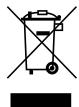
You can help protect the environment!
Please remember to respect local regulations: hand in non-working electrical equipment to an appropriate waste disposal center.

USER MANUAL
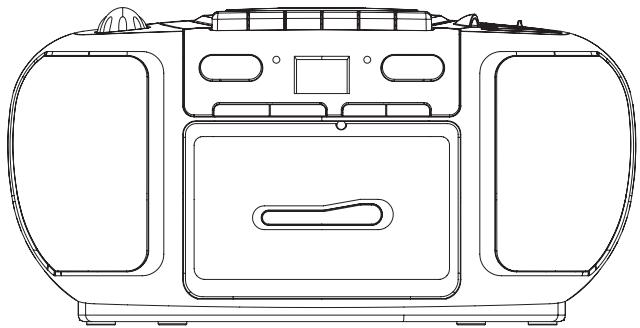
CSD-18
WARNING
TO REDUCE THE RISK OF FIRE OR ELECTRIC SHOCK, DO NOT EXPOSE THIS APPARATUS TO RAIN OR MOISTURE.

CLASS 1 LASER PRODUCT LABEL
OPERATION OF THE CASSETTE PLAYER
GENERAL OPERATION
PAUSE BUTTON
CSD-18
WARNING
TO PREVENT FIRE OR SHOCK HAZARD, DO NOT EXPOSE THIS APPLIANCE TO RAIN OR MOISTURE.



CLASS 1 LASER PRODUCT LABEL -
TAPE OPERATION
GENERAL OPERATION
CSD-18
DO NOT EXPOSE THE APPLIANCE TO RAIN OR MOISTURE, DANGER OF FIRE OR ELECTRIC SHOCK.

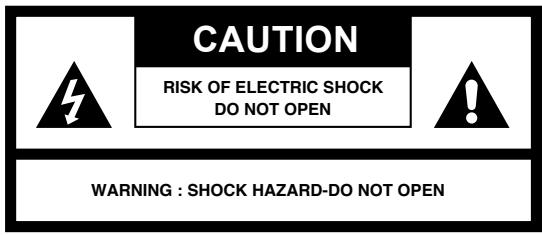
CAUTION
RISK OF ELECTRIC SHOCK DO NOT OPEN

WARNING: SHOCK HAZARD - DO NOT OPEN


CLASS 1 LASER PRODUCT
CLASS 1 LASER PRODUCT LABEL -
SPORTELLINO CASSETTA
NASTRO
- CLASS 1 LASER PRODUCT LABEL
- WARNING LABEL INFORMING OF RADIATION
- SAFETY INSTRUCTIONS
- NOTES
- BEFORE OPERATION
- NOTES: CONCERNING COMPACT DISCS
- AC POWER
- BATTERY POWER
- GENERAL OPERATION
- FM / FM-STEREO RECEPTION
- FOR BETTER RECEPTION
- TAPE OPERATION
- PAUSE II
- STOP / EJECT ■▲
- FAST FORWARD ◀◀ & REWIND
- PLAY
- RECORD ●
- PLAYBACK
- RECORDING
- PROGRAM
- MODE
- USER MANUAL
- WARNING
- OPERATION OF THE CASSETTE PLAYER
- CAUTION
- CLASS 1 LASER PRODUCT
- NASTRO
Brand : MPMAN
Model : CSD 18
Category : Radio cassette