Gamdias Aeolus M2-1201 - Household Fan

Aeolus M2-1201 - Household Fan Gamdias - Free user manual and instructions

Find the device manual for free Aeolus M2-1201 Gamdias in PDF.

📄 11 pages English EN Download 💬 AI Question 10 questions ⚙️ Specs
Notice Gamdias Aeolus M2-1201 - page 1
Pick your language and provide your email: we'll send you a specifically translated version.
Product Type Household Fan
Brand Gamdias
Model Aeolus M2-1201
Dimensions (H x W x D) Approximately 120 cm x 30 cm x 30 cm
Weight Approximately 3.5 kg
Power Supply AC 220-240V, 50Hz
Power Consumption 50W
Number of Speed Settings 3
Oscillation Yes, 80° wide oscillation
Timer Function Up to 7.5 hours
Remote Control Yes, included
Blade Material ABS plastic
Grille Material Metal with powder coating
Noise Level ≤ 55 dB
Maintenance Clean grille and blades with a soft, dry cloth; ensure unit is unplugged before cleaning
Safety Features Overheat protection, stable base, tip-over switch
Spare Parts Availability Remote control, blade assembly, grille available from manufacturer
Warranty 1 year limited warranty
Certifications CE, RoHS
Color Black/White

Frequently Asked Questions - Aeolus M2-1201 Gamdias

How do I clean the Aeolus M2-1201 fan?
Unplug the fan, remove the front grille by unscrewing the retaining screw, and clean the grille and blades with a soft, damp cloth. Do not use harsh chemicals. Allow all parts to dry fully before reassembling.
Does the fan come with a remote control?
Yes, the Aeolus M2-1201 includes a remote control for convenient operation from a distance. It requires a CR2025 battery (included).
How many speed settings does the fan have?
The fan offers 3 speed settings: low, medium, and high, selected via the control panel or remote.
Can the fan oscillate?
Yes, the fan features 80° oscillation to distribute air across a wide area. Oscillation can be toggled on/off.
Is there a timer function?
Yes, the fan has a timer that can be set from 0.5 to 7.5 hours, after which the fan automatically turns off.
What should I do if the fan stops working?
Check if the power cord is plugged in, the fuse has blown, or the overheat protection has activated. If the motor overheats, unplug the fan and let it cool for 30 minutes before restarting.
Is the fan safe to use around children?
The Aeolus M2-1201 has a stable base and a tip-over switch that automatically cuts power if the fan is knocked over, making it safer for households with children and pets.
What is the power consumption of the fan?
The fan consumes 50 watts on the highest setting, making it energy-efficient for continuous use.
How do I assemble the fan?
Slide the base onto the pole, tighten the nut, attach the head to the pole, and secure the grille with the screw. Detailed assembly instructions are in the user manual included in the box.
What is the warranty for this fan?
The Gamdias Aeolus M2-1201 comes with a 1-year limited warranty covering manufacturing defects. Register your product on the Gamdias website for warranty service.

User questions about Aeolus M2-1201 Gamdias

0 question about this device. Answer the ones you know or ask your own.

Ask a new question about this device

The email remains private: it is only used to notify you if someone responds to your question.

No questions yet. Be the first to ask one.

Download the instructions for your Household Fan in PDF format for free! Find your manual Aeolus M2-1201 - Gamdias and take your electronic device back in hand. On this page are published all the documents necessary for the use of your device. Aeolus M2-1201 by Gamdias.

USER MANUAL Aeolus M2-1201 Gamdias

natural_image Abstract geometric pattern with interlocking triangles forming a triangular design (no text or symbols)

Gamdias Aeolus M2-1201 - 1

natural_image Close-up of a colorful, gradient-colored CPU fan with 'GAMDIAS' branding on the central body (no other text or symbols visible)

GAMDIAS

AEOLUS | M2 1201

Case & Radiator Fan

Package Contents

A

Gamdias Aeolus M2-1201 - Package Contents - 1

natural_image Technical line drawing of a mechanical fan or impeller assembly (no text or symbols)

X1

B

Gamdias Aeolus M2-1201 - Package Contents - 2

X4

01

Line drawing showing a desktop computer with a red X symbol indicating a fault or disconnection, next to an outlet and computer.

English

◆ Make sure that your system is turned off and unplugged.

Français

A ©A

Gamdias Aeolus M2-1201 - Français - 2

Gamdias Aeolus M2-1201 - Français - 3
ADD_HEADER

Gamdias Aeolus M2-1201 - Français - 4

Gamdias Aeolus M2-1201 - Français - 5
JRAINBOW

Gamdias Aeolus M2-1201 - Français - 6

Gamdias Aeolus M2-1201 - Français - 7

Gamdias Aeolus M2-1201 - Français - 8

Gamdias Aeolus M2-1201 - Français - 9

Gamdias Aeolus M2-1201 - Français - 10

Gamdias Aeolus M2-1201 - Français - 11

Gamdias Aeolus M2-1201 - Français - 12

Gamdias Aeolus M2-1201 - Français - 13

Gamdias Aeolus M2-1201 - Français - 14

Gamdias Aeolus M2-1201 - Français - 15

Gamdias Aeolus M2-1201 - Français - 16

Gamdias Aeolus M2-1201 - Français - 17

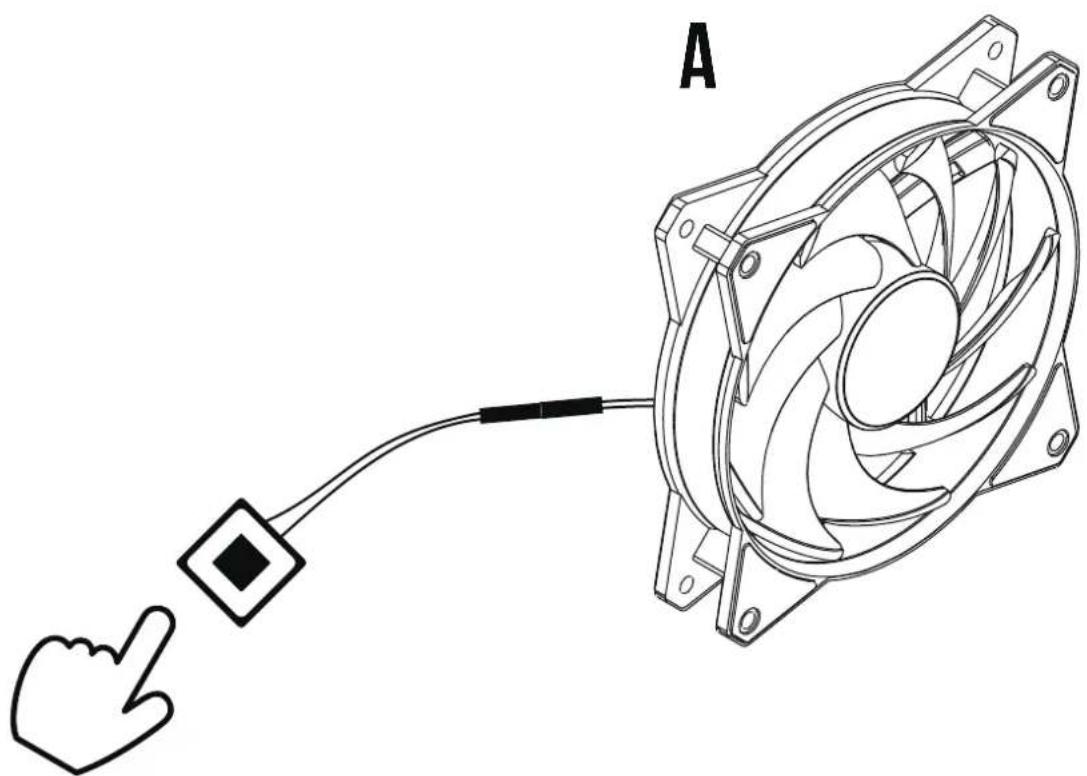
natural_image Line drawing of a computer fan with a cursor pointing at it, connected to a cable (no text or symbols)

Gamdias Aeolus M2-1201 - Français - 18

If the motherboard RGB sync function is used, the button function will be automatically disabled.
Gamdias Aeolus M2-1201 - Français - 19

Gamdias Aeolus M2-1201 - Français - 20

Gamdias Aeolus M2-1201 - Français - 21

Gamdias Aeolus M2-1201 - Français - 22

1
REMOVE A

2
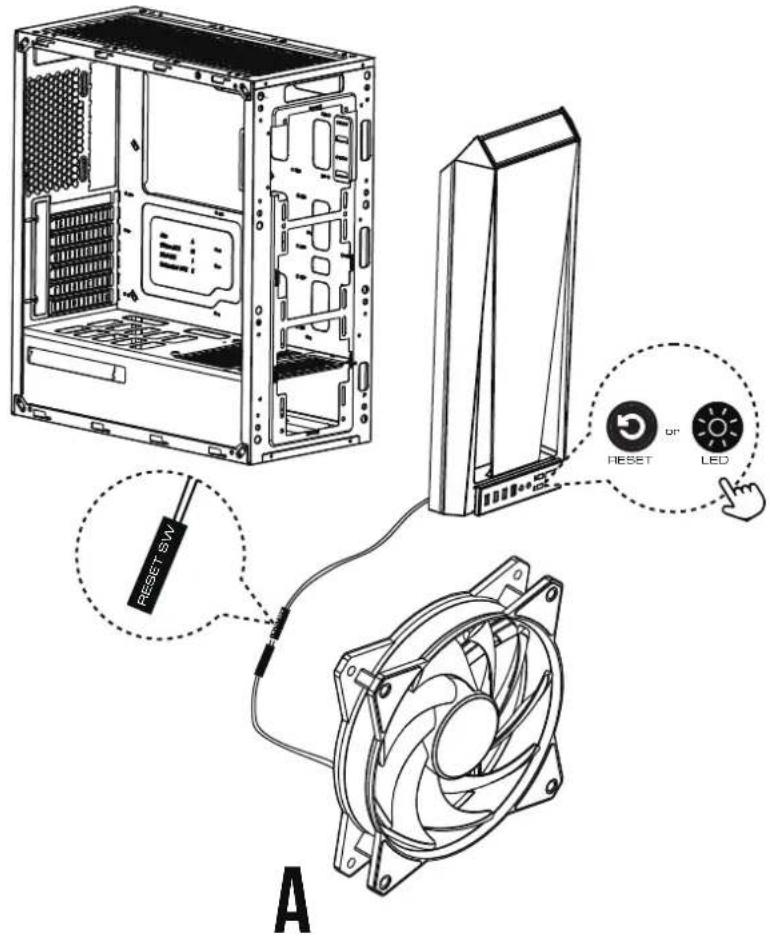
RESET RESET SW LED A

Gamdias Aeolus M2-1201 - Français - 25

If the motherboard RGB sync function is used, the button function will be automatically disabled.

Gamdias Aeolus M2-1201 - Français - 26

Gamdias Aeolus M2-1201 - Français - 27

Gamdias Aeolus M2-1201 - Français - 28

Gamdias Aeolus M2-1201 - Français - 29

06

A 1 2

Gamdias Aeolus M2-1201 - 06 - 2

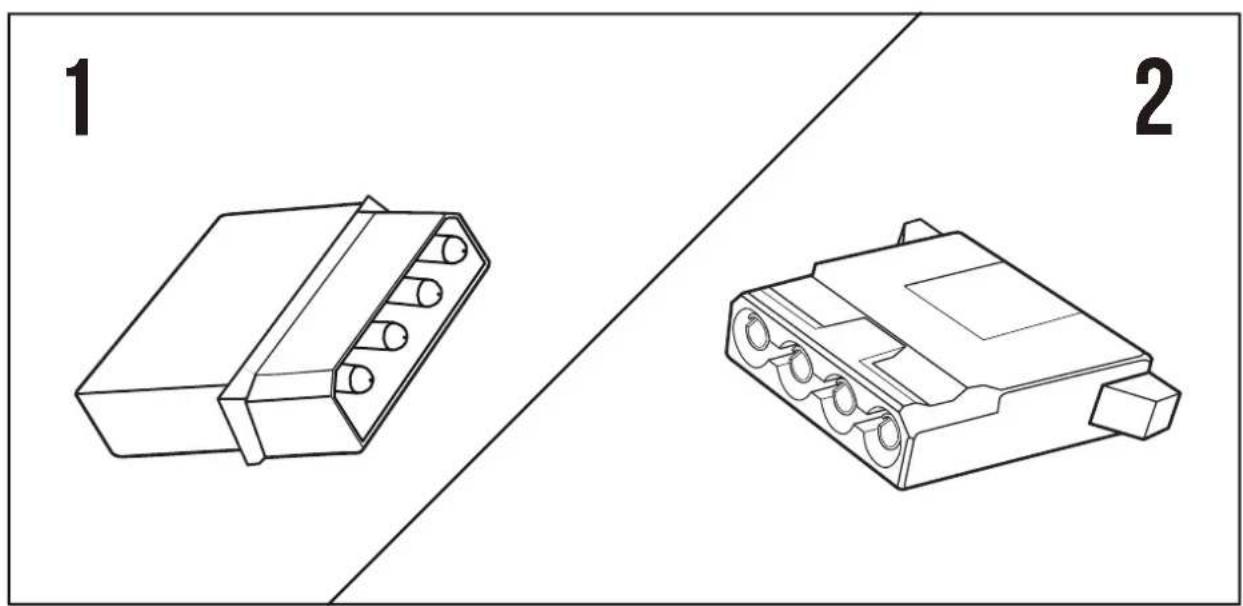
natural_image Technical line drawing of two electronic connectors (no text or symbols)

07

The design of male and female Molex to deal with insufficient socket

A 1 2 1 2 1 2 1 2 1 2 1 2 1 2 1 2 1 2 1 2 1 2 1 2 1 2 1 2 1 2 1 2 1 2 1 2 1 2 1 2 1 2 1 2 1 2 1 2 1 2 1 2 1 2

Gamdias Aeolus M2-1201 - 07 - 2

natural_image Technical line drawing of two electronic connectors (no text or symbols)

Diagram showing computer setup with a switch, power button, and mouse, indicating connection to a desktop tower.

Gamdias Aeolus M2-1201 - 07 - 4

natural_image Abstract geometric logo design with interlocking black and gold shapes forming a triangular frame (no text or symbols)

GAMDIAS

GAMING ART IN MOTION

Table of contents Click a title to access it
Manual assistant
Powered by Anthropic
Waiting for your message
Product information

Brand : Gamdias

Model : Aeolus M2-1201

Category : Household Fan